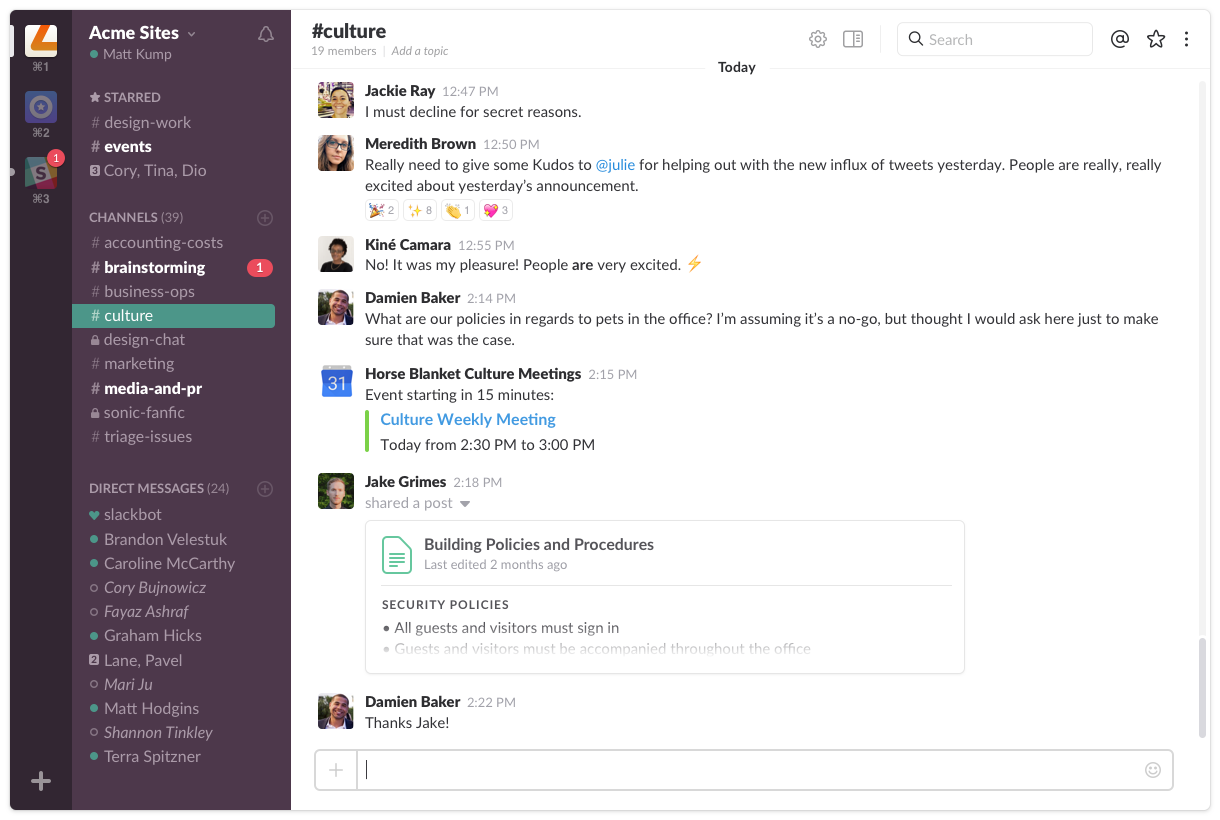

What I like best about Slack is how it keeps team communication organized without relying heavily on emails. Channels make it easier to separate projects, departments, and client discussions, while threads help keep conversations clean and easier to follow.
One feature I use regularly is the integration support with tools like Google Drive, Zapier, and project management platforms. Notifications and updates coming directly into Slack help reduce context switching and improve response time across teams.
The search functionality is also surprisingly useful for finding older discussions, files, or decisions quickly. In day-to-day work, this has saved a lot of time and improved collaboration, especially in remote workflows.
Another unexpected benefit is how lightweight and fast the platform feels even when multiple teams and channels are active at the same time. While notification management can sometimes become overwhelming in large workspaces, overall Slack has been reliable and productive for daily communication. Bewertung gesammelt von und auf G2.com gehostet.
One downside of Slack is that notifications can become overwhelming when working in multiple active channels. Without proper notification settings, it is easy to get distracted or miss important updates among less relevant conversations.
Another limitation is that message history and search functionality on lower-tier plans can feel restricted for teams that need access to older discussions and files. Managing large workspaces can also become slightly cluttered over time if channels are not organized properly.
Slack integrations are useful, but occasionally some third-party app notifications can create noise instead of improving workflow. Initial onboarding for non-technical team members may also take some adjustment, especially when learning channel structures and workflow habits.
Despite these points, overall, the platform still provides strong value for communication and collaboration Bewertung gesammelt von und auf G2.com gehostet.