


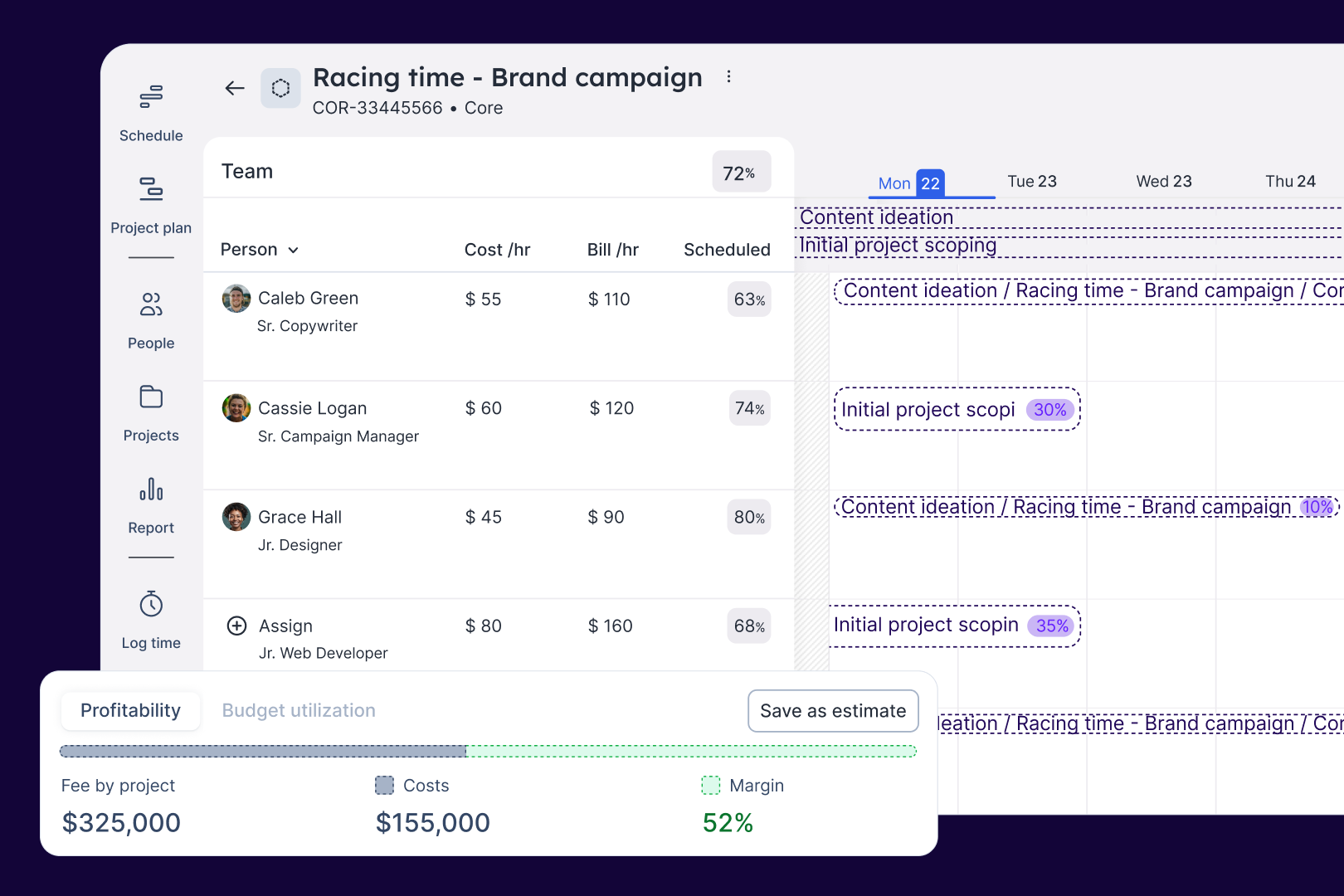
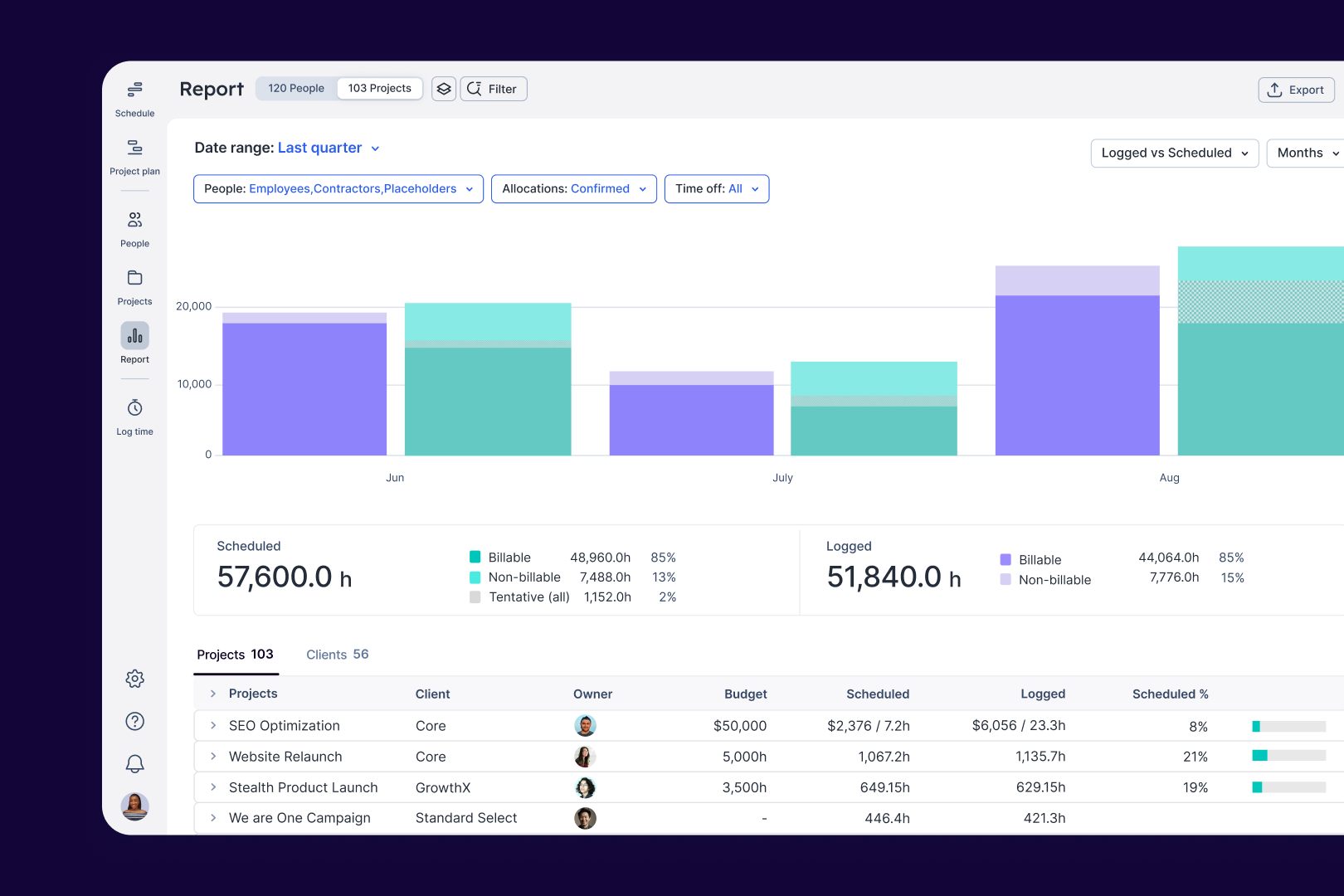
Colour coding of projects and easy to read dash / diary. Review collected by and hosted on G2.com.
The delete function is so easy to get wrong and accidentally delete a booking! Review collected by and hosted on G2.com.
Colour coding of projects and easy to read dash / diary. Review collected by and hosted on G2.com.
The delete function is so easy to get wrong and accidentally delete a booking! Review collected by and hosted on G2.com.
Float is a user friendly platform and it is used to communicate tasks, shcedule, and appointments among our team. Review collected by and hosted on G2.com.
Controling the week to week panel is not as easy. Review collected by and hosted on G2.com.

helps to organise my day and week. Keeps my job numbers together Review collected by and hosted on G2.com.
slow to update, sometimes needs to be refreshed a few times to show Review collected by and hosted on G2.com.

Our organization really likes Float as a picture of future bandwidth. Managers appreciate how they can quickly make adjustments to their direct reports' assignments and we have used Float as part of new hire business cases to get a quick visual of bandwidth constraints. Float is very easy to update on the fly as projects change. Review collected by and hosted on G2.com.
Customer service via email support can be confusing and take a long time to address the original question. This could be addressed by having a slightly different triage system. Additionally, if you have multiple URLs you can't implement SSO for all of them, which we discovered only at the end of trying to implement SSO. Review collected by and hosted on G2.com.
Thank you for your review, Joseph! It's great to hear that Float is helping your organization manage your teams more effectively and understand when it's time to hire!
Thanks for the feedback about customer support, and implementing SSO. We'll pass that along to the team.

I really like how easy it is to use, that's the main thing! I have never used it before but within 15 minutes I'd managed to schedule all my projects. I also like the budget tracking element - I have quite a complicated project with a less than 2% tolerance with the budget and Float has been invaluable helping me track that. Review collected by and hosted on G2.com.
I find it's quite hard to export the data which we need for our invoicing - I end up exporting it in Excel and then having to copy and paste. I would love it if there was some sort of invoicing feature in float so we could generate them at source! Review collected by and hosted on G2.com.
Thank you for your review, Melanie! Great to hear that Float helps you manage profitability and project plans with ease!
Thanks for your feedback about data exports. We'll pass that along!
The scheduling, logging and updating features are the ones I use daily and they help me massively with my time management, even more so because I'm working from home. The reports are my favourite feature so far along with updates as my work changes a lot more than what was scheduled. Review collected by and hosted on G2.com.
Well, most of it has been cleared in the recent update as the issue was with updating tasks, and the different formats for tasks and projects in scheduling and logging which sometimes is confusing when doing both at the same time. Of course, the occasional crashes are a bit annoying sometimes. Review collected by and hosted on G2.com.
Thanks for your review, Himashu! Great to hear that the recent update made updating tasks easier for you!
Visuals of my assignments and filters to see my own items. Review collected by and hosted on G2.com.
There is too much space for a team of 10. Minimize the empty space. Review collected by and hosted on G2.com.
Thank you for your review, Julissa!

Float makes tracking time/hours for each project you are assigned to very quick and easy. Each task has its own tab that is very specific to what you are working on. Review collected by and hosted on G2.com.
Logging in time should definitely be the responsibility of the user, however, I think an alert/notification feature to remind users to track their hours would be very useful. I dislike that it is up to managers and higher-ups to reach out about missing days or time. Review collected by and hosted on G2.com.
Thanks for your review, Zahra! Great to hear you find Float easy to use to track projects and time.
In case you haven't tried it yet, the Float Admin or Account Owner can set up time tracking reminder emails to go to the team daily or weekly. This can be found in Team Settings under Notifications. I hope that helps!
Intuitive and easy to use with a friendly UI in both mobile and web interfaces. Using Float has given our team insight on unused capacity and improved team scheduling. Review collected by and hosted on G2.com.
Does not have native integrations with MS Project, so the export then import function is fumbly to use. Works better as a resource scheduling tool (which it is) than a project management tool (which it is not). Review collected by and hosted on G2.com.
Thanks for your review, Ted! Great to hear that Float has improved scheduling for your team!
Thank for the feedback about needing to integrate with MS Project. We're always looking to expand our set of integrations, so we'll take this into consideration.

Relatively easy to use interface, with a view that helps project managers see what the upcoming weeks/months look like in terms of resource commitment. There are also functions like adding phases to projects that are pretty useful. Review collected by and hosted on G2.com.
Any time, as a resource manager, that I need to add single day commitments in the middle of a longer commitment, I have to stop the longer commitment short of the day needing to be planned, put the day's commitment in, and recreate the longer commitment to resume after the day being planned. This is a huge headache when putting in things like one-day trainings or other commitments that aren't in the "time off" category. There could also be additional tie-ins to other software. Having to manage a forecast in Float and then do other management (time entries, project/task management, etc.) is not very efficient. Review collected by and hosted on G2.com.
Thanks for your review, Nathan! Great to hear that Float is helping with forecasting projects and time off!
For adding a single day commitment during a longer commitment, it sounds like the Split function in the right-click menu might come in handy: https://support.float.com/en/articles/28947-right-click-menu-and-keyboard-shortcuts
Hope this saves you some time!
Get practical answers, real workflows, and honest pros and cons from the G2 community or share your insights.

what do you think about float?
Can the old design be reused, is there an option to switch to that?
Pricing provided by Float.com.