# Best Enterprise Payroll Software - Page 2

*By [Jeffrey Lin](https://research.g2.com/insights/author/jeffrey-lin)*


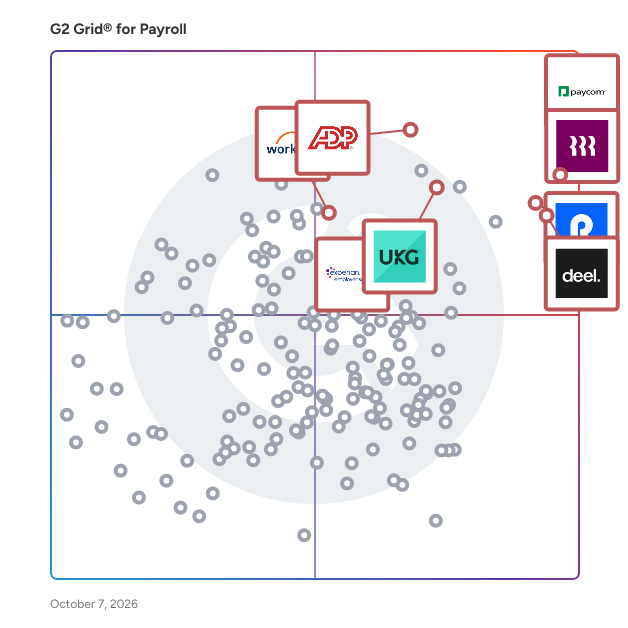
Products classified in the overall Payroll category are similar in many regards and help companies of all sizes solve their business problems. However, enterprise business features, pricing, setup, and installation differ from businesses of other sizes, which is why we match buyers to the right Enterprise Business Payroll to fit their needs. Compare product ratings based on reviews from enterprise users or connect with one of G2&#39;s buying advisors to find the right solutions within the Enterprise Business Payroll category.

In addition to qualifying for inclusion in the Payroll Software category, to qualify for inclusion in the Enterprise Business Payroll Software category, a product must have at least 10 reviews left by a reviewer from an enterprise business.


## Top Payroll Software at a Glance
| # | Product | Rating | Best For | What Users Say |
|---|---------|--------|----------|----------------|
| 1 | [RUN Powered by ADP](https://www.g2.com/products/run-powered-by-adp/reviews) | 4.7/5.0 (5,792 reviews) | Small-business payroll automation | "[User-Friendly Payroll with Great Chat Support](https://www.g2.com/survey_responses/run-powered-by-adp-review-12182472)" |
| 2 | [Gusto](https://www.g2.com/products/gusto/reviews) | 4.6/5.0 (11,449 reviews) | Payroll with benefits administration | "[Gusto Makes Small Business Payroll Painless and Fast](https://www.g2.com/survey_responses/gusto-review-13060690)" |
| 3 | [Paycom](https://www.g2.com/products/paycom/reviews) | 4.5/5.0 (4,542 reviews) | Centralized employee payroll visibility | "[Paycom Review 06.26.2026](https://www.g2.com/survey_responses/paycom-review-13036323)" |
| 4 | [Rippling](https://www.g2.com/products/rippling/reviews) | 4.8/5.0 (11,505 reviews) | Unified HR, IT, and payroll automation | "[Intuitive, Well-Designed Platform — Unified Profiles &amp; Easy Device Management](https://www.g2.com/survey_responses/rippling-review-13046239)" |
| 5 | [Deel Payroll](https://www.g2.com/products/deel-payroll/reviews) | 4.7/5.0 (6,770 reviews) | Global payroll payment transparency | "[Perfect for International Payments with Ease](https://www.g2.com/survey_responses/deel-payroll-review-12939273)" |
| 6 | [Remote](https://www.g2.com/products/remote/reviews) | 4.5/5.0 (3,569 reviews) | Cross-border payroll visibility | "[Smooth, Reliable Onboarding with Fast Time Tracking and Helpful AI Assistant](https://www.g2.com/survey_responses/remote-review-13067615)" |
| 7 | [UKG Ready](https://www.g2.com/products/ukg-ready/reviews) | 4.4/5.0 (2,367 reviews) | Customizable workforce payroll management | "[Intuitive, Fast, and Insightful—UKG Ready Delivers Real Workflow Efficiency](https://www.g2.com/survey_responses/ukg-ready-review-12643555)" |
| 8 | [Paylocity](https://www.g2.com/products/paylocity/reviews) | 4.4/5.0 (5,974 reviews) | Consolidated HR and payroll management | "[Seamless All-in-One HR Platform That Saves Hours](https://www.g2.com/survey_responses/paylocity-review-12915096)" |
| 9 | [BambooHR](https://www.g2.com/products/bamboohr/reviews) | 4.4/5.0 (5,164 reviews) | HR-first payroll-adjacent workflows | "[Customizable HRIS with Unbeatable Customer Service](https://www.g2.com/survey_responses/bamboohr-review-5224185)" |
| 10 | [TriNet](https://www.g2.com/products/trinet/reviews) | 4.2/5.0 (1,794 reviews) | PEO-style HR payroll consolidation | "[TriNet Simplifies HR So SMBs Can Focus on Growth](https://www.g2.com/survey_responses/trinet-review-12967209)" |

---
## What Are the Most Common Questions About Payroll Software?
*AI-generated · Last updated: May 26, 2026*
### Which Payroll systems have the easiest setup for companies with seasonal workers?
Based on G2 reviews, payroll systems described as easy to set up often appeal to teams hiring seasonally or onboarding workers quickly. G2 reviewers mention that RUN Powered by ADP, Gusto, and Rippling are frequently praised for straightforward setup, simple navigation, and smooth employee onboarding. According to verified users, these products help reduce manual work when adding employees, managing payroll runs, and handling related documents. Reviewers also highlight that clear interfaces and responsive support matter when payroll needs change fast. Across recent feedback, buyers often point to quick implementation, user-friendly workflows, and accessible support as the biggest advantages for businesses with changing staffing levels.


### What highest rated Payroll for small business owners who need fast, accurate payroll processing?
Based on G2 reviews, small business owners consistently describe RUN Powered by ADP as a strong fit when fast, accurate payroll processing is the priority. According to verified users, it is easy to learn, payroll runs can be completed quickly, and the platform helps reduce manual calculations through automated tax and wage handling. G2 reviewers mention that it is especially helpful for small businesses that want a straightforward process, responsive support, and a reliable workflow for recurring payroll tasks. Users also call out time savings, simple setup, and the ability to keep payroll, employee records, and related HR tasks organized in one place for daily operations.

**Here are some of the top-rated products on G2:**

- [RUN Powered by ADP](https://www.g2.com/products/run-powered-by-adp/reviews) – used by small businesses for fast payroll runs, tax handling, and straightforward employee setup
- [Gusto](https://www.g2.com/products/gusto/reviews) – praised for simple payroll runs, easy onboarding, and clear access to pay and tax information
- [Rippling](https://www.g2.com/products/rippling/reviews) – valued for centralized payroll, onboarding, and automation that reduces manual admin work


### Which Payroll platforms integrate seamlessly with accounting software like accounting platforms or Xero?
Based on G2 reviews, payroll buyers often prioritize products that reduce duplicate entry by connecting payroll with accounting workflows. G2 reviewers mention that RUN Powered by ADP supports accounting integrations that help with allocations and ledger detail, while Gusto is praised for integrations that fit existing software stacks with minimal effort. According to verified users, Rippling also stands out for consolidating payroll with other systems and connecting across operations tools. Reviewers consistently tie these integrations to easier reconciliations, fewer manual adjustments, and better visibility into payroll data. For teams evaluating payroll software, the strongest signals point to products that make payroll information easier to route into accounting and reporting processes.


### What Payroll platforms that prevent payroll errors and keep audit trails for compliance?
Based on G2 reviews, buyers looking to reduce payroll mistakes often focus on automation, centralized records, and easier reporting. G2 reviewers mention RUN Powered by ADP for automating calculations, deductions, and filings, which helps reduce manual errors. According to verified users, Gusto is valued for consistent payroll calculations and support with taxes and compliance tasks, while ADP Workforce Now is praised for keeping payroll, attendance, and employee records in one platform for easier oversight. Reviewers also connect these systems with stronger documentation, accessible records, and clearer visibility when payroll needs to be reviewed. Across the category, products with organized records and automated workflows are most often linked to compliance confidence.


### What is the best Payroll software for small teams managing employees and payroll across multiple states?
Based on G2 reviews, Gusto stands out for small teams managing payroll across multiple states. According to verified users, it simplifies payroll runs, helps with tax setup and withholding, and supports teams that need an easier way to manage payroll without adding heavy administrative work. G2 reviewers mention that it is user-friendly, quick to set up, and helpful for teams handling onboarding, payroll taxes, and employee self-service in one place. Users also note that it reduces paperwork and keeps payroll processes organized for smaller organizations. While some reviewers mention reporting and support can vary by issue, the overall feedback strongly supports Gusto for multi-state small-team payroll management.


### What most reliable Payroll based on reviews from companies that switched from spreadsheets?
Based on G2 reviews, reliability is often described in terms of replacing spreadsheets, reducing manual work, and keeping payroll organized in one place. G2 reviewers mention RUN Powered by ADP, Gusto, and Rippling as products that help teams move away from manual calculations, paper-based tracking, or disconnected tools. According to verified users, these platforms make payroll more consistent through automation, centralized employee data, and easier tax handling. Reviewers also connect reliability with responsive support and smoother recurring payroll cycles. For buyers moving from spreadsheets, the strongest patterns point to platforms that automate repetitive payroll steps, reduce errors, and give teams clearer visibility into pay-related information.

**Here are some of the top-rated products on G2:**

- [RUN Powered by ADP](https://www.g2.com/products/run-powered-by-adp/reviews) – helps teams replace manual payroll calculations with automated payroll and tax processing
- [Gusto](https://www.g2.com/products/gusto/reviews) – used to simplify payroll, taxes, and paperwork in one easy-to-manage system
- [Rippling](https://www.g2.com/products/rippling/reviews) – centralizes payroll and employee management to reduce spreadsheet-driven admin work


### What are the best Payroll platforms for automating time tracking and payroll compliance?
Based on G2 reviews, buyers often associate payroll automation with direct time tracking links, fewer manual adjustments, and stronger compliance support. G2 reviewers mention RUN Powered by ADP for time tracking connections and automated tax handling, Gusto for integrated payroll and time workflows, and Rippling for combining payroll, onboarding, and time-related administration in one place. According to verified users, these platforms help reduce the burden of manually calculating hours, deductions, and filings. Reviewers also highlight that centralized records and smoother payroll syncing improve confidence when handling routine compliance tasks. For teams comparing payroll software, automation is most often tied to easier payroll runs and less administrative rework.

**Here are some of the top-rated products on G2:**

- [RUN Powered by ADP](https://www.g2.com/products/run-powered-by-adp/reviews) – supports payroll processing tied to time tracking, tax handling, and organized employee records
- [Gusto](https://www.g2.com/products/gusto/reviews) – helps streamline payroll, time tracking, and compliance-related workflows for small teams
- [Rippling](https://www.g2.com/products/rippling/reviews) – centralizes payroll, time tracking, and onboarding to reduce manual compliance work


### What Payroll software that handles tax filing compliance and wage garnishment processing automatically?
Based on G2 reviews, payroll buyers often look for products that can take tax filing tasks off their plate while also supporting more detailed payroll scenarios. G2 reviewers mention RUN Powered by ADP for handling taxes, garnishments, and payroll adjustments, and ADP Workforce Now for helping teams manage payroll taxes, compliance, and employee records in one system. According to verified users, Gusto is also praised for simplifying tax handling and payroll administration with less manual effort. Reviewers connect these tools with easier payroll processing, better organization during tax-related work, and less need to manually manage recurring payroll compliance tasks. These signals make them stand out for tax and garnishment-heavy workflows.


### What Payroll tools with mobile apps for remote team members to clock in and access pay stubs?
Based on G2 reviews, mobile access is a recurring theme for payroll buyers with remote or distributed teams. G2 reviewers mention RUN Powered by ADP for mobile-friendly access to time cards and payroll information, Gusto for easy app navigation and access to pay details, and Rippling for centralized access to payroll, benefits, and employee information from one platform. According to verified users, these tools help employees review pay information, manage time-related tasks, and access documents without relying on desktop-only workflows. Reviewers also mention that mobile convenience helps reduce routine HR questions and supports employees who need payroll information on the go.


### What most trusted Payroll platforms by finance managers managing multi-state compliance based on user reviews?
Based on G2 reviews, finance and payroll leaders managing multi-state requirements often point to platforms that reduce filing complexity and centralize records. G2 reviewers mention ADP Workforce Now, Gusto, and RUN Powered by ADP as trusted options because they help with payroll tax handling, employee records, and payroll administration across changing state requirements. According to verified users, these products reduce manual work, improve access to payroll data, and make recurring compliance processes easier to manage. Reviewers also emphasize the value of having payroll, employee details, and reporting in one system when working across multiple jurisdictions. Across recent feedback, trust is tied to consistency, support, and easier tax-related workflows.

**Here are some of the top-rated products on G2:**

- [ADP Workforce Now](https://www.g2.com/products/adp-workforce-now/reviews) – used to manage payroll, employee records, tax handling, and multi-state HR workflows in one place
- [Gusto](https://www.g2.com/products/gusto/reviews) – helps teams manage payroll, taxes, and employee onboarding with simpler multi-state processes
- [RUN Powered by ADP](https://www.g2.com/products/run-powered-by-adp/reviews) – supports payroll, tax processing, and employee management with strong ease of use for smaller teams


## How Many Payroll Software Products Does G2 Track?
**Total Products under this Category:** 660

### Category Stats (Jul 2026)
- **Average Rating**: 4.36/5 (↑0.01 vs Jun 2026) The average rating of products in this category, based on all submitted ratings
- **Top Trending Product**: HR3 Payroll (+11.11%) - Among all products in this category, HR3 Payroll recorded the largest rating increase compared to last month
*Last updated: July 05, 2026*


## How Does G2 Rank Payroll Software Products?

**Why You Can Trust G2's Software Rankings:**

- 30 Analysts and Data Experts
- 120,700+ Authentic Reviews
- 660+ Products
- Unbiased Rankings

G2's software rankings are built on verified user reviews, rigorous moderation, and a consistent research methodology maintained by a team of analysts and data experts. Each product is measured using the same transparent criteria, with no paid placement or vendor influence. While reviews reflect real user experiences, which can be subjective, they offer valuable insight into how software performs in the hands of professionals. Together, these inputs power the G2 Score, a standardized way to compare tools within every category.


---

**Sponsored**

### OnPay

OnPay is designed for business owners who want to spend more time running their business — and less time managing back-office tasks. This award-winning payroll and HR software helps small and mid-sized businesses save over 15 hours each month by automating time-consuming processes and simplifying workforce management. “It’s an easy, quick, mobile-friendly system that doesn’t require a steep learning curve,” according to Entrepreneur, and it is rated “Outstanding” by PCMag. With OnPay, you can run payroll in minutes, automate federal and state tax calculations and filings, and reduce compliance risks with built-in accuracy. Employees can access their own pay stubs, tax documents, and personal information through self-service tools, which helps reduce administrative work for business owners and HR teams. The platform also makes it easy to streamline HR processes, manage employee records, and offer top-tier benefits in all 50 states. Payroll essentials start at just $49 plus $6 per worker per month. This includes full-service payroll processing, automated tax filings, year-end forms, and seamless integrations with popular accounting software like QuickBooks and Xero, as well as leading time-tracking tools. OnPay also provides onboarding support and account migration at no additional cost, making it easy to switch from another payroll provider. For businesses that need more advanced HR features, the optional HR add-on is available for $15 base plus $2 per worker per month. It includes tools like employee self-service, PTO management, and org charts to help you better manage your team. You can also add integrated benefits, a 401(k) plan, and pay-as-you-go workers’ compensation, giving you a scalable payroll and HR solution that grows with your business.


[Visit website](https://www.g2.com/external_clickthroughs/record?secure%5Bad_program%5D=paid_promo&amp;secure%5Bad_slot%5D=category_product_list&amp;secure%5Bcategory_id%5D=162&amp;secure%5Bchosen_at%5D=2026-07-07T03%3A18%3A21Z&amp;secure%5Bmedium%5D=sponsored&amp;secure%5Bprioritized%5D=false&amp;secure%5Bproduct_id%5D=4558&amp;secure%5Bresource_id%5D=162&amp;secure%5Bresource_type%5D=Category&amp;secure%5Bsource_type%5D=category_page&amp;secure%5Bsource_url%5D=https%3A%2F%2Fwww.g2.com%2Fcategories%2Fpayroll%2Fenterprise%3Fpage%3D2&amp;secure%5Btoken%5D=59cd99c1649f7a19bf9d9c9d7eba8827a2c2bb73dbb1c3ec4193d86a4ea96abc&amp;secure%5Burl%5D=https%3A%2F%2Fonpay.com%2Fpricing%2F&amp;secure%5Burl_type%5D=paid_promos)

---

## What Are the Top-Rated Payroll Software Products in 2026?
### 1. [Hubstaff](https://www.g2.com/products/hubstaff/reviews)
Hubstaff is a time tracking software built for global teams. Track hours with precision, automate payments and invoicing, and gain full visibility into how work gets done — whether your team is remote, hybrid, in-office or field-based. In addition to time tracking, Hubstaff includes built-in productivity monitoring features such as activity rates, app and URL usage, and optional screenshots — helping managers understand how time is spent and where focus is lost. The platform also offers advanced workforce analytics that classify work time, detect unusual activity patterns, and highlight inefficiencies — enabling data-driven decisions that improve performance and reduce wasted hours. Available on Mac, Windows, Linux, iOS, Android, and Chrome, Hubstaff platform integrates with over 35+ tools to streamline operations and support productive, high-performing teams.


**Average Rating:** 4.4/5.0
**Total Reviews:** 2,249
**How Do G2 Users Rate Hubstaff?**

- **Has the product been a good partner in doing business?:** 8.8/10 (Category avg: 8.7/10)
- **Performance and Reliability:** 9.4/10 (Category avg: 8.7/10)
- **Scalability:** 9.3/10 (Category avg: 8.7/10)
- **User, Role, and Access Management:** 9.3/10 (Category avg: 8.7/10)

**Who Is the Company Behind Hubstaff?**

- **Seller:** [Hubstaff](https://www.g2.com/sellers/hubstaff)
- **Company Website:** https://hubstaff.com
- **Year Founded:** 2013
- **HQ Location:** Indianapolis, IN
- **Twitter:** @HubStaff (11,558 Twitter followers)
- **LinkedIn® Page:** https://www.linkedin.com/company/2358159/ (346 employees on LinkedIn®)

**Who Uses This Product?**
- **Who Uses This:** Owner, CEO
- **Top Industries:** Information Technology and Services, Computer Software
- **Company Size:** 45% Small-Business, 26% Mid-Market


#### What Are Hubstaff's Pros and Cons?

**Pros:**

- Time Tracking (536 reviews)
- Ease of Use (506 reviews)
- Tracking Ease (397 reviews)
- Time-saving (330 reviews)
- Simple (313 reviews)

**Cons:**

- Inaccurate Tracking (196 reviews)
- Time Tracking Issues (173 reviews)
- Time Tracking (135 reviews)
- Limited Features (114 reviews)
- Missing Features (110 reviews)


### What Do G2 Reviewers Say About Hubstaff?
*AI-generated summary from verified user reviews*

**Pros:**

- Users appreciate the **easy-to-use time tracking** features of Hubstaff, making monitoring work hours highly convenient.
- Users appreciate the **ease of use** of Hubstaff, allowing effortless management and seamless time tracking for their teams.
- Users appreciate the **tracking ease** of Hubstaff, finding it invaluable for managing their daily work tasks efficiently.
- Users find Hubstaff&#39;s **time-saving features** invaluable for accurate billing and efficient work management.
- Users appreciate the **intuitive and accurate time tracking** of Hubstaff, making productivity monitoring effortless and effective.

**Cons:**

- Users experience **inaccurate tracking** with Hubstaff, leading to frustrations with the perceived percentage of completed work.
- Users experience **time tracking issues** with Hubstaff, leading to inaccuracies and confusion during multitasking and connectivity challenges.
- Users find **time tracking issues** in Hubstaff due to connection problems and unclear notifications, affecting overall reliability.
- Users note **limited features** in Hubstaff, with costly add-ons and inadequate reporting capabilities affecting usability.
- Users find Hubstaff lacking in **integrated features** , making it difficult to maximize its potential for their workflows.

#### What Are Recent G2 Reviews of Hubstaff?

**"[Easy Time Tracking and Clear Productivity Visibility for Remote Teams](https://www.g2.com/survey_responses/hubstaff-review-12970854)"**

**Rating:** 5.0/5.0 stars
*— Amro A.*

[Read full review](https://www.g2.com/survey_responses/hubstaff-review-12970854)

---

**"[So much at the same place](https://www.g2.com/survey_responses/hubstaff-review-9900407)"**

**Rating:** 5.0/5.0 stars
*— Kriti  K.*

[Read full review](https://www.g2.com/survey_responses/hubstaff-review-9900407)

---


#### What Are G2 Users Discussing About Hubstaff?

- [What is Hubstaff used for?](https://www.g2.com/discussions/hubstaff-what-is-hubstaff-used-for) - 4 comments
- [How do you use the Hubstaff app?](https://www.g2.com/discussions/how-do-you-use-the-hubstaff-app)
- [Is Hubstaff legal?](https://www.g2.com/discussions/is-hubstaff-legal) - 5 comments, 2 upvotes
- [How does Hubstaff measure activity?](https://www.g2.com/discussions/how-does-hubstaff-measure-activity) - 3 comments
- [What is Hubstaff used for?](https://www.g2.com/discussions/what-is-hubstaff-used-for) - 2 comments

### 2. [Sprout Solutions](https://www.g2.com/products/sprout-solutions-philippines-inc-sprout-solutions/reviews)
Sprout Solutions is the Philippines&#39; leading HR software and payroll platform: a People-First AI system built for Philippine businesses that need accurate payroll, automated timekeeping, and full labor law compliance in one place. Founded in 2015, Sprout Solutions has grown into the largest homegrown B2B SaaS company in the Philippines, now serving 2,000+ business teams and 350,000+ platform users. It has processed over $2 billion in payroll, built entirely on deep local expertise in Philippine HR, labor regulations, and workforce management. What Sprout Solutions does: The platform covers the full employee lifecycle, from recruitment and onboarding to daily timekeeping, payroll processing, government-mandated compliance (BIR, SSS, PhilHealth, Pag-IBIG, DOLE), performance management, and employee financial wellness. Instead of managing multiple HR vendors, Sprout Solutions consolidates Core HR, Payroll, Talent Management, and Employee Retention into a single connected system, reducing errors, eliminating data silos, and giving HR teams real-time visibility over their entire workforce. Who it&#39;s built for: Sprout Solutions serves Philippine businesses of all sizes, from growing SMEs running their first formal payroll to large enterprises with complex multi-location, multi-shift workforce operations. It is especially trusted in industries with demanding compliance requirements: BPO, manufacturing, retail, professional services, and hospitality. AI-powered HR, built for the Philippines


**Average Rating:** 4.7/5.0
**Total Reviews:** 440
**How Do G2 Users Rate Sprout Solutions?**

- **Has the product been a good partner in doing business?:** 9.2/10 (Category avg: 8.7/10)
- **Performance and Reliability:** 9.4/10 (Category avg: 8.7/10)
- **Scalability:** 9.4/10 (Category avg: 8.7/10)
- **User, Role, and Access Management:** 9.3/10 (Category avg: 8.7/10)

**Who Is the Company Behind Sprout Solutions?**

- **Seller:** [Sprout Solutions Philippines, Inc.](https://www.g2.com/sellers/sprout-solutions-philippines-inc)
- **Year Founded:** 2015
- **HQ Location:** Mandaluyong, National Capital Region
- **Twitter:** @SproutHRTech (1,030 Twitter followers)
- **LinkedIn® Page:** https://www.linkedin.com/company/6457088/ (453 employees on LinkedIn®)

**Who Uses This Product?**
- **Who Uses This:** Content Moderator, Customer Service Representative
- **Top Industries:** Outsourcing/Offshoring, Consumer Services
- **Company Size:** 62% Mid-Market, 20% Enterprise


#### What Are Sprout Solutions's Pros and Cons?

**Pros:**

- Ease of Use (82 reviews)
- Payroll Management (54 reviews)
- Payroll (37 reviews)
- Easy Payroll (31 reviews)
- Easy Access (27 reviews)

**Cons:**

- Technical Issues (32 reviews)
- Reporting Issues (22 reviews)
- Timekeeping Issues (16 reviews)
- Login Issues (10 reviews)
- Slow Loading (10 reviews)


### What Do G2 Reviewers Say About Sprout Solutions?
*AI-generated summary from verified user reviews*

**Pros:**

- Users love the **user-friendly interface** of Sprout Solutions, making it easy to manage payroll and attendance.
- Users love the **ease of managing payroll** with Sprout Solutions, simplifying employee monitoring and adjustment processes.
- Users value the **convenience of automated payroll management** with Sprout Solutions, enhancing efficiency and employee monitoring.
- Users value the **ease of payroll management** with Sprout Solutions, automating processes and simplifying adjustments effortlessly.
- Users value the **easy access** to employee files and functionalities, enhancing efficiency in HR processes and payroll management.

**Cons:**

- Users experience **technical issues** with Sprout Solutions, including inaccurate geotagging and frequent server downtime.
- Users face challenges with **reporting issues** , including manual data entry and inconsistent app interfaces.
- Users often face **timekeeping issues** with Sprout Solutions, leading to inconsistencies in attendance tracking and delays.
- Users often face **login issues** with Sprout Solutions, including unresponsiveness and frequent automatic logouts.
- Users experience **slow loading times** with Sprout Solutions, particularly when accessing payslips and other features.

#### What Are Recent G2 Reviews of Sprout Solutions?

**"[Sprout Solutions: All-in-One HR Platform That Simplifies My Work](https://www.g2.com/survey_responses/sprout-solutions-review-11435786)"**

**Rating:** 5.0/5.0 stars
*— Jeanille R.*

[Read full review](https://www.g2.com/survey_responses/sprout-solutions-review-11435786)

---

**"[My amazing experience with Sprout Solutions.](https://www.g2.com/survey_responses/sprout-solutions-review-11529352)"**

**Rating:** 5.0/5.0 stars
*— Exequiel C.*

[Read full review](https://www.g2.com/survey_responses/sprout-solutions-review-11529352)

---


#### What Are G2 Users Discussing About Sprout Solutions?

- [What is payroll system?](https://www.g2.com/discussions/sprout-solutions-hr-what-is-payroll-system-4226e616-afb6-41a2-9d01-eb19dafb0230)
- [What is payroll system?](https://www.g2.com/discussions/sprout-solutions-hr-what-is-payroll-system-17f38271-5a23-46d5-b42e-3f760735b4b7)
- [What is payroll system?](https://www.g2.com/discussions/sprout-solutions-hr-what-is-payroll-system)
- [What is payroll system?](https://www.g2.com/discussions/what-is-payroll-system)
- [How do you time in sprout?](https://www.g2.com/discussions/sprout-solutions-hr-how-do-you-time-in-sprout) - 1 comment

### 3. [SunFish by DataOn](https://www.g2.com/products/sunfish-by-dataon/reviews)
SunFish is an employee-centric HCM platform that integrates tools to effectively manage all aspects of the employee lifecycle from digitalization of employee records to payroll to Talent Management to HR as a Business Service Partner including new work trends and work relationships in one single platform and one single source of truth. It is a next-generation digital platform catered to the specific needs and requirements of businesses in markets in Southeast Asia to help them in through the different stages of their HR transformation journey.


**Average Rating:** 4.5/5.0
**Total Reviews:** 206
**How Do G2 Users Rate SunFish by DataOn?**

- **Has the product been a good partner in doing business?:** 9.0/10 (Category avg: 8.7/10)
- **Performance and Reliability:** 8.8/10 (Category avg: 8.7/10)
- **Scalability:** 8.8/10 (Category avg: 8.7/10)
- **User, Role, and Access Management:** 9.1/10 (Category avg: 8.7/10)

**Who Is the Company Behind SunFish by DataOn?**

- **Seller:** [Humanica Group](https://www.g2.com/sellers/humanica-group)
- **Year Founded:** 2003
- **HQ Location:** Pathumwan District, Bangkok
- **LinkedIn® Page:** https://www.linkedin.com/company/humanicapcl/ (363 employees on LinkedIn®)

**Who Uses This Product?**
- **Top Industries:** Manufacturing, Financial Services
- **Company Size:** 60% Mid-Market, 36% Enterprise


#### What Are SunFish by DataOn's Pros and Cons?

**Pros:**

- Ease of Use (93 reviews)
- Helpful (52 reviews)
- Payroll (36 reviews)
- Efficiency (27 reviews)
- Automation (26 reviews)

**Cons:**

- Slow Loading (28 reviews)
- Steep Learning Curve (15 reviews)
- Limited Customization (13 reviews)
- Limited Features (12 reviews)
- Slow Performance (12 reviews)


### What Do G2 Reviewers Say About SunFish by DataOn?
*AI-generated summary from verified user reviews*

**Pros:**

- Users commend the **ease of use** of SunFish, streamlining HR tasks and boosting workplace efficiency.
- Users find SunFish **very helpful** in managing employee data and appreciate its user-friendly interface and excellent support.
- Users find **SunFish&#39;s payroll management** reliable and time-saving, enhancing efficiency in handling employee data and processes.
- Users highlight the **efficiency** of SunFish, noting its ability to streamline HR operations and save valuable time.
- Users value the **automation features** of SunFish, streamlining HR tasks and enhancing efficiency across various functions.

**Cons:**

- Users experience frustratingly **slow loading** times which negatively impacts their overall usage experience with SunFish.
- Users find a **steep learning curve** with SunFish, requiring significant time and training to fully utilize its functions.
- Users are frustrated with the **limited customization** in SunFish, impacting performance management and user experience.
- Users find the **limited features** of SunFish frustrating, particularly in payroll reports and performance evaluations.
- Users report **slow performance** issues with SunFish, leading to frustration and inefficiency when accessing data and features.

#### What Are Recent G2 Reviews of SunFish by DataOn?

**"[SunFish by DataOn Streamlines HR with Integrated Modules, Self-Service, and Automation](https://www.g2.com/survey_responses/sunfish-by-dataon-review-12468043)"**

**Rating:** 5.0/5.0 stars
*— Tahlia S.*

[Read full review](https://www.g2.com/survey_responses/sunfish-by-dataon-review-12468043)

---

**"[Easy Clock-Ins with Accurate GPS and a Simple Interface](https://www.g2.com/survey_responses/sunfish-by-dataon-review-13029598)"**

**Rating:** 4.5/5.0 stars
*— Arl J.*

[Read full review](https://www.g2.com/survey_responses/sunfish-by-dataon-review-13029598)

---


### 4. [Keka](https://www.g2.com/products/keka/reviews)
Keka is a global People and Project Operations Platform designed for growing businesses to align teams, drive performance, and streamline HR, payroll, and project delivery. From hiring and onboarding to time tracking, performance reviews, payroll, and project billing, Keka brings everything together in one flexible, modular system that works across countries, roles, and industries. Built for real-world adoption across HR, finance, and delivery teams, Keka supports both desk and frontline workforces, simplifies compliance in every region, and offers project-level insights for service businesses. Whether you’re managing people, processing payroll, or running billable projects, Keka helps your business scale with clarity—not complexity.


**Average Rating:** 4.4/5.0
**Total Reviews:** 1,991
**How Do G2 Users Rate Keka?**

- **Has the product been a good partner in doing business?:** 8.9/10 (Category avg: 8.7/10)
- **Performance and Reliability:** 8.8/10 (Category avg: 8.7/10)
- **Scalability:** 8.8/10 (Category avg: 8.7/10)
- **User, Role, and Access Management:** 8.9/10 (Category avg: 8.7/10)

**Who Is the Company Behind Keka?**

- **Seller:** [Keka Technologies](https://www.g2.com/sellers/keka-technologies)
- **Company Website:** https://www.keka.com
- **Year Founded:** 2015
- **HQ Location:** Seattle, US
- **Twitter:** @kekahr_official (1,155 Twitter followers)
- **LinkedIn® Page:** https://www.linkedin.com/company/6417440/ (1,265 employees on LinkedIn®)

**Who Uses This Product?**
- **Who Uses This:** HR Manager, HR Executive
- **Top Industries:** Information Technology and Services, Computer Software
- **Company Size:** 68% Mid-Market, 20% Small-Business


#### What Are Keka's Pros and Cons?

**Pros:**

- Ease of Use (805 reviews)
- Customer Support (410 reviews)
- User Interface (362 reviews)
- Intuitive (343 reviews)
- Payroll (343 reviews)

**Cons:**

- Limited Customization (156 reviews)
- Poor Customer Support (145 reviews)
- Limited Features (143 reviews)
- Slow Loading (143 reviews)
- Missing Features (119 reviews)


### What Do G2 Reviewers Say About Keka?
*AI-generated summary from verified user reviews*

**Pros:**

- Users appreciate the **user-friendly interface** of Keka, facilitating easy navigation for HR and employees alike.
- Users commend Keka for its **excellent customer support** , highlighted by responsiveness and effective training sessions.
- Users appreciate the **user-friendly interface** of Keka, enhancing navigation for HR teams and employees alike.
- Users find Keka&#39;s interface **intuitive** , making navigation and software usage seamless for HR and employees alike.
- Users appreciate the **smooth payroll processing and accurate compliance management** of Keka, enhancing overall efficiency.

**Cons:**

- Users note **limited customization** , which restricts tailoring Keka to specific needs and managing multiple tenants effectively.
- Users experience **poor customer support** with slow response times and inadequate handling during implementation, causing significant frustration.
- Users find **limited features** in Keka, highlighting the need for improved automation and more responsive support.
- Users express frustration with **slow loading times** interfering with their overall experience and efficiency with Keka.
- Users find **missing features** in Keka, particularly in performance management and reporting, hindering usability across devices.

#### What Are Recent G2 Reviews of Keka?

**"[User-Friendly HR Platform That Simplifies Attendance, Leave, Payroll, and Performance](https://www.g2.com/survey_responses/keka-review-12995782)"**

**Rating:** 4.0/5.0 stars
*— Kiran S.*

[Read full review](https://www.g2.com/survey_responses/keka-review-12995782)

---

**"[Powerful HRMS with Opportunities for Enhanced Customization](https://www.g2.com/survey_responses/keka-review-12995912)"**

**Rating:** 5.0/5.0 stars
*— Amit T.*

[Read full review](https://www.g2.com/survey_responses/keka-review-12995912)

---


#### What Are G2 Users Discussing About Keka?

- [Which software is best for payroll?](https://www.g2.com/discussions/keka-hr-which-software-is-best-for-payroll) - 6 comments, 3 upvotes
- [Is KEKA a good company?](https://www.g2.com/discussions/is-keka-a-good-company) - 5 comments, 6 upvotes
- [What is HR and payroll software?](https://www.g2.com/discussions/what-is-hr-and-payroll-software) - 3 comments, 4 upvotes
- [What is KEKA software?](https://www.g2.com/discussions/what-is-keka-software) - 4 comments, 1 upvote

### 5. [EPAY HCM](https://www.g2.com/products/epay-hcm/reviews)
EPAY Systems seamless human capital management solution will ease the HR burden right off your shoulders, while reducing your admin costs and—this is important—helping you get more from your workforce. Our unified suite of HCM technology and professional services streamline your HR processes. They include: -Recruiting and applicant tracking -Onboarding -Human resource management -Benefits administration -Time and attendance -Payroll and tax management -ACA compliance -COBRA benefits administration Together, our human capital management solutions will help you simplify workflows, cut your labor expenses, improve labor compliance, and manage your people more effectively. Our powerful time and labor management application elevates our entire unified human capital management solution. Beyond capturing time and attendance, we provide you with real-time visibility into labor hours and dollars, which allows you to manage your workforce in ways you didn’t think possible. At EPAY, we take the time to understand your business needs, so we can provide you with the best possible service. And we back it up with free, round-the-clock customer support. Our HCM system is easy to use, so your staff may not need help very often. But we’ll be close by when they do.


**Average Rating:** 4.7/5.0
**Total Reviews:** 154
**How Do G2 Users Rate EPAY HCM?**

- **Has the product been a good partner in doing business?:** 9.0/10 (Category avg: 8.7/10)
- **Performance and Reliability:** 9.3/10 (Category avg: 8.7/10)
- **Scalability:** 9.5/10 (Category avg: 8.7/10)
- **User, Role, and Access Management:** 9.4/10 (Category avg: 8.7/10)

**Who Is the Company Behind EPAY HCM?**

- **Seller:** [Vensure Employer Solutions](https://www.g2.com/sellers/vensure-employer-solutions)
- **Year Founded:** 2004
- **HQ Location:** Chandler, US
- **Twitter:** @VensureHR (600 Twitter followers)
- **LinkedIn® Page:** https://www.linkedin.com/company/vensure-employer-services/ (3,336 employees on LinkedIn®)

**Who Uses This Product?**
- **Who Uses This:** Account Manager
- **Top Industries:** Facilities Services, Hospital &amp; Health Care
- **Company Size:** 43% Enterprise, 31% Mid-Market


#### What Are EPAY HCM's Pros and Cons?

**Pros:**

- Ease of Use (2 reviews)
- Simple (2 reviews)
- Ease of Understanding (1 reviews)
- Navigation Ease (1 reviews)
- Time Tracking (1 reviews)

**Cons:**

- Limited Admin Control (1 reviews)
- Software Glitches (1 reviews)


### What Do G2 Reviewers Say About EPAY HCM?
*AI-generated summary from verified user reviews*

**Pros:**

- Users appreciate the **ease of use** of EPAY HCM, finding it simple and intuitive for tracking and managing time.
- Users appreciate the **ease of use** of EPAY HCM, finding it intuitive and simple for employee interactions.
- Users find the **ease of understanding** in EPAY HCM enhances their ability to manage time and information efficiently.
- Users appreciate the **navigation ease** of EPAY HCM, benefiting from its intuitive design and simple access to information.
- Users appreciate the **ease of time tracking** with EPAY HCM, valuing its simplicity and convenience for all employees.

**Cons:**

- Users are frustrated by the **limited admin control** , as it restricts visibility and causes occasional inconvenience.
- Users have experienced **software glitches** such as freezing frames, although some issues have reportedly been resolved.

#### What Are Recent G2 Reviews of EPAY HCM?

**"[Get On-Top of Your Hours Worked](https://www.g2.com/survey_responses/epay-hcm-review-7325435)"**

**Rating:** 5.0/5.0 stars
*— Verified User in Security and Investigations*

[Read full review](https://www.g2.com/survey_responses/epay-hcm-review-7325435)

---

**"[Love Them, or Lose Them](https://www.g2.com/survey_responses/epay-hcm-review-7030425)"**

**Rating:** 5.0/5.0 stars
*— Wilma C.*

[Read full review](https://www.g2.com/survey_responses/epay-hcm-review-7030425)

---


#### What Are G2 Users Discussing About EPAY HCM?

- [What is EPAY HCM used for?](https://www.g2.com/discussions/what-is-epay-hcm-used-for)

### 6. [Paycor](https://www.g2.com/products/paycor/reviews)
Paycor, a Paychex company, offers the most comprehensive, flexible, and innovative Human Capital Management (HCM) platform on the market. Paycor unifies employee data in a single system while seamlessly integrating with third-party applications. Paycor’s cloud-based solution delivers everything from applicant tracking and onboarding to payroll, benefits administration, talent management, and expense management—all within one intuitive interface. This integrated approach eliminates platform switching and re-keying information, ensuring data accuracy and saving valuable time. The combination of Paycor and Paychex provides more choice, more expertise, and more flexibility to customers. Organizations gain access to an expanded suite of solutions that combines Paycor&#39;s innovative technology with Paychex&#39;s deep compliance expertise and advisory services. This powerful partnership raises the bar for what businesses can expect from their HCM provider. With Paycor, leaders can modernize every aspect of people management and focus on what really matters: building winning teams. The platform automates tedious administrative tasks, mitigates compliance risk through built-in safeguards and real-time updates, and drives organizational efficiencies through streamlined workflows. Employees benefit from self-service capabilities and mobile access that allow them to manage their own information, request time off, access pay statements and control their financial health. Leaders gain strategic advantages through COR Leadership Insights, providing data-driven intelligence that transforms routine workforce information into actionable insights. These analytics help managers improve team performance, strengthen employee engagement, and make more informed business decisions. The platform&#39;s open architecture ensures that as business needs evolve, Paycor scales accordingly, supporting both rapid growth scenarios and long-term sustainability goals. Backed by responsive customer support and enhanced by Paychex&#39;s advisory expertise, Paycor functions as more than just a technology provider—it serves as a trusted partner in helping organizations optimize their most valuable asset: their people.


**Average Rating:** 3.9/5.0
**Total Reviews:** 1,262
**How Do G2 Users Rate Paycor?**

- **Has the product been a good partner in doing business?:** 7.7/10 (Category avg: 8.7/10)
- **Performance and Reliability:** 7.8/10 (Category avg: 8.7/10)
- **Scalability:** 7.9/10 (Category avg: 8.7/10)
- **User, Role, and Access Management:** 7.8/10 (Category avg: 8.7/10)

**Who Is the Company Behind Paycor?**

- **Seller:** [Paycor](https://www.g2.com/sellers/paycor)
- **Company Website:** https://www.paycor.com
- **Year Founded:** 1990
- **HQ Location:** Cincinnati, OH
- **Twitter:** @PaycorInc (3,842 Twitter followers)
- **LinkedIn® Page:** https://www.linkedin.com/company/22803/ (2,736 employees on LinkedIn®)

**Who Uses This Product?**
- **Who Uses This:** HR Manager, Human Resources Manager
- **Top Industries:** Hospital &amp; Health Care, Non-Profit Organization Management
- **Company Size:** 72% Mid-Market, 18% Small-Business


#### What Are Paycor's Pros and Cons?

**Pros:**

- Ease of Use (414 reviews)
- Payroll Management (221 reviews)
- Easy Access (190 reviews)
- Simple (184 reviews)
- Helpful (182 reviews)

**Cons:**

- Poor Customer Support (192 reviews)
- Poor Support Services (107 reviews)
- Reporting Issues (102 reviews)
- Not User-Friendly (101 reviews)
- Missing Features (96 reviews)


### What Do G2 Reviewers Say About Paycor?
*AI-generated summary from verified user reviews*

**Pros:**

- Users find Paycor to be **very easy to use** , particularly enjoying its intuitive interface for managing PTO and time cards.
- Users appreciate the **ease of use** of Paycor, making payroll management efficient and streamlined for their teams.
- Users appreciate the **easy access** to paycheck details and time tracking, making financial management convenient.
- Users value the **all-in-one HRIS system** of Paycor, appreciating its comprehensive functionality and ease of use.
- Users appreciate the **user-friendly interface** of Paycor, making task management quick and stress-free.

**Cons:**

- Users experience **poor customer support** with Paycor, often facing challenges in receiving accurate and prompt assistance.
- Users criticize Paycor for its **poor support services** , highlighting unhelpful responses and lack of knowledge from customer service.
- Users express frustration with **reporting issues** and inconsistent support, leading to misinformation and unresolved problems.
- Users find Paycor **not user-friendly** , struggling with navigation and resource access, impacting their overall experience.
- Users find the absence of **essential features** , like impersonate user, to be a significant limitation in Paycor.

#### What Are Recent G2 Reviews of Paycor?

**"[Paycor: A Comprehensive HR Solution Enhancer](https://www.g2.com/survey_responses/paycor-review-12676440)"**

**Rating:** 5.0/5.0 stars
*— Nia Y.*

[Read full review](https://www.g2.com/survey_responses/paycor-review-12676440)

---

**"[User-Friendly HRIS with Exceptional Issue Resolution](https://www.g2.com/survey_responses/paycor-review-6728223)"**

**Rating:** 5.0/5.0 stars
*— Verified User in Program Development*

[Read full review](https://www.g2.com/survey_responses/paycor-review-6728223)

---


#### What Are G2 Users Discussing About Paycor?

- [What is Paycor used for?](https://www.g2.com/discussions/what-is-paycor-used-for)
- [What is Talenya used for?](https://www.g2.com/discussions/what-is-talenya-used-for)
- [Does paycor have an app?](https://www.g2.com/discussions/does-paycor-have-an-app) - 3 comments
- [What companies use paycor?](https://www.g2.com/discussions/what-companies-use-paycor)
- [How much does paycor cost?](https://www.g2.com/discussions/how-much-does-paycor-cost)

### 7. [Ramco Global Payroll | Payce](https://www.g2.com/products/ramco-global-payroll-payce/reviews)
With payroll coverage for 150+ countries generating 30 million+ payslips annually for 500+ large MNCs &amp; Fortune500 customers, Ramco has been at the forefront of delivering global payroll transformation for more than 25 years. Ramco Payce is a comprehensive suite of seamlessly integrated payroll features &amp; processes that promises a seamless and holistic approach to payroll, ensuring efficiency, accuracy, and a streamlined workflow for enhanced organizational performance. It is a unified global payroll solution for payroll administrators, Implementation consultants, managers, and employees that organizations can deploy on-cloud or leverage as a managed service. Ramco Payce offers seamless integration with leading HCM providers such as Workday and Oracle. With features like lightning-fast payroll processing, AI-driven payroll compliance, no-code rule building, on-demand reporting, Payce marks the beginning of a groundbreaking shift in payroll transformation. Some of the recent awards and recognitions include: • ‘Leader’ and a ‘Star Performer’ in Everest Group’s Multi-Country Payroll Solutions PEAK Matrix® Assessment 2023 for APAC • Positioned ‘LEADER’ in ISG Provider Lens™ for Payroll Solutions and Services 2023 • HR Vendors of the Year 2023 Awards for Best Payroll Software and Best Payroll Outsourcing Partner in Singapore, Malaysia and Hong Kong • Ramco Systems wins &#39;Most Innovative Company of the Year&#39; Award at the Asia CEO Awards 2023 • ‘Best Payroll Software Supplier of the Year 2022’ by The Global Payroll Association


**Average Rating:** 4.0/5.0
**Total Reviews:** 36
**How Do G2 Users Rate Ramco Global Payroll | Payce?**

- **Has the product been a good partner in doing business?:** 8.3/10 (Category avg: 8.7/10)
- **Performance and Reliability:** 8.0/10 (Category avg: 8.7/10)
- **Scalability:** 8.0/10 (Category avg: 8.7/10)
- **User, Role, and Access Management:** 7.8/10 (Category avg: 8.7/10)

**Who Is the Company Behind Ramco Global Payroll | Payce?**

- **Seller:** [Ramco Systems](https://www.g2.com/sellers/ramco-systems)
- **Company Website:** https://www.ramco.com
- **Year Founded:** 1997
- **HQ Location:** Chennai, Tamil Nadu
- **Twitter:** @RamcoSystems (7,770 Twitter followers)
- **LinkedIn® Page:** https://www.linkedin.com/company/165652/ (3,948 employees on LinkedIn®)

**Who Uses This Product?**
- **Top Industries:** Utilities
- **Company Size:** 58% Enterprise, 31% Mid-Market


#### What Are Ramco Global Payroll | Payce's Pros and Cons?

**Pros:**

- User Interface (8 reviews)
- Intuitive (7 reviews)
- Ease of Use (4 reviews)
- Simple (4 reviews)
- Efficiency (3 reviews)

**Cons:**

- Slow Loading (5 reviews)
- Navigation Difficulty (3 reviews)
- Not Intuitive (3 reviews)
- Change Management (2 reviews)
- Complex Setup (2 reviews)


### What Do G2 Reviewers Say About Ramco Global Payroll | Payce?
*AI-generated summary from verified user reviews*

**Pros:**

- Users find the **user-friendly interface** of Ramco Global Payroll facilitates easy access to information and processes.
- Users find the **intuitive interface** of Ramco Global Payroll greatly enhances their overall experience and efficiency.
- Users appreciate the **user-friendly interface** of Ramco Global Payroll, enhancing ease of access and operational efficiency.
- Users find Ramco Global Payroll to be **user friendly and easy to use** , enhancing the experience for staff.
- Users value the **efficiency** of Ramco Global Payroll, appreciating its swift processing and real-time capabilities for payroll tasks.

**Cons:**

- Users find the **slow loading** of Ramco Global Payroll frustrating, impacting their ability to access important features efficiently.
- Users find the **navigation difficult** , describing the interface as complex and not user-friendly, especially for newcomers.
- Users find the **navigation less intuitive** , making it challenging for new users to utilize the system effectively.
- Users face **lack of internal alignment** , making it challenging to manage changes in employee records effectively.
- Users find the **complex setup** of Ramco Global Payroll challenging, requiring significant effort and expertise for configuration.

#### What Are Recent G2 Reviews of Ramco Global Payroll | Payce?

**"[Fantastic support team](https://www.g2.com/survey_responses/ramco-global-payroll-payce-review-11323985)"**

**Rating:** 4.0/5.0 stars
*— Verified User in Automotive*

[Read full review](https://www.g2.com/survey_responses/ramco-global-payroll-payce-review-11323985)

---

**"[In-Depth Review of RAMCO Payroll Solution](https://www.g2.com/survey_responses/ramco-global-payroll-payce-review-11165298)"**

**Rating:** 4.0/5.0 stars
*— Raghavan R.*

[Read full review](https://www.g2.com/survey_responses/ramco-global-payroll-payce-review-11165298)

---


#### What Are G2 Users Discussing About Ramco Global Payroll | Payce?

- [What is Ramco HCM used for?](https://www.g2.com/discussions/what-is-ramco-hcm-used-for)

### 8. [Personio](https://www.g2.com/products/personio/reviews)
Personio is the intelligent HR platform built for the way European businesses actually work. Most HR software was designed in the US and adapted for Europe as an afterthought. Personio was built here from the start, for companies navigating multiple languages, varying labor laws, and a patchwork of local compliance requirements that change faster than most platforms can keep up with. Manage the full employee lifecycle in one place: hiring, onboarding, time tracking, absence management, payroll, performance, and workforce reporting. No more switching between systems or maintaining spreadsheets on the side. Everything your HR team needs lives in one place, connected and up to date. Smart automations handle the repetitive admin that consumes your HR team&#39;s day. Approval workflows, absence tracking, contract generation, and onboarding checklists run in the background so your team can focus on the work that actually moves the business forward. Proactive insights turn workforce data into clear, shareable intelligence, helping HR leaders spot trends, anticipate change, and walk into leadership meetings with something worth saying. The platform adapts to how your organisation works, not the other way around. Customise workflows, approval chains, and reporting to fit your structure, whether you are running one office or coordinating teams across five countries. Personio connects with over 200 tools European businesses rely on, including DATEV, Slack, and Google Workspace. It runs natively in German, English, Spanish, French, Dutch, and Italian, among other languages and is built for GDPR compliance across every market you operate in. More than 14,000 companies across Germany, Austria, Switzerland, the UK, and Spain trust Personio to run their HR. It is the intelligent platform that grows with European businesses, because it was made for them.


**Average Rating:** 4.4/5.0
**Total Reviews:** 850
**How Do G2 Users Rate Personio?**

- **Has the product been a good partner in doing business?:** 8.5/10 (Category avg: 8.7/10)
- **Performance and Reliability:** 10.0/10 (Category avg: 8.7/10)
- **Scalability:** 10.0/10 (Category avg: 8.7/10)
- **User, Role, and Access Management:** 10.0/10 (Category avg: 8.7/10)

**Who Is the Company Behind Personio?**

- **Seller:** [Personio](https://www.g2.com/sellers/personio)
- **Company Website:** https://www.personio.com
- **Year Founded:** 2015
- **HQ Location:** München, Bayern
- **LinkedIn® Page:** https://www.linkedin.com/company/personio/ (1,745 employees on LinkedIn®)

**Who Uses This Product?**
- **Who Uses This:** CEO, HR Manager
- **Top Industries:** Computer Software, Information Technology and Services
- **Company Size:** 59% Mid-Market, 28% Small-Business


#### What Are Personio's Pros and Cons?

**Pros:**

- Ease of Use (351 reviews)
- Intuitive (192 reviews)
- Features (184 reviews)
- HR Management (179 reviews)
- Comprehensive Features (177 reviews)

**Cons:**

- Missing Features (110 reviews)
- Limited Customization (100 reviews)
- Limited Features (94 reviews)
- Lacking Features (66 reviews)
- Limited Options (62 reviews)


### What Do G2 Reviewers Say About Personio?
*AI-generated summary from verified user reviews*

**Pros:**

- Users find Personio to be **easy to use** , with clear features and supportive resources for quick learning.
- Users find the **intuitive design** of Personio enhances their experience, making navigation and access seamless and efficient.
- Users appreciate the **versatile features** of Personio, finding it easy to use with centralized HR solutions.
- Users appreciate the **high employee acceptance** of Personio, highlighting its ease of use and versatility for HR tasks.
- Users value the **comprehensive features** of Personio, enhancing collaboration and centralizing essential HR functionalities.

**Cons:**

- Users note the **missing features** in Personio, affecting control and functionality for larger teams.
- Users find the **limited customization** in Personio challenging, affecting document formatting and overall user experience.
- Users find the **limited features** in Personio can hinder efficiency and adaptability, complicating the user experience.
- Users find **lacking features** in Personio, particularly in reporting and mobile functions, leaving manual work necessary.
- Users find **limited customization options** in Personio hinder their ability to tailor the platform to specific needs.

#### What Are Recent G2 Reviews of Personio?

**"[Personio noticeably relieves our HR processes and continuously evolves](https://www.g2.com/survey_responses/personio-review-12852402)"**

**Rating:** 5.0/5.0 stars
*— Silke A.*

[Read full review](https://www.g2.com/survey_responses/personio-review-12852402)

---

**"[Effortless HR Self-Service](https://www.g2.com/survey_responses/personio-review-13002993)"**

**Rating:** 5.0/5.0 stars
*— Robert K.*

[Read full review](https://www.g2.com/survey_responses/personio-review-13002993)

---


#### What Are G2 Users Discussing About Personio?

- [What is Personio used for?](https://www.g2.com/discussions/what-is-personio-used-for)

### 9. [Multiplier Global Payroll](https://www.g2.com/products/multiplier-global-payroll/reviews)
Multiplier Global Payroll is a comprehensive global payroll management solution designed to help businesses run payroll across multiple countries from a single, unified platform. It automates complex tasks like multi-country tax and benefit calculations, compliance with local labor laws, and payslip generation — all while providing real-time visibility and reporting across your global workforce. The platform supports payroll in over 100+ countries with accurate calculations, seamless HR/HRIS integrations, and local compliance expertise to reduce administrative burden and streamline global payroll operations.


**Average Rating:** 4.8/5.0
**Total Reviews:** 616
**How Do G2 Users Rate Multiplier Global Payroll?**

- **Has the product been a good partner in doing business?:** 9.4/10 (Category avg: 8.7/10)
- **Performance and Reliability:** 9.5/10 (Category avg: 8.7/10)
- **Scalability:** 9.4/10 (Category avg: 8.7/10)
- **User, Role, and Access Management:** 9.5/10 (Category avg: 8.7/10)

**Who Is the Company Behind Multiplier Global Payroll?**

- **Seller:** [Multiplier](https://www.g2.com/sellers/multiplier)
- **Year Founded:** 2020
- **HQ Location:** New York, US
- **Twitter:** @UseMultiplier (9,995 Twitter followers)
- **LinkedIn® Page:** https://www.linkedin.com/company/multipliertechnologies/ (1,267 employees on LinkedIn®)

**Who Uses This Product?**
- **Who Uses This:** System administrator, Analyst
- **Top Industries:** Information Technology and Services, Legal Services
- **Company Size:** 51% Mid-Market, 43% Small-Business


#### What Are Multiplier Global Payroll's Pros and Cons?

**Pros:**

- Helpful (358 reviews)
- Customer Support (233 reviews)
- Response Time (212 reviews)
- Ease of Use (162 reviews)
- Fast Response (150 reviews)

**Cons:**

- Poor Customer Support (33 reviews)
- Delays (31 reviews)
- Service Delays (21 reviews)
- Poor Interface Design (19 reviews)
- Invoicing Issues (17 reviews)


### What Do G2 Reviewers Say About Multiplier Global Payroll?
*AI-generated summary from verified user reviews*

**Pros:**

- Users commend the **helpful customer support** of Multiplier Global Payroll, enhancing their experience significantly.
- Users praise the **responsive customer support** of Multiplier Global Payroll, ensuring a smooth and hassle-free experience.
- Users praise the **super fast response time** of Multiplier Global Payroll, enhancing their overall experience and support.
- Users value the **ease of use** of Multiplier Global Payroll, enjoying a smooth and hassle-free experience.
- Users value the **fast response** from Multiplier Global Payroll&#39;s support team, enhancing their overall experience significantly.

**Cons:**

- Users experience **poor customer support** , as it&#39;s not available 24/7 and can complicate timely issue resolution.
- Users experience **payroll delays** of one to two days, which can disrupt timely access to pay statements.
- Users experience **occasional service delays** that can lead to frustration and uncertainty, especially regarding timely payments.
- Users find the **poor interface design** of Multiplier Global Payroll hinders usability and complicates important tasks.
- Users face **invoicing issues** with Multiplier Global Payroll, including delays and lack of tailored tools for freelancers.

#### What Are Recent G2 Reviews of Multiplier Global Payroll?

**"[Reliable Global Payroll Platform That Delivers Consistent Results](https://www.g2.com/survey_responses/multiplier-global-payroll-review-12096542)"**

**Rating:** 5.0/5.0 stars
*— Prakash R.*

[Read full review](https://www.g2.com/survey_responses/multiplier-global-payroll-review-12096542)

---

**"[Efficient Chat Support, Smooth Onboarding](https://www.g2.com/survey_responses/multiplier-global-payroll-review-12473158)"**

**Rating:** 5.0/5.0 stars
*— Michelle G.*

[Read full review](https://www.g2.com/survey_responses/multiplier-global-payroll-review-12473158)

---


### 10. [TriNet](https://www.g2.com/products/trinet/reviews)
TriNet has been a trusted leader in the Professional Employer Organization (PEO) industry for over 30 years, providing comprehensive HR solutions tailored specifically for small and midsize businesses. This longevity in the market reflects deep expertise and a proven track record of helping companies streamline their human resources functions, mitigate risks, and enhance employee satisfaction. TriNet helps simplify complex HR challenges by offering a unified platform that integrates payroll processing, benefits administration, risk mitigation, and compliance support. This consolidates the need for multiple vendors, reducing administrative burden and allows business leaders to focus on growth and strategic priorities. Key areas of service include industry-specific HR expertise, access to premium employee benefits through national and regional carriers or ability to sponsor your own benefits, and advanced proprietary technology. The TriNet platform delivers an intuitive user experience with capabilities spanning payroll, benefits administration, time tracking, performance management, learning and development, and workforce analytics. This comprehensive platform empowers clients with real-time insights and streamlined processes. TriNet’s dedicated service model combines personalized support from assigned HR professionals and relationship managers with access to specialized HR experts via multiple communication channels. This helps deliver timely, expert best practices guidance tailored to each client’s unique needs. TriNet also provides instructor-led trainings and expert consultations to help clients build HR processes in key areas, like performance management, hiring/onboarding, and compensation.


**Average Rating:** 4.2/5.0
**Total Reviews:** 1,794
**How Do G2 Users Rate TriNet?**

- **Has the product been a good partner in doing business?:** 8.2/10 (Category avg: 8.7/10)
- **Performance and Reliability:** 8.5/10 (Category avg: 8.7/10)
- **Scalability:** 8.4/10 (Category avg: 8.7/10)
- **User, Role, and Access Management:** 8.3/10 (Category avg: 8.7/10)

**Who Is the Company Behind TriNet?**

- **Seller:** [TriNet](https://www.g2.com/sellers/trinet)
- **Company Website:** https://www.trinet.com
- **Year Founded:** 1988
- **HQ Location:** Dublin , CA
- **Twitter:** @TriNet (24,429 Twitter followers)
- **LinkedIn® Page:** https://www.linkedin.com/company/9438/ (4,423 employees on LinkedIn®)

**Who Uses This Product?**
- **Who Uses This:** Controller, Office Manager
- **Top Industries:** Information Technology and Services, Computer Software
- **Company Size:** 49% Small-Business, 47% Mid-Market


#### What Are TriNet's Pros and Cons?

**Pros:**

- Customer Support (118 reviews)
- Helpful (117 reviews)
- Ease of Use (104 reviews)
- Payroll (66 reviews)
- Response Time (40 reviews)

**Cons:**

- Poor Customer Support (61 reviews)
- High Fees (31 reviews)
- Not Intuitive (28 reviews)
- Navigation Difficulty (22 reviews)
- Limited Features (21 reviews)


### What Do G2 Reviewers Say About TriNet?
*AI-generated summary from verified user reviews*

**Pros:**

- Users value the **exceptional customer support** from TriNet, ensuring quick resolutions and a smooth experience.
- Users value the **responsive support** from TriNet partners, appreciating their thoughtfulness and can-do attitude in resolving issues.
- Users highlight the **ease of use** of TriNet, praising its smooth implementation and effective customer support.
- Users value the **reliable support** from TriNet, appreciating the ease of automated payroll processing.
- Users appreciate the **quick response time** of TriNet&#39;s support, ensuring immediate assistance when needed.

**Cons:**

- Users express frustration with **poor customer support** , struggling to receive timely and accurate assistance for their needs.
- Users note the **high fees** associated with TriNet, which can be a concern despite its valuable services.
- Users find TriNet&#39;s interface **not intuitive** , with clunky navigation, excessive redirects, and a confusing org chart.
- Users report **navigation difficulties** with TriNet, citing clunky design and excessive redirects that hinder usability.
- Users find TriNet&#39;s **limited features** hinder effective payroll and employee management, making usage cumbersome and frustrating.

#### What Are Recent G2 Reviews of TriNet?

**"[TriNet Simplifies HR So SMBs Can Focus on Growth](https://www.g2.com/survey_responses/trinet-review-12967209)"**

**Rating:** 5.0/5.0 stars
*— Tiffany V.*

[Read full review](https://www.g2.com/survey_responses/trinet-review-12967209)

---

**"[Simple and Stress-Free Benefits Management](https://www.g2.com/survey_responses/trinet-review-13036603)"**

**Rating:** 5.0/5.0 stars
*— Gianna G.*

[Read full review](https://www.g2.com/survey_responses/trinet-review-13036603)

---


#### What Are G2 Users Discussing About TriNet?

- [What is TriNet used for?](https://www.g2.com/discussions/what-is-trinet-used-for) - 1 comment, 1 upvote
- [How much does TriNet cost?](https://www.g2.com/discussions/how-much-does-trinet-cost)
- [Is TriNet a good company to work for?](https://www.g2.com/discussions/is-trinet-a-good-company-to-work-for)
- [What is TriNet passport?](https://www.g2.com/discussions/what-is-trinet-passport) - 1 comment, 1 upvote
- [What is a TriNet?](https://www.g2.com/discussions/what-is-a-trinet) - 1 comment

### 11. [HiBob HRIS](https://www.g2.com/products/hibob-hris/reviews)
HiBob is the company behind Bob, the people platform built for the AI era. Designed for modern, multi-national organizations with 100 to 5,000+ employees, Bob brings HR, payroll, workforce, and operational data together in one intuitive HR platform. As a modern HCM and flexible alternative to legacy HRIS platforms, Bob helps companies turn disconnected data into actionable insights, connect workforce strategy with business execution, and make better people decisions at scale. Bob supports the full employee lifecycle, including core HR, onboarding, performance, compensation, workforce planning, talent management, time and attendance, time off, engagement and surveys, people analytics, payroll, hiring, and learning. With AI, automated workflows, real-time insights, and configurable experiences built throughout, Bob helps organizations operate more effectively, develop and retain talent, and build high-performing teams. Built on the belief that the future of work will be defined by the partnership between people and AI, Bob helps leaders move faster, managers lead with confidence, and HR teams spend less time on manual processes and more time creating business value. More than 5,000 organizations and 1,000,000 users worldwide, including Loveable, Knix, Fiverr, Chili Piper, and Eleven Labs, trust Bob to help them build resilient, future-ready businesses. Bob integrates with over 100 platforms and offers an open API. HiBob teams span across the US, UK, Europe, Israel, and Australia to support customers worldwide.


**Average Rating:** 4.5/5.0
**Total Reviews:** 2,479
**How Do G2 Users Rate HiBob HRIS?**

- **Has the product been a good partner in doing business?:** 8.9/10 (Category avg: 8.7/10)
- **Performance and Reliability:** 9.1/10 (Category avg: 8.7/10)
- **Scalability:** 9.0/10 (Category avg: 8.7/10)
- **User, Role, and Access Management:** 9.0/10 (Category avg: 8.7/10)

**Who Is the Company Behind HiBob HRIS?**

- **Seller:** [HiBob](https://www.g2.com/sellers/hibob)
- **Company Website:** https://www.hibob.com
- **Year Founded:** 2015
- **HQ Location:** New York
- **Twitter:** @HiBob_HR (4,192 Twitter followers)
- **LinkedIn® Page:** https://www.linkedin.com/company/7586104/ (2,088 employees on LinkedIn®)

**Who Uses This Product?**
- **Who Uses This:** HR Manager, Head of People
- **Top Industries:** Computer Software, Information Technology and Services
- **Company Size:** 76% Mid-Market, 16% Small-Business


#### What Are HiBob HRIS's Pros and Cons?

**Pros:**

- Ease of Use (1186 reviews)
- User Interface (661 reviews)
- Intuitive (646 reviews)
- Helpful (548 reviews)
- Simple (530 reviews)

**Cons:**

- Limited Features (379 reviews)
- Missing Features (350 reviews)
- Limited Customization (332 reviews)
- Integration Issues (241 reviews)
- Feature Absence (172 reviews)


### What Do G2 Reviewers Say About HiBob HRIS?
*AI-generated summary from verified user reviews*

**Pros:**

- Users praise the **intuitive design** of HiBob HRIS, noting its simplicity in navigating HR processes effectively.
- Users value the **intuitive user interface** of HiBob HRIS, making HR management and onboarding seamless and efficient.
- Users admire the **intuitive design** of HiBob HRIS, facilitating easy navigation and enhancing overall user experience.
- Users appreciate the **helpful support team** and detailed instructions, enhancing the overall HRIS experience.
- Users love HiBob HRIS for its **customizability and user-friendly interface** , making HR tasks effortless and efficient.

**Cons:**

- Users find **limited features** in HiBob HRIS, particularly in custom reporting and module development, affecting usability.
- Users find the **missing features** in HiBob HRIS frustrating, as essential automation and functions are unavailable.
- Users note the **limited customization** options in HiBob HRIS, impacting usability and flexibility for their needs.
- Users face **integration issues** with HiBob HRIS, particularly with 3rd party software and performance review functionalities.
- Users find the HiBob HRIS lacks **essential features** , hindering usability and reducing overall flexibility in the system.

#### What Are Recent G2 Reviews of HiBob HRIS?

**"[Highly Customizable, Saves Time with Automation](https://www.g2.com/survey_responses/hibob-hris-review-13055546)"**

**Rating:** 5.0/5.0 stars
*— Ola K.*

[Read full review](https://www.g2.com/survey_responses/hibob-hris-review-13055546)

---

**"[Hibob Empowers Employees with Easy Leave, Team Updates, and Smart Integrations](https://www.g2.com/survey_responses/hibob-hris-review-12701093)"**

**Rating:** 4.5/5.0 stars
*— Noxy P.*

[Read full review](https://www.g2.com/survey_responses/hibob-hris-review-12701093)

---


#### What Are G2 Users Discussing About HiBob HRIS?

- [What is Hibob HRIS used for?](https://www.g2.com/discussions/what-is-hibob-hris-used-for)

### 12. [247HRM](https://www.g2.com/products/247hrm/reviews)
247HRM is a leading HR &amp; Payroll Software that empowers organizations to manage their people operations with ease, accuracy, and efficiency. Designed for modern workplaces, 247HRM offers a comprehensive, cloud-based HRMS that automates payroll, attendance, performance, compliance, and more — all from a single, intuitive platform. With 100,000+ users across 20+ industry verticals, 247HRM is trusted by some of India’s most respected names including Apollo 247, Harsha Toyota, Apollo Institute, ICAI, Vimta Labs, Illumifin, Mangalya Shopping Mall, Swayamvar, Relaxwell, and the Fortune Group, among many other reputed organizations. 247HRM ensures your workforce stays connected anywhere, anytime with dedicated Android and iOS mobile apps, enabling employees and HR teams to manage attendance, leaves, payroll information, and performance on the go. Key Features: ✅Payroll &amp; Statutory Compliance Management ✅Leave &amp; Attendance Automation ✅Performance &amp; Appraisal Management ✅360 Degree Review &amp; Feeback ✅Learning Management System ✅Recruitment &amp; Onboarding ✅Employee Self-Service (ESS) Portal ✅HR Document Management ✅HR Analytics &amp; Dashboards Mobile Access via Android &amp; iOS Apps With over 16+ years of HR tech expertise, 247HRM combines powerful automation with user-friendly design to deliver a secure, scalable, and reliable HRMS trusted across India. Whether you’re a startup or an enterprise, 247HRM helps your HR team focus less on paperwork and more on people. To know more, visit our website: https://www.247hrm.com/


**Average Rating:** 4.5/5.0
**Total Reviews:** 272
**How Do G2 Users Rate 247HRM?**

- **Has the product been a good partner in doing business?:** 8.9/10 (Category avg: 8.7/10)
- **Performance and Reliability:** 8.6/10 (Category avg: 8.7/10)
- **Scalability:** 8.6/10 (Category avg: 8.7/10)
- **User, Role, and Access Management:** 8.7/10 (Category avg: 8.7/10)

**Who Is the Company Behind 247HRM?**

- **Seller:** [247HRM](https://www.g2.com/sellers/247hrm)
- **Company Website:** https://www.247hrm.com
- **Year Founded:** 2000
- **HQ Location:** Hyderabad, Telangana
- **Twitter:** @247HRMS (113 Twitter followers)
- **LinkedIn® Page:** https://www.linkedin.com/company/13203220/ (30 employees on LinkedIn®)

**Who Uses This Product?**
- **Who Uses This:** HR Manager, HR
- **Top Industries:** Information Technology and Services, Automotive
- **Company Size:** 56% Mid-Market, 28% Small-Business


#### What Are 247HRM's Pros and Cons?

**Pros:**

- Ease of Use (37 reviews)
- Customer Support (34 reviews)
- Helpful (30 reviews)
- Payroll Management (18 reviews)
- User-Friendly Interface (17 reviews)

**Cons:**

- Slow Loading (19 reviews)
- Login Issues (10 reviews)
- Slow Performance (10 reviews)
- Connectivity Issues (9 reviews)
- Limited Customization (6 reviews)


### What Do G2 Reviewers Say About 247HRM?
*AI-generated summary from verified user reviews*

**Pros:**

- Users appreciate the **ease of use** of 247HRM, highlighting its user-friendly interface and supportive customer service.
- Users praise the **ultimate support** from the 247HRM team, highlighting prompt issue resolution and user-friendly application.
- Users value the **supportive team** behind 247HRM, which effectively resolves issues and enhances user experience.
- Users value the **easy payroll processing** in 247HRM, enhancing efficiency and streamlining overall HR management.
- Users appreciate the **user-friendly interface** of 247HRM, making it easy and enjoyable for all skill levels.

**Cons:**

- Users experience occasional **slow loading times** , which can disrupt their workflow and frustrate overall usage.
- Users report frequent **login issues** with 247HRM, including slow performance and sudden logouts, affecting accessibility.
- Users often face **slow performance** with 247HRM, which can hinder efficiency during critical tasks.
- Users experience **connectivity issues** with 247HRM, facing difficulties with server access and domain prompts.
- Users find the **limited customization** options restrict their ability to tailor the app to their specific needs.

#### What Are Recent G2 Reviews of 247HRM?

**"[Great for On-Site Punch Tracking and Accurate Employee Location](https://www.g2.com/survey_responses/247hrm-review-12363801)"**

**Rating:** 4.0/5.0 stars
*— Shubham  M.*

[Read full review](https://www.g2.com/survey_responses/247hrm-review-12363801)

---

**"[Streamlining HR Processes Made Easy](https://www.g2.com/survey_responses/247hrm-review-11171527)"**

**Rating:** 4.0/5.0 stars
*— Verified User in Human Resources*

[Read full review](https://www.g2.com/survey_responses/247hrm-review-11171527)

---


#### What Are G2 Users Discussing About 247HRM?

- [What is 247HRM used for?](https://www.g2.com/discussions/what-is-247hrm-used-for)

### 13. [ADP Comprehensive Services](https://www.g2.com/products/adp-comprehensive-services/reviews)
ADP Comprehensive Services provides managed HR and payroll services to businesses of all sizes through the support of a team of committed professionals, trusted workflows and best practices and all-in-one technology within the ADP Workforce Now platform for your HR, talent management, benefits administration and payroll tasks. With ADP Comprehensive Services, you get outsourced execution centered around strategic guidance from a designated team of pros. Whether you choose one, some or all areas of managed services across our services, you&#39;ll find a perfect blend of support through insights, best practices, and full-service technology that will scale along with you.


**Average Rating:** 4.3/5.0
**Total Reviews:** 164
**How Do G2 Users Rate ADP Comprehensive Services?**

- **Has the product been a good partner in doing business?:** 8.9/10 (Category avg: 8.7/10)
- **Performance and Reliability:** 9.0/10 (Category avg: 8.7/10)
- **Scalability:** 9.3/10 (Category avg: 8.7/10)
- **User, Role, and Access Management:** 9.1/10 (Category avg: 8.7/10)

**Who Is the Company Behind ADP Comprehensive Services?**

- **Seller:** [ADP](https://www.g2.com/sellers/adp)
- **Company Website:** https://ADP.com
- **Year Founded:** 1949
- **HQ Location:** Roseland, New Jersey
- **Twitter:** @ADP (48,757 Twitter followers)
- **LinkedIn® Page:** https://www.linkedin.com/company/adp/ (99,043 employees on LinkedIn®)

**Who Uses This Product?**
- **Who Uses This:** HR Manager, Director of Human Resources
- **Top Industries:** Hospital &amp; Health Care, Manufacturing
- **Company Size:** 62% Mid-Market, 19% Small-Business


#### What Are ADP Comprehensive Services's Pros and Cons?

**Pros:**

- Helpful (38 reviews)
- Ease of Use (30 reviews)
- Customer Support (29 reviews)
- Payroll Management (26 reviews)
- Payroll Ease (25 reviews)

**Cons:**

- Missing Features (10 reviews)
- Poor Customer Support (10 reviews)
- Steep Learning Curve (9 reviews)
- Learning Curve (8 reviews)
- Limited Features (8 reviews)


### What Do G2 Reviewers Say About ADP Comprehensive Services?
*AI-generated summary from verified user reviews*

**Pros:**

- Users value the **uniformity in deductions and processes** , appreciating the streamlined features and exceptional support from ADP.
- Users appreciate the **ease of use** of ADP Comprehensive Services, highlighting its simplicity and user-friendly interface.
- Users value the **excellent customer support** of ADP Comprehensive Services, appreciating the prompt responses and expert teams.
- Users value the **expertise in payroll management** from ADP, enhancing efficiency and supporting HR operations effectively.
- Users value the **user-friendly payroll experience** of ADP, praising its seamless integration and expert support for HR functions.

**Cons:**

- Users note a **lack of advanced features** and insufficient training in ADP Comprehensive Services, impacting user experience.
- Users face **poor customer support** issues, often hindered by long wait times and limited problem resolution by representatives.
- Users find the **steep learning curve** of ADP Comprehensive Services challenging, complicating navigation and report generation.
- Users find the **learning curve steep** , needing more training and guidance for effective use of ADP Comprehensive Services.
- Users find the **limited features** of ADP Comprehensive Services restrictive and feel overwhelmed by unnecessary costs.

#### What Are Recent G2 Reviews of ADP Comprehensive Services?

**"[Effortless HR Management with Unmatched Support](https://www.g2.com/survey_responses/adp-comprehensive-services-review-12214722)"**

**Rating:** 5.0/5.0 stars
*— Taylor I.*

[Read full review](https://www.g2.com/survey_responses/adp-comprehensive-services-review-12214722)

---

**"[Streamlined HR and Payroll with Room for Support Improvement](https://www.g2.com/survey_responses/adp-comprehensive-services-review-11694598)"**

**Rating:** 4.0/5.0 stars
*— Danielle M.*

[Read full review](https://www.g2.com/survey_responses/adp-comprehensive-services-review-11694598)

---


#### What Are G2 Users Discussing About ADP Comprehensive Services?

- [Is ADP software as a service?](https://www.g2.com/discussions/is-adp-software-as-a-service)
- [What type of software is ADP?](https://www.g2.com/discussions/adp-comprehensive-services-what-type-of-software-is-adp)
- [What kind of services does ADP provide?](https://www.g2.com/discussions/what-kind-of-services-does-adp-provide) - 1 comment
- [What is comprehensive services ADP?](https://www.g2.com/discussions/adp-comprehensive-services-what-is-comprehensive-services-adp) - 2 comments

### 14. [QuickBooks Desktop Pro](https://www.g2.com/products/quickbooks-desktop-pro/reviews)
QuickBooks helps you organize your business finances all in one place so you can complete your frequent tasks in fewer steps. Easily get set up, learn and use. No accounting knowledge is necessary and you can quickly import your data from a spreadsheet. Easily create invoices and manage expenses. And, QuickBooks ensures you’ll have reliable records for tax time. Have questions? Step-by-step tutorials show you how to create invoices, record expenses and more. Includes a 60 day money-back guarantee.


**Average Rating:** 4.3/5.0
**Total Reviews:** 1,706
**How Do G2 Users Rate QuickBooks Desktop Pro?**

- **Has the product been a good partner in doing business?:** 8.2/10 (Category avg: 8.7/10)
- **Performance and Reliability:** 8.7/10 (Category avg: 8.7/10)
- **Scalability:** 8.7/10 (Category avg: 8.7/10)
- **User, Role, and Access Management:** 8.9/10 (Category avg: 8.7/10)

**Who Is the Company Behind QuickBooks Desktop Pro?**

- **Seller:** [Intuit](https://www.g2.com/sellers/intuit)
- **Year Founded:** 1983
- **HQ Location:** Mountain View, California
- **Twitter:** @Intuit (80,559 Twitter followers)
- **LinkedIn® Page:** https://www.linkedin.com/company/1666/ (18,185 employees on LinkedIn®)
- **Ownership:** VIE:INTU

**Who Uses This Product?**
- **Who Uses This:** Owner, Office Manager
- **Top Industries:** Accounting, Construction
- **Company Size:** 80% Small-Business, 15% Mid-Market


#### What Are QuickBooks Desktop Pro's Pros and Cons?

**Pros:**

- Ease of Use (52 reviews)
- Comprehensive Features (14 reviews)
- Reliability (13 reviews)
- Simple (13 reviews)
- Customizability (12 reviews)

**Cons:**

- Limited Features (13 reviews)
- High Fees (10 reviews)
- Not Intuitive (10 reviews)
- Complex Reporting (9 reviews)
- Missing Features (9 reviews)


### What Do G2 Reviewers Say About QuickBooks Desktop Pro?
*AI-generated summary from verified user reviews*

**Pros:**

- Users appreciate the **ease of use** in QuickBooks Desktop Pro, simplifying transaction logging and report generation.
- Users appreciate the **comprehensive features** of QuickBooks Desktop Pro, enhancing flexibility and efficiency in managing finances.
- Users value the **reliability** of QuickBooks Desktop Pro, appreciating its adequate performance and strong customer support.
- Users appreciate the **ease of use** of QuickBooks Desktop Pro, finding it convenient for managing accounting tasks effortlessly.
- Users value the **customizability** of QuickBooks Desktop Pro, allowing tailored invoices and flexible billing management for their businesses.

**Cons:**

- Users criticize the **limited features** of QuickBooks Desktop Pro, feeling it lacks sufficient tools for their needs.
- Users express frustration over **high fees** for QuickBooks Desktop Pro, feeling it offers insufficient value and features.
- Users find QuickBooks Desktop Pro **not intuitive** , requiring extensive training and making the experience more difficult.
- Users find the **complex reporting** of QuickBooks Desktop Pro limiting and challenging for sharing within the company.
- Users express frustration over **missing features** in QuickBooks Desktop Pro, leading to challenges in usability and navigation.

#### What Are Recent G2 Reviews of QuickBooks Desktop Pro?

**"[Efficient Invoicing and Real-Time Reporting](https://www.g2.com/survey_responses/quickbooks-desktop-pro-review-12704386)"**

**Rating:** 4.0/5.0 stars
*— Colleen U.*

[Read full review](https://www.g2.com/survey_responses/quickbooks-desktop-pro-review-12704386)

---

**"[Reliable Accounting with Room for Cloud Improvement](https://www.g2.com/survey_responses/quickbooks-desktop-pro-review-12546524)"**

**Rating:** 4.0/5.0 stars
*— Harikshna K.*

[Read full review](https://www.g2.com/survey_responses/quickbooks-desktop-pro-review-12546524)

---


#### What Are G2 Users Discussing About QuickBooks Desktop Pro?

- [What are some advanced functionalities in QuickBooks Desktop Pro that are crucial for small business accounting?](https://www.g2.com/discussions/what-are-some-advanced-functionalities-in-quickbooks-desktop-pro-that-are-crucial-for-small-business-accounting)
- [What is QuickBooks Desktop Pro used for?](https://www.g2.com/discussions/what-is-quickbooks-desktop-pro-used-for) - 1 comment
- [What does QuickBooks Pro do?](https://www.g2.com/discussions/what-does-quickbooks-pro-do) - 1 comment
- [Is QuickBooks desktop being phased out?](https://www.g2.com/discussions/is-quickbooks-desktop-being-phased-out)
- [What is QuickBooks Desktop Pro Standard?](https://www.g2.com/discussions/what-is-quickbooks-desktop-pro-standard)

### 15. [APS](https://www.g2.com/products/aps-aps/reviews)
APS (Automatic Payroll Systems, Inc.) is a type of Human Capital Management (HCM) solution designed to help users streamline payroll and HR processes. This all-in-one, cloud-based platform equips businesses with the necessary tools to manage their workforce efficiently and effectively, catering to a wide range of organizational needs. By consolidating various HR functions into a single platform, APS allows organizations to enhance their operational workflows and improve overall productivity. The APS platform is particularly beneficial for small, mid-sized, and larger organizations seeking to optimize their HR functions. It offers a comprehensive suite of features that address various aspects of human capital management. With dedicated modules for payroll management, HR management, time and attendance tracking, workforce analytics, and benefits administration, APS provides a holistic approach to managing employee-related processes. This makes it suitable for HR professionals, payroll administrators, and business leaders who require a reliable system to enhance their operational efficiency. One of the standout features of APS is its payroll management capabilities, which ensure accurate and timely payroll runs. This includes automatic tax calculations and compliance with federal, state, and local regulations, allowing businesses to navigate the complexities of payroll with ease. The HR management module further supports organizations by offering tools for employee data management, performance tracking, and applicant tracking, thus streamlining the hiring and onboarding processes. Additionally, the time and attendance feature allows real-time tracking of employee hours, integrating seamlessly with payroll for precise wage calculations. Businesses benefit significantly from using APS due to its ability to enhance efficiency and accuracy. By automating payroll and HR processes, organizations can reduce the time and effort required to manage these functions, allowing them to focus on strategic initiatives. The platform&#39;s workforce planning tools provide insights into labor costs and headcount management, aiding in informed decision-making. Furthermore, APS helps organizations maintain compliance with ever-changing tax laws and employment regulations, mitigating the risk of penalties and fines. The value that APS offers extends beyond its core functionalities. Its scalable design means that the platform can grow alongside a business, making it a versatile solution for organizations of varying sizes. The user-friendly interface simplifies complex tasks, ensuring that users can navigate the system with ease. APS&#39; guided implementation process ensures visibility, accountability, and long-term success. Additionally, APS provides personalized support and training resources, ensuring that users can maximize the platform&#39;s benefits. With seamless integration capabilities with other business systems, such as accounting and ERP software, APS fosters a cohesive workflow that enhances overall productivity.


**Average Rating:** 4.6/5.0
**Total Reviews:** 813
**How Do G2 Users Rate APS?**

- **Has the product been a good partner in doing business?:** 9.5/10 (Category avg: 8.7/10)
- **Performance and Reliability:** 9.2/10 (Category avg: 8.7/10)
- **Scalability:** 9.2/10 (Category avg: 8.7/10)
- **User, Role, and Access Management:** 9.0/10 (Category avg: 8.7/10)

**Who Is the Company Behind APS?**

- **Seller:** [APS](https://www.g2.com/sellers/aps)
- **Company Website:** https://www.apspayroll.com
- **Year Founded:** 1996
- **HQ Location:** Shreveport, LA
- **Twitter:** @APSPayroll (1,099 Twitter followers)
- **LinkedIn® Page:** https://www.linkedin.com/company/427924/ (204 employees on LinkedIn®)

**Who Uses This Product?**
- **Who Uses This:** Controller, Human Resources Manager
- **Top Industries:** Non-Profit Organization Management, Hospital &amp; Health Care
- **Company Size:** 53% Mid-Market, 43% Small-Business


#### What Are APS's Pros and Cons?

**Pros:**

- Customer Support (125 reviews)
- Ease of Use (97 reviews)
- Helpful (97 reviews)
- Payroll (66 reviews)
- Response Time (63 reviews)

**Cons:**

- Limited Customization (31 reviews)
- Limited Features (25 reviews)
- Complex Reporting (24 reviews)
- Not Intuitive (21 reviews)
- Poor Customer Support (21 reviews)


### What Do G2 Reviewers Say About APS?
*AI-generated summary from verified user reviews*

**Pros:**

- Users praise the **responsive customer support** of APS, highlighting quick and helpful assistance for every inquiry.
- Users value the **intuitive interface and easy setup** of APS, making daily operations smooth and efficient.
- Users praise the **exceptional customer service** of APS, highlighting quick responses and helpful staff support.
- Users value the **exceptional customer service** of APS, noting quick responses and reliable HR support.
- Users highlight APS&#39;s **quick response time** , appreciating the dedicated support that addresses inquiries effectively and efficiently.

**Cons:**

- Users desire **more customization options** in APS, feeling limited by the current setup for benefits and features.
- Users highlight **limited features** in reporting customization, causing delays and challenges in navigating the system.
- Users find the **complex reporting** in APS challenging, requiring manual work to obtain necessary information effectively.
- Users find APS **not intuitive** , struggling with a complicated interface and inadequate training during the transition process.
- Users find **poor customer support** frustrating, citing slow responses and a lack of detailed knowledge.

#### What Are Recent G2 Reviews of APS?

**"[APS is top notch all things systems related for all HR needs](https://www.g2.com/survey_responses/aps-review-13068623)"**

**Rating:** 5.0/5.0 stars
*— Alex G.*

[Read full review](https://www.g2.com/survey_responses/aps-review-13068623)

---

**"[APS Delivers Right-Sized Payroll &amp; HR With Dedicated Support for Nonprofits](https://www.g2.com/survey_responses/aps-review-13068970)"**

**Rating:** 5.0/5.0 stars
*— Sarah B.*

[Read full review](https://www.g2.com/survey_responses/aps-review-13068970)

---


#### What Are G2 Users Discussing About APS?

- [What is the best free payroll software?](https://www.g2.com/discussions/what-is-the-best-free-payroll-software)
- [What payroll software does ADP use?](https://www.g2.com/discussions/aps-payroll-solution-what-payroll-software-does-adp-use)
- [What does a payroll software do?](https://www.g2.com/discussions/aps-payroll-solution-what-does-a-payroll-software-do)
- [What software do you use for payroll?](https://www.g2.com/discussions/what-software-do-you-use-for-payroll) - 1 comment

### 16. [ProLiant](https://www.g2.com/products/proliant/reviews)
Who is ProLiant? ProLiant is a payroll and HR technology provider dedicated to striking the perfect balance between service and technology. We offer fully integrated, cloud-based tools that simplify processes while improving accuracy and ensuring compliance. Our solutions include: - Applicant Tracking &amp; Recruitment - Employee Onboarding - Time &amp; Labor Management - Payroll &amp; Tax Services - HR &amp; Benefits Administration - Performance Management - Early Wage Access (ReadyPay Today) - Learning Management System At ProLiant, we combine our robust suite of products with a CPA-like approach to our clients’ needs. We care about the small details and listen; we strive to find a solution to even the most demanding challenges, and we make decisions based on data. This approach has helped us regularly achieve an NPS score greater than 80, making us a leader in our industry and other recognizable companies. What can we say? When you’ve been delivering powerful technology and services for over 30 years and have over 5,000 customers, people pay attention. We approach everything we do here at ProLiant with you in mind. We’re ready to offer you frictionless tools that empower your workforce. We’re committed to providing personalized and memorable support. And we’ll do it all with absolute accuracy. Let’s get started!


**Average Rating:** 4.4/5.0
**Total Reviews:** 686
**How Do G2 Users Rate ProLiant?**

- **Has the product been a good partner in doing business?:** 8.9/10 (Category avg: 8.7/10)
- **Performance and Reliability:** 8.6/10 (Category avg: 8.7/10)
- **Scalability:** 8.5/10 (Category avg: 8.7/10)
- **User, Role, and Access Management:** 8.4/10 (Category avg: 8.7/10)

**Who Is the Company Behind ProLiant?**

- **Seller:** [ProLiant](https://www.g2.com/sellers/proliant)
- **Company Website:** https://www.proliant.com
- **Year Founded:** 1993
- **HQ Location:** Atlanta, Georgia, United States
- **Twitter:** @ProliantInc (254 Twitter followers)
- **LinkedIn® Page:** https://www.linkedin.com/company/146237/ (332 employees on LinkedIn®)

**Who Uses This Product?**
- **Who Uses This:** Controller, Office Manager
- **Top Industries:** Restaurants, Hospital &amp; Health Care
- **Company Size:** 56% Mid-Market, 37% Small-Business


#### What Are ProLiant's Pros and Cons?

**Pros:**

- Ease of Use (114 reviews)
- Customer Support (107 reviews)
- Helpful (101 reviews)
- Response Time (79 reviews)
- Payroll (53 reviews)

**Cons:**

- Not Intuitive (45 reviews)
- Poor Customer Support (32 reviews)
- Not User-Friendly (25 reviews)
- Limited Customization (21 reviews)
- Payroll Issues (21 reviews)


### What Do G2 Reviewers Say About ProLiant?
*AI-generated summary from verified user reviews*

**Pros:**

- Users value the **user-friendly interface** of ProLiant, enhancing navigation and simplifying overall management tasks.
- Users value the **timely and helpful customer support** provided by ProLiant, enhancing their overall experience.
- Users find ProLiant&#39;s platform **easy to navigate** , with accessible resources and excellent customer service enhancing their experience.
- Users value the **timely response of customer service** , enhancing their overall experience with ProLiant.
- Users value the **easy navigation** of ProLiant, making payroll processing and tax management straightforward and efficient.

**Cons:**

- Users find the **interface not intuitive** , complicating simple tasks and overwhelming those not familiar with HR processes.
- Users experience **poor customer support** with ProLiant, facing long response times and unresolved issues with assistance.
- Users find ProLiant **not user-friendly** , struggling with navigation and complex initial setup and changes.
- Users find the **limited customization** of ProLiant frustrating, making tasks like reporting and access cumbersome and confusing.
- Users find the **payroll process complicated** , wishing for a more straightforward, user-friendly experience.

#### What Are Recent G2 Reviews of ProLiant?

**"[Proliant is an absolute life saver!](https://www.g2.com/survey_responses/proliant-review-4753750)"**

**Rating:** 5.0/5.0 stars
*— Elizabeth D.*

[Read full review](https://www.g2.com/survey_responses/proliant-review-4753750)

---

**"[Robust Security and Uptime for Compliance Needs](https://www.g2.com/survey_responses/proliant-review-13064328)"**

**Rating:** 4.0/5.0 stars
*— Jessel W.*

[Read full review](https://www.g2.com/survey_responses/proliant-review-13064328)

---


#### What Are G2 Users Discussing About ProLiant?

- [What is Proliant used for?](https://www.g2.com/discussions/what-is-proliant-used-for)

### 17. [Fingercheck](https://www.g2.com/products/fingercheck/reviews)
Fingercheck is a cloud-based payroll, HR, and time tracking platform built for small and mid-sized businesses. Founded in 2013 and headquartered in Brooklyn, NY, Fingercheck serves 5,000+ businesses and 100,000+ workers across the US. The platform is available in English and Spanish. Most payroll software is designed for office workers. Fingercheck is built for businesses where work happens in the field: on job sites, across multiple locations, and with crews that clock in and out every shift. For business owners managing hourly workers, disconnected tools are expensive: time theft adds up, payroll errors cost hours to fix, and chasing down timesheets every pay cycle pulls owners away from running their business. Fingercheck solves this by connecting time tracking, scheduling, and payroll in a single native system. Verified hours flow directly into payroll, with overtime and break rules automatically calculated in line with local law. No manual entry, no jumping between apps, no reconciliation at the end of every pay period. For business owners and operators, the platform includes unlimited payroll runs at flat-rate pricing (no per-run fees, no long-term contracts), automated multi-state tax filing, GPS-verified punches, geofencing, biometric and facial recognition time clocks, anti-buddy-punch photo verification, and drag-and-drop scheduling with 7-level job costing. Industry-specific features include Certified Payroll reporting for construction, PBJ reporting for healthcare, and tip pooling for hospitality. Multi-state payroll allows businesses with employees working across state lines to calculate and file taxes for multiple states in a single pay cycle — no separate payroll runs, no manual adjustments. Pay On-Demand lets employees access earned wages before payday, with no cash flow risk to the employer. For HR and payroll administrators, Fingercheck includes a self-onboarding wizard, built-in ATS, benefits administration, ACA reporting, 401(k) integrations, pay-as-you-go Workers&#39; Compensation, and the Fingercheck Accountant Portal. Users report cutting payroll processing from a full day to under an hour and saving 10+ hours per month in admin time. Setup is completed in under one week. And when something goes wrong, Fingercheck connects you directly to a payroll specialist with same-day resolution.


**Average Rating:** 4.7/5.0
**Total Reviews:** 352
**How Do G2 Users Rate Fingercheck?**

- **Has the product been a good partner in doing business?:** 9.5/10 (Category avg: 8.7/10)
- **Performance and Reliability:** 9.4/10 (Category avg: 8.7/10)
- **Scalability:** 9.4/10 (Category avg: 8.7/10)
- **User, Role, and Access Management:** 9.4/10 (Category avg: 8.7/10)

**Who Is the Company Behind Fingercheck?**

- **Seller:** [Fingercheck](https://www.g2.com/sellers/fingercheck)
- **Company Website:** https://fingercheck.com
- **Year Founded:** 2013
- **HQ Location:** Brooklyn, NY
- **Twitter:** @FingerCheck (1,914 Twitter followers)
- **LinkedIn® Page:** https://www.linkedin.com/company/fingercheck (141 employees on LinkedIn®)

**Who Uses This Product?**
- **Who Uses This:** Bookkeeper, CFO
- **Top Industries:** Construction, Real Estate
- **Company Size:** 66% Small-Business, 30% Mid-Market


#### What Are Fingercheck's Pros and Cons?

**Pros:**

- Ease of Use (68 reviews)
- Customer Support (48 reviews)
- Helpful (47 reviews)
- Payroll Ease (23 reviews)
- Simple (23 reviews)

**Cons:**

- Missing Features (8 reviews)
- Not Intuitive (8 reviews)
- Payroll Issues (8 reviews)
- Poor Customer Support (8 reviews)
- Limited Customization (7 reviews)


### What Do G2 Reviewers Say About Fingercheck?
*AI-generated summary from verified user reviews*

**Pros:**

- Users appreciate the **ease of use** of Fingercheck, highlighting its user-friendly dashboard and excellent customer service.
- Users praise Fingercheck for its **excellent customer support** , making payroll processing seamless and user-friendly.
- Users appreciate the **helpful and user-friendly nature** of Fingercheck, enhancing their experience and efficiency significantly.
- Users appreciate the **seamless payroll processing** of Fingercheck, enhancing efficiency with employee portals and easy approvals.
- Users find Fingercheck **incredibly user-friendly** , enjoying easy access to various features that streamline their workflow.

**Cons:**

- Users express a desire for **missing features** like streamlined absence request approvals directly via email.
- Users find Fingercheck **not intuitive** due to difficulties locating features and navigating multiple layers of information.
- Users report **payroll issues** with Fingercheck, including errors in charges and inadequate support from agents.
- Users report **poor customer support** , often facing long hold times and inadequate responses from agents.
- Users find the **limited customization** on Fingercheck restrictive, wishing for more functional features and options.

#### What Are Recent G2 Reviews of Fingercheck?

**"[5+ year journey with Fingercheck](https://www.g2.com/survey_responses/fingercheck-review-4582316)"**

**Rating:** 5.0/5.0 stars
*— Anna P.*

[Read full review](https://www.g2.com/survey_responses/fingercheck-review-4582316)

---

**"[Effortless Payroll with Stellar Support](https://www.g2.com/survey_responses/fingercheck-review-12633899)"**

**Rating:** 5.0/5.0 stars
*— Hannah E.*

[Read full review](https://www.g2.com/survey_responses/fingercheck-review-12633899)

---


#### What Are G2 Users Discussing About Fingercheck?

- [What is Fingercheck Payroll used for?](https://www.g2.com/discussions/what-is-fingercheck-payroll-used-for)

### 18. [Patriot Software](https://www.g2.com/products/patriot-software/reviews)
Ranked #1 by users over competitors in functionality, ease of use, value, and customer support, Patriot&#39;s payroll software is the top choice for small business owners who want powerful payroll without the bloated price tag. Run payroll in three steps in under 3 minutes, or set it and forget it with AutoPay. Includes free direct deposit, unlimited payrolls, employee self-onboarding, contractor payments, and free integrations for health benefits, 401(k), and workers&#39; comp. Two straightforward plans: Basic at $17/month + $4 per worker paid, or Full Service with tax filing at $37/month + $5 per worker paid. No surprises. Backed by unmatched free USA-based customer support, available via phone, email, or chat. Try free for 30 days + 50% off for 3 months.


**Average Rating:** 4.8/5.0
**Total Reviews:** 613
**How Do G2 Users Rate Patriot Software?**

- **Has the product been a good partner in doing business?:** 9.7/10 (Category avg: 8.7/10)
- **Performance and Reliability:** 9.7/10 (Category avg: 8.7/10)
- **Scalability:** 9.5/10 (Category avg: 8.7/10)
- **User, Role, and Access Management:** 9.3/10 (Category avg: 8.7/10)

**Who Is the Company Behind Patriot Software?**

- **Seller:** [Patriot Software](https://www.g2.com/sellers/patriot-software)
- **Company Website:** https://www.patriotsoftware.com
- **Year Founded:** 2002
- **HQ Location:** Canton, OH
- **Twitter:** @PatriotSoftware (2,808 Twitter followers)
- **LinkedIn® Page:** https://www.linkedin.com/company/860124/ (176 employees on LinkedIn®)

**Who Uses This Product?**
- **Who Uses This:** Owner, President
- **Top Industries:** Accounting, Construction
- **Company Size:** 94% Small-Business, 2% Enterprise


#### What Are Patriot Software's Pros and Cons?

**Pros:**

- Ease of Use (56 reviews)
- Customer Support (53 reviews)
- Payroll (49 reviews)
- Payroll Ease (39 reviews)
- Helpful (28 reviews)

**Cons:**

- Payroll Issues (15 reviews)
- Delays (6 reviews)
- Not Intuitive (5 reviews)
- Poor Customer Support (5 reviews)
- High Fees (4 reviews)


### What Do G2 Reviewers Say About Patriot Software?
*AI-generated summary from verified user reviews*

**Pros:**

- Users find Patriot Software to be **incredibly user-friendly** , allowing for seamless navigation and minimal support needed.
- Users appreciate the **responsive customer support** of Patriot Software, which enhances their intuitive and user-friendly experience.
- Users enjoy the **easy payroll filing** with Patriot Software, appreciating its simplicity and excellent customer support.
- Users appreciate the **easy payroll filing** with Patriot Software, ensuring a worry-free experience for small business owners.
- Users find Patriot Software **incredibly user-friendly** , allowing for easy navigation and minimal reliance on customer support.

**Cons:**

- Users face **payroll issues** with limited options, manual data entry, and challenges in payroll integration with QuickBooks.
- Users find the **delays in direct deposit processing** frustrating, often waiting over a week for payment clearance.
- Users find the interface **not intuitive** , making functions like processing vacations or employee types frustrating to navigate.
- Users often experience **poor customer support** , facing long wait times and a lack of clear communication from representatives.
- Users face **high fees** and frustrating hurdles during the onboarding process, leading to dissatisfaction and added costs.

#### What Are Recent G2 Reviews of Patriot Software?

**"[Patriot Made Our Payroll Switch Seamless—Fast Support and Easy Weekly Runs](https://www.g2.com/survey_responses/patriot-software-review-12939146)"**

**Rating:** 5.0/5.0 stars
*— Tricia N.*

[Read full review](https://www.g2.com/survey_responses/patriot-software-review-12939146)

---

**"[Simple Yet Powerful Payroll with Stellar Support and Easy Onboarding](https://www.g2.com/survey_responses/patriot-software-review-12938317)"**

**Rating:** 5.0/5.0 stars
*— Abid H.*

[Read full review](https://www.g2.com/survey_responses/patriot-software-review-12938317)

---


#### What Are G2 Users Discussing About Patriot Software?

- [What is Patriot Payroll used for?](https://www.g2.com/discussions/what-is-patriot-payroll-used-for)
- [What payroll software does ADP use?](https://www.g2.com/discussions/patriot-payroll-what-payroll-software-does-adp-use)
- [Does Patriot software integrate with QuickBooks?](https://www.g2.com/discussions/does-patriot-software-integrate-with-quickbooks) - 2 comments
- [What software do payroll companies use?](https://www.g2.com/discussions/what-software-do-payroll-companies-use) - 2 comments
- [What does a payroll software do?](https://www.g2.com/discussions/patriot-payroll-what-does-a-payroll-software-do) - 4 comments

### 19. [isolved](https://www.g2.com/products/isolved/reviews)
isolved is a provider of human capital management (HCM) solutions that help organizations recruit, retain and elevate their workforce. More than 195,000 employers and 8 million employees rely on isolved&#39;s software and services to streamline human resource (HR) operations and deliver employee experiences that matter. isolved People Cloud™ is a unified yet modular HCM platform with built-in artificial intelligence (AI) and analytics that connects HR, payroll, benefits, and workforce and talent management into a single solution that drives better business outcomes. Through the Sidekick Advantage™, isolved also provides expert guidance, embedded services and an engaged community that empowers People Heroes™ to grow their companies and careers. Learn more at www.isolvedhcm.com.


**Average Rating:** 4.3/5.0
**Total Reviews:** 1,280
**How Do G2 Users Rate isolved?**

- **Has the product been a good partner in doing business?:** 8.5/10 (Category avg: 8.7/10)
- **Performance and Reliability:** 8.6/10 (Category avg: 8.7/10)
- **Scalability:** 8.5/10 (Category avg: 8.7/10)
- **User, Role, and Access Management:** 8.4/10 (Category avg: 8.7/10)

**Who Is the Company Behind isolved?**

- **Seller:** [isolved HCM](https://www.g2.com/sellers/isolved-hcm)
- **Company Website:** https://www.isolvedhcm.com/
- **Year Founded:** 1986
- **HQ Location:** Charlotte, NC
- **Twitter:** @iSolvedHCM (2,254 Twitter followers)
- **LinkedIn® Page:** https://www.linkedin.com/company/10862921/ (1,867 employees on LinkedIn®)

**Who Uses This Product?**
- **Who Uses This:** HR Manager, Office Manager
- **Top Industries:** Hospital &amp; Health Care, Non-Profit Organization Management
- **Company Size:** 54% Mid-Market, 41% Small-Business


#### What Are isolved's Pros and Cons?

**Pros:**

- Customer Support (318 reviews)
- Helpful (307 reviews)
- Ease of Use (252 reviews)
- Payroll (136 reviews)
- Response Time (126 reviews)

**Cons:**

- Poor Customer Support (133 reviews)
- Not Intuitive (98 reviews)
- Limited Features (68 reviews)
- Not User-Friendly (57 reviews)
- Limited Customization (51 reviews)


### What Do G2 Reviewers Say About isolved?
*AI-generated summary from verified user reviews*

**Pros:**

- Users commend the **exceptional customer support** of isolved, highlighting prompt assistance and personalized service from representatives.
- Users value the **excellent customer support** and assistance provided by isolved, enhancing their overall experience.
- Users appreciate the **ease of use** of isolved, highlighting its intuitive data entry and excellent customer support.
- Users value the **intuitive and efficient payroll application** of iSolved, ensuring precise management of employee payments.
- Users appreciate the **quick response time** of iSolved, which enhances support and resolves issues efficiently.

**Cons:**

- Users express frustration with **poor customer support** , citing unresponsive inquiries and inefficient service that complicates their experience.
- Users find the system **not intuitive** , facing challenges with basic functionalities and navigation leading to frustration.
- Users find isolved to have **limited features** , often feeling basic options are insufficient for their business needs.
- Users find isolved to be **not user-friendly** , with a confusing interface and inefficient support complicating their experience.
- Users find **limited customization** frustrating, particularly in report generation and outdated interface, making tasks cumbersome.

#### What Are Recent G2 Reviews of isolved?

**"[Flexible Payroll Processing with Top-Notch UI and Support Materials](https://www.g2.com/survey_responses/isolved-review-13001705)"**

**Rating:** 4.0/5.0 stars
*— Derrick R.*

[Read full review](https://www.g2.com/survey_responses/isolved-review-13001705)

---

**"[Easy Timecards and Onboarding with Responsive Support](https://www.g2.com/survey_responses/isolved-review-12939213)"**

**Rating:** 5.0/5.0 stars
*— Leigh F.*

[Read full review](https://www.g2.com/survey_responses/isolved-review-12939213)

---


#### What Are G2 Users Discussing About isolved?

- [What is isolved used for?](https://www.g2.com/discussions/isolved-what-is-isolved-used-for) - 1 comment
- [What is isolved used for?](https://www.g2.com/discussions/what-is-isolved-used-for) - 1 comment

### 20. [Inova Payroll](https://www.g2.com/products/inova-payroll/reviews)
nova is a fully unified payroll, HR, and benefits solution designed to help organizations automate their most critical workforce management tasks. This comprehensive platform addresses the evolving needs of employees while ensuring compliance with changing employer regulations. By centralizing key HR functions, Inova streamlines the management of the entire employee lifecycle, making it an essential tool for businesses looking to enhance operational efficiency—especially those that rely on industry-specific and financial system integrations. Inova caters to organizations of all sizes that require a robust system to manage payroll, benefits, and employee relations. The platform is particularly beneficial for companies in industries such as construction, field services, and property management, with deep integrations to leading industry platforms like ServiceTitan, Aspire Software, and M3. Inova also connects seamlessly with popular ERP and accounting systems including Acumatica, Sage Intacct, and QuickBooks Online, ensuring accurate data flow between workforce and financial operations. Inova’s key features include: Payroll and tax filing Time and attendance tracking Scheduling Recruiting and applicant tracking Employee onboarding Benefits administration Performance management Compliance reporting Each of these components works seamlessly together within a single database, ensuring employee information is consistent, accurate, and always up to date. Through its native and integrated ecosystem, Inova reduces manual data entry, minimizes errors, and simplifies complex workflows—allowing HR and finance teams to focus on strategic initiatives rather than administrative tasks. The platform’s user-friendly web and mobile interface enhances accessibility, enabling employees and managers to engage with the system from anywhere. This flexibility supports a modern workforce that values convenience and efficiency. Inova’s compliance reporting tools further help organizations stay ahead of regulatory changes, reducing risk and supporting adherence to federal, state, and local labor laws. Overall, Inova stands out in the HR technology landscape by offering a comprehensive, integration-ready solution that brings payroll, HR, benefits, and industry-specific systems together into one cohesive platform. By leveraging Inova, organizations can improve workforce management, enhance employee satisfaction, and maintain compliance with confidence—ultimately driving better business outcomes.


**Average Rating:** 4.4/5.0
**Total Reviews:** 631
**How Do G2 Users Rate Inova Payroll?**

- **Has the product been a good partner in doing business?:** 9.3/10 (Category avg: 8.7/10)
- **Performance and Reliability:** 8.9/10 (Category avg: 8.7/10)
- **Scalability:** 8.8/10 (Category avg: 8.7/10)
- **User, Role, and Access Management:** 8.6/10 (Category avg: 8.7/10)

**Who Is the Company Behind Inova Payroll?**

- **Seller:** [Inova Payroll, Inc.](https://www.g2.com/sellers/inova-payroll-inc)
- **Year Founded:** 2011
- **HQ Location:** Nashville, TN
- **Twitter:** @InovaPayroll (566 Twitter followers)
- **LinkedIn® Page:** https://www.linkedin.com/company/2227480/ (191 employees on LinkedIn®)

**Who Uses This Product?**
- **Who Uses This:** Office Manager, HR Manager
- **Top Industries:** Construction, Non-Profit Organization Management
- **Company Size:** 53% Mid-Market, 42% Small-Business


#### What Are Inova Payroll's Pros and Cons?

**Pros:**

- Customer Support (176 reviews)
- Helpful (155 reviews)
- Ease of Use (106 reviews)
- Payroll (82 reviews)
- Response Time (73 reviews)

**Cons:**

- Not Intuitive (36 reviews)
- Steep Learning Curve (32 reviews)
- Complex Reporting (27 reviews)
- Navigation Difficulty (24 reviews)
- Poor Customer Support (21 reviews)


### What Do G2 Reviewers Say About Inova Payroll?
*AI-generated summary from verified user reviews*

**Pros:**

- Users commend the **exceptional customer support** from Inova Payroll, highlighting their responsiveness and attention to detail.
- Users praise Inova Payroll&#39;s **exceptional customer support** , noting quick responses and knowledgeable representatives like Lynda.
- Users find Inova Payroll to be **very easy to use** , enhancing efficiency and simplifying payroll processes significantly.
- Users commend Inova Payroll for its **fantastic customer service** , highlighting personalized support and efficient problem-solving.
- Users praise Inova Payroll for their **rapid response time** , highlighting excellent customer support and smooth service interactions.

**Cons:**

- Users find the system **not intuitive** , requiring time to explore and resolve usability challenges.
- Users find the **steep learning curve** of Inova Payroll challenging, particularly in navigating its user interface and reports.
- Users find **complex reporting** challenging, often struggling to navigate and locate needed reports efficiently.
- Users face **navigation difficulties** with Inova Payroll, finding the process confusing and lacking clear guidance.
- Users experience **poor customer support** , citing frustrating communication and service quality from Inova Payroll.

#### What Are Recent G2 Reviews of Inova Payroll?

**"[The best Payroll Company you could ask for!](https://www.g2.com/survey_responses/inova-payroll-review-11100290)"**

**Rating:** 5.0/5.0 stars
*— Shawn M.*

[Read full review](https://www.g2.com/survey_responses/inova-payroll-review-11100290)

---

**"[Effortless Payroll Management with Excellent Support](https://www.g2.com/survey_responses/inova-payroll-review-7324710)"**

**Rating:** 5.0/5.0 stars
*— Peter M.*

[Read full review](https://www.g2.com/survey_responses/inova-payroll-review-7324710)

---


#### What Are G2 Users Discussing About Inova Payroll?

- [What is Inova Payroll used for?](https://www.g2.com/discussions/what-is-inova-payroll-used-for)
- [What are the steps of a payroll system?](https://www.g2.com/discussions/what-are-the-steps-of-a-payroll-system)
- [Is payroll package a computer software?](https://www.g2.com/discussions/is-payroll-package-a-computer-software)
- [Which software is best for payroll?](https://www.g2.com/discussions/which-software-is-best-for-payroll) - 1 comment
- [What does a payroll software do?](https://www.g2.com/discussions/what-does-a-payroll-software-do) - 1 comment

### 21. [Oyster](https://www.g2.com/products/oyster-oyster/reviews)
Hire in 180+ countries with compliant onboarding in as little as 48 hours. Get dedicated HR experts, predictable (and transparent) pricing, and support for complex employee situations—without juggling multiple vendors. Oyster is an Employer of Record that helps you employ and care for talent in 180+ countries—without opening legal entities or stitching together local vendors. From one intuitive platform, you can generate compliant contracts, run payroll, and offer competitive, country-specific benefits to employees and contractors around the world. But software is only half the story. When you are navigating a termination in France, figuring out benefits benchmarks in Singapore, or supporting someone who wants to move from Germany to Portugal, a help article isn’t enough. With Oyster, you get in-house HR and legal experts who know local laws and cultural nuances and can respond in minutes, not days. They’re not an add-on or an outsourced call center. They’re part of what you’re paying for. For your US workforce, Oyster PEO lets you outsource payroll, benefits, and HR administration through a co-employment model. We act as the administrative employer, managing payroll, benefits, retirement, and compliance, while you stay focused on directing work, performance, compensation, and career growth. It’s a simple way to stay compliant and competitive in the US without building a large HR function in-house. We also believe how you build your team matters as much as who you hire. Oyster is the only B Corp-certified global employment provider in the market, which means we’re independently vetted for how we treat people and run our business. Our pricing is transparent and predictable—no surprise fees for offboarding, benefits administration, or “gotchas” buried in the invoice. For HR, Legal, Finance, and C-suite leaders, that adds up to less risk, fewer distractions, and more room to focus on growth. You move into new markets faster, give every team member a fair and consistent experience, and know you have a partner who’ll tell you the right thing to do, not just the easy thing. If you’re planning to expand globally—or want more confidence in how you run your US and international teams—Oyster is here to help you do it right.


**Average Rating:** 4.4/5.0
**Total Reviews:** 1,469
**How Do G2 Users Rate Oyster?**

- **Has the product been a good partner in doing business?:** 8.6/10 (Category avg: 8.7/10)
- **Performance and Reliability:** 8.7/10 (Category avg: 8.7/10)
- **Scalability:** 8.4/10 (Category avg: 8.7/10)
- **User, Role, and Access Management:** 8.3/10 (Category avg: 8.7/10)

**Who Is the Company Behind Oyster?**

- **Seller:** [Oyster](https://www.g2.com/sellers/oyster-0b7bddd7-f6e0-4a4b-a2d4-c5adc112dd9b)
- **Company Website:** https://www.oysterhr.com/
- **Year Founded:** 2020
- **HQ Location:** San Francisco , US
- **Twitter:** @heyoyster (1,966 Twitter followers)
- **LinkedIn® Page:** https://www.linkedin.com/company/oysterhr/ (595 employees on LinkedIn®)

**Who Uses This Product?**
- **Who Uses This:** Software Engineer, Customer Success Manager
- **Top Industries:** Information Technology and Services, Computer Software
- **Company Size:** 35% Mid-Market, 33% Small-Business


#### What Are Oyster's Pros and Cons?

**Pros:**

- Ease of Use (687 reviews)
- Customer Support (348 reviews)
- Helpful (329 reviews)
- Simple (302 reviews)
- Response Time (246 reviews)

**Cons:**

- Poor Customer Support (141 reviews)
- Delays (127 reviews)
- Unclear Information (82 reviews)
- Long Waiting Time (71 reviews)
- Invoicing Problems (59 reviews)


### What Do G2 Reviewers Say About Oyster?
*AI-generated summary from verified user reviews*

**Pros:**

- Users find Oyster&#39;s **ease of use** beneficial, with straightforward onboarding and user-friendly features enhancing their experience.
- Users praise the **excellent customer support** of Oyster, which greatly enhances the hiring and onboarding experience.
- Users highlight the **helpfulness of the staff** , appreciating their kindness and support during onboarding.
- Users find the onboarding process of Oyster to be **simple and efficient** , enhancing the overall user experience.
- Users commend the **responsive customer support** of Oyster, ensuring timely assistance and answers to their inquiries.

**Cons:**

- Users experience **poor customer support** with slow responses and issues related to unprofessional third-party partnerships causing significant stress.
- Users report significant **delays** in process and unprofessional third-party management, leading to stress and uncertainty during onboarding.
- Users find the **unclear information** regarding tax rates and document requirements frustrating and cumbersome.
- Users express frustration with the **long waiting time** for support, affecting their overall experience with Oyster.
- Users find the **invoicing process confusing** , especially with automatic approvals and frequent communication from the team.

#### What Are Recent G2 Reviews of Oyster?

**"[Seamless Relocation Support, Quick Response Time](https://www.g2.com/survey_responses/oyster-review-12435776)"**

**Rating:** 5.0/5.0 stars
*— Narcisa- Elena M.*

[Read full review](https://www.g2.com/survey_responses/oyster-review-12435776)

---

**"[An HR partner and simplified management for an international team](https://www.g2.com/survey_responses/oyster-review-12083757)"**

**Rating:** 5.0/5.0 stars
*— Sabine K.*

[Read full review](https://www.g2.com/survey_responses/oyster-review-12083757)

---


#### What Are G2 Users Discussing About Oyster?

- [What is Oyster used for?](https://www.g2.com/discussions/what-is-oyster-used-for) - 2 comments

### 22. [Omnipresent](https://www.g2.com/products/omnipresent-omnipresent/reviews)
Omnipresent is a global Employer of Record (EOR) solution designed to assist businesses in hiring and managing international talent without the need to establish a local entity. This innovative service enables companies to focus on their core operations and growth strategies while Omnipresent takes care of the complexities associated with remote employment. By streamlining the hiring process, Omnipresent allows organizations to tap into a diverse talent pool across the globe, ensuring they can recruit the best candidates regardless of geographical limitations. Targeted primarily at businesses looking to expand their workforce internationally, Omnipresent caters to startups, small and medium enterprises, and large corporations alike. Companies that wish to hire remote employees in various countries can benefit significantly from Omnipresent&#39;s comprehensive services. The platform is particularly useful for organizations that may lack the resources or expertise to navigate the intricacies of global employment laws, payroll, and compliance. By leveraging Omnipresent&#39;s capabilities, businesses can ensure that their remote teams are well-supported and integrated into their organizational culture. Key features of Omnipresent include onboarding assistance, global payroll services, benefits administration, compliance management, and tax handling. These features collectively simplify the employment process for companies, allowing them to onboard employees quickly and efficiently. The platform&#39;s user-friendly interface, known as the OmniPlatform, connects businesses with local professionals who understand the nuances of employment regulations in their respective countries. This localized expertise ensures that all employment practices are compliant with local laws, reducing the risk of legal complications. By utilizing Omnipresent, businesses can enhance their operational efficiency and reduce the administrative burden associated with remote hiring. The service not only facilitates seamless integration of remote employees but also fosters a sense of belonging within the team. Employees benefit from comprehensive support, including access to global benefits and payroll services, which contribute to their overall job satisfaction and productivity. Omnipresent&#39;s commitment to customer-centric solutions positions it as a valuable partner for organizations aiming to thrive in the global marketplace.


**Average Rating:** 4.5/5.0
**Total Reviews:** 225
**How Do G2 Users Rate Omnipresent?**

- **Has the product been a good partner in doing business?:** 9.2/10 (Category avg: 8.7/10)
- **Performance and Reliability:** 8.7/10 (Category avg: 8.7/10)
- **Scalability:** 8.3/10 (Category avg: 8.7/10)
- **User, Role, and Access Management:** 8.3/10 (Category avg: 8.7/10)

**Who Is the Company Behind Omnipresent?**

- **Seller:** [Omnipresent](https://www.g2.com/sellers/omnipresent)
- **Year Founded:** 2019
- **HQ Location:** London
- **Twitter:** @TeamOmnipresent (581 Twitter followers)
- **LinkedIn® Page:** https://www.linkedin.com/company/omnipresentgroup/ (117 employees on LinkedIn®)

**Who Uses This Product?**
- **Who Uses This:** Software Engineer
- **Top Industries:** Information Technology and Services, Computer Software
- **Company Size:** 52% Mid-Market, 38% Small-Business


#### What Are Omnipresent's Pros and Cons?

**Pros:**

- Customer Support (75 reviews)
- Helpful (75 reviews)
- Onboarding (57 reviews)
- Ease of Use (49 reviews)
- Response Time (47 reviews)

**Cons:**

- Delays (8 reviews)
- Communication Issues (7 reviews)
- Poor Customer Support (7 reviews)
- Lack of Mobile App (6 reviews)
- Long Waiting Time (5 reviews)


### What Do G2 Reviewers Say About Omnipresent?
*AI-generated summary from verified user reviews*

**Pros:**

- Users appreciate the **responsive customer support** from Omnipresent, enhancing their onboarding experience and easing their transition.
- Users find Omnipresent&#39;s support team to be **incredibly helpful** , ensuring a smooth and efficient onboarding experience.
- Users found the **onboarding process to be smooth and efficient** , enhancing their overall experience with Omnipresent.
- Users appreciate the **ease of use** of Omnipresent, enjoying flexible self-service options and a well-structured platform.
- Users value the **quick response times** of Omnipresent, enhancing their overall experience and satisfaction with the service.

**Cons:**

- Users report experiencing **delays** in service due to complicated processes and lack of local partner support.
- Users experience **communication issues** , including slow responses and inaccuracies, affecting overall efficiency and clarity.
- Users report experiencing **poor customer support** , citing delays and lack of expertise impacting their overall satisfaction.
- Users point out a **lack of a mobile app** for Omnipresent, making access and features less convenient.
- Users experience **long waiting times** for responses due to service quality issues after the termination of local partnerships.

#### What Are Recent G2 Reviews of Omnipresent?

**"[Great experience, friendly team!](https://www.g2.com/survey_responses/omnipresent-review-6484114)"**

**Rating:** 5.0/5.0 stars
*— Spencer B.*

[Read full review](https://www.g2.com/survey_responses/omnipresent-review-6484114)

---

**"[Amazing and easy going contract management](https://www.g2.com/survey_responses/omnipresent-review-11671568)"**

**Rating:** 5.0/5.0 stars
*— Marcel G.*

[Read full review](https://www.g2.com/survey_responses/omnipresent-review-11671568)

---


#### What Are G2 Users Discussing About Omnipresent?

- [What is Omnipresent used for?](https://www.g2.com/discussions/what-is-omnipresent-used-for)

### 23. [Akrivia HCM](https://www.g2.com/products/akrivia-automation-pvt-ltd-akrivia-hcm/reviews)
Akrivia HCM is an AI-powered, Recruitment-to-Retirement platform designed to bridge the gap between operational HR efficiency and business efficacy. The unified suite delivers efficiency by automating core HR processes across the employee lifecycle, including Recruitment, Time and Attendance, Leave, Multi-Country Native Payroll with statutory compliance, and Workflows. This automation enables HR teams to focus on strategic efficacy by leveraging Performance Management, Learning Mangement, and People Analytics modules. Real-time analytics, Configurable Reports, and Employee Self-Service tools provide operational visibility. While embedded AI assists with recommendations, forecasting helps the HR department become a strategic partner to the business. With over 200+ customers globally, this approach is helping enterprises address the needs of their employees and business collectively.


**Average Rating:** 4.8/5.0
**Total Reviews:** 69
**How Do G2 Users Rate Akrivia HCM?**

- **Has the product been a good partner in doing business?:** 8.3/10 (Category avg: 8.7/10)
- **Performance and Reliability:** 8.1/10 (Category avg: 8.7/10)
- **Scalability:** 8.3/10 (Category avg: 8.7/10)
- **User, Role, and Access Management:** 9.0/10 (Category avg: 8.7/10)

**Who Is the Company Behind Akrivia HCM?**

- **Seller:** [Akrivia Automation Pvt Ltd](https://www.g2.com/sellers/akrivia-automation-pvt-ltd)
- **Year Founded:** 2018
- **HQ Location:** Visakhapatnam, AP
- **Twitter:** @AkriviaHCM (111 Twitter followers)
- **LinkedIn® Page:** https://www.linkedin.com/company/akrivia-hcm/ (198 employees on LinkedIn®)

**Who Uses This Product?**
- **Top Industries:** Information Technology and Services, Construction
- **Company Size:** 72% Mid-Market, 14% Enterprise


#### What Are Akrivia HCM's Pros and Cons?

**Pros:**

- Customer Support (11 reviews)
- Ease of Use (11 reviews)
- User Interface (8 reviews)
- Simple (6 reviews)
- User-Friendly Interface (6 reviews)

**Cons:**

- Lack of Mobile App (3 reviews)
- Limited Customization (3 reviews)
- Update Issues (3 reviews)
- Complex Reporting (2 reviews)
- Feature Absence (2 reviews)


### What Do G2 Reviewers Say About Akrivia HCM?
*AI-generated summary from verified user reviews*

**Pros:**

- Users commend Akrivia HCM for its **exceptional customer support** , always ready to assist and resolve issues promptly.
- Users commend Akrivia HCM for its **ease of use** , highlighting its intuitive interface and seamless integration of HR functions.
- Users value the **user-friendly interface** of Akrivia HCM, which simplifies HR management tasks effectively.
- Users appreciate the **seamless integration** of Akrivia HCM, simplifying various HR functions into one intuitive platform.
- Users appreciate the **user-friendly interface** of Akrivia HCM, making navigation and HR management straightforward.

**Cons:**

- Users note a **lack of mobile app features** , which limits the overall experience compared to the web version.
- Users find the **limited customization** of Akrivia HCM frustrating, requiring extensive workarounds for specific needs.
- Users feel that the **update issues** limit the mobile app&#39;s effectiveness compared to the web experience.
- Users find the **reporting capabilities complex** , with a need for improvements and timely updates for better usability.
- Users note the **absence of essential features** in Akrivia HCM, particularly in reports and the mobile app.

#### What Are Recent G2 Reviews of Akrivia HCM?

**"[Simplified HR Management with Better Organization](https://www.g2.com/survey_responses/akrivia-hcm-review-12504193)"**

**Rating:** 4.0/5.0 stars
*— Verified User in Computer Software*

[Read full review](https://www.g2.com/survey_responses/akrivia-hcm-review-12504193)

---

**"[Simplifying Daily HR Operations](https://www.g2.com/survey_responses/akrivia-hcm-review-12518949)"**

**Rating:** 4.0/5.0 stars
*— Bhagya Lakshmi H.*

[Read full review](https://www.g2.com/survey_responses/akrivia-hcm-review-12518949)

---


## What Is Payroll Software?

[HR Software](https://www.g2.com/categories/hr)

## What Software Categories Are Similar to Payroll Software?

- [HCM Software](https://www.g2.com/categories/hcm-software)
- [Performance Management Software](https://www.g2.com/categories/performance-management)
- [Core HR Software](https://www.g2.com/categories/core-hr)
- [Time Tracking Software](https://www.g2.com/categories/time-tracking-software)
- [Benefits Administration Software](https://www.g2.com/categories/benefits-administration)
- [Onboarding Software](https://www.g2.com/categories/onboarding-software)
- [Time &amp; Attendance Software](https://www.g2.com/categories/time-attendance)


---

## How Do You Choose the Right Payroll Software?

### What You Should Know About Payroll Software

### Payroll Software software buying insights at a glance

[Payroll software](https://www.g2.com/categories/payroll) helps organizations calculate wages, manage tax withholdings, and deliver employee pay accurately and on schedule. These systems allow payroll teams to automate recurring payroll processes, generate payslips, track deductions, maintain records, and coordinate payroll data across [HR](https://www.g2.com/categories/core-hr), [finance and accounting systems](https://www.g2.com/categories/accounting-finance). As businesses manage distributed workforces, evolving compliance requirements, and higher expectations for payroll accuracy, payroll software is becoming essential infrastructure for organizations that want to run payroll efficiently and reduce administrative risk.

Organizations typically adopt payroll software to simplify payroll administration, reduce manual calculations, and provide employees with clearer access to pay information. Across G2 user reviews, buyers frequently highlight benefits such as intuitive payroll workflows, strong employee self-service features, and streamlined payroll administration that reduces HR overhead.&amp;nbsp;

The top payroll software companies and payroll software vendors stand out when they combine reliable payroll processing, strong compliance support, and integrated HR functionality. In practice, the most effective payroll platforms function as an operational hub that connects payroll processing, employee records, time tracking, and reporting within a single environment.

Pricing varies depending on company size, payroll complexity, geographic coverage, and whether the platform includes broader HR or [workforce management](https://www.g2.com/categories/workforce-management) features. Many payroll software vendors offer tiered subscription plans or per-employee pricing models, while some top payroll systems combine base subscription fees with add-ons for compliance services, benefits administration, or global payroll capabilities. Organizations evaluating payroll software and payroll platforms often also factor in implementation support, reporting capabilities, and long-term administrative effort when estimating the total cost of ownership.

**Top 5 FAQs from software buyers:**

- How do payroll systems improve processing accuracy and compliance?
- What features should teams evaluate when choosing the best payroll software?
- How well do payroll platforms integrate with HR and time-tracking systems?
- What level of automation do payroll software solutions offer for tax filing and reporting?
- How scalable is payroll software for multi-state organizations?

G2&#39;s top-rated Payroll software, based on verified reviews, include [RUN Powered by ADP](https://www.g2.com/products/run-powered-by-adp/reviews), [Gusto](https://www.g2.com/products/gusto/reviews) **,** [Rippling](https://www.g2.com/products/rippling/reviews) **,** [Deel Payroll](https://www.g2.com/products/deel-payroll/reviews) **,** and [UKG Ready](https://www.g2.com/products/ukg-ready/reviews) **.**

### What are the top-reviewed Payroll Software on G2?

[RUN Powered by ADP](https://www.g2.com/products/run-powered-by-adp/reviews)

- Number of Reviews: 3,488
- Satisfaction: 100
- Market Score: 99
- G2 Score: 99

[Gusto](https://www.g2.com/products/gusto/reviews)

- Number of Reviews: 5,357
- Satisfaction: 100
- Market Score: 82
- G2 Score: 91

[Rippling](https://www.g2.com/products/rippling/reviews)

- Number of Reviews: 6,632
- Satisfaction: 100
- Market Score: 81
- G2 Score: 91

[Deel Payroll](https://www.g2.com/products/deel-payroll/reviews)

- Number of Reviews: 3,689
- Satisfaction: 100
- Market Score: 72
- G2 Score: 86

[UKG Ready](https://www.g2.com/products/ukg-ready/reviews)

- Number of Reviews: 1,387
- Satisfaction: 89
- Market Score: 82
- G2 Score: 85

Satisfaction reflects user-reported ratings across factors such as ease of use, feature fit, and support quality. ([Source 2](https://www.g2.com/reports))

Market Presence scores are calculated based on review volume, third-party signals, and overall market visibility. ([Source 2](https://www.g2.com/reports))

G2 Score is a weighted composite of Satisfaction and Market Presence. ([Source 2](https://www.g2.com/reports))

Learn how G2 scores products. ([Source 1](https://documentation.g2.com/docs/research-scoring-methodologies?_gl=1*5vlk6s*_gcl_au*MTAwMzU5MzUxLjE3NjM0MTg0NzYuNjY0NTIxMTY0LjE3NjQ2MTc0NzcuMTc2NDYxNzQ3Nw..*_ga*NzY1MDU0NjE3LjE3NjM0NzQ3ODM.*_ga_MFZ5NDXZ5F*czE3NjYwODk1MTMkbzY3JGcxJHQxNzY2MDkyMjQyJGo1NyRsMCRoMA..))

### What I Often See in Payroll Software

#### Feedback Pros: What Users Consistently Appreciate

- **Intuitive navigation with powerful search and built-in support access**
- “_For the most part, the site is easy to navigate with the main menu on the left. The search bar in the top middle of the page is exceptional at finding what I&#39;m looking for. For example, I couldn&#39;t find where to update my banking info on the menu, but the search bar found it no problem. I also like that the chat feature is always in the bottom-right corner for customer support help if I need it. The integration with our HR and 401k is very helpful.”_ - [Greg B.](https://www.g2.com/products/run-powered-by-adp/reviews/run-powered-by-adp-review-12461673), RUN Powered by ADP review

- **Highly organized interface with seamless web and mobile experience**
- “_Everything about the platform is extremely easy to use and clear-cut. It is very organized, and I have never had any trouble finding my way around the site. I use Gusto very frequently to track my paychecks, new work documents, and review my information. I also like that you are able to see all employees of the company and who their manager is, as well as their current role at the company. The platform&#39;s look is very organized and polished. I also love that the mobile app is just as easy to use as the web browser! That is absolutely not always the case with these platforms.”_ - [Laura G.](https://www.g2.com/products/gusto/reviews/gusto-review-12465890), Gusto reviews

- **Centralized employee dashboard for PTO, payslips, and self-service HR tasks**
- “_I use Deel regularly as our company&#39;s internal HR portal, and the best part is just having everything in one single place. I can easily request my time off, check my remaining PTO balance, and download my monthly payslips without ever having to bother HR. The dashboard is really clean and super easy to navigate as a regular employee”_ - [Afzal M.](https://www.g2.com/products/deel-payroll/reviews/deel-payroll-review-12446005), Deel Payroll review

#### Cons: Where Many Platforms Fall Short

- **Implementation delays and communication gaps during payroll onboarding**
- “_One area that could be improved in Rippling is the implementation experience, particularly for India payroll. There were a few instances where timelines shifted, leading to back-and-forth communication and follow-ups to complete certain configurations. More proactive communication, clearer implementation milestones, and stronger adherence to deadlines would help make the onboarding process smoother for customers.”_ - [Aarthee S.](https://www.g2.com/products/rippling/reviews/rippling-review-12458250), Rippling review

- **Complex system configuration and learning curve for HR teams during adoption**
- “_UKG Ready is solving several operational and compliance challenges by centralizing our HR processes into one integrated system. It streamlines full-cycle recruitment, onboarding, time and attendance, payroll, and employee record management, eliminating the need for multiple platforms and reducing manual data entry. This has benefited us by improving data accuracy, ensuring compliance, increasing visibility into workforce metrics, and saving significant administrative time. Managers and HR staff can access real-time information, track employee credentials and documentation, and address issues proactively. Overall, UKG Ready has increased efficiency, strengthened compliance, and allowed our team to focus more on employee support and organizational needs rather than administrative tasks.”_ - [Benedick N.](https://www.g2.com/products/ukg-ready/reviews/ukg-ready-review-12135337), UKG Ready review

- **Inconsistent payroll report exports requiring frequent manual adjustments**
- “_Their reports are inconsistent. I export the CSV files every payroll, and the order of the accounts changes depending on things like holidays, double overtime, etc. That means I have to go in and manually edit the files each time. I also don’t like that time clock support ends fairly early for those of us in PST.”_ - [Janet V.](https://www.g2.com/products/run-powered-by-adp/reviews/run-powered-by-adp-review-12456071), RUN Powered by ADP review

### My Expert Takeaway on Payroll Software

Payroll software delivers the most value when organizations treat it as a workflow system rather than just a tool for calculating paychecks. The strongest payroll platforms combine payroll processing with employee self-service, time tracking, reporting, and HR data management, allowing teams to run payroll and manage routine tasks with minimal manual intervention.

Review sentiment reflects strong adoption across the category. In this dataset, payroll software holds a 4.59 average star rating, with strong usability signals including 6.60 Ease of Use, 6.26 Ease of Setup, and 6.41 Quality of Support. Likelihood to recommend is also high at 9.19 out of 10, indicating that buyers see clear operational improvements after implementation.

Friction typically appears as organizations scale payroll processes or add complexity. Teams that struggle often underestimate the effort required to configure reporting, approvals, and integrations with [HR](https://www.g2.com/categories/core-hr) or [finance systems](https://www.g2.com/categories/financial-services). High-performing teams approach payroll software with defined workflows and clear employee self-service practices.

The best payroll software vendors succeed when they balance automation with reliability. Strong payroll platforms help organizations streamline payroll cycles while maintaining control over compliance, reporting, and employee data. As companies scale distributed teams and more complex compensation structures, payroll software is becoming core operational infrastructure.

### Payroll Software FAQs

#### **Which software is mostly used for payroll?**

The most commonly used payroll software depends on company size, compliance requirements, and integration needs. On G2, widely adopted solutions include [Gusto](https://www.g2.com/products/gusto/reviews) **,** [Paycom](https://www.g2.com/products/paycom/reviews) **,** [Rippling](https://www.g2.com/products/rippling/reviews) **,** [RUN Powered by ADP](https://www.g2.com/products/run-powered-by-adp/reviews), and [Remote](https://www.g2.com/products/remote/reviews), which are frequently chosen for their payroll automation, tax filing capabilities, employee self-service features, and integrations with HR and finance systems. Buyers often prioritize payroll platforms that combine reliable payroll processing, strong usability, and responsive support to ensure payroll runs accurately and on schedule.

#### **What is the best software for payroll?**

The best payroll software depends on your organization’s size, compliance needs, and workflow complexity. On G2, widely recognized solutions include [RUN Powered by ADP](https://www.g2.com/products/run-powered-by-adp/reviews) **,** [Gusto](https://www.g2.com/products/gusto/reviews) **,** [Rippling](https://www.g2.com/products/rippling/reviews) **,** and [Deel Payroll](https://www.g2.com/products/deel-payroll/reviews). These payroll platforms are often chosen for their strong usability, reliable payroll processing, integrated HR features, and high customer satisfaction.

#### **Which are the best-rated payroll apps for accurate payments?**

Some of the best-rated payroll apps for accurate payments include:

- [RUN Powered by ADP](https://www.g2.com/products/run-powered-by-adp/reviews) - Known for automated payroll processing and tax filing that helps businesses ensure compliance and pay employees accurately on time.
- [Gusto](https://www.g2.com/products/gusto/reviews) - Popular for its intuitive interface and full-service payroll features, including automated tax filings, direct deposit, and employee self-service tools.
- [Rippling](https://www.g2.com/products/rippling/reviews) - Stands out for its unified HR, payroll, and automation capabilities that connect payroll workflows with employee data and reporting.
- [Deel Payroll](https://www.g2.com/products/deel-payroll/reviews) - Designed for global teams, helping companies manage payroll, contractors, and compliance across multiple countries from one platform.
- [UKG Ready](https://www.g2.com/products/ukg-ready/reviews) - Recognized for enterprise-grade payroll processing that simplifies compliance while supporting accurate and timely payments.

Together, these payroll platforms are widely used because they combine reliable payroll calculations, compliance automation, and strong reporting capabilities.

#### **Which are the top-rated payroll solutions for tech startups?**

For tech startups, the best payroll solutions prioritize fast setup, automation, and flexibility as teams grow. [Justworks](https://www.g2.com/products/justworks/reviews) is popular for combining payroll with [PEO](https://www.g2.com/categories/peo-providers) support and benefits management for small teams. [Square Payroll](https://www.g2.com/products/square-payroll/reviews) stands out for its simple pricing and quick payroll runs for lean startups. [Paychex Flex](https://www.g2.com/products/paychex/reviews) offers scalable payroll with strong compliance tools as companies expand. [Oyster](https://www.g2.com/products/oyster-oyster/reviews) helps startups hire and pay international employees while managing global compliance.

**How does payroll software work?**

Payroll software collects employee wages, taxes, benefits, and time data, then calculates gross-to-net pay, deductions, employer taxes, and filing obligations. It automates approvals, generates pay statements, supports direct deposit, and stores records, enabling teams to run payroll accurately and consistently.

### Sources

1. [G2 Scoring Methodologies](https://documentation.g2.com/docs/research-scoring-methodologies?_gl=1*5ky9es*_gcl_au*MTY2NDg2MDY3Ny4xNzU1MDQxMDU4*_ga*MTMwMTMzNzE1MS4xNzQ5MjMyMzg1*_ga_MFZ5NDXZ5F*czE3NTUwOTkzMjgkbzQkZzEkdDE3NTUwOTk3NzYkajU3JGwwJGgw)
2. [G2 Winter 2026 Reports](https://company.g2.com/news/g2-winter-2026-reports)

Researched By: [Jeffrey Lin](https://research.g2.com/insights/author/jeffrey-lin)

Last updated on March 17, 2026


