
Compare this with other toolsSave it to your board and evaluate your options side by side.
Save to board

Trello Reviews & Product Details

Profile Status

This profile is currently managed by Trello but has limited features.

Are you part of the Trello team? Upgrade your plan to enhance your branding and engage with visitors to your profile!

Pricing

Pricing provided by Trello.

Free

Free

Standard

$5.00
Per Month

Trello Media

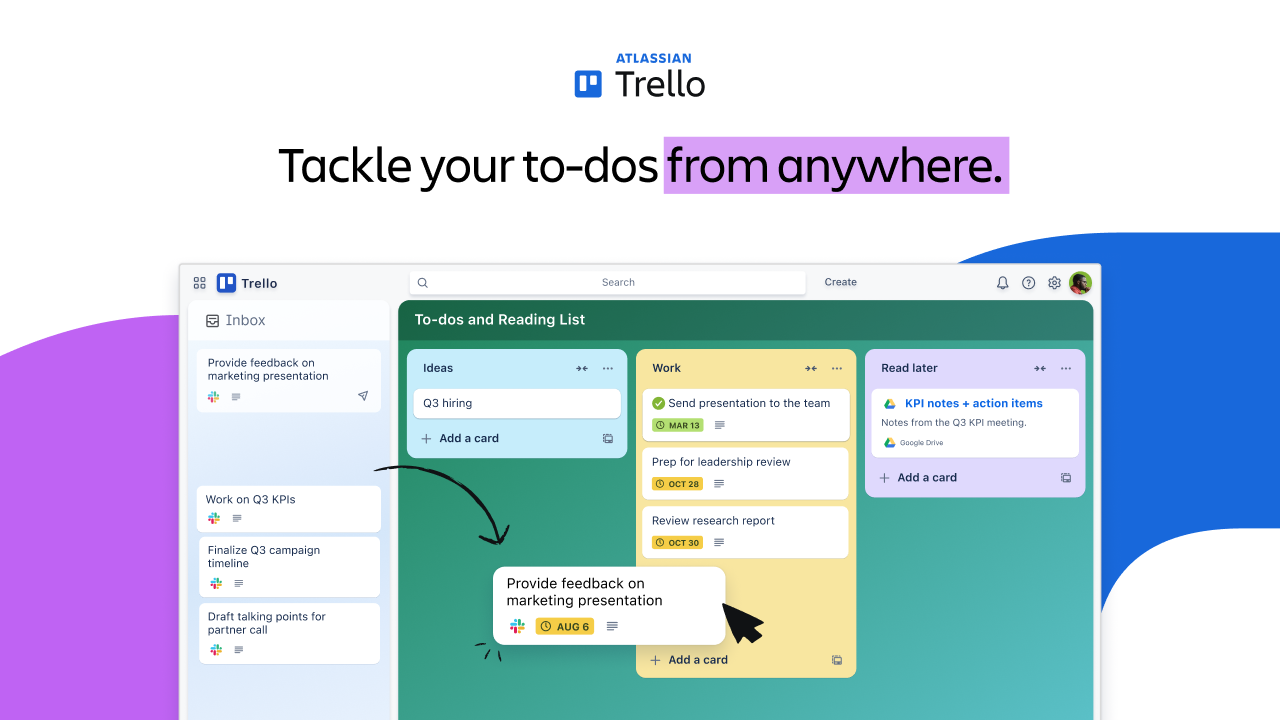
Trello Demo - Trello
Sign up for free at trello.com/home.
Product Avatar Image

Have you used Trello before?

Answer a few questions to help the Trello community

Trello Reviews (13,997)

View 40 Video Reviews
Reviews

Trello Reviews (13,997)

View 40 Video Reviews
4.4
13,997 reviews

Review Summary

Generated using AI from real user reviews
Users consistently praise Trello for its ease of use and visual organization, which simplifies task management and enhances team collaboration. The intuitive board and card system allows for quick updates and clear visibility of project progress, making it a favorite for both personal and professional use. However, some users note that it can become cluttered with larger projects, and advanced features often require a paid plan.

Pros & Cons

Generated from real user reviews
View All Pros and Cons
Search reviews
Filter Reviews
Clear Results
G2 reviews are authentic and verified.
Ivars L.
IL
Creative Services Manager
Marketing and Advertising
Small-Business (50 or fewer emp.)
"A Game-Changer for Remote Collaboration"
What do you like best about Trello?

I like that Trello is simple, visual, and flexible, making it easy to see what's going on without sifting through spreadsheets or calendars. We've been using a digital Trello board in our office for nearly a decade, and it's super easy for everyone. We organize tasks by assigning them to buckets, create lists and due dates, all within each tag. Being able to assign work to staff by simply dragging a client's tag under their name is very convenient. The integration with Google Docs is useful because we include critical dates and links within the tags, which makes it easy to access needed information. Transitioning from a physical whiteboard to a digital Trello board was smooth, and setting it up was much easier than I expected. Overall, Trello handles our day-to-day planning well, especially as our team works remotely and it helps us keep track of what everyone is doing. Review collected by and hosted on G2.com.

What do you dislike about Trello?

When Trello goes down, I'm lost with my work organization. I also don't see much reason to pay for Trello unless necessary to keep the board active. It would be better if Trello integrated more with Google Meet because now we have to share screens during calls to view the board. I'd like a Figma add-on for Trello to allow previews directly in Trello. Review collected by and hosted on G2.com.

Tate T.
TT
Sr Marketing Manager
Small-Business (50 or fewer emp.)
"Trello Keeps Our Operations Visible, Intuitive, and Moving Fast"
What do you like best about Trello?

Trello is the easiest way we've found to keep internal operations visible and moving. The board and card system is instantly intuitive — new team members pick it up in minutes with zero training. We use it to manage recurring workflows and day-to-day ops, and it keeps everyone on the same page without a lot of overhead. The automation features (Butler) have been a nice bonus for reducing repetitive manual steps. Review collected by and hosted on G2.com.

What do you dislike about Trello?

For more complex projects with dependencies or timeline visibility, Trello starts to show its limits. It's a kanban tool at heart, so if you need Gantt-style planning you'll need to look elsewhere or use a Power-Up. Review collected by and hosted on G2.com.

Priyanshu J.
PJ
Social Media Lead
Computer Software
Small-Business (50 or fewer emp.)
"Simple, Clean Drag-and-Drop Boards That Keep Daily Work Organized."
What do you like best about Trello?

Its simple drag-and-drop board system, which makes task management very clear. I use boards and cards to track my daily work and moving tasks between stages takes just a second. The UI is clean, so I don’t feel confused even with multiple projects. It integrates well with tools like Slack and Google Drive, which keeps everything connected. Performance is smooth and works reliably even with many cards. The free plan is quite useful, so it gives good value without needing to upgrade immediately. Onboarding was very easy and I started using it without any learning curve. Overall, it helps me stay organized and manage tasks efficiently every day. Review collected by and hosted on G2.com.

What do you dislike about Trello?

It becomes hard to manage when projects get large. When I have too many cards and lists, the board starts to feel cluttered and difficult to track. Also, the free plan has limits on advanced features like automation and views. I sometimes miss more structured task management options like detailed reporting. It works great for simple workflows, but for complex projects it can feel a bit limited. Review collected by and hosted on G2.com.

Javier F.
JF
CMO - Chief Marketing Officer
Small-Business (50 or fewer emp.)
"Trello: visual, quick to set up, and easy to understand for small teams"
What do you like best about Trello?

Trello is visual, you set it up in 30 seconds and everyone understands it at a glance without the need for training.

For a small team that doesn't want to complicate things, it's perfect, and on top of that, it's free for the basics, so you don't spend money until you really need it.

The integrations with Slack and email work well and you don't have to check every 5 minutes to see what's changed.

You can automate quite a bit with Butler and the Power-Ups connect you with other tools without costing much, although you have to get involved to see which ones work for you from all the options available. Review collected by and hosted on G2.com.

What do you dislike about Trello?

When you have many cards, the board becomes slow and the search doesn't work well, especially if you need reports or productivity metrics because Trello sometimes doesn't make it easy for you and you have to export or use third-party tools.

Notifications sometimes falter and you find out about important changes late.

We sometimes fall into the mistake of adding too many cards and it eventually becomes a digital "dump" that no one looks at. Review collected by and hosted on G2.com.

Carl G.
CG
Graphic Designer, Web Developer, Copywriter, SEO
Graphic Design
Small-Business (50 or fewer emp.)
"Tracking your daily progress and achieving your goals one task at a time."
What do you like best about Trello?

I like being able to see exactly where I am in the workflow pipeline, and it also makes it easier to hold team members accountable. The intuitive UI and drag and drop feature makes it more fun, easy and fast to work with moving through the pipeline or leaving important notes. This makes the user experience more appealing. Review collected by and hosted on G2.com.

What do you dislike about Trello?

At first it used to be the learning curve but once you get used to it, it's fairly easy and intuitive. Knowing how to create decent cards that shows all the needed information can take a little bit of exploring which honestly, isn't that much of a time but once you do, you'll create beautiful cards which makes completing your tasks much more fun. It's been way easier nowadays with new updates and features. Review collected by and hosted on G2.com.

Salman R.
SR
Technical Editor
Small-Business (50 or fewer emp.)
"Trello Keeps Projects Organized with a Simple, Visual Board"
What do you like best about Trello?

I’ve been using Trello for what feels like forever—for personal projects, professional tasks, and everything in between. It’s still the easiest way to see what everyone is working on without having to constantly ask for updates. I really like the board layout because it’s so visual: you can simply drag a card from “Doing” to “Done” and call it finished. It’s also one of the few tools I didn’t have to explain to my team; they just “got it” immediately. Overall, it never feels heavy or complicated, which makes it a great way to stay organized without the software getting in the way of the actual work. Review collected by and hosted on G2.com.

What do you dislike about Trello?

It starts to feel a bit messy once a project gets really big. When you’re dealing with hundreds of cards on a single board, it becomes hard to find what you’re looking for, and it doesn’t have the deeper reporting you get with larger tools. I also wish more of the "Power-Ups" were built-in features by default. Having to add a separate plugin just to get a simple calendar view or track time feels like an unnecessary extra step that really shouldn’t still be there in 2026. Review collected by and hosted on G2.com.

SK
IT Operations Manager
Mid-Market (51-1000 emp.)
"Trello Makes Project Tracking Effortless with Visual Boards and Powerful Integrations"
What do you like best about Trello?

This visual board and card system of Trello makes project management so easy to use that our team can easily see the state of each task by looking at the board without having to spend hours in long status meetings. The drag-and-drop interface and workflow customization have simplified the process of departmental assignment and tracking of work. The Power-Ups functionality has been one of the most prominent additions, which links Trello to such tools as Slack, Google Drive, and Jira to have everything under one roof. Review collected by and hosted on G2.com.

What do you dislike about Trello?

Complex projects may get limiting in Trello, because the simple board and card design do not have inbuilt Gantt charts, time tracking and extensive reporting without third party Power-Ups. Its free plan is also very limiting, with a limit on the number of Power-Ups and automations that can be used, a factor that propels expanding teams to subscriptions much faster than anticipated. Review collected by and hosted on G2.com.

M. Umair M.
MM
Operations
Small-Business (50 or fewer emp.)
"Dead Simple, Visual, and Easy to Use: No Training Needed!"
What do you like best about Trello?

I like how dead simple and visual it is. You don’t need a tutorial or a training session to get started. We’re trying to become agile champions, and in one of our departments we have columns for pipeline activities, user story ideas, the tasks backlog, and sprint tasks. Being able to see everything at a glance: from raw ideas to what we’re actively working on, saves so much back and forth. Moving cards from the tasks backlog into sprint tasks feels like real progress. Review collected by and hosted on G2.com.

What do you dislike about Trello?

Reporting is basically nonexistent.You cant see how many tasks were completed last week. With our board tracking pipelines activities, user story ideas and sprint tasks i'd love to see something simple like "how many cads moved from backlog to sprint this week or stuff Review collected by and hosted on G2.com.

MP
Product Manager
Newspapers
Small-Business (50 or fewer emp.)
"A Simple and Visual Tool for Managing Newsroom Workflows"
What do you like best about Trello?

What we value most about Trello is how it lets us visually organize workflows across different teams in the newsroom. With boards, lists, and cards, we can lay out tasks in a clear, intuitive structure, which makes it easy to see progress at a glance.

We rely on Trello for a range of workflows—editorial planning, SEO tasks, video production, recurring work, and other project-specific initiatives—each set up in its own dedicated board. This setup helps teams collaborate smoothly while still keeping shared priorities visible across the organization. Overall, its simplicity makes it approachable for both editorial and non-technical staff, which is essential in a fast-paced media environment. Review collected by and hosted on G2.com.

What do you dislike about Trello?

While Trello is very intuitive to use, it can start to feel limiting when you’re managing more complex workflows or a large volume of tasks. As projects expand, boards can quickly become crowded, and it isn’t always easy to track dependencies or handle more advanced workflow needs in a clear, straightforward way.

Also, compared with more advanced project management tools, Trello doesn’t offer the same depth of reporting, automation, or workflow customization on its own. To get those capabilities, you typically have to rely on additional integrations or paid features. Review collected by and hosted on G2.com.

Ronny  S.
RS
Head of Creative
Marketing and Advertising
Small-Business (50 or fewer emp.)
"Trello Makes Our Agency Workflow Clear"
What do you like best about Trello?

Trello makes it easy to visualize our agency's entire workflow at a glance. The drag-and-drop cards keep project stages clear and organized for everyone on the team. It’s a straightforward way to track tasks without getting bogged down in complex menus. It just works. Review collected by and hosted on G2.com.

What do you dislike about Trello?

The boards can get pretty cluttered when a project scales up or has too many moving parts. I also find the notification system a bit overwhelming if you don't spend time fine-tuning it. It sometimes lacks the deeper reporting features we need for more complex agency data. Review collected by and hosted on G2.com.

Questions about Trello? Ask real users or explore answers from the community

Get practical answers, real workflows, and honest pros and cons from the G2 community or share your insights.

Armagan A.
AA
Armagan Aysakar
Last activity over 5 years ago

How trello board acts like a notice board

GU
Guest User
Last activity 18 days ago

Can you use Trello for free?

Pricing Options

Pricing provided by Trello.

Free

Free

Standard

$5.00
Per Month

Premium

$10.00
Per Month
Trello Comparisons
Product Avatar Image
Asana
Compare Now
Product Avatar Image
Wrike
Compare Now
Product Avatar Image
monday Work Management
Compare Now
Trello Features
Creation & Assignment
Due Dates
Drag & Drop
Task Prioritization
To-Do Lists
Recurring Tasks
AI Text Summarization