  # Best Online Form Builder Software - Page 4

  *By [Gauri Pawsey](https://research.g2.com/insights/author/gauri-pawsey)*

   Online form builder software allows users to create fillable forms, including surveys, quizzes, and questionnaires, using a drag-and-drop interface, collect responses, and store submission data within the application itself.

### Core Capabilities of Online Form Builder Software

To qualify for inclusion in the Online Form Builder category, a product must:

- Offer a drag-and-drop or simplified interface for building fillable forms
- Provide native form building features without relying on integrations
- Allow users to share forms or embed them on websites for data collection
- Provide analytics on form submission data
- Offer multiple templates for distinct types of fillable forms

### Common Use Cases for Online Form Builder Software

Online form builders are used by teams across functions to quickly gather structured information from internal or external audiences. Common use cases include:

- Collecting lead information from potential customers or clients
- Running internal surveys and feedback forms
- Embedding registration or intake forms on web pages

### How Online Form Builder Software Differs from Other Tools

Some online form builders operate as standalone solutions, while tools like [CRM software](https://www.g2.com/categories/crm), [lead capture software](https://www.g2.com/categories/lead-capture), and [survey software](https://www.g2.com/categories/survey) may include form building as a secondary feature. Dedicated online form builders distinguish themselves through native form creation, robust templating, and broad integration support for sharing and exporting data.

### Insights from G2 on Online Form Builder Software

Based on category trends on G2, ease of use and the variety of available templates stand out as primary strengths. The ability to embed forms directly on websites and quickly analyze submission data is frequently noted as a major productivity benefit.


  ## How Many Online Form Builder Software Products Does G2 Track?
**Total Products under this Category:** 403

  
## How Does G2 Rank Online Form Builder Software Products?

**Why You Can Trust G2's Software Rankings:**

- 30 Analysts and Data Experts
- 103,400+ Authentic Reviews
- 403+ Products
- Unbiased Rankings

G2's software rankings are built on verified user reviews, rigorous moderation, and a consistent research methodology maintained by a team of analysts and data experts. Each product is measured using the same transparent criteria, with no paid placement or vendor influence. While reviews reflect real user experiences, which can be subjective, they offer valuable insight into how software performs in the hands of professionals. Together, these inputs power the G2 Score, a standardized way to compare tools within every category.

  
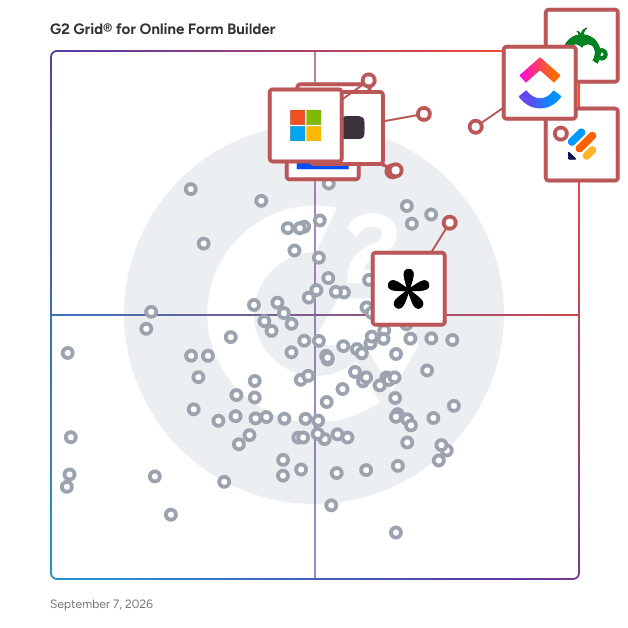
## Top Online Form Builder Software at a Glance
| # | Product | Rating | Best For | What Users Say |
|---|---------|--------|----------|----------------|
| 1 | [Jotform](https://www.g2.com/products/jotform/reviews) | 4.7/5.0 (4,864 reviews) | Multi-step forms with payment and e-signature | "[Do-It-All Forms and PDF Builder That Replaced Our Other Tools](https://www.g2.com/survey_responses/jotform-review-12822490)" |
| 2 | [SurveyMonkey](https://www.g2.com/products/surveymonkey/reviews) | 4.4/5.0 (23,180 reviews) | Survey feedback with built-in analytics and AI | "[Build with AI Makes Survey Creation Fast and Effortless](https://www.g2.com/survey_responses/surveymonkey-review-12696624)" |
| 3 | [Typeform](https://www.g2.com/products/typeform/reviews) | 4.5/5.0 (967 reviews) | Conversational forms with conditional logic and branding | "[Powerful AI Surveys with Automation and Seamless Integrations](https://www.g2.com/survey_responses/typeform-review-12747374)" |
| 4 | [Microsoft Forms](https://www.g2.com/products/microsoft-forms/reviews) | 4.4/5.0 (455 reviews) | Microsoft 365-native surveys with Excel integration | "[Simple and Practical Tool for Managing forms, Follow ups, and Daily Information Collection](https://www.g2.com/survey_responses/microsoft-forms-review-12786461)" |
| 5 | [ClickUp](https://www.g2.com/products/clickup/reviews) | 4.6/5.0 (11,873 reviews) | Form-triggered task automation across connected workflows | "—" |
| 6 | [ActiveCampaign](https://www.g2.com/products/activecampaign/reviews) | 4.4/5.0 (14,137 reviews) | Lead-capture forms wired into CRM automations | "[Clear UI and Best-in-Class Automations Make CRM Management Effortless](https://www.g2.com/survey_responses/activecampaign-review-12689317)" |
| 7 | [Laserfiche](https://www.g2.com/products/laserfiche/reviews) | 4.7/5.0 (1,204 reviews) | Government forms with automated retention workflows | "[Document Management and Automation](https://www.g2.com/survey_responses/laserfiche-review-3536890)" |
| 8 | [Adobe Acrobat Sign](https://www.g2.com/products/adobe-acrobat-sign/reviews) | 4.4/5.0 (1,015 reviews) | Multi-party contract signing with Adobe integration | "[Fraud-Proof Document Signing, Easy Setup](https://www.g2.com/survey_responses/adobe-acrobat-sign-review-12723943)" |
| 9 | [Tally](https://www.g2.com/products/tally-forms-tally/reviews) | 4.9/5.0 (125 reviews) | Notion-style form building with conditional logic | "[Fast, Minimalist Form Builder with Polished Results, Plus Unlimited Free Forms](https://www.g2.com/survey_responses/tally-review-12703783)" |
| 10 | [PandaDoc](https://www.g2.com/products/pandadoc/reviews) | 4.7/5.0 (3,309 reviews) | Contract workflows with e-signature and payment collection | "[Time-Saving Templates with Few Limitations](https://www.g2.com/survey_responses/pandadoc-review-12240403)" |

  
## Which Online Form Builder Software Is Best for Your Use Case?

- **Leader:** [Jotform](https://www.g2.com/products/jotform/reviews)
- **Highest Performer:** [Paperform](https://www.g2.com/products/paperform/reviews)
- **Easiest to Use:** [PandaDoc](https://www.g2.com/products/pandadoc/reviews)
- **Top Trending:** [Tally](https://www.g2.com/products/tally-forms-tally/reviews)
- **Best Free Software:** [SurveyMonkey](https://www.g2.com/products/surveymonkey/reviews)

  
## Which Type of Online Form Builder Software Tools Are You Looking For?
  - [Online Form Builder Software](https://www.g2.com/categories/online-form-builder) *(current)*
  - [Survey Software](https://www.g2.com/categories/survey)
  - [Marketing Automation Software](https://www.g2.com/categories/marketing-automation)
  - [E-Signature Software](https://www.g2.com/categories/e-signature)
  - [CRM Software](https://www.g2.com/categories/crm)
  - [Lead Capture Software](https://www.g2.com/categories/lead-capture)
  - [Landing Page Builders](https://www.g2.com/categories/landing-page-builders)
  - [Pop-Up Builder Software](https://www.g2.com/categories/pop-up-builder)

  
---

**Sponsored**

### altaFlow

altaFlow generates custom docs with a click, integrates eSignatures, creates webforms, and more without coding. It’s the ultimate tool to simplify, automate, and elevate your workflows.


[Visit website](https://www.g2.com/external_clickthroughs/record?secure%5Bad_program%5D=ppc&amp;secure%5Bad_slot%5D=category_product_list&amp;secure%5Bcategory_id%5D=1253&amp;secure%5Bdisplayable_resource_id%5D=1253&amp;secure%5Bdisplayable_resource_type%5D=Category&amp;secure%5Bmedium%5D=sponsored&amp;secure%5Bplacement_reason%5D=page_category&amp;secure%5Bplacement_resource_ids%5D%5B%5D=1253&amp;secure%5Bprioritized%5D=false&amp;secure%5Bproduct_id%5D=116146&amp;secure%5Bresource_id%5D=1253&amp;secure%5Bresource_type%5D=Category&amp;secure%5Bsource_type%5D=category_page&amp;secure%5Bsource_url%5D=https%3A%2F%2Fwww.g2.com%2Fcategories%2Fonline-form-builder%3Fpage%3D4&amp;secure%5Btoken%5D=e17cc7e04c36de81e29cfcaf8216a13d159d2acb7dfd6024dbe7baef0fbe7c2b&amp;secure%5Burl%5D=https%3A%2F%2Faltaflow.com%2Fg2-demo%2F%3Futm_source%3Dg2%26utm_medium%3Dppc%26utm_campaign%3Dg2clicks&amp;secure%5Burl_type%5D=book_demo)

---

  
## Buyer Guide: Key Questions for Choosing Online Form Builder Software Software
  ### What does Online Form Builder software do?
  I define Online Form Builder software as a no-code system for creating, publishing, and managing digital forms that collect structured information. Across the G2 feedback I analyzed, users connect this category with surveys, questionnaires, intake forms, registration pages, order forms, payments, e-signatures, CRM sync, conditional logic, and response tracking. These tools help teams turn customer, employee, student, patient, or lead information into clean submissions that can be reviewed, routed, exported, or pushed into other systems. The category matters most when teams want to replace PDFs, email back-and-forth, handwritten details, and spreadsheet-based collection with forms that are easier to send, complete, and manage.


  ### Why do businesses use Online Form Builder software?
  The clearest pattern I saw in G2 reviews was faster data collection without technical help. Users want forms that can be built quickly, shared easily, and adjusted when the information they need changes.

- **Simple form creation:** G2 reviewers often praise drag-and-drop builders, templates, field options, and quick setup for surveys, requests, and questionnaires.
- **Cleaner data capture:** Teams use required fields, dropdowns, file uploads, and structured questions to reduce incomplete or messy submissions.
- **Workflow automation:** Users connect forms with notifications, approvals, email follow-ups, CRM records, and internal task flows.
- **Customer and client intake:** Forms help teams collect leads, applications, orders, feedback, consent, and service details before work begins.

Reviewers point to pricing tiers, response limits, branding restrictions, logic complexity, template edits, and reporting depth as areas to check closely.


  ### Who uses Online Form Builder software primarily?
  When I reviewed G2 reviewer profiles, I saw Online Form Builder software being used by teams that collect information from customers, employees, students, applicants, and internal requesters.

- **Marketing teams:** Create lead forms, surveys, event forms, feedback forms, and campaign intake pages.
- **Operations teams:** Manage internal requests, approvals, order forms, process intake, and recurring submissions.
- **HR and recruiting teams:** Collect applications, employee details, onboarding forms, and policy acknowledgments.
- **Education and training teams:** Build quizzes, polls, course feedback forms, registrations, and student information forms.
- **Small business and service teams:** Capture client details, appointment information, consent forms, payments, and project requests.


  ### What types of Online Form Builder software should I consider?
  G2 reviews show that Online Form Builder tools are usually separated by the level of design control, workflow depth, and data handling a team needs:

- **General form builders:** Suited to surveys, contact forms, request forms, registrations, and everyday data collection.
- **Conversational form tools:** Built around one-question-at-a-time forms, polished survey experiences, and higher-completion feedback flows.
- **Workflow form platforms:** Useful for approvals, routing, internal requests, task creation, and process automation.
- **Document and e-sign form tools:** Designed for PDFs, signatures, contracts, consent forms, and file-heavy workflows.
- **Payment and order form tools:** A strong match for bookings, donations, event fees, product orders, and paid submissions.


  ### What are the core features to look for in Online Form Builder software?
  When evaluating Online Form Builder software, these are the core features that users tend to look for:

- Form design and field control with templates, custom fields, conditional logic, branding, file uploads, and mobile-friendly layouts.
- Response management through submissions, filters, exports, dashboards, and searchable records.
- Automation and routing with notifications, approvals, confirmation emails, task creation, and conditional paths.
- Integrations and data sync across CRM, email, spreadsheets, payment tools, storage systems, and workflow platforms.
- Security and submission controls covering permissions, spam protection, consent, payment handling, e-signatures, and data access.


  ### What trends are shaping Online Form Builder software right now?
  My read of G2 themes and current market signals points to these shifts in Online Form Builder software:

- **AI-generated forms** are shortening setup by creating draft questions, fields, and layouts from prompts.
- **Conversational data collection** is gaining ground as teams use more guided, one-question-at-a-time form experiences.
- **Forms are moving closer to workflow automation** through approvals, routing, notifications, and follow-up tasks.
- **First-party data** is increasing the value of forms as companies collect their own customer, lead, and audience information.
- **Privacy and governance** are becoming buying checks as teams pay closer attention to collected data, access, consent, and storage.


  ### How should I choose an online form builder?
  I would suggest starting with the form your audience completes most often. Marketing teams should place more weight on design control, CRM sync, lead routing, and campaign reporting. Operations-heavy teams need stronger intake logic, approvals, notifications, and submission tracking. When payments, signatures, or sensitive data are involved, security controls, consent handling, file support, and admin permissions deserve closer review. I also advise checking pricing tiers, response limits, branding rules, template editing, and reporting depth because G2 reviewers often tie those details to how well the tool holds up after routine forms become business-critical.


---

  ## What Are the Top-Rated Online Form Builder Software Products in 2026?
### 1. [GoZen Forms](https://www.g2.com/products/gozen-forms/reviews)
  **Average Rating:** 4.4/5.0
  **Total Reviews:** 273
  **Product Description:** GoZen Forms is an AI-powered, no-code form builder designed to simplify the creation of online forms, surveys, quizzes, and polls. With an intuitive drag-and-drop interface, users can effortlessly design and customize forms without any coding knowledge. The platform offers over 175 pre-designed, mobile-friendly templates tailored for various industries, enabling businesses to collect data efficiently and enhance user engagement. Key Features and Functionality: - AI-Powered Form Creation: Leverage artificial intelligence to generate engaging and relevant questions, streamlining the form-building process. - Conditional Logic: Implement logic jumps to display or hide questions based on user responses, creating dynamic and personalized forms. - Payment Integration: Collect payments directly within forms, facilitating seamless transactions for products or services. - E-Signature Collection: Obtain electronic signatures without redirecting users, ensuring a smooth and secure signing process. - Customizable Themes: Align forms with your brand identity by customizing themes, including colors, fonts, and background images. - Mobile Optimization: Ensure forms are responsive and function flawlessly across all devices, enhancing accessibility for users. - Integrations: Connect with over 25 popular applications, such as Klaviyo, MailChimp, and HubSpot, to automate workflows and synchronize data. - Real-Time Analytics: Access insightful reports and analytics to monitor form performance and gather actionable data. Primary Value and Solutions Provided: GoZen Forms addresses the need for an efficient, user-friendly solution for creating and managing online forms. By eliminating the requirement for coding skills, it empowers businesses of all sizes to design professional forms swiftly. The platform&#39;s AI capabilities and conditional logic enhance user engagement by delivering personalized experiences. Integrated payment and e-signature features streamline transactions and agreements, reducing the need for multiple tools. Customizable themes and mobile optimization ensure brand consistency and accessibility, while seamless integrations with popular marketing tools automate workflows and improve data collection. Overall, GoZen Forms saves time, enhances user engagement, and increases conversions through its comprehensive and intuitive form-building capabilities.


### What Do G2 Reviewers Say About GoZen Forms?
*AI-generated summary from verified user reviews*

**Pros:**

- Users love the **ease of use** of GoZen Forms, praising its intuitive setup and seamless integration capabilities.
- Users appreciate the **endless integration options** of GoZen Forms, making it easy to collect feedback across multiple platforms.
- Users love the **user-friendly interface** of GoZen Forms, enabling quick and efficient form creation with great customization options.
- Users love the **easy integrations** of GoZen Forms, enabling seamless setups without needing coding skills.
- Users love the **beautiful templates** of GoZen Forms, which simplify form creation and save valuable time.

**Cons:**

- Users report **poor customer support** from GoZen Forms, leaving them frustrated and without assistance for critical issues.
- Users often face **layout issues** in GoZen Forms, causing confusion and limiting customization of their forms.
- Users report a challenging **learning curve** with GoZen Forms, needing time to master its various functions and integrations.
- Users note **limited customization** options in GoZen Forms, which restrict advanced design flexibility and branding personalization.
- Users find the **missing features** in GoZen Forms hinder functionality and growth, especially for businesses needing more capabilities.
  #### What Are Recent G2 Reviews of GoZen Forms?

**"[Fantastic design interface and easy to use](https://www.g2.com/survey_responses/gozen-forms-review-11552270)"**

**Rating:** 4.5/5.0 stars
*— Rod M.*

[Read full review](https://www.g2.com/survey_responses/gozen-forms-review-11552270)

---

**"[Great solution for quick and simple forms/data collection](https://www.g2.com/survey_responses/gozen-forms-review-9887652)"**

**Rating:** 5.0/5.0 stars
*— Verified User in Government Relations*

[Read full review](https://www.g2.com/survey_responses/gozen-forms-review-9887652)

---

### 2. [Bonsai](https://www.g2.com/products/bonsai/reviews)
  **Average Rating:** 4.3/5.0
  **Total Reviews:** 100
  **Product Description:** Bonsai is a one-stop platform for agencies, consultancies and professional service providers. It is designed to provide businesses with a complete and real-time overview of their business. Simplify your business operations and consolidate your projects, clients and team into one integrated, easy-to-use platform. From contracts, proposals and project management to client billing, revenue tracking and resource management. Project Management: Assign projects &amp; tasks to your team, prioritize your week and see exactly how your projects progress. Set project budgets &amp; avoid unexpected costs. Gantt chart, Kanban view, integrated timer for easy billing, and collaboration with external partners for an efficient work. Team Time Tracking: Get an instant report of your team&#39;s tracked hours with accurate timesheets &amp; see who&#39;s over capacity at a glance. Monitor your business&#39;s utilization &amp; get clarity on your team&#39;s efficiency &amp; profitability. Plan your resources in advance to keep your projects on track and on budget. CRM: Manage your clients and their projects in one place. Create unique client profiles with all your notes, contacts, rates and tags. Invite your clients to your branded Client Portal where they can access projects, documents and links you’ve shared with them.


### What Do G2 Reviewers Say About Bonsai?
*AI-generated summary from verified user reviews*

**Pros:**

- Users appreciate the **ease of use** of Bonsai, benefiting from streamlined management of proposals, invoices, and payments.
- Users value the **integrated invoicing and management features** of Bonsai, streamlining business operations efficiently.
- Users appreciate the **all-in-one invoice management** of Bonsai, streamlining their proposals, payments, and services effectively.
- Users value the **time-saving features** of Bonsai, facilitating streamlined management of proposals, invoices, and payments.
- Users appreciate Bonsai&#39;s **time tracking** feature, which streamlines managing projects and enhances overall productivity.

**Cons:**

- Users are frustrated by the **missing features** like contact export, a mobile app, and responsive customer support.
- Users find Bonsai **expensive** compared to alternatives, struggling with unnecessary features and lacking customization options.
- Users report significant **integration issues** with Bonsai, leading to scheduling conflicts and frustrating experiences for teams.
- Users find the **limited customization options** of Bonsai restrictive, hindering their ability to tailor the service to specific needs.
- Users find Bonsai&#39;s features **restrictive and limited** , often lacking essential functionality for their needs and operations.
  #### What Are Recent G2 Reviews of Bonsai?

**"[A love hate relationship I love to hate](https://www.g2.com/survey_responses/bonsai-review-10245202)"**

**Rating:** 5.0/5.0 stars
*— Braden E.*

[Read full review](https://www.g2.com/survey_responses/bonsai-review-10245202)

---

**"[Great Accounts/CRM/collab solution for micro and small businesses](https://www.g2.com/survey_responses/bonsai-review-9713271)"**

**Rating:** 5.0/5.0 stars
*— Anita Q.*

[Read full review](https://www.g2.com/survey_responses/bonsai-review-9713271)

---

  #### What Are G2 Users Discussing About Bonsai?

- [What is Bonsai for freelancers?](https://www.g2.com/discussions/what-is-bonsai-for-freelancers)
- [Is Bonsai a CRM?](https://www.g2.com/discussions/is-bonsai-a-crm) - 1 comment
- [How does Bonsai app work?](https://www.g2.com/discussions/how-does-bonsai-app-work) - 1 comment
### 3. [Heyflow](https://www.g2.com/products/heyflow-heyflow/reviews)
  **Average Rating:** 4.4/5.0
  **Total Reviews:** 59
  **Product Description:** Heyflow is the all in one lead gen platform to help you convert website visitors into leads. Using our drag-and-drop builder, you can easily create interactive forms, funnels and landing pages to build an engaging website experience. Analyze the performance of your heyflows by natively integrating with the marketing tools growth marketers need. ✔️Build Choose from 25+ building blocks to build a versatile heyflow in no time – just drag &amp; drop! Define routes and conditional logic to engage smarter, more human, and simply better. Embed your heyflow on any website or just use it as stand-alone interactive landing page. Your heyflow is optimized for mobile devices, 100% responsive, and loads blazingly fast even when your users have a slow internet connection. ✔️Design Fully customize your heyflow to perfectly match your brand and convey your values. Leverage the power of style variables and a pixel-perfect experience. Over 30,000 icons in three coherent weights, 53 categories, and 720 subcategories are ready for you to speed up your workflow. ✔️Analyze Understand your users’ behaviour with Heyflow&#39;s analytics dashboard. Measure your heyflow’s performance by natively integrating Google Tag Manager, Google Analytics or Facebook Pixel. Pass URL parameters automatically from your landing page to your heyflow. ✔️Integrate Receive your responses via email, GSheets, Pipedrive, Slack, Asana, and over 2,000 other services via Zapier. Get started with a 14-day trial and a free personal demo to become a better growth marketer today!


### What Do G2 Reviewers Say About Heyflow?
*AI-generated summary from verified user reviews*

**Pros:**

- Users find Heyflow&#39;s **ease of use** remarkable, enabling intuitive navigation and seamless integration for effective lead generation.
- Users find Heyflow to be incredibly **intuitive and user-friendly** , simplifying complex tasks without requiring technical knowledge.
- Users appreciate the **easy setup** of Heyflow, enabling quick implementation without hassle while maintaining advanced functionality.
- Users value Heyflow&#39;s **seamless integration capabilities** , enhancing efficiency and workflow with various platforms like CRM and Zapier.
- Users praise Heyflow&#39;s **excellent customer support** , consistently highlighting prompt assistance that enhances their user experience.

**Cons:**

- Users note the **high pricing** of Heyflow, finding the subscription costs and feature limits frustrating.
- Users often struggle with the **steep learning curve** of Heyflow, requiring time to master its complex features.
- Users are frustrated by the **missing essential features** in Heyflow, coupled with unresponsive support and limited A/B testing.
- Users face **integration issues** with Heyflow due to limited domains and costly packages for additional flows.
- Users express frustration with **limited features** and high costs for building flows with Heyflow.
  #### What Are Recent G2 Reviews of Heyflow?

**"[HeyFlow Makes Branded Multi-Step Lead Gen Flows Easy](https://www.g2.com/survey_responses/heyflow-review-12620489)"**

**Rating:** 5.0/5.0 stars
*— Verified User in Financial Services*

[Read full review](https://www.g2.com/survey_responses/heyflow-review-12620489)

---

**"[Best-in-Class Visual Form Builder for Modern, Interactive Flows](https://www.g2.com/survey_responses/heyflow-review-12620523)"**

**Rating:** 4.0/5.0 stars
*— Taylor H.*

[Read full review](https://www.g2.com/survey_responses/heyflow-review-12620523)

---

  #### What Are G2 Users Discussing About Heyflow?

- [What is Heyflow used for?](https://www.g2.com/discussions/what-is-heyflow-used-for) - 1 comment
### 4. [Ninja Forms](https://www.g2.com/products/ninja-forms/reviews)
  **Average Rating:** 4.3/5.0
  **Total Reviews:** 16
  **Product Description:** Use Ninja Forms to create beautiful, user-friendly WordPress forms that will make you feel like a professional web developer! Drag and drop fields. Easy row and column layouts. Multi-page forms. Conditional forms. You don’t have to be a designer to create forms that will blend beautifully with your WordPress website. Want more advanced features? Use our add-ons to create an upload form, send email from your form, securely accept payments from Paypal or credit card, or integrate your form with any ESP. Whether you&#39;re a beginner or a long-time WordPress user, you&#39;ll be able to create professional-looking forms with Ninja Forms!


  #### What Are Recent G2 Reviews of Ninja Forms?

**"[All-rounded form plugin meets every requirements](https://www.g2.com/survey_responses/ninja-forms-review-4226627)"**

**Rating:** 4.0/5.0 stars
*— Verified User in Insurance*

[Read full review](https://www.g2.com/survey_responses/ninja-forms-review-4226627)

---

**"[My Experience With Ninja Forms](https://www.g2.com/survey_responses/ninja-forms-review-4669128)"**

**Rating:** 4.5/5.0 stars
*— Eliud  I.*

[Read full review](https://www.g2.com/survey_responses/ninja-forms-review-4669128)

---

  #### What Are G2 Users Discussing About Ninja Forms?

- [What is Ninja Forms used for?](https://www.g2.com/discussions/what-is-ninja-forms-used-for)
### 5. [altaFlow](https://www.g2.com/products/altaflow/reviews)
  **Average Rating:** 4.5/5.0
  **Total Reviews:** 55
  **Product Description:** altaFlow generates custom docs with a click, integrates eSignatures, creates webforms, and more without coding. It’s the ultimate tool to simplify, automate, and elevate your workflows.


### What Do G2 Reviewers Say About altaFlow?
*AI-generated summary from verified user reviews*

**Pros:**

- Users value the **intuitive design** of altaFlow&#39;s Cloud Services, enhancing efficiency in navigating and completing projects seamlessly.
- Users appreciate the **customizability** of altaFlow, seamlessly integrating it into their existing workflow with ease.
- Users love the **intuitive design** of altaFlow, which enhances efficiency in managing and signing documents seamlessly.
- Users commend the **ease of use** of airSlate WorkFlow, facilitating efficient navigation and streamlined project completion.
- Users value the **easy integrations** of altaFlow, which enhance workflow efficiency and streamline project completion.

**Cons:**

- Users note that a **clearer layout** for tools and settings would enhance overall efficiency and smoothness.
- Users note the **lack of user-friendliness** , suggesting improvements for smoother navigation and clearer layouts for tools.
- Users desire improved **performance issues** , noting that smoother functionality would enhance their overall experience.
- Users note the need for **better design** , as smoother navigation and clearer layouts would enhance overall usability.
- Users find the **poor navigation** frustrating, seeking a clearer layout for a more efficient experience.
  #### What Are Recent G2 Reviews of altaFlow?

**"[Streamlined Waiver Management with AltaFlow](https://www.g2.com/survey_responses/altaflow-review-12447747)"**

**Rating:** 4.5/5.0 stars
*— Danielle S.*

[Read full review](https://www.g2.com/survey_responses/altaflow-review-12447747)

---

**"[There is no more all inclusive workflow solution like AltaFlow!](https://www.g2.com/survey_responses/altaflow-review-4617674)"**

**Rating:** 5.0/5.0 stars
*— Brian Del Terzo C.*

[Read full review](https://www.g2.com/survey_responses/altaflow-review-4617674)

---

  #### What Are G2 Users Discussing About altaFlow?

- [What is a slate in airSlate?](https://www.g2.com/discussions/what-is-a-slate-in-airslate) - 1 comment
- [Where is airSlate based?](https://www.g2.com/discussions/where-is-airslate-based) - 1 comment
- [How much does airSlate cost?](https://www.g2.com/discussions/how-much-does-airslate-cost) - 1 comment
### 6. [Woorise](https://www.g2.com/products/woorise/reviews)
  **Average Rating:** 4.6/5.0
  **Total Reviews:** 114
  **Product Description:** Woorise is a powerful lead generation and marketing platform that helps you capture leads and engage your audience with beautiful forms, landing pages, surveys, quizzes, giveaways, and popups. Build and publish campaigns quickly with an intuitive drag-and-drop builder and professional templates. Whether you’re collecting feedback, growing an email list or running a giveaway, Woorise makes it easy to create high-converting experiences that look great on any device.


### What Do G2 Reviewers Say About Woorise?
*AI-generated summary from verified user reviews*

**Pros:**

- Users appreciate the **ease of use** of Woorise, benefiting from its user-friendly interface and helpful features.
- Users praise the **easy setup** of Woorise, making campaign creation quick and hassle-free.
- Users love Woorise for its **ease of creation** , enabling quick and efficient campaign launches without technical skills.
- Users find Woorise to be **intuitive and easy to use** , streamlining their form creation and campaign management.
- Users appreciate the **all-in-one functionality** of Woorise, seamlessly integrating various campaign types for effective lead generation.

**Cons:**

- Users experience a **steep learning curve** with Woorise, finding the interface less intuitive than desired for complex campaigns.
- Users find Woorise has **limited features** available on the free plan, restricting essential tools for effective use.
- Users find the **limited customization** options for landing pages restrictive, hindering their design control and brand alignment.
- Users criticize Woorise for being **expensive** , as essential features are locked behind costly paid plans.
- Users face a **steep learning curve** and limitations in features and integrations, impacting overall usability.
  #### What Are Recent G2 Reviews of Woorise?

**"[Finally, a way to make quizzes and surveys that people actually enjoy!](https://www.g2.com/survey_responses/woorise-review-12404301)"**

**Rating:** 5.0/5.0 stars
*— Nidhi J.*

[Read full review](https://www.g2.com/survey_responses/woorise-review-12404301)

---

**"[Powerful form builder for lead generation](https://www.g2.com/survey_responses/woorise-review-12259549)"**

**Rating:** 5.0/5.0 stars
*— Jerry H.*

[Read full review](https://www.g2.com/survey_responses/woorise-review-12259549)

---

  #### What Are G2 Users Discussing About Woorise?

- [What does Woorise do?](https://www.g2.com/discussions/what-does-woorise-do)
- [Is woorise good?](https://www.g2.com/discussions/is-woorise-good)
- [What is sweep widget?](https://www.g2.com/discussions/what-is-sweep-widget)
### 7. [Fillout](https://www.g2.com/products/fillout/reviews)
  **Average Rating:** 4.6/5.0
  **Total Reviews:** 29
  **Product Description:** Fillout is a form-building platform designed to streamline data collection and enhance user engagement. It offers a comprehensive suite of tools that cater to various needs, from simple surveys to complex workflows, making it suitable for individuals and businesses alike. Key Features and Functionality: - Unlimited Forms and Seats: Create and manage an unlimited number of forms with no restrictions on team members, facilitating seamless collaboration. - Diverse Field Types: Utilize over 50 field types to customize forms according to specific requirements, ensuring flexibility and adaptability. - Advanced Logic and Calculations: Implement conditional logic, calculations, and scoring to create dynamic and interactive forms that respond to user inputs. - Payment Integration: Collect payments directly through forms, supporting various payment methods to accommodate different user preferences. - Scheduling and Appointments: Incorporate scheduling features to manage appointments and bookings efficiently within the form interface. - Customization and Branding: Apply custom themes, logos, and CSS to align forms with brand identity, providing a consistent user experience. - Data Management and Analytics: Access form analytics, manage responses, and integrate with platforms like Airtable, Google Sheets, and Notion for streamlined data handling. Primary Value and User Solutions: Fillout simplifies the form creation process, enabling users to design and deploy forms without extensive technical knowledge. Its intuitive interface and robust features address common challenges in data collection, such as integrating payments, scheduling, and conditional logic. By offering unlimited forms and seats, Fillout promotes collaboration and scalability, making it an ideal solution for businesses seeking efficient and customizable form-building capabilities.


### What Do G2 Reviewers Say About Fillout?
*AI-generated summary from verified user reviews*

**Pros:**

- Users find Fillout to be **extremely user-friendly** , facilitating smooth execution and enhancing operational efficiency.
- Users celebrate Fillout&#39;s **user-friendly interface and extensive integration capabilities** , enhancing efficiency and flexibility across various operations.
- Users rave about the **prompt and helpful customer support** from Fillout, enhancing their overall experience significantly.
- Users value the **impressive integration capabilities** of Fillout, ensuring seamless connections with various essential tools.
- Users highlight the **flexibility** of Fillout, enabling seamless integration and versatile functionalities for various workflows.

**Cons:**

- Users feel that the **pricing is high** , especially for premium features, leading to concerns about cost-effectiveness.
- Users feel there are **missing features** in Fillout’s pricing tiers, lacking options between free and premium plans.
- Users struggle with **payment issues** as billing receipts must be manually exported from Stripe, complicating management.
- Users express frustration over **poor customer support** , feeling misled about unresolved file upload issues affecting their experience.
- Users feel the **data visualization capabilities** are lacking, which negatively impacts their overall experience with Fillout.
  #### What Are Recent G2 Reviews of Fillout?

**"[Seamless Scheduling and Integration Powerhouse](https://www.g2.com/survey_responses/fillout-review-11821943)"**

**Rating:** 5.0/5.0 stars
*— David G.*

[Read full review](https://www.g2.com/survey_responses/fillout-review-11821943)

---

**"[Seamless Integrations and Easy Visual Customization](https://www.g2.com/survey_responses/fillout-review-12461325)"**

**Rating:** 4.0/5.0 stars
*— Director C.*

[Read full review](https://www.g2.com/survey_responses/fillout-review-12461325)

---

### 8. [SurveyVista](https://www.g2.com/products/surveyvista/reviews)
  **Average Rating:** 4.9/5.0
  **Total Reviews:** 36
  **Product Description:** Automate Data Collection and Unlock Deeper Insights in Salesforce SurveyVista is a 100% native Salesforce Survey, Form, and Assessment Solution, revolutionizing how businesses collect, integrate, understand, and act on feedback—securely and in real time, all within Salesforce. Built entirely on Salesforce, SurveyVista inherits Salesforce’s robust compliance certifications (HIPAA, SOC, ISO, GDPR), ensuring the highest standards of security and data protection. \_\_\_\_\_\_\_\_\_\_\_\_\_\_\_\_\_\_\_\_\_\_\_\_\_\_\_\_\_\_\_ Collect – Capture Feedback Effortlessly - Automate data collection with surveys and forms that seamlessly integrate into Salesforce. - Increase response rates with multi-channel distribution via email, SMS, WhatsApp, and landing pages. - Customize branded, intuitive surveys, forms, and assessments that reflect your organization&#39;s look and feel. Integrate – Seamlessly Connect Feedback to Salesforce - Map responses directly to Salesforce records, eliminating manual data entry and ensuring real-time data availability. - Pre-fill &amp; personalize surveys and forms with Salesforce data, improving accuracy and streamlining end-user experiences. - Keep all feedback secure within your Salesforce org, ensuring compliance and maintaining a 360º view of customer and employee sentiment. Understand – Gain Meaningful Insights from Feedback - Analyze trends with AI-powered analytics, turning raw feedback into actionable intelligence. - Uncover key drivers behind CSAT, CES, and NPS using built-in reporting and sentiment analysis. - Leverage pre-built dashboards in Salesforce to track response trends, identify sentiment shifts, and spot improvement areas. Act – Turn Insights into Meaningful Change - Automate follow-ups and workflows based on survey responses to drive engagement and retention. - Trigger actions within Salesforce based on feedback insights, such as case creation for low CSAT scores. - Enhance customer and employee experiences by addressing feedback in real-time and continuously optimizing interactions. \_\_\_\_\_\_\_\_\_\_\_\_\_\_\_\_\_\_\_\_\_\_\_\_\_\_\_\_\_\_\_ Who is SurveyVista For? - Sales &amp; CX Leaders looking to automate feedback collection and enhance customer experience within Salesforce. - HR Teams need to monitor employee satisfaction and engagement. - Nonprofits &amp; Healthcare Organizations streamlining program registrations, patient intake, volunteer feedback, grant application &amp; approval, and more. - Product &amp; Marketing Teams gathering data-driven insights to inform business strategies. Try SurveyVista Today - Explore a free trial to see how SurveyVista can transform your data collection. - Schedule a personalized demo to upload your own feedback data and unlock tailored insights. - Experience the power of SurveyVista—your complete feedback and data collection solution for Salesforce. Get SurveyVista Now! (https://surveyvista.com/?utm\_source=G2&amp;utm\_medium=listing&amp;utm\_campaign=G2) AppExchange: https://sforce.co/3VaUH32


### What Do G2 Reviewers Say About SurveyVista?
*AI-generated summary from verified user reviews*

**Pros:**

- Users praise the **excellent customer support** from SurveyVista, highlighting quick responses and effective problem-solving assistance.
- Users find SurveyVista to be **easy to use and customize** , significantly enhancing their survey and feedback processes.
- Users value the **seamless integration** with Salesforce, greatly enhancing their data collection and feedback processes.
- Users find the **Salesforce integration** of SurveyVista transformative, seamlessly connecting surveys to their Salesforce records.
- Users praise the **easy installation and customization** of SurveyVista, highlighting its powerful features and excellent support.

**Cons:**

- Users face a **learning curve** with advanced features, but it&#39;s manageable once familiar with the system.
- Users find the **limited customization options** in SurveyVista&#39;s reports restrict their analysis capabilities and flexibility.
- Users find that **complex features** require significant experience, making the tool challenging for less experienced admins.
- Users find SurveyVista to have a **complexity issue** that challenges their ability to create advanced surveys effectively.
- Users encounter **survey logic builder issues** , finding it clunky and seeking better documentation for complex flows.
  #### What Are Recent G2 Reviews of SurveyVista?

**"[Seamless Salesforce Integration, Intuitive Surveys, and Outstanding Support](https://www.g2.com/survey_responses/surveyvista-review-12241958)"**

**Rating:** 5.0/5.0 stars
*— Kyle B.*

[Read full review](https://www.g2.com/survey_responses/surveyvista-review-12241958)

---

**"[SurveyVista: Flexible, Ever-Improving Tool with Outstanding Customer Support](https://www.g2.com/survey_responses/surveyvista-review-12237175)"**

**Rating:** 5.0/5.0 stars
*— Vance L.*

[Read full review](https://www.g2.com/survey_responses/surveyvista-review-12237175)

---

### 9. [Block Survey](https://www.g2.com/products/block-survey/reviews)
  **Average Rating:** 4.7/5.0
  **Total Reviews:** 137
  **Product Description:** BlockSurvey is an innovative AI-driven survey software designed for businesses and researchers to cut costs and save time. Key Features: 1. AI-powered survey creation and analysis 2. Customizable, visually appealing templates 3. White-labeling options 4. Privacy-first approach with no ads or trackers 5. User-friendly interface for both creators and respondents


### What Do G2 Reviewers Say About Block Survey?
*AI-generated summary from verified user reviews*

**Pros:**

- Users love the **ease of use** of Block Survey, praising its intuitive interface and quick customer support.
- Users love the **ease of use and diverse features** of Block Survey, enhancing their survey creation and deployment experience.
- Users commend Block Survey for its **impeccable survey tools** , emphasizing privacy, security, and ease of use.
- Users admire the **intuitive interface** of Block Survey, enabling effortless survey creation and deployment in minutes.
- Users love the **simple setup** of Block Survey, enabling quick creation and deployment of professional surveys in minutes.

**Cons:**

- Users report **survey logic limitations** in Block Survey, impacting flow and increasing confusion for respondents.
- Users feel that Block Survey&#39;s **missing features** hinder its functionality, particularly in advanced survey logic and question types.
- Users find Block Survey&#39;s pricing to be **expensive** , particularly for small-scale and frequent use cases.
- Users find the **limited customization** options in Block Survey restrictive for basic feedback forms and team collaboration.
- Users face **integration issues** with Block Survey, struggling with limited capabilities and complex survey workflows.
  #### What Are Recent G2 Reviews of Block Survey?

**"[Privacy-First, Lightweight Survey Tool with an Easy, AI-Assisted Setup](https://www.g2.com/survey_responses/block-survey-review-12732078)"**

**Rating:** 4.5/5.0 stars
*— Alex K.*

[Read full review](https://www.g2.com/survey_responses/block-survey-review-12732078)

---

**"[Reliable, AI-Powered Form Creation with Templates, Analytics, and Easy Collaboration](https://www.g2.com/survey_responses/block-survey-review-12750617)"**

**Rating:** 4.5/5.0 stars
*— Konjengbam  M.*

[Read full review](https://www.g2.com/survey_responses/block-survey-review-12750617)

---

  #### What Are G2 Users Discussing About Block Survey?

- [What are the benefits and drawbacks of using Block Survey for privacy-focused data collection?](https://www.g2.com/discussions/what-are-the-benefits-and-drawbacks-of-using-block-survey-for-privacy-focused-data-collection) - 2 comments
- [What is Block Survey used for?](https://www.g2.com/discussions/what-is-block-survey-used-for) - 1 comment
### 10. [NativeForms](https://www.g2.com/products/nativeforms/reviews)
  **Average Rating:** 4.6/5.0
  **Total Reviews:** 35
  **Product Description:** NativeForms is a tool for building form &amp; surveys and polls for all platforms. We save you countless hours of boring development of forms and surveys. We created NativeForms to help you communicate with your clients. Our product offers advanced solutions to all your problems and let you focus on things that are really important in your company. NativeForms integrates with: Google Sheets, Jira, Slack, Stripe, Intercom, ActiveCampaign, Zendesk Sell, Notion, HubSpot, Pipedrive, Monday.com, Salesforce, Trello, Airtable, Discord, Mailchimp, React Native, Wordpress, Wix. Key Features: Form Editor -\&gt; Our easy to use Form Editor will help you to create your dream forms in minutes Email notifications -\&gt; Get notified every time the form is completed. Widget -\&gt; Embed forms on your website as chat widget or simply use an iframe. Embed forms in emails -\&gt; You can embed form directly in email. It highly improves conversation rate. Templates -\&gt; Choose a template, add/edit questions based on your requirements and define your conditions. That’s pretty much it to start with your first form. - Unlimited Forms &amp; Surveys - Unlimited Submissions - Unlimited Websites - Unlimited Embeds - Unlimited Attachments - Logic Jumps - Downloadable HTML forms - Removable &quot;powered by&quot; branding - GDPR Compliant Native Forms comes with 30+ form types and a library of widgets that are useful for market research, sales leads, e-commerce, consultants, and more. Once a form is built, you can either grab a native link to share across social media or mention in your newsletter (or) Email the form directly within your NativeForms dashboard (or) grab the iframe code and embed it anywhere. With the detailed analytics, you can keep track of the completion rate, devices using which the forms are getting filed, browsers, platforms &amp; so on.


### What Do G2 Reviewers Say About NativeForms?
*AI-generated summary from verified user reviews*

**Pros:**

- Users value the **flexibility** of NativeForms, allowing seamless integration and quick access to customer insights.
- Users value the **seamless integrations** of NativeForms, enhancing speed and enabling valuable customer insights.

  #### What Are Recent G2 Reviews of NativeForms?

**"[Great integrated Tool](https://www.g2.com/survey_responses/nativeforms-review-10708296)"**

**Rating:** 5.0/5.0 stars
*— Verified User in Computer Software*

[Read full review](https://www.g2.com/survey_responses/nativeforms-review-10708296)

---

**"[Makes Form Creation &amp; Analytics A Breeze](https://www.g2.com/survey_responses/nativeforms-review-9750155)"**

**Rating:** 5.0/5.0 stars
*— Verified User in Consulting*

[Read full review](https://www.g2.com/survey_responses/nativeforms-review-9750155)

---

  #### What Are G2 Users Discussing About NativeForms?

- [What is NativeForms used for?](https://www.g2.com/discussions/what-is-nativeforms-used-for)
### 11. [Formester](https://www.g2.com/products/formester/reviews)
  **Average Rating:** 4.7/5.0
  **Total Reviews:** 10
  **Product Description:** With Formester.com you can create, edit, and manage forms and documents effectively with the help of a no-code form builder. Use customizable form templates to collect, track, and analyze data while automatically syncing with your team and collaborating in real-time. Streamline workflows with the help of automation, view collected data in dynamic, visual dashboards, and standardize your organization&#39;s forms - all in one customizable platform.


### What Do G2 Reviewers Say About Formester?
*AI-generated summary from verified user reviews*

**Pros:**

- Users love the **ease of use** of Formester, highlighting its beautiful templates and seamless Google Sheet integration.
- Users love the **easy integrations** with Google Sheets, making the experience seamless and enjoyable.
- Users love the **intuitive design** of Formester, finding it beautiful and easy to integrate with Google Sheets.
- Users love the **beautiful templates** and find the integration with Google Sheets impressively easy to use.

**Cons:**

- Users find the **costs too high** for Formester, but willing to pay for additional features like banner removal.
  #### What Are Recent G2 Reviews of Formester?

**"[I was looking for a simple and beautiful form to put on my website for free](https://www.g2.com/survey_responses/formester-review-10997228)"**

**Rating:** 5.0/5.0 stars
*— Justin C.*

[Read full review](https://www.g2.com/survey_responses/formester-review-10997228)

---

**"[Ultra-fast form creation thanks to drag-and-drop](https://www.g2.com/survey_responses/formester-review-12057962)"**

**Rating:** 4.5/5.0 stars
*— Guibril D.*

[Read full review](https://www.g2.com/survey_responses/formester-review-12057962)

---

  #### What Are G2 Users Discussing About Formester?

- [What is Formester used for?](https://www.g2.com/discussions/what-is-formester-used-for) - 2 comments, 1 upvote
### 12. [Formsite](https://www.g2.com/products/formsite/reviews)
  **Average Rating:** 4.3/5.0
  **Total Reviews:** 30
  **Product Description:** Online form builder lets you create secure and awesome web forms with just your browser.


### What Do G2 Reviewers Say About Formsite?
*AI-generated summary from verified user reviews*

**Pros:**

- Users find Formsite to be **extremely user-friendly** , enjoying seamless integration with Slack and other software.
- Users value the **easy integration** with Slack and other software, enhancing their overall experience with Formsite.

**Cons:**

- Users find **list management challenging** due to difficulties in sorting multiple forms effectively.
  #### What Are Recent G2 Reviews of Formsite?

**"[Formsite is easy to use and versatile for creating everything from surveys to purchase orders.](https://www.g2.com/survey_responses/formsite-review-10372339)"**

**Rating:** 5.0/5.0 stars
*— David H.*

[Read full review](https://www.g2.com/survey_responses/formsite-review-10372339)

---

**"[Such a great solution for forms and data!](https://www.g2.com/survey_responses/formsite-review-9077599)"**

**Rating:** 5.0/5.0 stars
*— Clari L.*

[Read full review](https://www.g2.com/survey_responses/formsite-review-9077599)

---

  #### What Are G2 Users Discussing About Formsite?

- [What is Formsite used for?](https://www.g2.com/discussions/what-is-formsite-used-for)
- [How can I create a free form online?](https://www.g2.com/discussions/how-can-i-create-a-free-form-online)
- [What is Paperform?](https://www.g2.com/discussions/what-is-paperform)
### 13. [Nutrient Workflow](https://www.g2.com/products/nutrient-workflow/reviews)
  **Average Rating:** 4.5/5.0
  **Total Reviews:** 36
  **Product Description:** Nutrient Workflow (formerly Integrify) process automation software is built with powerful, intuitive tools for ease of use and rapid deployment. Nutrient Workflow is the choice for organizations or departments looking to automate and streamline their daily workflow processes for high efficiency and to ensure consistent standards are followed. Our Fortune 500 customers have automated a wide variety of workflows in operations, finance, HR, IT, marketing, and customer service.


### What Do G2 Reviewers Say About Nutrient Workflow?
*AI-generated summary from verified user reviews*

**Pros:**

- Users value the **ease of use** of Nutrient Workflow, enjoying its intuitive design and customizability for workflows.
- Users value the **exceptional customer support** from Nutrient Workflow, highlighting responsiveness and effective solutions for their needs.
- Users value the **ease of work** with Nutrient Workflow, finding it intuitive and user-friendly for building workflows.
- Users highlight the **intuitive design** of Nutrient Workflow, making workflow building straightforward and accessible for all.
- Users value the **customizability** of Nutrient Workflow, allowing tailored workflows that perfectly align with their unique processes.

**Cons:**

- Users find the **complexity of building detailed workflows** in Nutrient Workflow can be cumbersome and frustrating at times.
- Users find the **coding difficulty** in Nutrient Workflow frustrating, complicating tasks like database connections and JavaScript debugging.
- Users find that creating **complex features** can be cumbersome, though customer service effectively aids in resolving issues.
- Users find the **debugging issues** in Nutrient Workflow frustrating, making the integration process feel antiquated and tedious.
- Users find the **integration issues** with JavaScript and SQL in Nutrient Workflow frustrating and tedious for development tasks.
  #### What Are Recent G2 Reviews of Nutrient Workflow?

**"[Nutrient Workflow Makes Building Workflows Easy and Intuitive](https://www.g2.com/survey_responses/nutrient-workflow-review-12210242)"**

**Rating:** 4.5/5.0 stars
*— Verified User in Oil &amp; Energy*

[Read full review](https://www.g2.com/survey_responses/nutrient-workflow-review-12210242)

---

**"[Easy to Use, Highly Customizable—Backed by Responsive Nutrient Workflow Support](https://www.g2.com/survey_responses/nutrient-workflow-review-12250456)"**

**Rating:** 5.0/5.0 stars
*— Kari P.*

[Read full review](https://www.g2.com/survey_responses/nutrient-workflow-review-12250456)

---

### 14. [Smore](https://www.g2.com/products/dodamind-corp-smore/reviews)
  **Average Rating:** 5.0/5.0
  **Total Reviews:** 82
  **Product Description:** Welcome to Smore, the no-code SaaS platform that allows you to easily build your own interactive forms. With Smore, you can create custom forms for surveys, quizzes, registration, and more, without needing any coding experience. Our intuitive drag-and-drop interface makes it simple to design and customize your forms to fit your specific needs. Choose from a variety of field types, including multiple choice, text input, and file upload, to create forms that are tailored to your business or personal use. Smore also offers a range of features to help you make the most of your forms, including the ability to collect payments, integrate with other tools and platforms, and track and analyze form responses. Plus, our responsive design ensures that your forms look great and work seamlessly on any device. Whether you’re a small business owner, a marketer, or just looking for an easy way to collect information, Smore has you covered. Try Smore and start creating interactive forms that help you connect with your audience and achieve your goals to collect qualified leads.


  #### What Are Recent G2 Reviews of Smore?

**"[Aesthetically pleasing and effortlessly integrated.](https://www.g2.com/survey_responses/smore-review-8444445)"**

**Rating:** 5.0/5.0 stars
*— 허여나(Lynn) .*

[Read full review](https://www.g2.com/survey_responses/smore-review-8444445)

---

**"[Fun Layouts and Designs Make Smore a Joy to Use](https://www.g2.com/survey_responses/smore-review-12731674)"**

**Rating:** 4.5/5.0 stars
*— Rachel P.*

[Read full review](https://www.g2.com/survey_responses/smore-review-12731674)

---

### 15. [Ortto](https://www.g2.com/products/ortto/reviews)
  **Average Rating:** 4.4/5.0
  **Total Reviews:** 608
  **Product Description:** Autopilot is now Ortto. Ortto, a complete marketing automation and analytics platform, empowers marketers to execute impressive campaigns that drive business growth. By combining three powerful tools into one platform underpinned by AI, teams finally benefit from their marketing automation, customer data, and analytics working together. Sophisticated yet easy-to-use, customers trust Ortto to understand their impact, discover their next marketing opportunity, and continuously iterate to deliver great customer experiences at scale.


### What Do G2 Reviewers Say About Ortto?
*AI-generated summary from verified user reviews*

**Pros:**

- Users appreciate the **ease of use** of Ortto, enjoying seamless management of marketing campaigns and customer data.
- Users praise the **responsive customer support** of Ortto, appreciating its helpfulness and quick resolutions to inquiries.
- Users find Ortto&#39;s platform to be **intuitive and user-friendly** , simplifying the management of customer journeys and automation.
- Users appreciate Ortto&#39;s **amazing features** that simplify marketing needs, enhancing data management, automation, and performance tracking.
- Users appreciate Ortto&#39;s **robust integrations** , providing a complete view of customer behavior for data-driven decisions.

**Cons:**

- Users find Ortto to be **expensive** compared to competitors, with many essential features locked behind a premium paywall.
- Users find the **learning curve steep** , especially for advanced automations, requiring additional orientations and training.
- Users find Ortto&#39;s **limited features** hinder overall efficiency, especially with reporting and customization options.
- Users find Ortto&#39;s **limited customization options** restrict their ability to tailor reports and dashboards effectively.
- Users find the **steep learning curve** of Ortto challenging, requiring extensive training for effective use.
  #### What Are Recent G2 Reviews of Ortto?

**"[Ortto Makes Customer Data and Campaigns Easy with a Clean, Intuitive Interface](https://www.g2.com/survey_responses/ortto-review-12396654)"**

**Rating:** 4.5/5.0 stars
*— Muhammad Jawad H.*

[Read full review](https://www.g2.com/survey_responses/ortto-review-12396654)

---

**"[Intuitive Marketing Tool with Room for Improvement](https://www.g2.com/survey_responses/ortto-review-12631552)"**

**Rating:** 4.5/5.0 stars
*— Joey H.*

[Read full review](https://www.g2.com/survey_responses/ortto-review-12631552)

---

  #### What Are G2 Users Discussing About Ortto?

- [What is Ortto used for?](https://www.g2.com/discussions/ortto-what-is-ortto-used-for) - 1 comment
- [What&#39;s another word for autopilot?](https://www.g2.com/discussions/what-s-another-word-for-autopilot)
- [What does it mean to be on autopilot?](https://www.g2.com/discussions/what-does-it-mean-to-be-on-autopilot)
### 16. [Agile CRM](https://www.g2.com/products/agile-crm/reviews)
  **Average Rating:** 4.0/5.0
  **Total Reviews:** 359
  **Product Description:** Agile CRM is a fully integrated CRM with sales tracking, contact management, marketing automation, web analytics, 2-way emails, telephony, helpdesk with a clean modern interface. With Agile CRM, SMB&#39;s can now: - Automate their marketing, sales and customer retention process with simple and powerful drag-drop editor - Convert website visitors directly to leads in the CRM - Nurture, track and score leads automatically based on web or email activity - Enable multi channel communication with the ability to call or email or tweet to a contact from the same page - Monitor customer behavior and get real time alerts for customer activity - Manage helpdesk tickets with all of the customers history in one place - Have a detailed record of all of the customer&#39;s details and communication history in one page, sorted chronologically - See customer data from various other business apps on one page using extensive integrations


### What Do G2 Reviewers Say About Agile CRM?
*AI-generated summary from verified user reviews*

**Pros:**

- Users praise the **ease of use** of Agile CRM, finding it fast and efficient for managing their sales pipelines.
- Users praise Agile CRM for its **effective all-in-one toolset** , streamlining contact management, automation, and marketing in one platform.
- Users value the **consolidation of tools** in Agile CRM, benefiting from integrated contact management and automation.
- Users value the **affordability** of Agile CRM, making it a great choice for small to mid-sized businesses.
- Users value the **effective automation** features in Agile CRM that streamline workflows and enhance overall productivity.

**Cons:**

- Users find the Agile CRM interface to be **not intuitive** , making navigation and feature usage more difficult than expected.
- Users often face **poor customer support** with slow responses and unresolved issues hindering their experience with Agile CRM.
- Users note the **dated and clunky interface** of Agile CRM, which hampers navigation and user experience.
- Users frequently experience **slow loading** times, particularly with large data sets, hindering their workflow efficiency.
- Users find Agile CRM&#39;s interface to have **difficult usability issues** , lacking polish and clarity compared to competitors.
  #### What Are Recent G2 Reviews of Agile CRM?

**"[Agile CRM’s All-in-One Platform That Streamlines Communication and Boosts Productivity](https://www.g2.com/survey_responses/agile-crm-review-12776819)"**

**Rating:** 4.0/5.0 stars
*— krishna y.*

[Read full review](https://www.g2.com/survey_responses/agile-crm-review-12776819)

---

**"[Efficient, User-Friendly CRM with Room for Improvement](https://www.g2.com/survey_responses/agile-crm-review-12768769)"**

**Rating:** 5.0/5.0 stars
*— Charles W.*

[Read full review](https://www.g2.com/survey_responses/agile-crm-review-12768769)

---

  #### What Are G2 Users Discussing About Agile CRM?

- [What is Agile CRM used for?](https://www.g2.com/discussions/what-is-agile-crm-used-for) - 1 comment
- [Is agile CRM free?](https://www.g2.com/discussions/is-agile-crm-free)
- [What are the major components of CRM?](https://www.g2.com/discussions/what-are-the-major-components-of-crm)
### 17. [Showroom](https://www.g2.com/products/showroom/reviews)
  **Average Rating:** 4.8/5.0
  **Total Reviews:** 12
  **Product Description:** Helps you build and collect the results from engaging quizzes, surveys, forms. Designed with care for interactive lead generation, and better data collection.


### What Do G2 Reviewers Say About Showroom?
*AI-generated summary from verified user reviews*

**Pros:**

- Users appreciate the **ease of creating and sharing polls** , enhancing collaboration and engagement within their teams.
- Users praise the **ease of use** of Showroom, finding it quick and simple to create and share polls.
- Users value the **easy sharing** feature of Showroom, allowing seamless collaboration and efficient polling among colleagues.
- Users love the **simple interface** of Showroom, making poll creation and collaboration quick and effortless.
- Users value the **efficient team collaboration** in Showroom, making it easy to create, share, and collaborate on polls.

  #### What Are Recent G2 Reviews of Showroom?

**"[Friendly looking opinion polls](https://www.g2.com/survey_responses/showroom-review-10430891)"**

**Rating:** 5.0/5.0 stars
*— Denis S.*

[Read full review](https://www.g2.com/survey_responses/showroom-review-10430891)

---

**"[Superbly looking surveys tool](https://www.g2.com/survey_responses/showroom-review-8252101)"**

**Rating:** 4.5/5.0 stars
*— Kostya G.*

[Read full review](https://www.g2.com/survey_responses/showroom-review-8252101)

---

  #### What Are G2 Users Discussing About Showroom?

- [What is Showroom used for?](https://www.g2.com/discussions/what-is-showroom-used-for) - 1 comment
### 18. [Flowlu](https://www.g2.com/products/flowlu/reviews)
  **Average Rating:** 4.7/5.0
  **Total Reviews:** 193
  **Product Description:** Flowlu is a cloud-based business management platform designed to help teams plan, track, and optimize their work in a single, centralized workspace. It provides a suite of tools for project management, CRM, task tracking, financial management, team collaboration, and knowledge sharing. Flowlu is built to streamline operations, improve productivity, and ensure seamless communication across teams, making it an ideal solution for businesses of all sizes, from startups to large enterprises. Flowlu supports organizations across various industries by offering tools to: Manage projects efficiently with task assignments, deadlines, progress tracking, and automated workflows. Streamline sales processes with an integrated CRM, pipeline management, and automated follow-ups. Optimize financial operations through invoicing, expense tracking, budgeting, and revenue forecasting. Enhance team collaboration with real-time communication, shared workspaces, and internal chat. Store and distribute knowledge with an internal and external knowledge base for easy access to critical information. Key Features &amp; Benefits Project Management: Utilize Kanban boards, Gantt charts, and task dependencies for structured planning and execution. CRM &amp; Sales Automation: Track leads, manage opportunities, and set up automated workflows for follow-ups and deal tracking. Financial Management: Create invoices, process payments, monitor expenses, and gain real-time insights into business profitability. Customization: Personalize workflows, dashboards, reports, and fields to fit specific business needs. Time Tracking &amp; Workload Management: Monitor time spent on tasks and balance workloads to enhance team efficiency. Client Portal: Securely share project updates, invoices, and documents with clients for smooth communication. Who Can Benefit from Flowlu? Flowlu is designed for small to mid-sized businesses, agencies, freelancers, and enterprises that need an all-in-one platform to manage their projects, finances, and client relationships. It is particularly valuable for service-based businesses, consulting firms, IT companies, creative agencies, and product development teams looking to improve efficiency and organization. By centralizing essential business operations, Flowlu eliminates the need for multiple disconnected tools, enabling teams to stay organized, productive, and focused on achieving their goals.


### What Do G2 Reviewers Say About Flowlu?
*AI-generated summary from verified user reviews*

**Pros:**

- Users highlight the **efficiency** of Flowlu, praising its all-in-one solution that boosts productivity and organization.
- Users admire the **intuitive interface** of Flowlu, enhancing productivity and organization through seamless functionality.
- Users praise Flowlu for its **affordable pricing** , offering outstanding value with advanced features beyond expectations.
- Users love the **versatile functionality** of Flowlu, appreciating its continuous updates and all-in-one design.
- Users admire the **automation features** of Flowlu, appreciating its seamless integration of multiple functions in one system.

  #### What Are Recent G2 Reviews of Flowlu?

**"[The perfect tool for our organization](https://www.g2.com/survey_responses/flowlu-review-11462048)"**

**Rating:** 5.0/5.0 stars
*— Juan Carlos G.*

[Read full review](https://www.g2.com/survey_responses/flowlu-review-11462048)

---

**"[Flowlu is a universal system with great prospects](https://www.g2.com/survey_responses/flowlu-review-10651768)"**

**Rating:** 5.0/5.0 stars
*— Yaroslav L.*

[Read full review](https://www.g2.com/survey_responses/flowlu-review-10651768)

---

  #### What Are G2 Users Discussing About Flowlu?

- [What is Flowlu used for?](https://www.g2.com/discussions/what-is-flowlu-used-for) - 2 comments
### 19. [Form.io](https://www.g2.com/products/form-io/reviews)
  **Average Rating:** 4.3/5.0
  **Total Reviews:** 37
  **Product Description:** Form.io is an enterprise class form-building and data management API creation platform for developers who are building form-centric, data collection, mobilized business process applications. The Form.io platform also provides non-developer form-builders, offline mode, fillable PDF forms, complex conditional logic, validations, and workflow, and can deploy API servers directly into customer on-premise or private cloud environments, providing 100% control of their form submission data.


  #### What Are Recent G2 Reviews of Form.io?

**"[Great Product With Many Options](https://www.g2.com/survey_responses/form-io-review-8698646)"**

**Rating:** 5.0/5.0 stars
*— Paul N.*

[Read full review](https://www.g2.com/survey_responses/form-io-review-8698646)

---

**"[Form.io - Ease of integration and customization](https://www.g2.com/survey_responses/form-io-review-4705822)"**

**Rating:** 5.0/5.0 stars
*— David P.*

[Read full review](https://www.g2.com/survey_responses/form-io-review-4705822)

---

  #### What Are G2 Users Discussing About Form.io?

- [What does Form.Io do?](https://www.g2.com/discussions/form-io-what-does-form-io-do)
- [Is Io form safe?](https://www.g2.com/discussions/is-io-form-safe)
- [Why use Formio?](https://www.g2.com/discussions/why-use-formio)
### 20. [Carrd](https://www.g2.com/products/carrd/reviews)
  **Average Rating:** 4.5/5.0
  **Total Reviews:** 34
  **Product Description:** Simple, responsive one-page site creator.


  #### What Are Recent G2 Reviews of Carrd?

**"[Intuitive, Easy-to-Use Landing Pages with Seamless Integration](https://www.g2.com/survey_responses/carrd-review-12788747)"**

**Rating:** 5.0/5.0 stars
*— Carrie W.*

[Read full review](https://www.g2.com/survey_responses/carrd-review-12788747)

---

**"[Versatile Templates and Easy Personalization with Carrd](https://www.g2.com/survey_responses/carrd-review-12454016)"**

**Rating:** 4.5/5.0 stars
*— Verified User in Broadcast Media*

[Read full review](https://www.g2.com/survey_responses/carrd-review-12454016)

---

  #### What Are G2 Users Discussing About Carrd?

- [What is better than Carrd?](https://www.g2.com/discussions/what-is-better-than-carrd) - 1 comment
- [Is Carrd good for SEO?](https://www.g2.com/discussions/is-carrd-good-for-seo) - 1 comment
- [Is Carrd a good website builder?](https://www.g2.com/discussions/is-carrd-a-good-website-builder) - 1 comment
### 21. [Marquiz](https://www.g2.com/products/marquiz/reviews)
  **Average Rating:** 5.0/5.0
  **Total Reviews:** 19
  **Product Description:** Marquiz is an online platform designed to help businesses of all sizes create engaging marketing quizzes and surveys, collect feedback and drive sales. Marquiz provides a user-friendly, drag-and-drop quiz builder, a wide range of unique quiz templates, and free statistics for each quiz. These features make it easy to create, edit, and analyze your customized quizzes. Marquiz bases its pricing plans on the number of monthly leads generated, meaning that they’re tailored to meet your unique business needs, whether you run a small team or a large organization. Sign up at www.marquiz.io and discover how Marquiz can help your business scale its marketing strategy.


  #### What Are Recent G2 Reviews of Marquiz?

**"[Useful tool for email marketing](https://www.g2.com/survey_responses/marquiz-review-7889382)"**

**Rating:** 5.0/5.0 stars
*— Dmitry N.*

[Read full review](https://www.g2.com/survey_responses/marquiz-review-7889382)

---

**"[Marquiz: The Ultimate Quiz Builder for Landing Pages](https://www.g2.com/survey_responses/marquiz-review-7996912)"**

**Rating:** 5.0/5.0 stars
*— Сергей .*

[Read full review](https://www.g2.com/survey_responses/marquiz-review-7996912)

---

### 22. [EasySend](https://www.g2.com/products/easysend/reviews)
  **Average Rating:** 4.4/5.0
  **Total Reviews:** 16
  **Product Description:** EasySend is a no‑code platform for building and automating digital journeys. Forget static forms—turn customer onboarding, applications, quotes, service requests and other processes into personalized, end‑to‑end workflows that work across every channel. You can launch powerful digital experiences without writing code, connect them to your CRM, ERP and other apps to manage customers at scale, and optimize them with built‑in e‑signatures, integrations and analytics. Trusted by enterprises worldwide, EasySend meets stringent security standards—including SOC&amp;nbsp;2, GDPR and HIPAA—and accelerates digital transformation from fast onboarding to enterprise‑grade solutions.


### What Do G2 Reviewers Say About EasySend?
*AI-generated summary from verified user reviews*

**Pros:**

- Users value the **efficiency** of EasySend, enjoying its user-friendly design and time-saving capabilities for document management.
- Users value the **intuitive design** of EasySend, making processes simple and enhancing creativity effortlessly.
- Users praise EasySend for its **time-saving capabilities** , enhancing productivity and simplifying document management effortlessly.
- Users value the **responsive customer support** of EasySend, enhancing their overall experience with quick assistance and resources.
- Users love the **ease of use** of EasySend, enhancing efficiency in document management and customer support.

**Cons:**

- Users report **slow performance** with EasySend, especially when dealing with large or complex forms, impacting productivity.
- Users encounter **integration issues** with EasySend, resulting in delays, errors, and overall implementation challenges.
- Users find EasySend to be **not intuitive** , struggling with the complexity of form creation and necessary training.
- Users experience **slow loading** issues with EasySend, affecting productivity and complicating the form-building process.
- Users report **bug issues** that hinder the integration process and cause delays in implementation and errors.
  #### What Are Recent G2 Reviews of EasySend?

**"[Demonstrated expertise and reliable support to streamline client interactions and internal processes](https://www.g2.com/survey_responses/easysend-review-11212852)"**

**Rating:** 4.0/5.0 stars
*— Verified User in Insurance*

[Read full review](https://www.g2.com/survey_responses/easysend-review-11212852)

---

**"[User-Friendly No-Code Platform for Effortless Process and Form Building](https://www.g2.com/survey_responses/easysend-review-12694416)"**

**Rating:** 5.0/5.0 stars
*— Konjengbam  M.*

[Read full review](https://www.g2.com/survey_responses/easysend-review-12694416)

---

  #### What Are G2 Users Discussing About EasySend?

- [What is EasySend used for?](https://www.g2.com/discussions/what-is-easysend-used-for)
### 23. [Formstack for Salesforce](https://www.g2.com/products/formstack-for-salesforce/reviews)
  **Average Rating:** 4.1/5.0
  **Total Reviews:** 33
  **Product Description:** What if your end user only had to fill out the same information once? If Salesforce is at the center of how your organization operates, you can build more efficient, streamlined processes with Formstack for Salesforce, a modular platform for data collection, automated document generation, digital signature and workflows where you can use prefill alongside your data to power end user experiences Formstack for Salesforce is a set of dynamic, customizable modules that allow Salesforce customers to digitize processes at scale, in and around their Salesforce org.


### What Do G2 Reviewers Say About Formstack for Salesforce?
*AI-generated summary from verified user reviews*

**Pros:**

- Users find the **ease of use** of Formstack for Salesforce invaluable for quickly creating and managing forms.
- Users appreciate the **time-saving features** of Formstack for Salesforce, enabling quick data collection and document signing.
- Users appreciate the **seamless integration** of Formstack for Salesforce, facilitating effortless document generation and data flow.
- Users value the **seamless integration** with Salesforce, enhancing their experience and making record updates effortless.
- Users enjoy the **easy setup** of Formstack for Salesforce, simplifying form data collection and integration seamlessly.

**Cons:**

- Users face challenges with **form issues** , citing user-unfriendliness, mapping difficulties, and outdated design complexities.
- Users find the **learning curve steep** for advanced features, making setup challenging for those without coding experience.
- Users find the **interface usability challenging** , citing complexity and outdated design as major obstacles to effective use.
- Users find **limited customization** in Formstack for Salesforce reduces flexibility when designing diverse forms for various contexts.
- Users find the **pricing prohibitive** for smaller teams, making it less accessible and suitable for advanced needs.
  #### What Are Recent G2 Reviews of Formstack for Salesforce?

**"[Easy to use but lacks some options to customize](https://www.g2.com/survey_responses/formstack-for-salesforce-review-11725096)"**

**Rating:** 4.0/5.0 stars
*— Verified User in Non-Profit Organization Management*

[Read full review](https://www.g2.com/survey_responses/formstack-for-salesforce-review-11725096)

---

**"[Hassle free data collection and integration](https://www.g2.com/survey_responses/formstack-for-salesforce-review-11381176)"**

**Rating:** 4.0/5.0 stars
*— Eslam E.*

[Read full review](https://www.g2.com/survey_responses/formstack-for-salesforce-review-11381176)

---

### 24. [Jebbit](https://www.g2.com/products/jebbit/reviews)
  **Average Rating:** 4.5/5.0
  **Total Reviews:** 104
  **Product Description:** Experience the most creative and compliant way to collect data directly from consumers. Create fun, engaging, interactive experiences that drive more sales, fuel engagement, and capture the valuable first-party data.


### What Do G2 Reviewers Say About Jebbit?
*AI-generated summary from verified user reviews*

**Pros:**

- Users appreciate the **ease of use** of Jebbit, finding it simple to create and integrate campaigns quickly.
- Users value Jebbit for its **easy-to-use interface** and effective engagement through interactive campaigns that collect valuable data.
- Users commend Jebbit&#39;s **responsive customer support** , consistently providing positive experiences and assistance tailored to their needs.
- Users highlight the **easy setup** of Jebbit, making it accessible for everyone to create impactful quizzes and surveys.
- Users find Jebbit **intuitive** , making it simple to create quizzes and personalized experiences without technical expertise.

**Cons:**

- Users find the **steep learning curve** of Jebbit challenging due to complex integrations and limited customization options.
- Users find Jebbit **not intuitive** , making navigation and self-serving updates a frustrating experience.
- Users find Jebbit **not user-friendly** , citing complications in quiz setup and difficulties with mobile functionality.
- Users find the **steep learning curve** of Jebbit challenging, particularly with path building and quiz setup.
- Users find the **difficult setup** of Jebbit challenging, complicating the mapping and implementation process significantly.
  #### What Are Recent G2 Reviews of Jebbit?

**"[Free From Code](https://www.g2.com/survey_responses/jebbit-review-6672488)"**

**Rating:** 5.0/5.0 stars
*— Verified User in Information Technology and Services*

[Read full review](https://www.g2.com/survey_responses/jebbit-review-6672488)

---

**"[Streamlined &amp; Effective Data Collection](https://www.g2.com/survey_responses/jebbit-review-10802280)"**

**Rating:** 4.0/5.0 stars
*— Verified User in Cosmetics*

[Read full review](https://www.g2.com/survey_responses/jebbit-review-10802280)

---

  #### What Are G2 Users Discussing About Jebbit?

- [What is Jebbit used for?](https://www.g2.com/discussions/what-is-jebbit-used-for) - 1 comment
### 25. [Feathery](https://www.g2.com/products/feathery/reviews)
  **Average Rating:** 4.7/5.0
  **Total Reviews:** 12
  **Product Description:** Feathery automates AI-powered data intake workflows for financial services. Eliminate manual work and reduce error rates around client data intake and processing.


### What Do G2 Reviewers Say About Feathery?
*AI-generated summary from verified user reviews*

**Pros:**

- Users value the **automation capabilities** of Feathery, streamlining workflows and enhancing client onboarding processes seamlessly.
- Users praise the **ease of use** of Feathery, facilitating quick and personalized form creation with minimal preparation.
- Users value the **seamless integrations** of Feathery, enhancing automation and improving operational efficiency in client onboarding.
- Users appreciate the **customizability** of Feathery, making it essential for client operations and seamless integrations.
- Users value the **ease of creation** with Feathery, enabling quick and attractive form designs thanks to predesigned templates.

**Cons:**

- Users find the **learning curve extensive** , requiring time and patience to effectively use Feathery.
  #### What Are Recent G2 Reviews of Feathery?

**"[Great product for a custom form - best founder customer service.](https://www.g2.com/survey_responses/feathery-review-9203181)"**

**Rating:** 5.0/5.0 stars
*— Nicolas M.*

[Read full review](https://www.g2.com/survey_responses/feathery-review-9203181)

---

**"[Incredible tool for creating branded customized forms that operate like a native app!](https://www.g2.com/survey_responses/feathery-review-9126650)"**

**Rating:** 5.0/5.0 stars
*— Anthony I.*

[Read full review](https://www.g2.com/survey_responses/feathery-review-9126650)

---


    ## What Is Online Form Builder Software?
  [Content Management Systems](https://www.g2.com/categories/content-management)
  ## What Software Categories Are Similar to Online Form Builder Software?
    - [Survey Software](https://www.g2.com/categories/survey)
    - [Marketing Automation Software](https://www.g2.com/categories/marketing-automation)
    - [E-Signature Software](https://www.g2.com/categories/e-signature)
    - [CRM Software](https://www.g2.com/categories/crm)
    - [Lead Capture Software](https://www.g2.com/categories/lead-capture)
    - [Landing Page Builders](https://www.g2.com/categories/landing-page-builders)
    - [Pop-Up Builder Software](https://www.g2.com/categories/pop-up-builder)

  
---

## How Do You Choose the Right Online Form Builder Software?

### What You Should Know About Online Form Builder Software

### Online form builder software buying insights at a glance&amp;nbsp;

[Online form builder software](https://www.g2.com/categories/online-form-builder) helps teams capture requests and collect structured information by turning questions into shareable, mobile-friendly forms that feed directly into the systems where work happens. These platforms typically support templates, drag-and-drop form creation, conditional logic, and routing so submissions can trigger workflows across [CRMs](https://www.g2.com/categories/crm), [service desks,](https://www.g2.com/categories/service-desk) [onboarding processes](https://www.g2.com/categories/onboarding-software), approvals, and analytics. In practice, online form builder software bridges intake and execution—helping organizations move from “what do we need to collect?” to “where should this go next?” with less manual follow-up.

As more customer and internal workflows shift to self-serve experiences, expectations have risen around both polish and speed: forms need to look clean on any device and deliver data that’s immediately usable. That’s why the best online form builder software and modern online form builder platforms aren’t limited to simple surveys; they function as lightweight workflow engines that reduce back-and-forth and keep teams moving.

Based on G2 review data, buyers consistently reward form builder software that’s easy to learn and quick to deploy: the average star rating is 4.62/5, and the average “likely to recommend” score is 9.23/10. Ease scores are especially strong (average 6.46/7 for ease of use; 6.42/7 for ease of setup), reinforcing that the category delivers the most value when it removes friction for both form creators and respondents. While most reviewers didn’t switch tools, 21% did, signaling teams outgrowing basic online form builder tools and moving toward deeper logic, controls, and integrations that better align with how they operate.

**Common use cases (and how businesses benefit)**

- **Lead capture and qualification:** Route form submissions into sales pipelines automatically for faster follow-up.
- **Customer intake, onboarding, and documentation:** Standardize required details upfront to reduce rework and delays.
- **Internal request workflows (IT, HR, facilities, procurement):** Centralize requests with approvals and SLAs to keep work moving.
- **Event registration, payments, and waivers:** Collect attendee data cleanly while minimizing manual errors and reconciliation time.
- **Feedback loops and surveys:** Capture structured responses that can be tied back to teams, accounts, and outcomes.

Most online form builder software vendors offer a free plan or free trial, then tier pricing based on submissions, features (logic, branding, permissions), and integrations. On G2 listings, entry-level pricing for prominent tools often starts at roughly $15-$30/user/month, with higher tiers unlocking advanced logic, admin controls, and reporting.

### Top 5 FAQs from software buyers:

- What platform supports payment collection through forms?
- What tool provides real-time analytics for form submissions?
- Which platform supports multi-language form creation?
- Which vendor offers advanced conditional logic for form fields?
- Which vendor provides the most customizable form templates?

G2’s top-rated **Online Form Builder** software, based on verified reviews, includes [Jotform](https://www.g2.com/products/jotform/reviews) **,** [ActiveCampaign](https://www.g2.com/sellers/activecampaign) **,** [Survey Monkey](https://www.g2.com/products/surveymonkey/reviews) **, and** [Microsoft Forms.](https://www.g2.com/products/microsoft-forms/reviews)

### What are the top-reviewed Online Form Builder on G2?

[Jotform](https://www.g2.com/products/jotform/reviews)

- Number of Reviews: 3445
- Satisfaction: 99&amp;nbsp;
- Market Score: 88
- G2 Score: 94

[ActiveCampaign](https://www.g2.com/sellers/activecampaign)

- Number of Reviews: 2830
- Satisfaction: 89
- Market Score: 84
- G2 Score: 87

[Survey Monkey](https://www.g2.com/products/surveymonkey/reviews)

- Number of Reviews: 5326
- Satisfaction: 75
- Market Score: 94
- G2 Score: 84

[Microsoft Forms](https://www.g2.com/products/microsoft-forms/reviews)

- Number of Reviews: 335
- Satisfaction: 67
- Market Score: 99
- G2 Score: 83

[Click Up](https://www.g2.com/products/clickup/reviews)

- Number of Reviews: 1093
- Satisfaction: 75
- Market Score: 89
- G2 Score: 82

**Satisfaction score** reflects how positively users rate and feel about a product based on review-driven signals (beyond just a star average). ([Source 2](https://www.g2.com/reports))&amp;nbsp;

**Market Presence score** reflects a product’s reach and strength in the market using signals like market share, seller size, and broader visibility/impact indicators. ([Source 2](https://www.g2.com/reports))

**G2 Score** is calculated as a proprietary composite that (in simplified terms) averages Satisfaction and Market Presence to rank products within a category. ([Source 2](https://www.g2.com/reports))

Learn how G2 scores products. ([Source 1](https://documentation.g2.com/docs/research-scoring-methodologies?_gl=1*5vlk6s*_gcl_au*MTAwMzU5MzUxLjE3NjM0MTg0NzYuNjY0NTIxMTY0LjE3NjQ2MTc0NzcuMTc2NDYxNzQ3Nw..*_ga*NzY1MDU0NjE3LjE3NjM0NzQ3ODM.*_ga_MFZ5NDXZ5F*czE3NjYwODk1MTMkbzY3JGcxJHQxNzY2MDkyMjQyJGo1NyRsMCRoMA..))

### What I Often See in Online Form Builder Tools

#### Feedback Pros: What Users Consistently Appreciate

- **Drag-and-drop templates accelerate building branded multi-step forms**

_&quot;What I like best about Jotform is how intuitive and flexible it is. The platform makes it incredibly easy to build forms, collect responses, and streamline workflows without needing any technical background. The drag-and-drop builder is clean and user-friendly, and I love how quickly I can customize designs, add conditional logic, and automate follow-up emails. Jotform also integrates seamlessly with the tools I use every day, which saves me time and keeps everything organized in one place. Whether I need to create a simple sign-off form or a more complex registration workflow, Jotform makes the entire process smooth and efficient.”_

_-_ [_Allison C._](https://www.g2.com/products/jotform/reviews/jotform-review-12077608)_, Jotform Review_

- **Native integrations push submissions into spreadsheets, CRMs, and workflows**

_&quot;What is most helpful about ActiveCampaign is how automation-friendly and integration-ready the platform is. It is built in a way that doesn&#39;t fight me; it actually supports my mindset. The automation builder is honestly one of the cleanest I have used. The webhooks are reliable, the API documentation is solid, and syncing between systems doesn&#39;t feel fragile. The reporting dashboards provide the right level of details.”_

_-_ [_Sathya G._](https://www.g2.com/products/activecampaign/reviews/activecampaign-review-12373182)_,_ _ActiveCampaign Review_

- **Conditional logic and routing reduce manual follow-up and errors**

_“What I don’t like about SurveyMonkey is that many advanced features—such as deeper analytics, logic controls, and export options—are locked behind higher-priced plans. Because of this, the free and lower-tier versions can feel quite limiting if you need more detailed insights. Also, while the interface is easy to use, the design and branding customization options are fairly limited, which can be a downside for teams that want surveys to look more tailored or visually distinctive.”_

_-_ [_Tiwari S_](https://www.g2.com/products/surveymonkey/reviews/surveymonkey-review-12293707)_._ **_,_** _Survey Monkey Review_

#### Cons: Where Many Platforms Fall Short

- **Advanced logic, reporting, and design controls gated by tiers**

_“Many essential features are only available on higher-tier plans, which can become pretty spendy fast. It would also be helpful if the customization options were more flexible without requiring coding knowledge. You can apply some branding to your surveys, but achieving complete design control is difficult unless you upgrade or work directly with CSS. Finally, mastering some of the advanced logic features takes a fair amount of trial and error.”_

_-_ [_Julie K_](https://www.g2.com/products/surveymonkey/reviews/surveymonkey-review-11764117)_._ **_,_** _Survey Monkey Review_

- **Complex forms become clunky; learning curve for new admins**

_“While excellent for basic to intermediate surveys, it lacks the deep analytical and branding features of a dedicated platform like Qualtrics. The customisation options for fonts and themes are limited, which can be a minor drawback for customer-facing surveys that require a fully branded experience. It&#39;s a tool for gathering data efficiently, not for complex customer experience (CX) program management.”_

_-_ [_Krisztián T.,_](https://www.g2.com/products/microsoft-forms/reviews/microsoft-forms-review-11996308)_Microsoft Forms Review_

- **Integration setup can be inconsistent, especially for real-time syncing**

_“The API is great and solid, but the rate limits at times feel tight for high-volume operations when syncing large datasets. This requires batching strategies sometimes.”_

_-_ [_Ramesh K._](https://www.g2.com/products/activecampaign/reviews/activecampaign-review-12313091)_, ActiveCampaign Review_

### My Expert Takeaway on Online Form Builder in 2026

Based on G2 reviews, Online form builder tools score strongly on the signals that typically drive adoption: a 4.62/5 average star rating, 9.23/10 likelihood to recommend, 6.46/7 ease of use, and 6.42/7 ease of setup. That profile suggests the category works well for fast rollouts and quick launches, especially when the workflow is straightforward: collect a submission, route it, and notify the right person.

The differences show up after teams move past the first few forms. For basic intake, templates and drag-and-drop builders are usually enough. As usage expands across departments, requirements become more operational. Teams start needing multi-step flows, conditional logic, dependable data syncing, shared assets, and consistent branding. At that point, the question shifts from “How fast can we build?” to “How well can we run this at scale?” In reviews, friction tends to concentrate in two areas: advanced features are often tied to higher tiers, and administration effort increases as more teams share the same environment.

Teams that get the best long-term outcomes treat form builders as workflow infrastructure. They define where submissions land and who owns downstream systems, standardize repeatable patterns like intake, approvals, and handoffs, and enforce guardrails through permissions, templates, and brand controls. They also validate early with the people building the most complex forms, since platforms that feel simple for basic use cases can strain under heavier logic, reporting needs, and sync expectations.

If you’re choosing an Online form builder for a scaling organization, validate four things up front: conditional logic depth, admin controls and permissions, integration reliability, and pricing that stays predictable as volume and governance needs increase. Teams that confirm these early tend to land on a platform that supports both rapid launches and standardized intake across the business.

### Online Form Builder FAQs

#### **What is the best software to create forms?&amp;nbsp;**

[Jotform](https://www.g2.com/products/jotform/reviews) is known for its large template library, drag-and-drop builder, and support for payments and integrations, making it useful for registrations, intake workflows, and business forms. [Survey Monkey](https://www.g2.com/products/surveymonkey/reviews) is often chosen for surveys and feedback programs where analytics and reporting are important. Microsoft Forms is a strong option for teams already using Microsoft 365 that need quick internal surveys or simple forms.

#### **What is the easiest way to make a fillable form?&amp;nbsp;**

The easiest way to create a fillable form is to use a drag-and-drop online form builder that lets you add fields and publish forms without coding. [Microsoft Forms](https://www.g2.com/products/microsoft-forms/reviews) is often considered one of the simplest tools because of its streamlined interface and quick setup for surveys or quizzes. [Jotform](https://www.g2.com/products/jotform/reviews) also makes it easy to build forms with a drag-and-drop editor and prebuilt templates, which helps teams launch forms quickly.

#### **What is the best free online form builder?**

[Jotform](https://www.g2.com/products/jotform/reviews) provides a free plan with templates, integrations, and the ability to create forms for registrations or data collection. [Survey Monkey](https://www.g2.com/products/surveymonkey/reviews) is commonly used for free surveys and feedback collection with built-in reporting. Microsoft Forms is another free option included with Microsoft 365 and widely used for internal [surveys](https://www.g2.com/categories/survey) and quizzes.

#### **What is the best form builder for integrating with CRM systems?**

[ActiveCampaign](https://www.g2.com/products/activecampaign/reviews) includes built-in forms that connect directly to its [CRM](https://www.g2.com/categories/crm) and marketing automation platform, allowing teams to capture leads and trigger campaigns automatically. [Jotform](https://www.g2.com/products/jotform/reviews) integrates with many CRM systems, making it useful for collecting leads that sync into sales pipelines.

#### **What is the most affordable online form builder for small businesses?**

[Jotform](https://www.g2.com/products/jotform/reviews) is commonly used by small businesses because it offers a free plan and flexible paid options while still supporting features like payments and integrations. [Microsoft Forms](https://www.g2.com/products/microsoft-forms/reviews) can also be cost-effective for organizations already using Microsoft 365 since it’s included in the subscription. [Survey Monkey](https://www.g2.com/products/surveymonkey/reviews) provides entry-level plans that work well for teams focused on surveys and feedback collection.

#### Sources

- [G2 Research Hub](https://research.g2.com/insights/demo-automation)
- [G2 Research Scoring Methodologies](https://documentation.g2.com/docs/research-scoring-methodologies)
- [G2 Market Presence Score Overview](https://www.g2.com/reports)

Researched and written by[Gauri Pawsey](https://research.g2.com/insights/author/gauri-pawsey)[&amp;nbsp;](https://research.g2.com/insights/author/gauri-pawsey)

Date published: March 16, 2026


