


Introducing G2.ai, the future of software buying.Try now
Product Avatar Image
G2 recognized Hygraph
Hygraph

By Hygraph

4.5 out of 5 stars

How would you rate your experience with Hygraph?

Hygraph Reviews & Product Details

Pricing

Pricing provided by Hygraph.

Free Developer Plan

$0.00

Hygraph Media

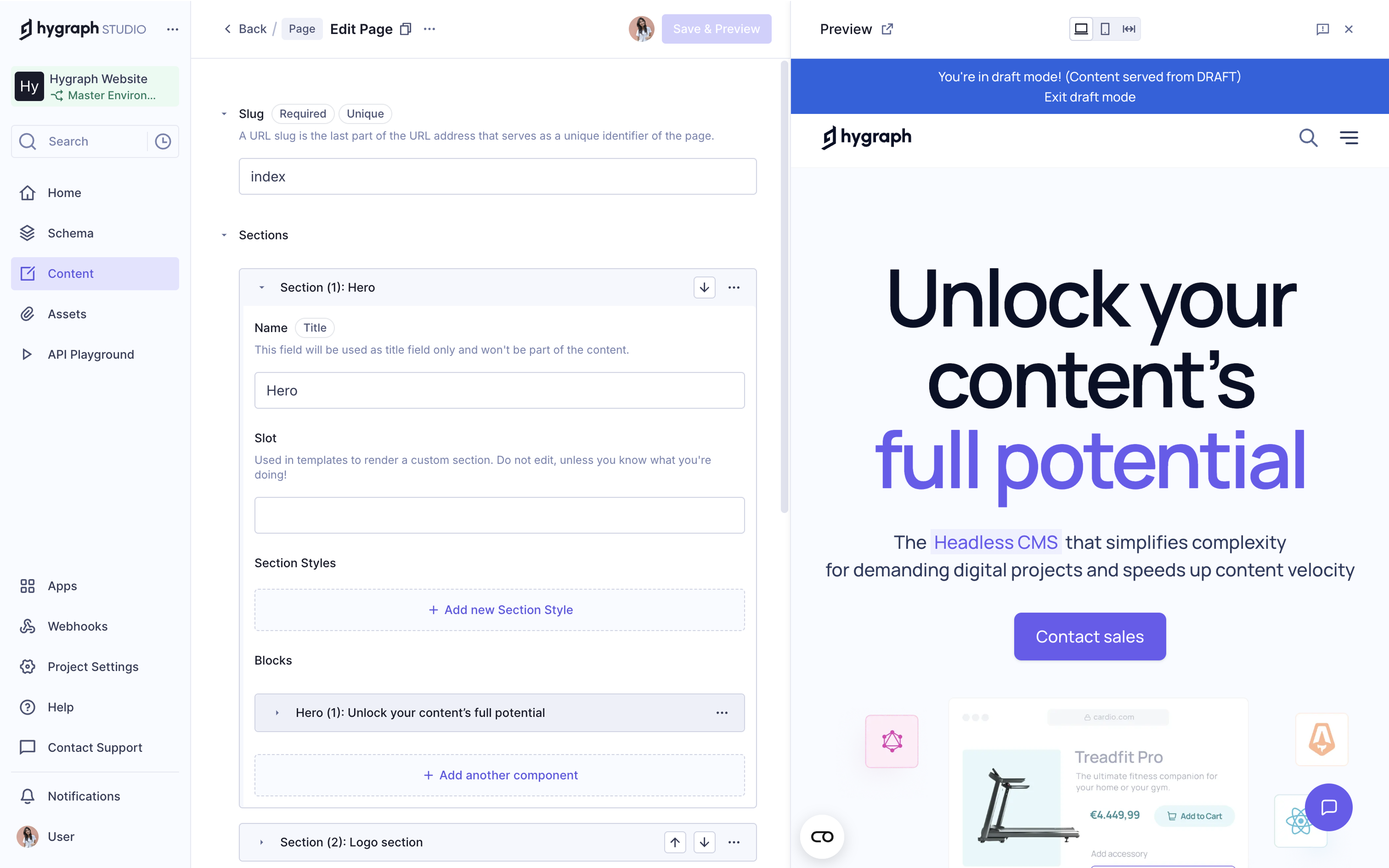
Hygraph Demo - Live Preview
Hygraph’s live preview lets you see content changes in real time, so editors know exactly how updates will look before hitting publish. It takes the guesswork out of editing and makes collaboration with developers smoother.
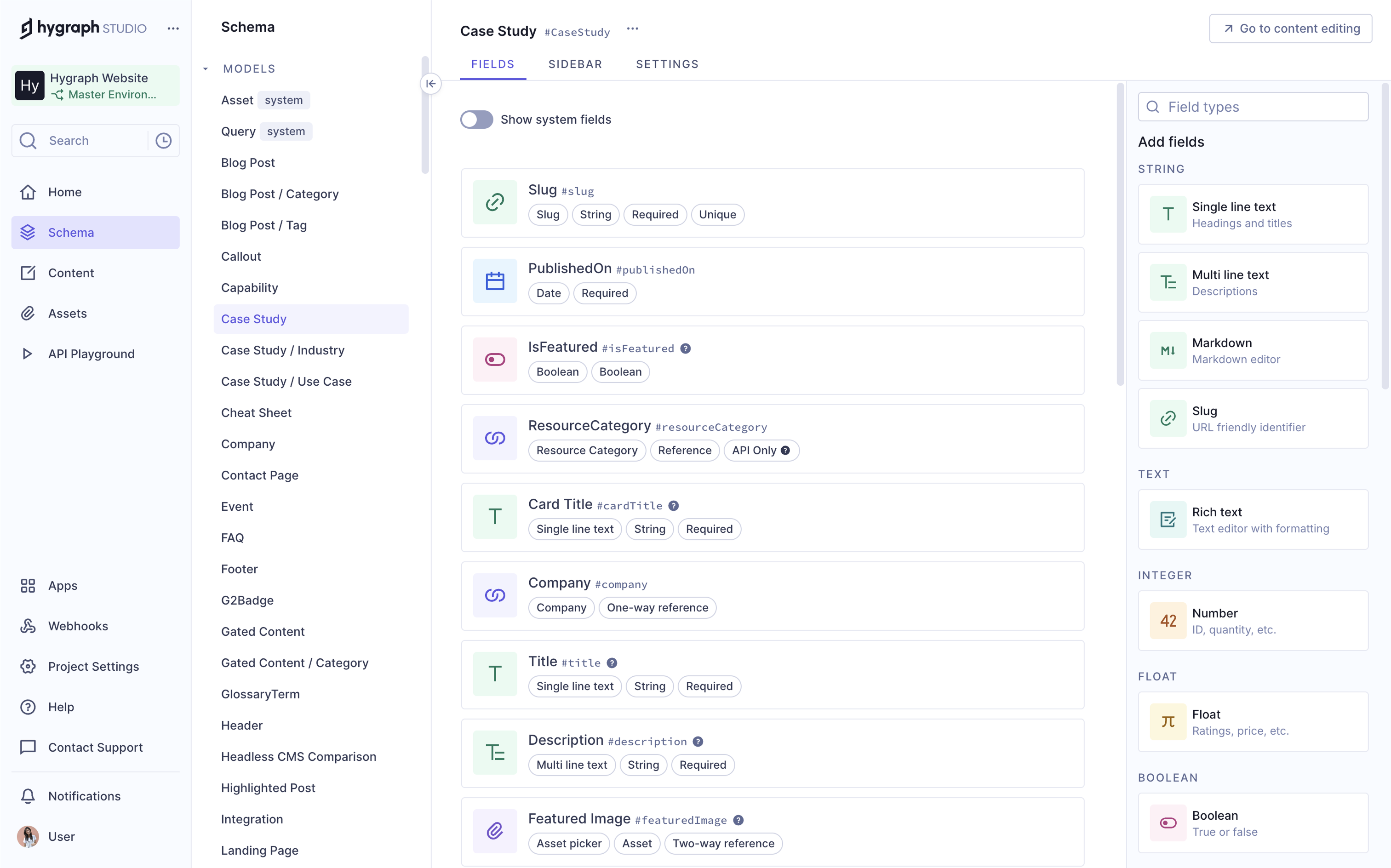
Hygraph Demo - Content Modeling
Hygraph makes content modeling simple and flexible, so you can structure your content exactly how you need it, whether you’re building a content-heavy app or managing detailed product data. You’re in full control of how your content is organized.
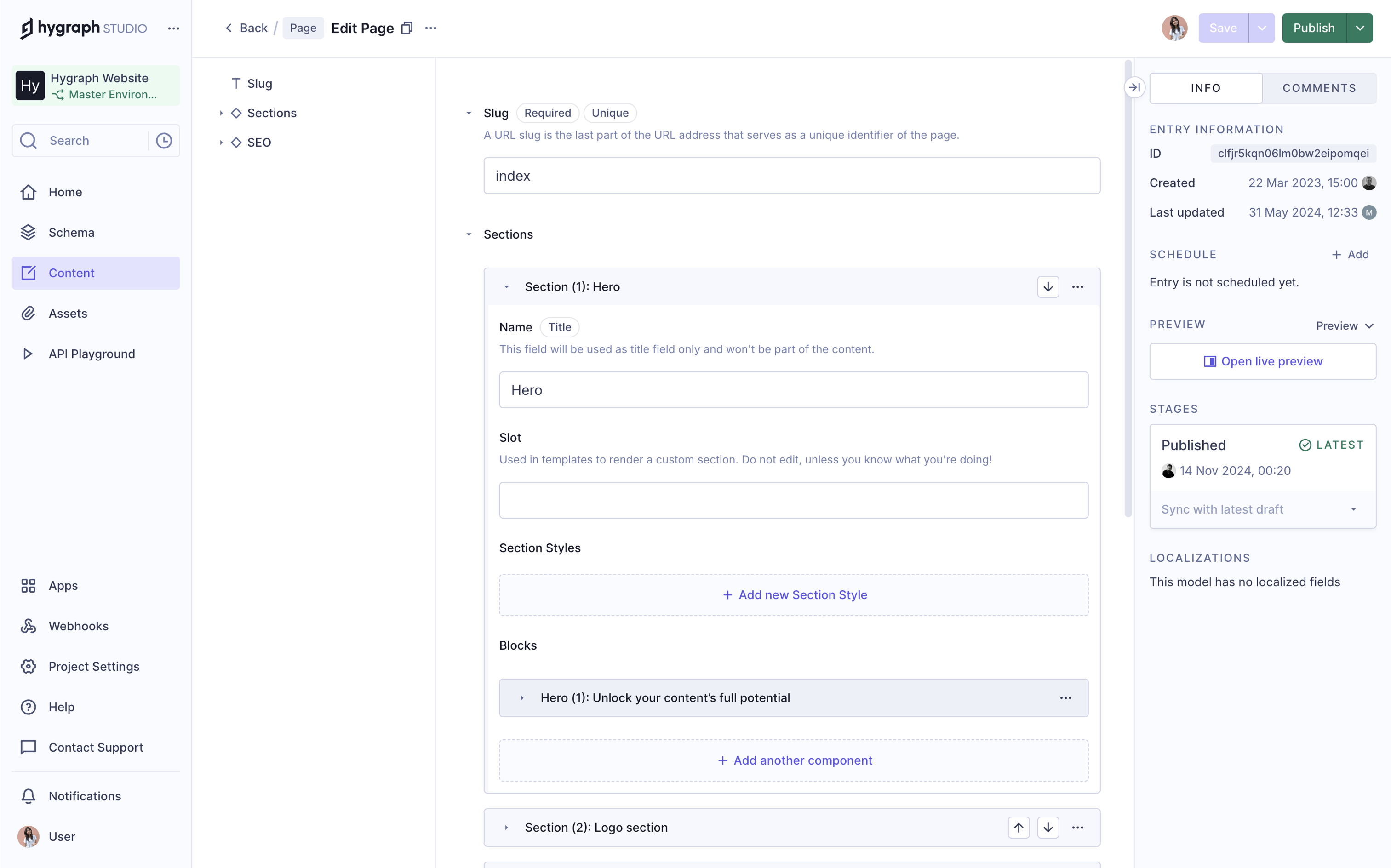
Hygraph Demo - Editorial Experience
Hygraph gives editors a smooth, intuitive experience, so it’s easy to create, update, and manage content without relying on developers. Everything is built to make publishing faster and simpler, even when the content structure is complex.
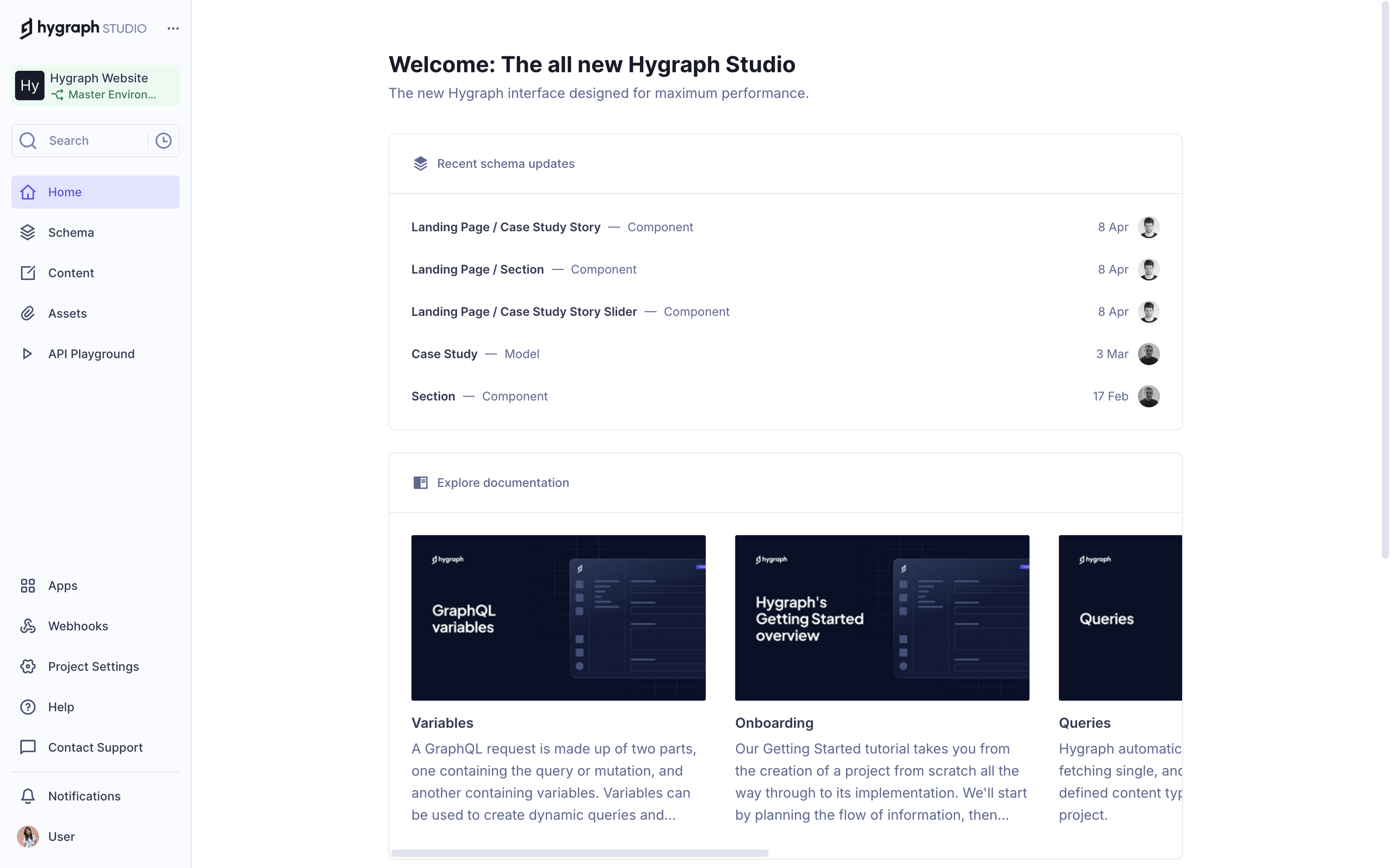
Hygraph Demo - Hygraph Studio
Hygraph Studio is a clean, modern interface that brings everything together, from content modeling to editing, so both developers and editors can work side by side without friction. It’s designed to be fast, flexible, and easy to use.
Hygraph Demo - Hygraph Projects
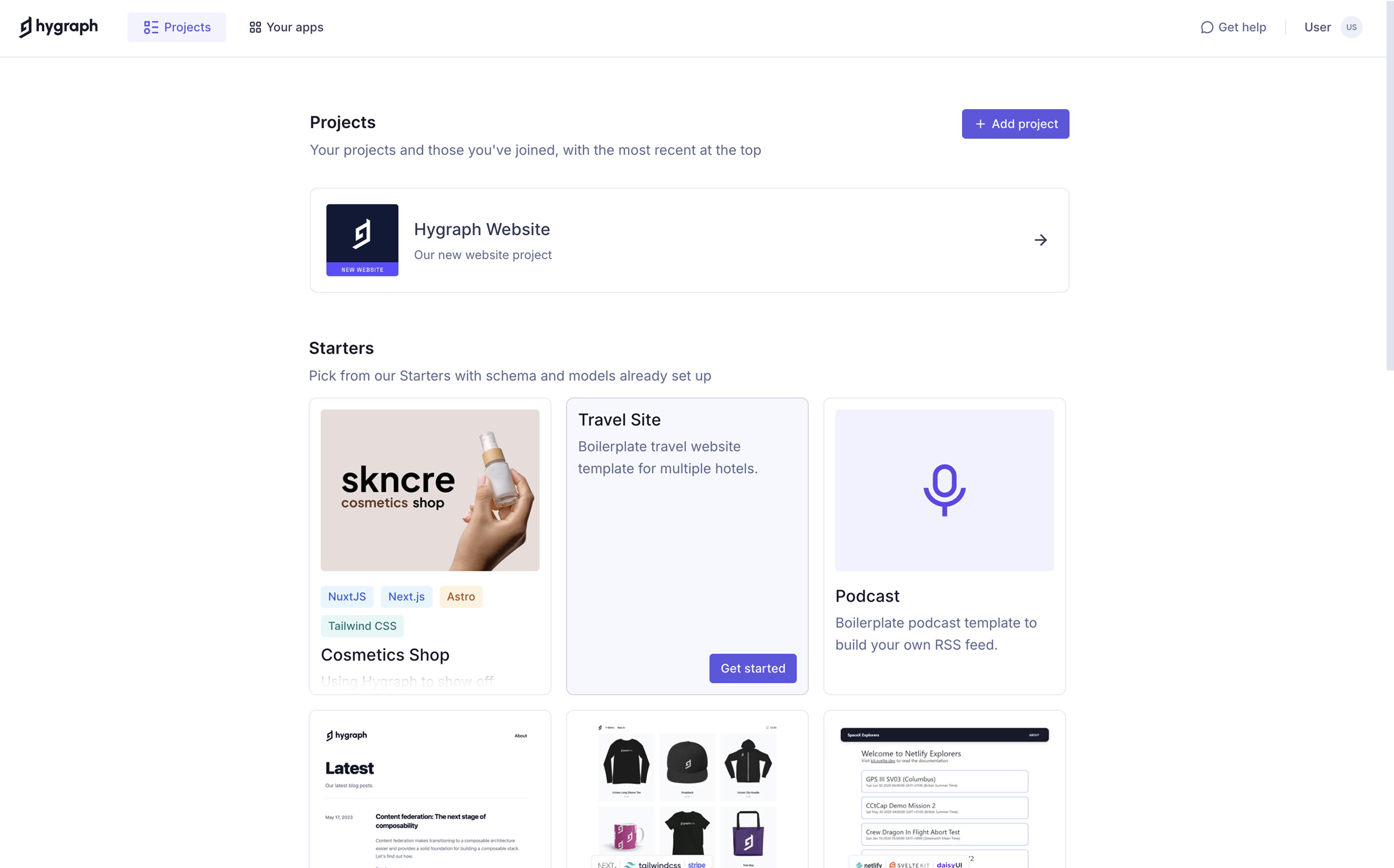
With Hygraph projects and ready-made templates, you can get started faster, whether you're launching something new or testing ideas. You can pick from our starter projects with schema and models already set up, so you don’t have to build everything from scratch.
Play Hygraph Video
Play Hygraph Video
Play Hygraph Video
Play Hygraph Video
Play Hygraph Video
Product Avatar Image

Have you used Hygraph before?

Answer a few questions to help the Hygraph community

Hygraph Reviews (716)

View 1 Video Reviews
Reviews

Hygraph Reviews (716)

View 1 Video Reviews
4.5
716 reviews

Review Summary

Generated using AI from real user reviews
Users consistently praise the intuitive interface and flexible content modeling capabilities of Hygraph, which make it easy for both technical and non-technical teams to manage content effectively. The seamless integration with GraphQL enhances data management, allowing for precise queries and efficient workflows. However, some users note a steep learning curve for advanced features, which may require additional time to master.

Pros & Cons

Generated from real user reviews
View All Pros and Cons
Search reviews
Filter Reviews
Clear Results
G2 reviews are authentic and verified.
Mohd I.
MI
Founder
Computer Software
Small-Business (50 or fewer emp.)
"Quick Setup, Best CMS for Blogging"
What do you like best about Hygraph?

I like how simple it is to install Hygraph. I just prompted cursor to set it up for me, and it was ready in under 5 minutes. I like how fast and easy it is; I write on Hygraph, publish it, and immediately it's on Brandled's blog. You only need to set up the schema once, and after that, it functions like a simple form. I go to content, write the content, and then publish it, nothing more than that. The documentation of Hygraph is pretty detailed, which made the setup process quick for me. Review collected by and hosted on G2.com.

What do you dislike about Hygraph?

I don't see any particular thing I want to improve but there is a minor bug that I saw. Basically, in the content form, I can write in full screen, but when I preview that in fullscreen the scrolling doesn’t come. So I have to minimize that from fullscreen to preview the content that was written in markdown.

Also the app isn't really mobile responsive so I can't edit the content on the go Review collected by and hosted on G2.com.

"Simplifies E-commerce CMS with Ease and Affordability"
What do you like best about Hygraph?

I find Hygraph pretty simple and straightforward without a steep learning curve like other CMS platforms. I signed up and within 10 minutes, after adding the APIs and connecting to my app, it was ready to go. The app doesn't overwhelm with unnecessary features. I appreciate that I don't need to create an entire CMS infrastructure myself, which saves a lot on development costs and maintenance efforts. It's also easy to update records; I can log in and update or add new ones in just a few minutes, with changes reflecting almost instantly. The initial setup was easy because the documentation is really clear. I love the generous free tier, which is more than enough for me, especially compared to other options like Pimcore, which was complex and expensive. Review collected by and hosted on G2.com.

What do you dislike about Hygraph?

The preview options could be much better and also if they could make the site responsive for mobile. Review collected by and hosted on G2.com.

Osmar D.
OD
Ops e Product Manager
Small-Business (50 or fewer emp.)
"Powerful Headless CMS With a Pricing Model That Scales Quickly"
What do you like best about Hygraph?

Hygraph’s API-first approach and performance are what stand out the most. The GraphQL API is fast, well-documented, and predictable, which makes integration with our frontend stack straightforward. Our developers can query exactly the data they need, which keeps the codebase cleaner and improves performance on the client side Review collected by and hosted on G2.com.

What do you dislike about Hygraph?

The main downside of Hygraph for us is the cost structure. As our usage and number of projects grow, the pricing can increase quickly, which makes it harder to justify compared to other headless CMS options in the market. We feel that some features that are essential for growing teams could be more accessible in lower tiers Review collected by and hosted on G2.com.

Rodrigo L.
RL
Software Engineer
"Efficient, Developer-Friendly CMS with Room for Documentation Improvement"
What do you like best about Hygraph?

I like the way Hygraph makes things easier for developers. The ability to write GraphQL queries directly is a big plus, and it sometimes even allows me to avoid having an API. I appreciate the way you can manage data securely, especially with how you can set up specific permissions for tokens. The draft and publish features are great for previewing content deployments and display. I love that the platform is very user-friendly and easy to use. Review collected by and hosted on G2.com.

What do you dislike about Hygraph?

I guess the documentation could be improved. Maybe? I had a lot of issues writing GraphQL queries on the JavaScript site. Sometimes I struggle with the models and the relations I have to do to catch data from different tables together. Maybe the documentation could be something more step by step, ready to go. I was a bit lost in the beginning, and the docs were not helped me that much even because English is not my first language. It could be improved, especially for the onboarding of new users. Review collected by and hosted on G2.com.

"Great Web Asset Management with Some Backend Mysteries"
What do you like best about Hygraph?

I like that Hygraph is pretty fluid for our use, and I don't really see any obvious problems with it. All the asset uploading functionalities are really good for our business. It makes it a very simple process to upload and transfer the data to our beautiful-looking website that we get to see every day. The decision to use Hygraph was the greatest decision we've ever made. I'm absolutely likely to recommend Hygraph to a friend or colleague, giving it a ten. Review collected by and hosted on G2.com.

What do you dislike about Hygraph?

Sometimes things are broken on our front end, and Hygraph isn't able to easily tell us why. It's a bit of a guessing game of why something isn't working. Review collected by and hosted on G2.com.

RM
Small-Business (50 or fewer emp.)
"Seamless Content Management with Easy Setup"
What do you like best about Hygraph?

I find Hygraph incredibly useful for managing our content and building structured content pages. Its intuitive nature as a headless CMS is something I genuinely appreciate, making it easy to use and integrate within our workflow. The GraphQL integration stands out as a key feature, allowing me to query only the fields needed without any excess or bloated data types, simplifying data management significantly. The initial setup of Hygraph was remarkably swift, getting us up and running in about an hour, and its extensible nature means we can easily build on it as our needs evolve. Review collected by and hosted on G2.com.

What do you dislike about Hygraph?

Nothing really. Hypraph is such an easy tool to use. Review collected by and hosted on G2.com.

Faizan A.
FA
CMO
Small-Business (50 or fewer emp.)
"Intuitive CMS with Responsive Support"
What do you like best about Hygraph?

I really like how simple and intuitive Hygraph is to use. The simplicity and intuitive UI let me set up and manage a blog very quickly without a learning curve. I didn't have to worry about building or maintaining a custom CMS, which saved a lot of time and effort. Their support is pretty responsive too. Review collected by and hosted on G2.com.

What do you dislike about Hygraph?

I wish it was easier to use on mobile devices. Review collected by and hosted on G2.com.

Sai Manasa K.
SK
"Effortless Content Management with Room for Improvement"
What do you like best about Hygraph?

I like the ease of use of Hygraph and having a repository of content. Working with content blocks is simpler because I don't have to think in pages or templates. I can publish, unpublish, or update content without waiting on engineering, which is really convenient. Being able to reuse messaging across different channels or campaigns without worrying about inconsistencies is another great aspect of Hygraph. The initial setup was quite easy, which I appreciated. Review collected by and hosted on G2.com.

What do you dislike about Hygraph?

Setting up models, schemas, and integrations is not something marketers can do by themselves. Hygraph could offer guided model templates for common use cases. Review collected by and hosted on G2.com.

Daniel M.
DM
UI Designer
Small-Business (50 or fewer emp.)
"Perfect for No-Code Designers—Simple and Powerful"
What do you like best about Hygraph?

This product has a simplicity that makes it work awesome for no-code designers and product designers. Easy to understand, even if you don't have dev skills. Review collected by and hosted on G2.com.

What do you dislike about Hygraph?

Hard to say, but I'm afraid the free tier could be a little more generous in terms of models, more than 20 could be helpful (I know you already are :D).

199$ for the second tier looks quite expensive for me, but it's something that I probably have to do if my MVPs start to work. If you guys can create a middle 50$ tier between free and the 199$ would be interesting. Review collected by and hosted on G2.com.

aarsh s.
AS
Sr. Product Designer
Small-Business (50 or fewer emp.)
"Dynamic Data management for Vibe Coded Digital Products"
What do you like best about Hygraph?

The user experience was good and the information is well delivered with the nuances. Review collected by and hosted on G2.com.

What do you dislike about Hygraph?

I do not have any complaints about Hygraph for now. Review collected by and hosted on G2.com.

Pricing Options

Pricing provided by Hygraph.

Free Developer Plan

$0.00

Self Service

$199.00
Per Month

Enterprise

Contact Us
Hygraph Comparisons
Product Avatar Image
Strapi
Compare Now
Product Avatar Image
Contentful
Compare Now
Product Avatar Image
Sanity
Compare Now
Hygraph Features
Content Authoring
Rich Text Editor
Versioning
Personalization
Content Performance
Automated Publishing
Multi-language
AR/VR Capability
Image Management
Reuseable Content
Unlimited Environments
Product Avatar Image
Hygraph