


Compare this with other toolsSave it to your board and evaluate your options side by side.
Save to board

Hygraph Reviews & Product Details

Pricing

Pricing provided by Hygraph.

Free Developer Plan

$0.00

Hygraph Media

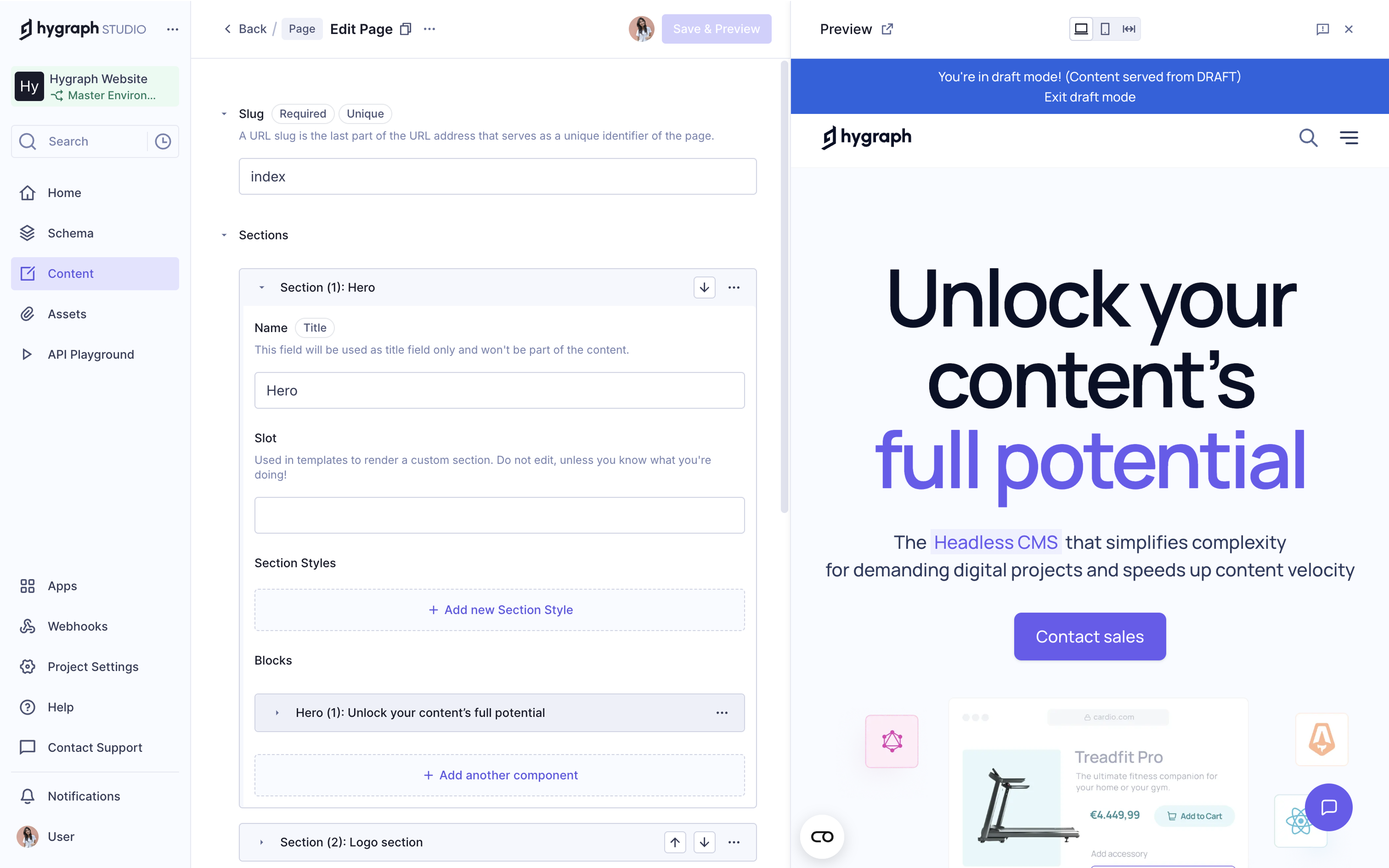
Hygraph Demo - Live Preview
Hygraph’s live preview lets you see content changes in real time, so editors know exactly how updates will look before hitting publish. It takes the guesswork out of editing and makes collaboration with developers smoother.
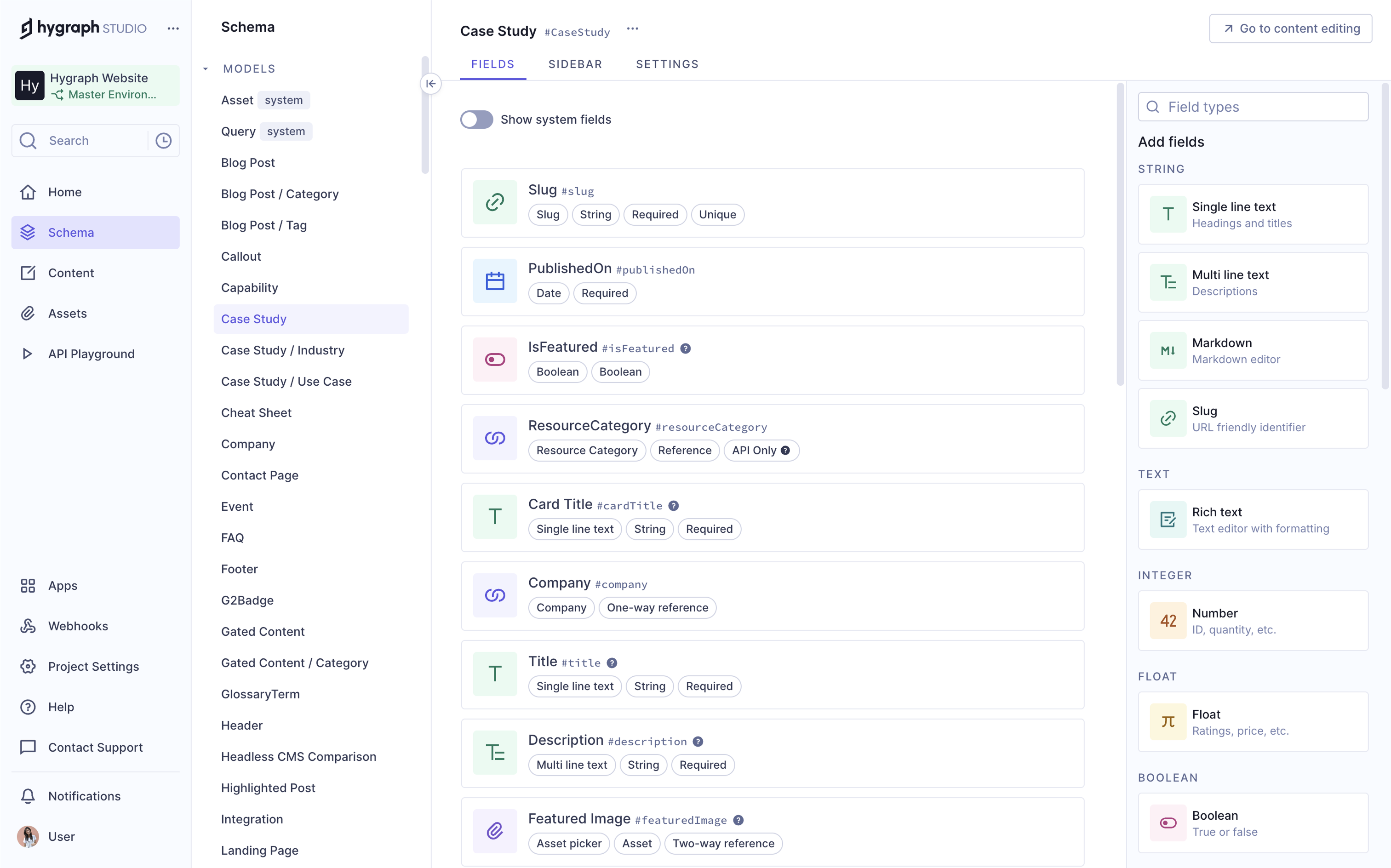
Hygraph Demo - Content Modeling
Hygraph makes content modeling simple and flexible, so you can structure your content exactly how you need it, whether you’re building a content-heavy app or managing detailed product data. You’re in full control of how your content is organized.
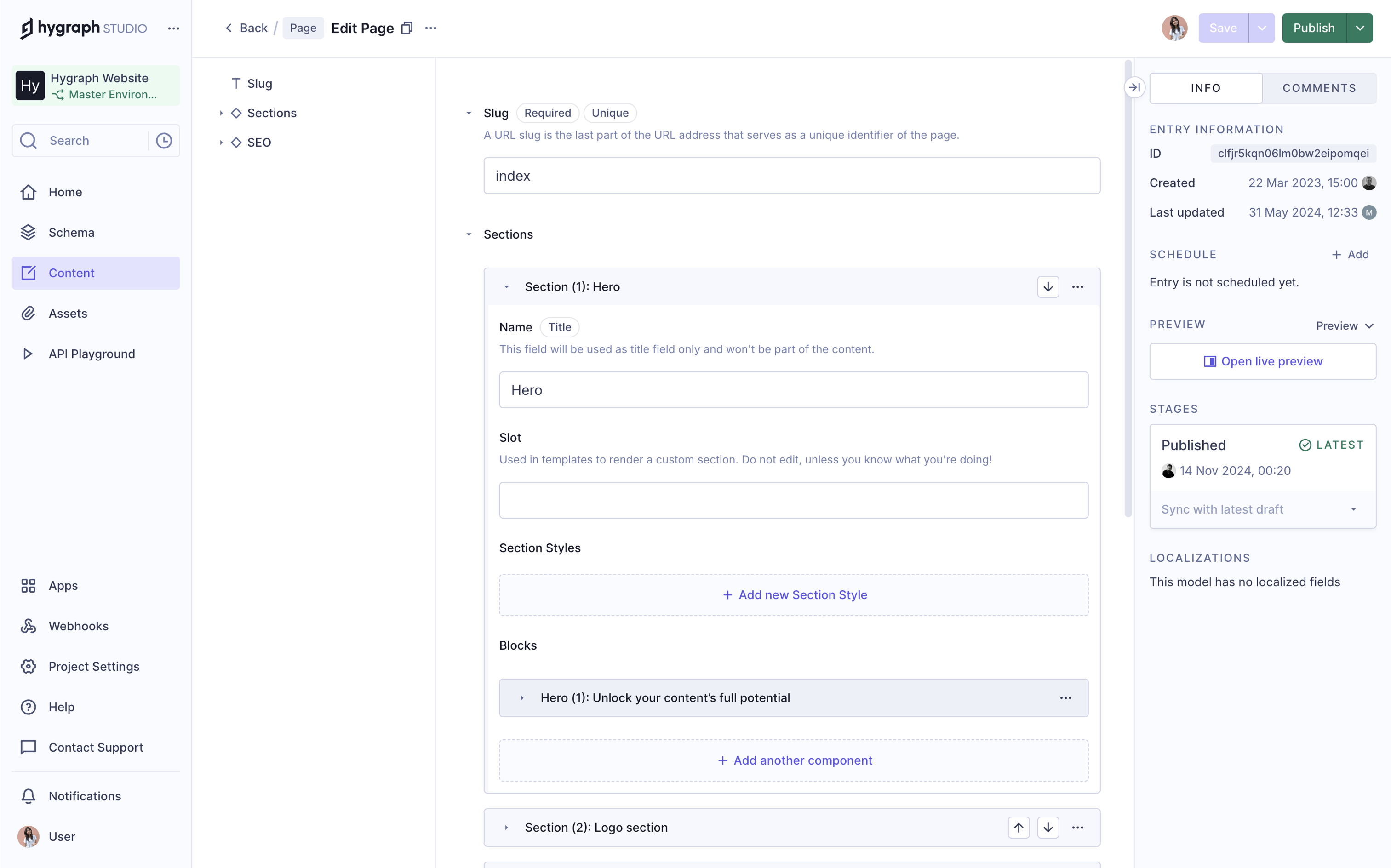
Hygraph Demo - Editorial Experience
Hygraph gives editors a smooth, intuitive experience, so it’s easy to create, update, and manage content without relying on developers. Everything is built to make publishing faster and simpler, even when the content structure is complex.
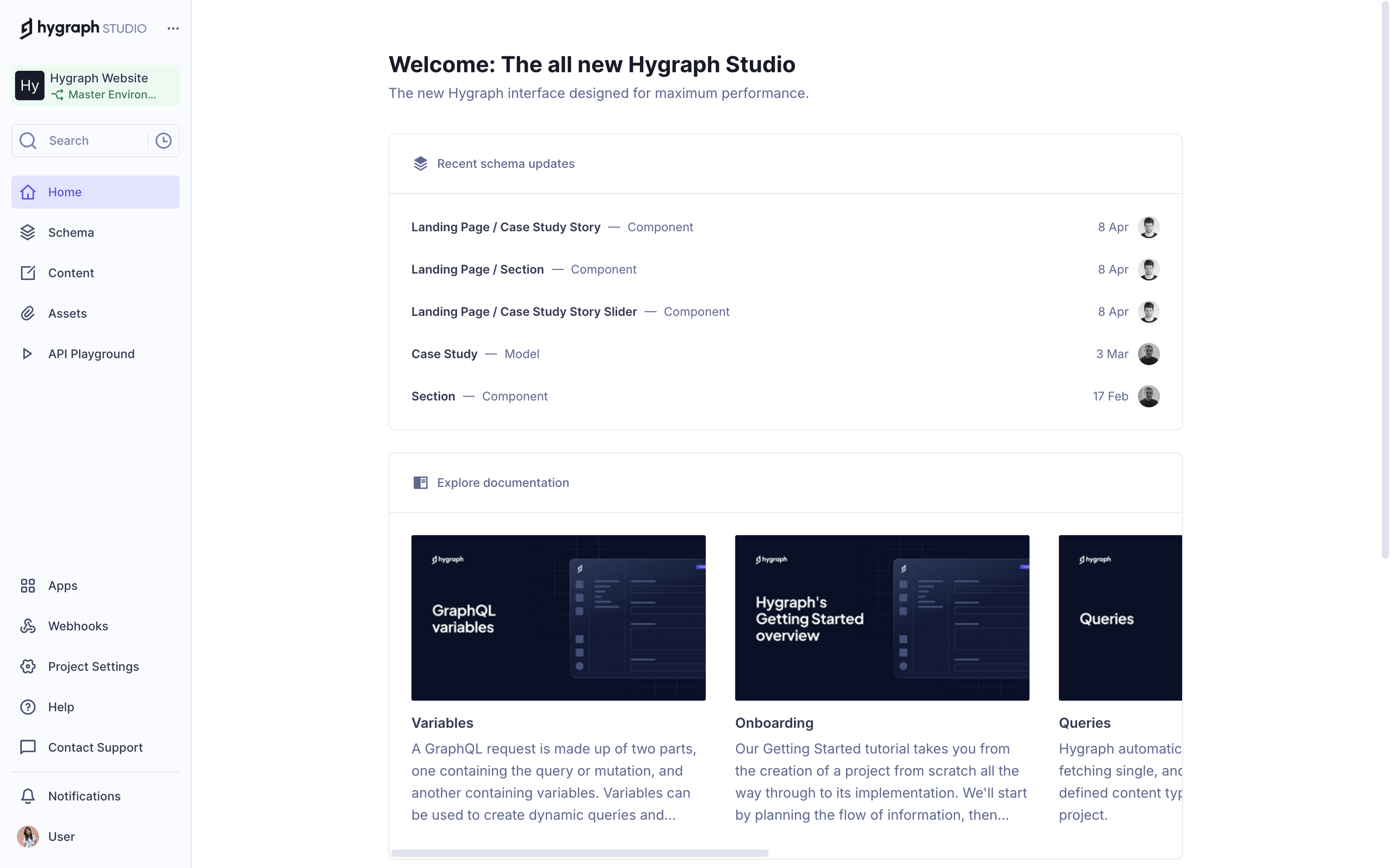
Hygraph Demo - Hygraph Studio
Hygraph Studio is a clean, modern interface that brings everything together, from content modeling to editing, so both developers and editors can work side by side without friction. It’s designed to be fast, flexible, and easy to use.
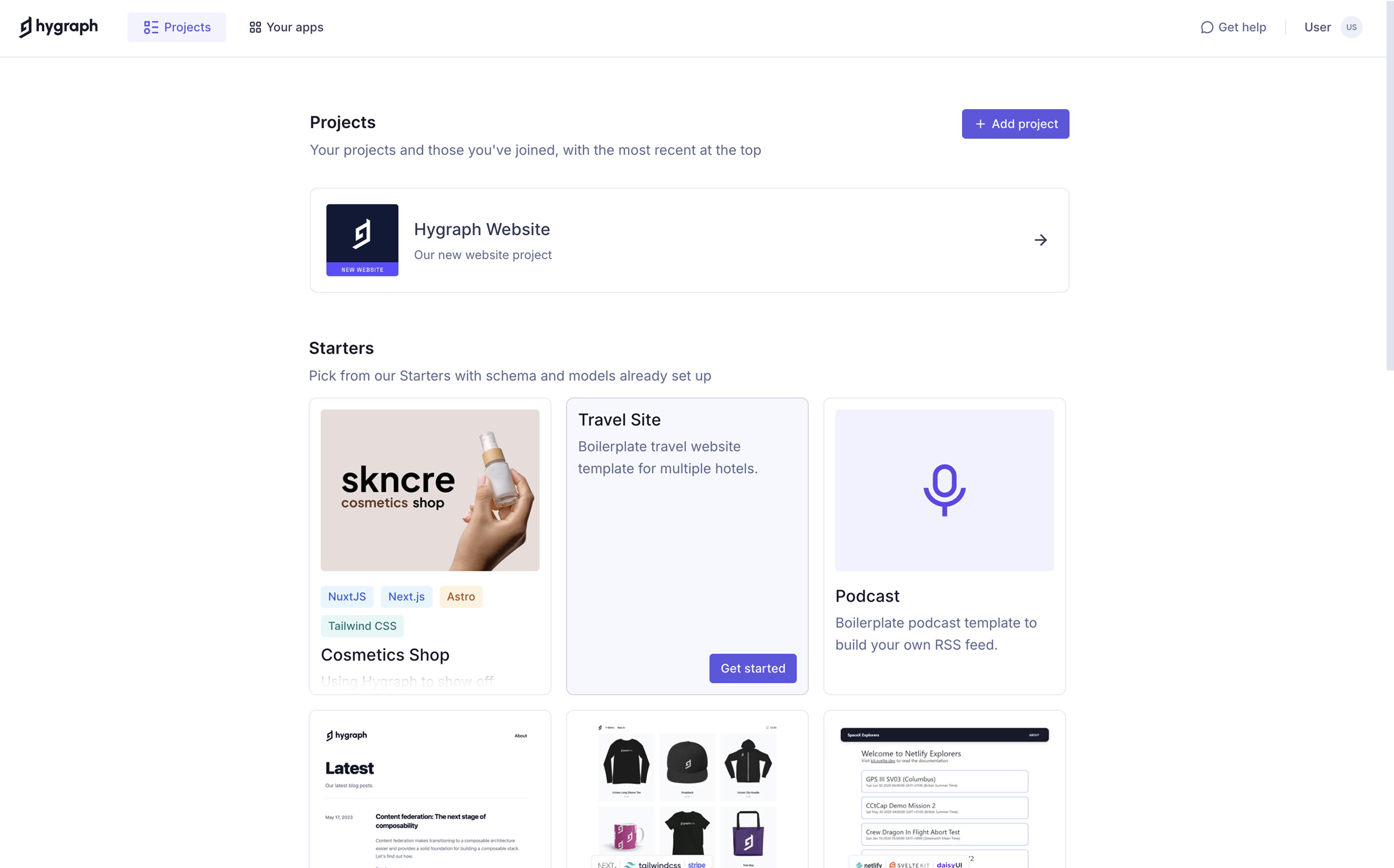
Hygraph Demo - Hygraph Projects
With Hygraph projects and ready-made templates, you can get started faster, whether you're launching something new or testing ideas. You can pick from our starter projects with schema and models already set up, so you don’t have to build everything from scratch.
Play Hygraph Video
Play Hygraph Video
Play Hygraph Video
Play Hygraph Video
Play Hygraph Video
Product Avatar Image

Have you used Hygraph before?

Answer a few questions to help the Hygraph community

Hygraph Reviews (718)

View 1 Video Reviews
Reviews

Hygraph Reviews (718)

View 1 Video Reviews
4.4
718 reviews

Review Summary

Generated using AI from real user reviews
Users consistently praise the intuitive interface and flexible content modeling capabilities of Hygraph, which make it easy for both technical and non-technical teams to manage content effectively. The seamless integration with GraphQL enhances data management, allowing for precise queries and efficient workflows. However, some users note a steep learning curve for advanced features, which may require additional time to master.

Pros & Cons

Generated from real user reviews
View All Pros and Cons
Search reviews
Filter Reviews
Clear Results
G2 reviews are authentic and verified.
Ian W.
IW
independant contractor, Dev Ops and developer, consultant
Small-Business (50 or fewer emp.)
"Transition to headless for CMS and beyond"
What do you like best about Hygraph?

I am an independent contractor supporting a marketing team at Accuride International. We picked up Hygraph a few years ago as part of an effort to decouple what had become an overly complex tech stack. GraphQL and Hygraph have been critical components in creating a seamless integration of their blog and ecommerce applications within the context of marketing sites and content. Ease of use is excellent from a developer standpoint, and it solved a lot of issues I was experiencing in working with content managers to enforce best practices and a consistent workflow. They were blogging in WordPress before. Review collected by and hosted on G2.com.

What do you dislike about Hygraph?

Not much to say here. Documentation is good, customer support adequate. Review collected by and hosted on G2.com.

Alessio G.
AG
CEO
Small-Business (50 or fewer emp.)
"I was forced to use it otherwise I wouldn't have used it"
What do you like best about Hygraph?

I wasn't familiar with this platform; I was forced to use it for Gamescom. Once I got started, I felt a bit lost, but once I understood how to use it, it was simple and intuitive to get going. I think it's an effective tool that allows you to organize your work both internally and with external collaborators. I've explored a few of hygraph's features, but I plan to continue learning more. Review collected by and hosted on G2.com.

What do you dislike about Hygraph?

At first, I was a bit lost, not understanding what I was supposed to do. I didn't have permission to do things, and I didn't understand why. There was no guided introduction or anyone to explain how to do things. Even now, I'm still not entirely clear on what I can and can't do, or how to best use the tool. Review collected by and hosted on G2.com.

Ashish R.
AR
Frontend Developer
Small-Business (50 or fewer emp.)
"“The Headless CMS That Actually Gets It Right — My Hygraph Journey"
What do you like best about Hygraph?

The UI is clean and easy to navigate, so even non-technical team members can jump in and manage content without needing a developer every time.

From a developer’s perspective, the GraphQL API is a dream — fast, customizable, and well-documented. I also really appreciate the way Hygraph handles content modeling. It’s super flexible and lets you create structured content in a way that actually reflects how your site or app is built.

And honestly, the localization and asset management features are smoother than what I’ve seen in a lot of other CMS platforms. It just feels like Hygraph was built by people who understand the real-world challenges of building and scaling digital content. Review collected by and hosted on G2.com.

What do you dislike about Hygraph?

The biggest one for me is the learning curve when it comes to more advanced features like remote fields or custom resolvers — they’re powerful, but not always easy to grasp right away. Some of the documentation could go a bit deeper for real-world use cases.

Also, the pricing model might be a bit limiting for smaller teams or early-stage projects. It’s fair for what you get, but if you’re running on a tight budget, you’ll definitely want to keep an eye on API limits and user roles.

Finally, while the UI is clean and fast, it can sometimes feel a little too minimal — for example, bulk editing or more advanced filtering for content entries could be more robust. Review collected by and hosted on G2.com.

Verified User in Computer Software
UC
Mid-Market (51-1000 emp.)
"We use one Hygraph backend to feed both our iOS and Android apps, perfectly."
What do you like best about Hygraph?

The content API is truly platform-agnostic. No matter if I'm developing in Swift for iOS or Kotlin for Android, I use the same GraphQL call to retrieve identical, structured recipe data. This approach guarantees a consistent user experience across both platforms. I also really appreciate the real-time content preview feature—it lets us see exactly how a new recipe will appear on a simulated mobile screen before publishing. Review collected by and hosted on G2.com.

What do you dislike about Hygraph?

Managing offline-first scenarios is our responsibility. Since the content is stored in the cloud, if someone opens the app while on the subway, we need to develop a reliable system to cache the recipes they've previously accessed. Hygraph does not offer a built-in offline solution. Review collected by and hosted on G2.com.

Verified User in Leisure, Travel & Tourism
UL
Small-Business (50 or fewer emp.)
"The Project Lead for a Travel Blog"
What do you like best about Hygraph?

The mobile app is a game-changer. My team and I are always on the move. If we find a new, great restaurant in Lisbon, we can open the Hygraph app on our phone, find the "Lisbon Travel Guide," and update the "Restaurants" section right then and there. It’s as easy as using a notes app, but the change goes live on our website instantly. It keeps our guides feeling fresh and authentic. Review collected by and hosted on G2.com.

What do you dislike about Hygraph?

The text editor sometimes fights with me. If I copy and paste text from a Word document, it can bring weird formatting with it that's hard to clean up. I have to use a "paste as plain text" shortcut first, which is an extra step I often forget. Review collected by and hosted on G2.com.

Prince Singh Y.
PY
Software Engineer
Information Technology and Services
Mid-Market (51-1000 emp.)
"All about the new Hygraph Studio"
What do you like best about Hygraph?

Spending more quality time on the new Hygraph Studio, I can justly state that the platform is more mature now. The more modern interface is clear and dynamic and even fun to work with schema modeling. The process of arranging the content models through the drag-and-drop builder is now quicker and less prone to errors, notably on multifaceted relationship, components, and enums. Having the integrated GraphQL Playground is a huge advantage - this is how I test the nested queries structure or filter structure before sending them into my frontend (React + Next.js). Among the features that I find most useful, there is a possibility to use Remote Sources. I sewed a third-party API and married it to the CMS-managed content in a trouble-free fashion via the single GraphQL endpoint, and not every headless CMS can so do in this fashion. Regarding performance, the API is quick and delivering assets through their CDN is fast enough when it comes to images and documents.

There is a learning curve in using GraphQL as well notwithstanding, as you should expect among individuals who are not yet familiar with GraphQL. Developers will be okay, but content teams may find the transition difficult especially in interpreting references and content relationships. They have enhanced role-based access, and it would be beneficial to have a more granular control to scale teams. Nevertheless, where a significant number of developers are required, and high-power and flexibility of the CMS, with spectacular support of GraphQL are required, Hygraph makes a darn fine pick, and it appears to grow towards the right direction. Review collected by and hosted on G2.com.

What do you dislike about Hygraph?

Hygraph has improved a lot but improvement is always possible. The first is that the learning curve is all too real to those persons not already familiar with GraphQL. Even though there is an in-built playground, beginners can find it difficult to write custom queries, filter the relationships (nests), or process pagination. A graphical query pattern or simulated-life query patterns would help a whole lot. Second, even though the new Studio is easy to use on a developer level, it is still overwhelming to non-technical users such as content editors particularly when dealing with references, unions, or component-based models. Such friction could be reduced by adding contextual tooltips, inline documentation, or a flow to onboard someone. Review collected by and hosted on G2.com.

Lea M.
LM
Creative Content Director
Small-Business (50 or fewer emp.)
"Hygraph offers consistency"
What do you like best about Hygraph?

I have found this system to be consistently reliable and highly accessible, making it an invaluable tool in my daily work. Over time, I have trained several team members to use it effectively, and I appreciate how straightforward it is to teach and implement. Its user-friendly design allows new users to quickly grasp its core functions without feeling overwhelmed. Every day, I rely on this system to efficiently maintain and update our app catalog, ensuring that all information remains accurate and up to date.

Review collected by and hosted on G2.com.

What do you dislike about Hygraph?

It can be somewhat rigid--for example if I type "moons" it won't return listings containing "moon." It's also not the most adaptable for a layperson to use search and filter features.

Hygraph would benefit from more quick and easy ways for users to define default settings, such as sorting data or filters. Review collected by and hosted on G2.com.

Vincent G.
VG
Sales Business Development
Mid-Market (51-1000 emp.)
"A CMS designed for large-scale multilingual content management"
What do you like best about Hygraph?

Hygraph is much more than a classic CMS: it is a structuring tool for teams working on complex international sites. As a copywriter specialized in localization, I use it within a team of 5-6 consultants led by the marketing department of a tech company recognized in its sector. The interface provides a clear and simultaneous view of content in all languages, which significantly reduces errors in tone, style, or inconsistency. The system also allows you to revisit any text, even months later, to make updates without losing track.

Before Hygraph, we used huge Excel files to manage translated content. Now, everything happens directly in the site's environment, without the need for manual importation. We work faster, more cleanly. For a company managing hundreds of pages, Hygraph is an indispensable advancement. Review collected by and hosted on G2.com.

What do you dislike about Hygraph?

Hygraph has a significant learning curve for new users, especially for those coming from more traditional environments like WordPress. The interface may seem a bit technical at first. Additionally, some publishing or updating actions still lack fluidity, particularly when working on mirrored content in multiple languages. Improved ergonomics for managing editorial workflows would be a plus. Review collected by and hosted on G2.com.

NT
VP of Marketing
Small-Business (50 or fewer emp.)
"Hygraph has everything we need for our app's content"
What do you like best about Hygraph?

I like how consistent the app is. An update was made at a certain point, but they handled everything on their side and it did not cause a headache. I really appreciated that! Review collected by and hosted on G2.com.

What do you dislike about Hygraph?

It would be wonderful to be able to turn "help" tags on for when something is listed that we don't know what it is or how to use it. Something like little question marks you can click on to learn more. Review collected by and hosted on G2.com.

Verified User in Marketing and Advertising
UM
Small-Business (50 or fewer emp.)
"The Marketing Manager for an Online Plant Store"
What do you like best about Hygraph?

I am not a techie, but I love how I can create the "building blocks" for our content. For example, I set up a content model for a "Plant Care Guide." Now, when my writer creates a new guide, it automatically has spots for a video, sunlight needs, and watering schedule. I don't need to remind them every time. The best part? We can then attach that same guide to the relevant products on our website. So when a customer looks at a Monstera plant, they see its specific care guide right there. It makes our site feel smart and helpful. Review collected by and hosted on G2.com.

What do you dislike about Hygraph?

Getting started was a bit of a brain twister. Words like "components" and "references" were confusing at first. It took us a few tries to build our first content model correctly. Also, if I want to make a big change to how our content is structured, I still need to ask our web developer for help, which can sometimes slow us down. Review collected by and hosted on G2.com.

Questions about Hygraph? Ask real users or explore answers from the community

Get practical answers, real workflows, and honest pros and cons from the G2 community or share your insights.

Verified User
G2
Verified User
Last activity over 4 years ago

Start Building With GraphCMS For Free

Verified User
G2
Verified User
Last activity over 4 years ago

What are the benefits of GraphQL?

Pricing Options

Pricing provided by Hygraph.

Free Developer Plan

$0.00

Self Service

$199.00
Per Month

Enterprise

Contact Us
Hygraph Comparisons
Product Avatar Image
Strapi
Compare Now
Product Avatar Image
Contentful
Compare Now
Product Avatar Image
Sanity
Compare Now
Hygraph Features
Content Authoring
Rich Text Editor
Versioning
Personalization
Content Performance
Automated Publishing
Multi-language
AR/VR Capability
Image Management
Reuseable Content
Unlimited Environments
Product Avatar Image
Hygraph