
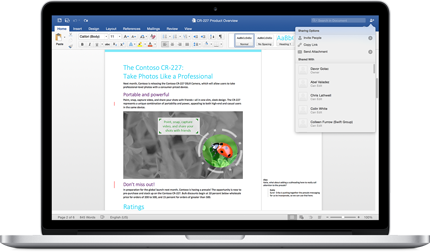


For me, it's all about getting the document to look exactly right and working with my team without headaches. When I need to put together a client proposal or an internal process guide, I know I can rely on Word's formatting tools to make it look polished and professional. The real game-changer is the collaboration. Having multiple people from my logistics team jump into the same document to edit a standard operating procedure, leave comments, and track changes saves us from the old nightmare of ten different email attachments. It just works, and everyone knows how to use it. Review collected by and hosted on G2.com.
Sometimes it feels like there are too many options, and I end up clicking through menus to find the one specific setting I need, which can slow down simple tasks. Every now and then, the formatting acts a bit strange, especially if someone opens a file on a different version of Word or we convert it to a PDF, and I have to spend time fixing it. Also, while the online version is handy, it doesn't have all the features of the full desktop program I paid for, which can be limiting if I'm trying to work from another computer. For creating basic, good-looking documents as a team, it's perfect, but for anything that needs really complex design, I'd look at other software. Review collected by and hosted on G2.com.


