


Compare this with other toolsSave it to your board and evaluate your options side by side.
Save to board

Resource Guru Reviews & Product Details

Pricing

Pricing provided by Resource Guru.

Grasshopper

Starting at $4.16
1 person/month

Resource Guru Media

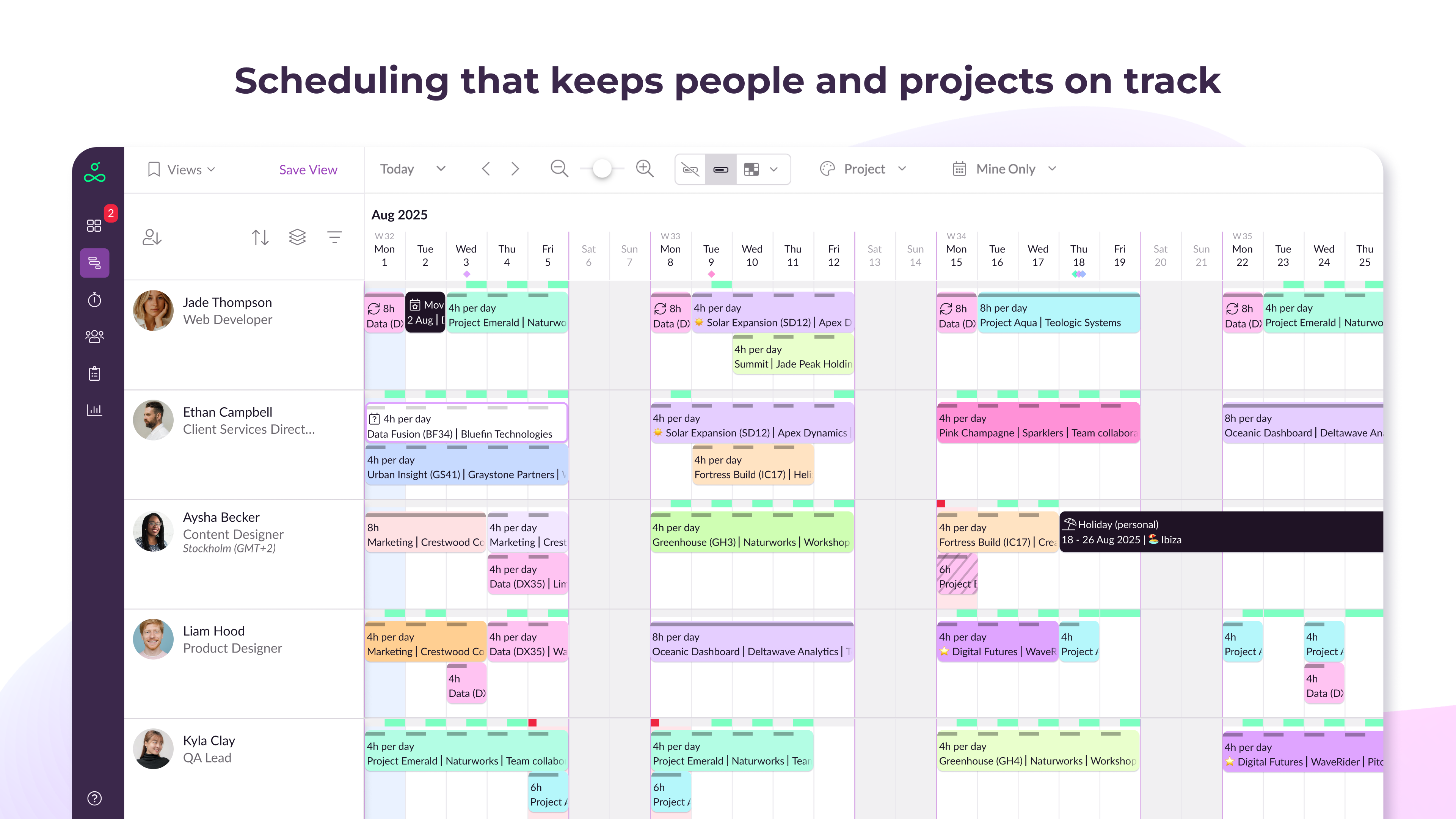
Resource Guru Demo - Scheduling that keeps people and projects on track
See who’s working on what and when with a flexible, visual overview of all your people, resources, and workloads.
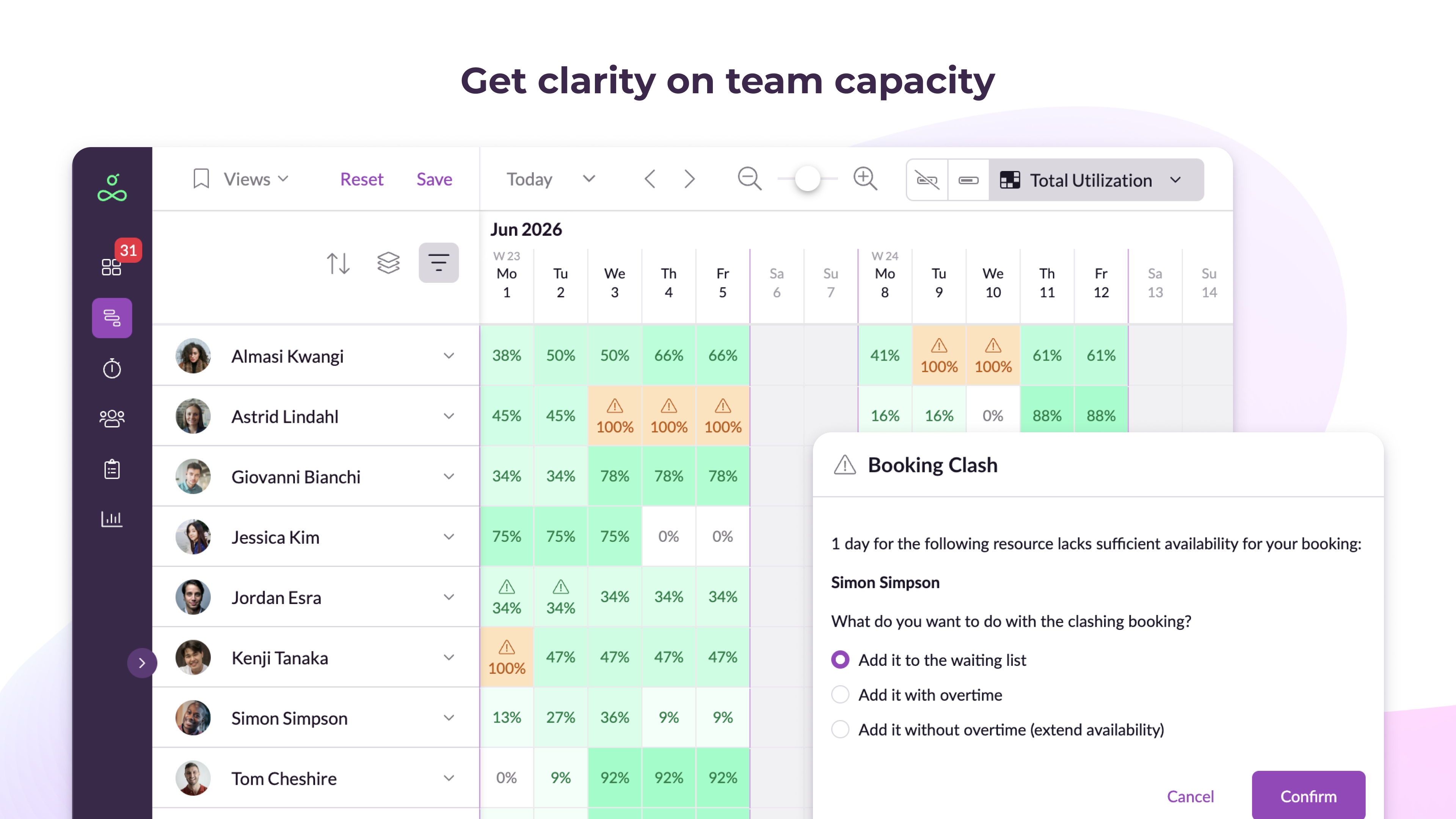
Resource Guru Demo - Get clarity on team capacity
Understand who’s over- or under-utilized and avoid conflicts that lead to missed deadlines or team burnout.
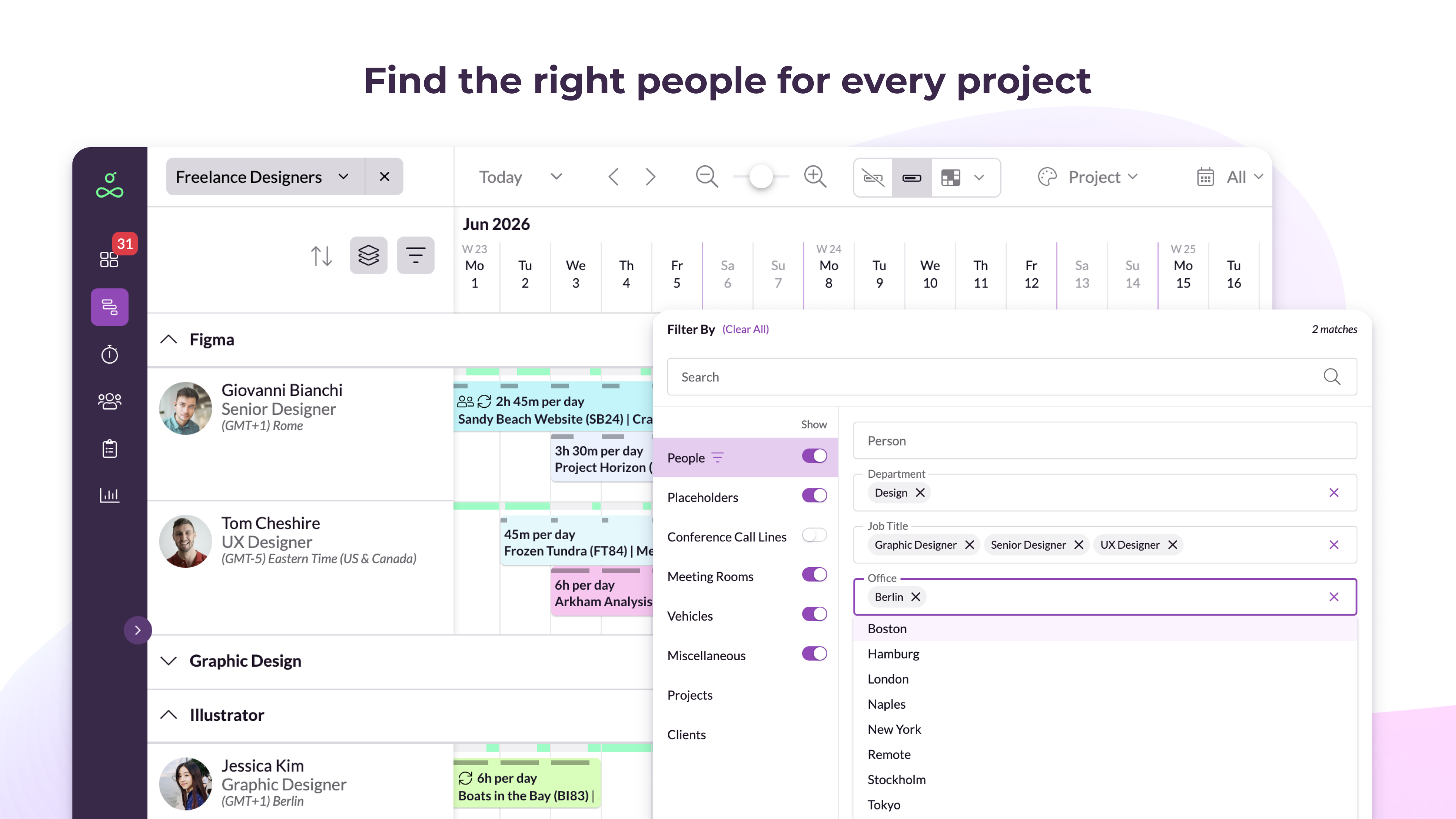
Resource Guru Demo - Find the right people for every project
Quickly find the right people and resources for each project based on their availability, skills, location, or any other criteria.
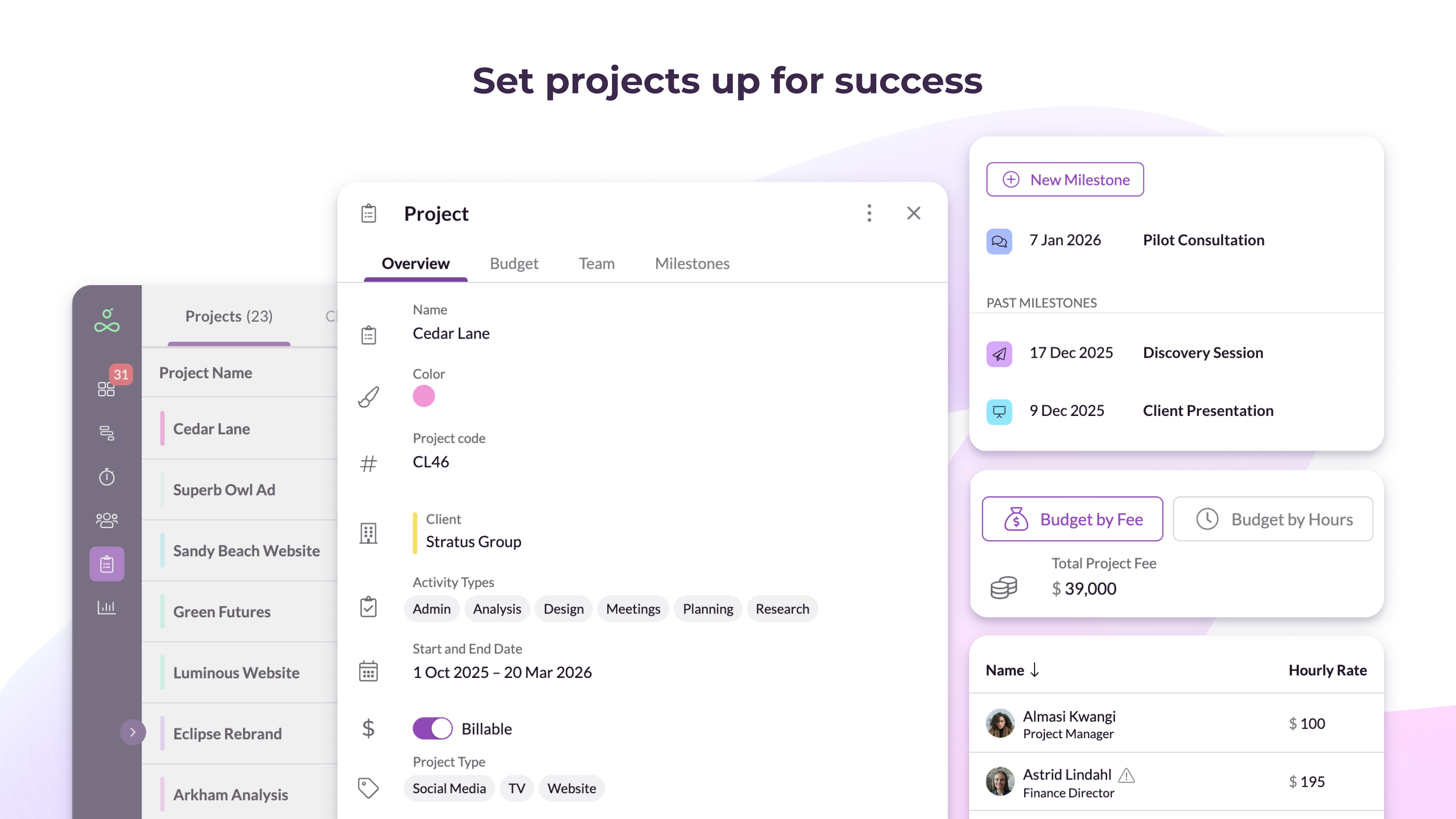
Resource Guru Demo - Set projects up for success
Outline project plans with clear timelines, milestones, and budgets, then track progress and profitability.
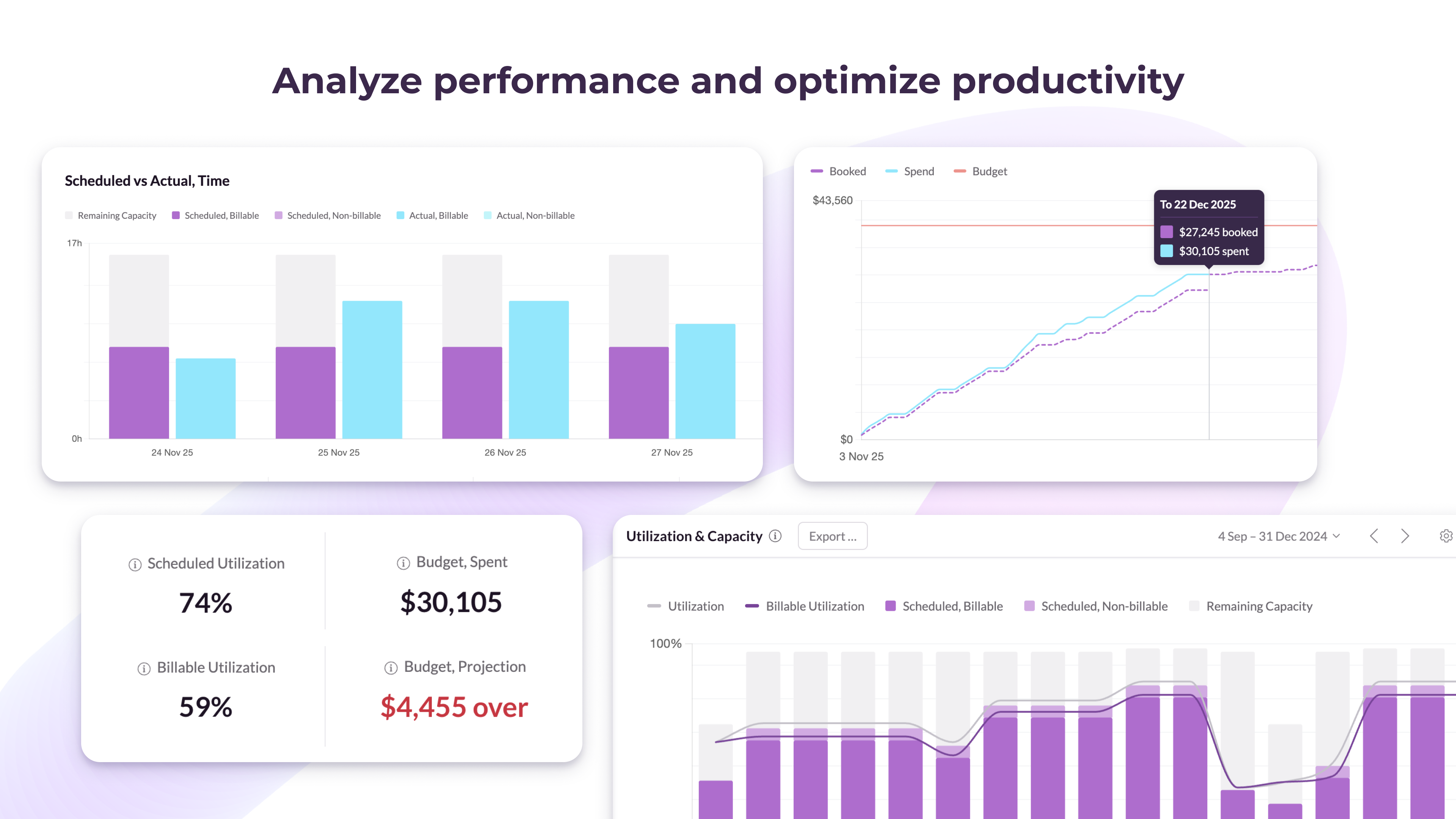
Resource Guru Demo - Analyze performance and optimize productivity
Analyze project health, utilization rates, billable hours, profit margins, and more using ready-made reports or create your own custom analysis.
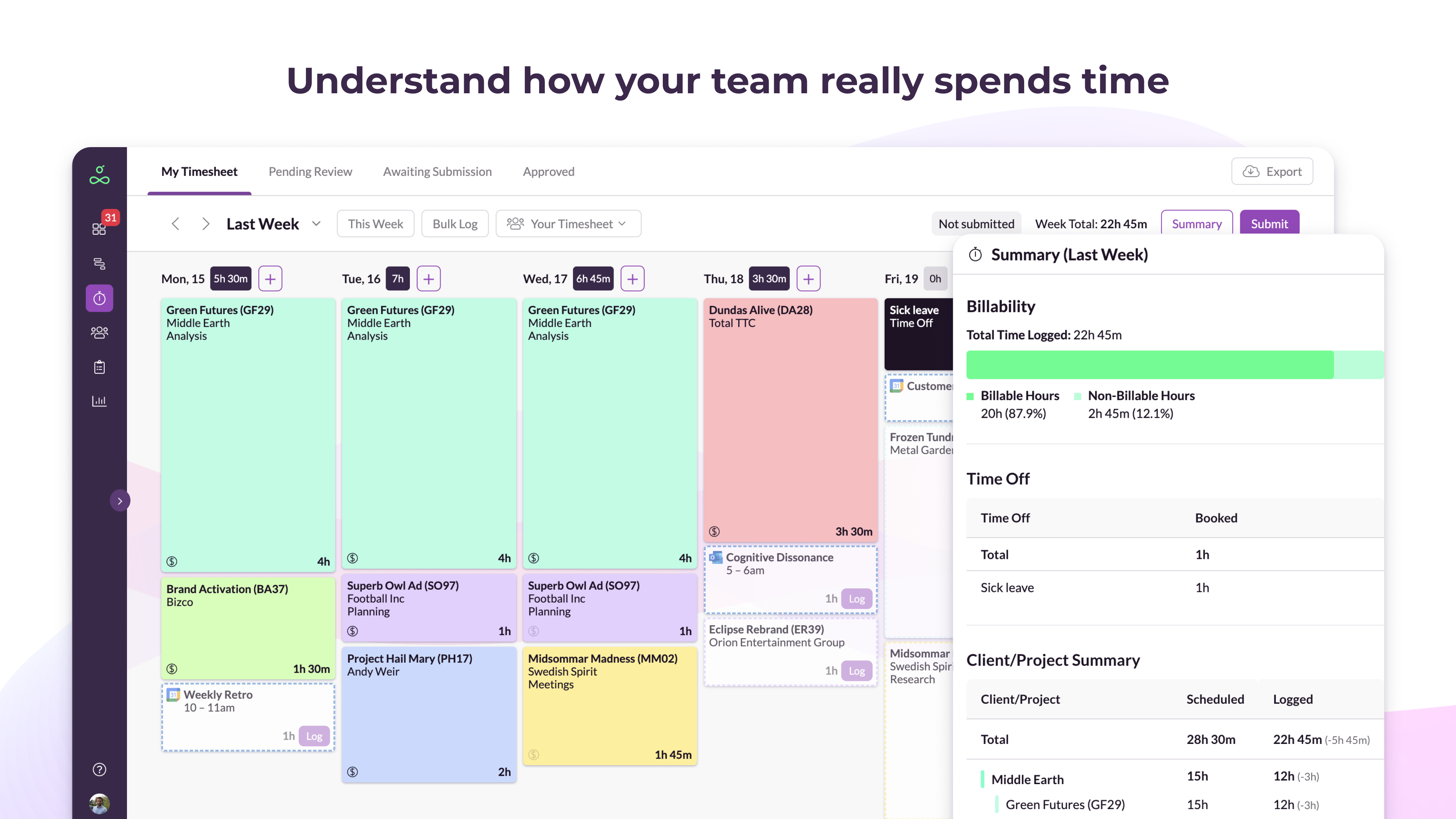
Resource Guru Demo - Understand how your team really spends time
Track actual hours worked using auto-suggest timesheets that reveal the accuracy of your forecasting and where project budgets are at risk.
Play Resource Guru Video
Interactive Demo
Try an interactive demo created by the software seller (right here on G2).
Product Avatar Image

Have you used Resource Guru before?

Answer a few questions to help the Resource Guru community

Resource Guru Reviews (481)

View 1 Video Reviews
Reviews

Resource Guru Reviews (481)

View 1 Video Reviews
4.6
481 reviews

Review Summary

Generated using AI from real user reviews
Users consistently praise the ease of use and intuitive interface of Resource Guru, highlighting how it simplifies scheduling and resource management. The ability to quickly view team availability and make adjustments enhances productivity, making it a valuable tool for managing workloads. However, some users note that the reporting features could be more robust.

Pros & Cons

Generated from real user reviews
View All Pros and Cons
Search reviews
Filter Reviews
Clear Results
G2 reviews are authentic and verified.
RP
Occupation Hygiene Technician
Mid-Market (51-1000 emp.)
"Calm, Intuitive Resource Planning That Builds Clarity and Trust"
What do you like best about Resource Guru?

What I like best about Resource Guru is how it makes complex resource planning feel calm and human. The interface is clean and intuitive, so you can see availability, conflicts, and capacity at a glance without wrestling with the tool. It’s powerful enough for real-world teams (multiple projects, time off, different roles) but never feels bloated or overengineered.

I also really appreciate the focus on clarity and trust—it helps teams plan realistically, avoid burnout, and have better conversations about time and priorities, not just shuffle schedules around. Review collected by and hosted on G2.com.

What do you dislike about Resource Guru?

I havnt came across yet, but Limited depth for complex forecasting: It’s great for visibility and short-to-mid-term planning, but if you want advanced scenario modeling or long-range forecasting, it can feel a bit lightweight.

Reporting can feel basic: The built-in reports are clear but not very customizable. Teams that love slicing data every possible way may end up exporting to spreadsheets. Review collected by and hosted on G2.com.


Verified User in Information Technology and Services
AI
Mid-Market (51-1000 emp.)
"Easy-to-Navigate Reporting with Powerful Sorting and Filtering"
What do you like best about Resource Guru?

It has a great set of options for sorting and filtering. The reporting features and dashboard are easy to navigate and present. Review collected by and hosted on G2.com.

What do you dislike about Resource Guru?

It has limited column options in the report section. I’d also like a better utilization view, or at least a customizable option. When I create a profile, there should be a way to set a custom access template and apply the same kind of access to multiple users; right now I have to repeat the same process again and again. Review collected by and hosted on G2.com.

CL
Project Manager
Mid-Market (51-1000 emp.)
"Clear Resource Allocation Visuals for Faster Staffing Decisions"
What do you like best about Resource Guru?

I like that it provides a clear visual, so I can easily see where each resource is allocated. This helps us make quick decisions about which scope to assign to a particular labour resource. Review collected by and hosted on G2.com.

What do you dislike about Resource Guru?

So far, from my daily use, I haven’t noticed any downsides to using Resource Guru. Review collected by and hosted on G2.com.

Verified User in Computer Software
UC
Enterprise (> 1000 emp.)
"Clear, Easy Planning Tool That Keeps Projects on Track"
What do you like best about Resource Guru?

Its clear and easy to use. It helps us to understand our planning so that you know what projects to work on that day/week and to see what is coming up. Review collected by and hosted on G2.com.

What do you dislike about Resource Guru?

Sometimes it can be a bit slow and it can be annoying to have to sign-in again so often. When you have to sign-in again it doesn't remember your previous login so you have to re-enter your email. Also sometimes bookings are placed that are not needed anymore, it would be great if the booker was reminded of it a few days before the booking is supposed to happen. Review collected by and hosted on G2.com.

Carlo E.
CE
Web Developer
Mid-Market (51-1000 emp.)
"Convenient schedule checker and Project Allocator"
What do you like best about Resource Guru?

I can easily track who’s in and out each day and review the work allocation for each of my colleagues. This helps me quickly see who I can ask for assistance or delegate critical, urgent tasks to. Review collected by and hosted on G2.com.

What do you dislike about Resource Guru?

The way it shows the people who are out for the day (only shows one person needs to click to see the others) makes me think there's only 1 person who is on leave Review collected by and hosted on G2.com.

"Streamlined Scheduling, Unmatched Flexibility"
What do you like best about Resource Guru?

I love the different views and schedules, like a calendar view, that Resource Guru offers. The different filters are great because I can filter out just my team in the wider company or pin myself at the top. The ability to color code blocks throughout the week is fantastic, allowing me to know if a certain color is just for shoots, edits, or a certain client. Resource Guru has been a game changer for our production company by making it easy to check everyone's availabilities, know which days are shoot days with color coding, and see how many hours are allocated to each project for accurate quoting reports. It made scheduling so much easier compared to our previous tool. Review collected by and hosted on G2.com.

What do you dislike about Resource Guru?

I think in some of the iOS views, I mainly use Resource Guru in iOS. Obviously, the screen is small, but it would be great to have different views for the calendar view, much like Google Calendar. I know there's a schedule view, but if you wanna see an overview of a couple of weeks ahead or the month ahead, then that would be great. Review collected by and hosted on G2.com.

Nicholas F.
NF
Infrastructure Technology Manager
Enterprise (> 1000 emp.)
"Easy to Use, Keeps Teams on Track with Granular Time Tracking"
What do you like best about Resource Guru?

Its an easy and simple to use product. The RG team is always making improvements and neew integrations to help alit with other systems. It helps keep our teams on track and on task. It has allowed us to get very granular time tracking and scheduling for all our teams and projects on one place. It was really simple to implement and getting the team onboard with a new product was really quite easy. Review collected by and hosted on G2.com.

What do you dislike about Resource Guru?

I have not had any issues with the product at this time, Review collected by and hosted on G2.com.

"Accessible and User-Friendly Planning, Needs Better Reporting"
What do you like best about Resource Guru?

I find Resource Guru mostly user-friendly. I like that it's an online tool, so it doesn't require a VPN to work from home. My team can access it easily and choose between multiple ways to see their planned work, whether on the whole team's schedule or their dashboard. This flexibility makes it really convenient. I can access it from anywhere, which is a big plus for remote work. The initial setup of Resource Guru was also very easy. Review collected by and hosted on G2.com.

What do you dislike about Resource Guru?

I don't think the reports are user-friendly enough. Also didn't like when they changed the way they looked. I liked the previous version more. The Excel reports that are exported from Resource Guru should be formatted more easily or exported only with the information you filter. I usually get the whole pack for the chosen period of time and am not able to filter that enough. For somebody who is not doing reports every day, it's not easy to search for the information. On the other hand, when you see the reports in the desktop version, the sheets are sometimes very confusing and you don't know which row is which. Review collected by and hosted on G2.com.

"Effortless Scheduling and Planning with Resource Guru"
What do you like best about Resource Guru?

I like that I can easily log on to Resource Guru to check where I'll be, which helps me plan my calendar and annual calendar in advance. It's beneficial for our organization to structure and know where to be at a particular time. I also find it very easy to set up and use. The video provided was self-explanatory, making it simple for me personally to get started. Review collected by and hosted on G2.com.

What do you dislike about Resource Guru?

I can't say there's anything specific for now, but I would like a way to color code different days of the week. It would make it easier for me to quickly figure out where I'm supposed to be at a particular time. Review collected by and hosted on G2.com.

Helen S.
HS
Lead Project Coordinator for Leadership, Management and Skills Training
Small-Business (50 or fewer emp.)
"User-Friendly, Real-Time Scheduling That Adapts to Constant Changes"
What do you like best about Resource Guru?

RG is user-friendly and easy to use. It works really well for us because schedules and people are constantly changing, and we can update appointments quickly and easily so everyone stays informed in real time. Review collected by and hosted on G2.com.

What do you dislike about Resource Guru?

It feels like this is partly an RG issue and partly a user issue: it’s very easy to accidentally move an appointment, workshop, or project and not even notice it happened. Review collected by and hosted on G2.com.

Questions about Resource Guru? Ask real users or explore answers from the community

Get practical answers, real workflows, and honest pros and cons from the G2 community or share your insights.

JF
Jo Fouracre
Last activity over 4 years ago

Can I update something on my schedule if it has been put in by my manager?

GU
Guest User

What is Resource Guru used for?

Pricing Options

Pricing provided by Resource Guru.

Grasshopper

Starting at $4.16
1 person/month

Blackbelt

Starting at $6.65
1 person/month

Master

Starting at $10.00
1 person/month
Resource Guru Comparisons
Product Avatar Image
Float.com
Compare Now
Product Avatar Image
Kantata Professional...
Compare Now
Product Avatar Image
Hub Planner
Compare Now
Resource Guru Features
Resource Definiton
Capacity
Scheduling
Performance
Forecasting
Corrections
Search
Custom Views
User Management
Calendars
Product Avatar Image
Resource Guru