Introducing G2.ai, the future of software buying.Try now

Best Data Loss Prevention (DLP) Software

Lauren Worth
LW
Researched and written by Lauren Worth

Data loss prevention (DLP) software, also known as data leak prevention software, is used to secure control and ensure compliance of sensitive business information. A key component of DLP solutions is distribution control, which ensures users do not send private information outside of corporate business networks. Security staff and network administrators set business rules that determine who can view, change, and share confidential data. DLP tools often control data on both the network and endpoint level to ensure policies remain consistent across the company. These tools are used to ensure the protection of data and prevent leaks by internal sources.

There are overlaps between DLP tools and some governance, risk & compliance (GRC) software, but these tools are specifically geared toward data control. DLP solutions are also used alongside backup software, but as a complement to the software rather than a replacement.

To qualify for inclusion in the Data Loss Prevention (DLP) category, a product must:

Monitor data storage and sharing for compliance
Allow administrative control over data governance
Detect data leaks or misuse
Facilitate data identification and discovery
Show More
Show Less

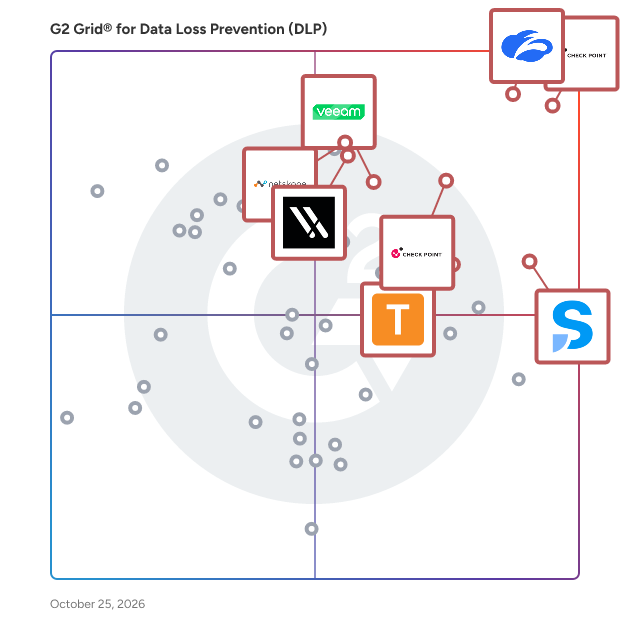
Featured Data Loss Prevention (DLP) Software At A Glance

Free Plan Available:
Kitecyber
Sponsored
Highest Performer:
Easiest to Use:
Show LessShow More
Highest Performer:
Easiest to Use:

G2 takes pride in showing unbiased reviews on user satisfaction in our ratings and reports. We do not allow paid placements in any of our ratings, rankings, or reports. Learn about our scoring methodologies.

Coming Soon
Get Trending Data Loss Prevention (DLP) Products in Your Inbox

A weekly snapshot of rising stars, new launches, and what everyone's buzzing about.

Sample Trending Products Newsletter
No filters applied
134 Listings in Data Loss Prevention (DLP) Available
  • Overview
    Expand/Collapse Overview
  • Product Description
    How are these determined?Information
    This description is provided by the seller.

    Proofpoint, Inc. is a leading cybersecurity and compliance company that protects organizations’ greatest assets and biggest risks: their people. With an integrated suite of cloud-based solutions, Proo

    Users
    No information available
    Industries
    • Retail
    • Financial Services
    Market Segment
    • 75% Enterprise
    • 24% Mid-Market
    User Sentiment
    How are these determined?Information
    These insights, currently in beta, are compiled from user reviews and grouped to display a high-level overview of the software.
    • Proofpoint DLP is a tool designed to protect email and data loss, with a focus on preventing sensitive data from being shared externally and customizing policies to suit specific needs.
    • Users frequently mention the user-friendly interface, the centralized platform that integrates smoothly across the organization, and the ability to work across multiple applications as key benefits.
    • Reviewers experienced a steep learning curve, a number of false positives, and found the initial setup and policy creation to be complex and challenging.
  • Pros and Cons
    Expand/Collapse Pros and Cons
  • Proofpoint Enterprise Data Loss Prevention (DLP) Pros and Cons
    How are these determined?Information
    Pros and Cons are compiled from review feedback and grouped into themes to provide an easy-to-understand summary of user reviews.
    Pros
    Ease of Use
    17
    Data Protection
    9
    Email Security
    8
    Customer Support
    7
    Integrations
    6
    Cons
    Complex Configuration
    5
    Learning Difficulty
    5
    Difficult Setup
    4
    False Positives
    4
    Limited Features
    4
  • User Satisfaction
    Expand/Collapse User Satisfaction
  • Proofpoint Enterprise Data Loss Prevention (DLP) features and usability ratings that predict user satisfaction
    8.6
    Ease of Use
    Average: 8.9
    8.3
    Access Control
    Average: 8.6
    8.4
    Compliance
    Average: 9.0
    8.9
    Data Visibility
    Average: 8.8
  • Seller Details
    Expand/Collapse Seller Details
  • Seller Details
    Company Website
    Year Founded
    2002
    HQ Location
    Sunnyvale, CA
    Twitter
    @proofpoint
    31,069 Twitter followers
    LinkedIn® Page
    www.linkedin.com
    4,801 employees on LinkedIn®
Product Description
How are these determined?Information
This description is provided by the seller.

Proofpoint, Inc. is a leading cybersecurity and compliance company that protects organizations’ greatest assets and biggest risks: their people. With an integrated suite of cloud-based solutions, Proo

Users
No information available
Industries
  • Retail
  • Financial Services
Market Segment
  • 75% Enterprise
  • 24% Mid-Market
User Sentiment
How are these determined?Information
These insights, currently in beta, are compiled from user reviews and grouped to display a high-level overview of the software.
  • Proofpoint DLP is a tool designed to protect email and data loss, with a focus on preventing sensitive data from being shared externally and customizing policies to suit specific needs.
  • Users frequently mention the user-friendly interface, the centralized platform that integrates smoothly across the organization, and the ability to work across multiple applications as key benefits.
  • Reviewers experienced a steep learning curve, a number of false positives, and found the initial setup and policy creation to be complex and challenging.
Proofpoint Enterprise Data Loss Prevention (DLP) Pros and Cons
How are these determined?Information
Pros and Cons are compiled from review feedback and grouped into themes to provide an easy-to-understand summary of user reviews.
Pros
Ease of Use
17
Data Protection
9
Email Security
8
Customer Support
7
Integrations
6
Cons
Complex Configuration
5
Learning Difficulty
5
Difficult Setup
4
False Positives
4
Limited Features
4
Proofpoint Enterprise Data Loss Prevention (DLP) features and usability ratings that predict user satisfaction
8.6
Ease of Use
Average: 8.9
8.3
Access Control
Average: 8.6
8.4
Compliance
Average: 9.0
8.9
Data Visibility
Average: 8.8
Seller Details
Company Website
Year Founded
2002
HQ Location
Sunnyvale, CA
Twitter
@proofpoint
31,069 Twitter followers
LinkedIn® Page
www.linkedin.com
4,801 employees on LinkedIn®
(159)4.5 out of 5
6th Easiest To Use in Data Loss Prevention (DLP) software
Save to My Lists
  • Overview
    Expand/Collapse Overview
  • Product Description
    How are these determined?Information
    This description is provided by the seller.

    Netwrix Endpoint Protector is a sophisticated multi-OS endpoint Data Loss Prevention (DLP) solution designed to provide comprehensive real-time data protection across various operating systems, includ

    Users
    No information available
    Industries
    • Information Technology and Services
    • Computer & Network Security
    Market Segment
    • 55% Mid-Market
    • 23% Enterprise
    User Sentiment
    How are these determined?Information
    These insights, currently in beta, are compiled from user reviews and grouped to display a high-level overview of the software.
    • Netwrix Endpoint Protector is a data loss prevention solution that requires minimal third-party server support and provides functionalities such as USB enable/disable, data encryption, and device control across multiple operating systems.
    • Reviewers appreciate the software's ability to secure endpoint assets and cloud servers, its support for major operating systems, its effective customer support, and its smart rules that go beyond simple blocking.
    • Reviewers mentioned that the deep packet inspection feature can sometimes block all internet traffic, the user interface feels dated and is not very smooth to navigate, and the initial setup and policy implementation can be time-consuming and complex for beginners.
  • Pros and Cons
    Expand/Collapse Pros and Cons
  • Netwrix Endpoint Protector Pros and Cons
    How are these determined?Information
    Pros and Cons are compiled from review feedback and grouped into themes to provide an easy-to-understand summary of user reviews.
    Pros
    Customer Support
    27
    Ease of Use
    19
    Implementation Ease
    17
    Integrations
    16
    Data Protection
    12
    Cons
    Slow Performance
    9
    Lack of Linux Support
    5
    Limitations
    4
    Policy Limitations
    4
    Inadequate Reporting
    3
  • User Satisfaction
    Expand/Collapse User Satisfaction
  • Netwrix Endpoint Protector features and usability ratings that predict user satisfaction
    9.1
    Ease of Use
    Average: 8.9
    7.7
    Access Control
    Average: 8.6
    9.1
    Compliance
    Average: 9.0
    9.0
    Data Visibility
    Average: 8.8
  • Seller Details
    Expand/Collapse Seller Details
  • Seller Details
    Seller
    Netwrix
    HQ Location
    Irvine, CA
    Twitter
    @Netwrix
    2,926 Twitter followers
    LinkedIn® Page
    www.linkedin.com
    708 employees on LinkedIn®
Product Description
How are these determined?Information
This description is provided by the seller.

Netwrix Endpoint Protector is a sophisticated multi-OS endpoint Data Loss Prevention (DLP) solution designed to provide comprehensive real-time data protection across various operating systems, includ

Users
No information available
Industries
  • Information Technology and Services
  • Computer & Network Security
Market Segment
  • 55% Mid-Market
  • 23% Enterprise
User Sentiment
How are these determined?Information
These insights, currently in beta, are compiled from user reviews and grouped to display a high-level overview of the software.
  • Netwrix Endpoint Protector is a data loss prevention solution that requires minimal third-party server support and provides functionalities such as USB enable/disable, data encryption, and device control across multiple operating systems.
  • Reviewers appreciate the software's ability to secure endpoint assets and cloud servers, its support for major operating systems, its effective customer support, and its smart rules that go beyond simple blocking.
  • Reviewers mentioned that the deep packet inspection feature can sometimes block all internet traffic, the user interface feels dated and is not very smooth to navigate, and the initial setup and policy implementation can be time-consuming and complex for beginners.
Netwrix Endpoint Protector Pros and Cons
How are these determined?Information
Pros and Cons are compiled from review feedback and grouped into themes to provide an easy-to-understand summary of user reviews.
Pros
Customer Support
27
Ease of Use
19
Implementation Ease
17
Integrations
16
Data Protection
12
Cons
Slow Performance
9
Lack of Linux Support
5
Limitations
4
Policy Limitations
4
Inadequate Reporting
3
Netwrix Endpoint Protector features and usability ratings that predict user satisfaction
9.1
Ease of Use
Average: 8.9
7.7
Access Control
Average: 8.6
9.1
Compliance
Average: 9.0
9.0
Data Visibility
Average: 8.8
Seller Details
Seller
Netwrix
HQ Location
Irvine, CA
Twitter
@Netwrix
2,926 Twitter followers
LinkedIn® Page
www.linkedin.com
708 employees on LinkedIn®

This is how G2 Deals can help you:

  • Easily shop for curated – and trusted – software
  • Own your own software buying journey
  • Discover exclusive deals on software
(188)4.5 out of 5
Optimized for quick response
1st Easiest To Use in Data Loss Prevention (DLP) software
Save to My Lists
Entry Level Price:Free
  • Overview
    Expand/Collapse Overview
  • Product Description
    How are these determined?Information
    This description is provided by the seller.

    Safetica’s Intelligent Data Security protects sensitive data where teams work, using powerful AI to deliver contextual awareness, reduce false positives, and stop real threats without disrupting produ

    Users
    • IT Manager
    Industries
    • Information Technology and Services
    • Computer & Network Security
    Market Segment
    • 60% Mid-Market
    • 37% Small-Business
    User Sentiment
    How are these determined?Information
    These insights, currently in beta, are compiled from user reviews and grouped to display a high-level overview of the software.
    • Safetica is a data protection and insider threat prevention software that provides visibility into sensitive information usage across organizations and includes features such as detailed reporting, customizable policies, and user-friendly interface.
    • Reviewers frequently mention the comprehensive approach to data protection, easy deployment, clear visibility into sensitive information usage, detailed reporting, customizable policies, and an intuitive user interface as key benefits of Safetica.
    • Users experienced issues such as complex advanced configuration options, occasional system performance impact during intensive monitoring, slower updates, less seamless integration with certain third-party tools, and lack of visibility in web Outlook.
  • Pros and Cons
    Expand/Collapse Pros and Cons
  • Safetica Pros and Cons
    How are these determined?Information
    Pros and Cons are compiled from review feedback and grouped into themes to provide an easy-to-understand summary of user reviews.
    Pros
    Ease of Use
    23
    Features
    21
    Security
    20
    Data Protection
    18
    Implementation Ease
    15
    Cons
    Slow Performance
    9
    Performance Issues
    7
    Integration Issues
    6
    Limited Features
    6
    Access Limitations
    5
  • User Satisfaction
    Expand/Collapse User Satisfaction
  • Safetica features and usability ratings that predict user satisfaction
    9.0
    Ease of Use
    Average: 8.9
    9.0
    Access Control
    Average: 8.6
    9.1
    Compliance
    Average: 9.0
    9.1
    Data Visibility
    Average: 8.8
  • Seller Details
    Expand/Collapse Seller Details
  • Seller Details
    Seller
    Safetica
    Company Website
    Year Founded
    2011
    HQ Location
    San Jose, California, United States
    Twitter
    @Safetica
    669 Twitter followers
    LinkedIn® Page
    www.linkedin.com
    108 employees on LinkedIn®
Product Description
How are these determined?Information
This description is provided by the seller.

Safetica’s Intelligent Data Security protects sensitive data where teams work, using powerful AI to deliver contextual awareness, reduce false positives, and stop real threats without disrupting produ

Users
  • IT Manager
Industries
  • Information Technology and Services
  • Computer & Network Security
Market Segment
  • 60% Mid-Market
  • 37% Small-Business
User Sentiment
How are these determined?Information
These insights, currently in beta, are compiled from user reviews and grouped to display a high-level overview of the software.
  • Safetica is a data protection and insider threat prevention software that provides visibility into sensitive information usage across organizations and includes features such as detailed reporting, customizable policies, and user-friendly interface.
  • Reviewers frequently mention the comprehensive approach to data protection, easy deployment, clear visibility into sensitive information usage, detailed reporting, customizable policies, and an intuitive user interface as key benefits of Safetica.
  • Users experienced issues such as complex advanced configuration options, occasional system performance impact during intensive monitoring, slower updates, less seamless integration with certain third-party tools, and lack of visibility in web Outlook.
Safetica Pros and Cons
How are these determined?Information
Pros and Cons are compiled from review feedback and grouped into themes to provide an easy-to-understand summary of user reviews.
Pros
Ease of Use
23
Features
21
Security
20
Data Protection
18
Implementation Ease
15
Cons
Slow Performance
9
Performance Issues
7
Integration Issues
6
Limited Features
6
Access Limitations
5
Safetica features and usability ratings that predict user satisfaction
9.0
Ease of Use
Average: 8.9
9.0
Access Control
Average: 8.6
9.1
Compliance
Average: 9.0
9.1
Data Visibility
Average: 8.8
Seller Details
Seller
Safetica
Company Website
Year Founded
2011
HQ Location
San Jose, California, United States
Twitter
@Safetica
669 Twitter followers
LinkedIn® Page
www.linkedin.com
108 employees on LinkedIn®
  • Overview
    Expand/Collapse Overview
  • Product Description
    How are these determined?Information
    This description is provided by the seller.

    AvePoint is the global leader in data security, governance, and resilience, going beyond traditional solutions to ensure a robust data foundation and enable organizations everywhere to collaborate wit

    Users
    No information available
    Industries
    • Information Technology and Services
    • Computer Software
    Market Segment
    • 44% Mid-Market
    • 34% Small-Business
  • Pros and Cons
    Expand/Collapse Pros and Cons
  • AvePoint Confidence Platform Pros and Cons
    How are these determined?Information
    Pros and Cons are compiled from review feedback and grouped into themes to provide an easy-to-understand summary of user reviews.
    Pros
    Ease of Use
    39
    Cloud Backup
    26
    Backup Frequency
    22
    Cloud Computing
    18
    Cloud Services
    16
    Cons
    Expensive
    10
    Backup Issues
    6
    Learning Curve
    5
    Poor Customer Support
    5
    Integration Issues
    4
  • User Satisfaction
    Expand/Collapse User Satisfaction
  • AvePoint Confidence Platform features and usability ratings that predict user satisfaction
    9.1
    Ease of Use
    Average: 8.9
    0.0
    No information available
    0.0
    No information available
    0.0
    No information available
  • Seller Details
    Expand/Collapse Seller Details
  • Seller Details
    Seller
    AvePoint
    Company Website
    Year Founded
    2001
    HQ Location
    Jersey City, NJ
    Twitter
    @AvePoint
    9,837 Twitter followers
    LinkedIn® Page
    www.linkedin.com
    2,309 employees on LinkedIn®
Product Description
How are these determined?Information
This description is provided by the seller.

AvePoint is the global leader in data security, governance, and resilience, going beyond traditional solutions to ensure a robust data foundation and enable organizations everywhere to collaborate wit

Users
No information available
Industries
  • Information Technology and Services
  • Computer Software
Market Segment
  • 44% Mid-Market
  • 34% Small-Business
AvePoint Confidence Platform Pros and Cons
How are these determined?Information
Pros and Cons are compiled from review feedback and grouped into themes to provide an easy-to-understand summary of user reviews.
Pros
Ease of Use
39
Cloud Backup
26
Backup Frequency
22
Cloud Computing
18
Cloud Services
16
Cons
Expensive
10
Backup Issues
6
Learning Curve
5
Poor Customer Support
5
Integration Issues
4
AvePoint Confidence Platform features and usability ratings that predict user satisfaction
9.1
Ease of Use
Average: 8.9
0.0
No information available
0.0
No information available
0.0
No information available
Seller Details
Seller
AvePoint
Company Website
Year Founded
2001
HQ Location
Jersey City, NJ
Twitter
@AvePoint
9,837 Twitter followers
LinkedIn® Page
www.linkedin.com
2,309 employees on LinkedIn®
  • Overview
    Expand/Collapse Overview
  • Product Description
    How are these determined?Information
    This description is provided by the seller.

    Zscaler Internet Access™ (ZIA) is the world’s leading cloud-native secure access solution that protects users, devices, and data by securing all internet traffic, regardless of location. Leveragin

    Users
    No information available
    Industries
    • Information Technology and Services
    • Computer Software
    Market Segment
    • 52% Enterprise
    • 28% Mid-Market
    User Sentiment
    How are these determined?Information
    These insights, currently in beta, are compiled from user reviews and grouped to display a high-level overview of the software.
    • Zscaler Internet Access is a cloud-based security tool that aims to secure and control internet traffic, eliminating security risks from web and cloud traffic.
    • Reviewers like the consistent performance, cloud-native security, and the robust security features of Zscaler Internet Access, which provide a seamless internet access experience and enhance their day-to-day internet activities.
    • Reviewers experienced slow performance and delays in internet access when starting their computers or waking them from sleep mode, and found the initial setup process not straightforward, which disrupts their workflow.
  • Pros and Cons
    Expand/Collapse Pros and Cons
  • Zscaler Internet Access Pros and Cons
    How are these determined?Information
    Pros and Cons are compiled from review feedback and grouped into themes to provide an easy-to-understand summary of user reviews.
    Pros
    Security
    29
    Internet Security
    27
    Protection
    24
    Ease of Use
    17
    Cloud Services
    15
    Cons
    Connection Issues
    18
    Slow Performance
    17
    Internet Connectivity
    16
    Connectivity Issues
    14
    Complex Implementation
    13
  • User Satisfaction
    Expand/Collapse User Satisfaction
  • Zscaler Internet Access features and usability ratings that predict user satisfaction
    8.7
    Ease of Use
    Average: 8.9
    9.3
    Access Control
    Average: 8.6
    9.2
    Compliance
    Average: 9.0
    9.1
    Data Visibility
    Average: 8.8
  • Seller Details
    Expand/Collapse Seller Details
  • Seller Details
    Seller
    Zscaler
    Company Website
    Year Founded
    2008
    HQ Location
    San Jose, California
    Twitter
    @zscaler
    17,072 Twitter followers
    LinkedIn® Page
    www.linkedin.com
    9,410 employees on LinkedIn®
Product Description
How are these determined?Information
This description is provided by the seller.

Zscaler Internet Access™ (ZIA) is the world’s leading cloud-native secure access solution that protects users, devices, and data by securing all internet traffic, regardless of location. Leveragin

Users
No information available
Industries
  • Information Technology and Services
  • Computer Software
Market Segment
  • 52% Enterprise
  • 28% Mid-Market
User Sentiment
How are these determined?Information
These insights, currently in beta, are compiled from user reviews and grouped to display a high-level overview of the software.
  • Zscaler Internet Access is a cloud-based security tool that aims to secure and control internet traffic, eliminating security risks from web and cloud traffic.
  • Reviewers like the consistent performance, cloud-native security, and the robust security features of Zscaler Internet Access, which provide a seamless internet access experience and enhance their day-to-day internet activities.
  • Reviewers experienced slow performance and delays in internet access when starting their computers or waking them from sleep mode, and found the initial setup process not straightforward, which disrupts their workflow.
Zscaler Internet Access Pros and Cons
How are these determined?Information
Pros and Cons are compiled from review feedback and grouped into themes to provide an easy-to-understand summary of user reviews.
Pros
Security
29
Internet Security
27
Protection
24
Ease of Use
17
Cloud Services
15
Cons
Connection Issues
18
Slow Performance
17
Internet Connectivity
16
Connectivity Issues
14
Complex Implementation
13
Zscaler Internet Access features and usability ratings that predict user satisfaction
8.7
Ease of Use
Average: 8.9
9.3
Access Control
Average: 8.6
9.2
Compliance
Average: 9.0
9.1
Data Visibility
Average: 8.8
Seller Details
Seller
Zscaler
Company Website
Year Founded
2008
HQ Location
San Jose, California
Twitter
@zscaler
17,072 Twitter followers
LinkedIn® Page
www.linkedin.com
9,410 employees on LinkedIn®
(118)4.8 out of 5
Optimized for quick response
4th Easiest To Use in Data Loss Prevention (DLP) software
Save to My Lists
$500 Off
  • Overview
    Expand/Collapse Overview
  • Product Description
    How are these determined?Information
    This description is provided by the seller.

    SpinOne is an all-in-one SaaS security platform that protects your mission critical SaaS environments including Google Workplace, Microsoft 365, Salesforce, Slack – and now we've added 50+ more SaaS a

    Users
    • CEO
    • IT Director
    Industries
    • Marketing and Advertising
    • Non-Profit Organization Management
    Market Segment
    • 50% Mid-Market
    • 42% Small-Business
    User Sentiment
    How are these determined?Information
    These insights, currently in beta, are compiled from user reviews and grouped to display a high-level overview of the software.
    • SpinOne is a platform designed to provide data security, backup, and recovery for Google Workspace and Microsoft 365, with features such as ransomware detection and response, data leak prevention, and security posture management.
    • Reviewers like the ease of use, reliable backup, granular data control, and the ability to monitor and manage security risks, with many praising the responsive and helpful support team.
    • Reviewers experienced issues with granular data retention, slow data refreshing from Google Workspace, limited functionality on certain plans, lack of advanced backup management features, and difficulties with the user interface.
  • Pros and Cons
    Expand/Collapse Pros and Cons
  • SpinOne Pros and Cons
    How are these determined?Information
    Pros and Cons are compiled from review feedback and grouped into themes to provide an easy-to-understand summary of user reviews.
    Pros
    Ease of Use
    37
    Customer Support
    34
    Reliability
    25
    Backup Ease
    23
    Easy Setup
    20
    Cons
    Expensive
    8
    Backup Issues
    7
    Poor Interface Design
    7
    Unclear Guidance
    5
    Lack of Backup
    4
  • User Satisfaction
    Expand/Collapse User Satisfaction
  • SpinOne features and usability ratings that predict user satisfaction
    9.1
    Ease of Use
    Average: 8.9
    9.0
    Access Control
    Average: 8.6
    9.1
    Compliance
    Average: 9.0
    9.0
    Data Visibility
    Average: 8.8
  • Seller Details
    Expand/Collapse Seller Details
  • Seller Details
    Seller
    SpinAI
    Company Website
    Year Founded
    2017
    HQ Location
    Palo Alto, California
    Twitter
    @spintechinc
    769 Twitter followers
    LinkedIn® Page
    www.linkedin.com
    85 employees on LinkedIn®
Product Description
How are these determined?Information
This description is provided by the seller.

SpinOne is an all-in-one SaaS security platform that protects your mission critical SaaS environments including Google Workplace, Microsoft 365, Salesforce, Slack – and now we've added 50+ more SaaS a

Users
  • CEO
  • IT Director
Industries
  • Marketing and Advertising
  • Non-Profit Organization Management
Market Segment
  • 50% Mid-Market
  • 42% Small-Business
User Sentiment
How are these determined?Information
These insights, currently in beta, are compiled from user reviews and grouped to display a high-level overview of the software.
  • SpinOne is a platform designed to provide data security, backup, and recovery for Google Workspace and Microsoft 365, with features such as ransomware detection and response, data leak prevention, and security posture management.
  • Reviewers like the ease of use, reliable backup, granular data control, and the ability to monitor and manage security risks, with many praising the responsive and helpful support team.
  • Reviewers experienced issues with granular data retention, slow data refreshing from Google Workspace, limited functionality on certain plans, lack of advanced backup management features, and difficulties with the user interface.
SpinOne Pros and Cons
How are these determined?Information
Pros and Cons are compiled from review feedback and grouped into themes to provide an easy-to-understand summary of user reviews.
Pros
Ease of Use
37
Customer Support
34
Reliability
25
Backup Ease
23
Easy Setup
20
Cons
Expensive
8
Backup Issues
7
Poor Interface Design
7
Unclear Guidance
5
Lack of Backup
4
SpinOne features and usability ratings that predict user satisfaction
9.1
Ease of Use
Average: 8.9
9.0
Access Control
Average: 8.6
9.1
Compliance
Average: 9.0
9.0
Data Visibility
Average: 8.8
Seller Details
Seller
SpinAI
Company Website
Year Founded
2017
HQ Location
Palo Alto, California
Twitter
@spintechinc
769 Twitter followers
LinkedIn® Page
www.linkedin.com
85 employees on LinkedIn®
(217)4.7 out of 5
Optimized for quick response
2nd Easiest To Use in Data Loss Prevention (DLP) software
Save to My Lists
Entry Level Price:Starting at $9.50
  • Overview
    Expand/Collapse Overview
  • Product Description
    How are these determined?Information
    This description is provided by the seller.

    Coro is the easy cybersecurity company. We designed an all-in-one platform that every lean IT team will master. While other solutions scare people into buying complicated, confusing products, we lead

    Users
    • IT Manager
    • IT Director
    Industries
    • Non-Profit Organization Management
    • Financial Services
    Market Segment
    • 58% Mid-Market
    • 37% Small-Business
    User Sentiment
    How are these determined?Information
    These insights, currently in beta, are compiled from user reviews and grouped to display a high-level overview of the software.
    • Coro is a cybersecurity product that provides protection for small businesses, with features such as flagging potential spam and phishing, and offering a dashboard for easy administration.
    • Reviewers appreciate the product's high success rate in capturing threats, its intuitive platform, and the responsive and helpful support team that makes the onboarding process easy.
    • Users experienced issues with the product being particular about the version of Outlook for the Coro add-in, the inability to interact directly with the Bitdefender agent on local machines, and unclear instructions on how to resolve errors.
  • Pros and Cons
    Expand/Collapse Pros and Cons
  • Coro Cybersecurity Pros and Cons
    How are these determined?Information
    Pros and Cons are compiled from review feedback and grouped into themes to provide an easy-to-understand summary of user reviews.
    Pros
    Ease of Use
    92
    Customer Support
    65
    Security
    62
    Protection
    50
    Easy Setup
    45
    Cons
    Performance Issues
    32
    Improvements Needed
    20
    Inaccuracy
    16
    False Positives
    15
    Limited Features
    14
  • User Satisfaction
    Expand/Collapse User Satisfaction
  • Coro Cybersecurity features and usability ratings that predict user satisfaction
    9.5
    Ease of Use
    Average: 8.9
    8.7
    Access Control
    Average: 8.6
    9.3
    Compliance
    Average: 9.0
    9.2
    Data Visibility
    Average: 8.8
  • Seller Details
    Expand/Collapse Seller Details
  • Seller Details
    Seller
    Coronet
    Company Website
    Year Founded
    2014
    HQ Location
    Chicago, IL
    Twitter
    @coro_cyber
    1,917 Twitter followers
    LinkedIn® Page
    www.linkedin.com
    324 employees on LinkedIn®
Product Description
How are these determined?Information
This description is provided by the seller.

Coro is the easy cybersecurity company. We designed an all-in-one platform that every lean IT team will master. While other solutions scare people into buying complicated, confusing products, we lead

Users
  • IT Manager
  • IT Director
Industries
  • Non-Profit Organization Management
  • Financial Services
Market Segment
  • 58% Mid-Market
  • 37% Small-Business
User Sentiment
How are these determined?Information
These insights, currently in beta, are compiled from user reviews and grouped to display a high-level overview of the software.
  • Coro is a cybersecurity product that provides protection for small businesses, with features such as flagging potential spam and phishing, and offering a dashboard for easy administration.
  • Reviewers appreciate the product's high success rate in capturing threats, its intuitive platform, and the responsive and helpful support team that makes the onboarding process easy.
  • Users experienced issues with the product being particular about the version of Outlook for the Coro add-in, the inability to interact directly with the Bitdefender agent on local machines, and unclear instructions on how to resolve errors.
Coro Cybersecurity Pros and Cons
How are these determined?Information
Pros and Cons are compiled from review feedback and grouped into themes to provide an easy-to-understand summary of user reviews.
Pros
Ease of Use
92
Customer Support
65
Security
62
Protection
50
Easy Setup
45
Cons
Performance Issues
32
Improvements Needed
20
Inaccuracy
16
False Positives
15
Limited Features
14
Coro Cybersecurity features and usability ratings that predict user satisfaction
9.5
Ease of Use
Average: 8.9
8.7
Access Control
Average: 8.6
9.3
Compliance
Average: 9.0
9.2
Data Visibility
Average: 8.8
Seller Details
Seller
Coronet
Company Website
Year Founded
2014
HQ Location
Chicago, IL
Twitter
@coro_cyber
1,917 Twitter followers
LinkedIn® Page
www.linkedin.com
324 employees on LinkedIn®
  • Overview
    Expand/Collapse Overview
  • Product Description
    How are these determined?Information
    This description is provided by the seller.

    Trellix Data Security protects sensitive and proprietary information shared on endpoints, networks, email, the web, and within databases — as well as provides encryption protection for devices and dat

    Users
    No information available
    Industries
    • Information Technology and Services
    • Computer & Network Security
    Market Segment
    • 42% Small-Business
    • 31% Mid-Market
  • Pros and Cons
    Expand/Collapse Pros and Cons
  • Trellix Data Loss Prevention Pros and Cons
    How are these determined?Information
    Pros and Cons are compiled from review feedback and grouped into themes to provide an easy-to-understand summary of user reviews.
    Pros
    Security
    11
    Data Protection
    9
    Ease of Use
    6
    Protection
    4
    Customer Support
    3
    Cons
    Performance Issues
    6
    Slow Performance
    4
    Expensive
    3
    Complex Configuration
    2
    False Positives
    2
  • User Satisfaction
    Expand/Collapse User Satisfaction
  • Trellix Data Loss Prevention features and usability ratings that predict user satisfaction
    8.5
    Ease of Use
    Average: 8.9
    8.7
    Access Control
    Average: 8.6
    8.9
    Compliance
    Average: 9.0
    8.9
    Data Visibility
    Average: 8.8
  • Seller Details
    Expand/Collapse Seller Details
  • Seller Details
    Seller
    Trellix
    Year Founded
    2004
    HQ Location
    Milpitas, CA
    Twitter
    @Trellix
    242,656 Twitter followers
    LinkedIn® Page
    www.linkedin.com
    768 employees on LinkedIn®
Product Description
How are these determined?Information
This description is provided by the seller.

Trellix Data Security protects sensitive and proprietary information shared on endpoints, networks, email, the web, and within databases — as well as provides encryption protection for devices and dat

Users
No information available
Industries
  • Information Technology and Services
  • Computer & Network Security
Market Segment
  • 42% Small-Business
  • 31% Mid-Market
Trellix Data Loss Prevention Pros and Cons
How are these determined?Information
Pros and Cons are compiled from review feedback and grouped into themes to provide an easy-to-understand summary of user reviews.
Pros
Security
11
Data Protection
9
Ease of Use
6
Protection
4
Customer Support
3
Cons
Performance Issues
6
Slow Performance
4
Expensive
3
Complex Configuration
2
False Positives
2
Trellix Data Loss Prevention features and usability ratings that predict user satisfaction
8.5
Ease of Use
Average: 8.9
8.7
Access Control
Average: 8.6
8.9
Compliance
Average: 9.0
8.9
Data Visibility
Average: 8.8
Seller Details
Seller
Trellix
Year Founded
2004
HQ Location
Milpitas, CA
Twitter
@Trellix
242,656 Twitter followers
LinkedIn® Page
www.linkedin.com
768 employees on LinkedIn®
  • Overview
    Expand/Collapse Overview
  • Product Description
    How are these determined?Information
    This description is provided by the seller.

    Varonis is fighting a different battle than conventional cybersecurity companies. Our cloud-native Data Security Platform continuously discovers and classifies critical data, removes exposures, and de

    Users
    No information available
    Industries
    • Financial Services
    • Banking
    Market Segment
    • 64% Enterprise
    • 32% Mid-Market
    User Sentiment
    How are these determined?Information
    These insights, currently in beta, are compiled from user reviews and grouped to display a high-level overview of the software.
    • Varonis is a data security platform that provides visibility into sensitive data and monitors user access.
    • Users like the platform's ability to detect unusual behavior quickly, automate threat detection, and provide clear insights for preventing potential risks, making data governance and compliance easier to manage.
    • Reviewers mentioned that the platform can feel complex at first, requires time to learn all its features, and the interface could be more intuitive, with some reporting needing extra customization to match specific business needs.
  • Pros and Cons
    Expand/Collapse Pros and Cons
  • Varonis Data Security Platform Pros and Cons
    How are these determined?Information
    Pros and Cons are compiled from review feedback and grouped into themes to provide an easy-to-understand summary of user reviews.
    Pros
    Security
    20
    Data Protection
    18
    Detailed Analysis
    18
    Features
    18
    Ease of Use
    17
    Cons
    Complexity
    17
    Learning Curve
    10
    Learning Difficulty
    10
    Expensive
    9
    Steep Learning Curve
    8
  • User Satisfaction
    Expand/Collapse User Satisfaction
  • Varonis Data Security Platform features and usability ratings that predict user satisfaction
    8.4
    Ease of Use
    Average: 8.9
    8.8
    Access Control
    Average: 8.6
    8.9
    Compliance
    Average: 9.0
    8.6
    Data Visibility
    Average: 8.8
  • Seller Details
    Expand/Collapse Seller Details
  • Seller Details
    Seller
    Varonis
    Company Website
    Year Founded
    2005
    HQ Location
    New York, US
    Twitter
    @varonis
    6,352 Twitter followers
    LinkedIn® Page
    www.linkedin.com
    2,779 employees on LinkedIn®
Product Description
How are these determined?Information
This description is provided by the seller.

Varonis is fighting a different battle than conventional cybersecurity companies. Our cloud-native Data Security Platform continuously discovers and classifies critical data, removes exposures, and de

Users
No information available
Industries
  • Financial Services
  • Banking
Market Segment
  • 64% Enterprise
  • 32% Mid-Market
User Sentiment
How are these determined?Information
These insights, currently in beta, are compiled from user reviews and grouped to display a high-level overview of the software.
  • Varonis is a data security platform that provides visibility into sensitive data and monitors user access.
  • Users like the platform's ability to detect unusual behavior quickly, automate threat detection, and provide clear insights for preventing potential risks, making data governance and compliance easier to manage.
  • Reviewers mentioned that the platform can feel complex at first, requires time to learn all its features, and the interface could be more intuitive, with some reporting needing extra customization to match specific business needs.
Varonis Data Security Platform Pros and Cons
How are these determined?Information
Pros and Cons are compiled from review feedback and grouped into themes to provide an easy-to-understand summary of user reviews.
Pros
Security
20
Data Protection
18
Detailed Analysis
18
Features
18
Ease of Use
17
Cons
Complexity
17
Learning Curve
10
Learning Difficulty
10
Expensive
9
Steep Learning Curve
8
Varonis Data Security Platform features and usability ratings that predict user satisfaction
8.4
Ease of Use
Average: 8.9
8.8
Access Control
Average: 8.6
8.9
Compliance
Average: 9.0
8.6
Data Visibility
Average: 8.8
Seller Details
Seller
Varonis
Company Website
Year Founded
2005
HQ Location
New York, US
Twitter
@varonis
6,352 Twitter followers
LinkedIn® Page
www.linkedin.com
2,779 employees on LinkedIn®
(98)4.6 out of 5
11th Easiest To Use in Data Loss Prevention (DLP) software
Save to My Lists
  • Overview
    Expand/Collapse Overview
  • Product Description
    How are these determined?Information
    This description is provided by the seller.

    Nightfall AI is the leader in cloud data loss prevention (DLP) for generative AI (GenAI) tools, SaaS apps, and custom apps. Download our Chrome browser plugin or integrate via APIs to protect PII, PHI

    Users
    • Security Engineer
    Industries
    • Financial Services
    • Hospital & Health Care
    Market Segment
    • 66% Mid-Market
    • 18% Enterprise
  • Pros and Cons
    Expand/Collapse Pros and Cons
  • Nightfall AI Pros and Cons
    How are these determined?Information
    Pros and Cons are compiled from review feedback and grouped into themes to provide an easy-to-understand summary of user reviews.
    Pros
    Ease of Use
    14
    Integrations
    8
    Customer Support
    7
    Easy Setup
    7
    Setup Ease
    7
    Cons
    Limited Features
    4
    Poor Customer Support
    3
    Unclear Guidance
    2
    Alert Issues
    1
    False Positives
    1
  • User Satisfaction
    Expand/Collapse User Satisfaction
  • Nightfall AI features and usability ratings that predict user satisfaction
    9.2
    Ease of Use
    Average: 8.9
    7.4
    Access Control
    Average: 8.6
    9.2
    Compliance
    Average: 9.0
    8.9
    Data Visibility
    Average: 8.8
  • Seller Details
    Expand/Collapse Seller Details
  • Seller Details
    Year Founded
    2018
    HQ Location
    San Francisco, CA
    Twitter
    @NightfallAI
    285 Twitter followers
    LinkedIn® Page
    www.linkedin.com
    95 employees on LinkedIn®
Product Description
How are these determined?Information
This description is provided by the seller.

Nightfall AI is the leader in cloud data loss prevention (DLP) for generative AI (GenAI) tools, SaaS apps, and custom apps. Download our Chrome browser plugin or integrate via APIs to protect PII, PHI

Users
  • Security Engineer
Industries
  • Financial Services
  • Hospital & Health Care
Market Segment
  • 66% Mid-Market
  • 18% Enterprise
Nightfall AI Pros and Cons
How are these determined?Information
Pros and Cons are compiled from review feedback and grouped into themes to provide an easy-to-understand summary of user reviews.
Pros
Ease of Use
14
Integrations
8
Customer Support
7
Easy Setup
7
Setup Ease
7
Cons
Limited Features
4
Poor Customer Support
3
Unclear Guidance
2
Alert Issues
1
False Positives
1
Nightfall AI features and usability ratings that predict user satisfaction
9.2
Ease of Use
Average: 8.9
7.4
Access Control
Average: 8.6
9.2
Compliance
Average: 9.0
8.9
Data Visibility
Average: 8.8
Seller Details
Year Founded
2018
HQ Location
San Francisco, CA
Twitter
@NightfallAI
285 Twitter followers
LinkedIn® Page
www.linkedin.com
95 employees on LinkedIn®
  • Overview
    Expand/Collapse Overview
  • Product Description
    How are these determined?Information
    This description is provided by the seller.

    Check Point Data Loss Prevention (DLP) combines technology and processes to revolutionize DLP, helping businesses to pre-emptively protect sensitive information from unintentional loss, educating user

    Users
    No information available
    Industries
    • Information Technology and Services
    • Computer & Network Security
    Market Segment
    • 50% Mid-Market
    • 31% Enterprise
  • Pros and Cons
    Expand/Collapse Pros and Cons
  • Check Point Data Loss Prevention (DLP) Pros and Cons
    How are these determined?Information
    Pros and Cons are compiled from review feedback and grouped into themes to provide an easy-to-understand summary of user reviews.
    Pros
    Protection
    4
    Dashboard Usability
    3
    Data Protection
    3
    Email Security
    3
    Integrations
    3
    Cons
    Complex Configuration
    3
    Expensive
    3
    False Positives
    3
    Complexity
    2
    Difficult Setup
    1
  • User Satisfaction
    Expand/Collapse User Satisfaction
  • Check Point Data Loss Prevention (DLP) features and usability ratings that predict user satisfaction
    8.4
    Ease of Use
    Average: 8.9
    8.9
    Access Control
    Average: 8.6
    9.2
    Compliance
    Average: 9.0
    8.5
    Data Visibility
    Average: 8.8
  • Seller Details
    Expand/Collapse Seller Details
  • Seller Details
    Year Founded
    1993
    HQ Location
    San Carlos, CA
    Twitter
    @CheckPointSW
    70,917 Twitter followers
    LinkedIn® Page
    www.linkedin.com
    8,323 employees on LinkedIn®
    Ownership
    NASDAQ:CHKP
Product Description
How are these determined?Information
This description is provided by the seller.

Check Point Data Loss Prevention (DLP) combines technology and processes to revolutionize DLP, helping businesses to pre-emptively protect sensitive information from unintentional loss, educating user

Users
No information available
Industries
  • Information Technology and Services
  • Computer & Network Security
Market Segment
  • 50% Mid-Market
  • 31% Enterprise
Check Point Data Loss Prevention (DLP) Pros and Cons
How are these determined?Information
Pros and Cons are compiled from review feedback and grouped into themes to provide an easy-to-understand summary of user reviews.
Pros
Protection
4
Dashboard Usability
3
Data Protection
3
Email Security
3
Integrations
3
Cons
Complex Configuration
3
Expensive
3
False Positives
3
Complexity
2
Difficult Setup
1
Check Point Data Loss Prevention (DLP) features and usability ratings that predict user satisfaction
8.4
Ease of Use
Average: 8.9
8.9
Access Control
Average: 8.6
9.2
Compliance
Average: 9.0
8.5
Data Visibility
Average: 8.8
Seller Details
Year Founded
1993
HQ Location
San Carlos, CA
Twitter
@CheckPointSW
70,917 Twitter followers
LinkedIn® Page
www.linkedin.com
8,323 employees on LinkedIn®
Ownership
NASDAQ:CHKP
(29)4.9 out of 5
3rd Easiest To Use in Data Loss Prevention (DLP) software
Save to My Lists
Entry Level Price:Contact Us
  • Overview
    Expand/Collapse Overview
  • Product Description
    How are these determined?Information
    This description is provided by the seller.

    Founded in 2015, BlackFog is a global AI based cybersecurity company that has pioneered on-device anti data exfiltration (ADX) technology to protect organizations from ransomware and data loss. W

    Users
    No information available
    Industries
    • Computer & Network Security
    Market Segment
    • 66% Small-Business
    • 28% Mid-Market
    User Sentiment
    How are these determined?Information
    These insights, currently in beta, are compiled from user reviews and grouped to display a high-level overview of the software.
    • BlackFog is a software solution that aims to prevent data exfiltration and secure files across various platforms.
    • Reviewers frequently mention the software's ease of use, efficient deployment process, and its ability to effectively block threats and secure data across various fields such as legal, medical, and insurance.
    • Reviewers experienced issues with false positives, requiring time and resources to clear, and some found the user interface to be less than ideal, with specific mention of an odd-looking translucent windowing.
  • Pros and Cons
    Expand/Collapse Pros and Cons
  • BlackFog Pros and Cons
    How are these determined?Information
    Pros and Cons are compiled from review feedback and grouped into themes to provide an easy-to-understand summary of user reviews.
    Pros
    Protection
    16
    Security
    16
    Customer Support
    12
    Ease of Use
    11
    Security Protection
    10
    Cons
    UX Improvement
    4
    MDM Issues
    3
    Alert Management
    2
    Complexity
    2
    Inadequate Security
    2
  • User Satisfaction
    Expand/Collapse User Satisfaction
  • BlackFog features and usability ratings that predict user satisfaction
    9.3
    Ease of Use
    Average: 8.9
    10.0
    Access Control
    Average: 8.6
    10.0
    Compliance
    Average: 9.0
    10.0
    Data Visibility
    Average: 8.8
  • Seller Details
    Expand/Collapse Seller Details
  • Seller Details
    Seller
    BlackFog
    Company Website
    Year Founded
    2015
    HQ Location
    BlackFog Inc. Suite 1400 4 Embarcadero Ctr San Francisco CA 94111, United States
    Twitter
    @blackfogprivacy
    1,477 Twitter followers
    LinkedIn® Page
    www.linkedin.com
    28 employees on LinkedIn®
Product Description
How are these determined?Information
This description is provided by the seller.

Founded in 2015, BlackFog is a global AI based cybersecurity company that has pioneered on-device anti data exfiltration (ADX) technology to protect organizations from ransomware and data loss. W

Users
No information available
Industries
  • Computer & Network Security
Market Segment
  • 66% Small-Business
  • 28% Mid-Market
User Sentiment
How are these determined?Information
These insights, currently in beta, are compiled from user reviews and grouped to display a high-level overview of the software.
  • BlackFog is a software solution that aims to prevent data exfiltration and secure files across various platforms.
  • Reviewers frequently mention the software's ease of use, efficient deployment process, and its ability to effectively block threats and secure data across various fields such as legal, medical, and insurance.
  • Reviewers experienced issues with false positives, requiring time and resources to clear, and some found the user interface to be less than ideal, with specific mention of an odd-looking translucent windowing.
BlackFog Pros and Cons
How are these determined?Information
Pros and Cons are compiled from review feedback and grouped into themes to provide an easy-to-understand summary of user reviews.
Pros
Protection
16
Security
16
Customer Support
12
Ease of Use
11
Security Protection
10
Cons
UX Improvement
4
MDM Issues
3
Alert Management
2
Complexity
2
Inadequate Security
2
BlackFog features and usability ratings that predict user satisfaction
9.3
Ease of Use
Average: 8.9
10.0
Access Control
Average: 8.6
10.0
Compliance
Average: 9.0
10.0
Data Visibility
Average: 8.8
Seller Details
Seller
BlackFog
Company Website
Year Founded
2015
HQ Location
BlackFog Inc. Suite 1400 4 Embarcadero Ctr San Francisco CA 94111, United States
Twitter
@blackfogprivacy
1,477 Twitter followers
LinkedIn® Page
www.linkedin.com
28 employees on LinkedIn®
(149)4.6 out of 5
Optimized for quick response
10th Easiest To Use in Data Loss Prevention (DLP) software
Save to My Lists
Entry Level Price:$15.00
  • Overview
    Expand/Collapse Overview
  • Product Description
    How are these determined?Information
    This description is provided by the seller.

    Teramind is the leading global provider of insider threat management, data loss prevention, and productivity and process optimization solutions powered by user behavior analytics. Serving enterprise,

    Users
    • IT Manager
    Industries
    • Information Technology and Services
    • Computer Software
    Market Segment
    • 54% Small-Business
    • 39% Mid-Market
    User Sentiment
    How are these determined?Information
    These insights, currently in beta, are compiled from user reviews and grouped to display a high-level overview of the software.
    • Teramind is a platform that allows companies to track progress, improve consistency, and enhance productivity by monitoring employee activities.
    • Users frequently mention the platform's excellent visibility, detailed analytics, behavior alerts, customizable policies, and the ability to monitor remote employees as key benefits.
    • Reviewers noted that the user interface can be difficult to navigate, especially for new administrators, and that setting time-based filters specifically associated with application execution could be improved.
  • Pros and Cons
    Expand/Collapse Pros and Cons
  • Teramind Pros and Cons
    How are these determined?Information
    Pros and Cons are compiled from review feedback and grouped into themes to provide an easy-to-understand summary of user reviews.
    Pros
    Customer Support
    8
    Monitoring
    8
    Ease of Use
    7
    Employee Monitoring
    7
    Remote Management
    6
    Cons
    Complexity
    3
    Difficult Setup
    3
    Dashboard Issues
    2
    Difficult Navigation
    2
    Inadequate Monitoring
    2
  • User Satisfaction
    Expand/Collapse User Satisfaction
  • Teramind features and usability ratings that predict user satisfaction
    8.9
    Ease of Use
    Average: 8.9
    8.9
    Access Control
    Average: 8.6
    8.9
    Compliance
    Average: 9.0
    9.2
    Data Visibility
    Average: 8.8
  • Seller Details
    Expand/Collapse Seller Details
  • Seller Details
    Seller
    Teramind
    Company Website
    Year Founded
    2014
    HQ Location
    Aventura, FL
    Twitter
    @teramindco
    871 Twitter followers
    LinkedIn® Page
    www.linkedin.com
    188 employees on LinkedIn®
Product Description
How are these determined?Information
This description is provided by the seller.

Teramind is the leading global provider of insider threat management, data loss prevention, and productivity and process optimization solutions powered by user behavior analytics. Serving enterprise,

Users
  • IT Manager
Industries
  • Information Technology and Services
  • Computer Software
Market Segment
  • 54% Small-Business
  • 39% Mid-Market
User Sentiment
How are these determined?Information
These insights, currently in beta, are compiled from user reviews and grouped to display a high-level overview of the software.
  • Teramind is a platform that allows companies to track progress, improve consistency, and enhance productivity by monitoring employee activities.
  • Users frequently mention the platform's excellent visibility, detailed analytics, behavior alerts, customizable policies, and the ability to monitor remote employees as key benefits.
  • Reviewers noted that the user interface can be difficult to navigate, especially for new administrators, and that setting time-based filters specifically associated with application execution could be improved.
Teramind Pros and Cons
How are these determined?Information
Pros and Cons are compiled from review feedback and grouped into themes to provide an easy-to-understand summary of user reviews.
Pros
Customer Support
8
Monitoring
8
Ease of Use
7
Employee Monitoring
7
Remote Management
6
Cons
Complexity
3
Difficult Setup
3
Dashboard Issues
2
Difficult Navigation
2
Inadequate Monitoring
2
Teramind features and usability ratings that predict user satisfaction
8.9
Ease of Use
Average: 8.9
8.9
Access Control
Average: 8.6
8.9
Compliance
Average: 9.0
9.2
Data Visibility
Average: 8.8
Seller Details
Seller
Teramind
Company Website
Year Founded
2014
HQ Location
Aventura, FL
Twitter
@teramindco
871 Twitter followers
LinkedIn® Page
www.linkedin.com
188 employees on LinkedIn®
  • Overview
    Expand/Collapse Overview
  • Product Description
    How are these determined?Information
    This description is provided by the seller.

    Forcepoint Data Security Cloud delivers unified visibility, control, and protection for data across endpoints, web, SaaS, and private applications, powered by Forcepoint’s AI Mesh and Data Security Ev

    Users
    No information available
    Industries
    • Information Technology and Services
    • Computer & Network Security
    Market Segment
    • 50% Enterprise
    • 38% Mid-Market
  • Pros and Cons
    Expand/Collapse Pros and Cons
  • Forcepoint Data Security Cloud Pros and Cons
    How are these determined?Information
    Pros and Cons are compiled from review feedback and grouped into themes to provide an easy-to-understand summary of user reviews.
    Pros
    Features
    6
    Security
    6
    Customer Support
    5
    Ease of Use
    5
    Implementation Ease
    4
    Cons
    Complex Configuration
    4
    Complexity
    3
    Expensive
    3
    Complex Setup
    2
    Difficult Setup
    2
  • User Satisfaction
    Expand/Collapse User Satisfaction
  • Forcepoint Data Security Cloud features and usability ratings that predict user satisfaction
    8.6
    Ease of Use
    Average: 8.9
    8.1
    Access Control
    Average: 8.6
    8.5
    Compliance
    Average: 9.0
    8.6
    Data Visibility
    Average: 8.8
  • Seller Details
    Expand/Collapse Seller Details
  • Seller Details
    Year Founded
    1994
    HQ Location
    Austin, TX
    Twitter
    @Forcepointsec
    65,541 Twitter followers
    LinkedIn® Page
    www.linkedin.com
    1,679 employees on LinkedIn®
Product Description
How are these determined?Information
This description is provided by the seller.

Forcepoint Data Security Cloud delivers unified visibility, control, and protection for data across endpoints, web, SaaS, and private applications, powered by Forcepoint’s AI Mesh and Data Security Ev

Users
No information available
Industries
  • Information Technology and Services
  • Computer & Network Security
Market Segment
  • 50% Enterprise
  • 38% Mid-Market
Forcepoint Data Security Cloud Pros and Cons
How are these determined?Information
Pros and Cons are compiled from review feedback and grouped into themes to provide an easy-to-understand summary of user reviews.
Pros
Features
6
Security
6
Customer Support
5
Ease of Use
5
Implementation Ease
4
Cons
Complex Configuration
4
Complexity
3
Expensive
3
Complex Setup
2
Difficult Setup
2
Forcepoint Data Security Cloud features and usability ratings that predict user satisfaction
8.6
Ease of Use
Average: 8.9
8.1
Access Control
Average: 8.6
8.5
Compliance
Average: 9.0
8.6
Data Visibility
Average: 8.8
Seller Details
Year Founded
1994
HQ Location
Austin, TX
Twitter
@Forcepointsec
65,541 Twitter followers
LinkedIn® Page
www.linkedin.com
1,679 employees on LinkedIn®
(39)4.2 out of 5
15th Easiest To Use in Data Loss Prevention (DLP) software
Save to My Lists
  • Overview
    Expand/Collapse Overview
  • Product Description
    How are these determined?Information
    This description is provided by the seller.

    Trend Micro develops server security, cloud security, and small business content security solutions.

    Users
    No information available
    Industries
    • Information Technology and Services
    Market Segment
    • 46% Mid-Market
    • 31% Enterprise
  • Pros and Cons
    Expand/Collapse Pros and Cons
  • Trend Micro Smart Protection Pros and Cons
    How are these determined?Information
    Pros and Cons are compiled from review feedback and grouped into themes to provide an easy-to-understand summary of user reviews.
    Pros
    Features
    2
    Security
    2
    Cloud Services
    1
    Cybersecurity
    1
    Dashboard Usability
    1
    Cons
    Alert Issues
    1
    False Positives
    1
    High Resource Consumption
    1
    Overwhelming Features
    1
    Slow Performance
    1
  • User Satisfaction
    Expand/Collapse User Satisfaction
  • Trend Micro Smart Protection features and usability ratings that predict user satisfaction
    8.9
    Ease of Use
    Average: 8.9
    8.5
    Access Control
    Average: 8.6
    8.5
    Compliance
    Average: 9.0
    8.1
    Data Visibility
    Average: 8.8
  • Seller Details
    Expand/Collapse Seller Details
  • Seller Details
    Year Founded
    1988
    HQ Location
    Tokyo
    Twitter
    @trendmicro
    111,953 Twitter followers
    LinkedIn® Page
    www.linkedin.com
    7,862 employees on LinkedIn®
    Ownership
    OTCMKTS:TMICY
Product Description
How are these determined?Information
This description is provided by the seller.

Trend Micro develops server security, cloud security, and small business content security solutions.

Users
No information available
Industries
  • Information Technology and Services
Market Segment
  • 46% Mid-Market
  • 31% Enterprise
Trend Micro Smart Protection Pros and Cons
How are these determined?Information
Pros and Cons are compiled from review feedback and grouped into themes to provide an easy-to-understand summary of user reviews.
Pros
Features
2
Security
2
Cloud Services
1
Cybersecurity
1
Dashboard Usability
1
Cons
Alert Issues
1
False Positives
1
High Resource Consumption
1
Overwhelming Features
1
Slow Performance
1
Trend Micro Smart Protection features and usability ratings that predict user satisfaction
8.9
Ease of Use
Average: 8.9
8.5
Access Control
Average: 8.6
8.5
Compliance
Average: 9.0
8.1
Data Visibility
Average: 8.8
Seller Details
Year Founded
1988
HQ Location
Tokyo
Twitter
@trendmicro
111,953 Twitter followers
LinkedIn® Page
www.linkedin.com
7,862 employees on LinkedIn®
Ownership
OTCMKTS:TMICY

Learn More About Data Loss Prevention (DLP) Software

What is Data Loss Prevention (DLP) Software?

Data loss prevention (DLP) software helps companies ensure their sensitive data is not leaked, lost, or stolen. Data loss prevention (DLP) software provides data security by enforcing company policies that determine who can view, change, or share sensitive data. DLP tools secure data by identifying sensitive data, classifying it, monitoring its usage, and then taking actions to stop data misuse by preventing user access and actions, alerting administrators, quarantining suspicious files, encrypting data, or taking other actions to remediate when necessary.

Data loss prevention (DLP) software protects data in three states—data in use, data in motion, and data at rest.

  • Data in use refers to data that is used on an endpoint such as a laptop, mobile device, or tablet. An example would be an employee attempting to copy and paste sensitive data using their laptop.
  • Data in motion refers to data moving over an internal or external network to a user’s endpoint. DLP software monitors when data is transmitted across networks and via email or other communication methods.
  • Data at rest refers to data stored in databases, cloud repositories, computers, mobile phones, or other similar devices. DLP software protects data at rest by restricting it’s access to approved users, encrypts it, or deletes it based on the organization’s retention policies.

Data loss prevention (DLP) software protects data using predefined policies to identify, classify, monitor, and protect data to meet business and regulatory compliance. For example, if an employee sends an email to a customer and attaches proprietary company information, the data loss prevention (DLP) software will prevent the email with protected data from being sent. In this example, the DLP software prevented data leakage. Another example would be preventing someone—whether an internal employee or a hacker who breached the company’s traditional perimeter security—from inflicting damage to the company by deleting data. Data protected by DLP software as defined by company policies would be blocked from deletion. In this example, the DLP software prevented data loss.

Key Benefits of Data Loss Prevention (DLP) Software

  • Identify, classify, monitor, and protect sensitive data including personally identifiable information (PII), protected health information (PHI), payment card information (PCI), intellectual property (IP), confidential corporate information, sensitive research, and other important data as defined by the company
  • Prevent data from being leaked, stolen, or lost by both internal and external actors
  • Alert administrators or remediate incidents
  • Help companies meet compliance requirements such as privacy, payments, health, or other global data protection regulations

Why Use Data Loss Prevention (DLP) Software?

Companies use DLP software to protect their sensitive data. Today’s workforce is increasingly mobile. Employees use devices, such as mobile phones and laptops, to access both on-premises and cloud-based company applications. Because of this ability to access company data while not physically in the office, organizations’ data security strategies must evolve. Companies use DLP software to help them employ a data-centric security strategy which secures the data itself, in addition to traditional network-centric security strategies which secure the perimeter, such as a network. This is particularly helpful for companies that allow employees to bring their own device to use for work.

In the event of a data breach, companies that have employed DLP software can reduce the expense of recovery, especially if the breached data was not sensitive data or was encrypted, rendering it useless to other parties without the encryption keys. Companies may also be able to reduce their cyber liability insurance premiums by using data security software such as DLP software.

To use an analogy on protecting the data itself, imagine a burglar robs a jewelry store by smashing in the front door and then the jewelry cases. What did the burglar take? They likely took gold, silver, and diamond jewelry, among other precious gems. Did they take the jewelry stands or any empty jewelry gift boxes laying around? No, because those have low value. Similarly, not all data is valuable; hackers are typically after sensitive data (gems). Hackers will break through network security (the doors and jewelry cases) to get to sensitive data (jewelry). But what if the data itself was protected and thus hard to steal? In the jewelry robbery example, imagine if the jewelry was bolted down in the cases, had explosive ink tags attached to it, or was locked in an overnight safe instead of left out. What then? The concept of protecting data using DLP software is similar.

The main reasons companies use data loss prevention (DLP) software include:

Protect sensitive data — Sensitive data is valuable to companies and therefore it is also valuable to bad actors and hackers. Companies protect their sensitive data, such as personally identifiable information (PII) like social security numbers, intellectual property (IP) such as source codes or product development maps, and other sensitive data like financial data or customer data.

Enable secure data use on mobile devices — Today’s workforce increasingly brings their down devices to work or works remotely with a variety of endpoints. Companies can take more steps to secure their data by using DLP software.

Prevent data leaks — DLP software prevents accidental or willful data leaks caused by employees or insider threats.

Prevent data loss — DLP software prevents data loss by preventing users from deleting files they do not have permission to.

Detect data breaches — DLP software can alert administrators to suspicious activity and stop data exfiltration attempts or data breaches currently in progress.

Understand data usage — Sensitive data is stored in multiple databases, both on-premises and in the cloud, applications, other systems, networks, and on endpoints. DLP software discovers sensitive data, classifies it, and monitors it; this reporting gives organizations visibility into how their data is used. This information can provide key insights on a business’s data strategy.

Maintain customer trust — Due to major data breaches becoming so commonplace, end users have become wary about how their data is used and want to know their data is protected by companies who store it. Using DLP tools helps companies protect customer data and ultimately protect their brands while gaining their customers’ trust.

Meet business partner compliance — Not only are end users demanding better data protection from providers, but increasingly so are business partners. Many business partners contractually obligate companies to protect sensitive data or pay financial penalties. Many business partners audit the companies they do business with to ensure they have adequate data security to protect sensitive data.

Comply with governmental regulations — In some jurisdictions, data protection policies are codified into law. Regulatory bodies enforcing data protection laws such as the General Data Protection Regulation (GDPR) require reports from companies proving compliance with the law. If a company is found non-compliant, they can face steep fines.

Who Uses Data Loss Prevention (DLP) Software?

All organizations can benefit from using DLP software, however, enterprise-level companies in highly-regulated industries such as health care, finance, manufacturing, energy, and government are the most likely to use DLP software. With the adoption of more privacy regulations codifying data security into law, such as GDPR and the California Consumer Privacy Act (CCPA),more mid-level and small companies can benefit from DLP software.

Employees within a company that may use DLP software, include:

CISOs and InfoSec teams — InfoSecurity teams use DLP software to secure the business and its data.

IT teams — Some IT teams may be responsible for administering DLP software.

C-suite — C-level executives like CEOs and CMOs use DLP software to protect intellectual property (IP) and protect the value of the brand by securing customers’ personally identifiable information or other sensitive data.

Everyday employees — Everyday employees may encounter DLP software if they try to take an action, such as sharing sensitive data, which is not allowed by their company’s policy.

Kinds of Data Loss Prevention (DLP) Software

There are generally four kinds of DLP software companies use.

On-premise storage DLP — On-premise storage DLP identifies and protects sensitive data in databases, servers, and file shares.

Cloud DLP — Cloud DLP is similar to on-premise storage DLP, but focuses on finding sensitive data in cloud storage. The connection to cloud storage is achieved through application programming interfaces (APIs).

Network DLP — Network DLP monitors sensitive data across a company’s network. This includes scanning email, web, social media, and other communication methods to ensure compliance with the company’s sensitive data policy. This monitoring function is achieved by using a physical appliance or by passing network traffic through a dedicated virtual machine.

Endpoint DLP — Endpoint DLP protects sensitive data on laptops, mobile phones, and other endpoints through software installed on the device. Endpoint DLP also allows companies to block certain activities, such as preventing specific file types from being loaded onto mobile devices.

Data Loss Prevention (DLP) Software Features

Central policy management — DLP software uses a specific company’s policies to protect sensitive data and meet specific compliance regulations. DLP software is a central place to create, enforce, and manage policies on a user-friendly dashboard.

Incident detection and management — DLP software informs administrators of policy violations in real time, and offers incident management functions that allow administrators to manage these events.

Data identification — For DLP software to protect data, it needs to know where the data is. DLP solutions offer both content analysis and context analysis.

Data classification — DLP tools categorize data based on their sensitivity and apply policies such as who should have access to it and or what actions they can take with the data.

Integrations — DLP software should include pre-built integrations with major platforms, directories, email providers, applications, and other areas where company data is stored.

Reporting — DLP software includes reporting tools, such as pre-built templates and customizable reports, which are useful for showing compliance to regulators, auditors, forensic teams, incident response teams, and other parties.