AI-Generated Results
Finding matches…

ExtendSim is a simulation software for discrete event, continuous, discrete rate and agent-based simulation.
Not seeing what you're looking for?
Dive deeper into "ExtendSim" on G2 AI

ExtensisHR is a national HR outsourcing services provider specializing in tailored HR solutions for small and medium sized businesses.

CloudExtend ExtendSync for Google Workspace enables true cloud-to-cloud synchronization of your Gmail, Calendar, and Drive within NetSuite records.

Manage Your NetSuite Data Securely and Seamlessly in Excel in Real Time


Enterprise-grade, ALL-IN-ONE Cloud SaaS Portal empowering e-commerce companies to synchronize, optimize & simplify their business across numerous channels.

3PL Warehouse Manager was specifically created to enable 3PL providers to manage the unique challenges that face them every day.

Visual Studio Code (VS Code) is a free, lightweight, and powerful source code editor developed by Microsoft, compatible with Windows, macOS, and Linux. It offers a rich set of features, including debugging support, syntax highlighting, intelligent code completion, snippets, code refactoring, and built-in Git integration. Users can customize the editor by changing themes, keyboard shortcuts, and preferences, as well as by installing extensions to enhance functionality. VS Code supports a wide range of programming languages and frameworks, making it a versatile tool for developers.
Key Features and Functionality:
- Debugging: Built-in debugger with support for various programming languages, allowing developers to set breakpoints, inspect variables, and step through code.
- Syntax Highlighting and IntelliSense: Provides syntax highlighting and intelligent code completion for numerous languages, enhancing code readability and productivity.
- Integrated Git Control: Seamless Git integration enables users to manage version control directly within the editor.
- Extensions and Customization: A vast marketplace of extensions allows users to add new languages, debuggers, and tools, tailoring the editor to their specific needs.
- Integrated Terminal: Built-in terminal supports various shells, enabling command-line operations without leaving the editor.
Primary Value and User Solutions:
Visual Studio Code streamlines the development process by combining a robust set of features with a user-friendly interface. Its cross-platform compatibility and extensive extension ecosystem cater to a diverse developer community, supporting a wide array of programming languages and frameworks. By integrating essential tools like debugging, version control, and terminal access into a single environment, VS Code enhances productivity and efficiency, reducing the need to switch between multiple applications. Its customizable nature allows developers to tailor the editor to their workflows, addressing the unique challenges they face in software development.

Jira Misc Workflow Extensions (JMWE is a comprehensive workflow automation tool designed to enhance and customize Jira workflows without the need for extensive coding. It offers a user-friendly interface that combines no-code, point-and-click configurations with powerful scripting capabilities, enabling teams to tailor workflows to their specific requirements efficiently.
Key Features and Functionality:
- Extensive Workflow Extensions: Provides a vast collection of built-in, no-code workflow extensions, including over 30 configurable post functions, conditions, and validators, allowing for rapid and flexible workflow customization.
- Simplified Scripting: Features an interactive help system and built-in script tester, enabling users, even those without coding expertise, to deploy advanced, bug-free workflows using Jira expressions or Nunjucks.
- Event-Based Automation: Allows automation to be triggered by various events such as field updates, comments, links, or attachments, extending beyond traditional workflow transitions.
- Scheduled Actions: Enables the creation of automations that run at specified times on selected Jira issues, useful for tasks like sending email updates or escalating issues.
- Shared Actions: Facilitates the reuse of common workflow extensions, including scripts, across multiple transitions and projects, simplifying maintenance and ensuring consistency.
- Live Fields Control: Offers control over field behaviors to simplify and secure processes within Jira, enhancing user experience and data integrity.
Primary Value and User Solutions:
JMWE empowers teams to unlock the full potential of Jira’s workflow engine by providing the flexibility to customize workflows according to their unique needs. By offering a combination of no-code configurations and low-code scripting, it reduces the reliance on technical resources, enabling faster implementation of workflow changes. This leads to increased efficiency, reduced manual intervention, and the ability to scale and automate business processes beyond native Jira capabilities. Ultimately, JMWE helps organizations streamline their operations, maintain consistency across projects, and adapt quickly to evolving business requirements.

SAP Business Technology Platform (SAP BTP is a comprehensive, multi-cloud platform designed to integrate, automate, extend, and develop AI-powered business applications and processes across enterprises. It empowers organizations to unlock the full potential of their data and applications, facilitating seamless connectivity between SAP and non-SAP systems. By leveraging SAP BTP, businesses can accelerate innovation, enhance operational efficiency, and drive digital transformation.
Key Features and Functionality:
- Integration: SAP BTP enables the seamless connection of systems and processes across the enterprise, reducing development effort and accelerating time to value with prebuilt integrations and workflows.
- Application Development and Automation: The platform supports the creation and extension of business applications using low-code, pro-code, and generative AI tools, allowing for rapid development and automation of processes.
- Data and Analytics: SAP BTP provides robust data management and analytics capabilities, enabling organizations to integrate with SAP Business Data Cloud to build smarter applications and develop reliable AI solutions grounded in up-to-date business context.
- Artificial Intelligence: The platform offers AI capabilities specialized in automating and extending mission-critical business processes, allowing businesses to innovate and accelerate with AI.
Primary Value and Solutions Provided:
SAP BTP addresses the challenges of integrating disparate systems, developing custom applications, and harnessing data for informed decision-making. By providing a unified platform that combines integration, application development, data management, and AI, SAP BTP enables organizations to:
- Accelerate Digital Transformation: By integrating and extending business applications faster, organizations can streamline operations and adapt to changing market demands.
- Enhance Decision-Making: With comprehensive data and analytics capabilities, businesses can gain real-time insights, leading to more informed and strategic decisions.
- Drive Innovation: The platform's AI and automation tools empower organizations to innovate by developing intelligent applications and automating complex processes, thereby increasing efficiency and reducing manual effort.
In summary, SAP Business Technology Platform serves as a foundational element for enterprises aiming to integrate their systems, develop and extend applications, manage data effectively, and leverage AI to drive innovation and operational excellence.

Notepad++ is a free, open-source text and source code editor for Windows, designed to provide a lightweight yet powerful alternative to the standard Notepad. Developed in C++ and utilizing the Scintilla editing component, it offers enhanced performance and a wide array of features tailored for developers and general users alike.
Key Features and Functionality:
- Syntax Highlighting and Folding: Supports over 70 programming, scripting, and markup languages, including C, C++, Java, HTML, XML, and Python, facilitating easier code reading and organization.
- Tabbed Document Interface: Allows users to work with multiple open files within a single window, enhancing productivity and ease of navigation.
- Auto-Completion: Provides suggestions for code completion, reducing typing effort and minimizing errors.
- Search and Replace with Regular Expressions: Enables powerful text manipulation capabilities across multiple documents.
- Multi-View and Multi-Edit: Supports split-screen editing and synchronized scrolling, allowing simultaneous editing of different parts of a document or multiple documents.
- Macro Recording and Playback: Automates repetitive tasks by recording sequences of actions for later use.
- Plugin Support: Extensible through a robust plugin architecture, with over 140 plugins available to add functionalities such as FTP support, spell checking, and more.
Primary Value and User Solutions:
Notepad++ addresses the need for a versatile and efficient text editor that caters to both simple text editing and complex coding tasks. Its lightweight design ensures quick startup and responsiveness, while the extensive feature set supports a wide range of programming and scripting needs. By offering a customizable interface, support for numerous languages, and the ability to handle large files, Notepad++ enhances productivity and streamlines the development process for programmers, web developers, and general users seeking an advanced text editing solution.

PostgreSQL is a powerful, open-source object-relational database system renowned for its reliability, extensibility, and adherence to SQL standards. Originating from the POSTGRES project at the University of California at Berkeley in 1986, it has evolved over nearly four decades into a robust platform capable of handling complex data workloads across various operating systems. PostgreSQL's architecture emphasizes data integrity and scalability, making it a preferred choice for developers and organizations worldwide.
Key Features and Functionality:
- Comprehensive Data Types: Supports a wide range of data types, including primitives (Integer, Numeric, String, Boolean), structured (Date/Time, Array, Range), document (JSON/JSONB, XML), and geometric types.
- Advanced Data Integrity: Ensures data accuracy through features like UNIQUE constraints, primary and foreign keys, exclusion constraints, and various locking mechanisms.
- High Performance and Concurrency: Utilizes advanced indexing methods (B-tree, GiST, GIN, BRIN), a sophisticated query planner, multi-version concurrency control (MVCC), parallel query execution, and table partitioning to optimize performance.
- Reliability and Disaster Recovery: Offers write-ahead logging (WAL), various replication methods (asynchronous, synchronous, logical), point-in-time recovery (PITR), and active standbys to ensure data durability and availability.
- Robust Security Measures: Provides multiple authentication methods (GSSAPI, SSPI, LDAP, SCRAM-SHA-256, Certificate, OAuth 2.0), a comprehensive access-control system, and supports multi-factor authentication.
- Extensibility: Allows the creation of custom data types, functions, and operators. Supports procedural languages like PL/pgSQL, Perl, Python, and Tcl, with additional languages available through extensions.
Primary Value and User Solutions:
PostgreSQL addresses the needs of developers and organizations by offering a highly extensible and standards-compliant database system that ensures data integrity, scalability, and robust performance. Its open-source nature allows for continuous innovation and adaptability, enabling users to tailor the database to their specific requirements. Whether managing small applications or large-scale enterprise systems, PostgreSQL provides a reliable foundation for storing and processing data efficiently.

WordPress.org is the official platform offering the free, open-source WordPress software, enabling users to create and manage websites on their own web servers. This self-hosted solution provides complete control over website customization, functionality, and data management, making it ideal for individuals and businesses seeking flexibility and scalability.
Key Features and Functionality:
- Full Customization: Users can install custom themes and plugins to tailor their websites to specific needs and aesthetics.
- Open-Source Software: WordPress.org operates under the General Public License (GPL), allowing users to modify and distribute the software freely.
- Community Support: Access to extensive documentation, forums, and a global community of developers and users for assistance and collaboration.
- SEO-Friendly: Built-in features and plugins to optimize websites for search engines, enhancing online visibility.
- E-commerce Capabilities: Integration with plugins like WooCommerce to create and manage online stores efficiently.
Primary Value and Solutions Provided:
WordPress.org empowers users with complete ownership and control over their websites, eliminating restrictions imposed by third-party hosting services. This autonomy allows for extensive customization, scalability, and the ability to implement advanced features tailored to specific requirements. By leveraging the vast ecosystem of themes and plugins, users can create diverse websites ranging from personal blogs to complex e-commerce platforms. Additionally, the open-source nature fosters continuous improvement and innovation, ensuring that users benefit from the latest web technologies and security updates.

Rhinoceros, commonly known as Rhino, is a 3D computer-aided design (CAD) application developed by Robert McNeel & Associates. It specializes in free-form NURBS (Non-Uniform Rational B-Splines) modeling, enabling users to create, edit, analyze, document, render, animate, and translate complex 3D geometries with precision. Widely adopted across various industries—including architecture, industrial design, naval engineering, jewelry design, and multimedia—Rhino offers a comprehensive suite of tools for professionals seeking accuracy and flexibility in their design processes.
Key Features and Functionality:
- Comprehensive Modeling Tools: Rhino provides an extensive array of tools for creating and editing points, curves, surfaces, solids, meshes, and subdivision geometry (SubD). Users can generate complex shapes through operations like lofting, sweeping, and blending, facilitating intricate design work.
- Precision and Accuracy: The software ensures high levels of accuracy, essential for designing, prototyping, engineering, and manufacturing applications ranging from intricate jewelry pieces to large-scale architectural projects.
- Extensive Compatibility: Rhino supports over 30 CAD file formats, including DWG/DXF, IGES, STEP, and STL, allowing seamless integration with other design, drafting, CAM, engineering, analysis, rendering, animation, and illustration software.
- Advanced Rendering and Presentation: With built-in rendering capabilities and support for various third-party rendering plugins, Rhino enables users to produce high-quality visualizations and presentations of their designs.
- Grasshopper Integration: The inclusion of Grasshopper, a visual programming language, allows for parametric and algorithmic design, enabling users to create generative forms and automate complex modeling tasks without prior programming knowledge.
- Customization and Extensibility: Rhino's open architecture and SDK facilitate customization of the interface and the creation of custom commands and menus. Additionally, a vast ecosystem of plugins extends its functionality to cater to specific industry needs.
Primary Value and User Solutions:
Rhino's primary value lies in its ability to provide an affordable yet powerful 3D modeling solution that balances flexibility, precision, and user-friendliness. It addresses the needs of professionals who require accurate and complex modeling capabilities without the steep learning curve or high costs associated with other high-end CAD software. By supporting a wide range of file formats and offering extensive customization options, Rhino ensures seamless workflow integration and adaptability to various project requirements. Its integration with Grasshopper further empowers users to explore parametric design and computational modeling, fostering innovation and efficiency in the design process.

Let your customers buy unlimited gift cards for their friends and relatives. Magento 2 Gift Card & Voucher Extension helps you with physical as well as virtual gift cards to be sent over email or post.
- Let customers buy physical or virtual gift cards
- Let customers send the gift cards via email or post
- Offer gift cards with flexible price types (Fixed/ Price range)
- Offer facility to create Custom gift card templates
- Preview Gift card on product page
- Track all the purchased gift cards status
- Multiple coupon codes can be applied during checkout
- Create & manage numerous gift card codes from back-end
COMPATIBLE WITH -COMMUNITY : 2.3.X - 2.4.X ENTERPRISE : 2.3.X - 2.4.X
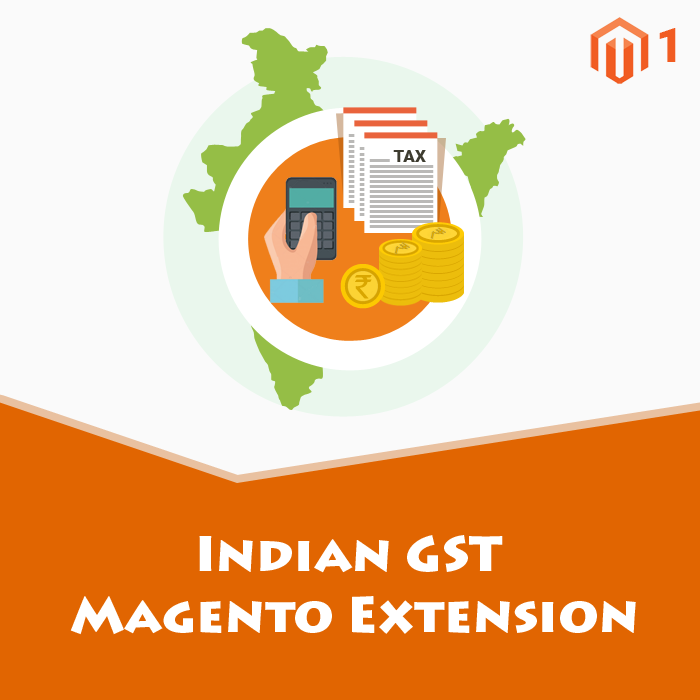
Indian GST Magento is an extension designed to allow Magento sellers to sell their goods according to the new Tax slab under GST.

Customize Jira Service Management projects and Customer Portals flexibly. Spoil your customers with a smooth service process thanks to our feature bundle.
Contact Us

Extensiv Integration Manager automatically loads Merchant orders into any system. Extensiv Integration Manager is integrated with most popular e-commerce shopping carts and online marketplaces. Extensiv Integration Manager automatically sends tracking info back to your cart and syncs inventory.

Eclipse is a robust, open-source integrated development environment (IDE) renowned for its extensibility and support for multiple programming languages. It provides a comprehensive suite of tools for software development, including code editing, debugging, and version control integration. Eclipse's modular architecture allows developers to customize their workspace with a vast array of plugins, catering to diverse development needs. Its cross-platform compatibility ensures a consistent experience across different operating systems. By offering a unified environment for various development tasks, Eclipse enhances productivity and streamlines the software development process.
Key Features and Functionality:
- Extensible Plugin System: Eclipse's architecture supports a wide range of plugins, enabling developers to tailor the IDE to their specific requirements.
- Multi-language Support: It offers support for numerous programming languages, including Java, C++, Python, and more, facilitating diverse development projects.
- Advanced Code Editing: Features such as syntax highlighting, code completion, and refactoring tools enhance code quality and developer efficiency.
- Integrated Debugging: Eclipse provides powerful debugging tools that allow for real-time code analysis and troubleshooting.
- Version Control Integration: Seamless integration with version control systems like Git enables efficient source code management.
- Cross-Platform Compatibility: Eclipse runs on various operating systems, including Windows, macOS, and Linux, ensuring a consistent development environment.
Primary Value and User Solutions:
Eclipse addresses the complexities of modern software development by offering an all-in-one platform that integrates essential development tools. Its extensible nature allows developers to adapt the IDE to their evolving needs, promoting flexibility and scalability. By supporting multiple programming languages and providing advanced features like debugging and version control, Eclipse streamlines the development workflow, reduces context switching, and enhances overall productivity. Its open-source model fosters a collaborative community, ensuring continuous improvement and a wealth of resources for users.

Brackets is a modern, open-source code editor specifically designed for web development, focusing on HTML, CSS, and JavaScript. Developed by Adobe and released in 2014, Brackets is built using web technologies, making it lightweight and highly extensible. It is cross-platform, supporting macOS, Windows, and Linux operating systems. Brackets offers a range of features tailored to enhance the web development workflow.
Key Features and Functionality:
- Inline Editors: Brackets allows developers to open a window into the code they care about most, enabling quick edits without switching between file tabs.
- Live Preview: This feature provides a real-time connection to the browser, allowing developers to see changes to CSS and HTML instantly on screen.
- Preprocessor Support: Brackets offers support for preprocessors, facilitating a more efficient workflow for developers who use them.
- Extensibility: Being open-source, Brackets supports a wide range of extensions that add functionality such as Git integration, Emmet for high-speed HTML and CSS workflow, and more.
Primary Value and User Solutions:
Brackets addresses the needs of web developers by providing a streamlined, efficient coding environment that integrates visual tools directly into the editor. Features like Live Preview and Inline Editors reduce the need to switch between different applications, thereby enhancing productivity. Its open-source nature and extensibility allow developers to customize the editor to fit their specific workflow, making it a versatile tool for modern web development.