AI-Generated Results
Finding matches…
Sticky Notes is a Chrome browser extension designed to facilitate quick and efficient note-taking directly within your browser. Since its launch in 2011, it has garnered over 2 million downloads, becoming a trusted tool for users seeking a seamless note-taking experience without the need to switch between applications.
Key Features and Functionality:
- Offline Access: Operate without an internet connection, ensuring uninterrupted note-taking.
- Multiple Notes Layout: Organize thoughts with a three-notes layout and single-click folder organization.
- Customization: Choose from animated themes, various fonts, and text sizes to personalize the interface.
- Focus Mode: Minimize distractions by removing colorful elements, allowing for concentrated work.
- Dark Mode: Reduce eye strain with a dark-themed interface.
- Cloud Backups: Securely store notes with daily, weekly, or monthly backup options.
- Draggable Popup: Keep the extension open and movable across the screen for enhanced multitasking.
Primary Value and User Solutions:
Sticky Notes addresses the need for a swift, in-browser note-taking solution, eliminating the hassle of toggling between different applications. Its offline capability ensures users can capture thoughts anytime, while features like focus mode and customizable themes enhance productivity and user experience. The extension's commitment to privacy ensures that notes remain on the user's device unless cloud backups are enabled, providing peace of mind regarding data security.
Not seeing what you're looking for?
Dive deeper into "Znote" on G2 AI
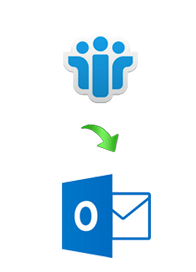
Windows Desktop based server independent Lotus Notes to Outlook conversion software. That assisted user and many on-premise migration consultants to convert NSF data to PST file format in a minimum time frame (depends on file size). The internal algorithm of the software is highly appreciated because it performs quick conversion without including any technicality. The software perfectly converts transfer all Lotus Notes elements in Outlook PST in bulk with safety and accuracy.

Electronic Health Records software that includes: Intake Assessment, Nursing Assessment, History/Physical Assessment, BioPsychoSocial Assessment, Master Treatment Plan, Treatment Plan Review, and more.

Notion is a unified workspace for teams. Notion is a connected workspace where your team can create docs, take notes, manage tasks, and organize your work – all in one place. And now, with Notion AI, you can augment your capabilities in new and unexpected ways. Leverage the power of AI right inside Notion, across all your notes and docs, without the need to jump between your work and a separate AI-powered tool.
This tool is likewise a sort of notepad for those customary clients who work through the assistance of web on the internet browser.
Highlight PDF documents or import annotations from other PDF apps. Manage annotations in the BOTA list and connect with related notes. Link key facts pulled from multiple PDF documents and digest what you've read. View sources and related notes at a glance. Collect information intuitively across the web. Simply drag texts, images, or videos from web pages, and drop to paste with a mobile friendly web clipper. Sort through excessive information and build knowledge upon what you've comprehended. Manage and trace references in an instant. Add images, videos, or audios to record memorable notes and express amazing ideas in an interactive way.

NoteVault is a voice-to-text-based mobile reporting solutions for construction, architectural, and engineering industry it enable staff to quickly and easily report activity from the field using voice and mobile phone.
Multifront is the a ASP.NET ecommerce platform, allowing you to deliver more relevant B2B and B2C ecommerce website experiences. As a result, your ecommerce website will convert more customers, increase average order value, reduce shopping cart abandondments, and offer relevant brand experiences that keep shoppers coming back.

Preserve historical data outside of IBM Notes and Domino

Microsoft Teams is a comprehensive collaboration platform developed by Microsoft, designed to streamline communication and teamwork within organizations. It integrates chat, video conferencing, file storage, and application integration into a single interface, facilitating seamless collaboration across various devices and operating systems. As part of the Microsoft 365 suite, Teams enhances productivity by providing a centralized hub for team interactions and project management.
Key Features and Functionality:
- Chat and Messaging: Facilitates real-time text communication with individuals or groups, supporting rich text, emojis, stickers, and GIFs.
- Video Conferencing: Offers high-quality video meetings with features like screen sharing, custom backgrounds, and live captions, accommodating both small team huddles and large webinars.
- File Sharing and Collaboration: Enables secure file storage and sharing through integration with OneDrive and SharePoint, allowing multiple users to co-author documents simultaneously.
- Integration with Applications: Supports integration with a wide range of Microsoft and third-party applications, enhancing workflow efficiency by bringing various tools into one platform.
- Security and Compliance: Provides enterprise-grade security measures, including data encryption for meetings, chats, calls, and files, ensuring compliance with industry standards.
Primary Value and Solutions Provided:
Microsoft Teams addresses the challenges of modern workplace collaboration by unifying communication channels, reducing the need for multiple disparate tools. It enhances team productivity by centralizing resources, facilitating real-time collaboration, and ensuring secure information sharing. By integrating with the broader Microsoft 365 ecosystem, Teams offers a cohesive environment that supports remote work, hybrid teams, and in-person collaboration, adapting to the diverse needs of today's workforce.
Editpad is a comprehensive online text editor designed to streamline the writing and editing process for users across various platforms. It offers a suite of tools that cater to diverse writing needs, from basic note-taking to advanced content creation, all accessible directly through a web browser without the need for software installation.
Key Features and Functionality:
- AI Writing Assistant: Generates high-quality, structured essays and content swiftly, understanding context and building strong arguments to meet academic and professional standards.
- Plagiarism Checker: Ensures content originality by detecting similarities with existing sources, helping users maintain authenticity in their work.
- Paraphrasing Tool: Rewrites text to enhance clarity and uniqueness, aiding in avoiding plagiarism and improving readability.
- Text Summarizer: Condenses lengthy documents into concise summaries, facilitating quick comprehension of key points.
- OCR Tool: Extracts text from images, enabling users to digitize printed or handwritten content efficiently.
- Humanize AI Text: Transforms AI-generated content into natural, human-like writing to bypass AI detection tools.
- Multi-Platform Support: Accessible on various devices, including Windows, Mac, iOS, and Android, ensuring flexibility and convenience for users.
Primary Value and User Solutions:
Editpad addresses the challenges of content creation by providing an all-in-one platform that combines multiple writing tools, eliminating the need for multiple applications. Its AI-powered features enhance productivity by automating tasks such as essay writing and text summarization, while tools like the plagiarism checker and paraphrasing tool ensure content integrity and originality. The OCR functionality bridges the gap between physical and digital content, allowing users to convert images into editable text seamlessly. By offering these integrated solutions, Editpad empowers writers, students, and professionals to produce high-quality, original content efficiently and effectively.


Slack brings all your communication together in one place. It’s real-time messaging, archiving and search for modern teams.

Google Workspace enables teams of all sizes to connect, create and collaborate. It includes productivity and collaboration tools for all the ways that we work: Gmail for custom business email, Drive for cloud storage, Docs for word processing, Meet for video and voice conferencing, Chat for team messaging, Slides for presentation building, shared Calendars, and many more.
Fathom records, transcribes, highlights, and summarizes your meetings so you can focus on the conversation.

RedNotebook is a software that format, tag and search entries and add pictures, links and customizable templates, spell check notes, and export to plain text, HTML, Latex or PDF.
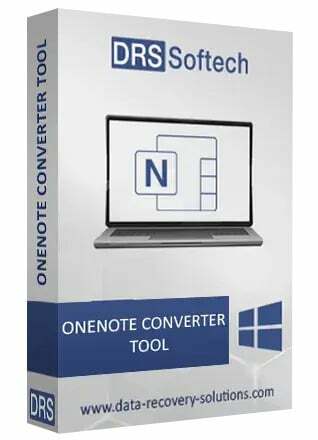
DRS OneNote Converter is a versatile tool designed to facilitate seamless conversion of OneNote files into multiple file formats such as PDF, DOC, DOCX, HTML, XLS, PNG, GIF, JPG, and BMP. This tool offers a user-friendly interface, making it easy to convert OneNote files effortlessly and quickly. By utilizing the OneNote File Converter, users can overcome the limitations and complexities of the manual conversion method. Explore this tool for hassle-free and smooth conversion of OneNote files.
Standard Notes is designed to be a simple and private notes app.