Canva
Canva is a visual communication platform that gives everyone a creative voice, no matter your design experience, team size, or budget. Whether you're a student making your first presentation, a marketer producing social graphics in minutes, or a global team creating on-brand content without touching a designer's inbox, Canva is where ideas become something you can actually show. Start with one of over a million professionally designed templates, or build from scratch with an AI-powered drag-and-drop editor. A library of stock images, videos, soundtracks, and fonts means you are easily equipped to create visual content at scale. Looking to work in Canva across your team? Real-time collaboration lets multiple people design simultaneously. Brand kits keep assets, colors, and fonts consistent across a one-person business or a Fortune 500 company. Canva AI helps you generate, resize, write, and edit visuals in a fraction of the time. Canva is used by more than 265 million people across 190 countries and trusted by 95% of Fortune 500 companies. Canva is available on the web, iOS and Android.
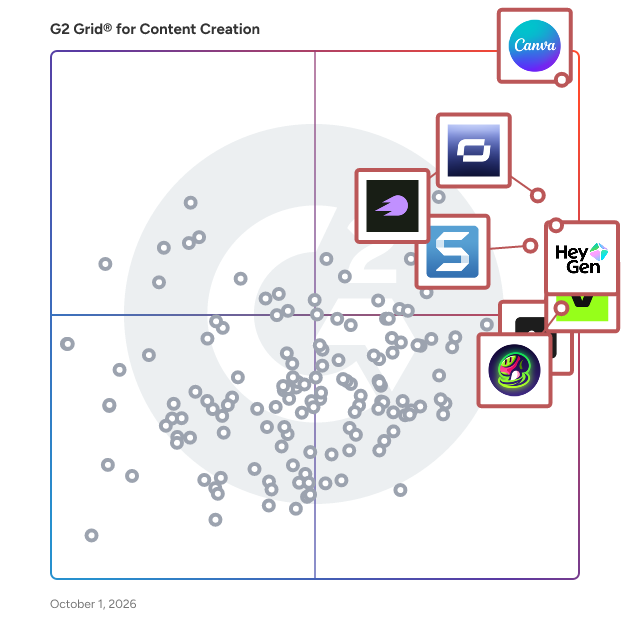
Average Rating: 4.7/5.0
Total Reviews: 6,570
How Do G2 Users Rate Canva?
- Quality of Support: 8.8/10 (Category avg: 9.0/10)
- AI Text Summarization: 7.4/10 (Category avg: 8.1/10)
- Execute Content Publication: 8.5/10 (Category avg: 8.2/10)
- Collaborative Editorial Calendars / Scheduling Content: 8.0/10 (Category avg: 8.1/10)
Who Is the Company Behind Canva?
- Seller: Canva
- Company Website:
- Year Founded: 2012
- HQ Location: Sydney
-
LinkedIn® Page: www.linkedin.com
19,250 employees on LinkedIn®
Who Uses This Product?
- Who Uses This: Owner, Marketing Manager
- Top Industries: Marketing and Advertising, Information Technology and Services
- Company Size: 66% Small, 23% Medium
What Do G2 Reviewers Say About Canva?
AI-generated summary from verified user reviews
Pros
- Users value its intuitive, easy-to-navigate interface, which makes everyday design simple even without prior experience.
- Users appreciate the wide selection of templates, their polished designs, and how ready-made options speed up creative work.
- Users appreciate fast design creation, which saves time and helps streamline their workflows.
- Users find the initial setup easy and straightforward, helping them get started quickly.
- Users appreciate how approachable design feels, helping beginners create polished, professional-looking visuals without advanced skills or training.
Cons
- Users find useful features, templates, and assets locked behind paid plans.
- Users find the advanced design tools limited, making detailed, complex, or professional work feel restrictive.
- Users say the editor can slow down on large projects, especially designs with many pages or complex, high-resolution elements.
- Users find the subscription and premium features expensive, especially for individuals and budget-conscious customers.
- Users find the interface cluttered and overwhelming, with navigation and features often confusing or difficult to locate.
What Are Recent G2 Reviews of Canva?
"Easy Design Creation Anywhere"
Rating: 4.5/5.0 stars
— Daniel L.
"Canva Makes Design Easy with Flexible Free or Premium Options"
Rating: 4.5/5.0 stars
— Alejandra .
What Are G2 Users Discussing About Canva?
- Is Canva Pro Worth It? A Look at G2 User Reviews - 8 comments, 13 upvotes
- What is included in Canva Pro? - 23 comments, 11 upvotes
- What are the features of Canva? - 16 comments, 12 upvotes
- How much is Canva for enterprise? - 10 comments, 9 upvotes
- Can you use Canva designs for commercial purposes? - 26 comments, 8 upvotes