AI-Generated Results
Finding matches…
Jotform Sign is a powerful e-signature platform that combines digital signatures with built-in automation to streamline document workflows. Easily create, share, and collect legally binding e-signatures on any device — without writing a single line of code. Upload an existing PDF, choose from 800+ professionally designed templates, or build a custom document from scratch using Jotform’s intuitive drag-and-drop document builder. Designed for maximum flexibility, Jotform Sign is ideal for waivers, consent forms, lease agreements, sales contracts, onboarding documents, and any workflow that requires secure signatures. Customize every part of your document to match your brand by uploading your logo, selecting fonts and colors, and adjusting layout elements. You can also add multiple signers, define a step-by-step automated signing order, set access permissions, and personalize your email notifications. These automation tools help reduce manual tasks, prevent bottlenecks, and accelerate approval cycles. Jotform Sign works seamlessly across devices, so recipients can review and sign documents from their phone, tablet, or laptop with a smooth, user-friendly experience. Each document includes a detailed audit trail, ensuring compliance, transparency, and trustworthy record-keeping. Whether you’re handling waivers, agreements, contracts, consent forms, or internal approvals, Jotform Sign automates repetitive tasks and eliminates the slow, outdated steps of paper-based processes. All signed documents are securely stored and can be easily exported, organized, shared, or integrated with your existing workflows. By combining digital signatures with automation, Jotform Sign helps businesses reduce turnaround times, improve accuracy, and enhance the signing experience for clients, employees, and partners. Say goodbye to scanning, printing, and manual follow-ups — and manage your entire signature workflow online with a fast, modern, and reliable e-signature platform.
Not seeing what you're looking for?
Dive deeper into "Color Designer" on G2 AI
Flodesk is an intuitive email marketing platform designed to help entrepreneurs and small businesses create visually stunning emails and sales pages with ease. Its user-friendly interface and design-centric approach enable users to craft professional, on-brand communications without requiring technical expertise. Flodesk's emphasis on aesthetics and simplicity ensures that businesses can effectively engage their audiences and drive growth through compelling email campaigns.
Key Features and Functionality:
- Drag-and-Drop Email Builder: Flodesk offers a minimalist, drag-and-drop editor that allows users to design emails effortlessly, incorporating custom fonts, brand colors, and unique layouts to maintain brand consistency.
- Designer Templates: Access to a library of professionally designed templates tailored for various use cases, including newsletters, promotions, and product launches, streamlines the email creation process.
- Automation Workflows: Users can automate subscriber journeys with workflows for welcome sequences, abandoned cart reminders, and other targeted communications, enhancing engagement and conversion rates.
- Forms and Landing Pages: Flodesk provides tools to create high-converting opt-in forms and landing pages, enabling businesses to grow their subscriber lists effectively.
- E-Commerce Integration: The platform supports seamless integration with e-commerce tools, allowing users to sell products, manage checkouts, and process payments directly through their emails and sales pages.
- Analytics and Reporting: Flodesk offers robust analytics to track email performance, providing insights into open rates, click-through rates, and overall campaign effectiveness.
Primary Value and Solutions:
Flodesk addresses the need for an accessible yet powerful email marketing solution that prioritizes design and ease of use. By eliminating the complexities often associated with email marketing platforms, Flodesk empowers users to create engaging, brand-aligned emails that resonate with their audiences. This focus on design and simplicity helps businesses enhance their marketing efforts, build stronger customer relationships, and ultimately drive sales and growth.
PhotoScape X is a comprehensive photo editing software designed to cater to both beginners and professionals. It offers a user-friendly interface combined with a robust set of tools, enabling users to enhance, edit, and manage their photos efficiently. With support for various file formats, including RAW images, PhotoScape X provides a versatile platform for all your photo editing needs.
Key Features and Functionality:
- Photo Editor: Offers tools for rotating, straightening, resizing, cropping, and adjusting colors. Users can apply filters, effects, overlays, and textures to enhance images. Additional features include auto-level, auto-contrast, backlight correction, bloom, HDR, dehaze, vignetting, sharpen, blur, white balance, curves, levels, color balance, hue/saturation, sepia, grayscale, black & white, negative, 3D effect, text object, text warp, image object, magnifier object, paint brush, paint bucket, effect brushes, mosaic brush, spot healing brush, mixer brush, red-eye correction, liquify, and clone stamp.
- Batch Editor: Allows simultaneous editing of multiple photos, streamlining the workflow for tasks like resizing, renaming, and format conversion.
- Collage Maker and Combine Tool: Enables users to merge multiple photos into a single collage frame or attach them vertically or horizontally to create one final photo.
- GIF Creator: Facilitates the creation of animated GIFs from image sequences.
- Cut Out Tool: Provides options to remove backgrounds using the Magic Eraser, Lasso tool, or Brush tool.
- Screen Capture and Color Picker: Allows capturing screenshots and selecting colors from the screen for precise editing.
- RAW Converter: Supports the conversion and editing of RAW image files, ensuring high-quality outputs.
- Macro Recording: Enables recording multiple actions and playing them back all at once, enhancing efficiency.
Primary Value and User Solutions:
PhotoScape X addresses the need for an all-in-one photo editing solution that is both powerful and accessible. Its extensive feature set allows users to perform a wide range of editing tasks without the need for multiple software applications. The intuitive interface ensures that even users with minimal editing experience can achieve professional-quality results. By offering tools for batch processing, collage creation, GIF animation, and RAW image support, PhotoScape X streamlines the photo editing process, saving time and effort for photographers, designers, and hobbyists alike.

Adobe Premiere Pro is a professional video editing software developed by Adobe Systems, designed for creating high-quality videos across various industries. It offers a comprehensive suite of tools for editing, color correction, audio enhancement, and visual effects, making it a preferred choice for filmmakers, broadcasters, and content creators.
Key Features and Functionality:
- Advanced Editing Tools: Provides industry-standard video editing capabilities, including three-point editing, timeline-based editing, and support for multiple video and audio tracks.
- AI-Powered Enhancements: Utilizes artificial intelligence to streamline workflows, such as Object Mask for quick masking and tracking, Text-Based Editing for efficient transcript-based editing, and Media Intelligence for rapid clip searching.
- Color Correction and Grading: Offers powerful color correction tools, including color wheels, curve controls, and built-in video scopes, enabling precise color adjustments and grading.
- Audio Editing and Mixing: Features professional audio tools to reduce noise, enhance dialogue, and add advanced effects, along with AI capabilities like Enhance Speech for improving audio quality.
- Effects and Transitions: Includes a vast library of cinematic effects, transitions, and customizable templates to create unique visual styles.
- Title and Caption Creation: Allows for the design of polished titles, captions, and graphics with customizable templates, and supports automatic translation of captions in multiple languages.
- Cross-Platform Compatibility: Available on both Windows and macOS platforms, ensuring flexibility and accessibility for users.
Primary Value and User Solutions:
Adobe Premiere Pro addresses the needs of professional video editors by providing a robust and versatile platform that integrates seamlessly with other Adobe Creative Cloud applications. Its AI-driven features significantly reduce editing time, allowing users to focus on creative aspects rather than technical complexities. The software's comprehensive toolset enables the production of high-quality videos suitable for various platforms, from social media to cinematic releases. By offering advanced editing capabilities, color correction, audio enhancement, and visual effects in a single package, Premiere Pro empowers users to bring their creative visions to life efficiently and effectively.

PhotoGlory is a comprehensive photo restoration software designed to revive and preserve old, damaged, or faded photographs. It offers a user-friendly interface combined with powerful tools, making it suitable for both beginners and professionals. With PhotoGlory, users can effortlessly repair scratches, tears, and stains, colorize black and white images, and enhance faded colors, breathing new life into cherished memories.
Key Features and Functionality:
- Automatic and Manual Colorization: Transform black and white photos into vibrant color images with a single click, or manually adjust colors for more precise results.
- Damage Repair Tools: Efficiently remove scratches, creases, stains, and other imperfections from old photographs.
- Color Correction: Restore faded or washed-out colors to their original vibrancy, ensuring photos look as they did when first taken.
- Batch Processing: Restore entire photo albums simultaneously, saving time and effort.
- Stylization Options: Enhance photos with over 100 built-in effects, add text labels, frames, and date stamps to personalize images.
Primary Value and User Solutions:
PhotoGlory addresses the common challenges associated with restoring aged and damaged photographs. By providing intuitive tools and automated features, it simplifies the restoration process, allowing users to preserve their family legacy without requiring advanced photo editing skills. The software's ability to quickly and effectively repair and enhance old photos ensures that precious memories are not lost to time, offering users a means to safeguard and share their historical images with future generations.
Adobe Photoshop Express is a mobile application designed for quick and intuitive photo editing, catering to users of all skill levels. Available on iOS, Android, and Windows devices, it offers a comprehensive suite of tools that enable users to enhance, retouch, and share their images effortlessly. Whether you're looking to apply aesthetic filters, create collages, or perform advanced edits, Photoshop Express provides a user-friendly platform to transform your photos into captivating visuals.
Key Features and Functionality:
- Photo Enhancer: Utilize a range of editing tools and presets, including red-eye correction, dehazing, and aesthetic filters. Adjust photo dimensions and correct camera angles with ease. Smooth over imperfections and retouch portraits swiftly. Create stunning photo collages using ready-to-use grid layouts.
- Video Editor: Trim clips, adjust speed, recolor, resize, and rotate videos for high-resolution exports directly from your device. Combine multiple videos into a single project and access a vast library of music tracks to set the perfect mood for your edits.
- Personalized Image Design: Add text to photos with a wide array of fonts and layouts. Incorporate personalized touches using camera filters, stamps, custom watermarks, and more.
- Retouch Features: Employ AI-powered tools for skin smoothing, content-aware healing, and face-aware liquify to enhance selfies and portraits. Adjust facial features, remove unwanted objects, and apply makeup effects seamlessly.
- Integration with Creative Cloud: Send PSD files directly from your mobile device to Photoshop for more advanced editing capabilities.
Primary Value and User Solutions:
Photoshop Express empowers users to create professional-quality edits without the need for extensive technical knowledge. Its intuitive interface and powerful features address common photo editing challenges, such as correcting imperfections, enhancing colors, and creating engaging content for social media. By providing a comprehensive yet accessible toolset, Photoshop Express enables users to express their creativity and share polished images effortlessly.

Sketchbook is a digital art application designed for artists and designers to create, sketch, and capture ideas seamlessly across desktop, mobile, and tablet devices. Its intuitive and streamlined user interface ensures that the creative process remains uninterrupted, providing essential features like layers and blend modes expected by professional artists.
Key Features and Functionality:
- Extensive Brush Library: Offers a comprehensive range of brush types, including pencils, markers, airbrushes, and paint tools. Each brush is highly customizable, allowing users to achieve their desired artistic effects.
- Advanced Color Tools: Utilizes layers and color fill tools to bring sketches to life, supporting techniques such as dynamic linear and radial gradients.
- Precision Drawing Aids: Equipped with traditional rulers, curved rulers, ellipse, and French curve tools to guide precise drawing. The Predictive Stroke tool assists in creating smooth, accurate lines.
- Symmetry Tools: Features vertical, horizontal, and radial symmetry options that mirror pen strokes, enabling the creation of intricate designs effortlessly.
- Natural Pen Interaction: Highly responsive to stylus input, providing a natural drawing experience that accurately reflects pressure and tilt, capturing the depth and directionality intended by the artist.
Primary Value and User Solutions:
Sketchbook empowers users to transform their creative ideas into digital art with ease and precision. By offering a natural drawing experience combined with a suite of professional-grade tools, it caters to both quick sketches and fully finished artworks. The application's cross-platform availability ensures that creativity is not confined to a single device, allowing artists to work wherever inspiration strikes. Whether for professional projects or personal expression, Sketchbook provides the tools necessary to bring artistic visions to life.
MySigMail is an open-source email signature generator designed to help users create professional and customizable email signatures without any coding knowledge. It offers a user-friendly interface that allows for deep customization, including fonts, colors, avatar shapes, and social icons, ensuring that each signature aligns with personal or corporate branding. The platform provides ready-to-use templates for a quick start and flexible add-ons like disclaimers and call-to-action blocks to enhance the signature's functionality. Built with Vue 3, Vite, and Tailwind, MySigMail is lightweight and operates entirely on the client-side, making it easy to run locally without server setup.
Key Features:
- Customization: Adjust fonts, colors, avatar shapes, and social icons to match your brand identity.
- Templates: Access a variety of professionally designed layouts for quick and easy signature creation.
- Add-Ons: Incorporate elements like disclaimers and call-to-action blocks to enhance your signature's effectiveness.
- Client-Side Operation: Run the application locally without the need for server setup, ensuring privacy and control.
- Open Source: Freely access, modify, and distribute the code, fostering community-driven improvements and collaboration.
The primary value of MySigMail lies in its ability to simplify the creation of professional email signatures, enabling users to enhance their brand image and communication without technical expertise. By offering a free, customizable, and open-source solution, it addresses the need for accessible and flexible email signature generation, catering to individuals and businesses seeking to maintain a consistent and polished email presence.

Capture One Pro is a professional-grade photo editing software renowned for its exceptional RAW image processing capabilities and precise color accuracy. Designed to meet the demands of professional photographers, it offers a comprehensive suite of tools for image editing, tethered shooting, and workflow management, ensuring high-quality results and efficient operations.
Key Features and Functionality:
- Advanced RAW Processing: Delivers realistic, true-to-life colors from the start, supporting a wide range of camera profiles.
- Layer-Based Editing: Enables non-destructive, localized adjustments with multiple layers and customizable masks for precise control.
- Tethered Shooting: Provides robust tethering capabilities for instant image capture and review, supporting numerous camera models.
- Customizable Interface: Features a highly customizable user interface, allowing users to tailor the workspace to their specific workflow needs.
- Advanced Color Editing: Offers precise color grading tools, including a color balance tool, advanced color editor, and skin tone adjustments.
- High Dynamic Range (HDR) Tools: Includes tools for merging multiple exposures to create HDR images with enhanced detail and dynamic range.
- Lens Correction: Automatically corrects lens distortion, chromatic aberration, and vignetting based on lens profiles.
- Noise Reduction: Employs advanced algorithms for reducing noise while preserving image detail, particularly useful for high ISO images.
Primary Value and User Solutions:
Capture One Pro addresses the critical needs of professional photographers by offering superior image quality and efficient workflow management. Its advanced RAW processing ensures that images retain the highest fidelity in detail and color accuracy. The layer-based editing system allows for precise, non-destructive adjustments, enabling photographers to achieve their creative vision without compromising the original image data. Tethered shooting capabilities streamline studio workflows, providing real-time feedback and control during shoots. Additionally, the customizable interface and robust asset management tools enhance productivity, allowing users to tailor the software to their specific needs and manage large volumes of images effectively. By integrating these features, Capture One Pro empowers photographers to produce exceptional images while optimizing their workflow efficiency.
GoZen Forms is an AI-powered, no-code form builder designed to simplify the creation of online forms, surveys, quizzes, and polls. With an intuitive drag-and-drop interface, users can effortlessly design and customize forms without any coding knowledge. The platform offers over 175 pre-designed, mobile-friendly templates tailored for various industries, enabling businesses to collect data efficiently and enhance user engagement.
Key Features and Functionality:
- AI-Powered Form Creation: Leverage artificial intelligence to generate engaging and relevant questions, streamlining the form-building process.
- Conditional Logic: Implement logic jumps to display or hide questions based on user responses, creating dynamic and personalized forms.
- Payment Integration: Collect payments directly within forms, facilitating seamless transactions for products or services.
- E-Signature Collection: Obtain electronic signatures without redirecting users, ensuring a smooth and secure signing process.
- Customizable Themes: Align forms with your brand identity by customizing themes, including colors, fonts, and background images.
- Mobile Optimization: Ensure forms are responsive and function flawlessly across all devices, enhancing accessibility for users.
- Integrations: Connect with over 25 popular applications, such as Klaviyo, MailChimp, and HubSpot, to automate workflows and synchronize data.
- Real-Time Analytics: Access insightful reports and analytics to monitor form performance and gather actionable data.
Primary Value and Solutions Provided:
GoZen Forms addresses the need for an efficient, user-friendly solution for creating and managing online forms. By eliminating the requirement for coding skills, it empowers businesses of all sizes to design professional forms swiftly. The platform's AI capabilities and conditional logic enhance user engagement by delivering personalized experiences. Integrated payment and e-signature features streamline transactions and agreements, reducing the need for multiple tools. Customizable themes and mobile optimization ensure brand consistency and accessibility, while seamless integrations with popular marketing tools automate workflows and improve data collection. Overall, GoZen Forms saves time, enhances user engagement, and increases conversions through its comprehensive and intuitive form-building capabilities.

Adobe Photoshop Lightroom Classic is a comprehensive desktop application designed for photographers seeking advanced tools to edit, organize, and share their images. It offers a robust suite of features that enable users to enhance photo quality, manage extensive photo libraries, and streamline their workflow efficiently.
Key Features and Functionality:
- Advanced Editing Tools: Lightroom Classic provides powerful editing capabilities, including precise color correction, exposure adjustments, and the ability to enhance details. Users can apply effects like Texture, Clarity, and Dehaze to achieve the desired look.
- Content-Aware Remove: This feature allows for the quick removal of unwanted objects or blemishes from photos. By selecting the area to be removed, Lightroom Classic intelligently samples nearby parts of the image to seamlessly blend and fill the space.
- Adaptive Presets: Users can apply presets to specific areas of a photo with a single click, such as enhancing skies or making subjects stand out, facilitating efficient and consistent editing.
- Organizational Tools: The software offers comprehensive tools for organizing photos, including collections, keywords, face recognition, flags, stars, and color labels. These features help users manage and locate images effectively.
- Non-Destructive Editing: All edits in Lightroom Classic are non-destructive, meaning the original image remains unaltered. This allows users to experiment with various edits and revert to the original at any time without loss of quality.
Primary Value and User Solutions:
Lightroom Classic addresses the needs of photographers who prefer a desktop-centric workflow with local storage. It provides advanced editing tools and organizational features that enhance productivity and creative control. By offering non-destructive editing and efficient management of large photo libraries, Lightroom Classic enables users to produce high-quality images while maintaining an organized and streamlined workflow.
Movavi Video Editor for Mac is a user-friendly yet powerful video editing software designed to help users create professional-quality videos with ease. Whether you're a beginner or an experienced editor, this tool offers a comprehensive suite of features to bring your creative ideas to life. With its intuitive interface and advanced functionalities, Movavi Video Editor simplifies the video editing process, making it accessible to all.
Key Features and Functionality:
- Revamped Timeline: The new, clearer, and more streamlined timeline allows for faster project completion, whether you're working on short social media clips or longer family movies.
- Frame-Precise Cuts: The Blade tool enables precise cuts, allowing you to create sharp and engaging montages effortlessly.
- Pro-Quality Color Correction: Enhance your videos with advanced color correction tools that are simple to use, helping you achieve the perfect look for your footage.
- AI Motion Tracking: Easily attach photos, videos, emojis, or memes to moving objects in your footage with AI-powered motion tracking.
- Overlay Effects with Blending Modes: Choose from 13 blending modes for each overlay effect to achieve the perfect visual style for your video.
- Extensive Effects Library: Access a vast collection of professionally designed effects, including filters, transitions, titles, and stickers, to enhance your videos.
- Automatic Subtitles: Utilize AI to quickly generate subtitles from your speech, supporting multiple languages and customizable text options.
- Silence Removal: Automatically detect and remove unwanted pauses in your footage, saving time and improving the flow of your videos.
- Mouse-Over Effects Preview: Easily preview effects like titles, transitions, and filters by hovering your mouse over them, streamlining the editing process.
- Fast Effect Copying: Quickly apply effects, color adjustments, and audio settings from one clip to another, ensuring consistency across your project.
Primary Value and Solutions:
Movavi Video Editor for Mac addresses the needs of users seeking an efficient and accessible video editing solution. By combining a user-friendly interface with advanced features, it enables users to produce high-quality videos without a steep learning curve. The software's AI-powered tools, such as automatic subtitles and motion tracking, automate time-consuming tasks, allowing users to focus on creativity. Additionally, the extensive library of effects and the streamlined editing process make it an ideal choice for content creators aiming to produce engaging videos for social media, personal projects, or professional use.

MagicEdit is an AI-powered video editing tool designed to streamline the editing process for content creators of all skill levels. By leveraging advanced artificial intelligence, MagicEdit automates tasks such as removing filler words, inserting contextually appropriate emojis, and adding relevant B-roll footage, significantly reducing the time and effort required for video production.
Key Features and Functionality:
- Auto-Cut Filler Words: Automatically eliminates verbal fillers like "um" and "ah," resulting in cleaner and more professional audio.
- AI-Inserted Emojis: Enhances viewer engagement by intelligently adding emojis that align with the video's context.
- Smart B-Roll Insertion: Elevates storytelling by suggesting and incorporating relevant B-roll footage seamlessly.
- User-Friendly Editing Interface: Offers both highlight-to-cut functionality for quick edits and precision timeline editing for advanced users.
- Customizable Captions: Provides a wide selection of animated caption styles, allowing users to tailor colors, fonts, and animations to match their brand identity.
Primary Value and User Solutions:
MagicEdit addresses common challenges faced by content creators, such as time-consuming editing processes and the need for engaging, platform-specific content. By automating repetitive tasks and offering intuitive editing tools, MagicEdit enables users to produce high-quality videos efficiently. This empowers creators to focus more on content development and audience engagement, ultimately enhancing their overall productivity and reach.

PaintShop Pro 2023 Ultimate is a comprehensive photo editing software designed for Windows users, offering a versatile range of professional-grade editing and graphic design tools. It combines advanced features with time-saving AI-based solutions, catering to both novice and experienced photographers and designers.
Key Features and Functionality:
- Photo Editing: Provides a complete suite of tools for photo enhancement, including color correction, retouching, and creative effects.
- Graphic Design: Offers vector illustration capabilities, allowing users to create compelling designs with text, shapes, and layers.
- AI-Powered Tools: Incorporates artificial intelligence to automate complex tasks, such as background removal and image upscaling, enhancing efficiency and accuracy.
- Focus Stacking: Enables blending of multiple images taken at different focus distances to produce a final composite with greater depth of field.
- Frame Tool: Allows for the creation of shapes and masks to frame images, facilitating innovative design layouts.
- AfterShot Lab: Provides powerful RAW image editing within the application, eliminating the need for additional software.
- Real-time Blend Mode Preview: Offers instant feedback on layer blending results, streamlining the creative process.
- Snap to Objects: Enhances precision in design by allowing objects to align accurately with each other.
Primary Value and Solutions:
PaintShop Pro 2023 Ultimate addresses the needs of users seeking a robust, subscription-free alternative for photo editing and graphic design. Its comprehensive toolset empowers users to produce high-quality images and designs efficiently. The integration of AI-driven features simplifies complex editing tasks, making professional results accessible to users of all skill levels. Additionally, the inclusion of bonus software, such as Painter® Essentials™ 8 and PhotoMirage™ Express, extends creative possibilities, offering a complete suite for digital artistry.
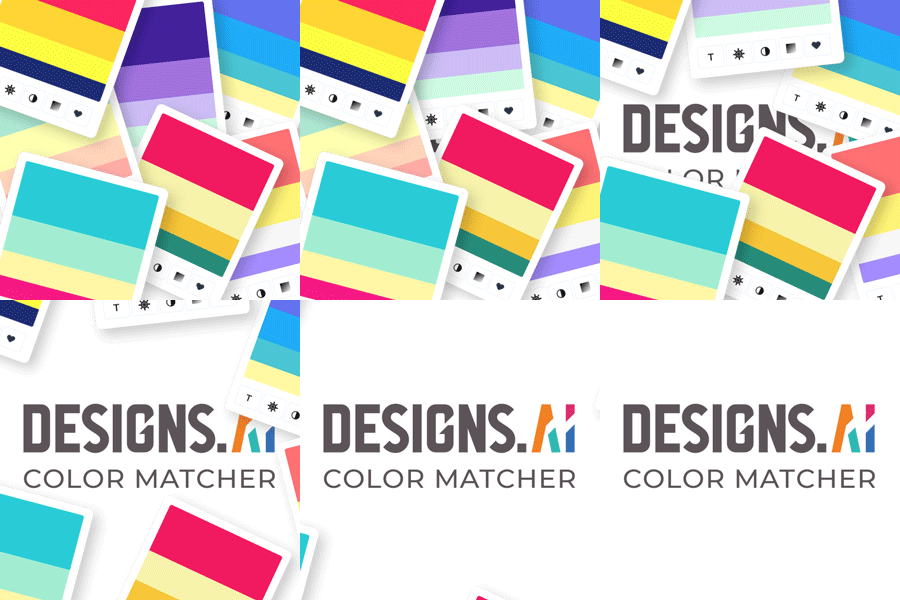
Color Matcher is an intuitive tool designed to assist users in generating thousands of beautiful color palettes, providing inspiration and enabling the selection of palettes that best suit their design needs.
Key Features and Functionality:
- Color Palette Generation: Instantly create a wide range of color combinations tailored to various design themes and preferences.
- Image Color Extraction: Upload any image to extract its core and accent colors, generating a cohesive palette that reflects the image's color scheme.
- Color Wheel Tool: Utilize the color wheel to explore and create harmonious color schemes based on color theory principles.
- Text and Overlay Suggestions: Receive recommendations for text and overlay colors that complement your chosen palette, ensuring readability and aesthetic appeal.
- Gradient and Contrast Tools: Access tools to create smooth color gradients and assess contrast ratios, enhancing the visual impact and accessibility of your designs.
Primary Value and User Solutions:
Color Matcher simplifies the process of selecting and harmonizing colors, a critical aspect of effective design. By providing automated palette generation and color extraction from images, it saves time and ensures consistency across projects. The tool addresses common challenges faced by designers, such as choosing complementary colors and maintaining visual harmony, thereby enhancing the overall quality and appeal of their work.

Safari Portal is a super easy to use and efficient itinerary builder platform created by travel consultants for travel consultants. The system allows you to create visually stunning itineraries and proposals in minutes and completely customize everything; you can even use your own custom brand fonts and colors to totally reflect your own personality and expertise.
Safari Portal is incredibly flexible and allows travel agents and tour operators to pull content from the Safari Portal database of thousands of professionally curated worldwide destination content, hotels, lodges, and camps right into proposals, to tweak existing content, or to create your own.
You can even use the system to collect, organize, manage, and share guess information like passports, health & dietary, flights, and contacts in a super safe and efficient way through our innovate Guest Portals feature, where you can also share pre-departure materials, vouchers, e-tickets and more. This is designed to allow both the agent and the guest to easily access everything they need for a trip in one place.

Adobe Stock is a comprehensive stock media service offering a vast collection of high-quality, royalty-free assets, including photos, illustrations, vectors, videos, audio files, templates, and 3D models. Designed to meet the diverse needs of creative professionals, Adobe Stock seamlessly integrates with Adobe Creative Cloud applications, enabling users to search, preview, and license assets directly within their design environment. This integration streamlines the creative workflow, allowing for efficient project development without the need to switch between platforms.
Key Features and Functionality:
- Extensive Asset Library: Access millions of curated assets contributed by a global community of artists, ensuring a wide range of styles and subjects to suit various project requirements.
- Seamless Integration: Adobe Stock is natively integrated into Creative Cloud apps like Photoshop, Illustrator, InDesign, and Premiere Pro, allowing users to browse and license assets directly within these applications.
- Advanced Search Capabilities: Powered by Adobe Sensei, the platform offers intelligent search features, enabling users to filter assets by aesthetics, color, copy space, shot size, and more, facilitating the discovery of the perfect asset efficiently.
- Flexible Licensing Options: Offers various subscription plans and credit packs to accommodate different usage needs, including options for individuals, teams, and enterprises.
- Premium Content: Provides access to a Premium collection of hand-selected, high-quality images from leading photographers and agencies, catering to projects that require exceptional visual content.
Primary Value and User Solutions:
Adobe Stock addresses the challenge of sourcing high-quality, royalty-free assets by providing a vast and diverse library that integrates directly into the creative workflow. This integration reduces the time and effort required to find and license assets, enhancing productivity for designers, marketers, and content creators. By offering flexible licensing and a wide range of content types, Adobe Stock empowers users to create compelling, professional-grade projects efficiently.

Contrast Checker is a user-friendly tool designed for designers and developers to evaluate color contrast compliance with the Web Content Accessibility Guidelines established by the World Wide Web Consortium . By selecting foreground and background colors, users can instantly determine if their color combinations meet accessibility standards, ensuring content is readable for all users, including those with visual impairments. The tool also offers a colorblind simulation feature, allowing users to view their color choices in grayscale to assess visibility for colorblind individuals. This functionality aids in creating inclusive designs that adhere to accessibility best practices.
Key Features and Functionality:
- Color Contrast Evaluation: Automatically calculates and displays contrast ratios between selected foreground and background colors, indicating pass, margin, or fail statuses based on WCAG standards.
- Colorblind Simulation: Provides a grayscale view of color combinations to assess how designs appear to colorblind users, enhancing accessibility considerations.
- History and Export Options: Allows users to save multiple color swatches to a history list and export them as a PDF for documentation or sharing purposes.
Primary Value and Problem Solved:
Contrast Checker addresses the critical need for accessible digital content by enabling designers and developers to ensure their color choices meet WCAG guidelines. By facilitating the creation of designs with sufficient color contrast, the tool enhances readability and usability for individuals with visual impairments, promoting inclusivity and compliance with accessibility standards.

Confrere is a video conferencing platform specifically designed for professionals who require secure, one-on-one interactions with their clients. Founded in 2017, it has become a leading provider of video solutions, particularly within the healthcare sector. The platform emphasizes ease of use, security, and customization to meet the unique needs of various professional services.
Key Features and Functionality:
- No Downloads Required: Clients can join video calls directly through a link, eliminating the need for usernames, passwords, or software installations.
- Secure and Compliant: Confrere offers end-to-end encrypted video calls, adhering to industry standards and regulations to ensure privacy and security.
- Integrated Identification: Supports identification methods like BankID, SITHS, SAML, Freja eID, and NemID, facilitating secure client verification.
- Brand Customization: Users can personalize the platform with their own logo, colors, images, and domain to maintain brand consistency during video interactions.
- API Integration: Provides an API that allows businesses to incorporate video calling capabilities into their existing services seamlessly.
- Accessibility Commitment: Dedicated to creating an accessible product that is user-friendly for all individuals.
Primary Value and User Solutions:
Confrere addresses the need for a professional-grade video conferencing tool that is both secure and straightforward to use. By eliminating the complexities associated with traditional video conferencing solutions, it enables professionals—such as doctors, therapists, and consultants—to conduct virtual consultations efficiently. The platform's emphasis on security and compliance ensures that sensitive client information remains protected, making it a trusted choice for industries where confidentiality is paramount.
ColorsWall is an intuitive online platform designed for designers, marketers, and creatives to discover, create, and manage color palettes efficiently. It offers a vast collection of color schemes, including popular palettes like Discord colors, Bootstrap 4 colors, and human skin tones, providing users with a rich source of inspiration for their projects.
Key Features and Functionality:
- Palette Generation: Quickly create custom color palettes tailored to specific project needs.
- Extensive Palette Library: Access a wide range of pre-existing color schemes, including popular collections such as Material UI and brand color palettes.
- User-Friendly Interface: Navigate effortlessly through the platform to find and manage color combinations.
- Customization and Saving: Sign in to customize and save personal palettes for future reference.
- Community Collaboration: Explore and utilize palettes created by other users, fostering a collaborative environment.
- Color Tools: Utilize tools like the Smart Colors Finder, Color Contrast Checker, and Random Color Generator to enhance design workflows.
Primary Value and User Solutions:
ColorsWall simplifies the color selection process, enabling users to efficiently find and manage color palettes that align with their design objectives. By offering a comprehensive library of color schemes and intuitive tools, it addresses the challenge of color coordination, saving time and enhancing the quality of creative projects. The platform's collaborative features also allow users to draw inspiration from a community of designers, promoting innovation and creativity.