AI-Generated Results
Finding matches…
Google Maps Platform is a comprehensive suite of APIs and SDKs that enables developers to integrate dynamic, real-world mapping and location-based services into their applications. Leveraging Google's extensive geospatial data, it offers tools for creating interactive maps, providing accurate routing, and delivering detailed place information, thereby enhancing user engagement and functionality.
Key Features and Functionality:
- 3D Maps: Developers can create immersive, photorealistic 3D maps, offering users a more engaging and realistic navigation experience.
- Aerial View: Provides pre-rendered, 3D cinematic videos of points of interest and their surroundings, enriching applications with dynamic visual content.
- Dynamic Maps: Allows customization and real-time styling of interactive maps across all devices and platforms, ensuring a consistent and personalized user interface.
- Dynamic Street View: Embeds 360° panoramic imagery, enabling users to explore locations virtually with real-world visuals.
- Elevation Data: Offers access to elevation information for specific locations, useful for applications requiring topographical context.
- Map Tiles: Enables the design of unique interfaces and interactions tailored to specific brand and design requirements, enhancing visual appeal and usability.
- Maps Embed: Facilitates the addition of interactive maps or Street View panoramas to websites with simple HTTP requests, simplifying integration processes.
- Photorealistic 3D Tiles: Provides access to a 3D mesh model of the real world, allowing the creation of cinematic experiences using preferred rendering tools.
- Static Maps and Street View: Allows embedding of static map images or Street View panoramas into web pages without the need for JavaScript, streamlining content inclusion.
- Street View Tiles: Utilizes street-level images and tile metadata to create immersive experiences, enhancing user interaction with real-world visuals.
Primary Value and Solutions Provided:
Google Maps Platform empowers developers to build applications that offer users accurate, real-time, and interactive mapping experiences. By integrating these tools, businesses can enhance user engagement, improve navigation and location-based services, and provide detailed geospatial insights. This platform is particularly beneficial for industries such as logistics, travel, real estate, and retail, where precise location information and mapping are crucial for operational efficiency and customer satisfaction.
Not seeing what you're looking for?
Dive deeper into "iot devices" on G2 AI

Zenmap is the official graphical user interface (GUI) for the Nmap Security Scanner, designed to make network scanning accessible for both beginners and experienced users. This multi-platform, free, and open-source application supports operating systems such as Linux, Windows, Mac OS X, and BSD. Zenmap simplifies the process of network discovery and security auditing by providing an intuitive interface to Nmap's powerful features.
Key Features and Functionality:
- Profile Management: Users can save frequently used scans as profiles, enabling quick and consistent execution of routine network assessments.
- Command Creation: An interactive command creator assists in building Nmap command lines, making it easier to customize scans without extensive command-line knowledge.
- Result Management: Scan results can be saved for future reference, compared to identify changes over time, and are stored in a searchable database for efficient retrieval.
- Network Topology Visualization: Zenmap offers an interactive, animated visualization of network topology, illustrating the relationships and paths between hosts.
- Cross-Platform Compatibility: The application runs on multiple operating systems, ensuring flexibility and broad accessibility.
Primary Value and User Solutions:
Zenmap addresses the need for a user-friendly interface to Nmap's comprehensive network scanning capabilities. By providing graphical representations and simplified management of scan profiles and results, it enables users to efficiently monitor network security, detect unauthorized devices, and manage service upgrades. This tool is particularly valuable for system and network administrators seeking to maintain secure and well-documented network environments.

SurveyNuts is an intuitive online platform designed to facilitate the creation, distribution, and analysis of surveys and quizzes. With its user-friendly interface, individuals and organizations can effortlessly design surveys using various question types, share them across multiple channels, and analyze responses in real-time.
Key Features and Functionality:
- Intuitive Survey Creation: Offers a drag-and-drop interface, enabling users to craft surveys without any coding knowledge.
- Diverse Question Types: Supports multiple-choice, rating scales, open-ended questions, and more to cater to varied data collection needs.
- Real-Time Analytics: Provides immediate access to survey results through graphical representations, aiding in swift data interpretation.
- Advanced Features: Includes branching logic, allowing for dynamic surveys that adapt based on respondent answers, and the ability to assign scores for quiz functionalities.
- Mobile-Friendly Design: Ensures surveys are responsive and accessible across various devices, enhancing participant engagement.
Primary Value and User Solutions:
SurveyNuts streamlines the survey process, enabling users to gather actionable insights efficiently. Its simplicity and advanced features make it suitable for market research, customer feedback, educational assessments, and more. By offering real-time analytics and a mobile-friendly interface, SurveyNuts empowers users to make informed decisions based on comprehensive data collection.

Ayla's Agile Mobile Application Platform (AMAP) jump-starts the development of iOS and Android apps for controlling IoT devices of any kind.
BlueCat Integrity is an enterprise-grade platform that unifies and automates core DNS, DHCP, and IP Address Management (DDI) services to give organizations complete visibility and control over their networks. Built to support hybrid and multicloud environments, Integrity centralizes DDI management through a single source of truth, improving agility, reliability, and performance. Integrity simplifies network operations with automation, RESTful APIs, and real-time insights into devices, users, and IP relationships across the enterprise. Its resilient architecture and intuitive interface enable fast provisioning, seamless failover, and high availability. Role-based access controls, built-in security, and integrated threat protection strengthen governance and protect critical services. BlueCat Integrity empowers enterprises to accelerate digital transformation, reduce complexity, and ensure uptime for business-critical applications. It delivers the flexibility, automation, and intelligence required to manage today’s evolving network demands.

AppleMacSoft DRM Converter for Mac is a comprehensive solution designed to remove DRM protection from Apple Music, iTunes songs, and audiobooks, enabling users to convert these files into various unprotected audio formats. This allows for seamless playback on a wide range of devices beyond Apple's ecosystem, such as Android smartphones, tablets, MP3 players, and car audio systems.
Key Features and Functionality:
- DRM Removal: Legally eliminates DRM restrictions from Apple Music tracks, iTunes M4P songs, and audiobooks, facilitating unrestricted use across multiple platforms.
- Audio Format Conversion: Supports conversion to popular audio formats including MP3, M4A, WAV, AAC, FLAC, and more, ensuring compatibility with diverse media players.
- Audiobook Conversion: Converts DRM-protected iTunes M4B and Audible AAX or AA audiobooks to unprotected formats, making them accessible on various devices.
- Video Audio Extraction: Extracts audio tracks from iTunes videos, music videos, and TV shows, saving them as standalone audio files in formats like MP3, WAV, and AAC.
- Seamless Integration: Integrates with the Apple Music app and iTunes, allowing direct access to the music library for efficient batch conversion of songs and playlists.
- Advanced Settings: Offers customizable audio settings, including sample rate, bit rate, and codec options, along with the ability to adjust output file names and volume levels.
Primary Value and User Benefits:
AppleMacSoft DRM Converter for Mac addresses the limitations imposed by DRM protection, granting users the freedom to enjoy their legally purchased or rented iTunes content on any device of their choice. By converting DRM-protected files into widely supported formats, it ensures that users are not confined to Apple's hardware and can experience their media library without restrictions. This flexibility enhances the overall user experience, providing convenience and accessibility across various platforms and devices.

jQuery Mobile is a HTML5-based user interface system designed to make responsive web sites and apps that are accessible on all smartphone, tablet and desktop devices.

Trend Micro Smart Protection is an advanced, cloud-based security infrastructure designed to safeguard users from a wide array of online threats, including malware, phishing attacks, and other web-based risks. By leveraging a global network of threat detection sensors and real-time data analysis, it delivers immediate protection without compromising system performance.
Key Features and Functionality:
- In-the-Cloud Threat Intelligence: Utilizes a vast network of global data centers and security experts to continuously gather and analyze threat information, ensuring up-to-date protection.
- Lightweight Client Integration: Employs lightweight clients that access cloud-based threat databases, reducing the need for frequent pattern file downloads and minimizing system resource usage.
- Comprehensive Protection: Offers multilayered defense mechanisms, including file, web, and email reputation technologies, to protect users across various platforms and devices.
- Real-Time Updates: Automatically updates and strengthens protection as more products, services, and users access the network, creating a dynamic and responsive security environment.
Primary Value and User Solutions:
Trend Micro Smart Protection addresses the critical need for real-time, comprehensive security in an increasingly digital world. By integrating cloud-based threat intelligence with lightweight client applications, it provides robust protection against evolving cyber threats without degrading system performance. This solution is particularly beneficial for organizations seeking to protect their networks, endpoints, and cloud environments from sophisticated attacks, ensuring business continuity and data integrity.

Raycast is a comprehensive productivity tool designed to streamline workflows and enhance efficiency for professionals and developers. Initially developed for macOS, it has expanded to Windows and iOS platforms, offering a unified experience across devices. By integrating application launching, AI-powered assistance, and a vast array of extensions, Raycast centralizes tasks to minimize context switching and optimize daily operations.
Key Features and Functionality:
- Instant App and Command Launching: Quickly open applications, system tools, or execute custom commands using keyboard shortcuts, bypassing traditional navigation methods.
- AI-Powered Assistance: Utilize integrated AI to perform calculations, generate code, and provide contextual answers without leaving the current workflow. Features include AI Chat and Smart Snippets that predict user needs.
- Extensive Extensions Ecosystem: Access a wide range of extensions for popular tools like GitHub, Notion, and Spotify directly from the Raycast Store, enhancing functionality and adaptability.
- Cross-Platform Synchronization: Enjoy seamless cloud sync to keep all your content updated across devices, ensuring a consistent experience whether on desktop or mobile.
- Customizable Workflows: Create snippets, quicklinks, and assign hotkeys or aliases to common commands or apps, tailoring the tool to individual preferences and needs.
Primary Value and User Solutions:
Raycast addresses the challenge of fragmented workflows by consolidating various tools and functions into a single, fast interface. This integration reduces the time spent navigating between applications or searching for files, thereby enhancing productivity. It is particularly beneficial for developers, designers, and knowledge workers who rely on keyboard shortcuts and automation to maintain efficiency. By offering a cohesive platform with AI integration, extension support, and cloud synchronization, Raycast minimizes cognitive load and streamlines daily tasks, allowing users to focus on their core responsibilities without unnecessary distractions.

Amazon WorkSpaces Secure Browser is a fully managed, cloud-native service that enables secure access to internal websites, software-as-a-service (SaaS) applications, and the public internet. By streaming encrypted pixels from a remote browser session running in the AWS cloud to the user's local device, it ensures that sensitive corporate data never touches the end user's device, thereby mitigating the risk of unauthorized data exfiltration. This solution eliminates the need for IT departments to manage specialized client software, infrastructure, or virtual private network (VPN) connections, simplifying the management of secure web access.
Key Features and Functionality:
- Enhanced Security Controls: Administrators can enforce enterprise browser policies, including URL allow/block lists, and implement session-level controls for clipboard, file transfer, and printing. Access can be restricted to trusted networks or devices using IP Access Controls.
- Data Protection: By isolating the actual browser and web content within AWS, no HTML, document object model (DOM), or sensitive company data is transmitted to the local machine, effectively reducing the risk of data exfiltration.
- Simplified Management: The service is easy to set up and operate, with each session launching a fresh, fully patched version of the Chrome Browser, complete with company policies and settings applied.
- Cost Efficiency: Starting at $7 per month, WorkSpaces Secure Browser offers a cost-effective solution for secure web access without the complexities associated with traditional virtual desktops or VPNs.
- Support for Bring-Your-Own-Device (BYOD): Since it works with the web browser already installed on the end-user's device, it's ideal for organizations implementing BYOD initiatives, allowing employees to securely access company resources from their personal devices.
Primary Value and User Solutions:
Amazon WorkSpaces Secure Browser addresses the critical need for secure, managed web access in today's digital workplace. It provides a protected environment for users to access private websites and SaaS applications without exposing sensitive data to potential threats. By isolating the device, corporate network, and internet from each other, the browser attack surface is virtually eliminated. This solution is particularly beneficial for organizations looking to enhance security controls, protect data, simplify IT management, reduce costs, and support BYOD policies. It empowers customer support agents, back-office employees, and remote or hybrid workers by providing secure access to web-based applications and internal portals, thereby enabling productivity without compromising security.

SC//AcuVigil managed network services by Scale Computing is a powerful, fully managed network solution designed for distributed enterprises, franchisees, multi-site operators, and unmanned businesses (1-10,000 locations). It streamlines secure, always-on connectivity and simplifies PCI compliance, eliminating the complexities and costs associated with managing dispersed networks. In today's fast-paced environment, maintaining a secure and reliable network across multiple locations is critical, yet often complicated and expensive. SC//AcuVigil™, powered by the easy-to-deploy SG™ Device and intuitive cloud dashboard, transforms network management into a seamless, hands-off experience. Trusted by thousands of QSR, retail, restaurant, and c-store environments, SC//AcuVigil™ ensures your vital systems, like POS and payments, remain operational and secure 24/7.
- 24/7 Managed Services: Around-the-clock monitoring, remote configuration, and proactive support from our expert team.
- Always-On Connectivity: Dual-WAN support and auto-failover keep systems like POS and payments running—even during internet outages.
- Built-In Compliance Support: Simplify PCI DSS readiness with tools for SAQ prep, external vulnerability scans, and optional financial protection coverage.
- Secure Remote Access: Maintain compliant, encrypted connections to critical systems including DVRs, POS terminals, and IoT devices.
- Real-Time Visibility with SC//AcuVigil™: Instantly view device status, network performance, and compliance metrics across all locations via our secure cloud dashboard.
- Firewall & Threat Protection: Harden your network edge with next-gen firewall features, segmentation, and intrusion prevention.
- Streamlined Deployment: Plug-and-play installation, optimized for businesses with limited on-site tech resources.

SolidCAD is your partner for technology consulting and thought leadership. Our mission is simple yet profound: we empower you to “Design, Collaborate, Make, and Manage,” while driving Digital Transformation across diverse industries. We understand the unique challenges businesses face. Our commitment to staying at the forefront of emerging technologies and trends ensures that our clients have the tools they need to stay competitive in an ever-evolving landscape. We are driven by the belief that every project holds the potential to change the world, and our vision is to be the catalyst that turns these possibilities into realities.

Plumsail Forms is a form-building solution designed to create public-facing web forms and customize SharePoint forms within Microsoft 365 or on-premises environments. It enables users to design responsive, feature-rich forms without the need for coding expertise, facilitating efficient data collection and integration across various platforms.
Key Features and Functionality:
- Drag-and-Drop Designer: Easily build complex forms with a user-friendly interface that supports multiple steps, data tables, and custom business logic.
- Public Forms: Create forms for applications, registrations, surveys, and more, which can be embedded on any website or shared via direct links.
- SharePoint Forms Customization: Replace default SharePoint forms with customized ones, adding layouts, advanced controls, and conditional logic to enhance functionality.
- Integration with Third-Party Services: Automate form data processing by connecting with services like Power Automate, Make, or Zapier, enabling seamless data flow to thousands of applications.
- Data Storage Options: Save form submissions to platforms such as SharePoint, Airtable, or other specified destinations, allowing external users to submit or modify data without direct access to internal systems.
- Responsive Design: Ensure forms are accessible and functional across various devices, including desktops, tablets, and smartphones.
Primary Value and User Solutions:
Plumsail Forms addresses the need for efficient and customizable form creation, enabling organizations to collect and process data effectively. By offering integration with existing systems and automating workflows, it reduces manual data entry, minimizes errors, and enhances user engagement. Its flexibility in design and deployment makes it suitable for a wide range of applications, from simple surveys to complex data collection processes, thereby improving operational efficiency and data accuracy.

Unlayer is a powerful, embeddable email builder designed for seamless integration into SaaS platforms and CRMs. It enables users to create professional, responsive emails through an intuitive drag-and-drop interface, eliminating the need for coding skills. Fully customizable and white-labeled, Unlayer allows businesses to maintain brand consistency while enhancing their product offerings. By integrating Unlayer, companies can significantly reduce development time and costs, focusing on their core products while providing users with an advanced email design experience.
Key Features and Functionality:
- No-Code Drag & Drop Editor: Users can effortlessly design emails without any coding knowledge, streamlining the email creation process.
- Responsive Design: Ensures emails render perfectly across all devices and major email clients, including Gmail, Outlook, and Apple Mail.
- Extensive Template Library: Access to over 1,000 pre-designed templates suitable for various email campaigns, from welcome sequences to promotional newsletters.
- AI-Powered Tools: Incorporates smart features for subject line generation, content suggestions, and optimization to enhance engagement.
- Team Collaboration: Facilitates real-time collaboration with features like comments, approvals, and role-based access, improving workflow efficiency.
- White-Label Customization: Offers complete control over branding and user interface, ensuring the email builder aligns with the host platform's aesthetics.
- Seamless API Integration: Provides a robust API for easy integration with minimal engineering effort, allowing rapid deployment.
- Scalable & Secure: SOC 2 compliant with a 99.9% uptime SLA guarantee, ensuring enterprise-grade reliability and security.
Primary Value and User Solutions:
Unlayer addresses the challenge of developing and maintaining an in-house email editor by offering a ready-to-integrate solution that saves over 12 months of development time. It empowers users to create engaging, responsive emails quickly, enhancing user engagement and conversion rates. For SaaS platforms and CRMs, integrating Unlayer means providing customers with a sophisticated email design tool without diverting resources from core product development. This not only accelerates time-to-market but also reduces development costs and ensures a future-proof solution with automatic updates and feature enhancements.

ZipGrade is a mobile application designed to streamline the grading process for educators by transforming their iOS or Android devices into efficient scanning tools. By utilizing the device's camera, teachers can quickly grade multiple-choice tests, quizzes, and assessments, providing immediate feedback to students. This cost-effective solution eliminates the need for traditional grading equipment, allowing educators to focus more on teaching and less on administrative tasks.
Key Features and Functionality:
- Device Compatibility: Operates on iPhones, iPads, and Android devices running iOS 10+ or Android OS 6+, enabling teachers to use their existing hardware without additional investments.
- Offline Grading: Functions without an internet connection during scanning and grading, ensuring uninterrupted use in various classroom settings.
- Flexible Answer Sheets: Offers standard answer sheets in 20, 50, and 100-question formats, along with a Custom Form Wizard for creating bespoke answer sheets tailored to specific assessment needs.
- Companion Website: Provides a platform for data synchronization, advanced reporting, analytics, and the creation of web-based assessments for remote or online students.
- Student Portal: Allows educators to assign quizzes online, include question sheets, and post results for both online and in-person assessments.
- Cost Efficiency: Grades up to 100 papers free each month, with an option for unlimited grading at $6.99 USD per year, making it an affordable solution for schools and individual educators.
- Analytics and Reporting: Delivers immediate results with item analysis to identify areas of improvement, and supports data export to CSV for further analysis or integration with other systems.
Primary Value and User Solutions:
ZipGrade addresses the common challenge of time-consuming manual grading by offering a swift, accurate, and economical alternative. By leveraging the portability of mobile devices, it enables teachers to conduct assessments anywhere, providing prompt feedback that can inform instructional decisions. The flexibility in answer sheet design and the ability to operate offline cater to diverse educational environments, while the companion website and student portal extend its utility to online learning scenarios. Overall, ZipGrade enhances the efficiency of the grading process, allowing educators to dedicate more time to student engagement and personalized instruction.

AWS IoT Things Graph is a service that makes it easy to visually connect different devices and web services to build IoT applications.

Avigilon Alta brings together smart, powerful cloud-based video and access control to future-proof your security deployments.
Avigilon Alta Aware (formerly Ava) analyzes all the video feeds from all your Avigilon Alta and third-party cameras in real-time, identifying objects and events and sending instant alarms based on rules and unusual activity detection. With Alta Aware, you can also quickly search by event, object, and similarity to find a specific person, vehicle, or event of interest through countless hours of video within seconds or minutes.
Avigilon Alta Access (formerly Openpath) gives you greater flexibility and control, without compromising convenience thanks to secure mobile credentials and fully remote access control management in the cloud. Gain valuable insights and respond to incidents faster with real-time reporting and the ability to unlock doors, activate lockdowns and manage user access from anywhere, at any time.
Unified as an integrated cloud solution, Avigilon Alta helps you manage all your devices and security across distributed sites with an intuitive web-based interface and Android and iOS apps accessible without additional plugins or configurations.

FortiGate Cloud is a cloud-based software-as-a-service platform designed to streamline the management, reporting, and analytics of FortiGate Next-Generation Firewalls and associated devices. It simplifies network operations by offering centralized configuration management, zero-touch provisioning, and comprehensive visibility into the security posture of small to medium-sized businesses.
Key Features and Functionality:
- Centralized Management: Provides a unified interface to manage FortiGate devices, FortiSwitches, FortiAPs, and FortiExtenders, allowing for efficient configuration, policy management, and firmware upgrades.
- Zero-Touch Provisioning: Enables rapid deployment of devices without manual intervention, reducing setup time and potential configuration errors.
- Security Analytics and Reporting: Offers real-time and historical views of network traffic, threats, applications, and system events, with logs stored in the cloud for up to one year. Pre-defined reports assist in compliance and provide actionable insights.
- Multi-Tenancy Support: Facilitates management of multiple customers or business units through FortiCloud Organizations, ensuring data separation and privacy compliance.
Primary Value and User Solutions:
FortiGate Cloud addresses the complexities of network security management by offering a scalable, cloud-based solution that reduces the operational burden on IT teams. It enhances security posture through centralized policy enforcement and comprehensive visibility, enabling businesses to detect and mitigate threats effectively. By simplifying deployment and ongoing maintenance, FortiGate Cloud allows organizations to focus on their core operations while ensuring robust network security.
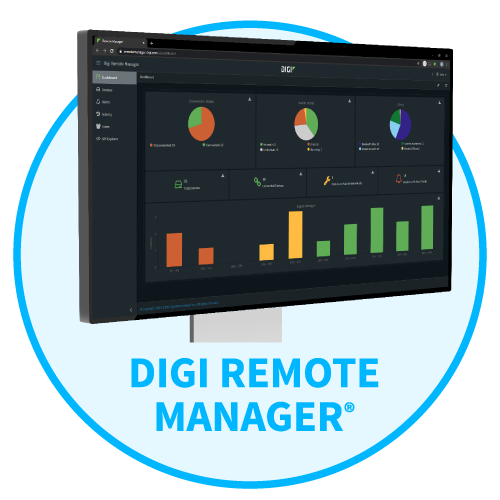
Manage and Control Devices from a Central, Secure Platform

Perform continuous web and mobile app testing to accelerate release cycles and increase quality. Integrate with industry open source tools such as Appium and Selenium and execute against a large inventory of mobile devices and web browsers for quick results.