AI-Generated Results
Finding matches…
Multi-user Digital Asset Management software aimed at all industries that need to organize and quickly search for photos, documents and other file formats stored on a local network. Designed for Windows, but can be launched on Macs via special applications.
Not seeing what you're looking for?
Dive deeper into "UFile" on G2 AI

Nitro deliver trusted PDF & eSign software for all industries; delivering a secure, compliant and affordable solution. Our AI-powered solution is designed for today's on-the-go-professionals, allowing creation, editing, sharing and signing of all of your essential documents with one subscription — from wherever you are, on any device.

ShareX is a free and open-source application for Windows that enables users to capture or record any area of their screen with a single keystroke. It supports uploading images, text, and various file types to a wide range of destinations. With over 17 years of active development, ShareX is designed for power users seeking a comprehensive screen capture and file-sharing solution.
Key Features and Functionality:
- Screen Capture Methods: Offers various capture options, including fullscreen, active window, active monitor, region, and scrolling capture.
- Screen Recording: Supports screen recording with audio, as well as recording in GIF format.
- Image Editing: Includes a built-in image editor for annotating and modifying screenshots with borders, effects, and watermarks.
- File Sharing: Allows uploading images, text, and other file types to over 80 supported destinations, such as Imgur, Flickr, Google Drive, and Dropbox.
- Customizable Workflows: Enables users to define actions to be performed after capturing or recording, such as adding image effects, copying to clipboard, or uploading to a specific destination.
- Productivity Tools: Offers additional tools like a color picker, QR code generator, hash checker, and screen ruler.
Primary Value and User Solutions:
ShareX provides a versatile and efficient solution for users who need to capture, edit, and share screen content seamlessly. Its extensive customization options and support for numerous destinations streamline workflows, making it an invaluable tool for professionals and enthusiasts alike. By integrating screen capture, recording, editing, and sharing functionalities into a single application, ShareX enhances productivity and simplifies the process of managing and distributing visual content.

Fast.io is a cloud-based file sharing and collaboration platform designed to streamline team workflows by centralizing file storage, sharing, and management. It integrates seamlessly with popular cloud storage services like Google Drive, Dropbox, and OneDrive, providing automatic synchronization and global content delivery via a built-in Content Delivery Network (CDN) powered by Cloudflare and Akamai. Fast.io enhances productivity with AI-assisted file analysis and search, real-time collaboration tools, and detailed analytics integration with Google Analytics and Mixpanel. It is tailored for businesses and remote teams requiring secure, efficient, and scalable file handling with compliance support for regulations such as GDPR and CCPA.
Key Features:
- Integrated CDN and Cloud Sync: Automatically sync files from major cloud storage providers and deliver content globally with fast, reliable CDN support.
- AI-Enhanced File Management: Leverage AI to analyze large datasets of files, improve search accuracy, and streamline file organization and retrieval.
- Real-Time Team Collaboration: Facilitates seamless file sharing and commenting within teams, supporting remote and distributed work environments.
- Robust Security and Compliance: Ensures secure file transfers and storage with compliance to GDPR, CCPA, and enterprise-grade data protection standards.
- Detailed Analytics and Reporting: Provides foolproof analytics collected directly from the CDN, integrated with Google Analytics and Mixpanel for actionable insights.
- Easy Integration and Scalability: Supports API integration and scales effortlessly to accommodate growing teams and increasing data volumes.
Primary Value and Solutions:
Fast.io addresses the challenges of modern team collaboration by offering a centralized platform that simplifies file management and sharing. By integrating with existing cloud storage services and providing a global CDN, it ensures fast and reliable access to files. The AI-enhanced features improve searchability and organization, reducing time spent managing files. Real-time collaboration tools and robust security measures support efficient and secure teamwork, making Fast.io an ideal solution for businesses and remote teams seeking to enhance productivity and maintain compliance with data protection regulations.

Matrix42 FastViewer is a remote support and maintenance solution designed to facilitate seamless remote control of computers and devices, regardless of location. It enables IT teams to troubleshoot issues, perform maintenance tasks, and transfer files efficiently, all while ensuring secure and reliable connections.
Key Features and Functionality:
- Remote Control: Access and control unattended computers and servers as if on-site, allowing for efficient troubleshooting and maintenance.
- Multiple Access Points: Utilize FastViewer through a standalone web-based browser application, a desktop application for Windows and Mac, or an integrated web-based application within Matrix42’s Enterprise Service Management.
- File Transfer: Easily transfer individual files and folders or synchronize entire folder structures between devices.
- Multi-Monitor Support: Collaborate effectively with support for multiple monitors, enhancing the remote working experience.
- Unattended Access: Manage and control devices without the need for an on-site presence, providing flexibility and scalability for IT operations.
- Security: Ensure data protection with 256-bit AES encryption, safeguarding all remote sessions and file transfers.
Primary Value and User Solutions:
FastViewer addresses the growing need for robust remote support tools in an increasingly remote and hybrid work environment. By enabling IT departments to resolve issues remotely, it reduces the need for on-site visits, leading to significant cost and time savings. The solution enhances productivity by accelerating ticket resolution and minimizing downtime, allowing employees to focus on their core tasks without interruptions. Its flexibility and ease of use make it an ideal choice for organizations seeking to centralize IT operations and provide consistent support across various locations.

WordPerfect Office Standard is a comprehensive office suite designed to meet the diverse needs of professionals and businesses. It offers a robust set of applications, including a word processor, spreadsheet tool, presentation software, and more, all aimed at enhancing productivity and streamlining document management tasks. With its user-friendly interface and extensive compatibility with various file formats, WordPerfect Office Standard provides a reliable solution for creating, editing, and sharing documents efficiently.
Key Features and Functionality:
- WordPerfect Word Processor: Craft documents, letters, brochures, and resumes with ease. The powerful Reveal Codes feature allows precise control over document formatting.
- Quattro Pro Spreadsheet Application: Develop comprehensive spreadsheets for budgets, invoices, expenses, and receipts. It supports opening, editing, and creating files compatible with Microsoft Excel.
- Presentations Slideshow Creator: Design and deliver captivating presentations, proposals, and interactive reports. It ensures compatibility with Microsoft PowerPoint files and supports wireless remotes for seamless delivery.
- WordPerfect Lightning Digital Notebook: Collect text and images from multiple sources, then reuse the content by exporting documents, sending emails, or posting to blogs.
- Paradox Database Management System: Easily track, manage, and retrieve data with reliability and flexibility.
- AfterShot 3 Photo-Editing and Management: Quickly learn professional-grade photo editing with tools for easy corrections, enhancements, and batch processing.
- Corel MultiCam Capture Lite: Capture video from multiple cameras, including built-in webcams and your computer screen, synchronizing all videos for seamless compilation.
Primary Value and Solutions Provided:
WordPerfect Office Standard addresses the essential needs of professionals and businesses by offering a versatile and integrated suite of applications. It simplifies the creation and management of various document types, from text documents and spreadsheets to presentations and databases. The suite's compatibility with over 60 file formats, including Microsoft Office files, ensures smooth collaboration and file exchange. Features like Reveal Codes provide users with precise control over document formatting, enhancing the quality and professionalism of their work. Additionally, the inclusion of tools like AfterShot 3 and Corel MultiCam Capture Lite extends the suite's functionality to photo editing and video capture, catering to a wide range of multimedia needs. Overall, WordPerfect Office Standard delivers a comprehensive solution that enhances productivity, fosters collaboration, and meets the diverse demands of modern workplaces.

Ensora Mental Health (formerly TheraNest) software allows you to manage and grow your practice with comprehensive therapy notes, storage for your files and documents, a client portal for intake forms and appointments, secure access, and billing.

DropSend is a file transfer and storage service designed to facilitate the secure and efficient sharing of large files. Catering to both individual and business users, DropSend enables the transmission of files up to 8GB in size without the need for recipients to have an account or download additional software. This user-friendly platform ensures that large videos, photos, documents, and other file types can be sent quickly and securely, streamlining workflows and enhancing productivity.
Key Features and Functionality:
- Large File Transfers: Send files up to 8GB in size, eliminating the constraints of email attachments.
- Secure Online Storage: Store files in a secure cloud environment, accessible from any device.
- Cross-Platform Accessibility: Access and manage files via web browsers, desktop applications for Windows and Mac, and mobile apps for iOS devices.
- No Recipient Account Required: Recipients can download files without needing a DropSend account, simplifying the sharing process.
- Password Protection and Download Limits: Enhance security by setting passwords and controlling the number of downloads per file.
- Custom Branding: Business users can customize the interface with their company name, logo, and colors for a branded experience.
Primary Value and User Solutions:
DropSend addresses the common challenge of sharing large files that exceed email size limitations. By providing a secure, efficient, and user-friendly platform, it enables users to send substantial files without compromising on speed or security. The service's flexibility across various devices and operating systems ensures that users can manage and share their files seamlessly, whether for personal projects or professional collaborations. For businesses, DropSend offers advanced features like custom branding and multi-user accounts, facilitating enhanced collaboration and maintaining brand consistency.

Autodesk Viewer is a free, web-based application that enables users to view, measure, mark up, and share 2D and 3D design files directly from their browser, without the need for any software installation. Supporting over 80 file formats, including DWG, STEP, DWF, RVT, and Solidworks, it facilitates seamless collaboration among project stakeholders by providing easy access to design data from any device with an internet connection.
Key Features and Functionality:
- Multi-Format Support: Handles a wide range of file types, ensuring compatibility across various CAD environments.
- Zero-Installation Access: Operates entirely within a web browser, eliminating the need for software downloads or installations.
- Integrated Tools: Offers intuitive tools for measuring, marking up, and reviewing designs, enhancing communication and collaboration.
- Autodesk Ecosystem Integration: Connects seamlessly with Autodesk Construction Cloud, BIM 360, and Fusion 360, enabling automatic file synchronization and version control.
Primary Value and User Solutions:
Autodesk Viewer addresses the need for efficient and accessible design collaboration by allowing users to interact with complex 2D and 3D models without specialized software. Its browser-based platform reduces IT overhead and deployment complexity, making it particularly valuable for external stakeholders, clients, and occasional users who require quick access to design files. By supporting a broad range of file formats and integrating with Autodesk's suite of tools, it streamlines review workflows and enhances project communication, ultimately leading to more efficient project execution and decision-making.

Moxo is the AI orchestration platform built for business teams. We put human actions at the center — approvals, forms, file requests, decisions — while AI and workflow automation eliminate manual bottlenecks. Coordinate processes across organizations and departments, from onboarding to complex approvals. Moxo drives the right actions, from the right people, at the right time. Trusted by leading global enterprises, Moxo keeps critical operations moving with confidence.

KeePass is a free, open-source password manager designed to securely store and manage your passwords in an encrypted database. It supports multiple operating systems, including Windows, macOS, and Linux, and offers portability without requiring installation. KeePass employs strong encryption algorithms like AES and ChaCha20 to ensure the safety of your sensitive information.
Key Features and Functionality:
- Strong Security: KeePass encrypts the entire database, including usernames and notes, using robust algorithms such as AES and ChaCha20. It also utilizes SHA-256 for hashing master key components, providing protection against dictionary and guessing attacks.
- Multiple User Keys: Users can secure their databases with a master password, a key file, or a combination of both. Additionally, KeePass 2.x allows locking the database to the current Windows user account for enhanced security.
- Portability and Accessibility: KeePass is portable and can run directly from a USB stick without installation. It doesn't store data on the system, leaving no traces after deletion. The software also offers an optimized user interface for screen readers, enhancing accessibility.
- Data Import and Export: KeePass supports importing from and exporting to various formats, including TXT, HTML, XML, and CSV, facilitating easy database transfer and integration with other applications.
- Password Groups and Management: Users can organize passwords into groups, set expiration dates, and attach files to entries. KeePass also includes a strong random password generator to create secure passwords.
- Auto-Type and Drag & Drop: The software features auto-type functionality and global auto-type hotkeys, allowing users to input credentials into other applications seamlessly. Drag & drop support further simplifies the process.
- Plugin Architecture: KeePass offers a plugin architecture, enabling users to extend its functionality according to their needs.
Primary Value and User Solutions:
KeePass addresses the challenge of managing multiple passwords by providing a secure, centralized repository for all credentials. Its strong encryption ensures that sensitive information remains protected, while features like auto-type and password generation enhance user convenience. The portability and cross-platform support make it a versatile solution for users seeking a reliable and accessible password management tool.

WPS Presentation is a and user-friendly presentation software that enables users to create, edit, and share professional slideshows effortlessly. Fully compatible with Microsoft PowerPoint formats, it ensures seamless handling of .ppt and .pptx files across various platforms, including Windows, Mac, Linux, Android, and iOS devices. With an extensive collection of over 100,000 professional templates, WPS Presentation empowers users to deliver compelling presentations that captivate and inspire audiences.
Key Features and Functionality:
- AI-Powered Slide Generation: Transform ideas into structured presentations with AI-generated outlines, content, and speaker notes, streamlining the creation process.
- Extensive Template Library: Access a vast array of professional and aesthetically pleasing templates to enhance the visual appeal of presentations.
- User-Friendly Interface: Navigate effortlessly with an intuitive interface designed to resemble Microsoft PowerPoint, facilitating a smooth transition for new users.
- Comprehensive Compatibility: Work seamlessly with various file formats, including .ppt, .pptx, .pps, .pot, .pptm, .potx, and .potm, ensuring flexibility and ease of use.
- Cross-Platform Synchronization: Synchronize presentations across multiple devices and cloud platforms, enabling real-time collaboration and access from anywhere.
- Advanced Editing Tools: Utilize features like batch font settings, custom text formats, and easy insertion of images to create engaging and polished presentations.
Primary Value and User Solutions:
WPS Presentation addresses the need for a cost-effective, feature-rich alternative to traditional presentation software. By offering a free, all-in-one solution compatible with multiple platforms and file formats, it eliminates the barriers of high subscription costs and limited accessibility. The integration of AI-powered tools and an extensive template library significantly reduces the time and effort required to create professional presentations, enhancing productivity for individuals and teams alike. Its user-friendly interface ensures a smooth learning curve, making it accessible to users of all skill levels. Additionally, the cross-platform synchronization and real-time collaboration features facilitate seamless teamwork, allowing users to work together efficiently, regardless of their location.

Cloudup is a file-sharing service that enables users to instantly share a wide array of content, including videos, photos, music, links, and documents. By simply dragging and dropping files, users can create streams and generate shareable links accessible to anyone, regardless of whether they have a Cloudup account. This seamless sharing experience is designed to be both intuitive and visually appealing for both the sender and the recipient.
Key Features and Functionality:
- Instant Sharing: Quickly share various types of content by creating streams and generating shareable links.
- Cross-Platform Compatibility: Access and share content across web applications and native desktop apps for Mac (OSX 6 and higher) and Windows (XP, Vista, 7, 8, and 8).
- Enhanced Desktop Features: Desktop applications offer additional functionalities such as screenshot auto-detection and directory uploading.
- Generous Storage: Users receive 1,000 items for free, each up to 200MB, totaling up to 200GB of free storage space.
Primary Value and User Solutions:
Cloudup addresses the need for efficient and effortless file sharing by providing a platform that simplifies the process of distributing various types of content. Its user-friendly interface and cross-platform support ensure that users can share and access their files anytime, anywhere, without encountering compatibility issues. The generous free storage allocation allows users to manage and share substantial amounts of data without incurring additional costs. Overall, Cloudup enhances productivity and collaboration by streamlining the file-sharing process.
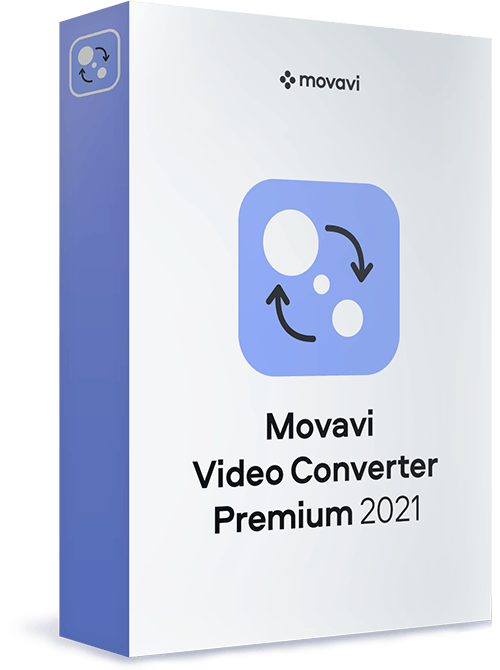
Movavi Video Converter is Movavi’s acclaimed bestseller, well-known for supporting a wide range of media formats and mobile devices, high-quality file encoding, and high-speed processing. Convert between more than 180 formats, including DVD and HD video: AVI, MP4, FLV, MKV, MOV, WMV, 3GP, and many more. Extract soundtracks from movies or clips and save them in MP3, FLAC, and other audio formats. Choose one of the more than 200 presets for mobile devices to easily prepare files for playback on any popular brand of smartphones, tablets, or media players. One simple program does it all!
Get access to 180+ media file formats
Choose from ready-made presets for 200+ mobile devices
Use automatic device recognition and appropriate preset selection
Rip DVD video to any popular video format
Select individual audio tracks and subtitles for conversion
Extract and convert music from video files
Convert between image formats. Make GIFs from videos. Save individual video frames
Adjust an audio track: increase, decrease, or normalize volume, remove noise
Share online. Export your files to iTunes
Read more: https://www.movavi.com/partners/content/original-videoconverter-mkit.html#tech_specs © Movavi.com

Degoo is a cloud storage service that offers users a secure and convenient platform to store, manage, and share their digital files. With a generous free tier providing 20 GB of storage, Degoo caters to individuals seeking reliable data backup solutions. Its user-friendly interface and cross-platform compatibility ensure seamless access to files across various devices, including Android, iOS, and web browsers.
Key Features and Functionality:
- Secure Storage: Degoo employs 256-bit AES encryption to protect user data, ensuring that files are securely stored and transmitted.
- Automatic Backup: The service detects new photos and files, automatically updating backups to keep data current without manual intervention.
- Cross-Platform Access: Users can access their files from multiple devices, including Android, iOS, and web browsers, facilitating flexibility and convenience.
- Photo Storage Maximizer: Degoo uploads high-resolution photos to the cloud while keeping compressed versions on the device, optimizing storage space.
- Zero-Knowledge Encryption: For premium users, Degoo offers end-to-end encryption, ensuring that only the user can access their files, enhancing privacy.
Primary Value and User Solutions:
Degoo addresses the need for secure and accessible cloud storage by providing a platform that automatically backs up and encrypts user data. Its generous free storage capacity and cross-platform compatibility make it an attractive option for individuals seeking to safeguard their digital memories and important files. The automatic backup feature ensures that users' data is consistently updated, reducing the risk of data loss due to device failure or other unforeseen circumstances. Additionally, the photo storage maximizer helps users manage device storage efficiently without compromising on photo quality.
Lumio is a digital learning tool that makes it easy to transform lessons into active, collaborative learning experiences that engage students on their devices, wherever they are. Easily turn PDFs, Google Slides, PowerPoint and Notebook files into engaging lessons with interactive activities, games, group workspaces, and formative assessment built right in.

Simplify and control your Microsoft 365 journey with a high-performance, end-to-end migration and governance solution that offers seamless out-of-the-box usability.

A scalable, secure and always-on edge-based gateway that consolidates file transfers on a single platform

Tenant File Property management software that just makes sense. Desktop speed, power and security. Very easy to use. Great personal support.

Now the user of MBOX files format can work on any of the email clients of another file format in which he/she wants to work using MBOX converter software. The tool allows the user to migrate from apple to outlook, Thunderbird to outlook and entourage to outlook and many more MBOX email clients to other file format supported email clients with the help of MBOX converter software tool. The user can easily export MBOX files into Outlook PST file formats. *The software can also recover and repair corrupt MBOX data files from severe data file corruption. Users can save the recovered MBOX data files into a new MBOX file with ease. *The software has a prominent feature to save the migrated MBOX files into multiple file formats like HTML, RTF, MSG, PST, & EML. It also supports different types of MBOX files using email clients like Apple Mail, Thunderbird, Entourage, AppleMail, Netscape, Spicebird, Pocomail, MozillaMail, Evolution, OperaMail, Incredimail, ClawsMail, Sylpheed, SeaMonkey, Eudora, etc. So the user can now easily import MBOX file form any of the MBOX email client into various different file formats like apple mail to outlook, Thunderbird to outlook, etc. With the help of this prominent software the user can save MBOX data in a single PST file or the user can create a new PST file to save the MBOX data in it. *The tool offers to view the preview data of the recovered MBOX data which provides the user a choice to select or de-select the MBOX file he/she wants to restore. *The user can attach a PST file into its outlook profile with the go when the MBOX converter is converting the MBOX files to Outlook PST. The software also has support for bulk migration of MBOX file folders to other file formats. *The user can check or uncheck the MBOX folders to migrate them to Outlook PST or some other file folders. *The tool always gets an update notification from its creators which keeps the software up to date to handle different corruption reasons.