

Introducing G2.ai, the future of software buying.Try now
It's been two months since this profile received a new review
Leave a Review

Humanity Schedule by TCP Reviews & Product Details

Value at a Glance

Averages based on real user reviews.

Time to Implement

2 months

Humanity Schedule by TCP Media

Humanity Schedule by TCP Demo - Schedule
Schedule creation
Humanity Schedule by TCP Demo - Employee Mobile Experience
Humanity Mobile app
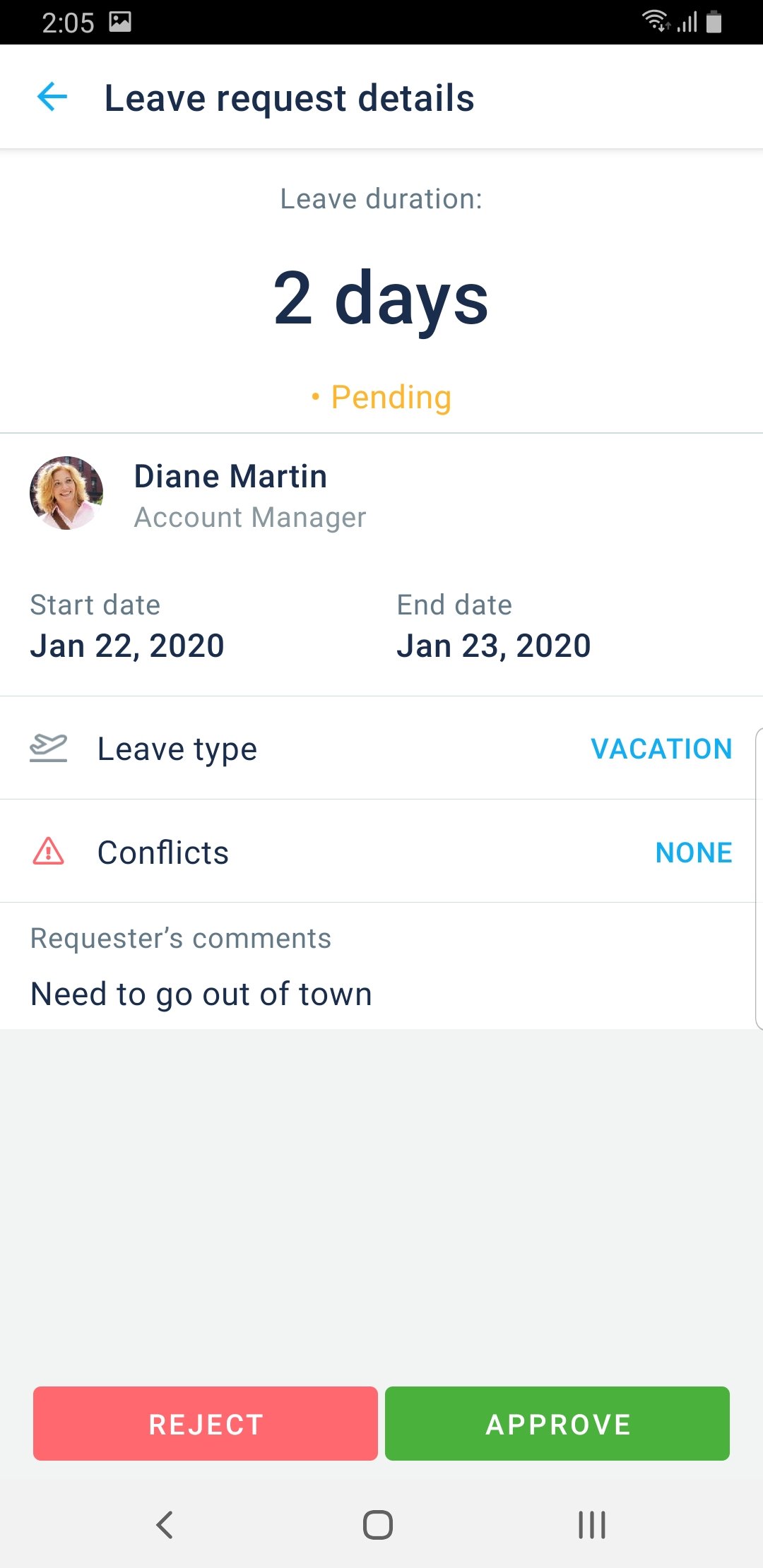
Humanity Schedule by TCP Demo - Leave Request Mobile
Employee Self-Service
Product Avatar Image

Have you used Humanity Schedule by TCP before?

Answer a few questions to help the Humanity Schedule by TCP community

Humanity Schedule by TCP Reviews (1,055)

View 5 Video Reviews
Reviews

Humanity Schedule by TCP Reviews (1,055)

View 5 Video Reviews
4.3
1,055 reviews

Pros & Cons

Generated from real user reviews
View All Pros and Cons
Search reviews
Filter Reviews
Clear Results
G2 reviews are authentic and verified.
Bolaji A.
BA
Service Desk Analyst
Financial Services
Mid-Market (51-1000 emp.)
"Keeps scheduling simple and stress-free"
What do you like best about Humanity Schedule by TCP?

I really like how intuitive and user-friendly it is. The scheduling is clear, updates in real time, and everyone on the team can see changes instantly, which cuts down confusion. It’s flexible enough to handle shift swaps, time-off requests, and daily reminders all in one place, making team coordination smooth. Review collected by and hosted on G2.com.

What do you dislike about Humanity Schedule by TCP?

Sometimes the mobile app feels a bit slower compared to the desktop version, especially when handling bulk updates or approvals. A few more integrations with tools we use daily would also make it even better. Review collected by and hosted on G2.com.

Verified User in Financial Services
UF
Enterprise (> 1000 emp.)
"How TCP's Humanity Schedule is Worth Your Time!"
What do you like best about Humanity Schedule by TCP?

I appreciate that TCP's Humanity Schedule sends a work time reminder 24 hours in advance. Review collected by and hosted on G2.com.

What do you dislike about Humanity Schedule by TCP?

The only thing I dislike about Humanity Schedule by TCP is the fact that I can't use my details to log in to the TCP app; I can only access it through the website. Review collected by and hosted on G2.com.

Lorraine P.
LP
Supervisor
Mid-Market (51-1000 emp.)
"Great for scheduling janitorial staff for a larger church campus"
What do you like best about Humanity Schedule by TCP?

I like how easy it is to week up with a weekly schedule for 20+ team members, as well as it being simple to make updates to shifts when needed. Customer support is always very quick and responsive and I really do appreciate that! Review collected by and hosted on G2.com.

What do you dislike about Humanity Schedule by TCP?

The only thing I can think of disliking about Humanity scheduling is that it doesn't allow for color coding or other ways to keep track of missed shifts. Review collected by and hosted on G2.com.

MF
Assistant Practice Manager
Enterprise (> 1000 emp.)
"A powerful, compliance-focused scheduling tool."
What do you like best about Humanity Schedule by TCP?

Drag-and-drop scheduling with calendar views. Predictive scheduling helps optimize staffing and reduce labor costs. Employees and managers can use mobile apps (even Apple Watch) for scheduling and time tracking. Built-in rules help businesses adhere to U.S. federal and state labor laws. Review collected by and hosted on G2.com.

What do you dislike about Humanity Schedule by TCP?

No Free Plan-unlike some competitors, Humanity doesn’t offer a free tier. Costs aren’t publicly listed and vary by business size and needs. Review collected by and hosted on G2.com.

Ernesto Q.
EQ
Office Manager
Mid-Market (51-1000 emp.)
"Great HR tool for your company"
What do you like best about Humanity Schedule by TCP?

The possibility of optimizing the schedules of my team members Review collected by and hosted on G2.com.

What do you dislike about Humanity Schedule by TCP?

The option to have employees take on-call shifts without adding time still has improvement opportunities. Review collected by and hosted on G2.com.

Lyanne P.
LP
Officer, Visitor Experience
Mid-Market (51-1000 emp.)
"I would recommand TCP Humanity Scheduling software"
What do you like best about Humanity Schedule by TCP?

We tried other systems (free) and came back to TCP Humanity Scheduling software. It meets our needs for our front line staff. We have been using this system for over 10 years.

Easy to use. Can enter notes for staff shifts. We like it!

It's easy to chat with a support staff at TCP Humanity when we do not know how to do something.

Lots of webinars offered to explain functionalities we do not use but that could be beneficial to our operations.

Bilingualism is important to us as we are a Crown Corporation. Review collected by and hosted on G2.com.

What do you dislike about Humanity Schedule by TCP?

Our pay system is Dayforce/Ceridian, and TCP Humanity can not interact, so I have to enter the schedule in both systems. It would be great if Dayforce/Ceridian was one of the systems that can interact with Humanity.

We do not use all the functionnality of TCP Humanity. Review collected by and hosted on G2.com.

Verified User in Computer Software
AC
Small-Business (50 or fewer emp.)
"Review of Humanity"
What do you like best about Humanity Schedule by TCP?

Humanity is an easy-to-use, cloud-based system for tracking time and scheduling employees. It helps make managing shifts and clock-ins a lot simpler, and it works well for all kinds of businesses. The interface is pretty straightforward, scheduling updates happen in real time, and it connects smoothly with most payroll and HR tools. Review collected by and hosted on G2.com.

What do you dislike about Humanity Schedule by TCP?

Customization Limitations: While suitable for most standard scheduling needs, some organizations with highly specialized workflows may find the system lacks advanced customization options. Review collected by and hosted on G2.com.

Jenna H.
JH
Hospital Manager
Small-Business (50 or fewer emp.)
"User friendly interface, professional and knowledgeable customer service"
What do you like best about Humanity Schedule by TCP?

Humanity makes scheduling effortless! The interface is intuitive, updates are instant, and it keeps everyone on the same page. It’s saved our team so much time and stress—couldn’t imagine managing shifts without it! Review collected by and hosted on G2.com.

What do you dislike about Humanity Schedule by TCP?

The only thing I dislike would be the limited options for viewing the schedule by month. Review collected by and hosted on G2.com.

NC
Gig Brand Ambassador
Mid-Market (51-1000 emp.)
"So Convenient!"
What do you like best about Humanity Schedule by TCP?

I love the simplicity of having control of my schedule right at my fingertips. It is so nice to be able to pick up schedules and drop them quickly when needed. Everything is super fast and easy and I am so grateful to have the TCP Humanity App to make my work life a little easier! Review collected by and hosted on G2.com.

What do you dislike about Humanity Schedule by TCP?

Sometimes there is a lag with shift drops, but not something that is extremely noticable. Review collected by and hosted on G2.com.

Verified User in Hospital & Health Care
AH
Mid-Market (51-1000 emp.)
"Clean UI/UX, Accessible and Easy to Use"
What do you like best about Humanity Schedule by TCP?

TCP Humanity Scheduling allows multiple associated staff to be coordinated for various associated locations, positions, and dates. After a easy learning curve, we can easily schedule, review, and approve of a various shifts. Staff also find ease of access, considering the simple user interface to input unavailability. Review collected by and hosted on G2.com.

What do you dislike about Humanity Schedule by TCP?

TCP Humanity Scheduling does require a learning curve in regards to the various features, however, this ultimately improves the quality of service due to the diversity of actions that can be done for that account. Review collected by and hosted on G2.com.

Pricing Insights

Averages based on real user reviews.

Time to Implement

2 months

Return on Investment

16 months

Average Discount

10%

Humanity Schedule by TCP Comparisons
Product Avatar Image
Deputy
Compare Now
Product Avatar Image
When I Work
Compare Now
Product Avatar Image
Dayforce
Compare Now
Humanity Schedule by TCP Features
Reporting
Performance and Reliability
Mobile User Support
Ease of Completing Timesheets
Time Tracking
User, Role, and Access Management
Product Avatar Image
Humanity Schedule by TCP