AI-Generated Results
Finding matches…
Get Menu is a restaurant ordering system built for independent restaurants that are tired of paying 25–30% commission to delivery marketplaces for their own repeat customers. Each restaurant gets its own ordering page on its own web address, in one of twelve layouts, with allergens and options under every dish and live stock that greys out sold-out items while customers are still scrolling. The part that saves the most time is the messaging.
When an order is placed, three WhatsApp messages go out in about two seconds: the customer gets a confirmation carrying a real arrival time and a status page that updates itself; the kitchen gets its ticket; the rider gets a one-tap dispatch link with a GPS pin and needs no account and no app. Marketing runs in a separate lane with its own sending window and a weekly cap per customer, so a campaign can never delay an order confirmation.
Dine-in works from a printed QR code per table, where the table itself is the address. A loyalty stamping system counts per order, per dirham or per qualifying dish, with tiers that discount automatically at checkout and a Google Wallet card that needs no app.
Delivery fees are set per building, and VAT invoices carry the restaurant's own TRN.
Customers pay cash or by card machine at the door, so no card details exist anywhere in the system. Pricing is a flat monthly fee with 0% commission on sales.
GetMenu also offers POS (till) app for point of sales, android, ios apps as well. GetMenu is compatible with any android or ios device.
Not seeing what you're looking for?
Dive deeper into "Naver Whale" on G2 AI

Oh Tap! Vault is free photo and video storage with client delivery, made for event pros: photographers, videographers, planners, venues, DJ and AV teams, photo booths, and decor and floral studios.
Drop in a whole event, pick your best shots and send your client one private link. Their page opens with your logo and colour, ends with your website, Instagram and booking links, and works on any phone or computer with no app or sign-in. Shots you tuck away stay off it.
From that link, clients heart favourites, add notes, approve photos and videos, and comment on a photo or a moment in a video. With downloads on, they can save photos, send the gallery to their own cloud storage and make story cards. You can cap their picks and keep downloads closed until they sign off.
Each link shows how many times it was opened, when it was last opened and its download count, and comes with a QR code to print or show. Client links are unlisted and kept out of search. Add a password or an expiry date, or turn a link off at any time. Vault never detects, matches or groups faces.
Every account starts on Starter: 5 GB for photos and videos, 200 uploads a day, files up to 100 MB each and no card. There is no paid tier. Need more room? Just ask from your dashboard. You can have up to 100 GB, or up to 500 GB as a Partner.
Vault is made by Oh Tap!, a Toronto-based company whose live event galleries have collected about 9,700 guest photos and videos. It is opening in stages, starting with event pros in Ontario; pros elsewhere can join the waitlist.
Nexora Recon is an AI agent for accounting firms and bookkeepers on QuickBooks Online. It reconciles every client's bank and credit card statements against the books, line by line, for the whole client list at once.
• One dashboard for all clients: reconciliation status, missing statements per account and month, and a health check for each file.
• Works with any bank: statements uploaded as PDF or CSV, scanned PDFs included. Each statement is checked (opening balance + lines = ending balance) before it's used.
• Finds what's missing from QuickBooks, what only needs matching, what's in QuickBooks but not on the statement, and amounts keyed in wrong.
• Never changes QuickBooks on its own: suggested expenses, deposits, transfers and card payments are created only after someone at the firm approves them.
• Optional auto-chase emails clients in the firm's name for the exact statements still missing (off until an admin turns it on per client).
• Works on every QuickBooks Online plan, including Simple Start and Essentials. QuickBooks' own AI reconcile is only on Plus and Advanced, and a firm's plan doesn't pass down to client files.
• Each firm gets its own isolated workspace on AWS (US). Setup takes about 5 minutes.
Built with Marketium, a US bookkeeping firm that reconciles 42 client companies with it.
Pricing: $19 per QuickBooks Online company per month, 10-company minimum. Month to month, 30 days' notice to cancel. 7-day trial on up to 10 client companies, no card. Not supported: QuickBooks Desktop.

TradeDraft is quoting and invoicing software for UK tradespeople: builders, electricians, plumbers, heating engineers and the trades around them.
Many quotes lose money before the work starts, not because the price was too low but because the document was too thin: no schedule of works, nothing written down about what is excluded, no staged payments and no record of what the customer agreed to. TradeDraft produces the document that fixes that.
What you get
· A complete quotation: schedule of works, inclusions and exclusions, assumptions, staged payments, retention, terms and an acceptance page.
· Tax worked out from the job rather than guessed: VAT at the right rate, CIS deductions on labour with materials excluded, and the Domestic Reverse Charge when it applies.
· A live margin check. Your costs, a share of your annual overheads recovered across the days the job runs, and your profit, visible while you price and never itemised on the customer's copy.
· Online acceptance. The customer opens the quote on their phone, accepts and signs, and can pay a deposit at the same moment.
· Invoices raised from the accepted quote, including staged invoices, with no re-keying.
· Variations priced and agreed before the work is done.
What it records
Scope and exclusions in writing before work starts. Acceptance recorded with who accepted and when. Changes priced and signed as variations. Evidence kept for six years.
Pricing
£45 a month or £450 a year, a flat rate per account rather than per user. 30-day free trial, no card required. Half price for anyone who starts by 5 April 2027: £22.50 a month for the first 12 paid months, then £45.
Built for the sole trader and the small firm, on the phone as well as at the desk.

anylocale is a localization platform for software teams and the AI coding agents they work with. Teams push their source strings, get every language drafted by AI, review and verify translations in one place, and deliver them to their apps without waiting for a store release.
AI translation that fits the product. Drafts follow the project's glossary, each string's description and its length limit, so a button label still fits its button in German. Five quality checks run on every save: placeholders, length, terminology, consistency, and missing strings.
Built for coding agents. The whole workflow is available from a command-line tool and an MCP server, so Claude, ChatGPT, Claude Code, Cursor, VS Code and Codex can read strings, add keys, draft translations and push changes in the same session that wrote the feature.
Over-the-air delivery. Verified strings reach iOS and Android apps through lightweight SDKs without an App Store or Google Play release. Web apps built with Next.js and React pull the same catalog at build time.
Native file formats. Supports Xcode String Catalogs (.xcstrings), .strings, .stringsdict, Android strings.xml, JSON, next-intl and CSV. Plurals, placeholders and translator comments round-trip intact, and an Xcode build phase or CI job keeps files in sync.
A person stays in the loop. AI drafts are never treated as final: a team member verifies each translation, with roles, review states, and a full change history built in.
Pricing starts at 29 EUR per month with every language included and no per-word or per-key fees. Yearly billing includes two months free.

Book Me A Pillow is booking management for small guesthouses, B&Bs, cabins, holiday houses and small hotels that have their own website and want to decide who stays.
The property pastes one short snippet into its website and gets a live availability calendar: guests see which nights are free, and — if the property turns it on — send a booking request with their details and the property's own questions. Staff are e-mailed, review the request and confirm it, hold the dates for 24 hours or decline it. Guests never book on their own, so there are no surprise bookings from strangers.
Behind the calendar is one shared view of every booking: phone, e-mail and walk-in bookings go in the same place as requests from the website. Owners, reception and cleaning staff each get the access they need — for example, cleaners see which rooms are taken without seeing guest details. Each person can follow the bookings in Google Calendar, Apple Calendar or Outlook through a private calendar link.
A booked night can't be given away twice: overbooking is prevented in the database itself, across every room type and whole-property bookings.
The calendar adapts to the website's width and language, and changes reach the website within a couple of minutes. Data is hosted in the EU (Frankfurt) and backed up every night; a data processing agreement is part of signing up.
The product has run a real guesthouse in Estonia every day since 2016. One plan: €10 per property per month with every feature, no commission and no setup fee; each property is free for its first 3 months.
What it doesn't do: online payments, instant booking, channel-manager connections, invoicing.

Government contracts are won or lost long before the deadline. ProposalWorkspace puts the whole bid in one workspace, so your team finds the right opportunities first and submits proposals that answer every requirement.
- Find bids before your competitors do: every SAM.gov notice daily plus state and local bids nationwide, each scored 0-100 against your company profile, with daily email alerts.
- Decide fast: page-cited RFP analysis and a weighted bid/no-bid scorecard, so you only chase bids you can win.
- Never miss a requirement: a compliance matrix built from Sections L and M and the SOW/PWS and checked against your draft, an annotated outline, a submission checklist, and amendments applied as tracked changes.
- Write in hours, not weeks: full proposal drafts that cite your own past performance and Company Library, and flag anything they cannot support.
- Review like the best capture teams: Pink, Red and Gold Team reviews, a proposal schedule planned back from the due date, and a final sign-off before anything is submitted.
- Staff to win: rank key personnel against the RFP, tailor resumes, and collect letters of commitment from recruiters and teaming partners.
- One team, one place: tasks, deadlines, chat, calls, meeting notes and data calls, with export to Word, PDF and Excel.
Built by the Fed-Support team, which has helped federal and state contractors write winning proposals since 2014. 83% of contractors missed opportunities in 2025 because they found out too late (Deltek Clarity 2026 study). Do not be one of them: start your 7-day free trial today, no credit card needed.

Run This is race registration and race management software for race directors, from a first fun run to a race with thousands of runners.
Set it up: build your race page with distances, prices that step up on dates you choose, waivers, custom questions, coupons, giveaways and merch, volunteer groups and a course map. Publish when you're ready. You can be live the same afternoon, with no training session or sales call.
Fill the race: a checkout made for phones, for one runner, a whole family or a relay team. Fundraising for each runner or group, and donations, are built into registration. A drag-and-drop email studio reaches current and past runners. Runners follow each other on Run This, so their friends see who signed up.
Race day: QR check-in with the free Run This Check In app, walk-up sign-ups, and the free Run This Stopwatch for races you time yourself, with several phones sharing one clock. Working with a timing company? They get their own dashboard and live data for your race.
After the race: results land on every runner's profile, race photos are free to post, and renewing for next year takes a click, with every year of history kept.
Your money: payments go through Stripe straight to your race's own payout account. Run This never holds it.
Pricing: free for race directors. Free events are completely free. On a paid race, the runner pays about 5% + $1 per registration, card processing included, and your race keeps 100% of the price you set. No setup, monthly or platform fees, and no contract.
Available on the web and as a free app for iPhone and Android.
Food Hygiene Record Book replaces paper food safety logs with a clear digital record book for UK food businesses: cafés, takeaways, restaurants, food trucks, caterers and home bakers.
Record your daily checks on your phone and see what is still due today:
• Opening and closing checks with a daily diary and sign-off
• Fridge, freezer and food temperatures, with the action taken when a reading is out of range
• Cooking, cooling, reheating and hot-holding checks
• Cleaning tasks: daily, weekly, monthly and quarterly
• Deliveries, date labels and timed batches
• HACCP controls and corrective actions
• The 14 allergens
• SFBB diary entries and four-weekly reviews
• Staff training, fire safety and accident book records
• Food waste
Mistakes are crossed out with a reason, never deleted. When an inspector asks, choose the dates and share an inspection-ready PDF report in a few taps. Daily checks work offline, even with a poor signal.
It works alongside Safer Food, Better Business (England and Wales), CookSafe (Scotland) and Safe Catering (Northern Ireland). It does not replace them.
Plans per business: Basic £7.99 a month or £79.99 a year (one person). Plus £11.99 a month or £119.99 a year, with team access, shared records and cloud backup. New customers get a 30-day free trial, no card needed.
Food Hygiene Record Book is independent and not affiliated with the Food Standards Agency. It does not guarantee an inspection outcome.

TELAIR - Enterprise Business Communications
Reimagined
Who We Are
TELAIR is a Canadian-owned business communications provider trusted by over 10,000 businesses nationwide, including Toyota, Ford, RE/MAX, Desjardins, and Subway. We specialize in cloud-native phone systems, AI voice agents, and SMS marketing platforms that help businesses communicate smarter, not harder.
What Makes Us Different
Unlike traditional telecom providers, we've built our entire infrastructure from the ground up for the cloud. This means true flexibility—scale up or down instantly, add features without complex installations, and adapt to your business needs in real-time. No long-term contracts. No hidden fees. Just straightforward, enterprise-grade communication tools that work.
Our support team becomes your team. We assign dedicated support representatives who get to know your business, your challenges, and your goals. You won't be passed around call centers—you'll work with consistent team members who genuinely care about your success.
Our Solutions
Hosted PBX: Enterprise-grade cloud phone system with unlimited scalability. Free setup, free number porting, and instant provisioning. Everything from call routing and conferencing to voicemail-to-email and advanced IVR.
AI Voice Agents: Intelligent 24/7 call handling that never misses an opportunity. Our AI agents answer calls, book appointments, provide customer support, and route inquiries using natural language processing. They sound human, integrate with your CRM, and deliver 98% success rates.
TextFlow SMS Platform: CASL and 10DLC compliant SMS marketing with campaign management, two-way messaging, API integration, and automated appointment reminders. Built-in compliance ensures you stay on the right side of regulations while reaching customers effectively.
Why Businesses Trust Us
We understand that communication is the backbone of your business. That's why we've invested in bank-level security, redundant infrastructure, and AI-powered automation that reduces costs while improving customer experience. Our clients report 40% reductions in support tickets, 30% fewer no-shows, and significantly improved first-call resolution rates.
Whether you're a small business looking for reliable phone service, a healthcare practice automating appointment reminders, or an enterprise managing complex multi-location communications, TELAIR delivers the tools and support you need to succeed.
Canadian Values, Global Technology
Proudly Canadian-owned and operated, we provide local support with global reach. Our team is here when you need us, speaking your language and understanding your market. Experience the TELAIR difference today.

Otelya is an AI receptionist built exclusively for the Italian hospitality sector. It answers your guests 24/7 — on email, WhatsApp, phone, bookings and website — in 30+ native languages (no machine translation), for hotels, agriturismos, B&Bs, vacation rentals, chalets, historic estates, yachts and glamping.
THE PROBLEM IT SOLVES
Most booking inquiries arrive outside business hours (evening, weekend, night). Without someone answering within minutes, the guest moves on to the competitor. Otelya replies in under 8 seconds, qualifies the request, handles FAQs (parking, pets, cancellation policy, check-in times), and hands over to the owner only the conversations that truly need a human decision.
HOW IT WORKS
1. Connect your channels: WhatsApp Business (via Twilio or Meta Cloud API), email with domain forwarding, iCal calendars from Booking.com/Airbnb/VRBO, website widget
2. Define your property's voice and upload hours, prices, services and rules — Otelya learns in minutes
3. From day one it answers automatically, filtering repetitive inquiries and passing you only the conversations worth your time
KEY FEATURES
• Multichannel AI receptionist: email, WhatsApp, phone, bookings, website — one unified inbox
• 30+ native languages with automatic language detection
• Zero hallucinations: Otelya uses ONLY the information from your Property Context, never external sources
• Smart handoff to your team when human judgment is required (special discounts, emotional requests)
• Integrated guest and supplier CRM
• Social Autopilot: 21 Instagram/Facebook/TikTok posts + 2 SEO blog articles every week, in your property's tone
• AI-managed reviews on Google, Booking, TripAdvisor
• Real-time analytics: channel volumes, guest languages, hours saved, weekly email report
• Automated monthly guest newsletter with personalized discount codes
• GDPR-compliant, data hosted in the EU, encryption in transit and at rest
WHO IT'S FOR
Hotels, agriturismos, B&Bs, vacation rentals, castles and historic estates, chalets, yachts, spas, hostels, glamping, campgrounds. Otelya adapts tone and priorities to each specific property type.
PRICING
Monthly €199/month — Quarterly €169/month (-15%) — Half-yearly €149/month (-25%) — Annual €119/month (-40%). No setup fees, no per-message costs. 14-day free trial, no credit card required. Cancel anytime in one click from the dashboard.
TEAM
Founded by Alfio Moretti. Currently in beta with 4 Italian pilot properties (Umbria, Tuscany). Proprietary AI engine trained specifically for Italian hospitality.

Qavona SchoolMS is an enterprise cloud-based School Management System and Educational ERP engineered to digitize, streamline, and modernize the daily operations of modern Primary/Basic Education, Secondary/High Schools, and Tertiary academic institutions. Built on a secure multi-tenant architecture with isolated database schemas, Qavona SchoolMS provides schools with an all-in-one digital workspace that unifies academic grading, institutional finance, student administration, classroom scheduling, human resources, and parent communication.
At the core of Qavona SchoolMS is a robust grading engine designed to replace manual paperwork. It accommodates customizable Continuous Assessment (CA) configurations matching diverse national curricula, British/Cambridge standards, or proprietary rubrics. Teachers can record assessments, compile automated terminal broadsheets, compute grade-point averages, and determine accurate class position rankings. At term's end, administrators generate beautiful, tamper-proof report cards featuring digitally verifiable QR codes in minutes. The platform also includes a Computer-Based Testing (CBT) examination hall with anti-cheat controls, question randomization, and instantaneous grading.
For bursary and finance, Qavona SchoolMS automates student billing through flexible fee structures, itemized tuition invoices, and real-time debtor tracking. Integrated Dedicated Virtual Accounts (DVA) and secure online payment gateways eliminate cash handling risks and manual bank reconciliation, allowing parents to pay fees from any device while generating instant digital receipts. Real-time dashboards provide leadership with total visibility into cash flow and revenue.
Institutional operations are equally simplified. An algorithmic timetable scheduler resolves complex teacher, subject, and classroom conflicts automatically. Attendance tracking enables quick roll calls that trigger automated SMS and email absence notifications to parents. Academic staff utilize a Bloom's taxonomy lesson and exam creator, while administrative teams manage admissions, personnel records, and payroll rosters. Dedicated modules also manage hostel bed allocations and digital library book loans with ISBN tracking.
Central to Qavona’s vision is continuous community engagement. Mobile-responsive portals provide parents and students with 24/7 access to academic reports, attendance logs, invoices, and school notices. With an accessible free tier, zero student limits, and affordable pay-as-you-grow report coverage, Qavona SchoolMS empowers schools to eliminate administrative overhead, eradicate financial leakage, and focus on delivering world-class education.
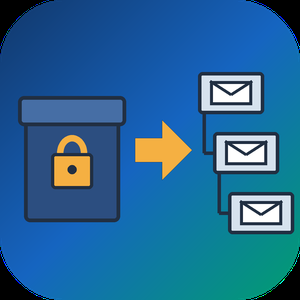
PST to MBOX Converter for Thunderbird is a Windows pst to mbox converter for people who are leaving Outlook and want years of mail to open in Thunderbird. It reads a .pst or .ost archive straight from disk, with no Outlook installed and no Exchange profile, and writes MBOX mailboxes in the layout Thunderbird keeps on its own disk. Each Outlook folder gets its own file, and its children go into a matching .sbd directory, so the hierarchy you had is still there after import.
🛠️ How to use
1. Open the PST or OST file. Its folders show up on the left, and any message can be previewed.
2. Tick the folders you need. Skip empty ones, leave out Deleted Items or narrow the date range.
3. Pick MBOX or EML on the Convert tab and choose an output folder.
4. Run the conversion, then import PST to Thunderbird by handing it the output directory through ImportExportTools NG or the profile folder.
💼 Why IT and office teams pick it
- Original SMTP headers (Received chain, DKIM, Return-Path) are copied word for word for delivered mail.
- To and Cc carry real addresses, not display names.
- Read, replied and flagged marks travel in X-Mozilla-Status, which Thunderbird reads.
- Attachments are written byte for byte, and inline pictures stay in the HTML body.
- Fresh mail can be added later into a file left by an earlier run.
- A per-folder text report lists what went through and what failed.
- Nothing leaves the PC. The log holds counts only, never subjects or addresses.
- Cyrillic, CJK and emoji in subjects and folder names come through readable.
- Existing output is never wiped silently. You pick rename, overwrite or append each time.
👥 Who uses it
People whose Microsoft 365 plan ran out and who now keep their mail in Thunderbird for free. Admins moving a team off Outlook, who trim each archive with date filters before the run and check the report afterwards. Anyone handed an old archive by a colleague who left, with no Outlook on the machine to open it. Apple Mail, Postbox and mutt users can open the same MBOX output, while the .sbd directories matter to Thunderbird only. For most of them this pst to mbox converter is a one-off job on a single PC.
❓ FAQ
Can I convert PST to MBOX without Outlook installed?
Yes. The program reads the archive itself, so neither Outlook nor a mail account is needed on the PC.
Can Thunderbird open a PST file by itself?
No. It has no PST reader, and its Outlook import only works through a configured Outlook on the same computer.
Do read and flagged marks survive?
Thunderbird shows them, because they ride in a header it understands. Most other clients skip that header.
Can it process several PST files in one run?
Not in this version. One archive is converted per session.
🆓 The free trial of this pst to mbox converter handles a sample of the messages, enough to judge the result in Thunderbird. Runs on Windows 11, 10, 8.1, 8 and 7, 32 or 64 bit.
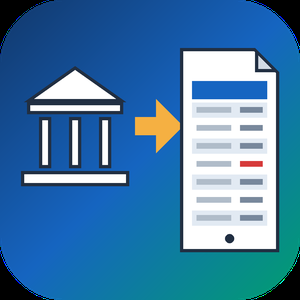
QFX to PDF Converter Tool is a Windows program that reads the .qfx or .ofx file your bank or broker lets you download and turns it into a paginated PDF statement. You need no Quicken and no online service. If you went looking for a QFX file viewer because the download opened as a wall of tags, this program does the reading and gives you pages you can print, file or email. QFX to PDF conversion happens on your own PC, so the statement never leaves it. The bank wrote that file for an importer, and the QFX to PDF route turns it into something a person can actually read.
📋 How to use
1. Install the program on Windows. The PDF engine ships inside the installer.
2. Add a .qfx or .ofx file, or a whole folder of them, to the queue.
3. Check the text preview: it shows how many transactions were found, the encoding and the first rows.
4. Pick how dates should be printed and press Convert.
5. Open the saved PDF in any reader.
🏢 Why IT and office teams pick it
- It works offline, with no upload and no account.
- One parser reads OFX 1.x SGML files and OFX 2.x XML files.
- The table header repeats on every page, rows never split across a page break, and the footer carries page numbers.
- Negative amounts get brackets and color, so they survive black and white printing and faxing.
- Cyrillic, CJK and Latin-1 payee names print without damage.
- Several files can be merged into one PDF with a single checkbox.
- A preview before any file is written catches a wrong encoding early.
- Portrait or landscape is picked from the width of the table.
👥 Who uses it
- Account holders who pressed Download at the bank and have no Quicken.
- Investors whose broker only offers a Web Connect file.
- Bookkeepers and tax preparers who want a printed record from a client.
- Paralegals who need numbered pages to cite a single line.
- Office staff who must forward card statements to an outside accountant.
❓ FAQ
How do I open a QFX file without Quicken?
Add it to this QFX to PDF converter, press Convert and save the result as a PDF. To open QFX file content as a readable table, no accounting software is required.
Can I open a QFX file in Excel?
Excel has no QFX import filter, and renaming the file only shows the tags. This tool writes PDF only and does not export spreadsheets, so check that a PDF is the output you need.
Does it handle investment accounts?
Yes. Checking, credit card and investment statement blocks are all read, including records that move share counts instead of cash.
Is there a running balance?
An optional Running total column can be switched on. It sums the printed rows and is not the balance your bank recorded.
💻 The free trial converts 20 transactions and prints a trial notice in the PDF. System requirements: Windows 11, 10, 8.1, 8 or 7 (32 or 64 bit), 4 GB of RAM, 1 GB of free disk space.
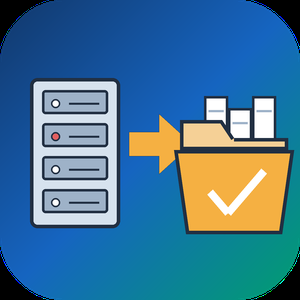
EDB to PST Converter Software is a Windows tool for the day when an Exchange mailbox database is all you have left. It opens a .edb file from Exchange 2013 or a newer release up to 2019 on your own PC and writes the mail into a Unicode .pst that Outlook reads. No running Exchange server is needed, Outlook can stay closed, and the database never leaves the machine. As an edb to pst converter it keeps the folder tree intact and carries every message across with its attachments.
🚀 How to use
1. Click Open EDB... and select the database from your backup drive or the disk of the old server.
2. Browse the tree of mailboxes and folders. Click any message to read it in the preview pane.
3. Untick what you do not need, set From and To dates, and decide whether Deleted Items and Junk go along.
4. Pick an output folder and export. In Outlook, choose File, Open and Export, Open Outlook Data File to see the result.
🛠 Why IT and office teams pick it
Microsoft's own export path expects a mounted database on a working Exchange. When that server is gone, the path is closed. This edb to pst converter reads the raw database directly, so an admin can get a few mailboxes back without building a recovery server. It turns an Exchange EDB to PST job into a desktop task. Nothing goes to a cloud service, a point that legal counsel usually asks about first. A warning appears before the run when the database is larger than 2 GB, so a long wait is never a surprise.
📦 What the PST keeps
Folders appear in the same order and nesting the users had. Subjects survive in any script, from Cyrillic to Chinese. HTML formatting, sender and recipient lists, sent and received times, unread flags and pictures placed inside a message body all carry over. Attached files are copied without changes.
🔍 Before you export
In this edb to pst converter the message list gives the subject and sender of each item along with its date and size. A log file records every step without storing message text, which helps when you send a question to support.
👥 Who uses it
Exchange administrators after a failed mount and IT contractors who receive an old database from a client. Legal and forensic reviewers use it to read mail on an offline workstation.
❓ FAQ
Can I convert EDB to PST without an Exchange server?
Yes. The program reads the database file itself, with no server or Outlook profile involved.
Which Exchange versions are supported?
Mailbox databases from Exchange 2013 through 2019. Older databases from Exchange 2010 and earlier use other layouts and are not read.
Can I pick only some folders?
Yes. Each folder has its own checkbox, and anything left unticked stays out of the result.
Does it need internet access?
No. The whole run happens offline on your computer.
✅ The free trial for Windows 11 and 10 exports a sample of messages, so you can check the PST in Outlook before you buy a license.
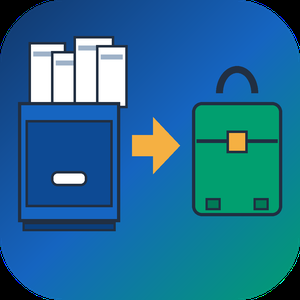
QIF to QBO Converter Software takes a Quicken .QIF export or a QuickBooks .IIF file and writes a Web Connect .qbo that QuickBooks Desktop and QuickBooks Online can import. The same run can also produce a CSV for Excel or a printable PDF table. All work happens on your Windows PC, with no upload and no online account to create.
Quicken accepts QIF only for asset, liability and cash accounts, and QuickBooks has no QIF import at all, so an old archive tends to get stuck between the two programs. The qif to qbo converter closes that gap without any retyping.
🛠️ How to use
1. Install the program and launch it. The bank directory is already inside.
2. Drag one .qif or .iif file, or a whole folder, into the window and check the text preview.
3. Open Lookup, type your bank name and pick the matching row.
4. Leave QBO selected in the output box and press Convert.
5. In QuickBooks Desktop go to File > Utilities > Import > Web Connect and choose the new file.
💼 Why IT and office teams pick it
- It refuses to save a .qbo without a valid institution ID and prints the reason word for word, so a broken file never reaches QuickBooks.
- Transaction IDs stay stable between runs, so a second import of the same export does not duplicate entries.
- Split transactions keep their parts, and the CSV header stays in English for import maps and formulas.
- A preview shows the recognized transaction count and encoding before you press Convert, which saves a trip back to the source file.
- A folder of exports can be queued in one batch, with an optional Merge into a single file.
- Files never leave the workstation, and the program works without internet access.
👥 Who uses it
People moving their own books off Quicken, bookkeepers who inherit legacy client files with several accounts in one export, and admins who gather QIF and IIF files from branch offices for a single qif to qbo routine. A qif to qbo converter that runs locally also suits offices bound by client confidentiality rules.
❓ FAQ
Can I convert QIF to QBO without Quicken installed?
Yes. The tool reads the .qif file directly, so neither Quicken nor any online service is needed.
Why does QuickBooks reject my QBO file?
Usually the institution ID is missing or wrong. This qif to qbo converter blocks that case before saving. Also note that QuickBooks releases older than three years do not import .qbo at all.
Does it handle IIF files saved as .txt?
Yes. Each file is probed by its contents, so an IIF export with a .txt extension is still parsed as IIF.
What happens to Cyrillic or Asian characters?
The .qbo is written in CP1252. Cyrillic is transliterated and other characters become numeric references, so nothing disappears silently.
🖥️ The free trial converts 20 transactions. Runs on Windows 11, 10, 8.1, 8 and 7, 32 and 64 bit. Licenses come as lifetime, one-year or business.

Grypp is a UK-based technology company specializing in visual engagement solutions for contact centers with a mission to help customer service, sales, and support teams Unite through Sight - transforming conversations into faster resolutions, stronger relationships and new revenue opportunities. Built to overcome the limitations of voice-only interactions, Grypp combines live video, co-browsing, secure file sharing, real-time document collaboration, e-signatures, ID verification, compliance checks, and in-session payments into one seamless, cloud-based platform. Trusted by global enterprises, leading BPOs, and customer-first brands across industries such as Financial Services, Banking, Insurance, Automotive, Telecommunications, Retail, Healthcare &, Travel & Hospitality, Utilities, SaaS & Technology and Property Management, Grypp consistently delivers measurable impact including reduced Average Handle Time, improved First-Contact Resolution, boosted CSAT & NPS and higher conversion rates through smarter upselling and cross-selling. Designed for rapid deployment and intuitive adoption, Grypp works as a standalone solution or integrates seamlessly with existing software. A public API makes it easy to embed visual engagement features directly into CRMs, contact center platforms or service workflows - no heavy lifting required. Customers can connect on any device - computer, tablet, or mobile - by simply clicking a link, with no installation needed. With proprietary, patented technologies ensuring security, scalability, and compliance (ISO 27001, SOC 2 Type II, GDPR, HIPAA, PCI DSS), Grypp enables organizations to deliver secure, scalable, and exceptional customer experiences, while reducing costs and increasing efficiency.

Kea is an AI-powered voice ordering solution designed to streamline restaurant operations by automating phone orders and enhancing customer service. Serving over 1,000,000 guests, Kea integrates seamlessly with existing systems, ensuring no customer call goes unanswered. Its human-centered conversational AI personalizes interactions, remembers customer preferences, and identifies upselling opportunities, thereby boosting revenue and operational efficiency.
Key Features and Functionality:
- Automated Phone Ordering: Kea's Voice AI handles incoming calls, processes orders, and answers customer inquiries without human intervention.
- Human-in-the-Loop Support: While the AI manages most interactions, live customer service representatives can step in when needed, ensuring a smooth ordering process.
- Seamless Integration: Compatible with platforms like Olo, Kea integrates effortlessly into existing restaurant systems, forwarding orders directly to the kitchen.
- Intelligent Upselling: The system identifies and suggests relevant add-ons during the ordering process, increasing average ticket sizes.
- Customer Personalization: Kea remembers returning customers' names and previous orders, facilitating rapid reordering and enhancing the guest experience.
- PCI-Compliant Payment Processing: Ensures secure handling of payment information, adhering to industry standards.
Primary Value and Solutions Provided:
Kea addresses critical challenges in the restaurant industry, such as labor shortages and missed phone orders, by automating the phone ordering process. This automation allows staff to focus on in-house guests, improving service quality. By ensuring every call is answered and leveraging upselling opportunities, Kea not only enhances customer satisfaction but also drives increased revenue for restaurants.

Foodhub provides a complete, end-to-end restaurant technology ecosystem designed to simplify operations, increase efficiency, and drive growth for restaurants of all sizes.
Our solutions include a powerful POS system, self-service kiosks, online ordering, seamless third-party integrations, delivery management apps, PDQ payments, and APOS solutions - helping restaurants manage everything from orders to payments in one connected platform.
Our restaurant POS system centralises dine-in, takeaway, and delivery orders, giving operators real-time visibility into sales, reporting, and performance. Self-service kiosks help reduce queues, improve order accuracy, and increase average order value, while providing customers with a fast and convenient ordering experience.
Foodhub’s online ordering solutions allow restaurants to take direct orders from their own branded websites and apps, helping them reduce commission costs and retain full control of customer data.
With built-in integrations, restaurants can easily connect with EPOS systems, payment gateways, delivery platforms, and other essential tools to streamline workflows.
Our delivery management app enables restaurants to efficiently manage in-house drivers, track deliveries in real time, optimise routes, and ensure timely order fulfilment. Secure PDQ and payment solutions support fast, reliable, and flexible transactions across all ordering channels, improving checkout speed and customer satisfaction.
Trusted by restaurant partners across the UK, Ireland, Australia, New Zealand, the USA, and Canada, Foodhub empowers businesses with scalable technology that supports growth, operational efficiency, and a better customer experience.

Orderli is an innovative QR code-based ordering system designed to streamline operations in the hospitality industry. By enabling guests to place orders directly from their smartphones without the need for app downloads, Orderli enhances customer experience while optimizing staff efficiency. This solution is ideal for various hospitality settings, including bars, restaurants, hotels, festivals, and food courts.
Key Features and Functionality:
- Seamless Ordering Process: Guests scan a QR code at their table, access the digital menu, and place orders directly from their devices.
- POS Integration: Orders are automatically routed to the existing Point of Sale (POS) system, ensuring smooth operations without disrupting current workflows.
- Enhanced Upselling and Cross-Selling: The platform offers advanced features to promote additional items, increasing average order values.
- Real-Time Menu Management: Staff can instantly update menu items, mark items as out of stock, and adjust offerings to prevent food waste.
- Flexible Payment Options: Supports various payment methods, including online mobile payments and pay-later options with tipping capabilities.
- Comprehensive Analytics: Provides insights into customer behavior and sales trends, aiding in informed decision-making.
Primary Value and Solutions Provided:
Orderli addresses common challenges in the hospitality sector by reducing staff workload, minimizing wait times, and enhancing the overall guest experience. By automating the ordering process, establishments can operate more efficiently, leading to increased revenue and customer satisfaction. The system's adaptability makes it suitable for a wide range of hospitality businesses, ensuring that each can tailor the platform to their specific needs.