AI-Generated Results
Finding matches…
Get Map Leads is a Google Maps lead scraper, sales CRM, and agency operations platform built exclusively for web development agencies doing cold outreach to local businesses.
It is not a generic CRM adapted for agencies. It is not a data exporter that dumps a CSV and walks away. It is one complete workflow — from finding the right leads on Google Maps to closing them to delivering the project — inside a single platform with one login.
Who is it for?
Solo operators and freelancers doing cold outreach to local businesses via Google Maps who are tired of managing leads in spreadsheets and losing warm prospects because they forgot to follow up.
Agency owners with a small sales team who need verified close tracking, performance visibility, and a competitive leaderboard to keep their callers motivated and accountable.
Growing agencies that need to manage client project delivery, developer task tracking, and automated client reporting — without switching between Slack, Trello, email, and a CRM every day.
Core features:
1- Google Maps Chrome extension that scrapes any niche in any city directly into your pipeline. No CSV exports. No manual copying. Leads appear in your panel in real time.
2- No-website filter that surfaces your highest-intent prospects — businesses already on Google Maps with no web presence — in one click.
3- AI website audit that scores any website across six dimensions in under 10 seconds. Generates a branded PDF report with your agency logo, ready to send before you make the call.
4- Full pipeline CRM with call outcome logging (Interested, Not Interested, Call Back Later, No Answer), follow-up scheduling with automatic reminders, lead archiving, and live pipeline statistics.
5- Sale verification workflow — when a team member closes a deal, the agency owner receives an instant approval email. One-click approve or reject. Auto-approves after 4 days if no action taken.
6- Live sales leaderboard showing every team member's verified closes for the month — updated in real time, visible to the whole team.
7- Agency Operations add-on (+$200/month) — project creation, developer assignment, daily task threads, and automated weekly client progress summary emails sent every Friday without writing a single word.
8- Internal team chat and group channels — all communication in the same platform as the work.
Not seeing what you're looking for?
Dive deeper into "Alfred_" on G2 AI

Marcelo is an AI marketing employee for small businesses and the agencies that look after them. Instead of handing you another dashboard of problems, it finds the next marketing job and does it.
It starts with Brand DNA: the business's name, services, areas, people and photos, each confirmed by a person. Everything Marcelo writes is built from those confirmed facts, and a fact nobody confirmed is not stated.
Marketing Scan then checks the business's marketing and scores it by category (site speed, technical SEO, content and pages, AI search (GEO), social media, conversion and analytics) with each finding in plain words and a reason when something could not be measured.
From there, Marcelo's experts do the work. Marcelo Fix repairs what the scan found directly on the website (titles, descriptions, structured data, image text, redirects and more) through Marcelo's own WordPress plugin, published on wordpress.org. Marcelo Write writes the pages a business is missing (service pages, city pages and articles) in the site's own design and language, with pictures drawn for each page. Marcelo Daily is a marketing calendar: posts for Instagram, Facebook and the Google Business Profile, articles and follow-up scans, prepared ahead and published on schedule. Marcelo Media makes pictures and short videos for social posts. AI Search Lab asks AI assistants such as ChatGPT, Gemini and Perplexity the questions customers ask, and shows whether they name the business.
You choose how independent Marcelo is. In Assist, nothing is published until a person approves it, and approving publishes in one press. In Autopilot, Marcelo publishes on its own and every action stays visible on the activity screen, where it can be reversed. Money decisions always need a real person's press.
Marcelo connects to the accounts a business already has: its website (WordPress and other popular builders), Google Search Console, Google Analytics, Google Business Profile, Instagram and Facebook. Google data is used only for the business's own reports, never sold and never used to train AI models.
Agencies run several businesses from one account, each with its own website, accounts, Credits and results, and add teammates who sign in with their own email.
Plans are per business: Starter, Growth and Scale, each with a monthly allowance of Marcelo Credits, and a three-day free trial.

Discover, classify and govern every AI tool, model and agent your workforce uses.
ArgonCity.AI is an AI governance platform that gives organisations a complete, continuously updated picture of how AI is actually being used across their workforce, and the policy and compliance tooling to govern it.
Most AI governance tools start with the models an organisation builds. ArgonCity starts with the AI an organisation uses: the chatbots, copilots, LLM wrappers, autonomous agents and MCP connectors that employees adopt, often without IT or compliance knowing. Shadow AI is now the largest unmanaged AI risk for most organisations, and you can't govern what you can't see.
Discover. ArgonCity connects to the systems you already run and builds an inventory of AI usage from real activity data. Integrations include Microsoft Entra ID, Microsoft Defender for Endpoint, Microsoft Defender for Cloud Apps, Google Workspace Gemini reporting, AWS Bedrock and Bedrock AgentCore, and Slack. A lightweight browser extension and a DNS log parser capture usage that other tools miss. Deployed AI agents can register with ArgonCity and check in through encrypted, JWT-signed heartbeats.
Clarify and classify. Each discovered tool is matched against ArgonCity's maintained reference catalogues of LLMs, generative AI services, wrappers, agentic agents and MCP connectors, then classified by risk and approval status. Compliance and IT teams review and reclassify tools on a kanban board, which gives a clear audit trail of every governance decision.
Govern. ArgonCity's Policy Manager compares your written AI policy with the AI usage it has discovered. The policy builder publishes policies at a shareable URL with full change history, and an automated policy gap checker flags where your policy doesn't cover what's actually in use. The browser extension can show policy warnings to employees when they use AI tools, so policy reaches people at the moment they use the tool. A NIST AI RMF gap register tracks your framework alignment, and ArgonCity monitors AI vendors' Terms of Service, alerting you when a provider changes how it handles your data.
ArgonCity is built for organisations where a compliance, legal or security lead works alongside IT to manage AI adoption, including SMEs, universities, charities and technology businesses. It is available as multi-tenant SaaS or as a dedicated single-tenant deployment for organisations that need data isolation or on-premises hosting.

Clipboard Zero replaces the paper service ticket, and everything built around it, for trades and maintenance contractors.
The office takes the call, creates the job and sends it to a tech's phone, and a job board shows what's waiting on parts, what needs a return visit and what's ready to bill. Techs open the job on their phone, and the start and finish times log themselves. They take before and after photos, snap the material receipts, and get the customer's signature on screen before they leave. It all works with no signal and sends as soon as the phone is back online.
In the office, every finished ticket lands in one list with its photos and signature, and the invoice is already drafted: AI reads the receipt photos and the tech's notes, works out what was used on that job, and prices it from your own price book, never made up. The office reviews the draft and sends it with one tap. Quotes draft the same way, and the prices suppliers send back are read automatically. Payments and partial payments are tracked, so you always know who still owes you. Customers get "on my way" and "job complete" texts and emails, and approve quotes from their phone without a login.
Parts come off the van or shop count when the ticket is submitted. Crew hours, including shop and travel time, are ready for payroll. A business dashboard shows what's billed, collected and still owed.
What makes it different:
- AI that does the office's typing. Invoice and quote drafts from receipts and notes, priced by your price book, never sent without your approval.
- One flat price, unlimited users. No per-seat fees, so the bill doesn't grow with your crew.
- Your own private server. Each company gets its own server in a data center near them, backed up nightly and monitored around the clock. Your data stays yours.
- Packages you can shape. Four packages, from Crew Photos (job photos only) up to Office + AI. Mix pieces from different packages, or have something built for how you work.
- Works alongside client portals like ServiceChannel and CorrigoPro.
- A real person sets it up with you and answers when you need help: the field tech who built it.
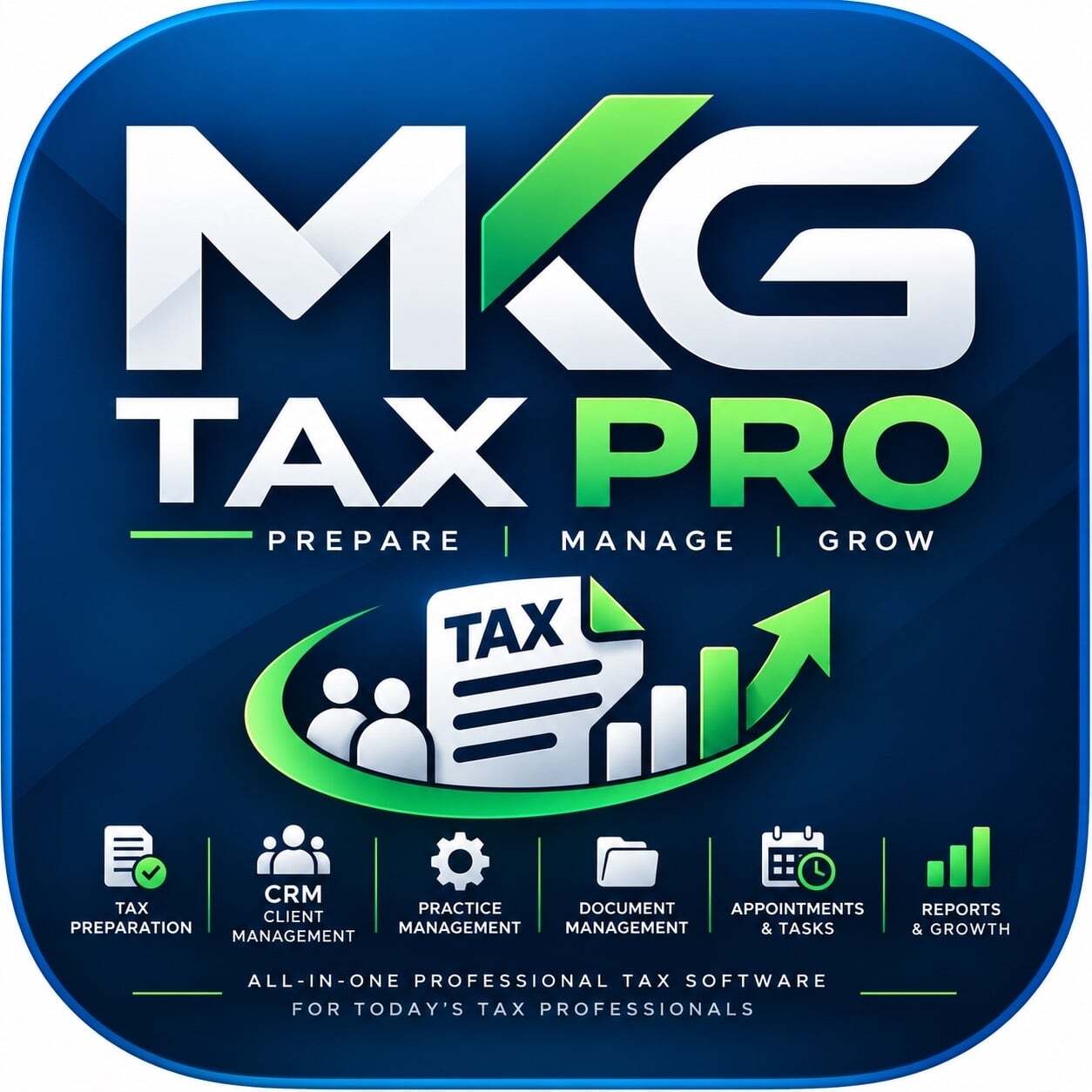
MKG Tax Pro Practice Management is an AI-assisted tax preparation and practice management platform for U.S. tax professionals:
preparers with a PTIN, CPAs and enrolled agents. It replaces the separate tools a small firm usually stitches together (tax software, CRM, point of sale, invoicing, phone and texting, scheduling) with one connected system, and it adds ChatGPT TESSA, MKG's own AI assistant. Clients and preparers each get a mobile app. The platform is in beta testing and undergoing IRS ATS testing, and e-filing will be offered only after IRS and state approvals. A license is $99 per month with one user, and each additional user is $59.95.
12 highlighted features
1. ChatGPT TESSA. MKG's own chat agent inside ChatGPT. Preparers and clients can ask questions and get help with tasks without leaving the chat.
2. ChatGPT TESSA Plugin. Extends TESSA into ChatGPT as a plugin, so users reach MKG Tax Pro from where they already work with AI.
3. ChatGPT TESSA API. Lets firms and partners connect TESSA to their own systems and workflows.
4. Preparer mobile app (iOS and Android). Manage clients, documents, messages and appointments away from the desk.
5. Consumer mobile app (iOS and Android). Clients upload documents, message their preparer, sign, pay and book appointments from their phones.
6. AI-assisted tax preparation. Document analysis, OCR extraction and source mapping, with a preparer reviewing and approving every return.
7. Built-in CRM. Clients, cases, assignments, documents and follow-ups in one place.
8. Point of sale (POS). Take payments at the counter or remotely, including manual card entry, without a separate system.
9. Invoicing. Create and send invoices from the same record as the client's file, with QuickBooks integration for the books.
10. WebRTC phone, built in. Call clients from the browser or the mobile app, with no separate phone system.
11. SMS texting and calendar booking. Text clients from the same platform and let them book appointments themselves.
12. AI Voice Agent plus identity checks. An AI agent answers and routes client calls, and identity verification, biometric identification and Plaid integration help onboard and verify clients.

SPSync is a read-only replication tool that copies SharePoint Online lists and document library metadata into SQL Server, PostgreSQL, MySQL and 28 other databases, warehouses and search stores, and keeps them in sync with incremental delta queries.
The problem it solves. Teams on Microsoft 365 keep working data in SharePoint lists: requests, assets, approvals and project trackers. Lists suit the people typing into them but are slow for anything that reads many rows at once. Power BI refreshes time out on large lists, views stop at the 5,000-item threshold, and joining three lists means stitching them together by hand. SPSync keeps a current copy of those lists in a database you run, so the tools that already speak SQL can read it directly.
How it works. The first run is a full load. After that, SPSync asks Microsoft Graph only for what changed, on a schedule that respects the tenant’s throttling budget. A reconcile, weekly by default, confirms that SharePoint and the database still match and recovers after an outage.
Tables you can actually query. Lookup columns become foreign keys. Multi-choice and multi-person columns become child tables, and people go into one users table. Deleted items stay in the table with the time they were deleted, and new SharePoint columns are added automatically. Lists from many sites can be merged into one table. For SQL and warehouse destinations, SPSync can generate reporting views for Power BI DirectQuery. For Postgres with pgvector and Azure AI Search, it writes embeddings on each sync.
Built for IT and security review. SPSync never writes to SharePoint. For unattended sync, an admin grants access site by site through Sites.Selected, and the first-run wizard produces a one-page pack explaining what to grant and why. Reports and AI agents read the copy with a database login and hold no Graph permission of their own.
Two ways to run it. There is a desktop app for Apple Silicon Macs and Windows 10 and 11, and a command line for macOS, Windows and Linux, driven by YAML for pipelines and schedulers. Both use the same engine and the same licence key. Licences are annual and quoted after a short call. SPSync is made by EBORACUM IT LTD in London.

Restmatik is a complete restaurant management system that runs on the tablets and phones you already have, connecting the dining room, the kitchen and the office in real time.
BUILT FOR THE WORST DAY
One tablet acts as the local server, so service carries on without internet. If the router fails or there is a total power blackout, Plan B links devices directly over Bluetooth and keeps them running on battery. No Wi-Fi, no internet, no electricity needed. Orders keep flowing and nothing is lost.
FRONT OF HOUSE
- Point of sale: take orders at the table, manage floor plans, split and merge tables, and send dishes to the kitchen in courses.
- Waiter assistant: a "What should I do next?" button, live table timers, automatic second courses, and table claiming so no one is served twice.
- Tap to Pay: accept contactless cards and mobile wallets on an iPhone, no card terminal needed.
- NFC tags: tap a phone on the table to open the menu, or on a sticker to leave a Google review or follow you on Instagram.
KITCHEN
Orders reach the kitchen and the pass instantly. Every dish is tracked from preparing to served, with timing per dish.
FOR GUESTS
- QR menu and ordering: a clean, fast digital menu with the most-ordered dishes. Guests order from their phone, follow their order live and pay the bill.
- Allergens, diets and calories: every dish shows the 14 EU allergens, possible traces, vegan, vegetarian and gluten-free labels, plus calories and macros per serving. Guests filter by diet, by allergens to avoid or by a calorie limit.
- 3D dishes and AR: scan a dish with an iPhone and guests see it in 3D or on their own table in augmented reality.
ALLERGEN SAFETY, DONE FOR YOU
Allergens, diet labels and calories are calculated from each recipe. AI completes them from product labels or your printed menu, ready to review. If a guest asks for "gluten-free" or mentions a nut allergy, the waiter is warned the moment a dish contains it.
BACK OFFICE
- Payments and billing: online card payments, cash sessions and VeriFactu-ready invoicing.
- Reservations: online booking page, Reserve with Google, automatic confirmations and reminders.
- Staff: time clock, shift schedules, permissions and daily checklists, including food-safety records.
- Inventory: ingredient stock that updates when tables are paid, with AI label scanning.
- Insights: sales reports, best sellers, service rhythm, weather and local events, and a live remote view for owners.
Restmatik works on iOS, Android and the web, with Base and Pro plans.

TuitionPing is automated tuition reminders by text message, built for independent daycares and childcare centers.
Here's how it works: you add your families (name, phone, tuition amount, due date — or import a CSV), and TuitionPing handles the rest. Reminders go out automatically 3 days before tuition is due, on the due date, and with polite nudges at +3 and +7 days late — only while the balance is unpaid. Parents reply PAID from any phone; your dashboard updates the moment they do.
No app for parents to install. No awkward pickup-line conversations about overdue balances. No 10pm spreadsheet sessions.
Key features:
4-stage automatic SMS reminders (pre-due, due date, +3/+7 late)
Two-way texting: parents reply PAID, BAL, STOP, START, HELP
English and Spanish templates, fully editable
Automatic late-fee calculation and application
CSV family import with row-by-row error reporting
Full timestamped message log per family
Quiet hours in your program's timezone
Year-end parent tax statements (Growth plans and up)
Pricing: Micro $19/mo (up to 10 families), Starter $29/mo (up to 30), Growth $59/mo (up to 75), Multi-site $99/mo (up to 200). Every plan starts with a 30-day free trial. Month-to-month, cancel anytime.
TuitionPing does not process payments — it sends the reminders and records PAID replies. You verify payments in whatever system you already use.
5. Categories (select all that apply)
Child Care Management
Billing & Invoicing (reminders)
SMS Marketing / Text Messaging
Small Business
6. Target customers
Independent daycares, childcare centers, preschools, in-home family childcare providers. Typically 10–200 enrolled families. US only.
7. Key features (bullet list for feature checklists)
Automated SMS tuition reminders
Two-way parent texting (PAID/STOP/START/HELP)
English + Spanish message templates
Late fee automation
CSV import
Message history log
Quiet hours / timezone-aware sending
Parent tax statements
8. Pricing summary (for directory pricing fields)
Starting price: $19/month (Micro, up to 10 families)
Free trial: 30 days (card required, not charged during trial)
Billing: monthly or annual (annual = 2 months free)
No setup fees, no contracts, cancel anytime

Sebastian brings together accounting, financial plans and business data to show where your company is heading, not just where it stood at the last close.
By the time finance has the numbers, the business has already moved on. A contract gets signed, a hiring plan changes, a vendor raises prices, customer usage rises. Those decisions affect revenue, costs and cash flow long before they appear in the closed books. Sebastian helps finance get ahead of those changes instead of catching up to them.
Continuous financial outlook: Sebastian brings posted actuals together with current business activity to maintain a more complete financial outlook throughout the month. As contracts, headcount, spending and operational drivers change, it identifies their financial impact and shows what is different from the last forecast, with actuals, incurred estimates and forecast clearly distinguished.
Financial decision-making: when costs rise or revenue falls behind plan, Sebastian helps finance investigate the drivers, evaluate alternatives as scenarios, and bring the right decisions to the business.
Accounting and FP&A on one picture: financial plans reflect what the business expects and accounting records what has been recognized. Sebastian connects the underlying business activity to both views, so forecasts can reflect new information before close while accounting confirms what belongs in the books.
Accounting: Sebastian helps accounting teams match invoices to purchase orders and receipts, prepare accruals, investigate discrepancies, reconcile balances and manage the close. Every proposed adjustment includes the supporting calculation and source evidence. Your team reviews and approves before anything is posted.
Built for different seats: a current outlook for CFOs, drivers, scenarios and the updated plan in one place for FP&A teams, and matching, accruals and reconciliations prepared with evidence for controllers and accounting.
Built around your existing systems: your ERP remains the system of record and your planning platform remains where approved budgets and forecasts live. Sebastian connects to ERP and accounting, planning, CRM, data warehouses, contracts and documents, email and chat, and banking and payments.
Control and trust: every number has a source and every change has a history. Sebastian connects financial results to their underlying records, calculations and assumptions, so your team can understand how a number was derived, what changed and who approved it. The speed of automation, with financial controls that remain in human hands.

Submi is the top-rated directory submission service built for SaaS companies, AI tools, startups, developer products, and online businesses that want more visibility, backlinks, and discovery without spending hours submitting to directories manually.
Instead of charging for submission attempts, Submi focuses on live results.
With Submi, you create and approve your product profile once, choose the directories you want to target, and the team handles the submission process for you. This includes directory account creation, form submissions, email verification, badge requirements, follow-ups, and tracking each listing until it goes live.
Every live listing is added to your Submi dashboard with the directory name, domain rating, backlink type, status, and public listing URL, so you can verify the results yourself.
Submi is designed for founders and marketing teams that want a more transparent alternative to traditional directory submission services.
Key features include:
- 100 or 300 live directory listing campaigns
- Directory selection before starting a campaign
- AI, SaaS, startup, developer, and software-focused directories
- Public live URL for every completed listing
- Dofollow and nofollow backlink opportunities
- Directory authority and DR tracking
- Managed account creation and email verification
- Badge Sync for directories that require website badges
- Optional indexing requests
- Live campaign dashboard
- CSV export of completed listings
- No recurring subscription required
One of the biggest differences with Submi is that a rejected or unpublished submission does not count toward the campaign total. If a directory declines, stalls, or does not publish the product, Submi continues with other suitable directories until the agreed number of live listings is reached.
Customers can also review the available directory database and exclude directories where their product is already listed or where they do not want to appear.
Submi is especially useful after launching on platforms such as Product Hunt, Fazier, or other startup communities, when founders want to expand their product's presence across a larger network of relevant directories.
Rather than managing dozens or hundreds of forms, accounts, verification emails, screenshots, descriptions, and follow-ups manually, founders can manage the entire process from one place.
Submi helps companies turn one product profile into a broader online presence across relevant software, startup, SaaS, AI, and developer directories.
You build the product. Submi helps the world find it.

FireMic is voice fire incident reporting for US fire departments. A firefighter talks through the call, and FireMic turns it into a structured NERIS incident report for the firefighter to check and file. NERIS replaced NFIRS as the federal fire incident reporting standard on February 1, 2026.
A firefighter opens FireMic in a browser on a phone, station tablet, or laptop and tells the call the way they would tell it back at the station. FireMic transcribes the recording and fills in the NERIS report: incident types across all three levels of the NERIS hierarchy, timestamps, responding units, actions taken, and both narratives. Every field filled in automatically is marked on screen, so the reviewer knows what to check. When a required field is missing, FireMic asks about it one question at a time instead of guessing.
Nothing is filed without a person reviewing it. The finished report goes to NERIS through the official federal API rather than as a spreadsheet for someone else to upload, and when NERIS rejects a submission the reason is shown in plain language, pointed at the exact field.
Other capabilities include dispatch prefill from records already in NERIS, local street and place-name vocabulary for transcription where available, roster login for shared station devices with PINs for officers and administrators, an optional officer review workflow with send-back comments, and report history with search, CSV export, and printable reports.
FireMic works alongside a department's existing records management system rather than replacing it. Software vendors can also put FireMic's voice capture inside their own incident form through a partner API and an embeddable widget built for web, iOS, Android, and Windows, and the vendor remains the NERIS submitter.
FireMic carries the NERIS V1 Data Exchange Compatible badge, a technical compatibility standard rather than an endorsement. It runs in the browser with nothing to install. A trial needs no account, and trial reports can be filed only to the NERIS test system until a department administrator enrolls FireMic in NERIS, which takes about two minutes.
FireMic was built by a Collingswood, New Jersey firefighter, with volunteer and combination departments as the first audience. Free NERIS reference tools are published publicly, including code lists for incident types, actions taken, location use, and fire cause, a department NERIS ID lookup, and an NFIRS to NERIS explainer.
BidWriter is an AI-powered bid writing and tender response platform designed to help businesses find, manage, draft, improve, and submit stronger responses to public and private sector opportunities. It supports the full bid development process, from reviewing tender documents and identifying key requirements through to planning responses, generating structured answers, managing evidence, checking compliance, and preparing final submissions.
The platform is built for organisations that want to increase bid capacity, improve response quality, and reduce the time spent producing repetitive tender content. BidWriter helps users break down complex procurement documents, understand buyer requirements, map answers to scoring criteria, and create tailored responses that are clear, persuasive, and aligned with the opportunity. Rather than producing generic AI-generated text, BidWriter supports a more structured and strategic bid process, helping teams develop responses that are specific, compliant, and commercially focused.
BidWriter includes tools for opportunity tracking, bid planning, AI-assisted response drafting, content improvement, team collaboration, document management, and bid library development. Users can store reusable company information, case studies, accreditations, policies, project examples, boilerplate content, and previous tender responses, making it easier to maintain consistency across submissions while still tailoring each bid to the specific buyer and specification.
The platform is particularly useful for SMEs, consultants, suppliers, and growing businesses that need to compete for contracts but may not have a large in-house bid team. It helps users manage deadlines, allocate tasks, review requirements, coordinate contributors, and build stronger responses with less manual effort. BidWriter can also support larger teams by improving workflow visibility, reducing duplication, and helping bid managers maintain control over multiple live opportunities.
Key features include AI-assisted tender analysis, structured response generation, bid library management, compliance checking, document organisation, company evidence storage, team task management, framework and DPS tracking, subcontractor and consortium planning, opportunity pipeline management, alerts, and contract lifecycle visibility. These tools are designed to make bidding more organised, efficient, and scalable.
BidWriter solves a common problem for businesses: tendering is often time-consuming, fragmented, and difficult to manage across multiple portals, documents, deadlines, emails, and team members. By bringing bid writing, content management, opportunity tracking, and workflow support into one platform, BidWriter helps businesses professionalise their bid process and increase their chances of winning contracts.

CloudApper Bidding Solution automates job, shift, and vacation bidding workflows for organizations that rely on structured assignment processes. It connects to the HR or workforce management system already in use and handles eligibility filtering, bid collection, scoring, ranking, and assignment sync — replacing the manual processes that typically involve spreadsheets, email chains, and individual follow-ups.
When a job opens, a shift needs coverage, or vacation slots become available, the solution detects the event, identifies eligible employees based on configured criteria, and sends notifications automatically. Employees submit bids through a mobile or web interface. The system then scores each bid against the organization's own rules — seniority, certifications, performance ratings, tenure, geographic preferences, or any combination — and ranks applicants accordingly. The selected assignment syncs back to the connected HR system without any manual update from HR or managers.
The solution supports three distinct bidding types within a single platform: job bidding for open positions, shift bidding for open or uncovered shifts, and vacation bidding for preferred time-off slots. Each follows the same automated workflow but can be configured with separate rules to match the specific policies that apply to each type.
What it handles:
Automated bid triggers based on job openings, open shifts, or vacation slot availability in the connected HR system
Eligibility filtering by skills, certifications, availability, role requirements, and other configurable criteria
Multi-channel employee notifications via SMS, email, or push alerts when bidding windows open
Configurable bid scoring using seniority, tenure, performance ratings, certifications, and geographic preferences
Automated ranking and assignment selection based on organization-defined rules
Direct sync of winning assignments to schedules, positions, or leave records in the connected HR platform
Full audit trail of every bid, score, and assignment for compliance and grievance documentation
Optional manager approval step via the connected HR workflow or CloudApper dashboard
Broad HCM compatibility including UKG, Workday, Oracle, Dayforce, SAP SuccessFactors, and other major platforms
The solution runs on the CloudApper WorkBridge platform and integrates with existing HR systems via secure APIs. It does not replace the HR platform in use — it extends it with automated bidding functionality that most HCM systems do not support natively.

Stop chasing invoices manually. Duely handles everything after you send an invoice.
Most small agency owners lose thousands every year not because clients refuse to pay, but because follow-ups feel awkward, payment promises get forgotten, and nobody knows what was said to who and when. Duely fixes that.
Built specifically for owner-led marketing, design, web, and content agencies billing 10-100 clients. No finance team required.
Duely users:
- Know exactly who owes what and why at any given moment
- Send automated reminders from their own Gmail, not a third-party collections platform
- Track every payment promise with a specific follow-up date
- Log partial payments against the original invoice balance
- Draft follow-ups in the right tone without starting from scratch every time
- Keep a full timeline per client: every promise, payment, note, and follow-up in one place
Know where every invoice stands
- See your entire outstanding invoice pipeline at a glance
- Track overdue invoices, partial payments, and upcoming due dates in one dashboard
- Log follow-ups with date, method, and outcome so nothing falls through the cracks
- Keep internal notes per client so you always know the context before reaching out
Automate reminders that feel personal
- Send automated payment reminders directly from your own Gmail account
- No Duely branding. No third-party sender. Just an email that looks like you wrote it
- Set reminder frequency and let Duely run the cadence automatically
- Include a payment link in every reminder so clients can pay immediately
Track what clients promise and hold them to it
- Log payment promises with a specific date and amount
- Get reminded to follow up when a promise date passes without payment
- Every promise, partial payment, and note is visible in the client timeline
Draft the right follow-up every time
- Generate follow-up messages in friendly, firm, or final notice tone
- No more staring at a blank screen wondering how to word it
- Consistent, professional communication without the emotional friction
Connect to the tools you already use
- QuickBooks integration: auto-syncs outstanding invoices, stops reminders when paid
- Xero integration: same as QuickBooks
- Stripe integration (beta)
- CSV export for everything
$29/month. 14-day free trial. No credit card required. No free plan.
Stripe sends the invoice. Duely handles everything after.

Floor Plan Maker is an AI-powered platform designed to make space planning, visualization, and interior exploration faster and easier for everyone. Whether you are planning a new home, redesigning a room, testing layout ideas, or simply looking for inspiration, our tools help you bring ideas to life visually—without needing professional design skills.
We currently offer three core features:
• 2D & 3D Floor Plan Maker – Create floor plans online and instantly visualize layouts in both 2D and 3D. Experiment with room arrangements, furniture placement, and space organization more intuitively.
• AI Interior Design – Upload a room photo and explore different interior styles in seconds. Redesign bedrooms, living rooms, kitchens, apartments, and more with AI-generated design ideas.
• Floor Plan Rendering – Transform floor plans into realistic visual previews, helping you better understand room flow, structure, and design possibilities before making real changes.
Floor Plan Maker is beginner-friendly, free to try, and designed to make home planning simple, fast, and visual.
Use Case:
Renovation Planning: Planning a renovation becomes easier when you can see the layout first. Use Floor Plan Maker to explore room arrangements, test furniture placement, and preview how spaces may flow together before making expensive design decisions.
Moving Into a New Home: Moving is easier when you already know where things may fit. Create floor plans to experiment with room layouts, compare furniture arrangements, and plan your new space before move-in day.
New Home Planning: Whether building a new home or redesigning a room, Floor Plan Maker helps turn rough ideas into clear layouts. Explore different floor plan options and visualize spaces before making final choices.
Pros
• Free to use
• No login required
• Create 2D & 3D floor plans online
• AI-powered interior design ideas
• Turn floor plans into realistic renders
• Beginner-friendly and easy to use
Cons
• Advanced professional CAD features are limited
• Complex architectural projects may require specialized software
• Some rendering results may vary depending on floor plan quality

Aleyant tFLOW is prepress automation software that takes over the hands-on file preparation work prepress staff have traditionally done job by job, including positioning files correctly on the sheet, adding printer marks, adding CCR (color control) marks for printers, cutters, and routers, adding dielines, and imposing files for production. These are steps that take real time to do by hand and are also where costly mistakes tend to happen, since a misaligned die line or an incorrect imposition often means a reprint, not a simple fix.
tFLOW automates this work so it happens the same way every time, without depending on which staff member is at the workstation that day or how many jobs are already in the queue. Files are checked, positioned, marked, and imposed automatically as they move through the workflow, freeing prepress staff from hours of repetitive manual setup on every job and reducing the reprint risk that comes with manual error.
Built-in proofing and approval tools, along with collaboration and chat features, keep customers and internal teams aligned without email back-and-forth, and the platform runs as a 24/7 cloud-based system so files and communication stay centralized and accessible from anywhere.
Integrated with Aleyant Pressero and other web-to-print storefronts, tFLOW closes the gap between order intake and a print-ready, correctly imposed file, so jobs move from submission to press without manual handoffs. It fits any print operation where prepress labor hours and reprint costs from manual file prep have become a real line item, including commercial printers, wide format shops, label converters, and in-plants with high file-turnaround demands.
Feature list:
• Automated file positioning and layout on the sheet
• Automated printer marks
• Automated CCR (color control) marks for printers, cutters, and routers
• Automated dieline placement
• Automated imposition
• Automated preflight checking
• Automated file fixing and correction
• Proofing and approval workflows
• Built-in team and customer collaboration/chat
• File routing to production teams or systems
• Cloud-based, 24/7 file access
• Integration with Pressero and other web-to-print platforms
• Reduces reprint risk from manual prepress error
• Cuts prepress labor hours per job

CloudApper Reference Check Solution automates the reference verification process for recruiting teams, handling outreach, form delivery, response collection, AI analysis, and data sync into the connected HR or ATS platform. It removes the manual steps that typically slow down reference checks — sending individual emails, following up with non-responders, copying feedback into candidate records, and tracking completion status across multiple open roles simultaneously.
The solution monitors candidate stage changes in the connected recruiting system. When a candidate reaches a configured stage — such as "Final Review," "Reference Check," or "Offer Pending" — it automatically pulls the relevant candidate details and sends personalized reference request emails to the listed referees. Referees receive a secure, branded, mobile-friendly link with candidate and role details already filled in. No account creation or login is required, which reduces friction and improves response rates. Automated follow-up reminders go out to referees who have not responded within a configured timeframe, keeping hiring timelines on track without recruiter involvement.
Submitted responses are analyzed by AI for sentiment, recurring themes, role-fit indicators, and potential red flags. Recruiters review the analyzed feedback through a centralized dashboard before making hiring decisions. Response data can be synced into candidate records, pushed into custom fields, stored as PDF summaries, or routed into recruiter dashboards depending on the organization's preferred output format.
Every step of the process — request sent, reminder triggered, form submitted, recruiter action taken — is logged with timestamps, creating an audit trail that supports internal compliance policies and data governance requirements.
What it handles:
Automated reference request triggers based on candidate stage changes in the connected HR or ATS system
Pre-populated, mobile-friendly referee forms with secure access links requiring no login
Automated follow-up reminders for non-responding referees
AI analysis of submitted feedback for sentiment, red flags, role-fit signals, and candidate strengths
Flexible output options including candidate record sync, custom field population, PDF summaries, and dashboard reporting
Full audit trail of every request, reminder, submission, and recruiter action
Compatibility with UKG, Workday, Oracle, Dayforce, SAP SuccessFactors, iCIMS, Greenhouse, Lever, Bullhorn, and other major platforms

Most revenue teams suffer from the same expensive problem: reps burn real leads while figuring out their pitch, and managers only have the bandwidth to review a fraction of their calls. Coaching relies on gut feeling, and mistakes get repeated.
SkillTap fixes this by creating a continuous coaching loop. We score how your reps actually sell on live calls, pinpoint the exact weaknesses costing them deals, and assign targeted AI voice roleplay to fix those gaps before their next dial. It is the only platform that ensures your team is perfectly practiced before they ever speak to a real prospect.
How SkillTap Drives Revenue Readiness:
Hyper-Realistic AI Voice Roleplay: Forget robotic chatbot scripts. Trained on over 250,000 real human conversations, our AI buyers hesitate, interrupt, and push back with genuine emotion. Reps get unlimited, out-loud practice against highly realistic personas, on demand.
100% Live Call Coverage: Push calls from Zoom, Gong, or your dialer directly into SkillTap. Every single conversation is automatically reviewed, scored, and summarized in minutes. No call goes uncoached, and no blind spots remain in your pipeline.
Graded to Your Exact Playbook: Whether your team runs MEDDIC, SPIN, Challenger, or a custom scorecard, SkillTap grades every roleplay and live call against the exact standard you sell by.
Always-On AI Coaching: Put a 24/7 sales coach in every rep's corner. Reps can prep for specific accounts pulling context straight from your CRM, debrief immediately after a rough call, or drill a specific objection until it becomes muscle memory.
Wired Into Your Existing Stack: SkillTap acts as a seamless layer over the tools you already use. It integrates natively with Salesforce, HubSpot, Zoom, Slack, Outreach, and Salesloft. No new tabs to babysit; just actionable coaching delivered where your team works.
The Bottom Line:
With SkillTap, you stop guessing who is ready for the floor. Managers get clear visibility into skill trends and ramp curves, while reps get the targeted practice they need to win. The result? Up to a 50% shorter ramp to the first closed deal and a measurable lift in win rates within 90 days.
Make every rep sell like your best one.

Mountain Goat is order entry and order management software that turns emailed customer purchase orders into clean, reviewed order data without rekeying.
Built for B2B manufacturers, distributors, and industrial suppliers, Mountain Goat is the order desk for teams that receive customer POs by email, PDF, and spreadsheet and have to manually read, match, and enter them into an ERP. Instead of retyping every order, your customer service and order-entry team reviews only what needs attention: missing fields, low-confidence data, duplicate POs, revisions, and unmatched items.
Mountain Goat captures purchase orders from Gmail, Outlook, or manual upload, uses AI to extract PO headers and line items, cross-references customer part numbers to your item master, and flags exceptions before the order reaches your ERP. Every extracted field stays linked to its source document, so you get a full audit trail and traceability from received PO to exported order.
Who uses Mountain Goat: contract manufacturers, precision machining and fabrication shops, medical device and life-sciences suppliers, aerospace and defense component makers, electronics and PCB assembly (EMS), injection molding and plastics, coating/plating/finishing providers, and industrial distributors any seller-side team drowning in manual order entry with customer-specific part numbers, revisions, and variable PO formats.
Key features:
-Sales order and customer PO data extraction (AI/OCR) from email and PDF
-Gmail and Outlook inbox ingestion plus manual PO upload
-Customer part number cross-reference and item master matching
-Exceptions queue with severity, owner, and status
-Duplicate PO detection and revision / change-order handling
-Source evidence and field-level audit trail
-Customer profiles, contacts, bill-to and ship-to addresses
-Shared PO dashboard and order status workflow (Received → Needs Review → Booked)
-Throughput, exception, and correction analytics
-Role-based access and encrypted credentials
-Clean CSV and structured export for ERP
-Integrations and export: Mountain Goat fits into your existing stack and exports reviewed, structured order data for ERP and accounting systems including Oracle, SAP, Epicor, NetSuite, QuickBooks, and Salesforce a flexible alternative to EDI that lets you keep accepting whatever PO formats your customers already send.
Stop losing purchase orders in a shared inbox. Stop booking duplicates. Go live in days and process more orders with the same team.

Contact Center Gamification Wheel
Boost Agent Engagement, Morale, and Performance
The Contact Center Gamification Wheel from Random Wheel Spin is a free, browser-based tool designed for modern customer service teams. It turns recognition, rewards, and team-building into interactive experiences that energize agents and improve results.
With customizable entries and hidden content, managers can gamify routine activities, celebrate high performers, and make daily workflows more engaging—whether in-office or remote.
Why Gamification Matters in Contact Centers
Contact centers are fast-paced, repetitive, and often stressful. Gamification introduces play, recognition, and surprise into everyday routines—making work feel more rewarding while driving measurable outcomes.
Benefits include:
Increased employee engagement and motivation
Higher retention rates and reduced burnout
More consistent customer experiences
Recognition that goes beyond metrics
Stronger team collaboration and culture
Key Use Cases
Teams are already using the Gamification Wheel to:
Recognize top performers: Add names and reward high CSAT scores or resolution rates.
Encourage peer-to-peer praise: Spin to spotlight agents nominated by colleagues.
Promote wellness: Include light challenges like stretch breaks or hydration reminders.
Run QA reviews: Randomly select a call for positive team discussion.
Celebrate Fridays: Spin for micro-rewards like gift cards, playlist control, or early finishes.
Features Designed for Teams
Customizable wheels with names, tasks, colors, and hidden content
Import entries at scale from Google Sheets or Excel
Save, share, or embed wheels across platforms
Accessible design with vocal result announcements
Enterprise-grade fairness using cryptographic randomization technology
Building Culture Across Hybrid & Remote Teams
Recognition shouldn’t stop at the office door. The Contact Center Gamification Wheel integrates seamlessly into:
Video huddles and stand-ups
Slack or Microsoft Teams channels
Zoom wrap-ups and onboarding sessions
By adding moments of fun and recognition, the wheel helps remote teams feel more connected and valued.
Get Started in Seconds
No logins. No downloads. No cost.
Simply add your agents’ names, rewards, or tasks, spin the wheel, and watch engagement rise. The Contact Center Gamification Wheel combines fairness, flexibility, and fun to help customer service leaders build stronger, more motivated teams.