AI-Generated Results
Finding matches…
Founded in 2001, Foxit is a leading provider of innovative PDF and eSignature products and services, helping knowledge workers increase productivity and do more with documents. Foxit combines easy-to-use desktop software, mobile apps, and cloud services in one powerful solution: The Foxit PDF Editor. This Intelligent Document Platform allows users to create, edit, fill, and sign documents through their integrated PDF Editor and eSign offerings – from anywhere and on any device. Foxit also enables software developers to incorporate innovative PDF technology into their applications via powerful, multi-platform Software Developer Kits (SDK). Winner of numerous awards, Foxit has over 700 million users and has sold to over 485,000 customers, ranging from SMBs to global enterprises worldwide. Foxit products are ISO 32000-1/PDF 1.7 standard compliant, therefore, compatible with your existing PDF documents and forms.
Not seeing what you're looking for?
Dive deeper into "PDF Editor & Sign" on G2 AI

pdfFiller is a comprehensive online document management platform that provides the services of an online editor, cloud storage platform, and a signature request manager all in one package. Since 2008, pdfFiller has been allowing customers to fill and send any PDF form online. Over 2 million people access the site every year, and our customers fill 20,000 forms a day.

Adobe Acrobat means a more seamless experience for your users, fewer hassles for your IT team.
PDF-XChange Editor is a and feature-rich PDF editing software designed for Windows users. It offers a comprehensive suite of tools for creating, viewing, editing, annotating, and securing PDF documents. With its user-friendly interface and robust functionality, PDF-XChange Editor caters to both individual users and businesses seeking an efficient and cost-effective solution for managing PDF files.
Key Features and Functionality:
- PDF Creation and Conversion: Generate PDF files from scanned documents, images, text files, and Markdown files. Easily convert Microsoft Office documents to PDF with a single click.
- Editing Tools: Modify text, images, and pages within PDF documents. Utilize over thirty tools for adding comments, annotations, links, and fillable forms.
- Optical Character Recognition (OCR): Convert scanned documents and images into editable and searchable text. The Enhanced OCR engine in the Editor Plus version offers improved accuracy and efficiency.
- Form Creation and Editing: Design and edit fillable forms with customizable style, layout, and function options.
- Document Comparison: Compare two documents to identify differences, including replacements, insertions, deletions, and style changes.
- Dynamic Stamps: Create stamps with dynamic JavaScript actions that display real-time information, such as the current date.
- Security Features: Secure documents with password protection, digital signatures, and redaction tools to safeguard sensitive information.
Primary Value and User Solutions:
PDF-XChange Editor addresses the need for a powerful yet affordable PDF editing solution. Its extensive feature set enables users to perform a wide range of tasks, from basic viewing and annotation to advanced editing and form creation. The software's lightweight performance ensures efficient operation even on systems with limited resources, making it accessible to a broad user base. By offering a perpetual licensing model, PDF-XChange Editor provides long-term value without recurring subscription costs, appealing to cost-conscious individuals and organizations.

Lumin automatically works with Gmail and Google Drive, allowing you to view your files or email attachments without downloading them.

Nitro deliver trusted PDF & eSign software for all industries; delivering a secure, compliant and affordable solution. Our AI-powered solution is designed for today's on-the-go-professionals, allowing creation, editing, sharing and signing of all of your essential documents with one subscription — from wherever you are, on any device.

PDFCreator converts every printable document to PDF and many other formats.

Sejda PDF Editor for G Suite is a comprehensive, cloud-based tool designed to streamline PDF management within the Google Workspace environment. It enables users to edit, sign, compress, convert, split, and merge PDF documents directly from Google Drive, eliminating the need for additional software installations. This integration facilitates seamless workflows, allowing teams to collaborate efficiently on PDF files without leaving the G Suite ecosystem.
Key Features and Functionality:
- PDF Editing: Add or modify text and images, edit existing content, utilize the whiteout tool, annotate with highlights and strike-throughs, and draw shapes.
- Digital Signatures: Sign PDF documents electronically, enhancing document authenticity and security.
- Compression: Reduce PDF file sizes to optimize storage and facilitate faster sharing.
- Format Conversion: Convert PDFs to and from Office formats (Word, Excel, PowerPoint) and images (JPG, PNG).
- Document Organization: Visually combine, reorder, merge multiple PDFs with table of contents and bookmarks, and split documents as needed.
- Page Management: Crop, rotate, delete, resize pages, add watermarks, and insert page numbers or header/footer labels.
- Bates Numbering: Apply Bates stamps to PDF documents for indexing and legal purposes.
Primary Value and User Solutions:
Sejda PDF Editor for G Suite addresses the need for efficient and accessible PDF management within the Google Workspace. By integrating directly with Google Drive, it allows users to perform a wide range of PDF tasks without switching between applications, thereby enhancing productivity and collaboration. Its user-friendly interface ensures that both technical and non-technical users can effectively edit and manage PDFs, making it an ideal solution for businesses, educators, and professionals seeking a reliable and integrated PDF tool.

Launched in 2014 and now owned by airSlate, DocHub streamlines document signing, distribution and form completion.

Easily build with the world’s most innovative PDF SDKs to quickly integrate AI-assisted document processing and viewing functionality into your web, mobile, and server apps. Nutrient SDKs enable you to quickly add high-fidelity viewing, markup, signing, OCR, forms, redaction, and so much more to your project.
FormSwift is an online platform that enables users to create, edit, sign, and manage a wide array of documents directly from their web browser. Catering to individuals, small businesses, and professionals, FormSwift offers a comprehensive library of over 1,100 customizable templates, including legal forms, business documents, and personal agreements. Its intuitive interface simplifies the document creation process, eliminating the need for complex software installations.
Key Features and Functionality:
- Extensive Template Library: Access to a vast collection of templates covering various categories such as legal, business, personal, real estate, and tax documents.
- Online PDF Editor: Edit PDFs, Word documents, and images directly within the platform without requiring additional software.
- Electronic Signatures: Digitally sign documents and request signatures from others, streamlining the approval process.
- Document Sharing: Easily share documents via email, allowing recipients to view, edit, or sign as needed.
- Mobile Accessibility: Convert paper documents to digital format using mobile devices, facilitating on-the-go document management.
Primary Value and User Solutions:
FormSwift addresses the challenges associated with traditional document handling by providing a seamless, cloud-based solution for document creation and management. Users can efficiently generate and customize documents, reducing the time and effort typically required. The platform's electronic signature capability eliminates the need for physical paperwork, expediting the signing process. Additionally, FormSwift's online accessibility ensures that documents can be created, edited, and shared from anywhere, enhancing productivity and collaboration for individuals and businesses alike.

PDF Architect is a powerful and flexible PDF editor that lets you create, edit, convert, merge, and secure PDF documents with ease. Designed for professionals and everyday users alike, it offers a modular approach so you can customize features to suit your needs. Simple, efficient, and fully customizable.
PDF88 is SoHo Dragon's PDF markup tool. It is a professional PDF editor that works within SharePoint, MS Teams, and OneDrive. It features a simple, intuitive interface and easy-to-use functions at a reasonable cost. The tool lets you edit and annotate images, forms, and PDFs, and supports digital signature (eSignature) as well as conversion to OCR and CAD formats. And it supports concurrent editing, so more than one person can edit a document at the same time.

Gamma AI is an advanced AI-powered content creation platform that enables users to effortlessly generate professional presentations, documents, websites, and social media content. By simply providing a topic or outline, Gamma's AI swiftly produces polished designs complete with text, formatting, and visuals, eliminating the need for manual formatting and design skills.
Key Features and Functionality:
- AI-Powered Content Generation: Instantly create structured presentations, documents, and web pages by inputting a title or topic.
- Smart Editor: Utilize AI-assisted tools for text, layout, and image enhancements, allowing for easy customization and refinement.
- Real-Time Collaboration: Collaborate with team members through sharing and commenting tools, facilitating seamless teamwork.
- Multi-Format Export Options: Export projects in various formats, including PDF, PPT, PNG, Google Slides, or publish directly as websites.
- Extensive Theme Library: Access over 100 customizable themes and styles to maintain brand consistency across all content.
Primary Value and User Solutions:
Gamma AI streamlines the content creation process, significantly reducing the time and effort required to produce high-quality materials. It empowers users without design expertise to create engaging and visually appealing content, ensuring brand consistency and enhancing collaboration. Ideal for marketing teams, entrepreneurs, freelancers, and businesses, Gamma AI addresses the challenges of manual formatting and design, enabling users to focus on delivering impactful messages.
MobiPDF (formerly PDF Extra) is an all-in-one PDF reader, editor, creator, and converter. Available on Windows, Android & iOS, MobiPDF lets you easily create and edit high-quality PDFs across all your devices. With a built-in mobile app scanner and seamless integration with our MobiDrive cloud, managing documents from start to finish has never been easier. MobiPDF is an all-in-one PDF tool that allows you to read, edit, create, annotate, fill, sign, convert, and share PDFs. You can manage any part of your documents - text, images, designs, commenting, organizing pages, and more. With a familiar user interface and all the PDF features you need for everyday PDF handling, MobiPDF is an easy choice for Adobe Acrobat Pro replacements for individual users, students, and small to medium businesses. Beyond its user-friendly editing and two-way conversion support for 20+ file formats, MobiPDF prioritizes document security with robust features, including password protection, customizable user permissions, advanced encryption, and digital signature support. MobiPDF focuses on user experience and simplicity of use. MAIN FEATURES: Read and Comment • Enjoy advanced reading and choose between different layouts with PDF viewer and reader • Make comments on PDFs using sticky notes and drawing tools • Highlight and markup text with the classical annotation tools Edit PDF files • Edit PDFs with the advanced editing tools – modify text and images • Feel free to insert, remove, or modify any document aspect you want — pages, signatures, comments, drawings, certificates, and more Convert PDFs • Convert PDFs to Word, Excel, PowerPoint, or ePub while keeping the original layout and formatting • Convert PDFs to/ from images • Save Word, Excel, and PPT files as PDFs and share them with ease Combine PDFs • Make your life easier by merging multiple PDFs into one • Rearrange the mages of the new PDF to your needs • Combine images and PDFs into one Create PDFs • Use multiple options to create PDFs from scratch • Easily scan and digitize your paper documents into editable PDF files • Create blank PDFs • Convert from Office 365 formats • Convert from image Fill and Sign • Fill out and share forms on the go • Sign documents by directly drawing your signature on the document • Advanced support for fillable PDF forms allows you to make all the changes you need Protect PDFs • Protect your sensitive documents with passwords to lock, encrypt, and restrict access to them • Work with advanced PDF digital signatures to validate their authenticity • Use time stamps Organize pages in PDFs • Take full control of your PDF’s structure with the advanced Pages tool • Rearrange, insert, delete, and rotate pages to create a perfectly organized PDF document Print PDFs • Printing PDF documents straight from your phone is easy and intuitive • Print entire documents or just specific pages • Back up your PDFs Log into your account and receive your free cloud storage on MobiDrive.
CocoDoc is a cutting-edge online PDF editor. Our interactive interface makes it easier for users to utilize the different tools and features available, therefore increasing efficiency and chopping off time. With our secure gateways, users can enjoy the peace of mind that their documents are safe and private.
ONLYOFFICE DocSpace is a comprehensive, room-based collaborative platform designed to streamline document management and enhance team collaboration. It offers a secure environment where users can create customizable rooms tailored to various business needs, facilitating efficient document storage, sharing, and real-time co-editing. With flexible access permissions and integrated online editors, DocSpace ensures seamless collaboration across diverse file formats, including text documents, spreadsheets, presentations, and digital forms. Its user-friendly interface and robust security features make it an ideal solution for organizations seeking to optimize their document workflows and protect sensitive information.
Key Features and Functionality:
- Customizable Rooms: Create various room types such as Collaboration Rooms for real-time co-editing, Meeting Rooms for document collaboration during virtual meetings, Public Rooms for sharing documents with external users without registration, Form Filling Rooms for collecting responses via fillable forms, and Virtual Data Rooms for secure storage and sharing of confidential information.
- Integrated Online Editors: Edit and collaborate on text documents, spreadsheets, presentations, PDFs, and digital forms directly within the platform, ensuring compatibility with multiple file formats.
- Flexible Access Permissions: Assign specific roles and permissions to users, including Room Admin, Power User, Editor, Viewer, Commentator, Reviewer, and Form Filler, to control access and editing rights within each room.
- AI Assistance: Enhance productivity with AI agents that assist in document creation, editing, and provide quick answers to queries, as well as AI-powered spelling and grammar checks.
- Security Measures: Protect sensitive business data with features like two-factor authentication (2FA), single sign-on (SSO), IP restrictions, trusted mail domains, and compliance with industry standards.
- Third-Party Integrations: Connect with external services such as Zoom for virtual meetings, various cloud storage providers, and other business platforms to streamline workflows.
- Cross-Platform Accessibility: Access and collaborate on documents from any device, including desktops, tablets, and smartphones, with support for both online and offline editing through desktop and mobile applications.
Primary Value and Solutions Provided:
ONLYOFFICE DocSpace addresses the challenges of fragmented document management and collaboration by offering a unified platform that combines secure storage, versatile room configurations, and real-time editing capabilities. It empowers organizations to:
- Enhance Collaboration: Facilitate seamless teamwork with customizable rooms and integrated editors, enabling real-time co-editing and communication.
- Ensure Data Security: Implement robust security protocols to safeguard sensitive information and maintain compliance with industry standards.
- Improve Productivity: Leverage AI tools and flexible access permissions to streamline document workflows and reduce administrative overhead.
- Adapt to Various Business Needs: Utilize different room types and integration options to cater to specific project requirements and collaboration scenarios.
By centralizing document collaboration and providing a secure, customizable environment, ONLYOFFICE DocSpace enables businesses to optimize their document management processes, foster effective teamwork, and protect critical data.
Hive Inspect is home inspection software for home inspectors and inspection companies. Inspectors write the report on site in the iPhone, iPad and Android app, finish it in the web editor, and run booking, agreements, payments and client messages from the same account. It costs $99 a month or $999 a year per inspector, with every feature and every AI tool on every plan and no per-inspection fee.
The app works without signal. Photos, video, comments and edits save on the phone, and the report syncs when the connection returns. Reports are built from the inspector's own templates of sections and pre-written comments, or from the Template Hub, which includes Florida 4-point and wind mitigation, NPMA-33 WDI and Texas TREC forms. Photos can be marked up with arrows, circles and text. Clients and agents get an interactive web report and a PDF, with a defects-only summary. Reports can be produced in English or Spanish, and PDFs in French.
The AI tools start from the inspector's own wording. Smart Add takes a short description of a finding and shows up to three matching comments from the report, each with a match score. If none fits, AI Comment Assist drafts a new comment in the company's voice and files it in the right section. AI Comment Merge combines up to three related defects into one comment, keeping the photos. Context Layer adds a labelled box to each defect that tells the buyer how common it is nationally and in the state, and how involved the repair usually is. The inspector can turn it off. The inspector reviews and approves every comment, and inspectors report the AI saves them 40 to 50 minutes per inspection.
For running the business there is online booking from the inspector's website, a team calendar with Google Calendar sync, prices that adjust for square footage and age of home, agreements with e-signature, and card, bank transfer, Affirm and Pay at Close payments through Stripe. The report can stay locked until the client pays and signs. Email and text automations go out on booking, reminders and report delivery. Agents get their own portal and can build a repair request from the report. Multi-inspector firms get per-person permissions, pay splits, admin review before publishing and free logins for office staff. QuickBooks Online, Mailchimp and the InterNACHI Buy-Back Guarantee connect directly.
New accounts start with 5 free reports and no credit card. Each new customer gets a one-on-one onboarding call, and the Hive team moves templates and contacts from the previous software at no charge. Customer support is available 7 days a week by chat, screen share, video call or email. More than 2,500 inspectors use Hive Inspect. Hive does not sell client data and does not use inspection data to train AI models.
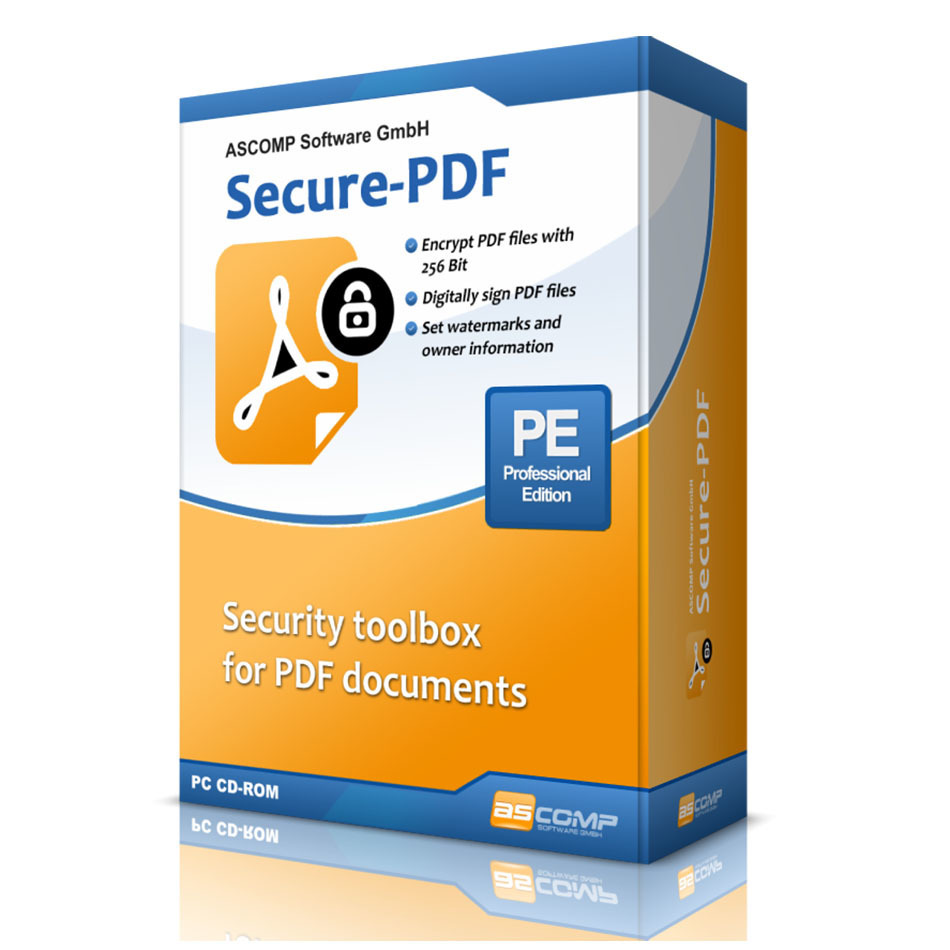
The PDF format is used worldwide to distribute graphically processed documents. However, editing the documents is usually associated with high costs because good PDF editors are quite expensive. The cheaper alternatives on the other hand, lack the important functions to make PDFs secure, for example by encrypting, digitally signing or adding watermarks.
Secure-PDF puts an end to this: Encrypt your own or other people's PDF documents with up to 256 bit key strength (AES). Add a password to open it so that users can only view the encrypted document by entering the correct password.
To guarantee the recipients of your PDF documents that the corresponding document is original and has not been manipulated afterwards, a feature for digital signing is available in Secure-PDF. With a PKCS#12 certificate you can assign your digital signature to the document. Or just sign a PDF file by a signature image.
Secure-PDF can set watermarks as well as the owner information of a PDF document - even without previous knowledge of how to use PDF documents!
EaseUS PDF Editor is an all-in-one and reliable PDF editor, converter, make and reader. It can handles nearly everything for PDF files. You can create new PDF file by adding text, images, forms, links, etc. Also, if you are looking for PDF editing features, such as add/remove text, fill forms, annotate the file and more, you can always rely on it. In addition, it supports converting PDF file to Excel, Word, PowerPoint, images or vice versa. What's more, it also allows you to sign, encrypt, remove password and add watermark to your PDF files.