
ASCOMP Software
- 8 profiles
- 9 categories
Featured Products
All Products & Services

If the system boots up more and more slowly and the hard drive gets fuller, then it is high time for a thorough system cleaning! But which data can be deleted without risk, which are still needed for the smooth system and program flow? Cleaning Suite gives the answer! A total of six helpers analyze your system and enable deep cleaning operations. For example, you can delete temporary files, clean browser histories, caches, and cookies from all popular Internet browsers, and prevent installed applications and tools from starting automatically at system startup. The Windows Registry can also be optimized by Cleaning Suite in a targeted manner. The Windows software proceeds very carefully to ensure unrestricted use of your computer even after the cleaning process. On top of that, Cleaning Suite provides advanced features for the Windows Recycle Bin. A restore center provides the ability to undo certain actions of the software at any time. The detailed journal also provides information about the entire cleaning history.

The PDF format is used worldwide to distribute graphically processed documents. However, editing the documents is usually associated with high costs because good PDF editors are quite expensive. The cheaper alternatives on the other hand, lack the important functions to make PDFs secure, for example by encrypting, digitally signing or adding watermarks. Secure-PDF puts an end to this: Encrypt your own or other people's PDF documents with up to 256 bit key strength (AES). Add a password to open it so that users can only view the encrypted document by entering the correct password. To guarantee the recipients of your PDF documents that the corresponding document is original and has not been manipulated afterwards, a feature for digital signing is available in Secure-PDF. With a PKCS#12 certificate you can assign your digital signature to the document. Or just sign a PDF file by a signature image. Secure-PDF can set watermarks as well as the owner information of a PDF document - even without previous knowledge of how to use PDF documents!
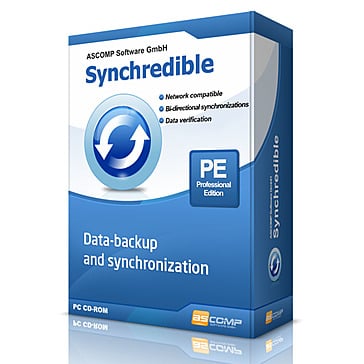
Whether it's an individual file or an entire drive, Synchredible will synchronize, copy and save it for you. A software wizard will assist you to determine jobs that are either pre-scheduled or to be done through a USB connection. This way, you can keep your files in sync automatically! Over the years, our state-of-the-art technology in Synchredible has made copying files easy. It also makes matching your files a simple task while it automatically detects changes and synchronizes the most recently edited files safely and reliably! Thanks to its advanced system for identifying similar files, Synchredible saves you time - unedited files can be skipped if desired. This way, large folders are synchronized in seconds! Synchredible not only works when synchronizing files locally on your computer but also for synchronizing folders via an external network or when using a USB device. Whether you are matching data or simply backing up your files, Synchredible reliably transfers your files to any preferred location!

Secure Eraser uses the most renowned method of data disposal and overwrites sensitive information in such a sure way that it can never be retrieved - even with specialized software. Our multiple award-winning solutions for definitively destroying data also eliminate any cross-references that could leave traces of deleted files in the allocation table of your hard drive. This easy-to-use Windows software will overwrite sensitive data even up to 35 times - regardless of whether they are files, folders, drives, recycle bin or traces of surfing. You can also delete files that have already been deleted, but this time for good. Secure Eraser not only overwrites using random data, it offers the approved US Dod 5220.22-ME and U.S. DoD 5220.22-MECE standards from the US Department of Defense, the German industrial standard and the Peter Gutmann standard. All deletions are logged in details upon request.

Whether you want to convert PDF documents into a Word format DOC or convert Word documents into PDF - PDF Conversa provides the necessary tools. PDF to Word: Convert existing PDF files into the Word file format DOC in no time at all. The graphics, tables and fonts associated with the basic layout remain unchanged. Password-protected documents can be easily converted and further processed in Word. DOC/DOCX to PDF: If desired, password protection can be applied to your Word documents during the conversion into the PDF format, special fonts can be integrated directly into the PDF file, texts can be compressed and you are able to determine the picture quality of the contained graphics. Send documents in the format you desire or edit existing documents in your preferred file format. PDF Conversa processes the conversion with just one click.

Monitor hardware, analyze system information and run SSD health checks with PC Internals.

The problem: PDF files and images from a scanned paper document contain text that cannot be copied or edited. However, manual typing is not possible due to the size of the document and the high time involved. The solution: Text-R! The software also recognizes text in PDF files and images that immediately convert it into an editable document for any user level. The text can be saved in a new editable PDF or RTF document (Word). Formatting stays close to the original, so in most cases no post-processing is required. The built-in dictionaries and professional OCR filters ensure high accuracy in text recognition. In this way, skewed texts and rotated documents can also be detected.
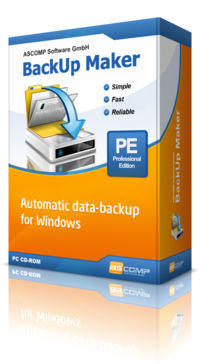
BackUp Maker automatically stores your files and at the same time offers an intuitive functionality. Select your data, optionally set automatization for scheduled backups, select its destination and within an instant, your valuable documents are transferred in zip format to a hard drive, USB flash drive or directly to the Cloud as scheduled or according to circumstances. To ensure that your sensitive data remains secure at all times, BackUp Maker provides a highly secured encryption of up to 256 bits (AES). It also enables you to transfer protected backups to a webserver through an FTP/FTPS upload. Security Features: You can limitlessly secure information using BackUp Maker. Back-up only new and changed files; generate as many backups as needed; split the backup across multiple data storage devices and carry out random operations before or after backups!
ASCOMP Software Reviews

Raghunandan R.
Python | SQL| GoLang | AWS | Docker | Kubernetes | Airflow | Elastic SearchSecure eraser Protecting Your Confidential Data
Daniel C.
General Manager en Abacus Life Settlements, LLC.deep and precise cleaning
Carol K.
Junior in Animal Science at North Carolina State UniversityQuick solution to optimize storage space
About
What is ASCOMP Software?
ASCOMP Software is a technology company that specializes in developing a wide range of software solutions designed to enhance productivity, data security, and system performance for both private users and businesses. Their product portfolio includes tools for backup and data synchronization, secure data deletion, PDF conversion, and text recognition, among others.ASCOMP Software is known for its user-friendly applications, which are geared towards simplifying complex tasks while ensuring high levels of reliability and performance. With a strong focus on customer satisfaction, they offer software that runs on multiple operating systems and often provide both free and professional versions of their applications to cater to different user needs.Their official website, https://www.ascompsoftware.com/, serves as a central platform where customers can explore, download, and purchase their software products. The site also offers comprehensive support, including user manuals, frequently asked questions, and direct assistance, ensuring users gain maximum benefit from their software solutions.