AI-Generated Results
Finding matches…
Sketchbook is a digital art application designed for artists and designers to create, sketch, and capture ideas seamlessly across desktop, mobile, and tablet devices. Its intuitive and streamlined user interface ensures that the creative process remains uninterrupted, providing essential features like layers and blend modes expected by professional artists.
Key Features and Functionality:
- Extensive Brush Library: Offers a comprehensive range of brush types, including pencils, markers, airbrushes, and paint tools. Each brush is highly customizable, allowing users to achieve their desired artistic effects.
- Advanced Color Tools: Utilizes layers and color fill tools to bring sketches to life, supporting techniques such as dynamic linear and radial gradients.
- Precision Drawing Aids: Equipped with traditional rulers, curved rulers, ellipse, and French curve tools to guide precise drawing. The Predictive Stroke tool assists in creating smooth, accurate lines.
- Symmetry Tools: Features vertical, horizontal, and radial symmetry options that mirror pen strokes, enabling the creation of intricate designs effortlessly.
- Natural Pen Interaction: Highly responsive to stylus input, providing a natural drawing experience that accurately reflects pressure and tilt, capturing the depth and directionality intended by the artist.
Primary Value and User Solutions:
Sketchbook empowers users to transform their creative ideas into digital art with ease and precision. By offering a natural drawing experience combined with a suite of professional-grade tools, it caters to both quick sketches and fully finished artworks. The application's cross-platform availability ensures that creativity is not confined to a single device, allowing artists to work wherever inspiration strikes. Whether for professional projects or personal expression, Sketchbook provides the tools necessary to bring artistic visions to life.
Not seeing what you're looking for?
Dive deeper into "CSS Gradient" on G2 AI

Plasfy is an intuitive online graphic design platform that empowers users to create professional-quality visuals without the need for prior design experience. With a vast library of over 17,000 customizable templates and access to millions of royalty-free images and icons, Plasfy simplifies the design process for various projects, including social media graphics, marketing materials, business documents, and more. Its user-friendly drag-and-drop interface, combined with advanced editing tools, makes it accessible for entrepreneurs, small business owners, freelancers, marketers, and content creators seeking efficient and cost-effective design solutions.
Key Features and Functionality:
- Extensive Template Library: Over 17,000 ready-to-use templates across more than 100 formats and dimensions, catering to a wide range of design needs.
- Vast Media Resources: Access to millions of royalty-free stock photos, icons, and graphic elements, enabling diverse and creative designs.
- Advanced Editing Tools: Features such as AI-powered background remover, shape and text masking, filters, gradients, shadows, and borders enhance design capabilities.
- Customizable Text Options: Includes curved text functionality and a collection of over 3,000 fonts to ensure designs align with brand aesthetics.
- Flexible Export Options: Supports various file types, including PNG, JPG, SVG, WEBP, and PDF, with options for transparent backgrounds and quality scaling.
- Cloud Storage and Collaboration: Offers cloud storage for accessing designs on any device and features for sharing projects as templates or exporting them to other users.
- Third-Party Integrations: Seamless integration with services like Google Drive, Dropbox, and social media platforms for efficient workflow management.
Primary Value and User Solutions:
Plasfy addresses the need for accessible and efficient graphic design tools by eliminating the reliance on expensive software and specialized skills. It provides a cost-effective solution for creating visually appealing content, enabling users to produce high-quality designs quickly and effortlessly. This empowers businesses and individuals to enhance their branding and marketing efforts without significant investment in design resources.

Espresso is a macOS-native web development application designed to streamline the creation, editing, and publishing of websites. It combines a sophisticated text editor with visual design tools, real-time previews, and automated build systems, supporting languages such as HTML, CSS, JavaScript, and dynamic languages like PHP, Ruby, and Python. The application also integrates modern preprocessors like SCSS and LESS, enhancing the development workflow.
Key Features and Functionality:
- Live Preview with Browser Xray: Espresso offers real-time previews in browsers like Chrome, Firefox, and Safari, allowing developers to inspect and edit CSS directly on live pages without saving or reloading.
- CSSEdit Tools and Preprocessor Support: The application includes visual editors for colors, gradients, shadows, and layouts, compatible with standard CSS, SCSS, and LESS. The Navigator panel provides style previews and quick filtering for efficient code navigation.
- Dynamo Auto-Building and Clodette Server Sync: Dynamo enables static site generation with reusable templates and smart path resolution, producing output without server dependencies. Clodette facilitates seamless server synchronization, ensuring that local changes are accurately reflected online.
Primary Value and User Solutions:
Espresso's core value lies in its ability to merge next-generation intelligence with Mac-optimized performance, enabling developers to design and code efficiently without compromising on standards or creativity. By integrating live editing, server synchronization, and static site generation, Espresso provides a versatile tool suitable for both prototyping and production-grade projects, thereby enhancing productivity and streamlining the web development process.
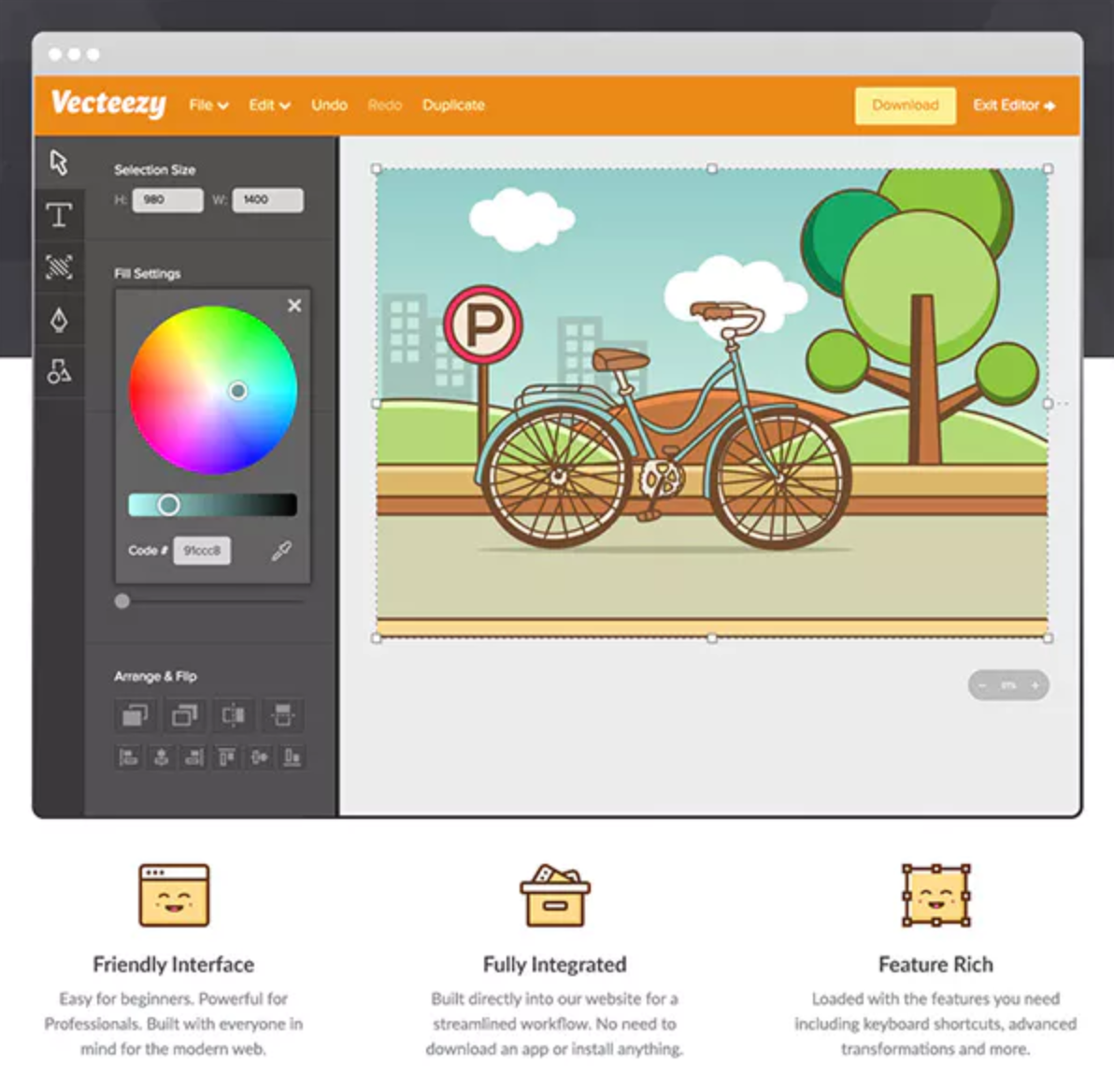
Vecteezy Editor is a free, web-based SVG editing tool that enables users to customize vector graphics directly within their browser. Designed for both beginners and professionals, it offers an intuitive interface and a suite of features to create and modify vector designs without the need for additional software installations.
Key Features and Functionality:
- User-Friendly Interface: The editor is accessible to users of all skill levels, providing a seamless design experience.
- Comprehensive Editing Tools: It includes essential vector drawing tools such as the Pen, Line, Curve, and Shape tools, along with editing capabilities like move, scale, rotate, align, and distribute.
- Text and Style Customization: Users can add and modify text, adjust fonts, colors, sizes, and apply gradients to objects.
- Integrated Asset Library: The platform offers access to a vast collection of vector graphics, stock photos, and design templates, enhancing creative possibilities.
- Multiple Export Options: Designs can be exported in various formats, including JPG, PNG, SVG, and PDF, ensuring compatibility with other design tools.
Primary Value and User Solutions:
Vecteezy Editor streamlines the design process by eliminating the need for external software, allowing users to edit and customize vector graphics directly in their browser. This accessibility is particularly beneficial for those seeking a cost-effective and efficient solution for creating high-quality vector designs. By integrating a comprehensive asset library with robust editing tools, Vecteezy Editor empowers users to produce professional-grade visuals for various applications, from social media content to marketing materials.

Color Matcher is an intuitive tool designed to assist users in generating thousands of beautiful color palettes, providing inspiration and enabling the selection of palettes that best suit their design needs.
Key Features and Functionality:
- Color Palette Generation: Instantly create a wide range of color combinations tailored to various design themes and preferences.
- Image Color Extraction: Upload any image to extract its core and accent colors, generating a cohesive palette that reflects the image's color scheme.
- Color Wheel Tool: Utilize the color wheel to explore and create harmonious color schemes based on color theory principles.
- Text and Overlay Suggestions: Receive recommendations for text and overlay colors that complement your chosen palette, ensuring readability and aesthetic appeal.
- Gradient and Contrast Tools: Access tools to create smooth color gradients and assess contrast ratios, enhancing the visual impact and accessibility of your designs.
Primary Value and User Solutions:
Color Matcher simplifies the process of selecting and harmonizing colors, a critical aspect of effective design. By providing automated palette generation and color extraction from images, it saves time and ensures consistency across projects. The tool addresses common challenges faced by designers, such as choosing complementary colors and maintaining visual harmony, thereby enhancing the overall quality and appeal of their work.

inPixio Photo Studio is a comprehensive photo editing software designed to make professional-quality photo enhancements accessible to users of all skill levels. With its intuitive interface and powerful AI-driven tools, inPixio enables users to effortlessly edit, retouch, and transform their photos, achieving stunning results without the need for extensive technical knowledge.
Key Features and Functionality:
- AI-Powered Editing: Utilize artificial intelligence to perform complex edits quickly, such as automatic background removal and sky replacement, enhancing photos with minimal effort.
- Object Removal: Easily erase unwanted elements like people, objects, or shadows from photos, with the software intelligently reconstructing the background for a seamless finish.
- Photomontage Creation: Combine multiple images, add stickers, and apply text to create unique and personalized photo compositions.
- One-Click Corrections: Instantly improve photo quality with automatic adjustments to brightness, contrast, and color balance, achieving optimal results in a single click.
- Creative Effects and Filters: Access a wide range of filters, frames, textures, and LUT styles to add artistic flair and unique touches to photos.
- Selective Retouching: Apply targeted edits using tools like linear and radial gradients, as well as a paintbrush for precise adjustments.
Primary Value and User Solutions:
inPixio Photo Studio addresses common challenges faced by photographers and casual users alike by simplifying the photo editing process. It eliminates the need for expensive and complex software, offering an affordable and user-friendly alternative that delivers professional results. Whether it's removing unwanted objects, enhancing image quality, or creating artistic compositions, inPixio empowers users to bring their creative visions to life with ease and efficiency.

Rayst Gradients is a curated collection of 64 stunning gradients generated by artificial intelligence. Designed to enhance visual projects, these gradients are available for free download and can be used for both commercial and non-commercial purposes without the need for permission, though attribution is appreciated.
Key Features and Functionality:
- AI-Generated Designs: Each gradient is uniquely crafted using advanced AI algorithms, ensuring a diverse and high-quality selection.
- Free Download: Users can access and download all 64 gradients at no cost.
- Flexible Usage: The gradients are suitable for a wide range of applications, including web design, graphic design, presentations, and more.
- No Permission Required: Utilize the gradients freely in both commercial and non-commercial projects without seeking permission.
Primary Value and User Benefits:
Rayst Gradients provides designers and creatives with a ready-to-use collection of aesthetically pleasing gradients, saving time and effort in creating custom designs. By offering these AI-generated gradients for free, it empowers users to enhance their visual content effortlessly, ensuring projects stand out with vibrant and unique color schemes.

PyTorch is an open-source machine learning framework that accelerates the transition from research prototyping to production deployment. Developed by Meta AI and now governed by the PyTorch Foundation under the Linux Foundation, PyTorch is widely used for applications in computer vision, natural language processing, and more. Its dynamic computation graph and intuitive Python interface make it a preferred choice for researchers and developers aiming to build and deploy deep learning models efficiently.
Key Features and Functionality:
- Dynamic Computation Graph: Allows for flexible and efficient model building, enabling changes to the network architecture during runtime.
- Tensors and Autograd: Utilizes tensors as fundamental data structures, similar to NumPy arrays, with support for automatic differentiation to streamline the computation of gradients.
- Neural Network API: Provides a modular framework for constructing neural networks with pre-defined layers, activation functions, and loss functions, facilitating the creation of complex models.
- Distributed Training: Offers native support for distributed training, optimizing performance across multiple GPUs and nodes, which is essential for scaling large models.
- TorchScript: Enables the transition from eager execution to graph execution, allowing models to be serialized and optimized for deployment in production environments.
- TorchServe: A tool for deploying PyTorch models at scale, supporting features like multi-model serving, logging, metrics, and RESTful endpoints for application integration.
- Mobile Support (Experimental): Extends PyTorch capabilities to mobile platforms, allowing models to be deployed on iOS and Android devices.
- Robust Ecosystem: Supported by an active community, PyTorch offers a rich ecosystem of tools and libraries for various domains, including computer vision and reinforcement learning.
- ONNX Support: Facilitates exporting models in the Open Neural Network Exchange (ONNX) format for compatibility with other platforms and runtimes.
Primary Value and User Solutions:
PyTorch's primary value lies in its ability to provide a seamless path from research to production. Its dynamic computation graph and user-friendly interface allow for rapid prototyping and experimentation, enabling researchers to iterate quickly on model designs. For developers, PyTorch's support for distributed training and tools like TorchServe simplify the deployment of models at scale, reducing the time and complexity associated with bringing machine learning models into production. Additionally, the extensive ecosystem and community support ensure that users have access to a wide range of resources and tools to address various machine learning challenges.

Google for Education is a comprehensive suite of tools and services designed to enhance teaching and learning experiences for educators and students worldwide. By integrating Google's powerful applications with educational methodologies, it fosters collaboration, creativity, and critical thinking in classrooms. The platform offers a range of resources tailored to meet the diverse needs of educational institutions, from primary schools to universities.
Key features and functionalities include:
- Google Classroom: A centralized platform that streamlines assignment creation, distribution, and grading, facilitating seamless communication between teachers and students.
- G Suite for Education: A collection of productivity tools such as Gmail, Docs, Sheets, Slides, and Drive, enabling real-time collaboration and efficient document management.
- Google Meet: Secure video conferencing capabilities that support virtual classrooms and remote learning sessions.
- Chromebooks: Affordable, durable laptops optimized for educational use, providing quick access to learning resources and applications.
- Google Forms and Quizzes: Tools for creating surveys, quizzes, and assessments to monitor student progress and gather feedback.
- Google Sites: A platform for building websites to share information, resources, and student projects.
The primary value of Google for Education lies in its ability to create an interactive and inclusive learning environment. It addresses challenges such as limited access to resources, the need for personalized learning experiences, and the demand for efficient communication channels. By leveraging cloud-based technology, it ensures that educational content is accessible anytime, anywhere, promoting equity and continuous learning opportunities for all students.

Optimize every assignment throughout the customer lifecycle - from lead distribution to opportunity round robin to customer account assignment - with Gradient Works Assignment.

YouiDraw Logo Creator is an online tool designed for creating high-quality vector graphics, including logos, icons, headings, and web elements. Operating entirely within a web browser, it eliminates the need for software downloads or installations, allowing users to design and access their projects from any device with internet connectivity. This cloud-based platform offers a user-friendly interface suitable for both beginners and experienced designers.
Key Features and Functionality:
- Extensive Template Library: Access hundreds of customizable templates and styles to jumpstart your design process.
- Quick Styles: Apply a variety of pre-designed styles, including gradients and artistic effects, to elements with a single click.
- Freehand Drawing Tools: Create unique logos by adding and manipulating points to form lines and curves.
- Vector Effects: Enhance designs with effects such as drop shadow, inner shadow, outer glow, inner glow, reflection, blur, and light filters.
- Shape Tools: Incorporate various shapes like rectangles, ellipses, convex, concave, and gear shapes, with adjustable properties for quick logo creation.
- SVG Editing: Import and edit SVG files, adding styles and effects, and combining them with other shapes.
- Cloud Integration: Save and access projects directly from Google Drive or Dropbox, facilitating seamless collaboration and storage.
- Export Options: Export designs in multiple formats, including SVG, PDF, PNG, and JPG, with customizable sizes to suit various applications.
Primary Value and User Solutions:
YouiDraw Logo Creator empowers users to produce professional-grade vector graphics without the complexities associated with traditional design software. Its browser-based nature ensures accessibility from any device, making it ideal for individuals and businesses seeking a flexible and efficient design solution. By offering a comprehensive suite of tools and templates, it streamlines the design process, enabling users to create and customize logos and other graphics swiftly, thereby enhancing brand identity and visual communication.

Sakai is an open-source Learning Management System (LMS) designed to support teaching, learning, and collaboration in educational settings. Developed by a global community of academic institutions and organizations, Sakai offers a flexible and scalable platform that empowers educators to create engaging and effective online learning experiences. Its comprehensive suite of tools facilitates course development, assessment, communication, and system administration, making it a robust solution for institutions seeking a customizable and user-centric LMS.
Key Features and Functionality:
- Course Development and Delivery: Sakai enables instructors to create and organize course content, including text, multimedia resources, quizzes, and assignments, into structured lessons or modules. It supports conditional release of materials, allowing educators to control access based on specific criteria. The platform also offers tools for uploading, storing, and sharing files, enhancing resource management.
- Grading and Assessment: The system provides advanced grading and assessment capabilities, including support for high-stakes testing, formative assessments, online assignments, and rubric-based scoring. Instructors can collect student submissions and offer detailed feedback efficiently.
- Communications and Collaboration: Sakai offers a variety of synchronous and asynchronous communication tools, such as messaging, discussion forums, social connections, and collaborative workspaces. These features facilitate effective interaction and teamwork among students and instructors.
- System Administration: The platform includes powerful administrative tools for managing courses and users. Its configurable system of roles and permissions allows institutions to tailor the platform to their specific business processes.
- Integration with External Applications: Sakai supports integration with third-party applications through the IMS Learning Tools Interoperability (LTI) specification and offers an extensive API for developing deep, native integrations.
Primary Value and User Solutions:
Sakai addresses the need for a flexible, scalable, and customizable LMS that supports diverse teaching and learning methodologies. By providing a comprehensive suite of tools for course development, assessment, communication, and administration, Sakai empowers educators to create engaging and effective online learning environments. Its open-source nature ensures that institutions have control over their learning platform, allowing for continuous improvement and adaptation to emerging educational needs. Additionally, Sakai's commitment to accessibility and user-centered design ensures an inclusive learning experience for all users.

GradingPal is an AI-powered grading and feedback platform built specifically for U.S. K-12 teachers (and higher education instructors) to streamline assessment of diverse student work while keeping educators fully in control.
Teachers upload assignments - such as essays, math worksheets, reading comprehension sheets, quizzes, science labs, video/audio responses, art projects, and mixed formats - and GradingPal's AI delivers fast, rubric-aligned scores, detailed feedback, and class-wide performance insights in minutes. All outputs are fully reviewable and editable: teachers can override scores, adjust comments, or add personal touches before sharing with students. This hybrid teacher-in-the-loop approach saves 60 - 80% of grading time, reduces burnout, ensures consistency and fairness, and frees educators to focus on instruction, reteaching, and student relationships.
Key features include:
Support for handwritten/typed/digital submissions via OCR and file upload
Customizable rubrics aligned with Common Core, NGSS, and other standards
Built-in AI content detection and plagiarism checking
Analytics dashboards for identifying learning gaps and trends
Secure, FERPA/COPPA-compliant design with CASA Tier 2 certification
Seamless integration with Google Classroom
GradingPal is designed to enhance - not replace - professional judgment, promoting equitable, timely, and meaningful feedback that improves student outcomes. It's trusted by teachers for handling high-volume formative assessments while maintaining academic integrity and data privacy. Try it free and see how it transforms your workflow. Visit www.gradingpal.com for more details.

Alma delivers a suite of SIS and LMS tools that are meticulously crafted to optimize school operations. The platform ensures precision in grading, supporting traditional and progressive practices including standards-based grading, while ensuring precise management of student demographics, attendance, discipline, and more. Streamlined for admissions, enrollment, and scheduling, Alma empowers learning communities with a modern software platform. Alma, designed to optimize data, offers vivid, actionable insights into student performance for the entire learning community. Alma’s parent and student portals contain a wealth of information on each student, including attendance, grades, report cards, and graduation plans. Alma’s mobile app empowers students and parents with a seamless, information-rich, and user-friendly experience on their mobile devices – the same they get with Alma on their desktops. Comprised of former educators and industry leaders, Alma’s product development and customer support teams are there to assist in enhancing every aspect of the education process.

Film emulation and color grading software for videos and photos. Available as a standalone Desktop and iOS app, and as a plug-in for Baselight, DaVinci, Premiere Pro, After Effects, Final Cut Pro, Assimilate SCRATCH, Vegas Pro, Photoshop, Lightroom Classic, Capture One and Affinity Photo.

ClassMarker is a professional online testing platform that enables educators and businesses to create, administer, and grade custom quizzes and exams efficiently. Designed for ease of use, it supports a variety of question types, including multiple choice, true/false, matching, short answer, and essay questions. The platform offers robust features such as automatic grading, detailed analytics, and customizable test settings, making it suitable for diverse assessment needs.
Key Features and Functionality:
- Diverse Question Types: Supports multiple choice, true/false, matching, short answer, essay, and more, allowing for comprehensive assessments.
- Question Bank Management: Organize questions into categories, reuse them across multiple tests, and implement randomization to ensure varied assessments.
- Rich Media Integration: Enhance questions with images, videos, audio, and documents to create engaging and interactive tests.
- Customizable Test Settings: Set time limits, availability dates, randomize question order, and apply various restrictions to tailor the testing experience.
- Automated Grading and Feedback: Instantly grade tests and provide immediate feedback to test takers, with options for partial grading and manual grading for essay questions.
- Security Measures: Implement features like online exam proctoring, IP restrictions, and secure access controls to maintain test integrity.
- Certification: Generate custom certificates upon test completion, incorporating dynamic data such as user names and scores.
- Integration Capabilities: Utilize APIs and webhooks for seamless integration with existing systems and workflows.
Primary Value and Solutions Provided:
ClassMarker streamlines the assessment process by offering a user-friendly interface combined with powerful features that cater to both educational institutions and businesses. It addresses the need for efficient test creation, delivery, and grading, saving time and resources. The platform's flexibility allows for tailored assessments, while its security features ensure the integrity of the testing process. By providing instant feedback and detailed analytics, ClassMarker helps organizations and educators effectively measure knowledge, evaluate training effectiveness, and make informed decisions based on assessment outcomes.

Workday Talent Acquisition unifies and transforms hiring at scale with an AI-powered, end-to-end solution. Organizations can rethink sourcing and enhance experiences for job seekers by automating programs to find top talent and provide personalized, streamlined experiences that expedite hiring. With features like candidate rediscovery and AI-powered grading, recruiters prioritize best-fit candidates and effortlessly source from existing talent pools, saving time and costs. Workday helps elevate recruiters and teams to their highest potential. Automated workflows, personalized workspaces, and AI notifications empower teams to execute efficiently, fostering collaboration and boosting productivity for faster hiring decisions. Workday Talent Acquisition also enables organizations to transform and scale hiring workflows through TA innovation. These automated workflows will flex to meet business demands, ensuring strategic alignment of talent to business needs and greater agility.

ClassLens is an AI-assisted grading tool built for Google Classroom teachers. Sign in with Google, select an assignment, configure your grading preferences, and ClassLens grades student submissions via Google Cloud Vertex AI. Grades and feedback save as drafts in Classroom (Draft Only mode) or route to the in-app Batch Review Dashboard for teacher review before release (Grade & Review mode). The Knowledge Gap Report aggregates class-wide misunderstandings per assignment so teachers can re-teach the criteria students actually missed.
ClassLens is the only K-12 AI grading tool with restricted-scope Google OAuth verification, SOC 2 Type I attested by Percilchofe CPA LLC (License No. 1188), CASA Tier 2 complete, and signatory status on the CISA Secure by Design Pledge. Built by a full-time teacher.

Gradescope streamlines the tedious parts of grading paper-based, digital, and code assignments while providing insights into how your students are doing.

A simple way to create quizzes for business training, education or fun! ProProfs Quiz Maker is a tool to create online tests, quizzes and assessments. Quizzes can be created and shared in a matter of seconds with its easy-to-use interface that supports features such as automated grading, certificates, reminders and compliance modules.