AI-Generated Results
Finding matches…
Introduced in 2013 and used by over 60 million websites, All-in-One WP Migration is verifiably one of WordPress’ most trusted and utilized plugins for moving websites with absolute ease.
Intently built with the non-technical user in mind, All-in-One WP Migration comes loaded with newbie-friendly functions that allow you to migrate your WordPress website with little to no technical knowledge or experience.
Ready to migrate your website? It’s fast and easy as 1, 2, 3:
1. Install All-in-One WP Migration plugin.
2. Hit the export button to bundle your database, media files, plugins, and themes into one tidy file.
3. Unpack the file at the new location with an easy-to-use “drag and drop” feature in the WordPress dashboard of your new website.
Follow these three simple steps, and your site will be live at its new location with minimal stress and zero downtime!
One feature that makes All-in-One WP Migration widely loved (to the tune of over 6,000 5-star user reviews) is that the technical requirements for installing the plugin are simple.
If you have WordPress version between 3.3 and 5.9.1 and PHP version between 5.2.17 and 8.1.3, you are good to go. All-in-One WP Migration also supports all versions of MySQL and MariaDB.
Features Spotlight:
- Supports custom uploads, plugins, theme folders, and more.
- Available in over 50 language translations – including Japanese.
- Accessible for individuals with disabilities (WCAG 2.1 AA Level compliant)
- No limitations on host or operating system.
- Supports a vast range of hosting providers — click here for a full list of supported providers.
- A long list of premium extensions that gives you the power to do more.
- Mobile device compatible.
- Intelligent and flawless auto-replacement of website url during import.
- Full product support.
- Browse WPRESS files online with Traktor Web
- Extract WPRESS files on your computer with Traktor Desktop
And lots more!
Here are other reasons to use All-in-One WP Migration …
Trusted by the Government and Big Corporations:
Many enterprise customers, government organizations, and universities use,
love, and trust All-in-One WP Migration. Here are some: Boeing, NASA, VW, IBM, Harvard University, Stanford University, Lego, P&G, Automattic, State of California, State of Hawaii.
This broad adoption and usage of All-in-One WP Migration demonstrate how safe, reliable and adaptable the plugin is for just about any website migration need.
Full Compatibility and Support:
All-in-One WP Migration has been extensively tested and confirmed to be compatible with most WordPress plugins and themes.
This means you don’t get to experience cross-plugin compatibility issues that can slow down, bug, or break down your WordPress website when you install and use All-in-One WP Migration.
As a matter of fact, All-in-One WP Migration has partnered with multiple theme/plugin vendors to distribute their themes/plugins with us as a single, easy to use, easy to install package.
These vendors trust us and our plugin to provide their customers with reliable product delivery, support, migrations, and backups.
Cloud Storage Supported:
All-in-One WP Migration supports and syncs seamlessly with top cloud storage services.
The plugin comes preinstalled on all Bitnami WordPress sites running on AWS, Google Compute Cloud, and Microsoft Azure.
Not seeing what you're looking for?
Dive deeper into "Get Backup Pro" on G2 AI

NetApp® Backup and Recovery is a simple, secure, and cost-effective integrated data protection service for NetApp ONTAP® based data, including volumes, databases, VMs, and Kubernetes. Support for Backup and Recovery is already built-in to all ONTAP systems, so there is no need for additional hardware, software licenses, or media gateways.

Proxmox Virtual Environment (Proxmox VE) is an open-source server virtualization platform that integrates Kernel-based Virtual Machine (KVM) and Linux Containers (LXC) technologies. It enables users to deploy and manage virtual machines and containers through a unified web-based interface, offering a comprehensive solution for enterprise virtualization needs.
Key Features and Functionality:
- Integrated Virtualization: Combines KVM for full virtualization and LXC for lightweight containerization, allowing flexible deployment of various workloads.
- Web-Based Management Interface: Provides an intuitive web interface for managing virtual machines, containers, storage, and networking, simplifying administrative tasks.
- High Availability Clustering: Supports clustering of multiple nodes with high availability configurations, ensuring minimal downtime and enhanced reliability.
- Live Migration: Enables live migration of virtual machines between cluster nodes without service interruption, facilitating maintenance and load balancing.
- Backup and Restore: Offers integrated backup and restore functionalities for virtual machines and containers, ensuring data protection and disaster recovery readiness.
- Software-Defined Storage and Networking: Includes support for various storage backends and advanced networking configurations, providing flexibility in infrastructure design.
Primary Value and User Solutions:
Proxmox VE addresses the need for a robust, scalable, and cost-effective virtualization solution in enterprise environments. By integrating multiple virtualization technologies and management tools into a single platform, it simplifies the deployment and administration of virtualized infrastructures. Its open-source nature ensures transparency and adaptability, allowing organizations to tailor the system to their specific requirements. The platform's high availability and live migration features minimize downtime, enhancing business continuity. Additionally, the comprehensive backup and restore capabilities safeguard critical data, providing peace of mind for IT administrators. Overall, Proxmox VE empowers businesses to optimize their IT resources, improve operational efficiency, and reduce costs associated with virtualization management.

No Code Backend Development Platform.
Xano gives you a scalable backend, a flexible database, a ready-to-use API and a No Code business logic builder to transform data to and from any source.
Create business logic fast & easy with no code. Accelerate your product’s time to market using templates and extensions. Xano uses PostgreSQL which provides the flexibility of a relational database along with the Big data needs of a NoSQL solution, plus C.R.U.D operations, API builder and more.
Xano also includes Webhooks, Geo-Location, OAuth, and many other integrations. Whether you're pushing data out to the world or pulling data in from your favorite tool or service, Xano makes it easy for you to connect to anything that has a RESTful API.
The Microsoft OneDrive Backup Tool is a robust and secure utility designed to facilitate seamless migration and backup of OneDrive data. It enables users to transfer files, including audio, video, photos, PDFs, and documents, from one OneDrive account to another or to Google Drive. Additionally, the tool allows for the restoration and saving of OneDrive data to local drives or desktops, ensuring data accessibility and security.
Key Features and Functionality:
- Comprehensive Data Migration: Supports the transfer of various file types such as audio, video, documents (DOC, DOCX, PDF), and more between OneDrive accounts or to Google Drive.
- Local Backup Capability: Enables users to restore and save OneDrive data directly to local drives or desktops, providing an additional layer of data security.
- Data Preview Option: Offers a preview of OneDrive data, displaying folder names, sizes, creation dates, and creators, allowing users to verify data before migration.
- Selective Data Migration: Features a date filter option that allows users to migrate specific data items from OneDrive accounts based on selected dates, enhancing efficiency.
- Duplicate File Management: Includes an option to handle duplicate files during migration or backup processes, ensuring data integrity and organization.
- Multiple Date Selection: Allows the addition of multiple dates for selective data migration, providing flexibility in managing data transfers.
Primary Value and User Solutions:
The Microsoft OneDrive Backup Tool addresses the critical need for efficient and secure data migration and backup solutions for OneDrive users. By offering comprehensive data transfer capabilities, local backup options, and advanced features like selective migration and duplicate management, the tool ensures that users can safeguard their data, maintain data integrity, and streamline their data management processes. This is particularly beneficial for businesses and individuals seeking reliable solutions for data migration, backup, and recovery within the OneDrive ecosystem.
The Check Point Quantum Spark Security Management Portal is a cloud-based platform designed to streamline the management of Check Point's Quantum Spark small business firewalls. It offers managed service providers (MSPs) an intuitive web interface to efficiently provision and oversee security measures for small businesses.
Key Features and Functionality:
- Unified Management: Enables MSPs to manage up to 30,000 gateways within a single domain, facilitating scalable security operations.
- Zero-Touch Deployment: Allows for rapid, on-site technician-free deployment; devices can be configured remotely via the cloud, ensuring full protection within minutes.
- Group-Based Security Provisioning: Supports the creation of management plans that set security policies, firmware updates, backups, and more for groups of gateways, enhancing operational efficiency.
- Consolidated Logging and Reporting: Provides extensive logging, reporting, and monitoring capabilities, offering comprehensive insights into network security and performance.
- Role-Based Administration: Features granular, role-based administrative controls, allowing for tailored access and management rights.
Primary Value and User Solutions:
The Quantum Spark Security Management Portal addresses the challenges faced by MSPs in managing multiple small business clients by offering a centralized, cloud-based solution. It reduces operational and maintenance costs through zero-touch deployment and scheduled reporting, while improving the security management experience with its scalable architecture. By consolidating firewall logging and providing actionable reporting, the portal enhances security oversight and response capabilities. Additionally, its user-friendly, web-based interface simplifies the management process, allowing MSPs to efficiently support their clients and generate new revenue opportunities.

Hetzner's web hosting services are designed to cater to a diverse clientele, including private individuals, freelancers, and businesses, by offering a range of packages that emphasize performance, flexibility, and transparent pricing. With a focus on modern technologies and high reliability, Hetzner ensures that users can manage their websites efficiently and securely.
Key Features and Functionality:
- Flexible Packages: Hetzner offers four distinct web hosting plans—S, M, L, and XL—tailored to various needs, from simple personal websites to complex business applications.
- Advanced Technologies: Incorporation of tools like Varnish, Redis, and Node.js enhances website performance, stability, and flexibility.
- Comprehensive Management: The konsoleH administration interface allows users to manage domains, email accounts, backups, and more with ease.
- Robust Security: Daily automatic backups stored for 14 days, DDoS protection, and hosting exclusively in Germany ensure high security standards and GDPR compliance.
- Developer Support: Support for multiple PHP versions, CGI (Perl, Python, Ruby), and optional PHP extensions like APCu, ImageMagick, and Redis caters to developers' diverse requirements.
Primary Value and Solutions Provided:
Hetzner's web hosting services address the critical needs of reliability, performance, and scalability for website owners. By offering a range of packages equipped with modern technologies and robust security measures, Hetzner enables users to build and maintain websites that are fast, secure, and adaptable to their evolving requirements. The transparent pricing and flexible add-ons ensure that customers can tailor their hosting solutions without unnecessary costs, making Hetzner a valuable partner for both personal and professional web hosting needs.

ADrive Enterprise Solution is a comprehensive cloud storage and backup service designed to meet the needs of businesses seeking secure, scalable, and efficient data management. By leveraging enterprise-class storage systems hosted in Tier IV datacenters, ADrive ensures 99.9% uptime and robust data protection. The solution integrates seamlessly with existing infrastructures, offering various access protocols and optional data mirroring to geographically diverse locations for enhanced redundancy.
Key Features and Functionality:
- Secure VPN Connection: Establishes encrypted VPN connections to client offices or datacenters, ensuring secure data transmission and immediate integration with existing firewall technologies.
- Multiple Access Protocols: Supports file system access via CIFS and NFS, as well as block-level protocols like iSCSI and Fibre Channel. Custom access through HTTP, FTP, or WebDAV is also available for dedicated customers.
- On-Demand Scalability: Allows businesses to dynamically expand storage capacity, accommodating growth without the need for additional hardware investments.
- Data Mirroring: Offers optional mirroring to multiple datacenters, providing added protection through geographically diverse backups and ensuring business continuity.
- Redundant Infrastructure: Utilizes enterprise-class storage systems designed without single points of failure, maintaining data availability even during simultaneous failures of storage controllers, disk drives, network, power, or cooling systems.
Primary Value and Solutions Provided:
ADrive Enterprise Solution addresses critical business challenges related to data storage, security, and accessibility. By offloading the complexities and costs associated with operating in-house storage systems, businesses can focus on core operations while ensuring their data is securely stored and readily accessible. The solution's scalability supports business growth, and its robust security measures protect sensitive information. Additionally, the optional data mirroring feature enhances disaster recovery capabilities, providing peace of mind and ensuring data integrity across multiple locations.

Mergin Maps is a field data collection tool built on the free and open-source QGIS which allows you to collect, store and synchronise your data with your team. It removes the pain of writing down paper notes, georeferencing photos and transcribing GPS coordinates. With Mergin Maps, you can get your QGIS projects into the mobile app, collect data and synchronise it back on the server.
Setting up your project with Mergin Maps only takes a few minutes. First, create your survey project in QGIS, then connect it to Mergin Maps with a plugin and synchronise it with the mobile app to start collecting in the field.
The data you capture in the field survey is shown on a map and can be exported to a wide variety of formats including CSV, Microsoft Excel, ESRI Shapefile, Mapinfo, GeoPackage, PostGIS, AutoCAD DXF, and KML.
Mergin Maps allows you to do live position tracking, fill out survey forms and capture and edit points, lines or polygons. You can also connect external GPS/GNSS devices via Bluetooth for high-precision surveying. Map layers look the same as in QGIS desktop so you can set your layer symbology how you want it on the desktop and it will appear that way on your mobile device.
Mergin Maps supports offline field data capture for situations where a data connection is unavailable. It can be configured to use either offline or web-based background maps and contextual layers.
Perks of the Mergin Maps sync system:
- No need for cables to get your data on/off your device
- Share projects with others for collaborative working, even offline
- Updates from different surveyors are intelligently merged
- Push data back from the field in real time
- Version history and cloud-based backup
- Fine-grained access control
- Record metadata such as EXIF, GPS and external GNSS device information
- Sync with your PostGIS datasets and external media storage such as S3 and MinIO
Supported field types for forms are:
- Text (single or multi-line)
- Numeric (plain, with +/- buttons or with slider)
- Date / time (with calendar picker)
- Photo
- Checkbox (yes/no values)
- Drop-down with predefined values
- Drop-down with values from another table
MySQL is the world's most popular open-source database, renowned for its reliability, performance, and ease of use. It serves as the backbone for many high-profile web applications, including those of Facebook, Twitter, and YouTube. MySQL offers a comprehensive suite of features that cater to the needs of modern web, mobile, embedded, and cloud applications.
Key Features and Functionality:
- Transactional Data Dictionary: Implemented as a set of SQL tables stored in a single InnoDB tablespace, enhancing data management efficiency.
- Common Table Expressions (CTEs): Also known as WITH queries, CTEs simplify complex queries and improve readability.
- Window Functions: These functions reduce code complexity and boost developer productivity by allowing calculations across sets of table rows related to the current row.
- Invisible Indexes: Facilitate better management of software upgrades and database changes for applications that require continuous operation.
- Descending Indexes: Eliminate the need for sorting results, leading to performance improvements.
- JSON Support: Includes the JSON_TABLE() function, which accepts JSON data and returns it as a relational table, enhancing flexibility in data handling.
- Document Store: Allows the development of both SQL and NoSQL document applications using a single database, providing versatility in application design.
- SQL Roles: Simplify permission management by granting and denying permissions to groups of users, thereby reducing the security workload.
- OpenSSL Integration: Utilizes OpenSSL as the default TLS/SSL library, ensuring secure data transmission.
- Default to utf8mb4 Character Set: Supports richer mobile applications and international character sets, accommodating a global user base.
- Geographic Information System (GIS) Enhancements: Supports geography and Spatial Reference Systems (SRS), enabling advanced spatial data analysis.
- InnoDB Cluster: Provides improved high availability through integrated solutions.
- InnoDB ClusterSet: Offers cross-region disaster recovery capabilities, ensuring data resilience.
- Replication: Provides flexible topologies for scale-out and high availability, enhancing system robustness.
- Reliability: Requires minimal intervention to achieve continuous uptime, ensuring consistent performance.
- Partitioning: Improves performance and management of very large database environments by dividing tables into smaller, more manageable pieces.
- ACID Transactions: Ensures reliable and secure business-critical applications by supporting Atomicity, Consistency, Isolation, and Durability.
- Stored Procedures and Triggers: Enhance developer productivity and enforce complex business rules at the database level.
- Views: Ensure sensitive information is not compromised by providing controlled access to data.
- Ease of Use: Offers a "3 minutes from download to development" installation and configuration process, facilitating quick deployment.
- Low Administration: Requires very little database maintenance, reducing operational overhead.
Primary Value and User Solutions:
MySQL delivers a robust, scalable, and secure database solution that addresses the needs of developers and enterprises alike. Its comprehensive feature set supports the development of high-performance applications across various platforms, including web, mobile, embedded, and cloud environments. By offering advanced functionalities such as ACID compliance, high availability, and flexible replication, MySQL ensures data integrity and reliability. Its ease of use and low administrative requirements enable organizations to reduce operational costs and accelerate time-to-market for their applications. Furthermore, MySQL's support for modern development practices, including JSON and NoSQL capabilities, allows developers to build versatile and future-proof applications.
Percona XtraBackup is a free, open-source, complete online backup solution for all versions of Percona Server for MySQL, MySQL, and MariaDB. Percona XtraBackup performs online non-blocking, tightly compressed, highly secure backups of InnoDB, XtraDB, and HailDB storage engines on transactional systems, so that applications remain fully available during planned maintenance windows. Percona XtraBackup can perform streaming, compressed, and incremental MySQL backups.
Percona XtraBackup ensures higher uptime by providing fast and reliable backups, with uninterrupted transaction processing. It enables users to save on disk space and network bandwidth due to better compression and includes automatic backup verification. Percona XtraBackup brings immediate, noticeable, and long-lasting benefits, allowing you to meet your budget and business needs.
Percona is a market leader in providing best-of-breed enterprise-class software, support,
consulting, managed services, and training for on-premise and cloud-based open-source
databases. Percona was founded on the belief that everyone should have access to scalable, secure, efficient, and resilient database software features, without inflated fees or vendor lock-in. Our global network of experts spans more than 35 countries and we have assisted over 3,000 clients worldwide.
GeekSupport allows you to hire an IT department for just $75/month per user. Plus you get to access a free suite of powerful IT tools such as Antivirus, Backup, Malware protection, Firewall, and more to keep you online and working.
Arcserve is a provider of comprehensive data protection, backup, and disaster recovery solutions designed to safeguard critical business information across diverse IT environments. With a focus on innovation and simplicity, Arcserve delivers a Unified Data Resilience™ platform that ensures data is secure, accessible, and optimized at all times, catering to organizations of all sizes and complexities.
Key Features and Functionality:
- Unified Data Protection: Arcserve offers integrated solutions combining backup, replication, high availability, and cybersecurity to protect cloud, virtual, and physical workloads.
- Global Deduplication: The platform includes true global deduplication technology, reducing storage requirements by eliminating redundant data across all backup jobs.
- High Availability: Arcserve ensures continuous data access and minimizes downtime with built-in high availability features, supporting businesses that operate 24/7.
- Cloud Integration: Seamless integration with public and private cloud services enables offsite backup and disaster recovery, providing flexibility and scalability.
- Centralized Management: A unified management console allows administrators to monitor and manage all backup and recovery operations from a single interface, simplifying IT operations.
- Advanced Security Measures: Arcserve incorporates robust encryption for data at rest and in transit, ensuring compliance with data protection regulations and safeguarding against cyber threats.
Primary Value and Solutions Provided:
Arcserve addresses critical challenges in data protection by offering solutions that:
- Protect Against Ransomware: The platform integrates threat prevention, detection, and ransomware recovery technologies to eliminate cyberattacks and their fallout.
- Minimize Downtime: Arcserve enables rapid recovery of critical systems, applications, and data, ensuring business operations resume quickly with near-zero data loss.
- Prevent Data Loss: By providing comprehensive backup and immediate restoration capabilities, Arcserve ensures business-critical data is not damaged or destroyed, avoiding costly business disasters and reputational damage.
- Reduce IT Complexity and Costs: The unified platform simplifies data protection management, eliminating the need for complex system integrations and reducing both operating and capital costs.
By delivering a full suite of data protection solutions, Arcserve empowers organizations to maintain business continuity, eliminate the risk of downtime, and safeguard their most valuable asset: their data.
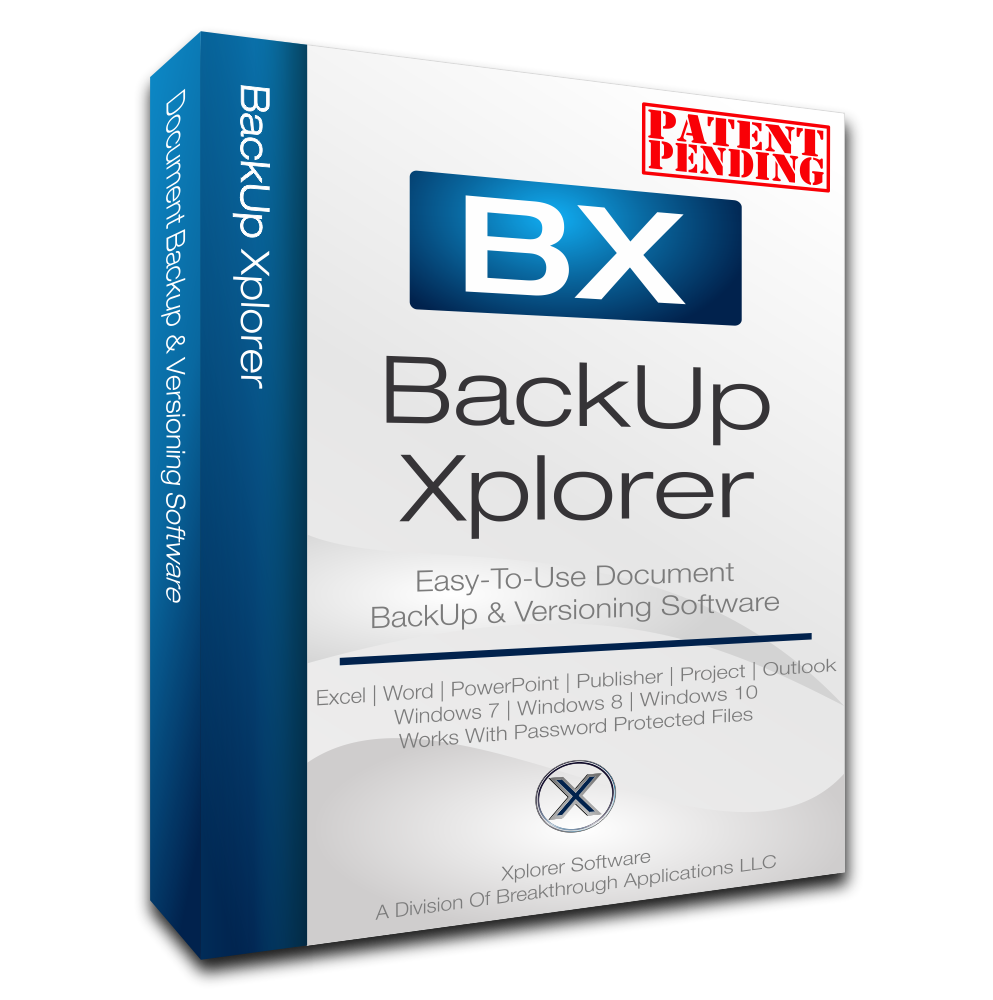
BackUps, Version Control & More For Your Microsoft Office Documents:
*BackUp Sequences Unique To Each Document
*Local & Remote Storage Support
*Document Version Tracking
*Multi-User Change Tracking
*Document Version Comparison Tool Integration
*Works With Excel, Word, Powerpoint, & Publisher
The concept for the Backup Xplorer was conceived from the understanding that not all documents have the same priority. OS based backup schedules will work, but typically leave too much time between backups of important documents.
With this understanding we decided that control of the schedule and location of important document backups must be prioritized within the document itself.
BackUp Xplorer allows the user to control frequency, location, and number of backups for each individual document. Total control over how valuable work is secured is now in the hands of the user.

BlueMail is a, secure, and free cross-platform email and calendar application designed to manage an unlimited number of email accounts from various providers. It offers a unified inbox, allowing users to consolidate all their email accounts into a single, user-friendly interface. With support for IMAP, POP3, and Exchange protocols, BlueMail ensures seamless integration with services like Gmail, Outlook, Yahoo Mail, and more. The app is available on multiple platforms, including Windows, macOS, Linux, Android, and iOS, providing a consistent experience across devices.
Key Features and Functionality:
- Unified Inbox: Consolidates emails from all accounts into one view, simplifying email management.
- Integrated Calendar: Allows users to plan events, invite contacts, and set notifications directly within the app.
- Instant Push Notifications: Delivers emails instantaneously, ensuring timely communication.
- Email Clustering: Organizes emails by sender and group, decluttering the inbox and enhancing productivity.
- GemAI Integration: Utilizes advanced AI technologies to assist in composing, summarizing, and replying to emails efficiently.
- MagicSync: Enables secure backup and synchronization of accounts and settings across devices.
- Privacy and Security: Employs industry-leading protocols, including SSL/TLS and STARTTLS, to secure communications and offers features like PGP encryption and S/MIME support.
Primary Value and User Solutions:
BlueMail addresses the challenges of managing multiple email accounts by providing a unified, intuitive platform that enhances productivity and organization. Its AI-powered features streamline email composition and management, saving users time and effort. The integrated calendar and task management tools help users stay on top of their schedules and tasks. With a strong emphasis on privacy and security, BlueMail ensures that users' data remains protected, making it a reliable choice for both personal and professional communication needs.
pgAdmin is a comprehensive, open-source administration and development platform for PostgreSQL, the world's most advanced open-source database. Designed to meet the needs of both database administrators and developers, pgAdmin offers an intuitive graphical interface that simplifies the management, querying, and analysis of PostgreSQL databases. Its cross-platform compatibility ensures seamless operation on Windows, macOS, and Linux systems, making it a versatile tool for diverse development environments.
Key Features and Functionality:
- Cross-Platform Support: Operates on Windows, macOS, and Linux, providing flexibility across different operating systems.
- Comprehensive Database Management: Enables users to create, manage, and query all PostgreSQL objects through an intuitive graphical interface.
- Powerful Query Tool: Features syntax highlighting, auto-complete, and graphical EXPLAIN options to optimize query performance.
- Multiple Deployment Models: Offers both desktop mode with a dedicated runtime and server mode, supporting multiple users over the web.
- Advanced Tools: Includes a schema diff tool for managing differences between schemas, an ERD tool for designing and documenting schemas, and a procedural language debugger supporting pl/pgsql and edb-spl.
- Routine Maintenance Utilities: Provides auto-vacuum management, a monitoring dashboard, and on-demand backup, restore, vacuum, and analyze functions.
- Extensive Documentation: Offers comprehensive documentation for both the pgAdmin application and PostgreSQL, facilitating ease of use and learning.
Primary Value and User Solutions:
pgAdmin addresses the complexities associated with PostgreSQL database management by offering a user-friendly, feature-rich interface that streamlines administrative tasks and development processes. Its cross-platform support and multiple deployment options cater to a wide range of user preferences and operational requirements. By integrating advanced tools for query optimization, schema management, and routine maintenance, pgAdmin enhances productivity and ensures efficient database performance. This makes it an invaluable resource for database administrators and developers seeking a robust and reliable PostgreSQL management solution.
Dell Data Protection Suite is a comprehensive software solution designed to safeguard critical data across diverse IT environments, including physical, virtual, and cloud infrastructures. It offers a unified platform for backup, recovery, and management, ensuring data integrity and availability.
Key Features and Functionality:
- Comprehensive Data Protection: Supports a wide range of applications, databases, and platforms, providing consistent protection across various environments.
- Cloud Integration: Facilitates backup to cloud, backup in-cloud, long-term retention, and cloud disaster recovery, enhancing flexibility and scalability.
- Advanced Cyber Resilience: Employs machine learning algorithms for anomaly detection, offering proactive defense against cyber threats and ensuring rapid recovery from incidents.
- Automated Operations: Features automated policy management and discovery of databases, virtual machines, file systems, and Kubernetes containers, streamlining data protection processes.
- Flexible Deployment Options: Offers both on-premises and cloud-based deployment models, catering to the specific needs of organizations of all sizes.
Primary Value and User Solutions:
Dell Data Protection Suite addresses the critical need for robust data security in an era of increasing cyber threats and complex IT infrastructures. By providing a centralized and automated approach to data protection, it simplifies management, reduces operational overhead, and ensures business continuity. Organizations benefit from enhanced data resilience, compliance with regulatory requirements, and the confidence that their data assets are secure and recoverable in any scenario.
WPinfy is managed WordPress hosting provider focused on speed and security of WordPress sites. Built on solid platform AWS, WPinfy provides 24/7 assistance through live support.
WPinfy's scalable technology can handle sites from as small as few thousands visits per month to Millions of visits per month without any hassle.
Active Malcare protection, Daily Backups, one click staging and restore are some of the added benefits every site gets on WPinfy without any extra charge. We guarantee hack free and also fix sites which are hacked on WPinfy for free so that you can focus on business and reduce your headaches. Our expert WordPress team is available 24/7 to assist or help you with any errors you face on WordPress level.
Deploy your site on any of the 14+ locations available Globally covering all continents and regions.All plans on WPinfy include CDN ( powered by Bunny CDN) , free image optimization (Bunny image Optimizer -webp) worth $10 and free SSL.
Our dashboard is going to be centralized to list all your sites at one place. You can see analytics, choose PHP version and even manage plugin and themes from the dashboard itself.

Siterack is a comprehensive platform designed to streamline the management and maintenance of WordPress websites. By automating routine tasks, it allows users to focus on building and enhancing their sites without the burden of ongoing upkeep. With Siterack, users can remotely manage all their WordPress sites from a single dashboard, significantly improving productivity and efficiency.
Key Features and Functionality:
- Automated Maintenance: Siterack performs safe updates, malware scans and removal, error detection, and backups, ensuring websites remain secure and up-to-date.
- Single Sign-On: Users can access any of their WordPress sites with a single click, eliminating the need to remember multiple login credentials.
- Remote Management: The platform enables tasks such as flushing caches, updating plugins, and adding new users to be performed remotely from a centralized dashboard.
- Team Collaboration: Siterack facilitates team management by allowing the onboarding of team members and streamlining collaborative workflows.
Primary Value and User Solutions:
Siterack addresses the common challenges associated with managing multiple WordPress sites by automating essential maintenance tasks and providing a unified interface for site management. This automation reduces the time and effort required for routine upkeep, allowing users to concentrate on content creation and business growth. By enhancing security through regular updates and malware scans, Siterack ensures that websites remain reliable and perform optimally. Its user-friendly design and comprehensive features make it an invaluable tool for website owners, developers, and agencies seeking to optimize their WordPress site management processes.
MySQL Workbench is a comprehensive visual tool designed for database architects, developers, and database administrators (DBAs) to facilitate the design, development, and management of MySQL databases. It integrates data modeling, SQL development, and administrative tasks into a unified environment, streamlining workflows and enhancing productivity. Available on Windows, Linux, and macOS, MySQL Workbench offers a user-friendly interface that simplifies complex database operations.
Key Features and Functionality:
- Visual Database Design: Enables users to create, model, generate, and manage databases visually. It supports the creation of complex Entity-Relationship (ER) models, forward and reverse engineering, and provides tools for change management and documentation.
- SQL Development: Offers a robust SQL Editor with features like syntax highlighting, auto-completion, SQL code generation, and execution history, facilitating efficient query development and optimization.
- Database Administration: Provides a visual console for server configuration, user administration, backup and recovery, and performance monitoring, allowing DBAs to manage MySQL environments effectively.
- Performance Tuning: Includes a Performance Dashboard and reports that help identify and address performance bottlenecks, offering insights into server performance, I/O hotspots, and expensive SQL statements.
- Database Migration: Supports migration from various database systems such as Microsoft SQL Server, Microsoft Access, Sybase ASE, and PostgreSQL to MySQL, simplifying the transition process.
Primary Value and Problem Solving:
MySQL Workbench addresses the challenges associated with database design, development, and administration by providing an integrated, visual environment that simplifies complex tasks. For database architects and developers, it streamlines the creation and management of database schemas, reducing the likelihood of errors and improving efficiency. For DBAs, it offers comprehensive tools for server management, performance tuning, and user administration, enhancing the overall health and performance of MySQL databases. By consolidating multiple functionalities into a single platform, MySQL Workbench reduces the need for disparate tools, thereby improving workflow continuity and productivity.