AI-Generated Results
Finding matches…
Videozilla is video converter to convert video files AVI, WMV, MPEG, RM, MOV, ASF, SWF, FLV, F4V, MPEG-4 (iPhone/iPad/MP4/iPod/Mobile/PSP/Tablet), M4V, MKV, VOB, 3GP, 3G2, DAT, WEBM, OGM, OGV, Blu-ray, HD Video (AVCHD, MTS, M2T, M2TS, TS) that works via right-click menu on the selected video files. With only a click needed, Videozilla offers the easiest and fastest solution to convert video files to other format. Options can be set for start and end points of video conversion; video width and height; video and audio quality; plenty of codecs choices are available. Videozilla also perform audio extraction from video and save as audio MP3 or WAV. Just right-click any video files on Windows Explorer and click convert on the context menu shown, Videozilla will immediately convert the video files to other video formats or extract the video as audio. Command-Line based video conversion is also supported.
Not seeing what you're looking for?
Dive deeper into "UFile" on G2 AI

Sendlinx is a Link Management Software that specializes in generating secure links for files and external links to be shared with anyone, anywhere.
DialTM is a video conferencing solution integrated with AI-based features for automatic attendance and to measure the concentration level of the participants.
The host can conduct online meetings on DialTM without worrying about the call duration limit. There is no limit on the number of participants for the video conference. The host controls on DialTM gives provision to mute all and hide all to make sure the attention is completely on the host during a presentation or demonstration. The participants can use raise hand features in case they want to clarify any queries.
Private chat and group chat features help for fruitful discussions. Polling, quizzing, Q&A options help the host to keep the participants engaged.
The host can record the meetings and share them with the participants if required. DialTM protects the user data as it comes with AES 250-bit encryption.
File sharing is handy. On DialTM, share any audio or video files to make the presentation interesting. In case of low bandwidth, the participants can select audio over the video to stay connected to the conference.
The newest features of DialTM support marketing and sales activities too. DialTM webinar and DialTM Video Streaming helps organizations reach potential customers across the globe.
VMware Live Recovery (vLR) is a comprehensive solution designed to enhance cyber and data resiliency within VMware Cloud Foundation environments. It integrates enterprise-grade disaster recovery with specialized cyber recovery capabilities into a unified, cloud-based management interface. This integration enables organizations to effectively protect and recover their VMware-based applications and data from a wide range of threats, including ransomware attacks, infrastructure failures, and human errors. By consolidating these critical functions, VMware Live Recovery simplifies administration, reduces operational complexity, and ensures the availability and recoverability of essential assets.
Key Features and Functionality:
- Unified Management Interface: Provides a centralized console for managing both ransomware and disaster recovery operations across private and public cloud environments, streamlining administrative tasks.
- Secure Cyber Recovery: Offers an isolated recovery environment (IRE equipped with next-generation antivirus and behavioral analysis tools to detect and mitigate fileless malware, ensuring safe restoration of infected virtual machines.
- Flexible Deployment and Licensing: Utilizes a single deployment method and a flexible subscription model, allowing organizations to provision and manage VMware Live Cyber Recovery and VMware Live Site Recovery seamlessly.
- Advanced Snapshot Management: Supports customizable recovery point objectives (RPOs as low as one minute when used with vSphere replication, along with elastic scaling of recovery infrastructure resources.
- Enhanced Scalability: Accommodates up to four cloud filesystems per recovery SDDC, providing increased snapshot storage capacity and improved replication performance.
Primary Value and Problem Solved:
VMware Live Recovery (vLR) addresses the critical need for a robust, integrated solution that combines disaster recovery and cyber recovery within VMware Cloud Foundation environments. By offering a unified management experience, it simplifies the complexities associated with protecting and recovering VMware-based applications and data from diverse threats. This consolidation not only reduces administrative overhead but also enhances the organization's ability to respond swiftly and effectively to incidents, thereby minimizing downtime, data loss, and business disruption. The solution's flexible licensing and deployment options further ensure that organizations can tailor their recovery strategies to meet specific business requirements, providing peace of mind in an increasingly threat-prone digital landscape.
Diplomat Managed File Transfer automates, integrates and controls secure file transfers to any endpoint.

From migrating millions of files to fixing thousands of lint errors, Devin can clear your backlog, modernize your codebase, and help you build more.
Cleo Integration Cloud is an ecosystem integration platform that makes it easy to build, automate and manage B2B, application, cloud, and data integrations. It's scalable, intuitive, and requires no custom code or specialized skillsets to manage daily integration operations.
Centralized Document Management App, Built for SAP SuccessFactors
Manage employee documents in one place without replicating them and with same permissions. Embedded in SAP SuccessFactors for a smooth user experience.
What ?
ePFile is a cloud-based solution that gives you a smart way of maintaining a centralized repository of employee documents.
Why ?
Eliminates paper-based records management and safeguards digital records. It allows you to track access and search all employee records and data easily. ePFile leverages SAP SuccessFactors storage and permissions to ensure there is no document duplication or access control mismatch.
Who ?
If you are or going to be a SAP SuccessFactors Employee Central module user, ePFile is a seamless extension build on SAP Cloud platform to simplify employee-related paperwork in a simple, efficient and digital way.

PDFCreator converts every printable document to PDF and many other formats.
Apple Numbers is a spreadsheet application that enables users to create visually appealing and functional spreadsheets with ease. Designed for macOS, iOS, and iPadOS, Numbers offers a flexible canvas where users can place tables, charts, text, and images anywhere, allowing for customized layouts that go beyond traditional grid-based spreadsheets. With over 30 Apple-designed templates, users can quickly start projects like budgets, invoices, and more. The app supports hundreds of powerful functions, including XLOOKUP and RegEx, facilitating complex calculations and data manipulation. Interactive charts, pivot tables, and Smart Categories help users analyze data and identify patterns effectively. Real-time collaboration features allow multiple users to work simultaneously on a spreadsheet across various Apple devices and even on PCs via iCloud. Integration with Apple Pencil on iPad enables users to add diagrams and illustrations directly into their spreadsheets. Compatibility with Microsoft Excel ensures seamless import and export of files, making Numbers a comprehensive tool for both personal and professional data management needs.
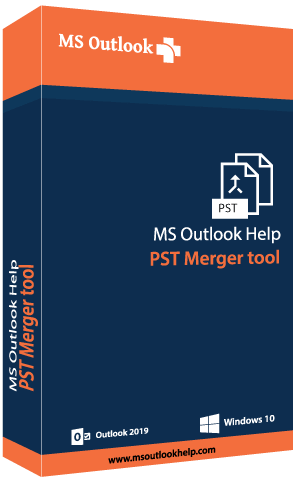
PST Merger swiftly merges all your Outlook PST files into one including its contacts, events, notes, attachments, etc. It merges multiple PST files efficiently with greater ease. PST Merge Tool is an effective solution that helps you to Merge unlimited PST files developed by all the editions of MS Outlook (97, 98, 2000, 2003, 2007, 2010, 2013, 2016, 2020) into one single Outlook PST file. The software can also combine (Inbox, Drafts, Outbox, Sent Items, Deleted Items) & email properties (to, cc, bcc, attachments, etc). Also, It merges PST File emails, folders with subfolders, attachments, images, message properties. It supports all the versions of the Microsoft Windows operating system. You can try its demo version and evaluate its performance.

Commvault Cloud provides next-generation capabilities that intelligently engage and surface cyber risks, minimize active data threats, and drive intelligent, more informed recovery outcomes, sooner. Delivered as customer managed software or Software-as-a-Service, or a mix of both.

Resilio Sync is a peer-to-peer file synchronization tool that enables users to transfer and synchronize files directly between devices without relying on cloud services. This approach ensures enhanced privacy, as data remains stored on user devices and is not uploaded to external servers. Resilio Sync is compatible with multiple platforms, including Windows, macOS, Linux, Android, iOS, and FreeBSD, making it a versatile solution for personal and professional use.
Key Features and Functionality:
- Direct Device-to-Device Synchronization: Utilizes peer-to-peer technology to facilitate direct file transfers between devices, eliminating the need for intermediary cloud storage.
- Cross-Platform Compatibility: Supports a wide range of operating systems, including Windows, macOS, Linux, Android, iOS, and FreeBSD, ensuring seamless synchronization across different devices.
- Unlimited File Size Handling: Allows synchronization of files of any size, making it suitable for transferring large media files, scientific datasets, or engineering assets.
- Enhanced Privacy and Security: Data is stored locally on user devices, reducing exposure to potential breaches associated with cloud storage.
- Selective Sync and Bandwidth Control: Offers features like selective synchronization of specific files or folders and the ability to control bandwidth usage, providing users with greater flexibility and control over their data transfers.
Primary Value and User Solutions:
Resilio Sync addresses the limitations of traditional cloud-based synchronization services by offering a decentralized, secure, and efficient method for file transfer and synchronization. By eliminating reliance on third-party servers, it provides users with complete control over their data, ensuring privacy and reducing the risk of data breaches. Its cross-platform support and ability to handle files of any size make it an ideal solution for individuals and organizations that require reliable and fast file synchronization without the constraints of cloud storage.

Wondershare UniConverter has many fantastic features such as Video Conversion, Audio Conversion, VR Conversion, Image Converter, Video Downloader, Video Editor, DVD/CD Burning, Screen Recorder, File Transfer, and more. Wondershare UniConverter has a simple and stylish interface for extremely functional and comprehensive purpose.
Convert Video to Any Formats You Want
Wondershare UniConverter is a one-stop video converter for any media file and memories with full GPU acceleration. It supports 4K/8K conversion without losing quality. You can easily convert videos from iPhone/iPad/Android/iOS devices, game players, and social networks over 1000 formats with 30X High-speed conversion.
On the left, you can operate the input and editing settings. On the right, you can manage the output format and remove a file from the list. Make sure the High-Speed Conversion button is turned on and Start All for batch conversion.
Compress Videos with Customizable Settings
No more struggling with storage space as your files can now be compressed by using the software. UniConverter video compression feature allows you to resize and reduce the files. Select file parameters, preview, and change the single/multiple files output format in high-quality. Compress your videos with the right size and high quality for playback on devices. You can share them on your social networks and for other purposes. You can quickly compress multiple videos in batches with simple clicks.
Quality Recorder with Multiple Options
The newly-released Wondershare UniConverter supports screen recording, audio recording, and webcam recording. You can pause and resume your recording at any time. After your finish recording, you can make further edits and modifications like trimming, cropping, adding watermarks, inserting subtitles, and more.
Wondershare UniConverter has a disc burner to create Bu-rays and DVDs from your media files so that you can enjoy an extraordinary DVD experience anywhere.
You'll find more powerful features in Wondershare UniConverter complete toolbox and enjoy more convenience in your daily video tasks. The multi-toolbox includes Image Converter, GIF Maker, Fix Media Metadata, Transfer (transfer local/converted/downloaded media files to your devices), CD Burner, CD Ripper and VR Converter (convert videos to VR format). Your complete toolbox, easy to use, all in one!
Wondershare UniConverter-best video converter ultimate, loved by 50 million customers. Now you are invited to have a worthwhile experience with the features and quality of the software. It supports Windows/Mac/Online Version (Media.io).
Convert video/DVD to 1000+ formats with high quality.
Convert video to MP3 and 100+ audio formats.
Convert video/DVD to different formats in batch.
Support High-Speed Conversion and GPU acceleration.
Merge videos into one.
VR Converter.
Add files to iTunes after conversion automatically.
Download videos from YouTube and other 10,000+ video sites
Record videos from any websites.
Download subtitles/cc from YouTube.
Download YouTube to MP3 in one click. Download YouTube 4K/HD videos.
Download playlist from YouTube, Lynda to MP3, MP4, or other formats.
Multi-task downloading supported.
With download accelerator, 30X faster download speed than others.
Downloading and converting files in one-click.
Trim video into several segments.
Crop video to remove unnecessary parts. Rotate video by 90, 180, or 270 degrees.
Add subtitles to video, including .srt, .ass, or .ssa extensions.
Add watermark to video for copyright protection.
Enhance video by applying special effects and filters.
Adjust audio volume for your videos.
Record videos from any websites.
Record Skype videos, Facetime videos, etc.
Record screen for guide, tutorial, course, etc.
Burn videos in different formats to DVD/ISO/DVD Folder in high quality.
Burn your precious video to a high-quality Blu-ray Disc or DVD.
CD Burner/CD Converter
Customize the DVD menu with various DVD templates.
Auto-fix and edit video metadata info.
Convert video or photos to GIF.
Compress video without losing quality.
Convert image format from one to another.
Transfer videos or music to Android/iOS devices.

Xodo PDF Studio is a comprehensive PDF software that allows you to edit, annotate, create forms, secure, and manage your PDF documents seamlessly across Windows, Mac, and Linux.
DigiBoxx lets you manage your pictures, videos, documents, folders, assets on-the-go, on any device. It’s quick, secure, and easy on the pocket. Now collaborate with your photos, files and folders on an Indian Cloud.

The Filecoin network achieves staggering economies of scale by allowing anyone worldwide to participate as storage providers.

We offer plan-based database services for developers.

Filetable is a cloud-based AI document platform that empowers teams to design to accelerate business operations and automated workflows without needing developer. Filetable strongest's adventage is to turn documents into structured date.
Your documents, finally under control.
Filetable turns every invoice, contract and document into structured, trackable data — with dashboards, deadline alerts and duplicate detection. Build the tracking your team needs, no developer required.

Cirrus Files connects folders and files in Google Drive with standard and custom objects in Salesforce. It supports all file types including Google Docs, and all objects including accounts, opportunities, campaigns, contacts, and more.