Introducing G2.ai, the future of software buying.Try now

Rapid Prototyping

by Sagar Joshi
Rapid prototyping is a product development method where engineers iterate and refine a product after seeking user feedback. Learn about its benefits.

What is rapid prototyping?

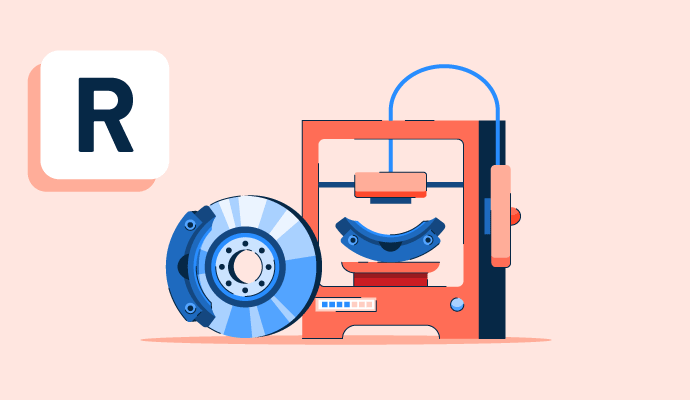
Rapid prototyping is a product development approach to building a quick and affordable physical representation of a concept or idea. The primary objective is to test and improve before moving forward with more expensive and time-consuming manufacturing procedures.

With rapid prototyping, a virtual model is typically created using computer-aided design (CAD) software and turned into a physical prototype using a 3D printer or another prototyping software. Designers and engineers use rapid prototyping to easily alter the design in response to testing results and user feedback. 

Types of rapid prototyping

Rapid prototyping is valuable for exploring and testing different ideas and concepts. It tests a product's usability and functionality in a more realistic setting. Rapid prototyping is of two types, namely:

  • Low fidelity (Lo-Fi): These are simple, basic, rough sketches, mockups, or wireframes that users can create cost-effectively. These prototypes are often created early in the design process to explore different ideas and concepts. Lo-Fi prototypes are usually not interactive and don’t have a high level of detail or accuracy.
  • High fidelity (Hi-Fi): These are more advanced and detailed prototypes created later in the design process. These prototypes are often interactive, functional, and designed to resemble the final product closely. It can test the usability and functionality of the product and identify and fix any design flaws before the final product is produced.

Benefits of rapid prototyping

Rapid prototyping offers many benefits to streamline the product development process to help achieve a better result. Below are some popular rapid prototyping benefits:

  • Faster development cycles. Rapid prototyping allows for quick and easy design iteration, which can help speed up the development process.
  • Reduced development costs. Users can catch design flaws and issues early in the development cycle, reducing costs.
  • Improved communication and collaboration. Teams can share physical prototypes with other members, clients, and stakeholders, facilitating communication and collaboration, leading to better results.
  • Better design validation. Designers test and validate their designs, ensuring the final product meets the desired specifications and requirements.
  • Increased flexibility. Rapid prototyping enables more flexibility in design changes and modifications, making the process quick and reliable.
  • Better product quality. By catching design flaws and issues early in the development cycle, rapid prototyping helps improve the final product’s quality.

Rapid prototyping technologies 

Many rapid prototyping technologies are available, each with unique strengths and limitations. Here are some common types of rapid prototyping:

  • Stereolithography (SLA) uses a UV laser to cure a liquid resin, layer by layer, to create a solid object.
  • Fused deposition modeling (FDM) builds items layer by layer by extruding plastic filament.
  • Selective laser sintering (SLS) melts powdered materials into solid objects.
  • Computerized numerical control (CNC) machining is a subtractive manufacturing process that involves using a computer-controlled machine to cut, grind, or drill away material to produce a physical object.
  • Vacuum casting creates a prototype mold, and liquid resin is poured into the mold to produce a real-world prototype.
  • Sheet metal forming bends and slices sheet metal to produce something tangible.
  • Injection molding injects molten material into a mold cavity during the manufacturing process.
  • Direct metal laser sintering (DMLS) uses a high-powered laser to fuse powdered metal into a solid object.

Process of rapid prototyping

The rapid prototyping process can be repeated multiple times throughout the product development cycle to refine the design. This will help ensure the final product meets the desired specifications and requirements.

Rapid Prototyping Process

A rapid prototyping process typically involves the following steps:

  • Design: Designers can use CAD software to produce a digital design. Typically, an engineer or product designer would create this design.
  • Prototype creation: Following the digital design completion, the prototype is produced using numerous rapid prototyping techniques, such as 3D printing or CNC milling.
  • Testing and evaluation: Users must test and evaluate the prototype to find any design defects or problems. Functional, stress or user testing may be involved in this.
  • Iteration: Users can adjust the design and build a new prototype based on the findings of testing and evaluation. Until the design is complete, this iteration process is repeated several times.
  • Production: After the final prototype is approved, users can deliver the product using conventional manufacturing processes or improve it using rapid prototyping techniques.

Traditional prototyping vs. rapid prototyping 

Businesses have used traditional prototyping for years to conceive, design, and produce precise models of diverse items. This technique needs years of expertise and hours of labor. A simple blueprint can temporarily prototype sophisticated components using equipment like CAD software, competent machinists, or pen and paper. Machinists can swiftly construct a full or partial model with thorough scrutiny and this technique. 

Rapid prototyping takes a new method of making 3D models and components over traditional prototyping. The materials are milled on a CNC machine and created using business software with 3D printing stereolithography. It’s the more complicated of the two prototyping alternatives since it may produce nearly similar prototypes rather than the more basic mockup that comes with traditional prototyping. 

Before a product is sent to production, rapid prototyping aids in visualizing digitally rendered designs. Additionally, it’s a fantastic way to test concepts and design ideas faster and more efficiently.

Learn more about 3D printing and discover how to construct three-dimensional objects layer by layer.

Sagar Joshi
SJ

Sagar Joshi

Sagar Joshi is a former content marketing specialist at G2 in India. He is an engineer with a keen interest in data analytics and cybersecurity. He writes about topics related to them. You can find him reading books, learning a new language, or playing pool in his free time.

Rapid Prototyping Software

This list shows the top software that mention rapid prototyping most on G2.

Sketch gives you the power, flexibility and speed you always wanted in a lightweight and easy-to-use package. Finally you can focus on what you do best: Design.

InVision is the visual collaboration platform powering the world’s smartest companies. We exist to make every kind of work more collaborative, inclusive and impactful. Between our platform, our practices, and our community, we enable tens of thousands of organizations to improve their processes and workflows so they can get the most out of their most valuable asset: their people. Sign up for a free trial at invisionapp.com and begin streamlining your digital product workflow.

Life's too short for bad software! With Balsamiq Wireframes, anyone can design great

Axure RP is the standard in software prototyping tools and gives you the power to quickly and easily deliver more than UI mockups.

Marvel is a comprehensive design platform that empowers teams to create, prototype, and collaborate on digital products seamlessly. It offers an intuitive interface that allows users to design wireframes, mockups, and interactive prototypes directly from their browser, facilitating a streamlined workflow from concept to development. Key Features and Functionality: - Design and Wireframing: Create beautiful wireframes and mockups for any device, utilizing millions of assets, stock photos, and icons available within the platform. - Prototyping: Transform static designs into interactive, tappable prototypes without any coding, enabling realistic demonstrations of user journeys and site hierarchies. - User Testing: Validate designs quickly by gathering feedback through user testing, ensuring the product meets user expectations and needs. - Developer Handoff: Automatically generate design specifications and assets, including CSS, Swift, and Android XML code, to streamline the transition from design to development. - Collaboration: Facilitate cross-company collaboration by providing a centralized space for teams to work together, leave feedback through comments and annotations, and maintain full visibility across projects. - Integrations: Enhance workflows by integrating with favorite tools, ensuring a cohesive and efficient design process. Primary Value and Solutions: Marvel simplifies the design process by consolidating essential tools into a single platform, reducing the need for multiple applications and minimizing workflow disruptions. It democratizes design collaboration, making it more inclusive and innovative, and accelerates the development cycle by providing automated design specs and facilitating effective communication between designers and developers. By offering a user-friendly environment, Marvel enables teams to bring ideas to life efficiently, ensuring that digital products are both functional and user-centric.

Autodesk Fusion is a comprehensive cloud software platform that integrates various tools for 3D design, manufacturing, electronics, simulation, and generative design. It serves as a collaborative, cloud-enabled CAD (Computer-Aided Design), CAM (Computer-Aided Manufacturing), CAE (Computer-Aided Engineering), and PCB (Printed Circuit Board) software.

Unity is the world’s leading platform for creating and operating interactive, RT3D content. Creators, ranging from game developers to artists, architects,and automotive designers to filmmakers and more, use Unity to make their imaginations come to life. The Unity platform provides a comprehensive set of software solutions to create and operate real-time 2D and 3D content for multiple platforms, including mobile phones, tablets, PCs, consoles, and augmented and virtual reality devices.

MATLAB is a high-level programming and numeric computing environment widely utilized by engineers and scientists for data analysis, algorithm development, and system modeling. It offers a desktop environment optimized for iterative analysis and design processes, coupled with a programming language that directly expresses matrix and array mathematics. The Live Editor feature enables users to create scripts that integrate code, output, and formatted text within an executable notebook. Key Features and Functionality: - Data Analysis: Tools for exploring, modeling, and analyzing data. - Graphics: Functions for visualizing and exploring data through various plots and charts. - Programming: Capabilities to create scripts, functions, and classes for customized workflows. - App Building: Facilities to develop desktop and web applications. - External Language Interfaces: Integration with languages such as Python, C/C++, Fortran, and Java. - Hardware Connectivity: Support for connecting MATLAB to various hardware platforms. - Parallel Computing: Ability to perform large-scale computations and parallelize simulations using multicore desktops, GPUs, clusters, and cloud resources. - Deployment: Options to share MATLAB programs and deploy them to enterprise applications, embedded devices, and cloud environments. Primary Value and User Solutions: MATLAB streamlines complex mathematical computations and data analysis tasks, enabling users to develop algorithms and models efficiently. Its comprehensive toolboxes and interactive apps facilitate rapid prototyping and iterative design, reducing development time. The platform's scalability allows for seamless transition from research to production, supporting deployment on various systems without extensive code modifications. By integrating with multiple programming languages and hardware platforms, MATLAB provides a versatile environment that addresses the diverse needs of engineers and scientists across industries.

Particle offers a suite of hardware and software tools to help you prototype, scale, and manage your Internet of Things products.

SOLIDWORKS offers complete 3D software tools that let you create, simulate, publish, and manage your data. SOLIDWORKS products are easy to learn and use, and help you design products better.

RapidMiner is a powerful, easy to use and intuitive graphical user interface for the design of analytic processes. Let the Wisdom of Crowds and recommendations from the RapidMiner community guide your way. And you can easily reuse your R and Python code.

MongoDB Atlas is a developer data platform that provides a tightly integrated collection of data and application infrastructure building blocks to enable enterprises to quickly deploy bespoke architectures to address any application need. Atlas supports transactional, full-text search, vector search, time series and stream processing application use cases across mobile, distributed, event-driven, and serverless architectures.

Web-based collaborative wireframing and interface design tool. Available on the web, macOS and Windows.

Glide is the fastest and easiest way to create custom software without code. It lets you create powerful mobile and web apps for your business. Works with Google Sheets, Excel, Airtable, or BigQuery.

Django is a high-level, open-source web framework written in Python that enables rapid development of secure and maintainable websites. It follows the Model-Template-View (MTV) architectural pattern, promoting a clean separation between data models, user interfaces, and application logic. Originally developed to meet the fast-paced demands of newsroom environments, Django has evolved into a versatile framework used by organizations worldwide. Key Features and Functionality: - Rapid Development: Django's design facilitates quick progression from concept to completion, allowing developers to build applications efficiently. - Comprehensive Tools: The framework includes built-in features for user authentication, content administration, site maps, RSS feeds, and more, reducing the need for external libraries. - Security: Django emphasizes security by providing protections against common vulnerabilities such as SQL injection, cross-site scripting, and cross-site request forgery. - Scalability: Designed to handle high-traffic demands, Django powers some of the busiest sites on the internet, demonstrating its ability to scale effectively. - Versatility: Suitable for a wide range of applications, from content management systems to social networks and scientific computing platforms. Primary Value and User Solutions: Django streamlines the web development process by offering a robust framework that handles many common tasks out of the box. This allows developers to focus on writing unique application features without reinventing the wheel. Its emphasis on security and scalability ensures that applications built with Django are both reliable and capable of growing with user needs. By adhering to the "Don't Repeat Yourself" (DRY) principle, Django promotes code reusability and maintainability, making it an ideal choice for developers aiming to create efficient and secure web applications.

Google App Engine offers users the ability to build and host web applications on Google's infrastructure. Supercharge your app with services such as Task Queue, XMPP, and Cloud SQL. Manage your app with a simple, web-based dashboard allowing you to customize app performance.

Rhinoceros, commonly known as Rhino, is a 3D computer-aided design (CAD) application developed by Robert McNeel & Associates. It specializes in free-form NURBS (Non-Uniform Rational B-Splines) modeling, enabling users to create, edit, analyze, document, render, animate, and translate complex 3D geometries with precision. Widely adopted across various industries—including architecture, industrial design, naval engineering, jewelry design, and multimedia—Rhino offers a comprehensive suite of tools for professionals seeking accuracy and flexibility in their design processes. Key Features and Functionality: - Comprehensive Modeling Tools: Rhino provides an extensive array of tools for creating and editing points, curves, surfaces, solids, meshes, and subdivision geometry (SubD). Users can generate complex shapes through operations like lofting, sweeping, and blending, facilitating intricate design work. - Precision and Accuracy: The software ensures high levels of accuracy, essential for designing, prototyping, engineering, and manufacturing applications ranging from intricate jewelry pieces to large-scale architectural projects. - Extensive Compatibility: Rhino supports over 30 CAD file formats, including DWG/DXF, IGES, STEP, and STL, allowing seamless integration with other design, drafting, CAM, engineering, analysis, rendering, animation, and illustration software. - Advanced Rendering and Presentation: With built-in rendering capabilities and support for various third-party rendering plugins, Rhino enables users to produce high-quality visualizations and presentations of their designs. - Grasshopper Integration: The inclusion of Grasshopper, a visual programming language, allows for parametric and algorithmic design, enabling users to create generative forms and automate complex modeling tasks without prior programming knowledge. - Customization and Extensibility: Rhino's open architecture and SDK facilitate customization of the interface and the creation of custom commands and menus. Additionally, a vast ecosystem of plugins extends its functionality to cater to specific industry needs. Primary Value and User Solutions: Rhino's primary value lies in its ability to provide an affordable yet powerful 3D modeling solution that balances flexibility, precision, and user-friendliness. It addresses the needs of professionals who require accurate and complex modeling capabilities without the steep learning curve or high costs associated with other high-end CAD software. By supporting a wide range of file formats and offering extensive customization options, Rhino ensures seamless workflow integration and adaptability to various project requirements. Its integration with Grasshopper further empowers users to explore parametric design and computational modeling, fostering innovation and efficiency in the design process.

LabVIEW is systems engineering software for applications that require test, measurement, and control with rapid access to hardware and data insights.

Finto is used with iOS and Android prototypes made from your existing screen designs.

The intelligent, no-code app platform for everyone. Create apps to transform your workplace.