
Sagar Joshi
Sagar Joshi is a former content marketing specialist at G2 in India. He is an engineer with a keen interest in data analytics and cybersecurity. He writes about topics related to them. You can find him reading books, learning a new language, or playing pool in his free time.
Last updated: August 10, 2026
What is a wireframe?
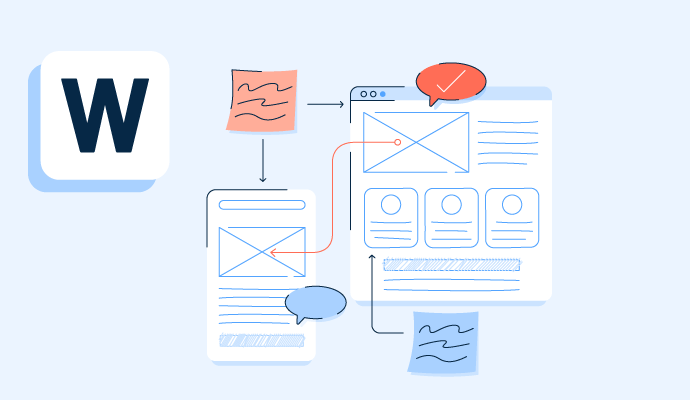
A wireframe is a simple visual blueprint for a website or application, focused on layout, content structure, and basic function rather than colors, fonts, or finished visual design.Wireframes range in complexity from rough sketches to detailed layouts, depending on how much of the interface a project needs to communicate before development begins.
TL;DR: Wireframe definition, elements, and benefits
A wireframe is the skeleton of a site or app: it maps out where things go before anyone touches colors or fonts. Teams build them in low-, mid-, or high-fidelity versions depending on how much detail needs to be communicated. Created early, wireframes help uncover navigation issues, save time, and align stakeholders before design or development starts.
Wireframing software makes it easier for designers to ideate and develop wireframes.


What are the key elements of a wireframe?
The key elements of a wireframe are placeholder content, basic navigation, and core interface components, such as buttons, fields, and logos, represented simply enough to show structure without finished design.
- Placeholder content: Wireframes use greeked text and gray boxes instead of final copy and images, keeping the focus on layout rather than content.
- Basic interface components: Common elements include logos, search fields, share buttons, and simple navigation, while higher-fidelity wireframes add more complex components such as full navigation systems or contact forms.
- Grayscale shading: Designers typically build wireframes in grayscale, using different shades to distinguish components; some high-fidelity wireframes add red or blue to flag errors or active links.
What are the types of wireframes?
The types of wireframes are low-fidelity, mid-fidelity, and high-fidelity, categorized by how much visual detail and precision each one includes.
- Low-fidelity wireframes provide a basic representation of the webpage or mobile app at the first stage of a project's design. This wireframe is a rough draft and doesn’t focus on scale, grid, or pixel accuracy. It doesn’t consider distracting details and keeps only essential elements. For example, if a designer gets an idea in a meeting room, they can draw it on paper to explain the concept.
- Mid-fidelity wireframes provide a more accurate picture of the project. It keeps distractions at bay while giving more details to components and features.
- High-fidelity wireframes produce a high-clarity picture with pixel-specific layouts. These wireframes may include featured images and the actual content. This wireframe is usually saved for the later stages of the design cycle.
How do you create a wireframe?
You create a wireframe by collecting requirements, mapping the user flow, deciding on features, building the layout, testing it with users, and finalizing it for handoff to development.
- Collect requirements: Gather input from stakeholders and research to understand what the product needs to do and where early risks might surface.
- Map the user flow: Outline the path a user takes through the product, from entry point to end goal, to avoid rework once design begins.
- Decide on features: Use the target audience and research findings to determine which features belong on the page.
- Build the layout: Sketch the wireframe on paper or in dedicated software, arranging placeholder content and components to reflect the planned structure.
- Test with users: Run the wireframe past real users to check whether the layout is usable or needs adjustment before moving forward.
- Refine based on feedback: Revise the layout, flow, or features to address usability issues found in testing, repeating the test-and-refine cycle if needed.
- Finalize for handoff: Lock in the features and content, then package the wireframe for the development team.
What are the benefits of wireframing?
The benefits of wireframing are clearer communication, faster development, improved navigation, and easier content planning, since teams can align on structure before any visual design or code is built.
- Give a clear picture. Wireframes are used in the initial stages of process development to provide a visual representation of the project. They turn a simple thought into a physical concept, helping team members get on the same page.
- Provide clear communication. Wireframes explain the technical jargon or difficult-to-understand features. They detail the usability of specific components and their importance to overall product development.
- Make usage easier. Wireframes keep usability at the forefront as they project page layouts at the core.
- Help refine navigation. Wireframes help developers understand overall navigation. Wireframes provide information about the site’s navigation and content elements, such as how to access the site on mobile devices.
- Simplifies development. Since the wireframes provide all the essential elements for the website, developers can deploy them one at a time rather than combining everything and complicating the process. For example, instead of mixing functionality and branding, wireframes help to focus on one aspect at a time. Users can give feedback, and developers can resolve the issues immediately.
- Saves time. Wireframes help save time and effort, as one blueprint or wireframe is enough for the entire team. They improve communication and eliminate confusion. Wireframes help different groups get on the same page.
- Effective content development. Wireframes ensure content is readable and attractive. Wireframes help try different options to figure out font, content position, and text.
How is a wireframe different from a mockup and a prototype?
A wireframe is different from a mockup and a prototype in fidelity and purpose: a wireframe is a low-fidelity structural blueprint, a mockup is a static, high-fidelity visual design, and a prototype is an interactive, high-fidelity model that simulates how the finished product will function.
| Wireframe | Mockup | Prototype |
| Low-fidelity structural blueprint focused on layout and content placement | Static, high-fidelity visual design showing color, typography, and branding | Interactive, high-fidelity model that simulates real functionality and user flow |
| Built first; fastest to produce; usually grayscale | Built after wireframes; shows what finished screens will look like | Built last; used to test interactions before development |
| Answers “where does everything go?” | Answers “what will it look like?” | Answers “how will it behave?” |
Related resources:
Frequently asked questions about wireframes
Here are the most commonly asked questions about wireframes.
Q1. Is wireframing UI or UX?
Wireframing is primarily a UX activity, since it focuses on structure, content, and user flow rather than the visual styling that defines UI design. That said, the two disciplines overlap in practice, since decisions made in a wireframe about layout and navigation directly shape the UI design that follows.
Q2. Why is it called a wireframe?
A wireframe is called a wireframe because early versions resembled the wire-frame models used in 3D computer graphics and architecture, showing only the basic structural outline of an object without any surface detail. The name carried over to UX design to describe the same idea: a skeletal outline of a screen before any visual design is added.
Q3. Are wireframes still worth using?
Yes, wireframes are still worth using, since they let teams agree on layout and navigation before investing time in visual design or code. Skipping this step often means design and development decisions get made later, and revising a finished screen typically costs more time than revising a simple wireframe.
Q4. What are common wireframing mistakes?
Common wireframing mistakes include adding too much visual detail too early, skipping user flow planning, and treating the wireframe as a finished design instead of a working draft. Spending too much time perfecting a low-fidelity wireframe can also defeat its purpose, since the goal is to validate structure quickly before moving to higher-fidelity work.
Q5. Can AI create wireframes?
Yes, a growing number of design tools now offer AI features that can generate a first-draft wireframe from a text description or reference, which teams then refine manually. These tools speed up the earliest stage of layout exploration, but designers typically still adjust the output to match specific user flows and requirements.
Learn more about product design and create products customers love.


