AI-Generated Results
Finding matches…
Splunk is a comprehensive data platform designed to collect, index, monitor, analyze, and visualize machine-generated data in real time. It enables organizations to transform vast amounts of unstructured data from diverse sources—such as servers, applications, and network devices—into actionable insights. By providing a unified view of data across an enterprise, Splunk facilitates informed decision-making, enhances operational efficiency, and strengthens security postures.
Key Features and Functionality:
- Data Ingestion and Indexing: Splunk can collect data from virtually any source or format, including logs, metrics, and events. Its indexing engine processes and stores this data, adding timestamps and metadata to each event, enabling efficient search and retrieval.
- Search and Query Capabilities: Utilizing its Search Processing Language , Splunk allows users to perform both simple and complex searches, facilitating deep data exploration and analysis.
- Real-Time Monitoring and Alerting: Splunk continuously monitors data, triggering alerts based on predefined conditions. This proactive approach helps in promptly identifying and addressing potential issues.
- Dashboards and Visualization: Users can create interactive dashboards that display charts, graphs, and other visualizations, making complex data more accessible and actionable.
- Machine Learning Toolkit : Splunk's MLTK enables the application of machine learning algorithms for predictive analytics and anomaly detection, enhancing data-driven decision-making.
- Integration and Extensibility: The platform supports integration with various third-party tools and systems, offering flexibility and scalability to meet diverse organizational needs.
Primary Value and Problem Solving:
Splunk addresses the challenge of managing and deriving insights from massive volumes of machine-generated data. By providing real-time data processing, advanced analytics, and intuitive visualizations, it empowers organizations to:
- Enhance Operational Efficiency: Quickly identify and resolve system issues, reducing downtime and improving performance.
- Strengthen Security Posture: Detect and respond to security threats promptly through continuous monitoring and alerting.
- Support Compliance and Auditing: Maintain comprehensive logs and reports to meet regulatory requirements.
- Drive Business Insights: Analyze trends and patterns to inform strategic decisions and foster innovation.
By transforming raw data into meaningful insights, Splunk enables organizations to be more agile, secure, and data-driven in their operations.
Not seeing what you're looking for?
Dive deeper into "Admin Columns" on G2 AI

inletAP is an accounts payable tool for property management companies and the bookkeepers who serve them. Instead of uploading documents or logging into a portal, each property, entity or portfolio gets its own intake email address. Vendors send invoices there directly, and inletAP parses the message and its attachments into structured fields: vendor, invoice number, invoice and due dates, total, tax, currency, purchase order number, property and line items.
Every extracted field carries its own confidence score and an evidence panel showing the line of source text the value was read from, with an explicit note when the value does not appear verbatim in the document, so a reviewer checks a value instead of re-keying the invoice. Any document whose vendor, invoice number, date or total scores below 70% goes to a review queue instead of on to an approver. The threshold is fixed at 70% and is not configurable.
Coding rules match on the sender, the intake address the invoice arrived on, and values on the document. A rule can set the GL account, quarantine a sender, auto-approve a document, or assign a named reviewer; rules run in priority order and every match is explained on the document. One invoice can be split across every property it covers - by amount, percent, even share, unit count or square footage - on every plan, including the free one.
Approvals route by amount tier and by property, with SLA timers and an overdue alert. Separation of duties is an optional workspace setting, off by default; when an administrator turns it on, the person who edited an invoice or sent it for approval cannot approve it. Every bill is compared against what that vendor has billed for that property before and against every invoice you already hold. A finding does not hold the bill and does not contact the vendor: the one exception is a top-tier duplicate, which cannot be exported until a person decides.
Approved bills post to QuickBooks Online through the official Intuit OAuth app, or export as a CSV whose columns you define yourself. Xero, AppFolio, Buildium, Yardi and Rent Manager are not built: no connector, no per-product template, no date. Every field edit, approval and export is written to an append-only audit log with actor and timestamp, and no API route can edit or delete it.
inletAP moves no money - no payment rails, no bank credentials, no cards - and it replaces neither a property management system nor a general ledger. It sits upstream of both, between the vendor's email and the ledger. There is no SOC 2 report.
There is a free tier of 25 invoices a month with no credit card, and every plan includes unlimited users, properties, vendors and entities, so approvers do not have to be rationed. A no-signup test is available: forwarding a vendor invoice to test@try.inlet-ap.com returns the extracted fields with a confidence score on each one.

LegalAdministrator.ai is an AI-powered platform designed to streamline law firm operations by automating administrative tasks, enhancing client intake processes, and improving overall efficiency. By integrating advanced artificial intelligence, it enables legal professionals to focus more on substantive legal work while reducing the burden of routine administrative duties.
Key Features and Functionality:
- Automated Client Intake: LegalAdministrator.ai efficiently manages client intake by automating initial consultations, qualifying leads based on firm-specific criteria, and instantly delivering high-quality cases directly to attorneys.
- 24/7 Virtual Receptionist: The platform operates around the clock, ensuring that no client inquiries are missed, thereby enhancing client satisfaction and engagement.
- Document Management: It offers tools for organizing, storing, and retrieving legal documents, facilitating seamless collaboration among team members.
- Task Automation: Routine administrative tasks such as scheduling, billing, and follow-ups are automated, reducing manual workload and minimizing errors.
- Compliance Monitoring: The system assists in monitoring compliance with legal standards and firm policies, ensuring that all operations adhere to required regulations.
Primary Value and Solutions Provided:
LegalAdministrator.ai addresses the common challenges faced by law firms, such as managing high client volumes, ensuring timely follow-ups, and maintaining organized records. By automating these processes, the platform reduces operational inefficiencies, minimizes the risk of missed opportunities, and enhances the overall client experience. This allows legal professionals to dedicate more time to critical legal matters, ultimately improving productivity and profitability.
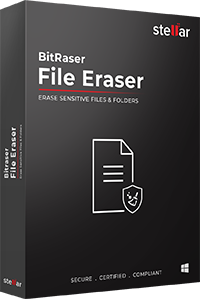
𝐁𝐢𝐭𝐑𝐚𝐬𝐞𝐫 𝐅𝐢𝐥𝐞 𝐄𝐫𝐚𝐬𝐞𝐫 𝐢𝐬 𝐚 𝐬𝐞𝐜𝐮𝐫𝐞 𝐟𝐢𝐥𝐞-𝐰𝐢𝐩𝐞 𝐬𝐨𝐟𝐭𝐰𝐚𝐫𝐞 𝐛𝐮𝐢𝐥𝐭 𝐟𝐨𝐫 𝐞𝐧𝐭𝐞𝐫𝐩𝐫𝐢𝐬𝐞𝐬 𝐚𝐧𝐝 𝐠𝐨𝐯𝐞𝐫𝐧𝐦𝐞𝐧𝐭 𝐨𝐫𝐠𝐚𝐧𝐢𝐳𝐚𝐭𝐢𝐨𝐧𝐬 𝐭𝐡𝐚𝐭 𝐧𝐞𝐞𝐝 𝐭𝐨 𝐩𝐞𝐫𝐦𝐚𝐧𝐞𝐧𝐭𝐥𝐲 𝐞𝐫𝐚𝐬𝐞 𝐜𝐨𝐧𝐟𝐢𝐝𝐞𝐧𝐭𝐢𝐚𝐥 𝐟𝐢𝐥𝐞𝐬, 𝐟𝐨𝐥𝐝𝐞𝐫𝐬, 𝐚𝐧𝐝 𝐭𝐫𝐚𝐜𝐞𝐬 𝐰𝐢𝐭𝐡𝐨𝐮𝐭 𝐭𝐨𝐮𝐜𝐡𝐢𝐧𝐠 𝐭𝐡𝐞 𝐮𝐧𝐝𝐞𝐫𝐥𝐲𝐢𝐧𝐠 𝐨𝐩𝐞𝐫𝐚𝐭𝐢𝐧𝐠 𝐬𝐲𝐬𝐭𝐞𝐦.
The software permanently wipes files, folders, and volumes on 𝐖𝐢𝐧𝐝𝐨𝐰𝐬, 𝐦𝐚𝐜𝐎𝐒, 𝐚𝐧𝐝 𝐋𝐢𝐧𝐮𝐱 systems beyond the scope of data recovery, using 𝟏𝟖 𝐠𝐥𝐨𝐛𝐚𝐥 𝐞𝐫𝐚𝐬𝐮𝐫𝐞 𝐬𝐭𝐚𝐧𝐝𝐚𝐫𝐝𝐬 including US DoD 5220.22-M, DoD 5200.28-STD, NATO, British HMG IS5, Peter Gutmann, and NIST 800-88. Beyond individual files, it wipes application traces, internet/browser history, cookies, unused disk space, and data on mapped drives (including Google Drive), helping organizations meet data minimization and retention obligations under 𝐄𝐔 𝐆𝐃𝐏𝐑, 𝐂𝐂𝐏𝐀, 𝐇𝐈𝐏𝐀𝐀, 𝐃𝐏𝐃𝐏𝐀, 𝐚𝐧𝐝 𝐏𝐂𝐈-𝐃𝐒𝐒.
Every erasure generates a 𝐝𝐢𝐠𝐢𝐭𝐚𝐥𝐥𝐲-𝐬𝐢𝐠𝐧𝐞𝐝, 𝐭𝐚𝐦𝐩𝐞𝐫-𝐩𝐫𝐨𝐨𝐟 𝐫𝐞𝐩𝐨𝐫𝐭 (PDF & XML) that syncs automatically to the 𝐁𝐢𝐭𝐑𝐚𝐬𝐞𝐫 𝐂𝐥𝐨𝐮𝐝 𝐂𝐨𝐧𝐬𝐨𝐥𝐞 for a clear audit trail. Administrators can build custom erasure lists, password-protect erasure actions, and schedule wipes at set intervals (daily, weekly, monthly) to keep data hygiene continuous rather than one-off. For organizations that need to erase files across domain-connected machines rather than one device at a time, the 𝐍𝐞𝐭𝐰𝐨𝐫𝐤 𝐄𝐝𝐢𝐭𝐢𝐨𝐧 lets admins search and erase files by name, string, or keyword across every connected endpoint from a single console.
𝐁𝐞𝐧𝐞𝐟𝐢𝐭𝐬:
** Erases files/folders without affecting OS files or causing downtime
** Available for Windows, Mac, and Linux
** Supports 18 international erasure standards
** Generates certified, audit-ready erasure reports
** Free technical support included
SQLInfo is a SaaS database documentation tool that generates clear, always up-to-date documentation for your MySQL, PostgreSQL, and SQL Server databases — in just a few clicks.
Connect your database once and SQLInfo instantly imports your schema: tables, columns, relationships, constraints. Your team can then enrich the documentation collaboratively in real time, adding descriptions, business context, and version history — without ever leaving the platform.
Who it's for: Development teams, tech leads, BI analysts, and business analysts who need shared visibility into their database architecture — and are tired of documentation that goes stale the moment it's written.
Key features:
Automatic schema import from MySQL, PostgreSQL, and SQL Server
Real-time team collaboration
Schema and relationship visualization
Version tracking — follow how your database evolves over time
Error prevention — catch inconsistencies before they reach production
Why SQLInfo: Most database documentation tools are either too basic (diagram-only, no narrative) or too expensive for small and mid-sized teams (enterprise platforms starting at $9,000/year). SQLInfo fills that gap: the documentation depth you need, at a price that makes sense — starting free, with team plans from €25/month.
Try SQLInfo in freemium plan — no credit card required.
Batch MHTML to PDF Converter Software is a Windows desktop MHTML to PDF converter for people who keep saved web pages and need them as documents. Add a folder of .MHT or .MHTML archives, pick PDF or TXT, and the program writes one file per page or a single combined PDF. Everything runs offline on your own PC, so the archive is never uploaded to a web service. That makes it a fit for files you are not allowed to share.
📌 How to use
1. Drag your .MHT or .MHTML files into the window, or add a whole folder as one flat list.
2. Choose PDF or TXT in the format box. PDF keeps the saved layout, TXT keeps only the words.
3. For a single document, switch on the merge option and give the output a name.
4. Pick an output folder and press Start.
🛠 Why IT and office teams pick it
Chrome, Internet Explorer, the old Edge and Word each pack a page slightly differently. The parser copes with every variant on its own, so nobody has to sort files by origin first. Pages laid out with CSS Grid, Flexbox and calc() keep their columns in the result. Content from embedded iframes appears in the PDF at its original spot. When an archive is cut short or its MIME parts are corrupted, you get a warning and a PDF built from whatever survived. One bad page does not stop the batch, and the summary at the end says how many failed. Links that try to reach files outside the archive are blocked, so a foreign MHT cannot copy something from your drive into the PDF. For a help desk this means one MHTML to PDF converter that IT can approve without a cloud review.
👥 Who uses it
Owners of old archive folders saved over years in Internet Explorer. Legal, support and compliance staff who receive web archives from ticket systems or discovery exports but file cases as PDF. System administrators who get tickets about files that will not open and would rather hand out PDFs once with an MHTML to PDF converter that stays on the local machine.
❓ FAQ
What is an MHT or MHTML file?
It is a complete web page packed into one MIME container, with its images and CSS inside. The two extensions mean the same format, and the program accepts both.
Can I convert MHTML to PDF without uploading the file?
Yes. All rendering happens on your computer, and the program does not go online to load the current version of the page. The PDF shows the page as it was on the day you saved it.
Does it handle large archives?
A 93 MB archive is processed in chunks, which keeps memory use low. Cyrillic in page content and in folder names survives the mhtml to pdf step.
What does it not do?
It does not download pages by URL, it has no OCR, and it does not turn PDF back into MHTML.
💻 Free trial and requirements
The free trial needs no sign-up and allows three exports a day on your own files. Runs on Windows 11, 10, 8.1, 8 and 7, 32 or 64 bit. There is no Mac build.

DigiData connects the business software European SMEs already use (Exact Online, Twinfield, AFAS, Nmbrs, Moneybird, Simplicate, Bouw7, HubSpot, Pipedrive, Stripe, Shopify and 30+ more) and syncs it into a dedicated PostgreSQL database per customer. From there teams get ready-made dashboards, an OData feed and CSV export for Power BI and Excel, an AI agent that answers questions about their own numbers, and a read-only MCP server for ChatGPT and Claude. Admins control access per source, table and column; there are no write tools and no arbitrary SQL, and data is stored in the EU.

Jira Command Line Interface (Jira CLI by Appfire is a powerful tool designed to streamline Jira administration, automation, and integration tasks through simple, text-based commands. It enables users to perform complex operations efficiently, reducing manual effort and enhancing productivity.
Key Features and Functionality:
- Task Automation: Automate a wide range of Jira tasks, including bulk edits, updates, and changes, using concise commands.
- Integration Capabilities: Seamlessly integrate Jira with external tools and databases such as PostgreSQL, Microsoft SQL Server, MySQL, and Oracle, facilitating efficient data management and advanced automation scripting.
- Migration Support: Efficiently migrate large volumes of data to and from Jira, databases, files, and other applications, simplifying complex migration processes.
- Scripting Enhancements: Utilize scripting enablers like replacement variables and find/replace functions to perform hundreds of actions, including running commands from lists, CSV files, or SQL queries.
- Bulk Operations: Implement mass updates, migrations, and consolidations swiftly and easily, enhancing operational efficiency.
Primary Value and User Solutions:
Jira CLI addresses the challenges of manual, repetitive tasks in Jira by providing a command-line interface that automates and integrates various processes. This tool is particularly beneficial for administrators and teams seeking to:
- Reduce time spent on routine administrative tasks.
- Ensure consistency and accuracy in bulk operations.
- Enhance integration between Jira and other tools or databases.
- Simplify complex migration processes.
By leveraging Jira CLI, users can achieve greater efficiency, scalability, and control over their Jira environments, ultimately leading to improved workflow management and productivity.

Valori is a gallery management platform built for mid-size contemporary art galleries. It covers the full gallery workflow in a single tool: inventory management, artist records, contact CRM, sales pipeline, consignment tracking, exhibitions, invoicing, tearsheets, certificates of authenticity, and reporting.
The platform was designed from the ground up for how galleries actually operate. Artworks are the central object,with status tracking (available, reserved, sold), exhibition history, provenance, and pricing data attached to each record. The sales pipeline is visual and stage based, tracking deals from inquiry through to payment with conversion metrics and pipeline value at each stage.
Valori includes 2 features not found in other gallery management tools:
Pricing Intelligence : Pulls comparable sales data from Artsy's public market records, adjusts for inflation using CPI data, and generates pricing ranges based on artist, medium, dimensions, and career stage. Galleries can see where their pricing sits relative to the market before making offers.
Smart Classification: Automatically tags artworks with up to 130 art categories (movement, medium, subject, technique, visual properties) using a classification model validated against Artsy's taxonomy. Tags can be corrected by gallery staff, and corrections feed back into the model.
Other details that matter to galleries:
Consignment management with split tracking and artist payout records
Staff roles and permissions (owner, admin, staff) with scoped access
CSV import that maps columns from Artlogic, ArtCloud, and spreadsheet exports
Multi-currency support (EUR, GBP, USD, CHF, and others)
PDF generation for tearsheets, invoices, and certificates of authenticity
Gallery website builder with public-facing artwork pages
Private viewing rooms for sharing curated selections with collectors
Email sending with customizable templates
Global search across all records (Cmd+K)
Reports dashboard with sales by period, artist performance, and pipeline analytics
Valori is priced at EUR 99 per month, flat. There is no per-user pricing. All features are included. There is no annual contract requirement.
The platform is currently in beta and accepting galleries for free trial access.

Kledge — AI-Powered K-1 & PFIC Tax Automation for Fund Administrators
Process every Schedule K-1, K-3, and PFIC document in minutes — not weeks.
K-1 season is one of the most labour-intensive periods in fund administration. Hundreds of PDFs, dozens of fields per document, PFIC entries that run deep into K-3 Part VII, and cross-border US–UK reporting rules that most tax software simply wasn't built for. The result: your most senior professionals spend weeks on data entry instead of advice.
Kledge was built to eliminate that bottleneck entirely.
What Kledge Does
Kledge is an AI-powered SaaS platform that automatically extracts, validates, and organises tax data from Schedule K-1 and K-3 PDFs — across all fund structures, all LP types, and all document formats (digital, scanned, multi-page, bundled). Upload your documents, and Kledge does the rest.
39+ fields extracted per K-1. Every line item — allocation percentages, foreign tax credit income, PFIC entries, and more — pulled with confidence-level validation and full traceability back to the source PDF.
A complete PFIC Ledger, automatically built. All 39 PFIC fields from K-3 Part VII, structured and ready for Form 8621 preparation — without a single manual keystroke.
One-click export to Excel or JSON. Output matches your team's column order, feeds directly into your tax software, and is audit-ready from the moment it's generated.
Multi-fund dashboard. Manage unlimited funds and LP rosters from a single view, filtered by fund, year, income type, or partnership.
US–UK cross-border support. A purpose-built foreign tax credit income register for dual-resident clients with PFIC and FTC exposure — the complexity that generic tax software ignores.
Who It's For
Kledge is built for the professionals who run the numbers at the intersection of fund administration and complex US tax reporting:
Fund Administrators managing LP tax packs across dozens of funds and hundreds of partners
Tax Directors & CPAs who need verified, structured data they can trust — without the re-keying
Cross-Border Specialists handling US–UK dual-resident clients with PFIC and FTC exposure
Why It Matters
A batch of 400 K-1s that would take a team several weeks to process manually takes Kledge under an hour. That's not incremental improvement — it's a structural shift in how K-1 season gets done. Senior professionals are freed to focus on review and advice. Data quality improves. Compliance risk drops. And every extraction is traceable, role-controlled, and audit-ready.

myocr.app converts PDFs, scans and photos into Excel spreadsheets, so nobody has to retype figures from documents.
Upload a bank statement, an invoice, a price list or any document with a table. myocr.app reads it, rebuilds the tables (one sheet per table) and gives you an .xlsx file you can use right away.
WHAT IT DOES
• Tables from any document: PDFs, scans and phone photos, single page or multi-page.
• Bank statements: every transaction in a row, plus an automatic check that opening balance + credits − debits equals the closing balance printed on the statement, so you know nothing is missing before you reconcile. Download as Excel, as CSV for QuickBooks or Xero, or as OFX.
• Invoices and receipts: vendor, date, number, amounts and line items into columns, or a Bills CSV ready for the bill import of QuickBooks Online or Xero.
• Excel add-in on the Microsoft Marketplace: snip a value from a PDF straight into a cell, import whole tables and statements, convert a batch of documents into one sheet with one row per document, and keep values and tables linked to the page they came from.
• REST API: synchronous and asynchronous endpoints, batches of up to 20 files, webhooks.
• Works inside AI assistants: a connector lets Claude convert your documents and check balances in a conversation.
WHO IT IS FOR
Accountants and bookkeepers, small businesses, finance teams and anyone who receives documents as PDF or paper and needs the numbers in Excel.
PRIVACY AND SECURITY
Documents are processed on servers in Germany (EU). The original file is deleted right after processing. Your documents are never used to train AI models. A GDPR Data Processing Agreement is publicly available.
PRICING
Start free: 3 pages at sign-up, no card required. Then pay only for what you use with page packs that never expire, from €4.99 for 50 pages, or choose a monthly plan: Starter €19 for 1,200 pages, Pro €49 for 3,500 pages, both including the Excel add-in. API plans from €29 per month.
Interface and chat assistant in English, Italian, Spanish, Portuguese, German and Hindi.

ApexSQL Search is a powerful add-in for SQL Server Management Studio (SSMS and Visual Studio, designed to enhance database management and development efficiency. It enables users to perform comprehensive searches for SQL objects and data within databases, facilitating quick identification and navigation without the need for manual coding. Additionally, ApexSQL Search offers features like safe renaming of database objects and visualization of object interdependencies, streamlining complex database tasks.
Key Features and Functionality:
- SQL Object Search: Locate objects or specific text within database object definitions efficiently.
- Text Search: Find data across tables and views, including encrypted ones, by searching for text, numbers, dates, or unique identifiers.
- Safe Rename: Rename tables, procedures, views, functions, and columns without breaking dependencies, ensuring database integrity.
- Visual Extended Description Editing: Add or edit descriptions for database objects using extended properties, enhancing documentation and clarity.
- Customizable Searches: Specify object types to be searched, allowing for tailored and efficient search operations.
- Results Browsing: Group, sort, and filter search results to quickly identify relevant information.
- Quick Navigation: Navigate to found objects in a single click, improving workflow efficiency.
- Search History: Access previously searched objects with automatically saved searches, facilitating repeated tasks.
Primary Value and User Solutions:
ApexSQL Search addresses common challenges in database management by providing tools that simplify the process of locating and managing SQL objects and data. By integrating seamlessly with SSMS and Visual Studio, it enhances productivity through features like safe renaming, which prevents dependency issues, and comprehensive search capabilities that eliminate the need for manual code execution. This leads to more efficient development cycles, reduced errors, and improved database documentation, ultimately supporting better database maintenance and development practices.

OpenText™ Document Accessibility is a comprehensive solution designed to streamline the manual remediation of ad hoc PDF documents, ensuring they are accessible to individuals with disabilities who rely on assistive technologies. By integrating an intuitive user interface with advanced AI capabilities, this platform enables organizations to efficiently comply with various accessibility standards and regulations, such as Section 508, ADA, AODA, and the European Accessibility Act (EAA). This commitment to accessibility fosters inclusivity and enhances user engagement across diverse audiences.
Key Features and Functionality:
- Built-in AI: Utilizes machine learning auto-detection algorithms to automatically tag content, significantly accelerating the remediation process.
- Intuitive User Interface: Offers a user-friendly environment for uploading documents, reviewing and editing auto-applied tags, adding alternative text, modifying headings, and adjusting tables, all within a single graphical interface.
- Cloud Availability: Operates seamlessly within the OpenText™ Cloud, allowing integration with other business-critical cloud applications and content.
- Comprehensive Accessibility Checker: Includes a built-in tool to validate that remediated documents meet accessible PDF/UA specifications, guiding users directly to any issues that need correction.
- Advanced Table Editor: Facilitates the identification and definition of rows, columns, cells, and header structures, ensuring tables are easily navigable for individuals using assistive technologies.
Primary Value and User Solutions:
OpenText Document Accessibility addresses the critical need for organizations to provide inclusive digital content by simplifying the process of making documents accessible. By automating content tagging and offering robust tools for manual remediation, the solution reduces the time and resources required to achieve compliance with accessibility regulations. This not only mitigates legal risks associated with non-compliance but also demonstrates a commitment to ethical leadership and social responsibility. Ultimately, it enhances user satisfaction and engagement by ensuring that all individuals, regardless of their abilities, have equal access to information.

Impaction.ai is a conversational data analytics platform designed to help product teams analyze and evaluate data from AI-native applications powered by Large Language Models (LLMs). It offers seamless integration with various data sources, including AWS S3, GCP BigQuery, PostgreSQL, and MySQL, through a user-friendly SDK. The platform is SOC II Type 1 certified, ensuring high standards of data security and compliance. With features like the Columbus Copilot for guided analysis and tailored recommendations, Impaction.ai enables users to monitor, analyze, and improve chatbot performance effectively. Its intuitive interface allows for real-time data saving, identification of high-priority data, and synthesis of actionable insights, making it an invaluable tool for organizations aiming to enhance their AI-driven conversational products.
Key Features:
- Real-Time Data Saving: Utilizes pre-built SDKs to capture and store conversational data from AI chatbots and user interactions as they occur.
- Diverse Data Integration: Supports multiple data sources, including AWS S3, GCP BigQuery, PostgreSQL, and MySQL, providing flexibility in data management.
- Columbus Copilot: An intelligent assistant that guides users through data analysis processes, enhancing efficiency and depth of insights.
- Powerful Search Toolkit: Enables identification and analysis of high-priority conversational data, facilitating targeted improvements.
- Actionable Insights: Transforms complex data into auto-generated action items, assisting teams in prioritizing enhancements.
- Security and Compliance: SOC II Type 1 certification ensures that user data is handled securely and in compliance with industry standards.
Primary Value and Problem Solved:
Impaction.ai addresses the challenge of effectively analyzing and improving AI-driven conversational products. By providing a comprehensive suite of tools for real-time data capture, in-depth analysis, and actionable insights, it empowers product teams to monitor chatbot performance, identify areas for improvement, and reduce issues like AI hallucinations. This leads to enhanced user experiences, increased operational efficiency, and maximized return on investment for organizations leveraging generative AI technologies.

GriffinForms is a WordPress form builder built for forms that do more than collect an email address. It handles multi-step forms with per-step validation, WordPress user registration workflows, file uploads, Stripe and PayPal payments, MailChimp list subscriptions, and compliance-ready submission storage — all from a single plugin with no required paid tier.
The drag-and-drop builder supports pages, rows, columns, conditional logic, and live preview across desktop, tablet, and mobile. Forms can be split into steps with a progress bar, and each step can branch or skip based on earlier answers. Partial submissions are saved as users advance, so nothing is lost if they stop halfway.
User registration is first-class: forms can create WordPress accounts immediately, hold them for admin approval, or gate account creation behind a completed payment. Multiple registration workflows can run from a single form, and the builder flags configuration problems before you publish.
Conditional logic covers fields, rows, and entire pages, with AND/OR rule groups and a visual rule editor — no code required. Supported actions include show/hide, value changes, redirect triggers, and submit button control.
Spam protection supports four layers independently: Google reCAPTCHA, hCaptcha, Cloudflare Turnstile, and a honeypot field. Native rate limiting adds a fifth layer per form, user, and IP.
Submissions are stored in WordPress with a timeline view, audit logs, attachment management, and per-submission PDF export. Compliance profiles (Standard, GDPR-ready, HIPAA-ready) control submission hashing, retention policies, and data handling. WordPress personal data export and erase hooks are supported.
Email notifications support WordPress mail, custom SMTP, SendGrid, and Mailgun. An AI-assisted builder (Griffin Assist) lets you create and edit forms from plain-English prompts.
GriffinForms core is free and includes multi-step forms, registration, Stripe and PayPal payments, MailChimp, conditional logic, file uploads, and compliance tooling. GriffinForms Pro adds premium field types including Signature, Rating, Rich Text, and Image Selection.

Withastria is an advanced AI-powered medical scribe and healthcare automation platform designed to enhance clinical efficiency and accuracy. By integrating cutting-edge artificial intelligence, Withastria streamlines medical documentation, allowing healthcare professionals to focus more on patient care and less on administrative tasks.
Key Features and Functionality:
- HIPAA-Compliant Medical Transcriptions: Ensures accurate and secure documentation of patient encounters, adhering to all HIPAA regulations.
- Compliant ChatGPT Replacement: Offers a conversational AI tool tailored for healthcare settings, providing assistance while maintaining full compliance with industry standards.
- Unlimited Visits: Supports an unrestricted number of patient interactions, accommodating practices of varying sizes and patient volumes.
- Custom EHR Integrations: Facilitates seamless integration with existing Electronic Health Record systems, enhancing workflow continuity.
- Note Templating: Provides customizable templates designed by medical professionals to expedite clinical documentation.
- Custom Support: Offers dedicated client success teams to address unique workflows and integration requirements.
Primary Value and Solutions Provided:
Withastria addresses the common challenge of time-consuming medical documentation by automating transcription and note-taking processes. This automation reduces administrative burdens, minimizes errors, and ensures compliance with healthcare regulations. By leveraging AI, Withastria empowers clinicians to dedicate more time to patient care, ultimately improving practice efficiency and patient outcomes.

Quickie Plus is an advanced Zendesk application designed to enhance agent productivity by providing efficient view management, advanced ticket search capabilities, and real-time ticket monitoring. It offers unlimited shared and personal views, surpassing Zendesk's standard view limitations, and includes features like hierarchical folder organization, customizable view placements, and a powerful search system called Seek. Quickie Plus also enables fast bookmarking, easy access to essential information, and real-time tracking of active tickets, ensuring agents can manage their workflows more effectively. By integrating these functionalities, Quickie Plus streamlines ticket management processes, allowing agents to focus on delivering exceptional customer support.
Key Features and Functionality:
- Unlimited Shared and Personal Views: Overcomes Zendesk's standard view limitations, allowing agents to create and manage an unrestricted number of views.
- Efficient View Management: Organizes views into hierarchical folders and offers customizable placements to keep the workspace organized and tailored to individual preferences.
- Advanced Ticket Search (Seek: Enables tailored search criteria with specific conditions, order, and columns, facilitating quick retrieval of specific tickets.
- Fast Bookmarking and Easy Access: Allows one-click saving of important tickets and quick access through the Bookmarks tab, ensuring essential information is readily available.
- Real-Time Ticket Monitoring: Tracks currently viewed tickets in a centralized location via the Activities tab, aiding in efficient management of ongoing interactions.
Primary Value and User Solutions:
Quickie Plus addresses the challenges of managing multiple tickets and views within Zendesk by providing tools that enhance organization, searchability, and monitoring capabilities. By offering unlimited views, advanced search options, and real-time tracking, it empowers agents to handle their workloads more efficiently, leading to improved response times and higher customer satisfaction. The application's intuitive design and comprehensive features make it an essential tool for any support team aiming to optimize their ticket management processes.

Voxology AI is a healthcare technology company that revolutionizes patient engagement and care coordination through its advanced voice AI agents. By automating front-office tasks such as appointment scheduling, financial clearance, and care management, Voxology AI enables healthcare providers to deliver seamless, patient-centric experiences. Operating 24/7 and supporting multiple languages, these AI agents reduce wait times, eliminate hold queues, and maximize appointment efficiency, allowing providers to focus more on patient care.
Key Features and Functionality:
- Human-Like AI Agents: Engage patients with empathetic, personalized interactions in various languages, enhancing inclusivity and patient satisfaction.
- Seamless EHR Integration: Integrate effortlessly with existing Electronic Health Record (EHR), Customer Relationship Management (CRM), and Practice Management Systems (PMS) without disrupting workflows.
- 24/7 Multilingual Support: Provide continuous support in languages including English, Spanish, Arabic, Hindi, Mandarin, and Vietnamese, ensuring accessibility for diverse patient populations.
- Comprehensive Front Office Solution: Manage scheduling, financial clearance, and care coordination within a single platform, eliminating the need for multiple vendors.
- HIPAA & SOC 2 Compliance: Ensure enterprise-grade security and compliance with healthcare privacy standards, safeguarding patient information.
- Intelligent Automation: Automate appointment bookings, confirmations, reminders, and rescheduling through phone, text, and email, reducing manual workload and errors.
Primary Value and Solutions Provided:
Voxology AI addresses critical challenges in healthcare administration by streamlining patient engagement processes. By reducing administrative costs, increasing patient appointments, and decreasing front desk call volumes, it enhances operational efficiency and patient satisfaction. The platform's intelligent automation and seamless integrations alleviate staffing shortages and administrative burdens, allowing healthcare providers to focus on delivering quality care. Patients benefit from reduced wait times, improved access to care, and personalized interactions, leading to better health outcomes and experiences.

"HiClinic is a Canadian clinic management and healthcare CRM platform built to help clinics capture more patient inquiries, automate communication, and increase repeat bookings without adding more administrative workload. Designed specifically for healthcare providers, HiClinic combines patient communication, lead management, automation, and clinic growth tools into one easy-to-use platform.
The platform helps clinics recover missed opportunities through features like Auto Missed Call Text Back, which instantly sends a response whenever a clinic misses a call, helping keep potential patients engaged and improving booking rates. HiClinic’s AI Receptionist answers calls and messages 24/7, handles common patient questions, and supports after-hours inquiries so clinics never lose patients simply because no one was available to respond.
HiClinic also helps clinics strengthen their online reputation with automated 5-star review requests sent after successful appointments, helping practices build trust and improve visibility on Google. Its Patient Recall system automatically reconnects with inactive patients through personalized reminders for follow-ups, treatments, and routine checkups, improving retention and increasing repeat visits.
Beyond communication automation, HiClinic includes high-converting clinic websites, unified inbox management for calls, texts, chats, and social messages, online booking calendars, patient pipelines, and reporting dashboards that help clinics track growth, bookings, and team performance in one place.
Built by Dr. Varun Bajaj, a practicing physician in British Columbia, and Danish Wadhwa, a healthcare growth and automation expert with over 15 years of experience, HiClinic was created to solve the operational gaps many Canadian clinics face today — missed calls, inconsistent follow-ups, overloaded front desks, and lost patient opportunities.
Unlike generic CRMs, HiClinic is built specifically for Canadian clinics, with workflows, automation, and support designed around the way healthcare practices operate in Canada."

Pharmie AI is an advanced AI-powered assistant designed to revolutionize pharmacy operations by automating routine tasks, thereby enhancing efficiency and patient satisfaction. By integrating seamlessly with existing pharmacy management systems, Pharmie AI reduces administrative burdens, allowing pharmacy staff to focus more on patient care.
Key Features and Functionality:
- AI Voice Caller: Handles both inbound and outbound calls, providing instant patient responses and reducing staff call workload by up to 70%. It automates outreach and follow-ups to drive refill rates, all within the existing pharmacy management system workflow.
- Patient Messaging: Offers HIPAA-compliant messaging to streamline patient communication, reducing front desk interruptions and increasing patient engagement by threefold.
- Smart Document Processing: Facilitates instant scanning and processing of insurance cards and prescriptions, accelerating intake and verification processes.
- PMS Integration: Integrates smoothly with major pharmacy management systems, ensuring operations are streamlined within familiar tools.
Primary Value and Solutions Provided:
Pharmie AI addresses the challenges of high call volumes and administrative tasks that often overwhelm pharmacy staff. By automating these routine processes, it significantly reduces staff workload, minimizes errors, and enhances operational efficiency. This leads to improved patient satisfaction through faster response times and more personalized service. Additionally, Pharmie AI's compliance with HIPAA standards ensures secure and confidential patient communications.