AI-Generated Results
Finding matches…
Degoo is a cloud storage service that offers users a secure and convenient platform to store, manage, and share their digital files. With a generous free tier providing 20 GB of storage, Degoo caters to individuals seeking reliable data backup solutions. Its user-friendly interface and cross-platform compatibility ensure seamless access to files across various devices, including Android, iOS, and web browsers.
Key Features and Functionality:
- Secure Storage: Degoo employs 256-bit AES encryption to protect user data, ensuring that files are securely stored and transmitted.
- Automatic Backup: The service detects new photos and files, automatically updating backups to keep data current without manual intervention.
- Cross-Platform Access: Users can access their files from multiple devices, including Android, iOS, and web browsers, facilitating flexibility and convenience.
- Photo Storage Maximizer: Degoo uploads high-resolution photos to the cloud while keeping compressed versions on the device, optimizing storage space.
- Zero-Knowledge Encryption: For premium users, Degoo offers end-to-end encryption, ensuring that only the user can access their files, enhancing privacy.
Primary Value and User Solutions:
Degoo addresses the need for secure and accessible cloud storage by providing a platform that automatically backs up and encrypts user data. Its generous free storage capacity and cross-platform compatibility make it an attractive option for individuals seeking to safeguard their digital memories and important files. The automatic backup feature ensures that users' data is consistently updated, reducing the risk of data loss due to device failure or other unforeseen circumstances. Additionally, the photo storage maximizer helps users manage device storage efficiently without compromising on photo quality.
Not seeing what you're looking for?
Dive deeper into "Photo Backup" on G2 AI

AnyMP4 TransMate can transfer iOS data to iPhone/iPad/iPod/Android/computer and transfer files from Android to Android /iPhone/iPad/iPod/computer. Meanwhile, it has many powerful features like Contacts Backup/Restore, Ringtone Maker, HEIC Converter and more to make sure that you can better manage mobile phone data.
Key Features
1. Transfer data between iOS/Android device and PC.
TransMate allows you to easily transfer data between iOS, Android and PC like music, videos, photos, messages, voice memos, and more. It can back up all kinds of iOS/Android files from phone to your Windows computer. Moreover, it supports popular phones like iPhone 11 Pro Max/11 Pro/11, iPhone XS, iPhone XS Max, iPhone XR, iPhone X, iPhone 8, iPad, iPod, Samsung Galaxy S10, HTC, HUAWEI, etc.
2. Transfer files between iOS and Android devices.
You can transfer data from iOS to iOS devices. You can also transfer from Android to Android devices. Powerfully, transferring data between iPhone and Android is also supported. What's more, you can delete, create, change files on iPhone and Android.
3. Back up or restore Contacts.
You can back up important data from iPhone/iPad/iPod/Android to PC with this professional and easy data transfer product. The data can be saved as excel, text or HTML formats on your PC. You can also back up files from iOS to iOS or from Android to Android.
4. HEIC Converter and Ringtone Maker.
This strong file management utility can create MP3/M4R Ringtones with your favorite music. What's more, you can also convert HEIC to JPEG/PNG without any quality loss.
5. Easy-to-use interface.
AnyMP4 TransMate enables you to back up and restore massive iPhone/Android contacts in one click.

Koofr is the safe and simple way to store, backup and share your photos, videos and documents. From day-to-day work to your favourite music, photos and videos. Access your data anywhere and anytime, from any device, be it a computer, a phone or a tablet. Safety and security are at the heart of our software and our mindset, which is why we don't look at your data, ever.
The Microsoft OneDrive Backup Tool is a robust and secure utility designed to facilitate seamless migration and backup of OneDrive data. It enables users to transfer files, including audio, video, photos, PDFs, and documents, from one OneDrive account to another or to Google Drive. Additionally, the tool allows for the restoration and saving of OneDrive data to local drives or desktops, ensuring data accessibility and security.
Key Features and Functionality:
- Comprehensive Data Migration: Supports the transfer of various file types such as audio, video, documents (DOC, DOCX, PDF), and more between OneDrive accounts or to Google Drive.
- Local Backup Capability: Enables users to restore and save OneDrive data directly to local drives or desktops, providing an additional layer of data security.
- Data Preview Option: Offers a preview of OneDrive data, displaying folder names, sizes, creation dates, and creators, allowing users to verify data before migration.
- Selective Data Migration: Features a date filter option that allows users to migrate specific data items from OneDrive accounts based on selected dates, enhancing efficiency.
- Duplicate File Management: Includes an option to handle duplicate files during migration or backup processes, ensuring data integrity and organization.
- Multiple Date Selection: Allows the addition of multiple dates for selective data migration, providing flexibility in managing data transfers.
Primary Value and User Solutions:
The Microsoft OneDrive Backup Tool addresses the critical need for efficient and secure data migration and backup solutions for OneDrive users. By offering comprehensive data transfer capabilities, local backup options, and advanced features like selective migration and duplicate management, the tool ensures that users can safeguard their data, maintain data integrity, and streamline their data management processes. This is particularly beneficial for businesses and individuals seeking reliable solutions for data migration, backup, and recovery within the OneDrive ecosystem.

Mergin Maps is a field data collection tool built on the free and open-source QGIS which allows you to collect, store and synchronise your data with your team. It removes the pain of writing down paper notes, georeferencing photos and transcribing GPS coordinates. With Mergin Maps, you can get your QGIS projects into the mobile app, collect data and synchronise it back on the server.
Setting up your project with Mergin Maps only takes a few minutes. First, create your survey project in QGIS, then connect it to Mergin Maps with a plugin and synchronise it with the mobile app to start collecting in the field.
The data you capture in the field survey is shown on a map and can be exported to a wide variety of formats including CSV, Microsoft Excel, ESRI Shapefile, Mapinfo, GeoPackage, PostGIS, AutoCAD DXF, and KML.
Mergin Maps allows you to do live position tracking, fill out survey forms and capture and edit points, lines or polygons. You can also connect external GPS/GNSS devices via Bluetooth for high-precision surveying. Map layers look the same as in QGIS desktop so you can set your layer symbology how you want it on the desktop and it will appear that way on your mobile device.
Mergin Maps supports offline field data capture for situations where a data connection is unavailable. It can be configured to use either offline or web-based background maps and contextual layers.
Perks of the Mergin Maps sync system:
- No need for cables to get your data on/off your device
- Share projects with others for collaborative working, even offline
- Updates from different surveyors are intelligently merged
- Push data back from the field in real time
- Version history and cloud-based backup
- Fine-grained access control
- Record metadata such as EXIF, GPS and external GNSS device information
- Sync with your PostGIS datasets and external media storage such as S3 and MinIO
Supported field types for forms are:
- Text (single or multi-line)
- Numeric (plain, with +/- buttons or with slider)
- Date / time (with calendar picker)
- Photo
- Checkbox (yes/no values)
- Drop-down with predefined values
- Drop-down with values from another table

ADrive Enterprise Solution is a comprehensive cloud storage and backup service designed to meet the needs of businesses seeking secure, scalable, and efficient data management. By leveraging enterprise-class storage systems hosted in Tier IV datacenters, ADrive ensures 99.9% uptime and robust data protection. The solution integrates seamlessly with existing infrastructures, offering various access protocols and optional data mirroring to geographically diverse locations for enhanced redundancy.
Key Features and Functionality:
- Secure VPN Connection: Establishes encrypted VPN connections to client offices or datacenters, ensuring secure data transmission and immediate integration with existing firewall technologies.
- Multiple Access Protocols: Supports file system access via CIFS and NFS, as well as block-level protocols like iSCSI and Fibre Channel. Custom access through HTTP, FTP, or WebDAV is also available for dedicated customers.
- On-Demand Scalability: Allows businesses to dynamically expand storage capacity, accommodating growth without the need for additional hardware investments.
- Data Mirroring: Offers optional mirroring to multiple datacenters, providing added protection through geographically diverse backups and ensuring business continuity.
- Redundant Infrastructure: Utilizes enterprise-class storage systems designed without single points of failure, maintaining data availability even during simultaneous failures of storage controllers, disk drives, network, power, or cooling systems.
Primary Value and Solutions Provided:
ADrive Enterprise Solution addresses critical business challenges related to data storage, security, and accessibility. By offloading the complexities and costs associated with operating in-house storage systems, businesses can focus on core operations while ensuring their data is securely stored and readily accessible. The solution's scalability supports business growth, and its robust security measures protect sensitive information. Additionally, the optional data mirroring feature enhances disaster recovery capabilities, providing peace of mind and ensuring data integrity across multiple locations.

Imagen is a cloud-based, AI-powered post-production suite for pro-photographers that seamlessly integrates with Lightroom Classic. The desktop app serves as a platform for lightening-fast personalized batch photo editing in addition to AI Culling as well as a Cloud Storage solution.
We get that the heart and soul of every photo lies in the photographer's unique spark. That’s why Imagen doesn't seek to overshadow your brilliance; instead, it ensures consistent edits and becomes your faithful companion, enhancing your talent without ever dimming your light. With our advanced algorithm, your style is preserved and elevated as you dedicate more time to perfecting your photos.
Experience a transformation in post-production efficiency as Imagen drastically reduces editing time by an astonishing 96%, all the while ensuring you retain complete creative control. The benefits continue with seamless cloud backup during your editing and culling process, providing an extra layer of security for your work and peace of mind.
With Imagen managing the technical intricacies, you're empowered to concentrate on the core of your craft: discovering your niche, refining your style, and crafting the narrative of your visual artistry.

ChemiCloud is a web hosting provider offering a range of services designed to meet the needs of individuals and businesses seeking reliable, high-performance hosting solutions. With a focus on speed, security, and exceptional customer support, ChemiCloud delivers an optimal environment for websites to thrive.
Key Features and Functionality:
- High-Performance Infrastructure: Utilizes cutting-edge technology such as LiteSpeed Web Server, HTTP/3 protocol, and PHP 8, complemented by 100% NVMe storage, to ensure rapid website loading times and enhanced performance.
- Global Server Locations: Offers eight strategically located data centers worldwide, enabling users to host their websites closer to their audience for reduced latency and faster page loads.
- Comprehensive Security Measures: Implements advanced security protocols, including Imunify360 for proactive defense against malware and attacks, free SSL certificates, and daily backups to safeguard user data.
- Scalable Hosting Plans: Provides a variety of hosting options, including Shared Hosting, Reseller Hosting, Cloud VPS Hosting, and Managed WordPress Hosting, allowing users to select plans that best fit their requirements and scale as needed.
- Developer-Friendly Tools: Supports multiple PHP versions, MariaDB databases, and offers features like one-click staging environments and Git integration to facilitate efficient development workflows.
- Exceptional Customer Support: Delivers 24/7 customer support with rapid response times, ensuring that users receive timely assistance for any technical issues or inquiries.
Primary Value and Solutions Provided:
ChemiCloud addresses the critical needs of website owners by offering a hosting platform that combines speed, security, and scalability. By leveraging advanced technologies and maintaining a global presence, ChemiCloud ensures that websites load quickly and remain accessible to a worldwide audience. The robust security measures protect against potential threats, providing peace of mind to users. Additionally, the variety of hosting plans and developer tools cater to a wide range of users, from beginners to experienced developers, enabling them to build, manage, and grow their online presence effectively. The commitment to exceptional customer support further enhances the user experience, making ChemiCloud a reliable partner for hosting needs.
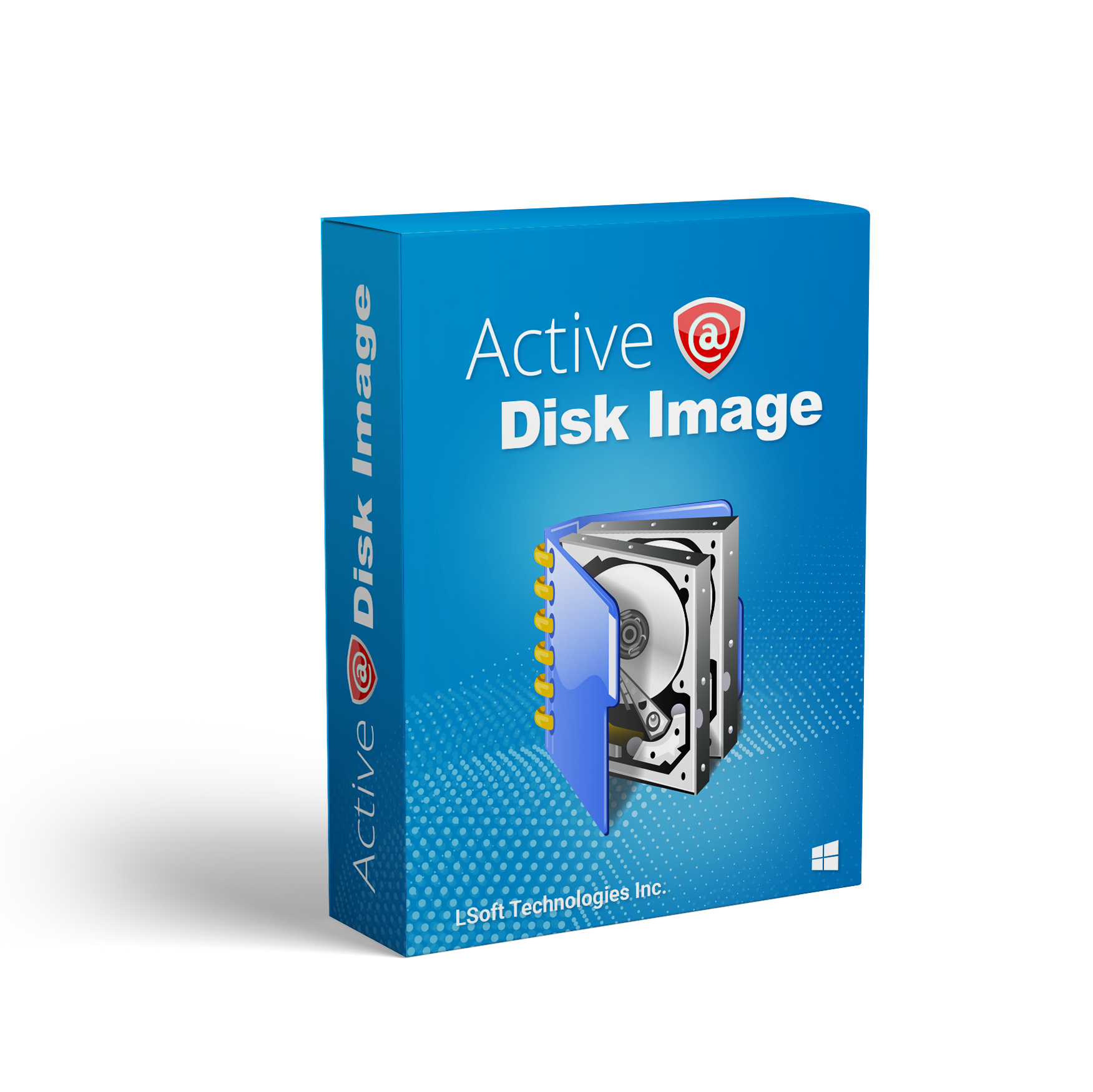
Need to backup & restore your disks, recover deleted documents & photos, erase disks securely, monitor HDD health, or even repair PC when Windows can't start normally? Try Active@ Data Studio!

Parted Magic is a comprehensive, Linux-based bootable solution designed for efficient hard disk management and data recovery tasks. Operating directly from a CD, USB drive, or network via PXE, it eliminates the need for installation, allowing users to perform operations independently of the installed operating system. Parted Magic supports a wide range of file systems, including ext2, ext3, ext4, FAT16, FAT32, NTFS, and more, making it versatile for various storage configurations.
Key Features and Functionality:
- Disk Partitioning: Utilizes tools like GParted and Parted to create, resize, move, and delete partitions, facilitating tasks such as expanding or shrinking drives and setting up new operating systems.
- Disk Cloning: Includes Clonezilla for cloning entire disks or specific partitions, with options to save the cloned data as an image file or a direct copy to various storage destinations, including local devices and network servers.
- Data Rescue: Features tools like TestDisk and PhotoRec to recover lost files and partitions, reset or change Windows passwords, and rescue data from devices with disk read errors.
- Secure Data Erasure: Provides secure erase options, including ATA Secure Erase, to completely wipe data from drives, ensuring sensitive information is irretrievably removed.
- Benchmarking: Offers a suite of benchmarking tools such as Bonnie++, IOzone, and System Stability Tester to assess system performance and stability.
Primary Value and User Solutions:
Parted Magic addresses critical needs in disk management and data recovery by offering a reliable, all-in-one toolkit that operates independently of the installed operating system. Its ability to handle various file systems and support for both traditional hard drives and solid-state drives make it an essential tool for IT professionals and enthusiasts. Whether it's partitioning disks, cloning drives for backup or deployment, recovering lost data, or securely erasing sensitive information, Parted Magic provides the necessary tools to perform these tasks efficiently and effectively.

About Onlime
Onlime is a backup and cloud storage service based in Denmark. With datacenters in Scandinavia, Onlime is a safe and privacy-respecting cloud service for individuals, families, businesses and organizations.
Onlime apps are supported on Windows, Mac, iOS and Android and lets you back up, sync, archive, and share your files, documents, and photos over the Internet.
At Onlime, you are not the product
Our mission at Onlime is to gathers as little personal data as possible, and we never sell your personal data to third parties. At Onlime, we uphold personal privacy and concent as a basic human right. Onlime adheres to the standards of GDPR
Our datacenters at Onlime run on 100% recyclable power. We also run our own servers and infrastructure. In this way, we know our hardware and software stacks from start to finish – this allows us to continually optimize performance and security.
A subscription for anyone
We offer free 5 GB storage for everyone with full access to all features. If you dig our service, we offer these paid subscriptions:
- Personal Unlimite Space
- Family 1TB
- Family 5TB
- Business Small, 2 user-seats, from 1TB storage
- Business Medium, up to 10 user-seats, from 1TB storage
- Business Large, unlimited user-seats, from 1TB storage
Features
• PICTURE ORGANIZATION: View your photos and videos in one timeline – photos and videos are automatically uploaded and organized from all your devices using Onlime apps.
• FULL QUALITY: Your photos and videos are always saved in 100% original quality.
• NO FILE PROCESSING OR ALTERATION: We always store your files in it’s original format and size. We never process
• SHARE MEMORIES WITH OTHERS: Create albums and share via link. With an account, others can follow your album, upload photos and comment.
• FREE UP SPACE: With one tap, you can remove photos and videos on your device, that are already backed up with Onlime.
• AUTOMATIC BACKUP: Get automatic backup of all your folders and files on PC/Mac. On your mobile device, you can setup automatic backup of photos, videos and contacts.
• SYNCHRONIZE YOUR FILES: Continue where you left off - access the same files from all your devices. This is handy, when you have multipe devices or want to collaborate on files with other people!
• USE MICROSOFT OFFICE ONLINE FREE: With Onlime you can create, edit and collaborate in Word, Excel and Powerpoint right from your browser. This integrations is free to use, and you’ll be amazed of how much you can do right in your browser.
• GET HELP WITH LIVE-SUPPORT DIRECTLY IN OUR APP: Get help with using our service directly in the app. We are ready to help big and small – just write us and we typically answer within a few hours.
• DOCUMENT SCANNER: With our mobile app, you can easily scan and transfer documents, receipts and old photos to the Onlime cloud. Use features like auto-cropping, contrast and color adjustment.
• TIME MACHINE: We always store the 5 latest versions of all the files you upload to Onlime. Turn back time and restore the version you want!
• FILE SHARING: Share files, folders and photo albums via link or invitation. You decide if others can just access, or if they can edit and upload too.
• AUTO-SAVE DOCUMENTS: Using our mobile apps, your documents are saved automatically when you open a document via Onlime and edit it in i.e. Word or Excel.
• INTEGRATE WITH ARCHIVES: Do you have an iPhone/iPad? Get the most out of your device and Onlime: Activate Onlime in the Files app. You'll get easy access to your files in Onlime from apps like Mail and iMovie.
• CHROMECAST & AIRPLAY: Watch your photos, videos and documents on your TV with Chromecast and AirPlay.
• POWERFULL WEB-APP: Upload, edit and organize all your uploaded files right in your browser.
• SEE PHOTO CAPTURE LOCATION AND METADATA: See which camera settings you used, or which location you shot your memories. This is supported in our mobile apps and web-app.
• FREE STORAGE SPACE: Create a free Onlime account and get 5 GB of free storage. Does not require credit card.
More details:
- Onlime support all file types
- Onlime support photos taken on iPhone / iPad with Liveshot, HDR and in file format heic.
- We do not offer a app/client for Linux at the moment. We encourage Linux-users to use our web-app or try installing our Windows-app with WINE.

Progress WS_FTP is a suite of secure file transfer solutions designed to facilitate reliable and protected data exchange for businesses of all sizes. The suite includes WS_FTP Server and WS_FTP Professional Client, both engineered to ensure the secure transmission of critical files through advanced encryption and comprehensive administrative controls.
Key Features and Functionality:
- Advanced Security Protocols: Utilizes 256-bit AES encryption, FIPS 140-2 validated cryptography, and OpenPGP file encryption to safeguard data before, during, and after transfer.
- Comprehensive Protocol Support: Supports multiple file transfer protocols, including FTP, SSL/FTPS, SSH/SFTP, and HTTP/S, ensuring compatibility with various systems and servers.
- User-Friendly Interface: Features a customizable display with drag-and-drop functionality, integrated search capabilities, and the ability to connect to multiple servers simultaneously, streamlining file management tasks.
- Automation and Scheduling: Allows users to automate recurring transfers, schedule backups, synchronize files across locations, and set post-transfer actions such as file deletion, movement, or renaming.
- Administrative Control: Provides robust user management, including the assignment of permissions, remote server administration, and integration with authentication systems like Active Directory and LDAP.
Primary Value and User Solutions:
WS_FTP addresses the critical need for secure and efficient file transfers in today's digital landscape. By offering robust security measures, it protects sensitive data from unauthorized access and breaches. The suite's automation capabilities reduce manual intervention, enhancing operational efficiency. Its user-friendly design simplifies complex file transfer processes, making it accessible for users with varying technical expertise. Additionally, the comprehensive administrative tools provide organizations with the control and visibility necessary to manage file transfer activities effectively, ensuring compliance with industry standards and regulations.

BlueMail is a, secure, and free cross-platform email and calendar application designed to manage an unlimited number of email accounts from various providers. It offers a unified inbox, allowing users to consolidate all their email accounts into a single, user-friendly interface. With support for IMAP, POP3, and Exchange protocols, BlueMail ensures seamless integration with services like Gmail, Outlook, Yahoo Mail, and more. The app is available on multiple platforms, including Windows, macOS, Linux, Android, and iOS, providing a consistent experience across devices.
Key Features and Functionality:
- Unified Inbox: Consolidates emails from all accounts into one view, simplifying email management.
- Integrated Calendar: Allows users to plan events, invite contacts, and set notifications directly within the app.
- Instant Push Notifications: Delivers emails instantaneously, ensuring timely communication.
- Email Clustering: Organizes emails by sender and group, decluttering the inbox and enhancing productivity.
- GemAI Integration: Utilizes advanced AI technologies to assist in composing, summarizing, and replying to emails efficiently.
- MagicSync: Enables secure backup and synchronization of accounts and settings across devices.
- Privacy and Security: Employs industry-leading protocols, including SSL/TLS and STARTTLS, to secure communications and offers features like PGP encryption and S/MIME support.
Primary Value and User Solutions:
BlueMail addresses the challenges of managing multiple email accounts by providing a unified, intuitive platform that enhances productivity and organization. Its AI-powered features streamline email composition and management, saving users time and effort. The integrated calendar and task management tools help users stay on top of their schedules and tasks. With a strong emphasis on privacy and security, BlueMail ensures that users' data remains protected, making it a reliable choice for both personal and professional communication needs.

AnyMP4 iPhone Transfer Pro for Mac enables you to transfer photos, videos, music and many other multimedia files from iPhone/iPad/iPod such as iPhone 11 Pro Max/11 Pro/11/XS/XS Max, iPad Air, iPad pro, iPad mini 4 and iPod, etc. to Mac for backup. It also allows you to import Mac/iTunes files to iPhone/iPad/iPod. It can also convert the incompatible video/audio to iPhone/iPad/iPod supported format.
Key Features:
1. Transfer files from iPhone/iPad/iPod to Mac or from Mac to iOS device
This iPhone to Mac Transfer can help you transfer photo, video, music and other media files from iPhone 11 Pro Max/11 Pro/11/XS/XS Max, iPad pro, iPad mini 4/3/2, iPod and more digital devices to Mac/iTunes for backup. With this Mac to iPhone Transfer, you can transfer photo, video, music and others to iPhone/iPad/iPod.
2. Import files between iOS devices
AnyMP4 iPhone Transfer Pro for Mac can sync videos, music, pictures, etc. between any two iOS devices. For instance, if you connect your iPhone and iPad to Macbook, you can easily transfer your photos from iPhone to iPad.
3. Back up SMS/Contacts on your iPhone to Mac
With this program, you can copy your SMS to Mac for backup and they can be saved in excel, text or html format. You can also back up the important contacts to Mac in case of the damaging of iPhone, iPad or iPod. The de-duplication function can automatically delete repeated contacts or merge overlapping contact information for you.
4. Support the latest device
This iPhone Transfer for Mac is compatible with the latest iTunes and support all devices such as iPad pro, iPhone 11 Pro Max/11 Pro/11/XS/XS Max, iPad Air 2, iPad mini 4/3/2, iPad pro and iPod 5, etc.

SQLBackupAndFTP is powerful DBMS backup/restore/maintenance software. The backups can be compressed, encrypted, and sent to the numerous destinations for storing. 14 days Professional Trial is available.

12 Disk Tools in One Package!
Need to backup and restore your disks, recover deleted documents and photos, erase disks securely, monitor HDD health, or even repair PC when Windows can't start normally?
Active@ Data Studio is a set of desktop applications and a bootable CD/DVD or USB Disk for booting up any system into a Windows Recovery Environment.

Aiseesoft MobieSync is the professional mobile phone data transferring software which can help you transfer various files like photos, videos, songs, contacts, etc. between iPhone/iPad/iPod/Android and computer, between iOS device and Android with ease. Moreover, it carries many powerful features like Contacts Backup/Restore, Ringtone Maker, HEIC Converter and more to make sure that you can better manage phone data.

FocoClipping is an all-in-one free online background removal, facilitating you to remove the background of the portrait, product, and graphic automatically. It also provides dedicated features like photo editors to restore, crop, refine, touch up hair details, cast shadows and add outlines to perfect your clipped photos. Besides, this toolkit supports changing image backgrounds by customized templates!

Cyberduck is a free, open-source client for FTP, SFTP, WebDAV, and various cloud storage services, available for macOS and Windows. It offers a user-friendly interface that simplifies file transfers between local systems and remote servers or cloud platforms. Cyberduck supports connections to services like Amazon S3, Google Drive, Microsoft OneDrive, Dropbox, and Backblaze B2, making it a versatile tool for managing files across different environments.
Key Features and Functionality:
- Protocol Support: Cyberduck supports FTP, SFTP, WebDAV, and integrates with cloud storage services such as Amazon S3, Google Drive, Microsoft OneDrive, Dropbox, and Backblaze B2.
- User Interface: The application features an intuitive interface with drag-and-drop functionality, facilitating easy file transfers.
- External Editor Integration: Users can open and edit files directly from Cyberduck using their preferred external text editors.
- Bookmark Management: Cyberduck includes a bookmark manager for quick access to frequently used connections.
- Security Features: The client supports FTP/TLS (FTP secured over SSL/TLS) and integrates with system technologies like Keychain on macOS for secure credential storage.
- Language Support: Cyberduck is available in multiple languages, including English, French, German, Japanese, and Spanish.
Primary Value and User Solutions:
Cyberduck provides a comprehensive solution for users needing to manage and transfer files across various servers and cloud storage services. Its support for multiple protocols and platforms ensures compatibility with a wide range of systems. The integration with external editors and the intuitive interface streamline workflows, making file management more efficient. By offering robust security features and support for numerous languages, Cyberduck caters to a diverse user base, addressing the need for a reliable and versatile file transfer client.

CtrlOps is a local-first desktop application for managing Linux servers without DevOps expertise. It brings every server, deployment, and diagnostic tool into one unified dashboard running entirely on the user's machine.
The core feature is an AI Terminal that accepts natural language input. Users describe a server problem or task in plain English and the terminal generates the exact Linux command needed. Before anything executes, CtrlOps displays the command, explains what it will do, and requires explicit approval. The AI also queries live web sources before generating suggestions, ensuring recommendations reflect current documentation and security advisories rather than outdated training data.
Additional capabilities include a multi-server dashboard for managing all connected servers from one screen, one-click deployments from GitHub repositories, a visual file manager for remote file management, real-time monitoring of CPU usage, memory, and disk space, SSH key management with all credentials stored locally, backup status visibility, a scripts library for saving reusable commands, and user access control for managing team permissions.
Everything runs 100% locally. No credentials, SSH keys, or infrastructure details are ever transmitted to external servers. There are no agents to install on remote machines. CtrlOps communicates directly with servers over standard SSH protocol.
Available on Mac, Windows, and Linux. Compatible with any Linux server on AWS, Google Cloud, Azure, DigitalOcean, or any VPS provider. Priced at $7 per month or $70 per year with a 30-day free trial and no credit card required.