Introducing G2.ai, the future of software buying.Try now

Multi-Factor Authentication

by Holly Landis
Multi-factor authentication uses two or more methods of identification to allow logins to an app or account. Learn more about using MFA in business.

What is multi-factor authentication?

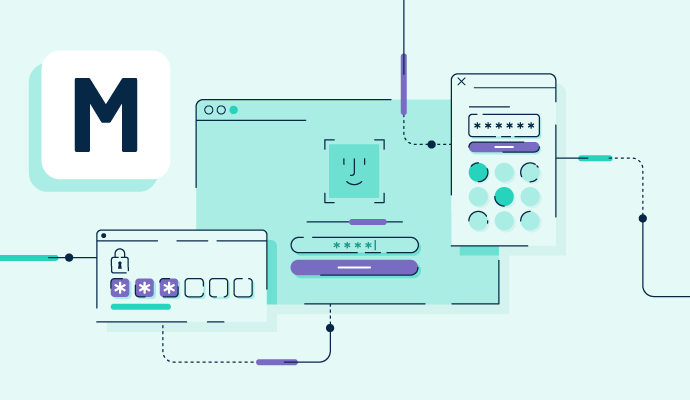
Multi-factor authentication (MFA) is a digital method of identification that requires users to go through two or more steps in order to login to an account or application. The first step is usually a password, followed by another form of identity verification.

The goal of MFA is to make it more difficult for hackers or cybercriminals to gain access to these accounts or applications, as it becomes harder to guess additional login details beyond a username and password. This is especially the case with biometric data like fingerprints or facial recognition.

While using multi-factor authentication software on any application or account is beneficial for protecting user identities, the most common usage for this type of login is on anything that contains personal identifiable information (PII) like medical records or banking details. A subtype of MFA, two-factor authentication (2FA) is commonly used in these applications.

Types of multi-factor authentication

As MFA is based on the ability to identify who is trying to log in to an account or application, three types of verification can happen. 

  • Something the user knows. This type of authentication is based on information a user has knowledge of. For example, this could be a password, PIN, or answers to security questions that can be manually entered at login. These are some of the weakest options for MFA since hackers can often guess them using brute force password attacks or doing research on the life of the person who owns the account.
  • Something the user has. Users may set up protections that include a level of security based on something they have in their possession. This could be something physical, like an ID card or a key fob, or it could be a digital version of this in the form of a smartphone authenticator app. Whatever the user chooses, they must have access to this item in order to log in.
  • Something the user is. Inherent factors like biometrics are the user’s physical characteristics or features. Fingerprints, voice or facial recognition, and even retinal patterns are all examples of factors that are unique to the user trying to log in. These are some of the most secure options for MFA because they’re the most difficult to replicate.

Basic elements of multi-factor authentication

How MFA works depends on the factors employed to verify the user’s identity. But the basic process for MFA logins is similar no matter what is used. Once a user has created their account with a name and password, along with the MFA trigger, their login attempt includes:

  • Prompt for their MFA factor. After being prompted for their username and password, the user then receives an alert for whichever MFA method they’re using. This could be an option to text a one-time password to their device, instructions to open their smartphone authenticator app or an automated trigger for facial recognition or fingerprint analysis.
  • Delivery of the MFA token or factor. Once the prompt has been acknowledged, users receive a text or call with a code or one-time password if this is the form of MFA they’re using. This could also lead to a new prompt arriving if more steps are required for login beyond 2FA.
  • Approval or denial. The account or application then accepts the login credentials as legitimate or denies the user access to the application if their identity cannot be confirmed.

Benefits of multi-factor authentication

Taking extra steps and time to log in to applications or accounts can be frustrating for some users, but the benefits of multi-factor authentication significantly outweigh this. The most important benefits are:

  • Improved security for third-party applications. Security is naturally the biggest benefit of MFA. With several steps required in order to log in, accounts are better protected from cyberattacks and unauthorized access. 
  • Greater regulatory compliance. Some industries require additional layers of security due to the nature of the information they retain. MFA adds technical safeguards to data that may fall under HIPAA compliance or other protocols. Without MFA in place, any data breach could leave businesses and their customers vulnerable to cybercriminals.
  • The option for passwordless entry. With so many passwords to remember each day, MFA gives users the option to verify their identity in other ways without having to input a password. Not only does this mean users can avoid duplicating passwords to keep them on track, which is insecure in and of itself, but it can also make accounts safer when biometric or other difficult to replicate verification factors are used instead.

Best practices for using multi-factor authentication

Data is only as secure as the barriers in place to keep it protected. When thinking about implementing multi-factor authentication, companies should consider:

  • Rolling out MFA company-wide. To minimize the risks of attacks in one department over another, MFA should be integrated across all levels of the company. Before deploying a new system, an analysis should be conducted to find where all access points are through various software or logins. From there, the company should make a plan to add MFA to each of these access points to protect all internal data.
  • Offering multiple options for MFA. Giving employees agency over which MFA factors they want to use increases the odds that they’ll opt into using the new system. A one-size-fits-all approach is not always the best solution, so it’s important to balance security and convenience with options available for employee logins.
  • Using other security systems alongside MFA. Using MFA alone may not be enough to prevent cyberattacks from occurring. Utilizing additional systems like single sign-on (SSO) through identity and access management software can generate higher levels of security to protect company information.

Keep your company’s most valuable data protected from criminals and unauthorized users with outsourced cybersecurity and privacy services.

Holly Landis
HL

Holly Landis

Holly Landis is a freelance writer for G2. She also specializes in being a digital marketing consultant, focusing in on-page SEO, copy, and content writing. She works with SMEs and creative businesses that want to be more intentional with their digital strategies and grow organically on channels they own. As a Brit now living in the USA, you'll usually find her drinking copious amounts of tea in her cherished Anne Boleyn mug while watching endless reruns of Parks and Rec.

Multi-Factor Authentication Software

This list shows the top software that mention multi-factor authentication most on G2.

Entra ID is a comprehensive identity and access management cloud solution that provides a robust set of capabilities to manage users and groups and help secure access to applications including Microsoft online services like Office 365 and a world of non-Microsoft SaaS applications.

The JumpCloud Directory Platform reimagines the directory as a complete platform for identity, access, and device management.

Okta is The World’s Identity Company™. As the leading independent Identity partner, we free everyone to safely use any technology — anywhere, on any device or app. The most trusted brands trust Okta to enable secure access, authentication, and automation. With flexibility and neutrality at the core of our Okta Workforce Identity and Customer Identity Clouds, business leaders and developers can focus on innovation and accelerate digital transformation, thanks to customizable solutions and more than 7,000 pre-built integrations. We’re building a world where Identity belongs to you. Learn more at okta.com.

Frontegg is a platform for SaaS companies, offering out-of-the-box Enterprise-Readiness products for very quick integration as features into an existing SaaS web application. Frontegg components are all customer-facing and include the UI, backend, and Data layers.  The feature-set includes Granular Roles & Permissions, SAML and SSO, Audit logs, Reports, Notification center, and more. The integration of a feature is very quick and shouldn't take more than a few hours of work from a full stack developer.

WatchGuard AuthPoint is the right solution at the right time to make MFA a reality for the businesses who desperately need it to block attacks. Multi-factor authentication (MFA) solution not only helps to reduce the likelihood of network disruptions and data breaches arising from lost or stolen credentials, but we deliver this important capability entirely from the Cloud for easy set-up and management. AuthPoint goes beyond traditional 2-Factor Authentication (2FA) by considering innovative ways to positively identify users, and our large ecosystem of 3rd party integrations means that you can use MFA to protect access to the network, VPNs, and Cloud applications.

Duo is a cloud-based access security platform built to protect access to any application, from any device. Duo’s passwordless authentication, single sign-on (SSO) and user-friendly multi-factor authentication make secure logins easy for users, reducing friction to their workflow.

LastPass business solutions help teams & businesses take control of their identity management with password management, single sign-on (SSO), and adaptive multifactor authentication (MFA).

Extend enterprise security & compliance to all public and private cloud apps with secure single sign-on (SSO), multi-factor authentication & user provisioning.

Bitwarden equips enterprises and individuals with the power to securely manage and share information online with trusted, open source security solutions. Designed for organizations of all sizes, Bitwarden Enterprise Password Manager enables teams to securely store, access, and share credentials, passkeys, and sensitive information while maintaining complete control over their security posture.

With Microsoft OneDrive you can store any file on your SkyDrive and it's automatically available from your phone and computers. No syncing or cables needed.

1Password remembers your passwords for you — and helps you make them stronger. All your secrets are secure and always available, safe behind the one password that only you know.

Provides identity-as-a-service (IDaaS) for every user, including single sign-on (SSO), risk-based multi-factor authentication (MFA), adaptive access, user lifecycle management, and identity analytics

IDEE was born out of a desire to see things done differently in the world of authentication. A world that focuses on prevention and ultimate protection. Our mission is to render account takeover a relic of the past, thereby unleashing the full potential of digital identities and empowering individuals to securely navigate the online world with absolute confidence.

Google Authenticator is a mobile application developed by Google that enhances the security of online accounts through two-factor authentication (2FA). By generating time-based one-time passwords (TOTPs), it adds an extra layer of protection beyond traditional passwords, ensuring that only authorized users can access their accounts. The app is compatible with Android, iOS, and BlackBerry devices, making it a versatile tool for users seeking to bolster their online security. Key Features and Functionality: - Time-Based One-Time Passwords (TOTPs): Generates six-digit codes that refresh every 30 seconds, providing dynamic security tokens for account verification. - Multiple Account Support: Allows users to manage authentication for various accounts within a single app, streamlining the 2FA process. - Offline Functionality: Operates without the need for a network or cellular connection, ensuring access to authentication codes anytime, anywhere. - QR Code Setup: Facilitates quick and easy account addition by scanning QR codes, simplifying the setup process. - Account Synchronization: Enables users to sync their authentication codes across multiple devices by linking to their Google Account, ensuring continuity even if a device is lost. - Privacy Screen: Introduces an additional security measure by requiring device credentials (PIN, fingerprint, or facial recognition) to access the app, protecting sensitive authentication codes from unauthorized access. Primary Value and User Benefits: Google Authenticator addresses the growing need for enhanced online security by providing a reliable and user-friendly method for implementing two-factor authentication. By generating time-sensitive codes that are required in addition to standard passwords, it significantly reduces the risk of unauthorized account access, even if login credentials are compromised. The app's offline functionality ensures that users can access their authentication codes without relying on network connectivity, offering peace of mind in various scenarios. Furthermore, features like account synchronization and the Privacy Screen enhance both usability and security, making Google Authenticator a valuable tool for individuals and organizations aiming to protect their digital assets.

Microsoft Teams is a comprehensive collaboration platform developed by Microsoft, designed to streamline communication and teamwork within organizations. It integrates chat, video conferencing, file storage, and application integration into a single interface, facilitating seamless collaboration across various devices and operating systems. As part of the Microsoft 365 suite, Teams enhances productivity by providing a centralized hub for team interactions and project management. Key Features and Functionality: - Chat and Messaging: Facilitates real-time text communication with individuals or groups, supporting rich text, emojis, stickers, and GIFs. - Video Conferencing: Offers high-quality video meetings with features like screen sharing, custom backgrounds, and live captions, accommodating both small team huddles and large webinars. - File Sharing and Collaboration: Enables secure file storage and sharing through integration with OneDrive and SharePoint, allowing multiple users to co-author documents simultaneously. - Integration with Applications: Supports integration with a wide range of Microsoft and third-party applications, enhancing workflow efficiency by bringing various tools into one platform. - Security and Compliance: Provides enterprise-grade security measures, including data encryption for meetings, chats, calls, and files, ensuring compliance with industry standards. Primary Value and Solutions Provided: Microsoft Teams addresses the challenges of modern workplace collaboration by unifying communication channels, reducing the need for multiple disparate tools. It enhances team productivity by centralizing resources, facilitating real-time collaboration, and ensuring secure information sharing. By integrating with the broader Microsoft 365 ecosystem, Teams offers a cohesive environment that supports remote work, hybrid teams, and in-person collaboration, adapting to the diverse needs of today's workforce.

SecureAuth is an identity security company that enables the most secure and flexible authentication experience for employees, partners and customers. Delivered as a service and deployed across cloud, hybrid and on-premises environments, SecureAuth manages and protects access to applications, systems and data at scale, anywhere in the world. The company provides the tools to build identity security into new and existing applications and workflows without impacting user experience or engagement, resulting in increased productivity and reduced risk.

WSO2 Identity Server, part of WSO2’s CIAM suite, is the market’s leading open-source CIAM solution. It provides modern identity and access management capabilities that can be easily built into your organization’s customer experience (CX) mobile apps or websites, or even deployed to fulfill workforce IAM requirements.

PingID is a cloud-based, adaptive multi-factor authentication (MFA) solution designed to enhance security while maintaining user convenience. It enables organizations to implement robust authentication measures across various applications and services, ensuring that only authorized users gain access. By integrating seamlessly with existing identity systems, PingID supports a range of authentication methods, including mobile apps, biometrics, security keys, and more, catering to diverse user preferences and security requirements. Key Features and Functionality: - Versatile Authentication Methods: Supports multiple authentication options such as mobile push notifications, biometrics (fingerprint and facial recognition), SMS, email, voice calls, and hardware tokens, allowing users to choose their preferred method. - Adaptive Authentication: Evaluates contextual factors like device posture, geolocation, and IP address to adjust authentication requirements dynamically, enhancing security without compromising user experience. - Seamless Integration: Integrates with various platforms, including PingOne, PingFederate, VPNs, Microsoft Azure AD, and Active Directory Federation Services (AD FS), facilitating easy deployment within existing IT infrastructures. - User Self-Service Portal: Empowers users to manage their authentication devices and methods, reducing the burden on IT support and improving overall productivity. - Comprehensive Administrative Insights: Provides dashboards for monitoring MFA usage and associated costs, enabling administrators to make informed decisions regarding security policies and resource allocation. Primary Value and Problem Solved: PingID addresses the critical need for enhanced security in an era where cyber threats are increasingly sophisticated. By implementing adaptive MFA, it ensures that access to sensitive applications and data is granted only to verified users, thereby mitigating the risk of unauthorized access and potential data breaches. Simultaneously, PingID maintains a user-friendly experience by offering flexible authentication methods and minimizing disruptions, striking a balance between stringent security measures and operational efficiency.