AI-Generated Results
Finding matches…
Smarsh Professional Archive is an AI-powered communications compliance and data intelligence
platform built for small and mid-sized financial firms, government agencies, and other regulated
organizations. It captures, retains, and manages communications across today's digital channels, with
continuous support for emerging communication platforms and enterprise AI applications.
Professional Archive helps organizations:
• Capture communications everywhere. Archive email, text messaging, collaboration platforms,
social media, and enterprise AI applications such as ChatGPT Enterprise, Microsoft Copilot, and
Anthropic Claude.
• Reduce review noise. Optional AI-powered Intelligent Supervision capabilities help uncover risk
sooner, accelerate investigations, and keep compliance teams focused on the communications
that matter most.
• Respond faster. Powerful search, legal hold, and included data exports simplify investigations,
audits, e-discovery, and public records requests.
• Integrate with confidence. Robust integrations, flexible retention policies, and secure cloud
archiving fit seamlessly into your existing technology ecosystem.
For small and mid-sized financial firms, Professional Archive helps lean compliance teams meet strict
regulatory requirements more efficiently. Organizations using Smarsh AI have reduced false positives by
60%+, saved 40+ hours per reviewer each month, increased review capacity by 20%, and identified 3–5x
more risk.
For government agencies, Professional Archive simplifies records management with a complete,
defensible archive of digital communications. Powerful search and included data exports help agencies
quickly find, review, and produce records—without unexpected export fees.
Backed by more than 20 years of communications compliance expertise, Smarsh is recognized as a
Leader in the Gartner® Magic QuadrantTM for Digital Communications Governance and Archiving Solutions.
Customers also benefit from award-winning support, training, and professional and managed services that
help maximize adoption and long-term success.
Not seeing what you're looking for?
Dive deeper into "Microsoft Forms" on G2 AI

BigBlueButton is an open-source virtual classroom software designed specifically for online education, enabling educators to engage students through real-time sharing of audio, video, slides, whiteboard, chat, and screen. Developed by the Technology Innovation Management program at Carleton University in 2007, it has been integrated into major learning management systems (LMS) such as Canvas, Moodle Cloud, Sakai, Jenzabar, D2L, and Schoology, collectively serving over 75% of the global LMS market.
Key Features and Functionality:
- Media Sharing: Facilitates real-time sharing of audio and video, with options for low, medium, and high-resolution video.
- Content Sharing: Supports uploading and presenting documents in formats like PDF, Microsoft PowerPoint, Word, and Excel.
- Interactive Tools: Includes a multi-user whiteboard, breakout rooms for group collaboration, shared notes, polling, and the ability to share external videos.
- Communication: Offers public and private chat functionalities, along with features like hand-raising and emojis to enhance interaction.
- Recording: Allows recording of sessions (excluding shared videos) for later playback.
- Integrations: Seamlessly integrates with major LMS platforms and supports Learning Tools Interoperability (LTI) for broader compatibility.
- Accessibility: Provides support for JAWS screen reader and live closed captioning to ensure inclusivity.
- Mobility: Operates on desktop, laptop, and mobile devices using HTML5, compatible with iOS 12.2+ and Android 6.0+.
Primary Value and User Solutions:
BigBlueButton addresses the unique challenges of online education by offering a platform tailored for virtual learning environments. Its comprehensive suite of tools fosters collaboration, engagement, and effective communication between educators and students. By integrating seamlessly with existing LMS platforms, it simplifies the virtual classroom setup, allowing educators to focus on delivering quality education. The software's open-source nature ensures continuous improvement and adaptability to the evolving needs of the educational community.
ProjectPro is specifically designed for Construction Firms and powered by Microsoft Dynamics NAV/Business Central to make sure you get the most out of your business software. Netsmartz LLC has the software, knowledge, and means to provide your business with the most powerful yet user-friendly construction accounting system available using the latest Microsoft technologies.

InspireIP is an innovative platform designed to streamline the management of ideas and intellectual property (IP within organizations. By integrating tools for idea generation, collaboration, and IP protection, InspireIP empowers teams to transform creative concepts into valuable assets efficiently. The platform's user-friendly interface and robust features facilitate a seamless innovation journey from inception to implementation.
Key Features and Functionality:
- Idea Management: Capture, submit, evaluate, and collaborate on ideas effortlessly, ensuring no valuable concept is overlooked.
- Innovation Challenges: Organize and manage innovation campaigns to focus team efforts on specific goals.
- Real-Time Updates: Stay informed with instant notifications and progress tracking.
- Multi-Team Support: Facilitate collaboration across various departments and teams.
- Integrated Communication: Utilize built-in chat and commenting features to enhance team interaction.
- AI-Powered Assistance: Leverage AI tools like the Novelty Checker to assess the uniqueness of ideas.
- Invention Disclosure Management: Simplify the process of documenting and protecting inventions with intuitive disclosure forms.
- Advanced Reporting: Gain insights into innovation performance through comprehensive analytics.
- Third-Party Integrations: Seamlessly connect with existing tools such as Microsoft Teams, Trello, Jira, Slack, and Asana.
Primary Value and User Solutions:
InspireIP addresses the common challenges organizations face in managing innovation and intellectual property. By providing a centralized platform, it ensures that ideas are systematically captured, evaluated, and developed, reducing the risk of lost or overlooked concepts. The integration of AI tools and real-time collaboration features accelerates the innovation cycle, leading to faster time-to-market for new products and services. Additionally, InspireIP's robust IP management capabilities safeguard intellectual assets, ensuring legal protection and compliance. Overall, InspireIP fosters a culture of continuous innovation, enhances team engagement, and drives business growth by transforming ideas into tangible outcomes.

Plumsail Org Chart enables you to create interactive, company-wide organizational charts and embed them into SharePoint pages or Microsoft Teams tabs. Key features include:
- Friendly search and navigation: Easily find colleagues by department, location, job title, or other fields such as biography or skills. Use breadcrumb navigation for intuitive browsing.
- Various layouts and conditional formatting: Choose from different layouts and box orientations to best display your organizational structure. Apply conditional formatting based on department, job title, skills, and more.
- Assistants, vacancies, and dotted-line managers: Display roles like dotted-line managers, vacancies, and assistants. Highlight boxes conditionally and navigate easily between roles.
- Automatic data synchronization: Keep your Org Chart updated with automatic data synchronization from Entra ID (formerly Azure AD), SharePoint lists, or user profiles.
- Printing & CSV export: Generate detailed PDF reports for stakeholders, including employee lists and navigation links. Export data to CSV for Excel or Power BI analysis, and convert views to PNG for presentations.
Any Video Converter Freeware is a totally free all-in-one video converter, audio converter, CD ripper, video downloader, video editor and DVD creator. Any Video Converter can help you convert various video formats including MP4, AVI, RM, RMVB, QT, MOV, 3GP, 3G2, FLV, MPEG-1, MPEG-2, DVR-MS, VOB, MKV, ASF, DivX, OGM to AVI, WMV, MP4, FLV, MTS, M2TS and SWF with fast converting speed and excellent video quality. It helps you convert all kinds of video formats for all kinds of portable media players including Apple products such as iPod, iPhone, iPad; Sony products such as PSP, PS3; Android products and Microsoft products. So with this powerful free video converter, you can enjoy all kinds of videos on your portable devices freely! Any Video Converter is able to extract and convert audio from video files and save into MP3, AAC, WMA, OGG, Apple Lossless Audio and more formats. And it supports ripping audio files from CD directly as well! Any Video Converter can easily download videos from 100+ video sharing site, including YouTube, Facebook, Dailymotion, MetaCafe, Vimeo, Howcast, etc in a step by pasting URL links. Paste URL links of your favorite online videos to Any Video Converter, it will download them to your hard drive and convert to video formats you need. With Any Video Converter, it's an easy job to personalize videos and make them special and different. You can merge multiple video files into one singe long video, add your own audio/subtitle/watermark to your video, clip or crop video and add special effects. It is also a totally free video to DVD creator which helps you to convert all kinds video formats to DVD NTSC MPG video or DVD PAL MPG video and burn the mpg files to DVD and create DVD movie. Now you can watch any movie on your home DVD player. Any Video Converter is a totally free video converter with lots of other interesting and useful functions you will love. If you are still seeking a free video converter, it will be the best choice.

Microsoft Windows Server 2016 with SQL Server 2017 Enterprise is a robust, pre-configured Amazon Machine Image (AMI) available on AWS Marketplace. This AMI combines the reliability of Windows Server 2016 with the advanced data management capabilities of SQL Server 2017 Enterprise, providing a comprehensive solution for deploying enterprise-grade applications and databases in the cloud.
Key Features and Functionality:
- Pre-Configured AMI: The AMI is built, updated, and fully patched by AWS, ensuring a secure and reliable environment for your applications.
- Integrated AWS Tools: Includes AWS Systems Manager, AWS CloudFormation, and AWS Tools for Windows PowerShell, facilitating efficient management and automation of your infrastructure.
- Automatic Updates: Ensures that both Windows Server and SQL Server receive timely updates, maintaining system security and performance.
- SQL Server Management Studio (SSMS: Pre-installed to provide a comprehensive interface for managing SQL Server databases.
- Preconfigured Service Accounts: Simplifies the setup process by providing preconfigured service accounts for SQL Server services.
Primary Value and User Solutions:
This AMI offers a streamlined deployment of a fully licensed Windows Server 2016 and SQL Server 2017 Enterprise environment on AWS. It eliminates the complexities associated with manual installation and configuration, allowing businesses to quickly launch and scale their applications. The integration with AWS management tools enhances operational efficiency, while automatic updates ensure ongoing security and compliance. This solution is ideal for organizations seeking a reliable, high-performance platform for their enterprise applications and databases in the cloud.
DocMgt is a web-based document management system designed to streamline the entire document lifecycle—from creation and processing to management and secure destruction. Accessible on virtually any internet-enabled device, DocMgt leverages artificial intelligence to automate business applications, enhancing productivity and operational efficiency.
Key Features and Functionality:
- AI-Powered Automation: Utilizes advanced AI and machine learning technologies to automate data processing, reducing manual effort and minimizing errors.
- Comprehensive Document Handling: Supports storage, organization, viewing, sharing, and retention of various digital assets, including scanned images, photographs, electronic documents (Office, PDF), and electronic forms.
- Flexible Deployment Options: Offers both cloud-based hosting in Microsoft Azure and on-premise installations, providing flexibility to meet diverse organizational needs.
- Enhanced Security: Provides robust security measures, ensuring that documents are protected and access is controlled, giving organizations peace of mind.
- Seamless Integration: Integrates with popular platforms such as QuickBooks, DocuSign, and Adobe Sign, facilitating smooth workflows and collaboration.
- User-Friendly Interface: Designed for accessibility on desktops, tablets, and smartphones, allowing users to manage documents efficiently from any location.
Primary Value and Solutions Provided:
DocMgt addresses the challenges organizations face in managing vast amounts of digital documents by offering a centralized, AI-enhanced platform that automates routine tasks, ensures secure storage, and facilitates easy retrieval. By streamlining document-related processes, DocMgt helps businesses improve productivity, maintain compliance, and reduce operational costs. Its flexible deployment options and seamless integrations make it a versatile solution suitable for various industries, including education, healthcare, human resources, and more.

Extract transactions from scanned or native PDF bank statements into the .CSV format for import into spreadsheets such as Microsoft Excel.

Autosheet (formerly GPT for Work) is the AI agent for spreadsheet work in Microsoft Excel and Google Sheets. Write and check formulas, clean and organize data, create charts and pivot tables, and translate, categorize or enrich rows at scale.

Amazon Elastic Transcoder is a cloud-based media transcoding service that enables developers and businesses to convert video and audio files into formats optimized for various devices, including smartphones, tablets, and PCs. By leveraging Amazon Web Services (AWS) infrastructure, it simplifies the process of media conversion without the need to manage complex hardware or software.
Key Features and Functionality:
- Transcoding Pipelines: Manage and run multiple transcoding workflows in parallel, allowing for efficient processing of large volumes of media files.
- Transcoding Jobs: Convert a single input file into multiple output formats within a single job, supporting up to 30 different formats per job.
- System and Custom Presets: Utilize predefined presets optimized for various devices, or create custom presets tailored to specific requirements.
- Automatic Video Bitrate Optimization: Adjust the bitrate automatically to optimize the visual quality of transcoded output.
- Thumbnail Generation and Watermarking: Generate thumbnails and overlay images on videos to enhance content presentation and branding.
- Captions Support: Add, remove, or preserve captions during the transcoding process to ensure accessibility.
- Encryption and Protection: Support for encrypted HLS streams and integration with DRM systems like Microsoft PlayReady to secure content.
- Clip Generation and Stitching: Create clips from source media or stitch multiple clips together to produce a single output file.
Primary Value and User Solutions:
Amazon Elastic Transcoder addresses the complexities associated with media file conversion by providing a scalable, cost-effective, and easy-to-use solution. It eliminates the need for managing transcoding software and infrastructure, allowing users to focus on content creation and delivery. The service's integration with other AWS offerings, such as Amazon S3 for storage and Amazon SNS for notifications, streamlines workflows and enhances operational efficiency. By supporting a wide range of input and output formats, along with features like automatic bitrate optimization and preset configurations, it ensures high-quality media playback across diverse devices and platforms.
Please note that AWS has announced the discontinuation of Amazon Elastic Transcoder, effective November 13, 2025. Users are encouraged to migrate to AWS Elemental MediaConvert, which offers a comprehensive suite of advanced transcoding features and on-demand pricing.

JOIN is a comprehensive document management system designed to streamline the handling of vast amounts of information within government organizations. By centralizing the creation, storage, sharing, editing, retrieval, and archiving of various document types—including emails, invoices, contracts, and mail—JOIN enhances operational efficiency and significantly reduces time spent searching for information.
Key Features and Functionality:
- Centralized Document Management: Facilitates the creation, storage, sharing, editing, retrieval, and archiving of diverse document types, ensuring all information is easily accessible.
- Advanced Search Capabilities: Employs sophisticated search functions to quickly locate documents, minimizing time spent searching and reducing the risk of misplaced information.
- Seamless Integration: Integrates with familiar programs like Microsoft Word, Excel, and Outlook, allowing users to store documents and emails directly into JOIN with minimal effort.
- Template Management: Offers built-in tools for managing document templates, ensuring consistency and efficiency in document creation.
- Version Control: Maintains organized version histories, enabling users to track changes and access previous versions of documents as needed.
- Direct Scanning: Supports direct scanning of physical documents into the system, facilitating the transition from paper to digital formats.
Primary Value and Solutions Provided:
JOIN addresses the challenges associated with managing large volumes of documents by providing a centralized, user-friendly platform that enhances efficiency and transparency. By reducing the time spent searching for documents and ensuring that all information is easily accessible and well-organized, JOIN allows government organizations to focus more on their core tasks and deliver better services to the public. The system's integration with commonly used software and its advanced features like template management and version control further contribute to a streamlined workflow and improved document governance.

LibreOffice Impress is a powerful, free, and open-source presentation program that enables users to create and deliver professional multimedia presentations. As part of the LibreOffice suite, Impress offers a comprehensive set of tools for designing slides that can include text, images, diagrams, and multimedia elements. It supports various editing and viewing modes, such as Normal, Outline, Notes, Handout, and Slide Sorter, facilitating versatile slide creation and organization.
Key Features and Functionality:
- Versatile Editing and Viewing Modes: Impress provides multiple modes to cater to different aspects of presentation creation, including Normal for general editing, Outline for text organization, Notes for adding speaker notes, Handout for printed materials, and Slide Sorter for easy slide management.
- Rich Drawing and Diagramming Tools: Users have access to a wide range of drawing and diagramming tools, allowing the addition of sophisticated graphics and diagrams to presentations.
- Slide Show Animations and Effects: Impress includes a variety of animations and transition effects to enhance the visual appeal of presentations.
- Fontwork Tool: This feature enables the creation of attractive 2D and 3D text art, adding a creative touch to slides.
- 3D Scene Management: Users can build and control 3D scenes, incorporating various objects and components for dynamic presentations.
- Presenter Console Extension: Impress supports multiple monitors and includes a Presenter Console extension, offering control over slide shows, such as viewing upcoming slides, slide notes, and managing the presentation timer.
- Template Repository: A collection of templates is available for download, helping users save time and maintain consistency across presentations.
Primary Value and User Solutions:
LibreOffice Impress addresses the need for a robust, user-friendly, and cost-effective solution for creating multimedia presentations. Its extensive feature set allows users to design engaging and professional presentations without the expense of proprietary software. The program's compatibility with multiple file formats, including those used by Microsoft PowerPoint, ensures seamless collaboration and sharing. Additionally, as an open-source application, Impress benefits from continuous improvements and community support, providing users with a reliable and up-to-date tool for their presentation needs.

PDFMonk is a comprehensive online platform designed to streamline the management of PDF documents for individuals and businesses. It offers a suite of tools that enable users to organize, convert, and secure their PDF files efficiently. With a focus on speed, security, and user-friendliness, PDFMonk eliminates the need for complex software installations, allowing users to perform various PDF-related tasks directly from their web browsers.
Key Features and Functionality:
- Compress PDF: Reduce the size of large PDF files without compromising quality, facilitating easier storage and sharing.
- Merge PDF: Combine multiple PDF documents into a single file, simplifying document management.
- Crop PDF: Remove unwanted margins or sections from PDF pages to focus on essential content.
- Convert EPUB to PDF: Transform ePub e-books into PDF format for broader compatibility.
- Images to PDF: Convert various image formats, including JPG and PNG, into a single PDF document.
- PDF to Images: Extract pages from a PDF and save them as high-quality JPG or PNG images.
- PDF to Word: Convert PDF files into editable Microsoft Word documents.
- Protect PDF: Secure sensitive documents by adding password protection to prevent unauthorized access.
- UnProtect PDF: Remove password protection from PDF files when access is permitted.
- Professional Invoice: Generate professional invoices with customizable templates suitable for various business needs.
- Retail Display Label: Create retail labels for product displays, enhancing in-store marketing efforts.
- UPI QR Code: Generate branded UPI QR codes for seamless digital payments in retail environments.
Primary Value and Solutions Provided:
PDFMonk addresses the common challenges associated with PDF document management by offering a cloud-based solution that is fast, secure, and easy to use. It eliminates the need for complex software installations, allowing users to perform various PDF-related tasks directly from their web browsers. By providing a comprehensive suite of tools, PDFMonk enhances productivity and efficiency for users across various sectors, including education, small businesses, and retail. Its user-friendly interface ensures that even those with minimal technical expertise can manage their PDF documents effectively.

Smarsh Capture turns unstructured communications into trusted, AI-ready intelligence — helping
regulated organizations capture, preserve, and unify data across every channel their people use, in native
format, with no lock-in. Using vendor-approved APIs, Capture ingests high-fidelity records from more than
100 communication channels, including Microsoft Teams, Slack, email, chat, voice, mobile, and
generative AI tools, preserving conversation threads, timestamps, and metadata to create a structured,
reliable data foundation.
Smarsh Capture helps organizations:
• Capture communications everywhere. Ingest and unify email, chat, voice, mobile, video, and
generative AI communications in their native formats, purpose-built to handle near-limitless data
volumes.
• Meet compliance requirements by design. Satisfy SEC Rule 17a-4 and FINRA Rules 4511 and
3110, and support MiFID II obligations, with defensible, tamper-evident retention and automated
policy enforcement aligned to Written Supervisory Procedures.
• Prepare data for AI with confidence. Preserve native metadata, participant relationships, and full
conversational context so AI systems can interpret intent and risk signals accurately, rather than
relying on isolated keywords.
• Stay open by design. Send captured data to any archive, AI, or compliance platform, with no lock-
in, and link employees to all their accounts and communications across systems with disparate
profiles and logins.
For financial firms, Capture provides an audit-ready source of truth for supervisory and investigative
workflows, giving regulators — including the SEC, FINRA, CFTC, and FCA — a traceable, immutable
record. Encrypted communications can be ingested for discovery via metadata, and ephemeral messages
are captured and retained before deletion per firm policy, ensuring strict recordkeeping compliance
regardless of how employees choose to communicate.
Data integrity is enforced throughout: AES-256 encryption at rest, TLS in transit, tamper-evident storage,
and automated integrity checks aligned with ISO 27001 to keep records secure and reliable. Smarsh
Capture is the capture solution trusted by 90% of the world's top financial firms.
Backed by more than 20 years of communications compliance expertise, Smarsh is recognized as a
Leader in the Gartner® Magic QuadrantTM for Digital Communications Governance and Archiving Solutions.
Customers also benefit from award-winning support, training, and professional and managed services that
help maximize adoption and long-term success.
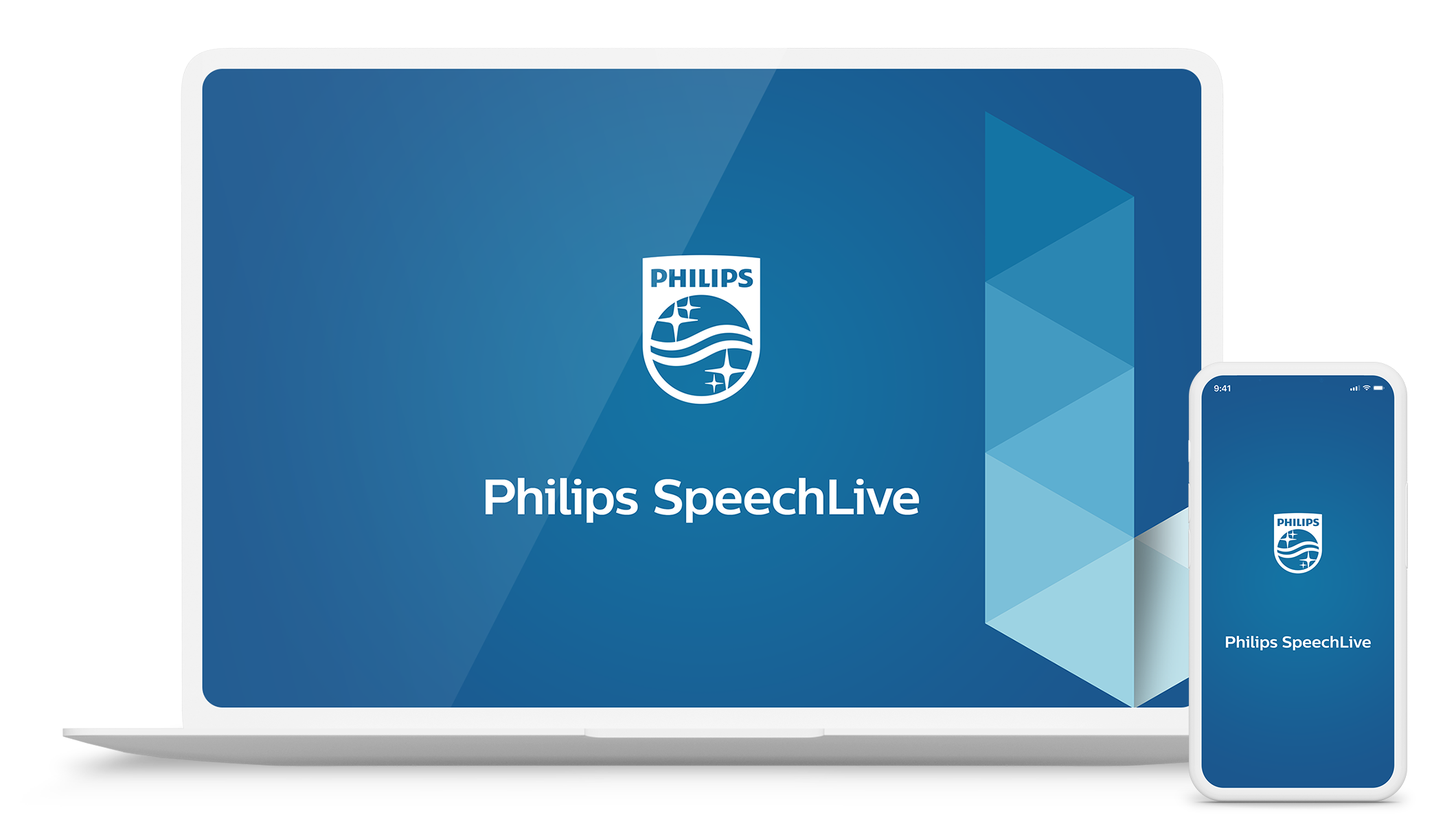
SpeechLive is a cloud-based dictation and transcription workflow solution. It helps authors go from speech to text quicker than ever before. SpeechLive has complete end-to-end encryption with Multi-Factor Authentication using Microsoft Azure cloud services. Our add-on Speech Recognition service has multilingual capabilities, real-time or deferred options, and voice command capability to format your document whilst you dictate.

Tungsten InvoiceAgility is an AI-powered, integrated solution designed to streamline accounts payable (AP) processes by automating invoice capture and processing. It enables organizations to handle invoices in any format—paper, PDF, or electronic—from suppliers worldwide, including regions with stringent e-invoicing regulations. By combining the extensive Tungsten e-Invoice Network with advanced capture technologies, InvoiceAgility accelerates invoice processing, reduces errors, and ensures compliance, transforming AP operations into efficient, touchless workflows.
Key Features and Functionality:
- Universal Invoice Acceptance: Processes invoices in various formats, including paper, PDF, and electronic, from any supplier globally.
- AI-Driven Data Capture: Utilizes advanced optical character recognition (OCR) and machine learning to extract invoice data accurately, even from complex scripts and handwritten documents.
- Compliance Management: Automates validation and reporting to meet e-invoicing regulations across over 100 countries, ensuring adherence to local mandates.
- Seamless ERP Integration: Offers pre-built connectors and APIs for major ERP systems like SAP, Oracle, and Microsoft Dynamics, facilitating smooth data synchronization.
- Supplier Self-Service Portals: Provides portals for suppliers to submit invoices and track their status in real-time, reducing inquiries and enhancing transparency.
- AI-Powered Insights: Delivers actionable analytics on supplier invoice trends and cash flow optimization through Tungsten Copilot.
Primary Value and User Benefits:
InvoiceAgility addresses the complexities of modern AP processes by automating invoice handling, thereby reducing manual intervention and processing times from days to minutes. This leads to significant cost savings, improved accuracy, and compliance with global e-invoicing regulations. Organizations benefit from enhanced cash flow management, strengthened supplier relationships due to transparent and timely payments, and the ability to adapt swiftly to changing regulatory environments. By transforming AP operations into efficient, touchless workflows, InvoiceAgility empowers businesses to focus on strategic initiatives rather than administrative tasks.

The SysTools Gmail Backup is a standalone utility to create an archive of the Google's Mailbox data. The user can download their Gmail data to the desired local directory. The tool can also be used to export the emails from Gmail to Microsoft Outlook PST File. The tool downloads the Emails (with their attachments), Calendars, Contacts, & Documents. The backup of contacts are taken in VCF formats and the Calendars are saved in ICS format

C TWO, formerly RPA Supervisor, is the automation management platform that protects and enhances your intelligent automation investment by making automation more flexible, reliable, and scalable. We are trusted by leading global organizations to eliminate operational automation burdens—like manual scheduling, monitoring, and maintenance—so their teams can deliver greater business value and accelerate scale across the business.
Integrating seamlessly with the leading Robotic Process Automation vendors such as UiPath, Microsoft Power Automate, Automation Anywhere & Blue Prism, C TWO allows organizations to command their automations, control their outcomes, connect their tech stack and consume intelligent automation their way.
C TWO Consume allows organizations to utilize Intelligent Automation technologies on an as-needed basis - no upfront costs, no commitment to long term contracts and no lengthy, and often tedious, writing of business cases.

Live Meetings Transcription and Analytics
Noty extension automatically transcribes Google Meet calls and generates summaries.
Transcripts are available in English, Spanish, French, German, Portuguese.
How it Works
- Install Noty extension
- Start Google Meet in Chromium browser (Google Chrome, Opera, Brave, Microsoft Edge)
- Get a real-time transcript (an easily readable format, speakers labeling, timecodes)
- Get meeting notes, summaries with keywords, highlights, action items (for English-speaking meetings)
- Review, edit, save and share (integrated with Google Docs)
How to Use
- Pin extension for easy access (Though not required, we recommend you pin the extension to your toolbar. Just because an extension is unpinned, it doesn’t mean it’s not active).
- Sign in via Google account
- Captions will be enabled automatically. Make it work on your demand: stop the transcribing before joining the meeting, click pause or resume buttons during the meeting.
- Click the Google Meet menu ? button and go to Captions to change the language. The language you choose is set to default until you change it again.
- Transcript will be automatically saved in your Noty account.
Be engaged in conversations and forget about taking notes with Noty.
Contacts
Email: email@noty.ai
Web: https://noty.ai