# Best Task Management Software for Small Business - Page 2

  *By [Subhransu Sahu](https://research.g2.com/insights/author/subhransu-sahu)*

   Products classified in the overall Task Management category are similar in many regards and help companies of all sizes solve their business problems. However, small business features, pricing, setup, and installation differ from businesses of other sizes, which is why we match buyers to the right Small Business Task Management to fit their needs. Compare product ratings based on reviews from enterprise users or connect with one of G2&#39;s buying advisors to find the right solutions within the Small Business Task Management category.

In addition to qualifying for inclusion in the Task Management Software category, to qualify for inclusion in the Small Business Task Management Software category, a product must have at least 10 reviews left by a reviewer from a small business.


## How Many Task Management Software Products Does G2 Track?
**Total Products under this Category:** 476

### Category Stats (May 2026)
- **Average Rating**: 4.46/5
- **New Reviews This Quarter**: 1,975
- **Buyer Segments**: Small-Business 60% │ Mid-Market 31% │ Enterprise 9%
- **Top Trending Product**: TeamTrace (+0.125)
*Last updated: May 18, 2026*

  
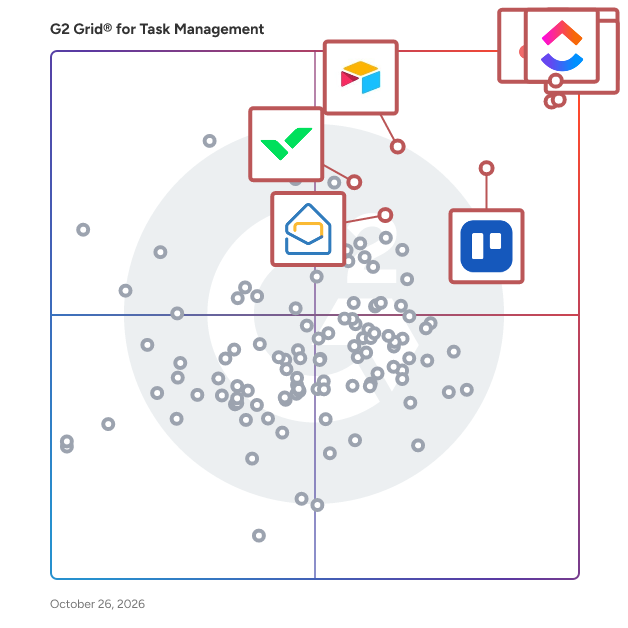
## How Does G2 Rank Task Management Software Products?

**Why You Can Trust G2's Software Rankings:**

- 30 Analysts and Data Experts
- 113,100+ Authentic Reviews
- 476+ Products
- Unbiased Rankings

G2's software rankings are built on verified user reviews, rigorous moderation, and a consistent research methodology maintained by a team of analysts and data experts. Each product is measured using the same transparent criteria, with no paid placement or vendor influence. While reviews reflect real user experiences, which can be subjective, they offer valuable insight into how software performs in the hands of professionals. Together, these inputs power the G2 Score, a standardized way to compare tools within every category.


---

**Sponsored**

### Zoho Projects

Zoho Projects is a cloud based project management software with over 200,000 customers worldwide. It helps you plan your projects, and execute them with perfection. With Projects, you can assign tasks easily, communicate effectively with both your team and clients, be informed on all project updates, get detailed reports on work progress and deliver projects on time, everytime. With a ton of customization capabilities and features such as Gantt Charts, Blueprints and Time sheets, Zoho Projects is a full-fledged project management tool which caters to the business needs of companies of all sizes and industries. With a wide range of in-house and third-party integrations, Projects is one of the most integrated project management tools available and can be a perfect fit for your work ecosystem.


[Visit website](https://www.g2.com/external_clickthroughs/record?secure%5Bad_program%5D=ppc&amp;secure%5Bad_slot%5D=category_product_list&amp;secure%5Bcategory_id%5D=646&amp;secure%5Bdisplayable_resource_id%5D=646&amp;secure%5Bdisplayable_resource_type%5D=Category&amp;secure%5Bmedium%5D=sponsored&amp;secure%5Bplacement_reason%5D=page_category&amp;secure%5Bplacement_resource_ids%5D%5B%5D=646&amp;secure%5Bprioritized%5D=false&amp;secure%5Bproduct_id%5D=5803&amp;secure%5Bresource_id%5D=646&amp;secure%5Bresource_type%5D=Category&amp;secure%5Bsource_type%5D=category_page&amp;secure%5Bsource_url%5D=https%3A%2F%2Fwww.g2.com%2Fcategories%2Ftask-management-software%3Fpage%3D18&amp;secure%5Btoken%5D=c86a1b0405093173a722dfb73519a8c7dff011ac3838ac4d8fd22d5ae2732478&amp;secure%5Burl%5D=https%3A%2F%2Fwww.zoho.com%2Fprojects%2F%3Futm_source%3DG2%26utm_medium%3Dcpc%26utm_campaign%3DTM&amp;secure%5Burl_type%5D=custom_url)

---

  ## What Are the Top-Rated Task Management Software Products in 2026?
### 1. [Flowlu](https://www.g2.com/products/flowlu/reviews)
  Flowlu is a cloud-based business management platform designed to help teams plan, track, and optimize their work in a single, centralized workspace. It provides a suite of tools for project management, CRM, task tracking, financial management, team collaboration, and knowledge sharing. Flowlu is built to streamline operations, improve productivity, and ensure seamless communication across teams, making it an ideal solution for businesses of all sizes, from startups to large enterprises. Flowlu supports organizations across various industries by offering tools to: Manage projects efficiently with task assignments, deadlines, progress tracking, and automated workflows. Streamline sales processes with an integrated CRM, pipeline management, and automated follow-ups. Optimize financial operations through invoicing, expense tracking, budgeting, and revenue forecasting. Enhance team collaboration with real-time communication, shared workspaces, and internal chat. Store and distribute knowledge with an internal and external knowledge base for easy access to critical information. Key Features &amp; Benefits Project Management: Utilize Kanban boards, Gantt charts, and task dependencies for structured planning and execution. CRM &amp; Sales Automation: Track leads, manage opportunities, and set up automated workflows for follow-ups and deal tracking. Financial Management: Create invoices, process payments, monitor expenses, and gain real-time insights into business profitability. Customization: Personalize workflows, dashboards, reports, and fields to fit specific business needs. Time Tracking &amp; Workload Management: Monitor time spent on tasks and balance workloads to enhance team efficiency. Client Portal: Securely share project updates, invoices, and documents with clients for smooth communication. Who Can Benefit from Flowlu? Flowlu is designed for small to mid-sized businesses, agencies, freelancers, and enterprises that need an all-in-one platform to manage their projects, finances, and client relationships. It is particularly valuable for service-based businesses, consulting firms, IT companies, creative agencies, and product development teams looking to improve efficiency and organization. By centralizing essential business operations, Flowlu eliminates the need for multiple disconnected tools, enabling teams to stay organized, productive, and focused on achieving their goals.


  **Average Rating:** 4.7/5.0
  **Total Reviews:** 194
**How Do G2 Users Rate Flowlu?**

- **Has the product been a good partner in doing business?:** 9.5/10 (Category avg: 9.0/10)
- **Task Prioritization:** 10.0/10 (Category avg: 8.7/10)
- **Creation &amp; Assignment:** 10.0/10 (Category avg: 9.0/10)
- **To-Do Lists:** 10.0/10 (Category avg: 8.9/10)

**Who Is the Company Behind Flowlu?**

- **Seller:** [Cloud22](https://www.g2.com/sellers/cloud22)
- **Year Founded:** 2016
- **HQ Location:** Dubai
- **Twitter:** @Flowlusoft (191 Twitter followers)
- **LinkedIn® Page:** https://www.linkedin.com/company/flowlu (9 employees on LinkedIn®)

**Who Uses This Product?**
  - **Who Uses This:** CEO, Owner
  - **Top Industries:** Marketing and Advertising, Information Technology and Services
  - **Company Size:** 90% Small-Business, 9% Mid-Market


#### What Are Flowlu's Pros and Cons?

**Pros:**

- Efficiency (2 reviews)
- Intuitive Interface (2 reviews)
- Affordable (1 reviews)
- All-in-one (1 reviews)
- Automation (1 reviews)


### 2. [Linear](https://www.g2.com/products/linear/reviews)
  Linear is a purpose-built tool for planning and building products. Streamline issues, projects, and product roadmaps. Linear powers over 25,000 high-impact product teams including OpenAI, Ramp and CashApp.


  **Average Rating:** 4.5/5.0
  **Total Reviews:** 74
**How Do G2 Users Rate Linear?**

- **Has the product been a good partner in doing business?:** 8.9/10 (Category avg: 9.0/10)
- **Task Prioritization:** 9.3/10 (Category avg: 8.7/10)
- **Creation &amp; Assignment:** 9.0/10 (Category avg: 9.0/10)
- **To-Do Lists:** 9.0/10 (Category avg: 8.9/10)

**Who Is the Company Behind Linear?**

- **Seller:** [Linear](https://www.g2.com/sellers/linear-5ba972df-6c7c-47e5-ae2d-6410c5af12b3)
- **Year Founded:** 2019
- **HQ Location:** San Francisco, California
- **Twitter:** @linear (103,493 Twitter followers)
- **LinkedIn® Page:** https://www.linkedin.com/company/linearapp/about/ (226 employees on LinkedIn®)

**Who Uses This Product?**
  - **Top Industries:** Computer Software, Information Technology and Services
  - **Company Size:** 74% Small-Business, 20% Mid-Market


#### What Are Linear's Pros and Cons?

**Pros:**

- Ease of Use (33 reviews)
- User Interface (21 reviews)
- Simple (18 reviews)
- Intuitive (16 reviews)
- Integrations (14 reviews)

**Cons:**

- Limited Features (6 reviews)
- Lack of Tools (5 reviews)
- Limited Customization (5 reviews)
- Missing Features (5 reviews)
- Intuitiveness (4 reviews)

### 3. [ProofHub](https://www.g2.com/products/proofhub/reviews)
  Founded in the year 2012, ProofHub is a cloud-based project management and team collaboration platform that is used by teams across the globe. ProofHub is a top-rated work management application that has been designed to help teams in everyday work and is used by over 85,000 teams globally, including Netflix, Google, NASA, Nike, and Trip Advisor. ProofHub is a surprisingly simple yet powerful project management software that provides a consolidated view of tasks and progress. This project management software allows teams to communicate on work from anywhere using any device. With a rich set of features put in one location, this online SaaS tool is designed to help businesses swiftly plan, coordinate, organise, and deliver projects of all sizes. ProofHub is a cost-effective solution utilized by teams and enterprises of all sizes in various sectors. ProofHub can help businesses structure their work process while saving time and resources, with features ranging from task management to time tracking, bespoke workflows to online proofing, and much more. ProofHub offers a plethora of collaboration features such as chat, discussions, announcements, third-party integrations, file transfer, and more. ProofHub has a clean, simple layout with a low learning curve that makes users feel right at home. Apart from English, ProofHub is available in German, Spanish, Portuguese, French, Russian, Italian, Dutch, Chinese (Taiwan), Turkish, and Polish. ProofHub is a cost-effective solution that can be utilized by teams and enterprises in various sectors. ProofHub provides all the features you need to get your work done efficiently, from creating a project to assigning tasks, keeping track of progress, interacting with your team, and ultimately completing your projects on time.


  **Average Rating:** 4.6/5.0
  **Total Reviews:** 107
**How Do G2 Users Rate ProofHub?**

- **Has the product been a good partner in doing business?:** 8.5/10 (Category avg: 9.0/10)
- **Task Prioritization:** 9.8/10 (Category avg: 8.7/10)
- **Creation &amp; Assignment:** 9.0/10 (Category avg: 9.0/10)
- **To-Do Lists:** 9.3/10 (Category avg: 8.9/10)

**Who Is the Company Behind ProofHub?**

- **Seller:** [ProofHub](https://www.g2.com/sellers/proofhub)
- **Year Founded:** 2012
- **HQ Location:** Covina, CA
- **LinkedIn® Page:** https://www.linkedin.com/company/3216845/ (44 employees on LinkedIn®)

**Who Uses This Product?**
  - **Who Uses This:** Marketing Manager
  - **Top Industries:** Computer Software, Marketing and Advertising
  - **Company Size:** 51% Small-Business, 41% Mid-Market


#### What Are ProofHub's Pros and Cons?

**Pros:**

- Organization (6 reviews)
- Project Management (6 reviews)
- Task Management (6 reviews)
- Team Collaboration (6 reviews)
- Ease of Use (5 reviews)

**Cons:**

- Lack of Intuitiveness (2 reviews)
- Not Intuitive (2 reviews)
- Budgeting/Accounting Issues (1 reviews)
- Bug Issues (1 reviews)
- Collaboration Issues (1 reviews)

### 4. [AYOA](https://www.g2.com/products/ayoa/reviews)
  About AYOA AYOA is a revolutionary AI-powered productivity platform and mind mapping software that brings visual thinking, project planning, and task management together in one neuro-inclusive workspace. Founded on the principles of organic mind mapping and cognitive science, we&#39;ve created an all-in-one productivity solution that supports neurodivergent individuals, students, business professionals, and creative teams seeking better organisation, collaboration, and workflow efficiency. Comprehensive Productivity Solution AYOA combines four powerful tools in one seamless digital workspace: mind mapping software for structured planning and visual learning, online whiteboards for creative brainstorming and ideation, task management boards for project execution and team collaboration, and AI-powered features that eliminate blank page syndrome and boost productivity. Unlike traditional project management tools or basic mind mapping apps, AYOA adapts to different thinking styles and learning preferences, whether you&#39;re a visual learner, linear thinker, neurodivergent professional, or student managing complex coursework. Our organic mind mapping methodology follows curved branches that mirror natural thought patterns, scientifically proven to enhance memory retention, information processing, and creative problem-solving. Neuro-Inclusive Design for Neurodivergent Users At the heart of AYOA is our commitment to neurodiversity, accessibility, and inclusive design. We&#39;ve developed every feature to support different cognitive approaches and learning styles, making AYOA the ideal productivity tool for individuals with dyslexia, ADHD, autism, dyspraxia, and other neurodivergent conditions. Our accessibility features include customisable fonts for dyslexia support, adjustable background colours to reduce visual stress, Auto Focus mode that minimises distractions for ADHD users, the Idea Bank for capturing racing thoughts without immediate organisation, and voice note capabilities for verbal processors. AYOA is DSA-approved software (Disabled Students&#39; Allowance), supporting thousands of university students across the UK, and meets WCAG 2.1 international accessibility standards with full screen reader compatibility for visually impaired users. AI-Enhanced Mind Mapping and Whiteboarding Our artificial intelligence capabilities distinguish AYOA from traditional mind mapping software, brainstorming tools, and project management platforms. Generate comprehensive mind maps instantly from simple prompts or topics, create structured digital whiteboards for SWOT analysis, pros and cons evaluation, or strategic planning sessions, and transform visual ideas into actionable task lists with automated workflows. AI-powered content generation helps overcome writer&#39;s block, supports essay planning for students, accelerates business strategy development, and enhances creative brainstorming for marketing teams and designers. Flexible Task Management and Collaboration AYOA&#39;s task management features provide multiple viewing options to suit different work styles and project types. Workflow view offers Kanban-style boards for agile project management and visual task tracking, Canvas view provides spatial organisation for creative projects and complex planning, and Gantt chart timelines enable detailed project scheduling and deadline management. Collaborate seamlessly with team members through real-time editing, built-in chat functionality, project sharing capabilities, and free account collaboration that allows your entire team to work together regardless of subscription level. Enterprise-Grade Security We prioritise data protection and information security for all users. AYOA is ISO 27001 certified for information security management, uses 256-bit TLS encryption for all data transmission, and hosts information securely within Amazon EC2 cloud infrastructure with 24/7 monitoring. We maintain GDPR compliance and never share user data or generated content to train AI models. Available as a browser-based web application plus native mobile apps for iOS and Android, AYOA provides consistent cross-platform access with automatic cloud synchronisation. Whether you&#39;re searching for mind mapping software, project management tools, collaborative whiteboards, neurodivergent-friendly productivity apps, or AI-powered planning assistants, AYOA provides the visual clarity, creative flexibility, and structured execution you need. Stop imagining productivity and experience it with AYOA.


  **Average Rating:** 4.4/5.0
  **Total Reviews:** 65
**How Do G2 Users Rate AYOA?**

- **Has the product been a good partner in doing business?:** 8.8/10 (Category avg: 9.0/10)
- **Task Prioritization:** 9.8/10 (Category avg: 8.7/10)
- **Creation &amp; Assignment:** 9.8/10 (Category avg: 9.0/10)
- **To-Do Lists:** 9.7/10 (Category avg: 8.9/10)

**Who Is the Company Behind AYOA?**

- **Seller:** [OpenGenius](https://www.g2.com/sellers/opengenius)
- **HQ Location:** Penarth, Wales
- **LinkedIn® Page:** https://www.linkedin.com/company/10153492/ (27 employees on LinkedIn®)

**Who Uses This Product?**
  - **Top Industries:** Information Technology and Services
  - **Company Size:** 43% Small-Business, 40% Mid-Market


#### What Are AYOA's Pros and Cons?

**Pros:**

- Ease of Use (6 reviews)
- Task Management (6 reviews)
- Diagramming (5 reviews)
- Features (5 reviews)
- Organization (4 reviews)

**Cons:**

- Diagramming Issues (2 reviews)
- Learning Curve (2 reviews)
- Missing Features (2 reviews)
- Expensive (1 reviews)
- Integration Issues (1 reviews)

### 5. [Toodledo](https://www.g2.com/products/toodledo/reviews)
  Toodledo is a set of incredibly powerful tools to increase your productivity and organize your life. More than just a to-do list, Toodledo provides you with a place to write long notes, make custom lists, create structured outlines and track your habits. You can collaborate with friends, family, or co-workers, and we&#39;ll safely store and sync all your data to your devices. and that&#39;s just the beginning...


  **Average Rating:** 4.6/5.0
  **Total Reviews:** 77
**How Do G2 Users Rate Toodledo?**

- **Has the product been a good partner in doing business?:** 8.7/10 (Category avg: 9.0/10)
- **Task Prioritization:** 9.7/10 (Category avg: 8.7/10)
- **Creation &amp; Assignment:** 9.5/10 (Category avg: 9.0/10)
- **To-Do Lists:** 9.9/10 (Category avg: 8.9/10)

**Who Is the Company Behind Toodledo?**

- **Seller:** [Toodledo](https://www.g2.com/sellers/toodledo)
- **Year Founded:** 2004
- **HQ Location:** San Ramon, California
- **Twitter:** @toodledo (10,403 Twitter followers)
- **LinkedIn® Page:** https://www.linkedin.com/company/toodledo/ (3 employees on LinkedIn®)

**Who Uses This Product?**
  - **Top Industries:** Information Technology and Services, Computer Software
  - **Company Size:** 66% Small-Business, 19% Enterprise


#### What Are Toodledo's Pros and Cons?

**Pros:**

- Ease of Use (7 reviews)
- Task Management (7 reviews)
- Organization (5 reviews)
- Task Organization (5 reviews)
- Customer Support (4 reviews)

**Cons:**

- Poor Design (3 reviews)
- Lack of Integration (2 reviews)
- Not Intuitive (2 reviews)
- UI Clutter (2 reviews)
- Connectivity Issues (1 reviews)

### 6. [Planfix](https://www.g2.com/products/planfix-inc-planfix/reviews)
  The Planfix platform allows organizations to manage their entire business online. Regardless of company size and industry, Planfix has something to offer as an excellent project and work management tool. With Planfix, your company gets a fully customizable management system, from process design to appearance. The integrated Planfix platform allows users to manage tasks and projects, CRM, sales, marketing, production, logistics, support services, finance, and human resources all at once. Data transfer between teams is seamless — for example, transactions during the implementation stage become projects, which are then transferred to support. Flexible access settings allow users to view only the information they need to remain productive at work, while managers can view the entire business process. No programming is needed to configure and control various business processes within a company. The platform offers a wide range of powerful features, including project management, client accounting, task management, online Gantt charts, email integration, calendars, event chronicles in real time, analytics and reporting, connecting external users, linking accounts, and much more. Whether you’re a newbie or a tech-savvy user, Planfix will be a perfect fit. Experienced users will find features in Planfix that aren’t available in other services and systems. These features include extensive customization, advanced automation of complex business processes, and flexible project building. Alternatively, ready-to-use configurations and automated procedures facilitate onboarding and implementation. We believe that Planfix is suitable for private businesses, nonprofits, public organizations, and any other group working towards a common goal. More than 68,000 users use Planfix to automate business workflows in over 7,000 companies.


  **Average Rating:** 4.6/5.0
  **Total Reviews:** 17
**How Do G2 Users Rate Planfix?**

- **Has the product been a good partner in doing business?:** 8.7/10 (Category avg: 9.0/10)
- **Task Prioritization:** 10.0/10 (Category avg: 8.7/10)
- **Creation &amp; Assignment:** 10.0/10 (Category avg: 9.0/10)
- **To-Do Lists:** 10.0/10 (Category avg: 8.9/10)

**Who Is the Company Behind Planfix?**

- **Seller:** [Planfix](https://www.g2.com/sellers/planfix)
- **Year Founded:** 2019
- **HQ Location:** San Diego, US
- **Twitter:** @planfix (49 Twitter followers)
- **LinkedIn® Page:** https://www.linkedin.com/company/planfix (20 employees on LinkedIn®)

**Who Uses This Product?**
  - **Company Size:** 78% Small-Business, 33% Mid-Market


#### What Are Planfix's Pros and Cons?

**Pros:**

- Flexibility (1 reviews)


### 7. [DoneDone](https://www.g2.com/products/donedone/reviews)
  If you&#39;re looking for the most essential features in a task tracker and shared inbox, look no further than DoneDone. We work hard to make our product simple and easy to use, so you can focus on getting your work done. With DoneDone, customer support and product teams can work together more efficiently than ever before.


  **Average Rating:** 4.6/5.0
  **Total Reviews:** 84
**How Do G2 Users Rate DoneDone?**

- **Has the product been a good partner in doing business?:** 9.4/10 (Category avg: 9.0/10)
- **Task Prioritization:** 9.1/10 (Category avg: 8.7/10)
- **Creation &amp; Assignment:** 9.4/10 (Category avg: 9.0/10)
- **To-Do Lists:** 9.3/10 (Category avg: 8.9/10)

**Who Is the Company Behind DoneDone?**

- **Seller:** [DoneDone](https://www.g2.com/sellers/donedone)
- **Year Founded:** 2007
- **HQ Location:** Austin, US
- **Twitter:** @GetDoneDone (624 Twitter followers)
- **LinkedIn® Page:** https://www.linkedin.com/company/donedone/ (6 employees on LinkedIn®)

**Who Uses This Product?**
  - **Who Uses This:** CEO, Director
  - **Top Industries:** Marketing and Advertising, Information Technology and Services
  - **Company Size:** 91% Small-Business, 7% Mid-Market


#### What Are DoneDone's Pros and Cons?

**Pros:**

- Ease of Use (2 reviews)
- Easy Setup (2 reviews)
- Efficiency (2 reviews)
- Features (2 reviews)
- Project Management (2 reviews)

**Cons:**

- Filtering Issues (2 reviews)
- Inadequate Filtering (1 reviews)
- Lack of Tools (1 reviews)
- Not Intuitive (1 reviews)
- Subtask Issues (1 reviews)

### 8. [morningmate](https://www.g2.com/products/morningmate/reviews)
  Your team’s new flow starts with Morningmate — the single workspace where work moves seamlessly from morning to done. Not as many integrations as Slack. Not as automated as Asana. But just enough of the right features to manage tasks, communicate in real time, and collaborate with clients — all without per-seat pricing. Stop switching between disconnected tools for chat, tasks, and calendars. Morningmate brings it all together with feed-style collaboration, built-in chat, and customizable workflows that adapt to any team. More than 550,000 teams rely on Morningmate to stay organized and connected. From your first login, our onboarding experts provide tailored, friendly support — for as long as you need it. With a familiar, social-style interface and hands-on help every step of the way, your team will be up and running in minutes — not months.


  **Average Rating:** 4.8/5.0
  **Total Reviews:** 265
**How Do G2 Users Rate morningmate?**

- **Has the product been a good partner in doing business?:** 9.5/10 (Category avg: 9.0/10)
- **Task Prioritization:** 8.8/10 (Category avg: 8.7/10)
- **Creation &amp; Assignment:** 9.2/10 (Category avg: 9.0/10)
- **To-Do Lists:** 8.7/10 (Category avg: 8.9/10)

**Who Is the Company Behind morningmate?**

- **Seller:** [morningmate](https://www.g2.com/sellers/morningmate)
- **Company Website:** https://www.morningmate.com/
- **HQ Location:** N/A
- **Twitter:** @morningmateGL (19 Twitter followers)
- **LinkedIn® Page:** https://www.linkedin.com/company/morningmate/ (10 employees on LinkedIn®)

**Who Uses This Product?**
  - **Who Uses This:** Assistant Manager, Developer
  - **Top Industries:** Computer Software, Information Technology and Services
  - **Company Size:** 52% Mid-Market, 40% Small-Business


#### What Are morningmate's Pros and Cons?

**Pros:**

- Ease of Use (139 reviews)
- Team Collaboration (113 reviews)
- Task Management (97 reviews)
- Communication (81 reviews)
- Organization (77 reviews)

**Cons:**

- Missing Features (27 reviews)
- Notification Issues (24 reviews)
- Learning Curve (22 reviews)
- Notification System (22 reviews)
- Slow Loading (22 reviews)

### 9. [Ninety.io](https://www.g2.com/products/ninety-io/reviews)
  Run EOS® in one place with Ninety. Known, loved and trusted by 39,000+ companies worldwide, Ninety makes EOS easier to implement and easier to stick with. Instead of juggling spreadsheets and disconnected tools, teams can manage their Vision, Rocks, Issues, Scorecards, To-Dos, and Meetings in one intuitive platform. The result: better alignment, stronger accountability, and more consistent execution, without the manual overhead. With Ninety, teams can: - Document and share their Vision/Traction Organizer® (V/TO®) - Build and maintain their Accountability Chart™ - Track weekly measurables with the Scorecard - Run effective Level 10 Meetings™, Quarterly &amp; Annual Planning - Create, assign, and complete Rocks, To-Dos, and Issues - Strengthen leadership with tools like the People Analyzer™ and 1-on-1s


  **Average Rating:** 4.7/5.0
  **Total Reviews:** 99
**How Do G2 Users Rate Ninety.io?**

- **Has the product been a good partner in doing business?:** 9.7/10 (Category avg: 9.0/10)
- **Task Prioritization:** 8.6/10 (Category avg: 8.7/10)
- **Creation &amp; Assignment:** 9.5/10 (Category avg: 9.0/10)
- **To-Do Lists:** 9.1/10 (Category avg: 8.9/10)

**Who Is the Company Behind Ninety.io?**

- **Seller:** [Ninety.io](https://www.g2.com/sellers/ninety-io)
- **Company Website:** https://www.ninety.io/
- **Year Founded:** 2016
- **HQ Location:** Park City, US
- **Twitter:** @NinetyApp (336 Twitter followers)
- **LinkedIn® Page:** https://www.linkedin.com/company/ninety-io/ (173 employees on LinkedIn®)

**Who Uses This Product?**
  - **Who Uses This:** EOS Implementer, Certified EOS Implementer
  - **Top Industries:** Consulting, Professional Training &amp; Coaching
  - **Company Size:** 80% Small-Business, 12% Mid-Market


#### What Are Ninety.io's Pros and Cons?

**Pros:**

- Ease of Use (9 reviews)
- Easy Setup (5 reviews)
- Intuitive (5 reviews)
- Efficiency (4 reviews)
- Helpful (4 reviews)

**Cons:**

- Missing Features (3 reviews)
- Missing Information (3 reviews)
- Reporting Issues (3 reviews)
- Lack of Customization (2 reviews)
- Limited Customization (2 reviews)

### 10. [Voiset](https://www.g2.com/products/voiset/reviews)
  Voiset is not just another task manager. It is your personal AI assistant for smart and effortless planning. Built for professionals, teams, and entrepreneurs who value their time, Voiset combines simplicity, intelligence, and flexibility in one elegant system that transforms the way you manage tasks, schedules, and daily routines. At its core, Voiset is an AI task manager, planner, and scheduler that helps you stay organized without feeling overwhelmed. Whether you are working solo or leading a team, Voiset adapts to your workflow, learns from your habits, and finds the most effective way to structure your day. It analyzes your tasks, priorities, and deadlines to automatically schedule them at the most suitable time. You no longer need to juggle multiple calendars or manually rearrange your to-do list. Creating tasks in Voiset is quick and intuitive. You can add a new task or note with just one click. The interface is clean and focused, allowing you to stay productive without distractions. If you are on the go, the mobile app gives you instant access to your tasks and plans. You can view your day or month, drag and drop tasks, and manage priorities anytime, anywhere. Voiset brings clarity by integrating everything in one place. You can connect external calendars and merge all your personal and professional events into a single master calendar. This gives you a complete overview of your schedule, helping you manage multiple projects and responsibilities with confidence and ease. For teams, Voiset is a powerful collaboration tool. You can assign tasks, track progress, and manage team workloads in one unified space. It helps teams stay aligned and focused on their shared goals, reducing the risk of miscommunication or missed deadlines. The platform supports over 55 languages, making it ideal for international teams and users around the world. Whether you run a digital agency, manage a startup, work as a freelancer, or coordinate a distributed team, Voiset adjusts to your pace and your unique needs. What truly makes Voiset stand out is its attention to work-life balance. It is not only about work tasks. Voiset helps you plan your personal goals, appointments, and time off in the same space where you manage your projects. The system is designed to reduce overload, clear your mind, and make space for what matters most in your life. Voiset is constantly evolving through regular updates and feedback from its users. Our goal is not just to build another productivity app. We aim to provide a tool that empowers people to work better, live more intentionally, and feel in control of their time. If you are ready to take charge of your day and enjoy a more balanced, efficient routine, Voiset is the solution you have been looking for.


  **Average Rating:** 4.9/5.0
  **Total Reviews:** 40
**How Do G2 Users Rate Voiset?**

- **Task Prioritization:** 10.0/10 (Category avg: 8.7/10)
- **Creation &amp; Assignment:** 10.0/10 (Category avg: 9.0/10)
- **To-Do Lists:** 10.0/10 (Category avg: 8.9/10)

**Who Is the Company Behind Voiset?**

- **Seller:** [Union Smart Technology](https://www.g2.com/sellers/union-smart-technology)
- **Year Founded:** 2017
- **HQ Location:** N/A
- **LinkedIn® Page:** https://www.linkedin.com/company/unionsmarttech/ (5 employees on LinkedIn®)

**Who Uses This Product?**
  - **Who Uses This:** CEO
  - **Top Industries:** Information Technology and Services, Computer Software
  - **Company Size:** 65% Mid-Market, 55% Small-Business


#### What Are Voiset's Pros and Cons?

**Pros:**

- Ease of Use (22 reviews)
- Task Management (16 reviews)
- Project Management (13 reviews)
- Organization (11 reviews)
- Automation (10 reviews)

**Cons:**

- Learning Curve (8 reviews)
- Limited Customization (7 reviews)
- Inadequate Reporting (3 reviews)
- Integration Issues (3 reviews)
- Lack of Integration (3 reviews)

### 11. [Stackby](https://www.g2.com/products/stackby/reviews)
  Stackby is a no-code work management platform that brings the best of spreadsheets and databases to enable anyone to create their own collaborative workflows for their teams. No-coding or training needed. Stackby merges spreadsheet functionalities with the capabilities of a relational database, offering search, filtering, grouping and sorting options, as well as the ability to generate custom forms and views. It is designed for teams of any size from one to over 1000, making it scalable for fast growing startups. It also has 500+ templates across Marketing, Sales, HR, Project Management, Startups and more. Over 50,000 companies globally use Stackby to manage their data and automate their processes, in amazing ways.


  **Average Rating:** 4.6/5.0
  **Total Reviews:** 82
**How Do G2 Users Rate Stackby?**

- **Has the product been a good partner in doing business?:** 9.2/10 (Category avg: 9.0/10)
- **Task Prioritization:** 8.8/10 (Category avg: 8.7/10)
- **Creation &amp; Assignment:** 9.4/10 (Category avg: 9.0/10)
- **To-Do Lists:** 9.0/10 (Category avg: 8.9/10)

**Who Is the Company Behind Stackby?**

- **Seller:** [Relytree Inc.](https://www.g2.com/sellers/relytree-inc)
- **Year Founded:** 2018
- **HQ Location:** San Francisco (and vicinity), California
- **Twitter:** @StackbyHQ (1,008 Twitter followers)
- **LinkedIn® Page:** https://www.linkedin.com/company/13753752/ (23 employees on LinkedIn®)

**Who Uses This Product?**
  - **Who Uses This:** CEO
  - **Top Industries:** Marketing and Advertising, Management Consulting
  - **Company Size:** 90% Small-Business, 6% Mid-Market


#### What Are Stackby's Pros and Cons?

**Pros:**

- Ease of Use (8 reviews)
- Features (6 reviews)
- Automation (5 reviews)
- Customization (5 reviews)
- Flexibility (5 reviews)

**Cons:**

- Limited Features (5 reviews)
- Missing Features (5 reviews)
- Feature Limitations (4 reviews)
- Integration Issues (3 reviews)
- Limited Customization (3 reviews)

### 12. [Quire](https://www.g2.com/products/potix-corporation-quire/reviews)
  Quire stands as the pinnacle of modern project management software, introducing a transformative approach to your workflow. It empowers you to seamlessly break down ambitious goals into manageable, actionable steps. What truly sets Quire apart is its unique ability to offer a comprehensive view of project details while never losing sight of the big picture. Quire&#39;s emphasis on team collaboration ensures that you can elevate your project management to new heights of efficiency and productivity.


  **Average Rating:** 4.6/5.0
  **Total Reviews:** 78
**How Do G2 Users Rate Quire?**

- **Has the product been a good partner in doing business?:** 9.2/10 (Category avg: 9.0/10)
- **Task Prioritization:** 9.4/10 (Category avg: 8.7/10)
- **Creation &amp; Assignment:** 9.8/10 (Category avg: 9.0/10)
- **To-Do Lists:** 9.5/10 (Category avg: 8.9/10)

**Who Is the Company Behind Quire?**

- **Seller:** [Potix Corporation](https://www.g2.com/sellers/potix-corporation)
- **Year Founded:** 2007
- **HQ Location:** Taipei, Taiwan
- **Twitter:** @quire_io (1,225 Twitter followers)
- **LinkedIn® Page:** https://www.linkedin.com/company/268125/ (22 employees on LinkedIn®)

**Who Uses This Product?**
  - **Who Uses This:** Manager
  - **Top Industries:** Marketing and Advertising, Aviation &amp; Aerospace
  - **Company Size:** 51% Small-Business, 49% Mid-Market


#### What Are Quire's Pros and Cons?

**Pros:**

- Ease of Use (3 reviews)
- Project Management (3 reviews)
- Task Organization (3 reviews)
- Daily Use (2 reviews)
- Easy Setup (2 reviews)

**Cons:**

- Difficult Reporting (1 reviews)
- Expensive (1 reviews)
- Inadequate Reporting (1 reviews)
- Integration Issues (1 reviews)
- Limited Customization (1 reviews)

### 13. [ProjectManager](https://www.g2.com/products/projectmanager-com-projectmanager/reviews)
  ProjectManager is a project and portfolio management software that offers unparalleled control, in-depth project data and the most comprehensive planning features on the market. With advanced scheduling, automated cost and time tracking, risk analysis and resource management, our platform ensures flawless execution while providing unbeatable insights at every stage. Trusted by thousands worldwide for seamless collaboration, ProjectManager empowers teams to deliver with precision.


  **Average Rating:** 4.4/5.0
  **Total Reviews:** 95
**How Do G2 Users Rate ProjectManager?**

- **Has the product been a good partner in doing business?:** 8.7/10 (Category avg: 9.0/10)
- **Task Prioritization:** 9.2/10 (Category avg: 8.7/10)
- **Creation &amp; Assignment:** 9.3/10 (Category avg: 9.0/10)
- **To-Do Lists:** 9.3/10 (Category avg: 8.9/10)

**Who Is the Company Behind ProjectManager?**

- **Seller:** [ProjectManager](https://www.g2.com/sellers/projectmanager)
- **Year Founded:** 2008
- **HQ Location:** Austin, Texas
- **Twitter:** @ProjectTips (52,636 Twitter followers)
- **LinkedIn® Page:** https://www.linkedin.com/company/411289 (86 employees on LinkedIn®)

**Who Uses This Product?**
  - **Who Uses This:** Project Manager
  - **Top Industries:** Information Technology and Services, Construction
  - **Company Size:** 50% Small-Business, 32% Mid-Market


#### What Are ProjectManager's Pros and Cons?

**Pros:**

- Ease of Use (4 reviews)
- Helpful (3 reviews)
- Project Management (3 reviews)
- Centralization (2 reviews)
- Communication (2 reviews)

**Cons:**

- Frequent Refreshing (2 reviews)
- App Crashes (1 reviews)
- App Functionality (1 reviews)
- Bugs (1 reviews)
- Glitches (1 reviews)

### 14. [Lytho](https://www.g2.com/products/lytho-lytho/reviews)
  Lytho is an enterprise content governance platform designed to help organizations ensure that their marketing content is compliant, on-brand, and audit-ready throughout its entire lifecycle. As businesses increasingly rely on diverse teams, tools, and AI systems for content creation, maintaining brand integrity and adhering to regulatory requirements can become challenging. Traditional review processes often lead to bottlenecks, and content generated outside established workflows may go unchecked, resulting in risks and inconsistencies. The platform addresses these challenges by embedding governance directly into the content lifecycle. Lytho utilizes AI-powered features to apply brand and regulatory standards in real-time within the tools that teams already use, such as design platforms, content management systems (CMS), and collaboration tools. This proactive approach ensures that content is guided and validated during the creation process, rather than relying solely on post-creation reviews. Content governance refers to the system of controls, workflows, and standards that ensure every piece of content aligns with brand guidelines, regulatory requirements, and organizational policies. Without a robust governance framework, teams often depend on inconsistent manual reviews, which can lead to delays, compliance gaps, and off-brand outputs. Lytho integrates governance seamlessly into the workflow, automating checks, standardizing processes, and providing comprehensive visibility across the content lifecycle. Organizations choose Lytho for several key reasons. First, it ensures compliance across the entire content lifecycle by applying brand and regulatory standards from the initial creation phase through to distribution, complete with built-in audit trails for every asset. Second, Lytho embeds governance into existing workflows, allowing compliance checks to occur within the tools teams already utilize, thereby reducing friction and eliminating disjointed review processes. This integration enables organizations to scale their content production without increasing risk, accommodating growing demands and AI-generated output while maintaining control and consistency. Lytho serves enterprise marketing organizations, including leaders in brand management, content creation, operations, and compliance, who are tasked with protecting brand integrity while enabling growth. By using Lytho, organizations can reduce compliance risks, accelerate their time to market, and uphold brand integrity across all channels. This platform empowers marketing leaders to confidently embrace AI and meet the evolving demands of modern content creation, all while governing content at scale without hindering team efficiency.


  **Average Rating:** 4.4/5.0
  **Total Reviews:** 343
**How Do G2 Users Rate Lytho?**

- **Has the product been a good partner in doing business?:** 9.5/10 (Category avg: 9.0/10)
- **Task Prioritization:** 8.2/10 (Category avg: 8.7/10)
- **Creation &amp; Assignment:** 8.9/10 (Category avg: 9.0/10)
- **To-Do Lists:** 8.5/10 (Category avg: 8.9/10)

**Who Is the Company Behind Lytho?**

- **Seller:** [Lytho](https://www.g2.com/sellers/lytho-2ff9b2d0-2170-41b9-9fd5-b1c763927f91)
- **Company Website:** https://www.lytho.com
- **Year Founded:** 1999
- **HQ Location:** Morrisville, NC
- **LinkedIn® Page:** https://www.linkedin.com/company/93946/ (72 employees on LinkedIn®)

**Who Uses This Product?**
  - **Who Uses This:** Graphic Designer, Senior Graphic Designer
  - **Top Industries:** Marketing and Advertising, Higher Education
  - **Company Size:** 52% Mid-Market, 22% Enterprise


#### What Are Lytho's Pros and Cons?

**Pros:**

- Ease of Use (97 reviews)
- Project Management (64 reviews)
- Team Collaboration (63 reviews)
- Organization (48 reviews)
- Efficiency (45 reviews)

**Cons:**

- Missing Features (34 reviews)
- Not Intuitive (29 reviews)
- Learning Curve (24 reviews)
- Adjustment Issues (17 reviews)
- Limited Customization (17 reviews)

### 15. [Task Tracker](https://www.g2.com/products/task-tracker/reviews)
  Task Tracker is a comprehensive, AI-powered task and performance management tool designed to streamline business operations by digitizing and automating various departmental workflows. Its mobile-first approach ensures seamless team collaboration, making it an ideal solution for businesses aiming to enhance productivity and organization. Key Features and Functionality: - Attendance Management: Employees can mark attendance using GPS-based geo-location, ensuring accurate and flexible tracking. - Leave Management: Simplifies the leave request and approval process, eliminating the need for extensive email threads. - Calendar View: Provides a comprehensive weekly and monthly overview of tasks in a calendar format. - Multiple Shift Management: Allows setting different shift timings, automatically recording punch-in times to track attendance accurately. - Geofencing: Ensures employees can mark attendance only within designated areas, enhancing security and accuracy. - Daily Tasking and Recurring Task Management: Facilitates task assignment, tracking, and setting reminders for recurring tasks. - Instant Messaging and Voice Notes: Enables real-time communication through text and voice messages within the platform. - WhatsApp Notifications and Reminders: Sends regular updates and reminders via WhatsApp to keep teams informed. - Multilingual Support: Available in multiple languages, including English, Hindi, and seven regional languages, to cater to diverse teams. - Infographic Reporting and Timesheets: Offers color-coded reports and timesheets to analyze productivity and performance effectively. Primary Value and Solutions Provided: Task Tracker addresses common challenges in team coordination, task management, and performance monitoring by offering a centralized platform that integrates various functionalities. It enhances efficiency by automating routine processes, improves accountability through real-time tracking and reporting, and fosters better communication with integrated messaging features. By providing tools like geofencing for attendance, AI-driven task assignments, and multilingual support, Task Tracker ensures that businesses can manage their operations effectively, regardless of team size or location.


  **Average Rating:** 4.5/5.0
  **Total Reviews:** 33
**How Do G2 Users Rate Task Tracker?**

- **Has the product been a good partner in doing business?:** 9.2/10 (Category avg: 9.0/10)
- **Task Prioritization:** 9.0/10 (Category avg: 8.7/10)
- **Creation &amp; Assignment:** 9.3/10 (Category avg: 9.0/10)
- **To-Do Lists:** 9.1/10 (Category avg: 8.9/10)

**Who Is the Company Behind Task Tracker?**

- **Seller:** [Task Tracker Pvt Ltd](https://www.g2.com/sellers/task-tracker-pvt-ltd)
- **Year Founded:** 2021
- **HQ Location:** Delhi, Delhi
- **LinkedIn® Page:** http://www.linkedin.com/company/tasktracker-in (38 employees on LinkedIn®)

**Who Uses This Product?**
  - **Top Industries:** Computer Software
  - **Company Size:** 88% Small-Business, 12% Mid-Market


#### What Are Task Tracker's Pros and Cons?

**Pros:**

- Task Tracking (4 reviews)
- Daily Use (3 reviews)
- Task Management (3 reviews)
- Customer Support (2 reviews)
- Efficiency (2 reviews)

**Cons:**

- Difficult Navigation (1 reviews)
- Expensive (1 reviews)
- Filtering Issues (1 reviews)
- Glitches (1 reviews)
- Lack of Integration (1 reviews)

### 16. [GUIDEcx](https://www.g2.com/products/guidecx/reviews)
  GUIDEcx is the world&#39;s leading Client Onboarding solution that creates a seamless transition between your sales and implementation process. With over five years and 300,000 successful onboarding projects completed, we know how to leverage our wisdom to deliver consistent Customer Onboarding experiences. Our process is designed to drive engagement, increase efficiency, and expand capacity without sacrificing quality of service. Easy to integrate into your existing CRM, GUIDEcx has custom templates, different customer views for each role, purpose-built integrations, and robust reporting. We don&#39;t just move your process to our software, our Professional Services team and Guide University resources are here to Guide and support you through every step of the process to accelerate time to value and maximize your onboarding team productivity. Reach out today to and we can help you bring your Customer Onboarding experience to new heights.


  **Average Rating:** 4.6/5.0
  **Total Reviews:** 459
**How Do G2 Users Rate GUIDEcx?**

- **Has the product been a good partner in doing business?:** 9.5/10 (Category avg: 9.0/10)
- **Task Prioritization:** 8.7/10 (Category avg: 8.7/10)
- **Creation &amp; Assignment:** 9.0/10 (Category avg: 9.0/10)
- **To-Do Lists:** 8.8/10 (Category avg: 8.9/10)

**Who Is the Company Behind GUIDEcx?**

- **Seller:** [GuideCX](https://www.g2.com/sellers/guidecx)
- **Year Founded:** 2017
- **HQ Location:** Lehi, Utah
- **Twitter:** @guidecx (173 Twitter followers)
- **LinkedIn® Page:** https://www.linkedin.com/company/18377311/ (53 employees on LinkedIn®)

**Who Uses This Product?**
  - **Who Uses This:** Project Manager, Implementation Manager
  - **Top Industries:** Computer Software, Information Technology and Services
  - **Company Size:** 52% Mid-Market, 39% Small-Business


#### What Are GUIDEcx's Pros and Cons?

**Pros:**

- Ease of Use (13 reviews)
- Customer Support (12 reviews)
- Project Management (12 reviews)
- Ease of Learning (9 reviews)
- Team Collaboration (9 reviews)

**Cons:**

- Learning Curve (4 reviews)
- Slow Loading (3 reviews)
- Bugs (2 reviews)
- Complexity (2 reviews)
- Glitches (2 reviews)

### 17. [TickTick](https://www.g2.com/products/ticktick/reviews)
  TickTick is a task management application designed to help individuals and teams organize tasks, schedules, and projects efficiently. It offers a comprehensive suite of features, including to-do lists, reminders, calendars, and collaboration tools, all aimed at enhancing productivity and ensuring timely completion of tasks. With seamless cloud synchronization, TickTick ensures that users can access their tasks and schedules across multiple devices, including iOS, Android, Mac, Windows, and web platforms. Key Features and Functionality: - Task Management: Create tasks with due dates, priorities, and tags. Organize tasks into lists and folders for better categorization. - Reminders and Notifications: Set multiple reminders for tasks, including recurring and location-based alerts, to ensure important tasks are not overlooked. - Calendar Integration: Visualize tasks in various calendar views (daily, weekly, monthly) and integrate with third-party calendars for a unified schedule. - Collaboration Tools: Share task lists with colleagues or family members, assign tasks, and track progress collectively. - Habit Tracker: Develop and monitor personal habits with detailed statistics and feedback to foster positive routines. - Pomodoro Timer: Utilize the built-in Pomodoro timer to break work into focused intervals, enhancing concentration and productivity. - Cross-Platform Sync: Access and manage tasks seamlessly across various devices and platforms, ensuring consistency and accessibility. Primary Value and User Solutions: TickTick addresses the common challenges of task management by providing a centralized platform where users can capture ideas, organize to-dos, and plan schedules effectively. Its intuitive interface and robust feature set cater to both personal and professional needs, enabling users to stay organized, meet deadlines, and collaborate efficiently. By integrating tools like habit tracking and the Pomodoro timer, TickTick also supports users in building productive habits and maintaining focus, thereby enhancing overall efficiency and work-life balance.


  **Average Rating:** 4.5/5.0
  **Total Reviews:** 111
**How Do G2 Users Rate TickTick?**

- **Has the product been a good partner in doing business?:** 9.2/10 (Category avg: 9.0/10)
- **Task Prioritization:** 9.6/10 (Category avg: 8.7/10)
- **Creation &amp; Assignment:** 9.8/10 (Category avg: 9.0/10)
- **To-Do Lists:** 9.8/10 (Category avg: 8.9/10)

**Who Is the Company Behind TickTick?**

- **Seller:** [TickTick](https://www.g2.com/sellers/ticktick)
- **Year Founded:** 2012
- **HQ Location:** San Francisco Bay Area, California
- **LinkedIn® Page:** https://www.linkedin.com/company/4792165/ (9 employees on LinkedIn®)

**Who Uses This Product?**
  - **Who Uses This:** Senior Project Manager
  - **Top Industries:** Information Technology and Services, Logistics and Supply Chain
  - **Company Size:** 54% Small-Business, 46% Mid-Market


#### What Are TickTick's Pros and Cons?

**Pros:**

- Ease of Use (3 reviews)
- Organization (3 reviews)
- Task Management (2 reviews)
- Task Organization (2 reviews)
- Ease of Learning (1 reviews)

**Cons:**

- Glitches (1 reviews)

### 18. [Coda](https://www.g2.com/products/superhuman-coda/reviews)
  Coda is the all-in-one workspace for teams that think in documents and build like developers. It combines the flexibility of docs, the structure of spreadsheets, and the power of apps, so anyone can create custom tools that fit their workflow perfectly. With connected tables, live data, buttons that take action, and now AI built right in, Coda lets teams run projects, scale knowledge, and ship faster. From product roadmaps to GTM plans to internal wikis, Coda is built to flex to your team’s thinking and grow with your ambition. Coda is part of Superhuman, the AI productivity platform on a mission to unlock the superhuman potential in everyone. Superhuman’s suite of apps and agents brings AI wherever people work, helping over 40 million individuals and 50,000 organizations focus on what matters.


  **Average Rating:** 4.6/5.0
  **Total Reviews:** 475
**How Do G2 Users Rate Coda?**

- **Has the product been a good partner in doing business?:** 9.3/10 (Category avg: 9.0/10)
- **Task Prioritization:** 8.9/10 (Category avg: 8.7/10)
- **Creation &amp; Assignment:** 9.1/10 (Category avg: 9.0/10)
- **To-Do Lists:** 9.0/10 (Category avg: 8.9/10)

**Who Is the Company Behind Coda?**

- **Seller:** [Superhuman](https://www.g2.com/sellers/superhuman-888da3d1-51f7-4603-8d73-08989f8a7db1)
- **Company Website:** https://superhuman.com/
- **HQ Location:** San Francisco, California
- **LinkedIn® Page:** https://www.linkedin.com/company/superhuman-co/ (195 employees on LinkedIn®)

**Who Uses This Product?**
  - **Who Uses This:** CEO, Founder
  - **Top Industries:** Computer Software, Information Technology and Services
  - **Company Size:** 54% Small-Business, 31% Mid-Market


#### What Are Coda's Pros and Cons?

**Pros:**

- Ease of Use (19 reviews)
- Features (13 reviews)
- Flexibility (12 reviews)
- Automation (11 reviews)
- Customization (10 reviews)

**Cons:**

- Learning Curve (9 reviews)
- Steep Learning Curve (7 reviews)
- Complexity (4 reviews)
- Limited Features (4 reviews)
- Difficulty (3 reviews)

### 19. [MeisterTask](https://www.g2.com/products/meistertask/reviews)
  MeisterTask is a web-based task and project management tool that is perfect for agile project management. Beautifully-designed interface, intuitive functionality, and seamless integrations with other tools make it a logical choice for project teams. MeisterTask offers a free Basic plan (up to 3 projects), with paid subscriptions from €12,50 per user per month. Alongside customizable, Kanban-style project boards, MeisterTask boasts numerous powerful features designed to streamline project work. Workload can be managed with Timeline: a Gantt-style overview of tasks that pinpoints bottlenecks and keeps projects flowing smoothly. Set up Automations to speed up manual work or complete specific tasks automatically. MeisterTask is part of the Meister Suite, a group of products for flawless workflow management. From ideation in our mind mapping tool, MindMeister, to online documentation in MeisterNote, your team unlocks a powerful toolkit that drives projects every step of the way.


  **Average Rating:** 4.6/5.0
  **Total Reviews:** 166
**How Do G2 Users Rate MeisterTask?**

- **Has the product been a good partner in doing business?:** 9.3/10 (Category avg: 9.0/10)
- **Task Prioritization:** 8.9/10 (Category avg: 8.7/10)
- **Creation &amp; Assignment:** 9.5/10 (Category avg: 9.0/10)
- **To-Do Lists:** 9.1/10 (Category avg: 8.9/10)

**Who Is the Company Behind MeisterTask?**

- **Seller:** [MeisterLabs](https://www.g2.com/sellers/meisterlabs)
- **Year Founded:** 2006
- **HQ Location:** Vienna, Austria
- **Twitter:** @mindmeister (20,053 Twitter followers)
- **LinkedIn® Page:** https://www.linkedin.com/company/613998/ (127 employees on LinkedIn®)

**Who Uses This Product?**
  - **Who Uses This:** Owner
  - **Top Industries:** Marketing and Advertising, Computer Software
  - **Company Size:** 72% Small-Business, 20% Mid-Market


### 20. [Things](https://www.g2.com/products/things/reviews)
  Things is a task management application designed to help users organize their personal and professional lives efficiently. Available for Mac, iPhone, iPad, Apple Watch, and Vision, it offers a seamless experience across Apple devices. With a one-time purchase model and free synchronization via Things Cloud, users can manage their tasks without recurring fees. Key Features and Functionality: - Cross-Device Compatibility: Things is available for Mac, iPhone, iPad, Apple Watch, and Vision, ensuring a consistent experience across all Apple devices. - Adjustable Text Size: Users can scale the interface to their preferred text size, enhancing readability and comfort. - Integration with Apple Intelligence: Leverage AI-powered Writing Tools to proofread, rewrite, summarize, or reformat text within the app. - Control Center Integration: Quickly access Things through Control Center buttons, streamlining task management. - Widgets: View and manage to-dos directly from the Home Screen or Lock Screen using customizable widgets. Primary Value and User Solutions: Things provides a comprehensive platform for users to capture, organize, and track their tasks and projects. Its intuitive design and robust feature set enable users to manage their responsibilities effectively, leading to increased productivity and reduced stress. By integrating seamlessly with Apple&#39;s ecosystem and offering advanced tools like AI-powered writing assistance, Things addresses the diverse needs of users seeking a reliable and efficient task management solution.


  **Average Rating:** 4.4/5.0
  **Total Reviews:** 27
**How Do G2 Users Rate Things?**

- **Has the product been a good partner in doing business?:** 9.2/10 (Category avg: 9.0/10)
- **Task Prioritization:** 8.5/10 (Category avg: 8.7/10)
- **Creation &amp; Assignment:** 9.8/10 (Category avg: 9.0/10)
- **To-Do Lists:** 9.7/10 (Category avg: 8.9/10)

**Who Is the Company Behind Things?**

- **Seller:** [Cultured Code](https://www.g2.com/sellers/cultured-code)
- **Year Founded:** 2004
- **HQ Location:** Stuttgart, DE
- **Twitter:** @culturedcode (53,659 Twitter followers)
- **LinkedIn® Page:** https://www.linkedin.com/company/264660/ (5 employees on LinkedIn®)

**Who Uses This Product?**
  - **Top Industries:** Computer Software
  - **Company Size:** 62% Small-Business, 24% Mid-Market


#### What Are Things's Pros and Cons?

**Pros:**

- Ease of Learning (1 reviews)
- Ease of Use (1 reviews)
- Intuitive (1 reviews)
- Task Organization (1 reviews)
- User Interface (1 reviews)


### 21. [Workflowy](https://www.g2.com/products/workflowy-workflowy/reviews)
  Workflowy is a organizational tool designed to help users manage tasks, projects, and ideas through a simple yet powerful interface. It employs a nested list structure, allowing users to create and organize information hierarchically, making it ideal for note-taking, brainstorming, and project management. Key Features and Functionality: - Infinite Nesting: Create lists within lists to any depth, enabling detailed organization of information. - Real-Time Collaboration: Share lists with others and collaborate simultaneously, enhancing team productivity. - Tagging and Filtering: Use tags to categorize items and quickly filter through content. - Search Functionality: Instantly locate any item within your lists using the robust search feature. - Cross-Platform Availability: Access your lists on various devices, including web browsers, iOS, and Android applications. - Offline Access: Work on your lists without an internet connection; changes sync once you&#39;re back online. - Keyboard Shortcuts: Utilize a range of shortcuts to navigate and manage lists efficiently. Primary Value and User Solutions: Workflowy simplifies the process of organizing complex information, making it accessible and manageable. By providing a flexible and intuitive platform, it caters to individuals and teams seeking to enhance productivity, streamline workflows, and maintain clarity in their projects and daily tasks.


  **Average Rating:** 4.5/5.0
  **Total Reviews:** 33
**How Do G2 Users Rate Workflowy?**

- **Has the product been a good partner in doing business?:** 9.2/10 (Category avg: 9.0/10)
- **Task Prioritization:** 6.5/10 (Category avg: 8.7/10)
- **Creation &amp; Assignment:** 7.7/10 (Category avg: 9.0/10)
- **To-Do Lists:** 8.1/10 (Category avg: 8.9/10)

**Who Is the Company Behind Workflowy?**

- **Seller:** [WorkFlowy](https://www.g2.com/sellers/workflowy-4d9bf70c-25db-438d-ae77-43f99117aa51)
- **Year Founded:** 2010
- **HQ Location:** Centennial, US
- **Twitter:** @WorkFlowy (15,851 Twitter followers)
- **LinkedIn® Page:** https://www.linkedin.com/company/3875442/ (9 employees on LinkedIn®)

**Who Uses This Product?**
  - **Company Size:** 71% Small-Business, 21% Mid-Market


#### What Are Workflowy's Pros and Cons?

**Pros:**

- Ease of Learning (1 reviews)
- Ease of Use (1 reviews)
- Easy Setup (1 reviews)
- Simple (1 reviews)

**Cons:**

- Expensive (1 reviews)
- Limited Features (1 reviews)

### 22. [liftOS - The ultimate productivity Workspace](https://www.g2.com/products/liftos-the-ultimate-productivity-workspace/reviews)
  #1 Easiest Project Management Software - Made in Germany Built-in Projects, Wikis, Documents and Whiteboard help small to large teams work with many tools in one place. Trusted by over 2000+ Businesses, Agencies and Freelancers. Detailed Features: - Todos (manage projects) - Notes (write, share, and create knowledgebase) - Files (share and store files) - Whiteboard (brainstorm in real time) - Chat (communicate with team &amp; clients) - Calendar (visualize your day &amp; week) - Google Workspace (Natively integrate Google Sheets, Docs or Slides) - Miro &amp; more websites or weblinks


  **Average Rating:** 4.9/5.0
  **Total Reviews:** 18
**How Do G2 Users Rate liftOS - The ultimate productivity Workspace?**

- **Has the product been a good partner in doing business?:** 10.0/10 (Category avg: 9.0/10)
- **Task Prioritization:** 9.4/10 (Category avg: 8.7/10)
- **Creation &amp; Assignment:** 9.3/10 (Category avg: 9.0/10)
- **To-Do Lists:** 9.7/10 (Category avg: 8.9/10)

**Who Is the Company Behind liftOS - The ultimate productivity Workspace?**

- **Seller:** [liftOS](https://www.g2.com/sellers/liftos)
- **Year Founded:** 2021
- **HQ Location:** Berlin, DE
- **LinkedIn® Page:** https://www.linkedin.com/company/liftos/ (4 employees on LinkedIn®)

**Who Uses This Product?**
  - **Company Size:** 100% Small-Business


#### What Are liftOS - The ultimate productivity Workspace's Pros and Cons?

**Pros:**

- Ease of Use (9 reviews)
- Integrations (6 reviews)
- Organization (6 reviews)
- Customer Support (5 reviews)
- Features (4 reviews)

**Cons:**

- Learning Curve (2 reviews)
- Missing Features (2 reviews)
- Template Issues (2 reviews)
- Difficult Navigation (1 reviews)
- Integration Issues (1 reviews)

### 23. [Progress Podio](https://www.g2.com/products/progress-podio/reviews)
  Progress Podio is a flexible, custom collaboration database that enables you to accelerate and simplify your work. An all-in-one solution to accelerate productivity, digitize essential processes, streamline data collection, and automate document workflows in one secure tool. Progress Podio can automate, operationalize, and secure important business and document processes that reduces manual work and increases efficiency. Transform how work is done with versatile forms, powerful data collection, and automated client and document workflows— customized all by you with a few simple clicks. From key industries such as, creative agencies, legal services, accounting firms, real-estate, construction / manufacturing, to key departmental areas—sales, HR, marketing, legal, finance. Podio’s ability to connect diverse teams and disparate processes helps thousands of companies optimize their entire operations in one place. With Progress Podio, give your team a single tool to automate timely processes that unify in one tool. From simplifying client data collection to automating client interactions and agreements, Progress Podio simplifies your business’s most core activities.


  **Average Rating:** 4.2/5.0
  **Total Reviews:** 507
**How Do G2 Users Rate Progress Podio?**

- **Has the product been a good partner in doing business?:** 8.4/10 (Category avg: 9.0/10)
- **Task Prioritization:** 9.5/10 (Category avg: 8.7/10)
- **Creation &amp; Assignment:** 8.9/10 (Category avg: 9.0/10)
- **To-Do Lists:** 9.5/10 (Category avg: 8.9/10)

**Who Is the Company Behind Progress Podio?**

- **Seller:** [Progress Software](https://www.g2.com/sellers/progress-software)
- **Company Website:** https://www.progress.com/
- **Year Founded:** 1981
- **HQ Location:** Burlington, MA.
- **Twitter:** @ProgressSW (48,838 Twitter followers)
- **LinkedIn® Page:** https://www.linkedin.com/company/progress-software/ (4,207 employees on LinkedIn®)

**Who Uses This Product?**
  - **Who Uses This:** Owner, Project Manager
  - **Top Industries:** Real Estate, Information Technology and Services
  - **Company Size:** 61% Small-Business, 28% Mid-Market


#### What Are Progress Podio's Pros and Cons?

**Pros:**

- Ease of Use (4 reviews)
- Automation (2 reviews)
- Customization Options (2 reviews)
- Features (2 reviews)
- Integrations (2 reviews)

**Cons:**

- Learning Curve (3 reviews)
- Billing Issues (2 reviews)
- Complexity (2 reviews)
- Poor Customer Support (2 reviews)
- Slow Performance (2 reviews)

### 24. [Teamflect](https://www.g2.com/products/teamflect/reviews)
  Teamflect is the all-in-one performance management platform built natively inside Microsoft Teams and Outlook, helping organizations from startups to global enterprises align goals, run reviews, and develop talent without ever leaving the tools they already use. There are no extra logins or complicated rollouts, just a tool that feels natural from day one. Adoption is where most HR software fails, but it’s where Teamflect shines. Because everything lives in Microsoft Teams, employees and managers actually use it. Teamflect also includes AI-powered assistance that helps managers and employees quickly generate insights, summaries, and guidance across goals, feedback, and performance. Recognizing a colleague takes seconds, feedback is always at hand, and 1-on-1s are guided by shared agendas that appear right in meeting invites. Goals, OKRs, and development plans remain visible, actionable, and connected to performance reviews. As an official Microsoft partner, Teamflect meets enterprise-grade standards and GDPR compliance. With Teamflect, HR can spend less time chasing adoption and more time on what matters most: helping people grow, perform, and stay engaged.


  **Average Rating:** 4.5/5.0
  **Total Reviews:** 164
**How Do G2 Users Rate Teamflect?**

- **Has the product been a good partner in doing business?:** 9.1/10 (Category avg: 9.0/10)
- **Task Prioritization:** 9.2/10 (Category avg: 8.7/10)
- **Creation &amp; Assignment:** 9.2/10 (Category avg: 9.0/10)
- **To-Do Lists:** 9.2/10 (Category avg: 8.9/10)

**Who Is the Company Behind Teamflect?**

- **Seller:** [Teamflect](https://www.g2.com/sellers/teamflect)
- **Company Website:** https://www.teamflect.com
- **Year Founded:** 2018
- **HQ Location:** Unit 501 Leroy House, 434-436 Essex Road, London, England, N1 3QP
- **Twitter:** @teamflect (2,381 Twitter followers)
- **LinkedIn® Page:** https://www.linkedin.com/company/teamflect/ (52 employees on LinkedIn®)

**Who Uses This Product?**
  - **Top Industries:** Information Technology and Services, Non-Profit Organization Management
  - **Company Size:** 50% Small-Business, 36% Mid-Market


#### What Are Teamflect's Pros and Cons?

**Pros:**

- Ease of Use (80 reviews)
- Goal Setting (52 reviews)
- Integrations (37 reviews)
- Easy Integrations (34 reviews)
- Functionality (32 reviews)

**Cons:**

- Missing Features (21 reviews)
- Not User-Friendly (19 reviews)
- Not Intuitive (18 reviews)
- Learning Curve (16 reviews)
- Integration Issues (15 reviews)

### 25. [LaunchBay](https://www.g2.com/products/launchbay/reviews)
  LaunchBay is the client experience platform for B2B service providers, agencies, and software companies that want to deliver a best-in-class customer experience without having to hire more staff or add work to their existing team&#39;s plate. From onboarding and implementation to ongoing service delivery, LaunchBay brings every step including tasks, communication, approvals, time tracking, resource management, and data collection into one platform your team and your clients actually use. For internal teams, LaunchBay delivers the operational clarity of a professional services automation tool with the client experience layer most PSA platforms leave out. A real-time projects dashboard gives ops leaders visibility into health scores, project status, and blockers across every active engagement. Spot which projects are on track and which are behind at a glance, drill into any blocker instantly, and take action before clients complain. Reusable templates standardize delivery across every project, automated reminders replace manual follow-up, and a shared message center with private internal notes keeps client communication centralized and your team aligned. For clients, LaunchBay creates a premium self-service experience. Each customer gets a secure, branded portal with loginless access via magic link, no account creation required. Clients complete tasks with clear context on what to do and why, track their own project progress in real time, and always know exactly where things stand without emailing your team to ask. The result is faster time-to-value, fewer status calls, and a client experience that reflects your brand&#39;s professionalism at every touchpoint. Whether you&#39;re a SaaS company managing customer onboarding, a marketing agency running client kickoff projects, or a professional services firm delivering complex implementations, LaunchBay gives you the workflow automation, task management, and client communication tools to deliver with speed, consistency, and confidence. LaunchBay helps growing B2B teams run all client work in one place, streamline service delivery, and deliver an exceptional client experience.


  **Average Rating:** 4.6/5.0
  **Total Reviews:** 53
**How Do G2 Users Rate LaunchBay?**

- **Has the product been a good partner in doing business?:** 9.3/10 (Category avg: 9.0/10)
- **To-Do Lists:** 10.0/10 (Category avg: 8.9/10)

**Who Is the Company Behind LaunchBay?**

- **Seller:** [LaunchBay](https://www.g2.com/sellers/launchbay)
- **Company Website:** https://launchbay.com/
- **Year Founded:** 2022
- **HQ Location:** Boulder , US
- **LinkedIn® Page:** https://www.linkedin.com/company/launchbaysoftware/ (11 employees on LinkedIn®)

**Who Uses This Product?**
  - **Top Industries:** Marketing and Advertising
  - **Company Size:** 98% Small-Business, 2% Mid-Market


#### What Are LaunchBay's Pros and Cons?

**Pros:**

- Ease of Use (13 reviews)
- Client Management (8 reviews)
- Customer Support (7 reviews)
- Centralization (5 reviews)
- Intuitive (4 reviews)

**Cons:**

- Limited Features (3 reviews)
- Missing Features (3 reviews)
- Document Management (2 reviews)
- Inefficient Task Management (2 reviews)
- Integration Issues (2 reviews)


    ## What Is Task Management Software?
  [Project, Portfolio &amp; Program Management Software](https://www.g2.com/categories/project-portfolio-program-management)
  ## What Software Categories Are Similar to Task Management Software?
    - [Project Management Software](https://www.g2.com/categories/project-management)
    - [Work Management Software](https://www.g2.com/categories/work-management)
    - [Project Collaboration Software](https://www.g2.com/categories/project-collaboration)

  
---

## How Do You Choose the Right Task Management Software?

### What You Should Know About Task Management Software

### What is Task Management Software?

Task management software is an effective way for companies to reorganize overarching goals into a series of individual tasks. This enables companies to break down monthly and annual goals into daily and weekly tasks, which helps workers ensure they are contributing to key performance indicators on a daily basis.

Task managers can extract valuable data from task management software, as it will display how long it takes to complete certain tasks and how many resources are needed. This allows task managers to budget and forecast more accurately, which can improve the effectiveness of future projects.

### Why Use Task Management Software?

Task management software can drastically improve the efficiency of your company. Workers that are able to visualize their daily tasks within a project hub are able to stay on track with their work and claim ownership over deadlines. Task management software can also save workers time by attaching all relevant documents and files within each task so workers do not have to spend time searching for them.

Besides saving plenty of time, task management software can also keep company employees happy. By analyzing how long certain tasks take to complete, task managers can better assess how much workers can handle. This way they can evenly distribute tasks among workers. This way, no worker feels overwhelmed, and every worker only takes on as much as they can handle.

### Who Uses Task Management Software?

**Task Managers and Project Managers —** Task management software is beneficial to any task manager that operates on a team. The software allows them to create and assign tasks, set due dates and reminders, and set priority levels on tasks. On a more grand scale, project managers will use task management software to break down long-term projects into daily and weekly tasks. This helps to make project work more manageable for employees.

**Employees —** Employees across all teams will benefit from using task management software. Whether you’re an employee in engineering or sales, it is valuable to visualize your daily tasks and ensure that you are staying on track. Employees within a team can also collaborate on certain tasks within the software, which can help mitigate any roadblocks that may be preventing workers from completing a task.

**Team Managers —** Team managers can extract data from each task and analyze how long it takes and how many resources are needed to complete each task. They can then use this data to consistently improve the overall efficiency of their workers.

### Task Management Software Features

Within task management software are a variety of task management tools that will allow you to optimize task and project efficiency. Some task management apps will focus on certain features over others, so make sure to assess your company&#39;s needs before settling on a task management solution.

**Task Creation and Assignment —** Task creation and assignment features allow users to create task lists for individual users with details and due dates. This is the main function of task management software, as it helps companies achieve deadlines, set to-do lists, and set priority levels on certain tasks.

**Email Notifications —** Because task management software can get cluttered with a barrage of tasks, employees can sometimes overlook certain tasks that may be buried beneath other tasks. With this in mind, task management software includes email notification features that remind you at the beginning of each day which tasks have a high priority and must be completed by the end of the day.

**Collaborative Project Planning —** Task management software allows multiple users to collaborate on the planning and execution of a project. This feature includes a comments section where users can share their ideas and improve communication on certain projects. Users can also access an upload feature, where media can be uploaded, associated with projects or tasks, discussed, and annotated.

**Baselining/KPIs —** Task management software allows users to set and track key performance indicators within the software. This feature allows users to track key performance indicators or baseline assessments throughout a project lifecycle or across multiple projects. Key performance indicators ensure that the tasks that are being assigned are contributing to the overall success of the company.

**Kanban Boards —** Task management software helps users map out the entirety of a project with a project management tool called a kanban board. A kanban board maps out projects with milestones, due dates, deliverables, and interdependencies. This provides users with a better visual on how they are pacing throughout a project, which ensures that they complete the project.

**Portfolio Management —** Task management software often includes features that help with portfolio coordination and budgeting. Portfolio coordination allows users to organize, prioritize, rate, and score projects to best understand your business&#39; progress and initiatives. This helps businesses keep track of goals and metrics they are trying to achieve. Portfolio budgeting allows users to allocate budgets between departments and projects and allow users to control portions for their projects.

**Resource Management —** Resource management features help with the overall management of time and assets used for certain tasks. The feature allows users to maintain a database of resources that contains employment details, skills, and availability. This provides a better visual into which team members can be deployed to complete certain tasks. Users can also monitor workload capacity and track resource workloads in order to dedicate the man-hours of your workforce most effectively. Resource management also includes a time tracking feature where users can associate effort with tasks, including planned versus actual time allocated, and determine global or specific hourly rates for contract work or value to internal man-hours.

**Mobile Access —** Mobile access offers a mobile app or mobile-optimized website to manage projects and tasks on the go. This helps employees keep track of their tasks, even as they are travelling without a computer or commuting to the office. Being able to see your tasks on the go is a great way to be mindful of the amount of work you must complete within a project.

### Trends Related to Task Management Software

**Agile Task Management —** In recent years, many companies have opted to set a series of short-term goals rather than a few big long-term goals. Task managers will assign a variety of tasks to be completed in two week periods, which are labeled as sprints. This method of task management is called agile task management, and it allows for a quick turnaround for projects. The end goal of agile task management is to increase production as workers are more likely to stay focused on certain tasks for a two-week period rather than for months on end.

**AI and Task Management —** A major trend in task management is the integration of artificial intelligence. Artificial intelligence can calculate timelines depending on the task that you enter. It can also help determine certain workers’ efficiencies and deficiencies on certain tasks, which can help assess which workers are falling behind.

### Potential Issues with Task Management Software

**Micromanaging —** Task managers may assign goals that lead workers to become hyper-focused on certain areas. This can lead teams to forget about other goals and not be able to shift priorities in the middle of a task.

**Not Setting Effective Goals —** A task manager’s main function is to assign tasks. That being said, they may feel the pressure to assign tasks just for the sake of it. This can lead to task managers not setting goals that directly contribute to key performance indicators and the overall success of the company. The best way to alleviate this problem is for task managers to routinely meet with management positions that understand which tasks are the most important to complete.

### Software and Services Related to Task Management Software

**Project Management Software —** Project management software assists employees, administrators, and teams with managing team goals and long-term projects. Task management software relates to project management software, in that it simply outlines individual efforts, breaks down components within a project, determines due dates, and allows for self-management. Combining these two software solutions together makes for a more efficient workspace across all teams at a company.

**Time Tracking Software —** Time tracking software (time management software) enables workers to either passively or manually track the time spent on projects, tasks, and other deliverables. Time tracking software increases productivity in employees, because it allows for accountability, helps discover which activities or events waste time, and keeps all time data in one location. It makes sense to integrate time tracking software into task management software so employees can visualize all data relating to their task in one central location.

**Business Process Management Software —** Business process management (BPM) software helps define, automate, and report on processes that are intended to help optimize a business’ ability to deliver on company goals. This complements task management software by clearly defining the processes that span a company’s overall goals. This helps companies with workflow management and making business processes more efficient.