# Best Project Management Software for Small Business - Page 8

## How Many Project Management Software Products Does G2 Track?

**Total Products under this Category:** 704

### Category Stats (Jul 2026)

- **Average Rating:** 4.37/5 The average rating of products in this category, based on all submitted ratings
- **Top Trending Product:** Planisware Orchestra (+4.17%) - Among all products in this category, Planisware Orchestra recorded the largest rating increase compared to last month

_Last updated: July 24, 2026_

## How Does G2 Rank Project Management Software Products?

**Why You Can Trust G2's Software Rankings:**

- 30 Analysts and Data Experts
- 140,700+ Authentic Reviews
- 704+ Products
- Unbiased Rankings

G2's software rankings are built on verified user reviews, rigorous moderation, and a consistent research methodology maintained by a team of analysts and data experts. Each product is measured using the same transparent criteria, with no paid placement or vendor influence. While reviews reflect real user experiences, which can be subjective, they offer valuable insight into how software performs in the hands of professionals. Together, these inputs power the G2 Score, a standardized way to compare tools within every category.

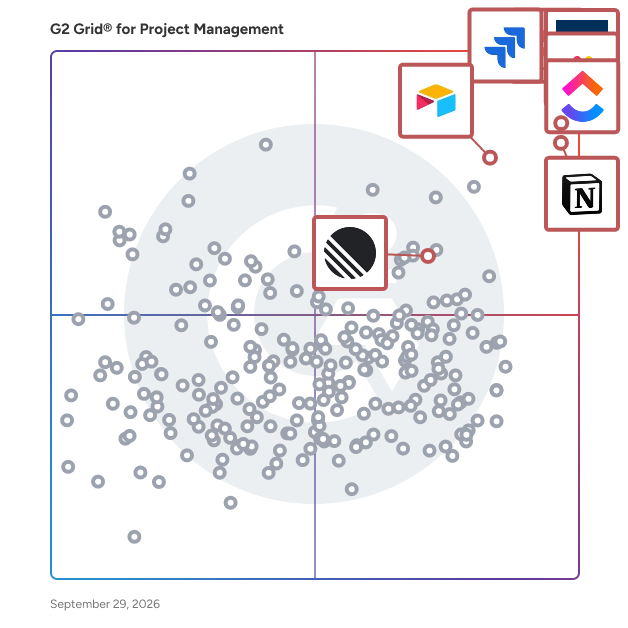
## G2 Grid® for Project Management Software
 ![G2 Grid® for Project Management Software plotting products by satisfaction and market presence](https://www.g2.com/categories/project-management/grids.png?focus%5B%5D=278&focus%5B%5D=530&focus%5B%5D=25675&focus%5B%5D=16194&focus%5B%5D=82623&focus%5B%5D=650&focus%5B%5D=36096&focus%5B%5D=5803)

Highlighted products: Asana, Smartsheet, ClickUp, monday AI Work Platform, Notion, Jira, Airtable, and Zoho Projects.

Underlying data: [Grid® JSON](https://www.g2.com/categories/project-management/grids.json?focus%5B%5D=asana&focus%5B%5D=smartsheet&focus%5B%5D=clickup&focus%5B%5D=monday-com&focus%5B%5D=notion&focus%5B%5D=jira&focus%5B%5D=airtable&focus%5B%5D=zoho-projects&segment=small-business)

**Sponsored**

### Celoxis

Celoxis is an all-in-one project management tool with deep, built-in capabilities for projects, resources, financials, and processes. Everything works out of the box, no add-ons or automations needed. Our reports and dashboards are the best in the industry, fully customizable and easy to use. Getting started is easy, our experts set everything up with your workflows and data and walk you through exactly how it works. Zero risk. Zero stress. Just results. Yes, and unlike others, it stays fast as your data grows.

[Visit website](https://www.g2.com/external_clickthroughs/record?secure%5Bad_program%5D=gdm_share&secure%5Bad_slot%5D=category_product_list&secure%5Bcategory_id%5D=14&secure%5Bmedium%5D=sponsored&secure%5Bprioritized%5D=true&secure%5Bproduct_id%5D=5087&secure%5Bresource_id%5D=14&secure%5Bresource_type%5D=Category&secure%5Bsource_type%5D=category_page&secure%5Bsource_url%5D=https%3A%2F%2Fwww.g2.com%2Fcategories%2Fproject-management%2Fsmall-business%3Fpage%3D8&secure%5Btoken%5D=9a030f3368bd4fbb5827f564ecc7c2d31cf616da6cbcb633d89eb9fcc8af7d4a&secure%5Burl%5D=https%3A%2F%2Fwww.capterra.com%2Fppc%2Fclicks%2Fcollect%2FCA%2Fdirectory%2F4322eca2-73d3-4a1f-8f66-a6d200b3246c%2Fdestination%3FaffiliateDomain%3Dwww.g2.com%26specificLocation%3Dorganic-g2%26categoryId%3D54bd250a-384e-43a6-8842-a04fbe5323b8%26listingPosition%3D1%26sessionStartPage%3DaHR0cHM6Ly93d3cuZzIuY29tL2NhdGVnb3JpZXMvcHJvamVjdC1tYW5hZ2VtZW50L3NtYWxsLWJ1c2luZXNzP3BhZ2U9OA%26ts%3D1785441373258%26s%3DB9F97FEBFA68BB0AF2462283CFEA9967A73B1A075A9C5ED37AACEAAB1427ACEC&secure%5Burl_type%5D=custom_url)

### [ConceptDraw PROJECT](https://www.g2.com/products/conceptdraw-project/reviews)

Project Management Software ConceptDraw PROJECT is a full-featured project management tool that delivers a full complement of features needed to successfully plan and execute projects. Features supported include task and resource management, reporting, and change control. The integration with ConceptDraw Office helps improve project management by leveraging the power of mind mapping and data visualization. Multiproject Dashboard Unique Multiproject Dashboard permits the managing of multiple projects from a single file. A mutual multiproject resource pool allows fproor the organization of all resource usage with maximum efficiency. Resource Allocation Manage resources over multiple projects from a single place. View resource assignments on tasks in all projects. Identify resource overload areas in projects and adjust from a single view. Reporting System Manage project changes quickly with traditional tabular project reports, reporting mind maps and project dashboards. Project Dashboard consolidates current information onto one screen, you have a powerful, visual view of project , enabling you to monitor and share project status instantly. ConceptDraw PROJECT Benefits Gives you the tools to evaluate your project planning. Streamlines meetings and ensures more effective planning and control thanks to live project dashboard illustrations, mind map reports, and knowledge metrics. What Are the Benefits of ConceptDraw PROJECT? Reporting for Planning Planning becomes more effective because of reports. Resource assignment and usage, task scheduling, milestones and project events, cost of resources, and budget are some of the reports that assist the planning process. The planning of each project has its own unique challenges. ConceptDraw PROJECT includes many reports to give you the flexibility you require in the planning process. Reporting for Changes Generating effective reports is critical to managing change. One set lets you understand the change, the other lets you adapt to the situation. Because milestones are always impacted by changes they must be constantly reviewed. Excellent support for this reviewing process is available in the following reports: Milestone, Phase tracking, Critical task tracking, Multi-project resource usage, and many completion metrics reports. In ConceptDraw PROJECT many reports reflect the high-level impact on your project and let you adapt to the situation. Reporting for Meetings Meetings that effectively communicate lead to project success and its strong visual reports are important to communicate quickly to participants. ConceptDraw PROJECT provides visual clarity of reports by using mind maps viewed in ConceptDraw MINDMAP. Clarity is provided by reviewing the project dashboards before any meeting. Dashboards display key performance indicators of single or multiple projects. Meeting communication is effective because of the visual aids — mind maps and dashboards.

**Average Rating:** 4.3/5.0

**Total Reviews:** 16

#### How Do G2 Users Rate ConceptDraw PROJECT?

- **Has the product been a good partner in doing business?:** 9.2/10 (Category avg: 8.9/10)
- **Planning:** 8.3/10 (Category avg: 8.8/10)
- **Creation & Assignment:** 10.0/10 (Category avg: 8.9/10)
- **Resource Allocation:** 8.8/10 (Category avg: 8.4/10)

#### Who Is the Company Behind ConceptDraw PROJECT?

- **Seller:** [CS Odessa](https://www.g2.com/sellers/cs-odessa-212377c7-6eda-466a-b99f-6c51aefd7f36)
- **Year Founded:** 1993
- **HQ Location:** Odessa, Ukraine
- **Twitter:** @CSO\_ConceptDraw  
955 Twitter followers
- **LinkedIn® Page:** [www.linkedin.com](https://www.g2.com/external_clickthroughs/record?secure%5Bsource_type%5D=product_profile&secure%5Btoken%5D=317d4f6d29478cb0c6754804ae79877eab91aa42db9ab6ec6ac4bfde74ab1eb7&secure%5Burl%5D=https%3A%2F%2Fwww.linkedin.com%2Fcompany%2F113823%2F&secure%5Burl_type%5D=linkedin_company_website)  
25 employees on LinkedIn®

#### Who Uses This Product?

- **Company Size:** 69% Small, 25% Medium

#### What Are Recent G2 Reviews of ConceptDraw PROJECT?

**["Venture the executives programming."](https://www.g2.com/survey_responses/conceptdraw-project-review-4291832)**

**Rating:** 4.5/5.0 stars

_— Micheal W._

[Read full review](https://www.g2.com/survey_responses/conceptdraw-project-review-4291832)

**["Special project management software and track service."](https://www.g2.com/survey_responses/conceptdraw-project-review-4289747)**

**Rating:** 4.5/5.0 stars

_— Nathalie Z._

[Read full review](https://www.g2.com/survey_responses/conceptdraw-project-review-4289747)

### [Furious](https://www.g2.com/products/furious/reviews)

Furious is an all-in-one ERP designed to boost the profitability and productivity of companies that sell time-based services, fixed-price projects, or assignments. This includes agencies, consulting firms, service companies, IT services firms, and engineering firms. Whether you're a manager or part of the operational team, Furious supports you throughout the entire project lifecycle—from quote creation to task and resource planning, all the way to invoicing. The platform includes various modules: - Sales and project management - Resource planning and production - Quality, finance, and pre-accounting - HR and cash flow management By centralizing workflows and data within a single software, Furious stands out as a scalable solution capable of supporting all your operations and driving growth. With advanced technologies like artificial intelligence, Furious enables better forecasting and more efficient team management. Despite its high functionality, the software remains easy to use, making adoption seamless across your organization.

**Average Rating:** 4.4/5.0

**Total Reviews:** 19

#### How Do G2 Users Rate Furious?

- **Has the product been a good partner in doing business?:** 8.9/10 (Category avg: 8.9/10)
- **Planning:** 8.3/10 (Category avg: 8.8/10)
- **Resource Allocation:** 10.0/10 (Category avg: 8.4/10)

#### Who Is the Company Behind Furious?

- **Seller:** [FURIOUS SQUAD](https://www.g2.com/sellers/furious-squad)
- **HQ Location:** Paris, FR
- **LinkedIn® Page:** [www.linkedin.com](https://www.g2.com/external_clickthroughs/record?secure%5Bsource_type%5D=product_profile&secure%5Btoken%5D=f5f89e467f38d65820c9009d1275b80fba368a69f0d565db2584ade36b9ab02e&secure%5Burl%5D=https%3A%2F%2Fwww.linkedin.com%2Fcompany%2Ffurious-squad%2F&secure%5Burl_type%5D=linkedin_company_website)  
27 employees on LinkedIn®

#### Who Uses This Product?

- **Top Industries:** Marketing and Advertising
- **Company Size:** 85% Small, 10% Medium

#### What Do G2 Reviewers Say About Furious?

_AI-generated summary from verified user reviews_

##### Pros

- Users value the **automation efficiency** of Furious, streamlining operations and enhancing clarity in agency workflows.
- Users admire the **responsive customer service** of Furious, enhancing their onboarding experience and daily operations efficiency.
- Users value the **efficient customer support** of Furious, enhancing onboarding and providing quick solutions via AI chatbot.
- Users value the **customization options** in Furious, enhancing operations and creating a tailored experience for agencies.
- Users value the **complete centralization** of operations in Furious, enhancing clarity and efficiency across their workflows.

##### Cons

- Users find the **learning curve challenging** , particularly for teams new to this complex tool with extensive features.
- Users find the **overwhelming experience** with Furious can hinder adaptation and complicate onboarding for teams.
- Users find the **overwhelming options** can complicate adaptation, particularly for teams unfamiliar with the tool.
- Users find the **onboarding process time-consuming** , particularly for teams new to the platform with extensive data.

#### What Are Recent G2 Reviews of Furious?

**["A Modern Agency ERP with Real-Time Profitability Visibility"](https://www.g2.com/survey_responses/furious-review-13036138)**

**Rating:** 4.0/5.0 stars

_— Antoine B._

[Read full review](https://www.g2.com/survey_responses/furious-review-13036138)

**["Use Furious to manage an agency from A to Z"](https://www.g2.com/survey_responses/furious-review-12913970)**

**Rating:** 5.0/5.0 stars

_— celine a._

[Read full review](https://www.g2.com/survey_responses/furious-review-12913970)

### [Tave](https://www.g2.com/products/tave/reviews)

Tave is a business management tool for creative professionals.

**Average Rating:** 4.9/5.0

**Total Reviews:** 18

#### How Do G2 Users Rate Tave?

- **Has the product been a good partner in doing business?:** 9.6/10 (Category avg: 8.9/10)
- **Planning:** 10.0/10 (Category avg: 8.8/10)
- **Creation & Assignment:** 10.0/10 (Category avg: 8.9/10)
- **Resource Allocation:** 6.7/10 (Category avg: 8.4/10)

#### Who Is the Company Behind Tave?

- **Seller:** [Tave](https://www.g2.com/sellers/tave)
- **HQ Location:** Boca Raton, Florida
- **Twitter:** @tave  
4 Twitter followers
- **LinkedIn® Page:** [www.linkedin.com](https://www.g2.com/external_clickthroughs/record?secure%5Bsource_type%5D=product_profile&secure%5Btoken%5D=237097c949fc2f35ea388063b9aa35e369c9089d2948183080655c4b3f9a295d&secure%5Burl%5D=https%3A%2F%2Fwww.linkedin.com%2Fcompany%2Ftave-corporation&secure%5Burl_type%5D=linkedin_company_website)  
3 employees on LinkedIn®

#### Who Uses This Product?

- **Top Industries:** Photography
- **Company Size:** 79% Small, 21% Medium

#### What Are Recent G2 Reviews of Tave?

**["Tave brings control to chaos"](https://www.g2.com/survey_responses/tave-review-4561236)**

**Rating:** 5.0/5.0 stars

_— Jeff Allen K._

[Read full review](https://www.g2.com/survey_responses/tave-review-4561236)

**["A Swiss Army Knife for Photographers."](https://www.g2.com/survey_responses/tave-review-4464782)**

**Rating:** 5.0/5.0 stars

_— Oswar N._

[Read full review](https://www.g2.com/survey_responses/tave-review-4464782)

### [Planview AdaptiveWork](https://www.g2.com/products/planview-adaptivework/reviews)

Planview® AdaptiveWork: Adapt and Deliver with Confidence Any Portfolio, Any Project, Any Team. Planview AdaptiveWork (formerly Clarizen) is a versatile portfolio, project, and work management software embedded with practical AI capabilities that adapts to how you operate so you can proactively plan and deliver any type and size of portfolio, project, and work. Whether you manage IT initiatives, business projects, R&D programs, or professional services, AdaptiveWork provides ready-to-use capabilities whether you’re just starting, expanding and growing, or ready to scale into a full enterprise-wide strategy execution machine. Planview Anvi™, the AI for Connected Work, delivers expert-level guidance and intelligent actions powered by deep domain expertise and contextual data intelligence across your work ecosystem. This AI-driven capability enables strategic work execution by understanding your unique business context, helping organizations make more informed decisions and optimize their workflows. Built for (Nearly) Any Project Type Examples on projects include: - IT Portfolios - Business Projects - R&D Programs - Professional Services Key Capabilities Ready on Day One - Artificial Intelligence - Portfolio Management - Project Management - Resource Planning - Team Collaboration Quick to Start, Ready to Adapt Start with out-of-box templates and workflows, then adjust as needed. AdaptiveWork grows with your organization while maintaining consistency across all portfolios.

**Average Rating:** 4.1/5.0

**Total Reviews:** 521

#### How Do G2 Users Rate Planview AdaptiveWork?

- **Has the product been a good partner in doing business?:** 8.3/10 (Category avg: 8.9/10)
- **Planning:** 9.2/10 (Category avg: 8.8/10)
- **Creation & Assignment:** 9.2/10 (Category avg: 8.9/10)
- **Resource Allocation:** 8.9/10 (Category avg: 8.4/10)

#### Who Is the Company Behind Planview AdaptiveWork?

- **Seller:** [Planview](https://www.g2.com/sellers/planview)
- **Company Website:** www.planview.com
- **Year Founded:** 1989
- **HQ Location:** Austin, TX
- **Twitter:** @Planview  
3,049 Twitter followers
- **LinkedIn® Page:** [www.linkedin.com](https://www.g2.com/external_clickthroughs/record?secure%5Bsource_type%5D=product_profile&secure%5Btoken%5D=b8fd8cac33f64094ff047d4423641f01ce19ae0ebbf6d31fa22aa5eea21617d4&secure%5Burl%5D=https%3A%2F%2Fwww.linkedin.com%2Fcompany%2F7268%2F&secure%5Burl_type%5D=linkedin_company_website)  
1,868 employees on LinkedIn®

#### Who Uses This Product?

- **Who Uses This:** Project Manager, Senior Project Manager
- **Top Industries:** Information Technology and Services, Computer Software
- **Company Size:** 49% Medium, 41% Large

#### What Do G2 Reviewers Say About Planview AdaptiveWork?

_AI-generated summary from verified user reviews_

##### Pros

- Users value the **easy management** features of Planview AdaptiveWork, enabling seamless project tracking and customizable workflows.
- Users value the **customizability** of Planview AdaptiveWork, enabling easy workflow creation and effective project tracking.
- Users appreciate the **high customizability** of Planview AdaptiveWork, allowing easy creation of workflows and flexible views.
- Users value the **customizability** of Planview AdaptiveWork, enabling easy setup of workflows without coding skills.
- Users appreciate the **ease of use** with customizable workflows and intuitive views, enhancing their overall experience.

##### Cons

- Users criticize the **access limitations** of Planview AdaptiveWork, finding many features ineffective and support insufficient.
- Users find that **app functionality is lacking** , as many processes fail to work seamlessly within the tool.
- Users report that **change adjustments** don’t work well initially, requiring external processes and facing inadequate support.
- Users experience **inadequate tools** , as many processes need to be handled outside the system and manually entered later.
- Users experience significant **manual data entry** challenges due to poor initial functionality and inadequate support.

#### What Are Recent G2 Reviews of Planview AdaptiveWork?

**["Centralized Project Visibility That Keeps Teams Aligned"](https://www.g2.com/survey_responses/planview-adaptivework-review-13112288)**

**Rating:** 5.0/5.0 stars

_— Isis M._

[Read full review](https://www.g2.com/survey_responses/planview-adaptivework-review-13112288)

**["Centralized Project Visibility and Flexible Workflows in One Platform"](https://www.g2.com/survey_responses/planview-adaptivework-review-13132258)**

**Rating:** 4.0/5.0 stars

_— Daniela T._

[Read full review](https://www.g2.com/survey_responses/planview-adaptivework-review-13132258)

#### What Are G2 Users Discussing About Planview AdaptiveWork?

- [What are the features of project management?](https://www.g2.com/discussions/planview-adaptivework-what-are-the-features-of-project-management)
- [What is clarizen used for?](https://www.g2.com/discussions/what-is-clarizen-used-for)
- [What is clarizen one?](https://www.g2.com/discussions/what-is-clarizen-one)
- [What is clarizen software?](https://www.g2.com/discussions/what-is-clarizen-software) - 1 comment

### [Flow](https://www.g2.com/products/flow-flow/reviews)

Flow is an all-in-one tool that helps you coordinate all of your team’s work. It brings together your tasks, projects, timelines, files, and conversations, and integrates with your favorite tools, to help you achieve more together. Flow is available on web, desktop, ios and android. With over 2 million projects and 18 million tasks completed to date, the world's most innovative companies trust Flow to help them to get more done. Companies like TED, Shopify, Bumble, RedBull and thousands more. Teams choose Flow when spreadsheets, whiteboards and sticky notes aren’t enough, but task management apps like Todoist and Trello are too lean, and project management tools like Wrike, JIRA and Asana are overkill.

**Average Rating:** 4.3/5.0

**Total Reviews:** 54

#### How Do G2 Users Rate Flow?

- **Has the product been a good partner in doing business?:** 8.6/10 (Category avg: 8.9/10)
- **Planning:** 8.3/10 (Category avg: 8.8/10)
- **Creation & Assignment:** 9.0/10 (Category avg: 8.9/10)
- **Resource Allocation:** 9.4/10 (Category avg: 8.4/10)

#### Who Is the Company Behind Flow?

- **Seller:** [Flow](https://www.g2.com/sellers/flow)
- **Year Founded:** 2010
- **HQ Location:** Victoria, British Columbia
- **Twitter:** @flowapp  
3,480 Twitter followers
- **LinkedIn® Page:** [www.linkedin.com](https://www.g2.com/external_clickthroughs/record?secure%5Bsource_type%5D=product_profile&secure%5Btoken%5D=8c2df5f19b55e947334d627c64b3ca1cf58eace65c523351a43d106565252c82&secure%5Burl%5D=https%3A%2F%2Fwww.linkedin.com%2Fcompany%2F10171065%2F&secure%5Burl_type%5D=linkedin_company_website)  
6 employees on LinkedIn®

#### Who Uses This Product?

- **Top Industries:** Marketing and Advertising, Computer Software
- **Company Size:** 64% Small, 31% Medium

#### What Are Recent G2 Reviews of Flow?

**["Manage your workforce and workload with Flow"](https://www.g2.com/survey_responses/flow-review-8518502)**

**Rating:** 4.0/5.0 stars

_— Suyash M._

[Read full review](https://www.g2.com/survey_responses/flow-review-8518502)

**["Customizable Workflow Automation That Fits Aerospace DIN Compliance, But ERP Integration Holds It Back"](https://www.g2.com/survey_responses/flow-review-13031590)**

**Rating:** 4.5/5.0 stars

_— Alvi N._

[Read full review](https://www.g2.com/survey_responses/flow-review-13031590)

#### What Are G2 Users Discussing About Flow?

- [Does Flow app cost money?](https://www.g2.com/discussions/flow-does-flow-app-cost-money)
- [How good is flow?](https://www.g2.com/discussions/flow-how-good-is-flow)
- [What is Flow project management?](https://www.g2.com/discussions/what-is-flow-project-management) - 2 comments
- [What is Flow software for?](https://www.g2.com/discussions/what-is-flow-software-for)

### [Allfred](https://www.g2.com/products/allfred/reviews)

Allfred is a workflow management tool tailor-made for Ad or PR agencies that enables all team members to work seamlessly together from the client's first brief to invoicing, streamlining the process and minimizing mistakes. Allfred was designed with "creatives in mind" to shift agencies' focus to do more creative work and less on paperwork and numerous Spreadsheets. We understand that for CFOs and managing directors, every decision must be rooted in financial data. That's why our platform offers real-time integrated financial and project data, allowing for better business decisions and increased profitability. Starting with automated Proposals and Budgeting, through interactive Resource Planning up to integrated Project Management and one-click Time Tracking, Allfred gives agency teams the right tools to make the process simple and efficient to deliver agencies more profit. \*Time management\* To-do-list and one-click time tracking reduces friction in communication within creative departments. \*Resource planning\* Interactive resource planning with drag&drop options increases agency team capacity and helps reduce overwork. \*Project management\* Time-saving automation and process assistance reduce dull work and frequent budgeting and project management mistakes. \*Financial analysis\* The Finance dashboard provides a comprehensive overview of your financial data and KPIs in one place. It helps you understand and analyze the sources of your revenue and identify opportunities for growth and allows you to track and optimize profitability and performance. With a step-by-step approach to onboarding into agency processes, we reduce the management effort and shorten the implementation time. We believe that better work for everyone means better profit for the agency.

**Average Rating:** 4.7/5.0

**Total Reviews:** 52

#### How Do G2 Users Rate Allfred?

- **Has the product been a good partner in doing business?:** 9.6/10 (Category avg: 8.9/10)
- **Planning:** 8.9/10 (Category avg: 8.8/10)
- **Creation & Assignment:** 9.1/10 (Category avg: 8.9/10)
- **Resource Allocation:** 9.0/10 (Category avg: 8.4/10)

#### Who Is the Company Behind Allfred?

- **Seller:** [Allfred](https://www.g2.com/sellers/allfred)
- **Year Founded:** 2020
- **HQ Location:** Bratislava, Slovakia
- **LinkedIn® Page:** [www.linkedin.com](https://www.g2.com/external_clickthroughs/record?secure%5Bsource_type%5D=product_profile&secure%5Btoken%5D=efb28663f5adcf2044aff9f013e125df8c585cc5e88f5222ca43b68e9c84357a&secure%5Burl%5D=https%3A%2F%2Fwww.linkedin.com%2Fcompany%2Fallfred&secure%5Burl_type%5D=linkedin_company_website)  
8 employees on LinkedIn®

#### Who Uses This Product?

- **Who Uses This:** Account Manager
- **Top Industries:** Marketing and Advertising
- **Company Size:** 83% Small, 17% Medium

#### What Do G2 Reviewers Say About Allfred?

_AI-generated summary from verified user reviews_

##### Pros

- Users value the **time-saving features** of Allfred, streamlining their workflows and enhancing overall productivity effortlessly.
- Users appreciate the **ease of use** of Allfred, finding it simplifies tasks and integrates seamlessly with other tools.
- Users love the **simplicity and organization** of Allfred's task management, integrating everything they need in one place.
- Users value the **comprehensive project management capabilities** of Allfred, enhancing team coordination and task transparency effectively.
- Users appreciate the **robust features** of Allfred, enhancing efficiency in budgeting, tracking, and project management.

##### Cons

- Users find that occasionally **loading times can be slow** , especially with large data sheets affecting the experience.
- Users notice occasional **slow performance** , especially with large data sheets, but it's improving in newer versions.
- Users experience **slow update issues** with Allfred, causing frustration when tasks remain marked as ongoing for too long.
- Users report occasional **bug issues** that can disrupt workflow, though they are generally considered minor inconveniences.
- Users encounter occasional **glitches** with Allfred, which can disrupt workflow but are generally minor.

#### What Are Recent G2 Reviews of Allfred?

**["One-Stop Tool for Managing Sales, Production, and Team Capacity"](https://www.g2.com/survey_responses/allfred-review-12279476)**

**Rating:** 4.0/5.0 stars

_— Adriano V._

[Read full review](https://www.g2.com/survey_responses/allfred-review-12279476)

**["Efficient and Intuitive, But Room for Improvement"](https://www.g2.com/survey_responses/allfred-review-10617922)**

**Rating:** 4.5/5.0 stars

_— Vladyslav M._

[Read full review](https://www.g2.com/survey_responses/allfred-review-10617922)

### [Linkd](https://www.g2.com/products/linkd/reviews)

Linkd is affordable project management software for the construction industry. Made by AEC industry experts, Linkd is equipped with cloud technology that is accessible from anywhere at any time. This allows for simultaneous project updates and constant communication in one place. Linkd offers cutting edge software to cut costs and save time. By integrating cutting edge AI and AR technology, Linkd gathers results for you as data is inputted into the system and takes paperwork out of the equation. Companies can cut out paper documentation and other traditional ways of filing out of their workflow completely. With Linkd’s centralized platform, you are able to update projects and documents in real time while increasing overall efficiency. Our collaboration feature also cuts down on outside emails and ways of communication for updates of the specific project or document. When a document is updated, or a change order occurs, Linkd posts the change so the rest of the organization can see the update in real time. You not only save time, but also save money with Linkd. Linkd enables projects to run more efficiently while staying in budget and keeping everyone in constant contact with the most up to date information. Linkd software also increases project success with collaboration and use of simplified project management software. With easy adoption and universal accessibility, Linkd cuts risks, improves communication and grows businesses. Automate, collaborate and be informed with Linkd.

**Average Rating:** 3.9/5.0

**Total Reviews:** 25

#### How Do G2 Users Rate Linkd?

- **Has the product been a good partner in doing business?:** 8.3/10 (Category avg: 8.9/10)
- **Planning:** 8.7/10 (Category avg: 8.8/10)
- **Creation & Assignment:** 9.0/10 (Category avg: 8.9/10)
- **Resource Allocation:** 8.3/10 (Category avg: 8.4/10)

#### Who Is the Company Behind Linkd?

- **Seller:** [Linkd](https://www.g2.com/sellers/linkd)
- **Year Founded:** 2016
- **HQ Location:** Rancho Cordova, CA
- **Twitter:** @linkdapp  
270 Twitter followers
- **LinkedIn® Page:** [www.linkedin.com](https://www.g2.com/external_clickthroughs/record?secure%5Bsource_type%5D=product_profile&secure%5Btoken%5D=6f21b9d8fa1234d96fba1b01b611fdf91d25bd65eec248a75e6fe848fe994fc2&secure%5Burl%5D=https%3A%2F%2Fwww.linkedin.com%2Fcompany%2F18170682%2F&secure%5Burl_type%5D=linkedin_company_website)  
45 employees on LinkedIn®

#### Who Uses This Product?

- **Company Size:** 58% Small, 23% Medium

#### What Are Recent G2 Reviews of Linkd?

**["Document sharing and real time communication"](https://www.g2.com/survey_responses/linkd-review-9987528)**

**Rating:** 4.5/5.0 stars

_— Gael L._

[Read full review](https://www.g2.com/survey_responses/linkd-review-9987528)

**["Keeps the workflow smooth"](https://www.g2.com/survey_responses/linkd-review-10656070)**

**Rating:** 4.0/5.0 stars

_— Rehan T._

[Read full review](https://www.g2.com/survey_responses/linkd-review-10656070)

#### What Are G2 Users Discussing About Linkd?

- [What is Linkd used for?](https://www.g2.com/discussions/what-is-linkd-used-for)

### [OneDesk](https://www.g2.com/products/onedesk-onedesk/reviews)

OneDesk combines online HelpDesk and Project Management software. Serve your customers and manage team projects with one application.

**Average Rating:** 4.2/5.0

**Total Reviews:** 33

#### How Do G2 Users Rate OneDesk?

- **Has the product been a good partner in doing business?:** 7.9/10 (Category avg: 8.9/10)
- **Planning:** 8.7/10 (Category avg: 8.8/10)
- **Creation & Assignment:** 8.9/10 (Category avg: 8.9/10)
- **Resource Allocation:** 8.9/10 (Category avg: 8.4/10)

#### Who Is the Company Behind OneDesk?

- **Seller:** [OneDesk](https://www.g2.com/sellers/onedesk)
- **Year Founded:** 2009
- **HQ Location:** Montreal, Canada
- **Twitter:** @OneDeskApp  
737 Twitter followers
- **LinkedIn® Page:** [www.linkedin.com](https://www.g2.com/external_clickthroughs/record?secure%5Bsource_type%5D=product_profile&secure%5Btoken%5D=cd50d7fcae0165099bf7c323295eb626e295336bcd1ec902cb1443001f0b3165&secure%5Burl%5D=https%3A%2F%2Fwww.linkedin.com%2Fcompany%2Fonedesk-inc-1%2F&secure%5Burl_type%5D=linkedin_company_website)  
31 employees on LinkedIn®

#### Who Uses This Product?

- **Top Industries:** Information Technology and Services
- **Company Size:** 52% Small, 27% Large

#### What Do G2 Reviewers Say About OneDesk?

_AI-generated summary from verified user reviews_

##### Pros

- Users appreciate the **ease of use** of OneDesk, finding it simple to set up and navigate effectively.
- Users value the **easy integration** of OneDesk, finding it simple to set up and operate effectively.
- Users praise the **easy setup** of OneDesk, allowing for a flexible and intuitive help center experience.
- Users appreciate the **interesting and flexible features** of OneDesk, making setup and operation intuitive.
- Users value the **flexibility** of OneDesk, enabling an intuitive and adaptable workspace for their needs.

##### Cons

- Users experience **inconsistent functionality** with OneDesk, requiring frequent support intervention to resolve stalled systems.
- Users experience **limited functionality** with OneDesk, leading to frequent issues and reliance on support for fixes.
- Users experience **poor customer support** , as the system often requires too much intervention from staff to function properly.
- Users find the **required expertise** for OneDesk's support challenging, needing significant intervention to resolve issues.
- Users face **slow performance** , with the system frequently stalling and requiring excessive support intervention to resolve issues.

#### What Are Recent G2 Reviews of OneDesk?

**["Good software for team goal"](https://www.g2.com/survey_responses/onedesk-review-4848729)**

**Rating:** 4.0/5.0 stars

_— Raakulan K._

[Read full review](https://www.g2.com/survey_responses/onedesk-review-4848729)

**["Flexible and Powerful - Project Management and Ticketing in One"](https://www.g2.com/survey_responses/onedesk-review-8843455)**

**Rating:** 5.0/5.0 stars

_— Christine S._

[Read full review](https://www.g2.com/survey_responses/onedesk-review-8843455)

#### What Are G2 Users Discussing About OneDesk?

- [What is OneDesk used for?](https://www.g2.com/discussions/what-is-onedesk-used-for)

### [Birdview](https://www.g2.com/products/birdview/reviews)

Birdview is a comprehensive, full-cycle platform designed to assist organizations in planning, managing, and forecasting resources, finances, and projects in a unified environment. This solution provides total project visibility, enabling teams and clients to oversee their projects effectively, thereby fostering growth and promoting streamlined processes. Targeted at a diverse range of businesses, Birdview is particularly beneficial for organizations that handle multiple projects simultaneously. It offers customizable views and centralized data management, which allows users to maintain balanced workloads and adapt to evolving business needs. The platform's capabilities extend to precise financial management and budgeting, ensuring that organizations can keep their projects on track financially while optimizing resource allocation. Birdview features two distinct products tailored to meet varied client requirements. Birdview Project Management simplifies the lives of project managers by streamlining the entire project lifecycle, from intake and planning to execution and project accounting. This product is designed to enhance efficiency and control, allowing project managers to focus on delivering results rather than getting bogged down by administrative tasks. On the other hand, Birdview Professional Services is specifically crafted for service-oriented organizations, facilitating client project management and collaboration. This ensures smooth service delivery while also providing robust financial tracking capabilities. Each product is equipped with advanced features that provide control over every stage of the project. Business Intelligence (BI)-powered dashboards and reports enable data-driven decision-making, which is crucial for enhancing productivity, profitability, and overall efficiency. These tools allow organizations to visualize their project data in real-time, making it easier to identify trends, assess performance, and make informed adjustments as necessary. Furthermore, Birdview integrates seamlessly with over 5,000 applications, enhancing its utility in various organizational contexts. This extensive integration capability ensures that users can manage their projects more effectively, leveraging existing tools and systems to create a cohesive workflow. By providing a centralized platform that encompasses project management, financial oversight, and resource allocation, Birdview stands out as a versatile solution for organizations aiming to optimize their project management processes.

**Average Rating:** 4.2/5.0

**Total Reviews:** 391

#### How Do G2 Users Rate Birdview?

- **Has the product been a good partner in doing business?:** 8.9/10 (Category avg: 8.9/10)
- **Planning:** 8.6/10 (Category avg: 8.8/10)
- **Creation & Assignment:** 8.8/10 (Category avg: 8.9/10)
- **Resource Allocation:** 8.6/10 (Category avg: 8.4/10)

#### Who Is the Company Behind Birdview?

- **Seller:** [Birdview PSA](https://www.g2.com/sellers/birdview-psa)
- **Company Website:** birdviewpsa.com
- **Year Founded:** 2003
- **HQ Location:** Toronto
- **Twitter:** @birdviewpsa  
1,202 Twitter followers
- **LinkedIn® Page:** [www.linkedin.com](https://www.g2.com/external_clickthroughs/record?secure%5Bsource_type%5D=product_profile&secure%5Btoken%5D=55b399d11d3232e945c4a420a5222a99083e05460c89388f79678aa2c4eadf81&secure%5Burl%5D=https%3A%2F%2Fwww.linkedin.com%2Fcompany%2Fbirdviewpsa%2F&secure%5Burl_type%5D=linkedin_company_website)  
34 employees on LinkedIn®

#### Who Uses This Product?

- **Who Uses This:** Project Manager
- **Top Industries:** Marketing and Advertising, Information Technology and Services
- **Company Size:** 43% Medium, 34% Small

#### What Are Recent G2 Reviews of Birdview?

**["Consultant - review after 6 months of work"](https://www.g2.com/survey_responses/birdview-review-9723891)**

**Rating:** 4.5/5.0 stars

_— Ravi Shankar P._

[Read full review](https://www.g2.com/survey_responses/birdview-review-9723891)

**["Birdview product review"](https://www.g2.com/survey_responses/birdview-review-11666311)**

**Rating:** 4.5/5.0 stars

_— Roshan R._

[Read full review](https://www.g2.com/survey_responses/birdview-review-11666311)

#### What Are G2 Users Discussing About Birdview?

- [What is PSA in technology?](https://www.g2.com/discussions/what-is-psa-in-technology) - 1 comment
- [What are simple projects?](https://www.g2.com/discussions/what-are-simple-projects) - 2 comments
- [What is PSA in ERP?](https://www.g2.com/discussions/what-is-psa-in-erp) - 1 comment
- [What are some unique features of project management software?](https://www.g2.com/discussions/easy-projects-what-are-some-unique-features-of-project-management-software) - 1 comment
- [What is a PSA platform?](https://www.g2.com/discussions/what-is-a-psa-platform) - 1 comment

### [Fluid](https://www.g2.com/products/fluid-fluid/reviews)

Fluid is the all-in-one PMO platform to manage your projects, programs, portfolio’s and resources in one unified space. Fluid provides a single solution to manage every aspect of your projects from ideation through to delivery, execution, benefits and closure. • Automated Reporting • Executive Portfolio Dashboards • Resource Capacity & Utilization • Accurate Project Cost Tracking • Unified Project Management Workspace (Health, Scheduling, Risks, Tasks etc.) • AI Governance & Insights

**Average Rating:** 4.7/5.0

**Total Reviews:** 28

#### How Do G2 Users Rate Fluid?

- **Has the product been a good partner in doing business?:** 10.0/10 (Category avg: 8.9/10)
- **Planning:** 8.8/10 (Category avg: 8.8/10)
- **Creation & Assignment:** 9.2/10 (Category avg: 8.9/10)
- **Resource Allocation:** 8.5/10 (Category avg: 8.4/10)

#### Who Is the Company Behind Fluid?

- **Seller:** [Fluid](https://www.g2.com/sellers/fluid)
- **Year Founded:** 2014
- **HQ Location:** London, GB
- **Twitter:** @fluidworkapp  
5 Twitter followers
- **LinkedIn® Page:** [www.linkedin.com](https://www.g2.com/external_clickthroughs/record?secure%5Bsource_type%5D=product_profile&secure%5Btoken%5D=c112d8e4a137eb031baa83e38ec352595d8f6558296256b1d0791ee092cf0048&secure%5Burl%5D=https%3A%2F%2Fwww.linkedin.com%2Fcompany%2Ffluidworkuk%2F&secure%5Burl_type%5D=linkedin_company_website)  
18 employees on LinkedIn®

#### Who Uses This Product?

- **Top Industries:** Information Technology and Services, Financial Services
- **Company Size:** 50% Small, 25% Medium

#### What Do G2 Reviewers Say About Fluid?

_AI-generated summary from verified user reviews_

##### Pros

- Users appreciate the **highly responsive customer support** of Fluid, which enhances their overall experience and collaboration.
- Users highlight the **effective communication** features of Fluid, making project updates seamless and efficient.
- Users find **daily use effortless** due to consolidated dashboards, streamlining project reporting and maintenance seamlessly.
- Users find **dashboarding easy and efficient** with Fluid, streamlining project reporting and centralizing key information.
- Users appreciate the **consolidated dashboards** of Fluid, simplifying project reporting and maintenance with key information accessible in one place.

##### Cons

- Users find the **meeting functionality lacking** , wishing for better integration with Teams and Outlook scheduling.
- Users find the **email integration lacking** , wishing for better functionality with Teams and Outlook scheduling.
- Users face **integration issues** with Fluid, particularly in setting up meetings with Teams and Outlook.
- Users note a **lack of integration** with Teams for meetings, missing features like Teams links and Outlook scheduling.
- Users find the **limited integrations** with Teams and Outlook hinder meeting setup, impacting overall functionality.

#### What Are Recent G2 Reviews of Fluid?

**["Exceptional Customer-Focused Service"](https://www.g2.com/survey_responses/fluid-review-12107260)**

**Rating:** 4.5/5.0 stars

_— Chi To S._

[Read full review](https://www.g2.com/survey_responses/fluid-review-12107260)

**["All-in-One Dashboard Makes Project Tracking Effortless"](https://www.g2.com/survey_responses/fluid-review-12176274)**

**Rating:** 4.5/5.0 stars

_— Hannah O._

[Read full review](https://www.g2.com/survey_responses/fluid-review-12176274)

### [Ganttic](https://www.g2.com/products/ganttic/reviews)

Ganttic is a resource planning and project portfolio management tool, providing users with an overview of their tasks, projects, and resources. Gain insight, efficiency, and control of the planning process. The platform is ideal for planning multiple projects, as it allows you to schedule people, equipment, tools, and facilities simultaneously. Drag and drop interface helps reallocate resources quickly and reports measure performance, ensuring enhanced efficiency. Track project progress with visual and shareable Gantt charts, keeping the whole team in the loop. Make updates instantly and from anywhere on the cloud-based platform. Ganttic is a flexible solution for users from every industry. Implement your own planning methodology and see plans become reality. Based in Estonia, we’ve been serving clients from every corner of the world for the past 10 years. Start a free trial today, and see why for yourself.

**Average Rating:** 4.0/5.0

**Total Reviews:** 29

#### How Do G2 Users Rate Ganttic?

- **Has the product been a good partner in doing business?:** 8.5/10 (Category avg: 8.9/10)

#### Who Is the Company Behind Ganttic?

- **Seller:** [Ganttic](https://www.g2.com/sellers/ganttic)
- **Year Founded:** 2007
- **HQ Location:** Tartu, Tartumaa
- **Twitter:** @ganttic  
972 Twitter followers
- **LinkedIn® Page:** [www.linkedin.com](https://www.g2.com/external_clickthroughs/record?secure%5Bsource_type%5D=product_profile&secure%5Btoken%5D=fac0589b1ae35ad3e8e1a5963ea0f18554fb9a123d83aca93d8f40792785e861&secure%5Burl%5D=https%3A%2F%2Fwww.linkedin.com%2Fcompany%2F1198563%2F&secure%5Burl_type%5D=linkedin_company_website)  
7 employees on LinkedIn®

#### Who Uses This Product?

- **Top Industries:** Information Technology and Services
- **Company Size:** 59% Medium, 34% Small

#### What Are Recent G2 Reviews of Ganttic?

**["Great scheduler! (forget everything you know about excel)"](https://www.g2.com/survey_responses/ganttic-review-658478)**

**Rating:** 4.5/5.0 stars

_— Nathan R._

[Read full review](https://www.g2.com/survey_responses/ganttic-review-658478)

**["Ganttic for high-level resource planning"](https://www.g2.com/survey_responses/ganttic-review-659015)**

**Rating:** 4.0/5.0 stars

_— Verified User in Information Technology and Services_

[Read full review](https://www.g2.com/survey_responses/ganttic-review-659015)

### [Tempo](https://www.g2.com/products/tempo-2026-05-04/reviews)

Founded in 2009, Tempo Software is a Jira-native platform for strategic portfolio management, built to help organizations keep strategy, budgets, and delivery aligned as human and AI teams work side by side. Tempo brings together three product lines — Tempo, Strategic Roadmaps, and Structure PPM — into one connected system. Tempo is used by more than 30,000 companies, including one in three Fortune 500 organizations. Tempo's suite of solutions covers the full range of portfolio work, from individual projects to enterprise-wide programs: - Time tracking and financial management tools for logging hours, tracking costs, and managing budgets, capital expense, and operating expense across projects - Capacity and resource planning tools that show team availability, workload, and skill sets in real time, synced directly with Jira sprint data - Portfolio and program management tools that visualize multiple Jira projects, programs, and portfolios in a single, customizable view - Roadmapping tools that create shareable, audience-specific roadmaps for executives, product teams, and customers - Reporting and data visualization tools, including no-code dashboards, Gantt charts, and connectors for BigQuery, Tableau, and Power BI Organizations use Tempo to catch strategic drift before it compounds — the gap that opens up when plans, budgets, and delivery fall out of sync, especially as AI agents take on more work without filing a single status report. Instead of relying on quarterly planning cycles or scattered spreadsheets, planning and portfolio leaders get real-time visibility into where time, budget, and capacity are actually going, so adjustments happen before small gaps turn into missed deadlines or blown budgets.

**Average Rating:** 4.4/5.0

**Total Reviews:** 135

#### How Do G2 Users Rate Tempo?

- **Has the product been a good partner in doing business?:** 8.8/10 (Category avg: 8.9/10)
- **Planning:** 8.3/10 (Category avg: 8.8/10)
- **Creation & Assignment:** 8.3/10 (Category avg: 8.9/10)
- **Resource Allocation:** 8.3/10 (Category avg: 8.4/10)

#### Who Is the Company Behind Tempo?

- **Seller:** [Tempo](https://www.g2.com/sellers/tempo)
- **Company Website:** www.tempo.io
- **Year Founded:** 2015
- **HQ Location:** Boston, US
- **Twitter:** @TempoHQ  
1,800 Twitter followers
- **LinkedIn® Page:** [www.linkedin.com](https://www.g2.com/external_clickthroughs/record?secure%5Bsource_type%5D=product_profile&secure%5Btoken%5D=42f5a2d7c895ac4f502daa176d49a62639e9ca0ed3f071ee4b53dfa601f64486&secure%5Burl%5D=https%3A%2F%2Fwww.linkedin.com%2Fcompany%2F9311598%2F&secure%5Burl_type%5D=linkedin_company_website)  
366 employees on LinkedIn®

#### Who Uses This Product?

- **Who Uses This:** CEO
- **Top Industries:** Computer Software, Information Technology and Services
- **Company Size:** 60% Small, 23% Medium

#### What Do G2 Reviewers Say About Tempo?

_AI-generated summary from verified user reviews_

##### Pros

- Users value the **direct time logging from Jira tickets** , making tracking effortless and efficient for teams.
- Users love the **ease of use** of Tempo, making team time tracking and reporting effortless and straightforward.
- Users value the **easy integration** of Tempo with calendars and Jira, enhancing productivity and project tracking.
- Users value the **time-saving features** of Tempo, enabling efficient tracking and management of tasks and projects.
- Users love the **easy setup** of Tempo, making it simple to track team time and productivity effectively.

##### Cons

- Users find the **learning curve steep** , especially for larger teams with complex project structures and visibility settings.
- Users experience **slow UI performance** and limited flexibility for sudden changes, hindering efficiency during urgent tasks.
- Users report **poor customer support** , struggling with unresolved bugs that hinder productivity and complicate problem resolution.
- Users report **frequent software bugs** that lead to significant productivity loss and inadequate support response.
- Users highlight the **data inaccuracy** issue in Tempo, leading to challenges in effective planning and execution.

#### What Are Recent G2 Reviews of Tempo?

**["Effortless time tracking with Tempo — clean UI and seamless Jira integration"](https://www.g2.com/survey_responses/tempo-review-13046174)**

**Rating:** 4.0/5.0 stars

_— nicole a._

[Read full review](https://www.g2.com/survey_responses/tempo-review-13046174)

**["Tempo Boosts Team Collaboration and Time Management"](https://www.g2.com/survey_responses/tempo-review-13023692)**

**Rating:** 4.0/5.0 stars

_— Jannifer J._

[Read full review](https://www.g2.com/survey_responses/tempo-review-13023692)

#### What Are G2 Users Discussing About Tempo?

- [What do you recommend for companies considering Tempo Timesheets for time tracking and reporting?](https://www.g2.com/discussions/what-do-you-recommend-for-companies-considering-tempo-timesheets-for-time-tracking-and-reporting)
- [What is Tempo timesheet?](https://www.g2.com/discussions/what-is-tempo-timesheet)
- [Is Jira tempo free?](https://www.g2.com/discussions/is-jira-tempo-free) - 1 comment
- [How much does Tempo cost for Jira?](https://www.g2.com/discussions/how-much-does-tempo-cost-for-jira) - 2 comments
- [What does tempo software do?](https://www.g2.com/discussions/what-does-tempo-software-do) - 1 comment

### [Certinia PS Cloud](https://www.g2.com/products/certinia-ps-cloud/reviews)

Certinia Professional Services (PS) Cloud is the world’s only Salesforce-native professional services automation (PSA) solution trusted by more than 1,400 organizations. It connects projects, people, and financials on the Salesforce platform you already trust; eliminating silos and providing the high-fidelity data required to run your services business with absolute certainty. • Get 360º visibility into your business: Manage resources, projects, and financials in the same application as your customer interactions. With a single system of record, leaders view margins and forecasts in real time with 100% auditability, ensuring your ""Services Math"" is accurate and your financial integrity is maintained at scale. • Keep customers at the center: Eliminate the ""Context Gap"" with a customer-centric PSA where every team works from one master record. The Project Assistant Agent accelerates delivery by proactively identifying data anomalies, such as missing time cards or overdue items—ensuring sales promises align with delivery for a superior customer experience. • Optimize resource management: Close utilization gaps and keep projects on track. The Staffing Agent identifies ""best-match"" resources for work-in-flight, while enhanced work planning tools allow managers to take direct staffing actions instantly. Assign the right people to the right work to drive efficiency without overloading staff. • Accelerate quoting and billing: Handle complex contracts with a hardened financial engine that supports everything from fixed-fee to outcome-based pricing. New Top-Down Estimation and Role Multipliers drastically reduce the time required to quote large, multi-year engagements while ensuring every dollar is trackable and compliant. • Drive certainty in revenue forecasting: Replace guesswork with connected, real-time data. By unifying the engagement lifecycle, PS Cloud powers reliable revenue forecasting with as little as a 1% variance. Close your books faster and make smarter growth decisions backed by a system that eliminates manual data syncing. • Turn insights into action: PS Cloud turns insights into action directly within a unified Salesforce-native workflow, where real-time project data triggers immediate operational changes. By connecting delivery and financials on a single record, the system identifies margin leaks and resource gaps as they happen, allowing managers to execute staffing and project updates instantly rather than waiting for historical reports.

**Average Rating:** 4.3/5.0

**Total Reviews:** 644

#### How Do G2 Users Rate Certinia PS Cloud?

- **Has the product been a good partner in doing business?:** 8.4/10 (Category avg: 8.9/10)
- **Planning:** 8.9/10 (Category avg: 8.8/10)
- **Creation & Assignment:** 7.9/10 (Category avg: 8.9/10)
- **Resource Allocation:** 7.2/10 (Category avg: 8.4/10)

#### Who Is the Company Behind Certinia PS Cloud?

- **Seller:** [Certinia](https://www.g2.com/sellers/certinia)
- **Company Website:** certinia.com
- **Year Founded:** 2009
- **HQ Location:** Austin, TX
- **Twitter:** @CertiniaInc  
12,206 Twitter followers
- **LinkedIn® Page:** [www.linkedin.com](https://www.g2.com/external_clickthroughs/record?secure%5Bsource_type%5D=product_profile&secure%5Btoken%5D=c1833fb7480356beb39336d637165cd64d934eee3ae8b7102f461f6addf6e34d&secure%5Burl%5D=https%3A%2F%2Fwww.linkedin.com%2Fcompany%2Fcertinia%2F&secure%5Burl_type%5D=linkedin_company_website)  
981 employees on LinkedIn®

#### Who Uses This Product?

- **Who Uses This:** Salesforce Administrator, Project Manager
- **Top Industries:** Information Technology and Services, Computer Software
- **Company Size:** 53% Medium, 36% Large

#### What Do G2 Reviewers Say About Certinia PS Cloud?

_AI-generated summary from verified user reviews_

##### Pros

- Users appreciate the **ease of use** of Certinia PS Cloud, enjoying seamless navigation and integrated project management.
- Users value the **efficiency in project management** with Certinia PS Cloud, significantly saving time in operations.
- Users value the **seamless reporting capabilities** of Certinia PS Cloud, enhancing efficiency throughout the professional-services lifecycle.
- Users value the **user-friendly integration** of Certinia PS Cloud, simplifying management of projects and resources effectively.
- Users value the **native Salesforce integration** of Certinia PS Cloud, enhancing seamless functionality across various business sizes.

##### Cons

- Users find the **learning curve steep** with Certinia PS Cloud, citing challenges in understanding the software without formal training.
- Users find the **complex usability** of Certinia PS Cloud challenging, especially with its steep learning curve and cluttered interface.
- Users find **difficult customization** of Certinia PS Cloud hampers efficiency, requiring extensive skills and time for configuration.
- Users experience **slow performance** with Certinia PS Cloud, leading to frustrations in functionality and productivity challenges.
- Users find the **missing features** in Certinia PS Cloud limit usability and resource management capabilities.

#### What Are Recent G2 Reviews of Certinia PS Cloud?

**["Automated Project Management Tool within the Clouds"](https://www.g2.com/survey_responses/certinia-ps-cloud-review-7287486)**

**Rating:** 4.5/5.0 stars

_— Yassin O._

[Read full review](https://www.g2.com/survey_responses/certinia-ps-cloud-review-7287486)

**["Clear Project Visibility with Powerful Dashboards and Reporting"](https://www.g2.com/survey_responses/certinia-ps-cloud-review-12668301)**

**Rating:** 5.0/5.0 stars

_— Thomas B._

[Read full review](https://www.g2.com/survey_responses/certinia-ps-cloud-review-12668301)

#### What Are G2 Users Discussing About Certinia PS Cloud?

- [What is FinancialForce PSA used for?](https://www.g2.com/discussions/what-is-financialforce-psa-used-for) - 1 comment
- [How much does financial force cost?](https://www.g2.com/discussions/financialforce-psa-how-much-does-financial-force-cost)
- [What is PSA in software engineering?](https://www.g2.com/discussions/what-is-psa-in-software-engineering) - 1 comment
- [What is a PSA platform?](https://www.g2.com/discussions/financialforce-psa-what-is-a-psa-platform) - 1 comment
- [What is FinancialForce PSA?](https://www.g2.com/discussions/what-is-financialforce-psa) - 3 comments

### [Project Central](https://www.g2.com/products/project-central/reviews)

Project Central is a simple project management tool for teams using Office 365. Quickly set up your project, assign tasks to team members and bring projects through to successful completion. Project Central keeps your whole team on the same page, so everyone can follow the plan and do the right tasks at the right time. Team members can work seamlessly together on project documents with our office 365 integration. Removing any clutter or distractions from their inboxes.

**Average Rating:** 4.6/5.0

**Total Reviews:** 16

#### How Do G2 Users Rate Project Central?

- **Has the product been a good partner in doing business?:** 9.2/10 (Category avg: 8.9/10)
- **Planning:** 9.3/10 (Category avg: 8.8/10)
- **Creation & Assignment:** 9.5/10 (Category avg: 8.9/10)
- **Resource Allocation:** 9.3/10 (Category avg: 8.4/10)

#### Who Is the Company Behind Project Central?

- **Seller:** [Project Central](https://www.g2.com/sellers/project-central)
- **Year Founded:** 2018
- **HQ Location:** Galway, IE
- **Twitter:** @projectcentral2  
384 Twitter followers
- **LinkedIn® Page:** [www.linkedin.com](https://www.g2.com/external_clickthroughs/record?secure%5Bsource_type%5D=product_profile&secure%5Btoken%5D=215112316a28500767a4889b623dcc35c4a3ff0ad5ffb8582d5dcca0ae5be9fe&secure%5Burl%5D=https%3A%2F%2Fwww.linkedin.com%2Fcompany%2Fprojectcentral%2F&secure%5Burl_type%5D=linkedin_company_website)  
3 employees on LinkedIn®

#### Who Uses This Product?

- **Top Industries:** Computer Software
- **Company Size:** 69% Small, 25% Medium

#### What Are Recent G2 Reviews of Project Central?

**["very intuitive tool for project management"](https://www.g2.com/survey_responses/project-central-review-4714478)**

**Rating:** 4.5/5.0 stars

_— Verified User in Program Development_

[Read full review](https://www.g2.com/survey_responses/project-central-review-4714478)

**["Project management tool review."](https://www.g2.com/survey_responses/project-central-review-5267153)**

**Rating:** 4.5/5.0 stars

_— karthik r._

[Read full review](https://www.g2.com/survey_responses/project-central-review-5267153)

#### What Are G2 Users Discussing About Project Central?

- [What are some unique features of project management software in general?](https://www.g2.com/discussions/project-central-what-are-some-unique-features-of-project-management-software-in-general)
- [What is the importance and features of project management software?](https://www.g2.com/discussions/project-central-what-is-the-importance-and-features-of-project-management-software)
- [What is Microsoft project Central?](https://www.g2.com/discussions/what-is-microsoft-project-central)
- [What are the features of Pmis?](https://www.g2.com/discussions/what-are-the-features-of-pmis)

### [awork](https://www.g2.com/products/awork/reviews)

awork is the #1 project platform for agencies. Other project tools weren’t built for how agencies work and what they need to succeed. That’s exactly where awork comes in. awork is the only project management tool built specifically for agency workflows: Managing complex client projects across internal teams and external collaborators — planning, scheduling, collaboration, and time tracking all in one place. - Complete overview: Better visibility across projects, teams and deliverables. - Fast, reliable planning: More accurate project plans, better utilisation. - External collaboration: Add clients and freelancers at no extra cost. - Integrated time tracking: Increased billability, less chasing. - Smart AI assistance: Personalised project copilot for efficient work. - Guided onboarding: Fully onboarded in 6 weeks, guaranteed success. awork is GDPR-compliant and hosted on ISO 27001-certified Microsoft servers in Germany, ensuring your data stays secure and private. It’s intuitive design ensures your whole team will actually use it - leading to faster delivery, and happier clients. Join over 10,000 agency teams already doing better work with awork.

**Average Rating:** 4.3/5.0

**Total Reviews:** 23

#### How Do G2 Users Rate awork?

- **Has the product been a good partner in doing business?:** 9.3/10 (Category avg: 8.9/10)
- **Planning:** 8.1/10 (Category avg: 8.8/10)
- **Creation & Assignment:** 7.9/10 (Category avg: 8.9/10)
- **Resource Allocation:** 7.5/10 (Category avg: 8.4/10)

#### Who Is the Company Behind awork?

- **Seller:** [awork](https://www.g2.com/sellers/awork-765620db-584f-4180-8dbb-d90b9e66fbfc)
- **Year Founded:** 2021
- **HQ Location:** Hamburg
- **Twitter:** @awork\_com  
368 Twitter followers
- **LinkedIn® Page:** [www.linkedin.com](https://www.g2.com/external_clickthroughs/record?secure%5Bsource_type%5D=product_profile&secure%5Btoken%5D=e33ce396eb49720fb1b06364209bf6f64426765f0fe4bf26d2d3d1e0046c9d5e&secure%5Burl%5D=https%3A%2F%2Fwww.linkedin.com%2Fcompany%2Fawork-com%2F&secure%5Burl_type%5D=linkedin_company_website)  
55 employees on LinkedIn®

#### Who Uses This Product?

- **Company Size:** 63% Small, 33% Medium

#### What Do G2 Reviewers Say About awork?

_AI-generated summary from verified user reviews_

##### Pros

- Users appreciate the **exceptional project management features** of awork, enhancing task tracking and collaboration effectively.
- Users value the **efficient task management** features that enhance productivity and collaboration across teams.
- Users value the **accurate time tracking** of awork, enhancing productivity and project management significantly.
- Users enjoy the **automation features** of awork, greatly enhancing project management and task organization efficiency.
- Users benefit from the **easy integration** with various apps, enhancing project and task management effortlessly.

##### Cons

- Users find the **task management system lacking** in features like color-coded charts and efficient team collaboration.
- Users are frustrated by the **color limitations** in awork, finding the app's design unappealing and dull.
- Users express concerns about **missing features** , such as task tagging, milestone planning, and improved report visuals.
- Users find **navigation difficult** due to unclear task management and limitations with tagging and milestone planning.
- Users find the **unstructured app design** and lack of customization frustrating, impacting their collaboration experience.

#### What Are Recent G2 Reviews of awork?

**["Helps me stay accountable for my hours"](https://www.g2.com/survey_responses/awork-review-9902306)**

**Rating:** 4.5/5.0 stars

_— Xaoin R._

[Read full review](https://www.g2.com/survey_responses/awork-review-9902306)

**["Clean, Intuitive, and Powerful for Managing Tasks, Timelines, and Workloads"](https://www.g2.com/survey_responses/awork-review-12722543)**

**Rating:** 4.0/5.0 stars

_— Verified User in Oil & Energy_

[Read full review](https://www.g2.com/survey_responses/awork-review-12722543)

#### What Are G2 Users Discussing About awork?

- [What is awork used for?](https://www.g2.com/discussions/what-is-awork-used-for)

- [&lsaquo; Prev‹ Prev](/categories/project-management/small-business?order=g2_score&page=7#product-list)
- [1](/categories/project-management/small-business?order=g2_score#product-list)
- [2](/categories/project-management/small-business?order=g2_score&page=2#product-list)
- …
- [4](/categories/project-management/small-business?order=g2_score&page=4#product-list)
- [5](/categories/project-management/small-business?order=g2_score&page=5#product-list)
- [6](/categories/project-management/small-business?order=g2_score&page=6#product-list)
- [7](/categories/project-management/small-business?order=g2_score&page=7#product-list)
- 8
- [9](/categories/project-management/small-business?order=g2_score&page=9#product-list)
- [10](/categories/project-management/small-business?order=g2_score&page=10#product-list)
- [Next &rsaquo;Next ›](/categories/project-management/small-business?order=g2_score&page=9#product-list)

Spotlight Categories

[Remote Monitoring & Management (RMM) Software](https://www.g2.com/categories/remote-monitoring-management-rmm)

[Purchasing Software](https://www.g2.com/categories/purchasing-software)

[Mobile Marketing Software](https://www.g2.com/categories/mobile-marketing)

[Spend Management Software](https://www.g2.com/categories/spend-management)

[Outbound Call Tracking Software](https://www.g2.com/categories/outbound-call-tracking)

Similar Categories

- [Capital Project Management](/categories/capital-project-management)
- [Earned Value Management](/categories/earned-value-management)
- [Kanban Project Management](/categories/kanban-project-management)
- [Project and Portfolio Management](/categories/project-and-portfolio-management)
- [Project Collaboration](/categories/project-collaboration)

- [Project Cost Management](/categories/project-cost-management)
- [Project Management Tools](/categories/project-management-tools)
- [Resource Management](/categories/resource-management)
- [Stakeholder Relationship Management Software](/categories/stakeholder-relationship-management-software)
- [Strategic Planning and Execution](/categories/strategic-planning-and-execution)

- [Strategic Portfolio Management](/categories/strategic-portfolio-management)
- [Task Management](/categories/task-management-software)
- [Work Management](/categories/work-management)

[Browse Project Management Themes](/categories/project-management/themes)

 ![Subhransu Sahu](/assets/transparent-ad5be28fbcd25b7b08d2cebe1d957125437fb5407d75ee717965ad22c8808791.gif "Subhransu Sahu")
SS

Researched and written by [Subhransu Sahu](https://research.g2.com/insights/author/subhransu-sahu)

Updated 

Products classified in the overall Project Management category are similar in many regards and help companies of all sizes solve their business problems. However, small business features, pricing, setup, and installation differ from businesses of other sizes, which is why we match buyers to the right Small Business Project Management to fit their needs. Compare product ratings based on reviews from enterprise users or connect with one of G2's buying advisors to find the right solutions within the Small Business Project Management category.

In addition to qualifying for inclusion in the Project Management Software category, to qualify for inclusion in the Small Business Project Management Software category, a product must have at least 10 reviews left by a reviewer from a small business.

Show More

* * *

## How Do You Choose the Right Project Management Software?

### What You Should Know About Project Management Software

### What is Project Management Software?

To better understand project management software tools, it helps to clearly define what constitutes a project. According to the Project Management Institute, a project is a “temporary endeavor undertaken to create a unique product, service or result." This includes five phases that need to be completed to achieve the objective. The phases are: initiating, planning, executing, monitoring and controlling, and closing. Any project management software should provide features for all these phases.&nbsp;

While the five phases stay the same, there are multiple approaches to project management. The most important include:

**The**  **phased approach:** It is also known as waterfall project management. The phased approach is a series of distinct steps that depend on the completion of a previous phase. Project phases can only be managed in a linear sequence, making it difficult to correct errors.&nbsp;

**The**  **iterative and incremental method:** It consists of repeated cycles. This means a deliverable can be reviewed and improved after its initial completion. This approach, also known as agile project management, can be particularly beneficial in software development.

**Lean project management:** It uses lean management principles to reduce waste while maintaining a high level of productivity. This approach helps companies identify and eliminate tasks that do not bring value to the company and the customer.&nbsp;

**Critical chain project management:** It is based on the theory of constraints (ToC), a management philosophy focusing on restrictions that may jeopardize the success of a project. By identifying the most critical constraints, companies can prepare to avoid project issues.

**Process and product-based project management:** It focuses on outcomes. It is a part of the benefits realization management approach. When the result is a product, the company defines and manages projects to optimize production and distribution. For professional services companies, the business processes are at the core of their project management strategy.

Project management software has evolved into new offerings, including professional services automation (PSA) software and project and portfolio management (PPM) software. PSA software includes back-office features, such as CRM and accounting, on top of project management. PPM solutions focus on unifying multiple types of projects and managing the interdependencies between them. Buyers need to understand the differences between these types of software to choose the best solution for their needs.&nbsp;

SMB companies may benefit from a PSA solution that combines project management and back office, thus providing a single data repository and an integrated system. A possible drawback of PSA is that it may not always include robust back-office features, which is why companies may prefer to choose a separate accounting or CRM solution.

Medium to large professional services providers can significantly benefit from PPM software, which allows them to manage projects with multiple stakeholders. PPM can be quite expensive and needs to integrate with other systems, such as [ERP systems](https://www.g2.com/categories/erp) or [CRM software](https://www.g2.com/categories/crm), which usually requires extra investments.

Small companies are facing another critical challenge when evaluating project management software: the multitude of solutions that only provide subsets of a typical project management solution. A few examples are task management and project collaboration tools, which can be used to complement core project management features but not to replace them. While these types of software are more affordable than project management solutions and can be a good option for startups and micro businesses, they usually become insufficient as a company grows.

#### What Types of Project Management Software Exist?

Project management software is designed to be implemented in different ways, including best of breed, all-in-one suite, and point solutions.&nbsp;

**Best-of-breed software** &nbsp;

Best-of-breed software focuses exclusively on project management.

**All-in-one suites** &nbsp;

All-in-one suites include other types of capabilities such as CRM or billing.&nbsp;

**Point solutions** &nbsp;

Point solutions are designed to complement project management tools by offering features such as project collaboration or project analytics.&nbsp;

**Industry-specific project management solutions** &nbsp;

Industry-specific project management solutions are designed for professionals in various industries such as design, real estate, legal services, etc. These solutions provide standard project templates and reports or KPIs for an industry or market. They are also tightly integrated with other software created explicitly for the same industry.

### What are the Common Features of Project Management Software?

The following standard functionality is included in most project management solutions:

**Definition:** Project definition functionality is the core of any project management software because it allows companies to define the project structure, which is the base of any business activity. A project structure needs to be carefully defined; it is difficult to make significant changes to it while it is implemented due to the risk of disrupting the project. At the same time, project management software should allow users to adjust structures to keep projects on track.

**Plans:** Project management software should provide multiple options to plan projects, such as templates and rules to define who does what and when. A project plan template is a good starting point for any project because project managers don’t need to start planning from scratch. Project rules can be used to define workflows for resource allocation, task dependencies, and project deadlines. Project plans should also take into account the risks that may impact a project. For instance, project managers may want to allocate more than the standard time and resources to complete a task. It is always preferable to plan for the worst possible scenario.

**Schedules:** Project schedules include milestones and deadlines, which establish when each stage of the project is expected to be completed. Depending on the complexity of the project, deadlines can also be assigned to activities and tasks. Project management solutions should include features to define milestones depending on the interdependencies between tasks. For instance, some tasks can only start when the previous ones are completed, while other activities can be done parallelly.

**Visualization:** Project visualization features (such as GANTT charts) provide an overview of all activities, tasks, deadlines, and milestones of a project. The ideal visualization allows users to drill down to each level of the project structure to find details on a resource or activity. Users with proper authorization should also be able to adjust visual schedules, and any changes to any action or milestone should automatically update any other related parts of the project.

**Workflows:** Workflows and processes define how activities are performed during the phases of a project. These features need to be customizable to adapt to the needs of each team and should provide sound logic to take into account project constraints and limitations. To improve accountability, workflows should include approvals so that supervisors, project managers, and executives take responsibility for the quality of the services provided.

**Tasks:** Task management is used to define, schedule, and monitor employees and their work. This can be critical to managing multiple teams working from different locations, as well as field personnel or external contractors and consultants. Project management software should provide the ability to adjust schedules based on unexpected changes or customer requests. To-do lists are also part of task management and are used to create lists of tasks by an employee or team. Using to-do lists, project managers can assign work to employees without giving them access to the entire project. To-do lists can also be used as checklists that employees use to track their progress.

**Resource management:** Resource management is particularly important because it can have a significant impact on the cost of the project. Each type of activity may require specific resources, which should be optimally used to keep costs down. Teams also benefit from the ability to allocate resources across multiple activities and projects, which allow them to acquire materials in bulk and save on purchasing costs. Besides, the ability to substitute unavailable resources with compatible alternatives can reduce costs and avoid delays.

**Documentation:** Project documentation functionality manages the process for all documents related to a project, such as contracts, statements of work, quotes and proposals, and so on. These documents are usually stored in an electronic format, making it easier for users to share them internally and externally. It is also crucial that a project management solution includes templates for documents and the option for users to reuse content.

**Reporting:** Reporting, analytics, and dashboards are used by all parties involved in a project, from employees to external consultants and even the customers. It is therefore essential for the analytics features to be flexible enough to easily adapt to each type of user. At the same time, sensitive information such as private data or financial details should only be shared with authorized users through secure portals.

Other Features of Project Management Software: [Capacity Capabilities](https://www.g2.com/categories/project-management/f/capacity), [Critical Path Capabilities](https://www.g2.com/categories/project-management/f/critical-path), [Dependencies Capabilities](https://www.g2.com/categories/project-management/f/dependecies), [Issue Tracking Capabilities](https://www.g2.com/categories/project-management/f/issue-tracking), [Mass Updates Capabilities](https://www.g2.com/categories/project-management/f/mass-updates), [Project Budgeting Capabilities](https://www.g2.com/categories/project-management/f/project-budgeting), [Project Map Capabilities](https://www.g2.com/categories/project-management/f/project-map), [Recurring Tasks Capabilities](https://www.g2.com/categories/project-management/f/recurring-tasks), [Resource Allocation Capabilities](https://www.g2.com/categories/project-management/f/resource-allocation), [Task Prioritization Capabilities](https://www.g2.com/categories/project-management/f/task-prioritization), [Time & Expense Capabilities](https://www.g2.com/categories/project-management/f/time-expense)&nbsp;

##### Additional Project Management Software Features

Additional project management features are sometimes included in the core project management solution or delivered separately as addons or separate tools:

**Kanban:** Based on lean management principles, kanban functionality aims to eliminate wasteful work using visual representations of projects. Kanban boards include cards that can be used to group tasks and easily assign activities to employees or teams. These features are particularly useful for agile project management.

**Collaboration:** Collaboration between employees or between a company and its customers and partners can be critical to the success of a project. While collaboration platforms and software can be used separately from project management solutions, it is preferable to combine them in one system, especially for complex projects.

**Document management:** Project managers use documents such as statements of work (SOW) and work breakdown structures (WBS) to share project plans and information internally and externally. File sharing is an important feature that allows all parties access to documents. More advanced document management features allow users to collaborate on creating and modifying documents. Access to documents should be managed by role to limit access to sensitive information.

**Billing:** Billing and expense management isn't always required for project management, but can be very important for complex projects. When multiple parties are involved in a project, it is essential to ensure that the human and material resources used have been appropriately billed.

**Optimization:** Project optimization uses historical data to identify bottlenecks and other factors that hurt past projects. This allows companies to take corrective actions and avoid repeating the same mistakes in the future. For instance, if a contractor is always late or does mediocre work, the company should replace it with another services provider.

**Simulation:** Project simulation allows project managers to create and compare multiple scenarios for a project and identify the best option to be implemented. Each scenario describes different ways to allocate resources and define milestones and can also take into account various constraints and possible bottlenecks. This type of feature is particularly important for large custom projects with complex activities.

**Project accounting:** This type of functionality is usually delivered as a module of accounting software and project-based ERP software. Its primary purpose is to track project costs and revenue and consolidate any financial information related to project management. Project accounting provides critical information on the financial performance of each project or portfolio.

**Earned value management (EVM):** EVM is another way to track project performance. This type of software also provides features that monitor project progress. EVM helps companies estimate project costs, track actual costs, and calculate the earned value of the project. While any company can use this type of functionality, it is more beneficial for large and complex projects that require significant investments. For instance, EVM is a must-have for companies delivering capital projects such as infrastructure or urban development.

**Work breakdown structure (WBS):** For complex projects, companies need to break the project into smaller components and plan them separately. Different employees and teams can be in charge of each element, and external consultants or service providers can also be involved. Companies use a WBS to track the project and its components by monitoring tasks, subtasks, resources, and the people involved.

**Risk management:** Despite planning and monitoring, projects can be negatively impacted by unexpected events such as natural disasters, hacking, or changes in personnel. While it’s impossible to prepare for any risk, companies can use project risk management capabilities to identify potential issues. Project risk management software also helps companies create plans and corrective actions to mitigate risk when it occurs.

### What are the Benefits of Project Management Software?

**Resource management and cost tracking:** The main reason why companies use this type of software is to manage resources and track costs for nonrepetitive business operations. For instance, marketing companies usually provide standard services such as social media promotion, but they may also create customized campaigns for large clients. The standard services are delivered in the same way to all customers and are therefore repetitive and require similar resources, which means that their cost is usually the same for every client. Custom campaigns can be completely different depending on the needs of the customer, meaning that the resources allocated to each project will also vary, and so will its costs.

**Diversification of offering:** Project management software offers the ability to combine multiple types of services to diversify the offering of a company. This flexibility allows teams to adapt to the changing preferences of their customer and market demand. The ability to quickly respond to market changes can be an essential competitive advantage in highly competitive industry sectors such as professional services.&nbsp;

**Effectiveness and profitability tracking:** Project management is needed to track the effectiveness and profitability of professional services activities. By allocating the right resources to the right tasks at the right time, project managers can deliver the project on time and on budget, which improves customer satisfaction and productivity.

### Who Uses Project Management Software?

Most employees, as well as the partners and customers of a project-based business benefit from using project management software.&nbsp;

**Employees:** Project management software help employees involved in project execution, who need to know what they have to do and when. Employees also update the system when they complete tasks and use the software to communicate and collaborate with internal and external stakeholders. Through integration with other solutions, employees can track the time spent on each activity or check the availability of resources like equipment or components.&nbsp;

**Project managers:** Project managers need access to all the features of the system to define projects and resources and monitor all activities, but also to intervene and modify any part of a project when necessary. This can only be achieved through alerts and notifications with different levels of severity, and which include workflows for escalation. Project managers are also involved in setting and managing access rights for internal and external users.

**Executives:** Executives mostly use analytics and reporting to monitor projects. Besides details on the status of the project, they also need information on the costs of the resources allocated and the overall effectiveness of each project. They can also benefit from using alerts and notifications when activities or stages of the project are completed.&nbsp;

**Partners:** It is important for partners, such as contractors or third-party providers of services that complement the offering of the company. Since external contributors are only involved in particular activities at different stages of the project, they need to access the information required to do their job and nothing more.&nbsp;

**Customers:** Customers may also use this type of software through dedicated portals to monitor the progress of one or multiple projects, provide feedback, and communicate with the service provider. For large and complex projects, customers may have a dedicated person or team responsible for the project; they could need access to the project management solution of the provider.

### What are the Alternatives to Project Management Software?

There are several alternatives to project management software which can replace this type of software, either partially or entirely:

[Project and portfolio management software](https://www.g2.com/categories/project-and-portfolio-management) **:** PPM focuses on project portfolios, which are groupings of projects with common characteristics, that share the same resources and can be planned and managed as a group. While PPM software often includes functionality to manage individual projects, project management solutions usually don't provide portfolio management features. This means that standard project management tools are not a good option for companies that need to manage portfolios of projects.

[Professional services automation software](https://www.g2.com/categories/professional-services-automation) **:** PSA is an ERP for professional services, which delivers modules for the front office (sales and marketing), back office (accounting and HR), as well as PPM. This type of software is ideal for medium and large services companies that prefer to use a single integrated system for the entire business.

**ERP:** Other than PSA, there are two types of ERP for project-based companies: [ETO ERP software](https://www.g2.com/categories/eto-erp) (for manufacturers of complex custom products in industries like aerospace and defense) and [Project-based ERP software](https://www.g2.com/categories/project-based-erp) (for government contractors). Typical ERP systems don't always include the functionality required by these companies, such as bidding, contract management, or time and expense management. Also, most ERP systems' project management modules aren't robust enough for manufacturing and government contractors.&nbsp;

[Work management software](https://www.g2.com/categories/work-management) **:** Small and medium professional services companies don't always need PSA but often require features that aren't usually included in project management software. These features can vary by industry, for instance, marketing agencies need content authoring and document management functionality. Work management is a relatively new type of software that combines project management with collaboration and industry-specific functionality.

#### Software Related to Project Management Software

Most business software is related directly or indirectly with project management software, some of the most important ones are:

[Collaboration & productivity software](https://www.g2.com/categories/collaboration-productivity): Collaboration is critical for project management because there are always multiple parties involved. While project management software includes essential features for collaboration, more advanced software such as team collaboration software can be beneficial for large teams and complex projects. When it comes to productivity, new types of tools such as productivity bots software allow project managers to automate mundane tasks and focus on strategy.

[Content management systems](https://www.g2.com/categories/content-management): In some industries like marketing and advertising, content is the main deliverable of the company. Therefore, it is important for teams that rely on content to have the ability to manage libraries, databases, and other tools needed to create, track, and share multiple types of content. Depending on the complexity of the deliverables, project managers may need to use simple tools such as online form builder software, or complex solutions like knowledge management and enterprise content management (ECM) software.

[Partner management software](https://www.g2.com/categories/partner-management): Project managers often work with external consultants or companies specialized in business areas that the company doesn’t have the expertise to cover. For instance, companies may need to work with legal consultants to make sure that contracts and other documents comply with regulations. Outsourcing specific tasks to freelancers can also be more beneficial than hiring employees. In these cases, project managers need to track who they’re working with, what they are responsible for, and how they perform.

[Process automation software](https://www.g2.com/categories/process-automation) **:** Medium to large companies with complex operations need to define, implement, and optimize team processes to streamline operations. While project management software includes some features for workflow management, advanced functionality for process automation requires integration with business process management software. Another way to automate processes is to use robotic process automation (RPA) software, which uses bots to assist employees with repetitive and tedious tasks.

[Accounting software](https://www.g2.com/categories/accounting) **:** Accounting and billing software is used to manage a project's invoices and track costs. Accounting software can also be used for complex projects that involve teams in several locations that may have different financial regulations, currencies, or taxes. Billing software is also essential for large projects to consolidate different types of expenses related to the purchase of resources, rentals of equipment, or services delivered by contractors.

[Contract management software](https://www.g2.com/categories/contract-management) **:** Contract management software defines the terms and service level agreements for projects. Service providers must identify activities and milestones and ensure their customers have access to this information. Contracts can also be used for legal issues caused by late deliveries and the poor quality of the services provided, and sometimes to collect outstanding payments from customers.

[Customer service software](https://www.g2.com/categories/customer-service) **:** Customer service software is used to maintain the relationship with the customer during the contract and to ensure that terms and conditions are correctly applied. The customer service department is usually the main point of contact between companies and their customers; they must be able to react quickly and efficiently to any customer requests. They are also responsible for identifying issues that may jeopardize the relationship with the customer, and escalating them to project managers.

[HR software](https://www.g2.com/categories/hr) **:** HR software and payroll solutions are essential for large companies with many employees. These types of software are used to define job roles and responsibilities, wages, and other forms of remuneration, and work schedules. Since labor is the most important part of the total costs of any professional services company, it is critical to track it while also ensuring compliance with labor laws and collective bargaining agreements.

[ERP systems](https://www.g2.com/categories/erp-systems) **:** ERP systems usually include some of the features mentioned above but rarely all of them. When companies use ERP as their primary system and cannot afford separate solutions for customer service or contract management, they prefer a project management solution that includes these features. They may also choose to adopt tools or addons that complement their ERP and project management solutions.

There are also several types of services related to project management software. Related services can vary from external project management to project optimization, and can be delivered by a company of any size from independent contractors to multinational consulting companies:

- **Outsourcing:** Project management outsourcing is used by companies that do not wish to invest in the technology and the expertise required to manage projects. While this approach is mostly adopted for one-time projects, some companies use it regularly.
- **Advisory:** Project advisory services help companies define and implement strategies to improve the way they deliver projects or groups of projects. Advisors work with executives and project managers to determine how a company can optimize its offering to adapt to market changes, expand to new markets, or diversify its activities.
- **Consulting:** Consulting services for project optimization are essential for professional services companies that do not have the internal expertise required to determine what can be improved. Consultants with extensive experience can quickly identify areas of improvement, and suggest changes or new approaches to project management.

### Challenges with Project Management Software

There are hundreds of project management software and tools which may seem similar but aren’t. The difference between these solutions makes it difficult for buyers to understand exactly what they do and how they work with other software products. The most important challenges with project management software are described below:

**Features:** Not enough or too many features can be an issue for growing companies that either outgrew existing software or implemented project management solutions that are too advanced for their needs. The best way to avoid this problem is to evaluate project management solutions based on current and future needs.

**Integrations:** Lack of integration between project management software and other solutions creates silos of information that are disconnected, which can lead to data processing errors. User adoption can also be negatively impacted when employees use multiple systems and enter the same information in more than one.

**Reporting:** Canned reporting and lack of analytics is a significant issue for legacy project management solutions. New software usually provides more flexible analytics or integration with business intelligence tools. Another challenge is that more flexible analytics don’t necessarily cover advanced reporting needs. Buyers should evaluate vendors’ ability to offer the optimal mix of analytics features and flexibility for their specific needs.

**Bring your own software (BYOS):** BYOS is a trend similar to bring your own device (BYOD); it refers to the fact that employees can decide to use project management tools that are not approved by their employer. Since there are different tools available, many of them free to use, employees may be tempted to try them for their team or department. This trend may lead to the creation of information silos when different teams or departments choose to utilize separate project management software.

**Legacy software:** While most project management software products are web-based (meaning users only need an internet browser to access the system), some old solutions still need to be hosted by the company on its servers. On-premises project management (known as self-hosted project management software) needs to be installed on a server and on the computer of each employee who needs access to the software. Adding or removing users can be difficult. Additionally, old project management tools that don’t have a web-based interface aren’t very user friendly and cannot be easily configured.

### Which Companies Should Buy Project Management Software?

Any company that manages projects can benefit from this type of software, but project management software is essential for the following types of businesses:

**Professional services companies:** Professional services are usually delivered as projects, such as a marketing campaign to launch a product or the design of an apartment building. Each project can have different deliverables and timelines and require multiple resources (human and material). Professional services companies need to plan project management tasks, assign resources to each one, and monitor project progress to deliver on time and budget.

**Project-based manufacturers:** Project-based manufacturing (also known as engineer to order or make to order) refers to the production of unique products customized for each customer. A few examples of such products are conveyor systems for warehouses, drilling equipment for oil and gas, or shipping vessels. Project management helps these companies design, manufacture, and provide maintenance services for complex custom products.

### How to Buy Project Management Software

#### Requirements Gathering (RFI/RFP) for Project Management Software

Requirements should cover the entire lifecycle of the project, from scoping and estimating to planning, execution, monitoring, and closing. Depending on the complexity of its operations, buyers may want to create more detailed requirements for the functionality that is critical to the company. For instance, a business that outsources project execution would focus more on defining, planning, and tracking projects.

#### Compare Project Management Software Products

**Create a long list**

The long list is created by excluding the products that are not a good fit for the buyer. If buyers only want cloud software, all solutions delivered on-premises are excluded from the list. Another essential criterion could be the project methodology supported by the software. IT departments and services providers prefer to take an agile approach to project management, which means that all solutions not supporting this methodology are usually not considered for the selection.

**Create a short list**

The requirements list mentioned above is sent to the vendors included in the long list to provide detailed information on supporting each feature. Buyers should also ask vendors to provide customer references and pricing information. It is highly recommended to use objective third party analysis and software reviews to learn more about the vendors and their products. Using vendor responses to RFIs, customer references, reviews, and independent research, buyers can compare products to identify their strengths and weaknesses. At the end of the processes, buyers should have a list of two to four finalists that provide very similar functionality.

**Conduct demos**

The best way to differentiate between the products on the short list is to conduct demos of each product to see how they can be used in real-life scenarios. Buyers create demo scripts that include requirements and workflows specific to their company, and vendors provide a demo in real-time, which follows the script. Since very long demos can be counterproductive, buyers should focus on the critical features. For instance, instead of asking vendors to show how they create a project and add tasks to it (which is basic project management), buyers may want to focus on interdependencies between tasks or changes to a project's timeline.&nbsp;

Other than functional requirements, buyers should also evaluate a product based on its ease of use and flexibility to make sure that it’s intuitive and collaborative. The selection team members attending the demo should rate each criterion or requirement on a predefined scale, which will allow them to consolidate all ratings and objectively compare software.&nbsp;

#### Selection of Project Management Software

**Choose a selection team**

The selection team includes executives such as the CEO, CTO, or CFO, as well as project managers or members of the project management office team. It is recommended that the project managers involved have extensive experience managing projects and using this type of software.&nbsp;

**Negotiation**

While the software's cost is usually an essential factor in negotiation, buyers should not compromise on features to save money. It may also be tempting to buy components or services that are not critical or important for the company. At the same time, buyers should try to get discounts or free tools and services to complement the project management solution.&nbsp;

Medium to large companies should also take into account the ability of the vendor to help them update their business processes and best practices for project management. An engineering company and a marketing agency have very different operations and the project management software alone may not be enough to increase productivity. While they can be expensive, business process reengineering services are critical for companies with complex projects.

**Final decision**

The final decision should be made by the entire selection team. It should be based on the information gathered about each product, its vendor, and their ability to provide the functionality and services required by the buyer. Ideally, buyers should request information on the estimated ROI of the software. The vendor's contract length and discounts can also have a significant impact on the final decision.&nbsp;

### What Does Project Management Software Cost?

On-premises project management software is sold as perpetual or named licenses, which allow buyers to use the software indefinitely and without renewals. The cloud or SaaS solutions use the subscription model, which licenses the software on a monthly or yearly basis. This does not include licenses for operating systems or database management, which are the buyer's responsibility.

Most project management software provide multiple tiers or editions, which are versions of the same software with different features. Many basic versions are free for a limited number of users. In theory, cloud products allow buyers to scale up or down quickly (add or remove users) and change editions. In practice, vendors try to sell packages or plans that are less flexible and only allow buyers to make changes at the end of the contract. The licenses' cost can vary depending on the user's role (administrator, employee, manager, or contributor).&nbsp;

Finally, a project management solution's initial cost may include various services offered by the vendor, such as consulting, customization, integration, or business process reengineering.&nbsp;

#### Return on Investment (ROI)

To determine the ROI of a project management software, buyers need to identify the product's costs (initial and ongoing) and its quantifiable benefits (increased productivity, less time spent managing tasks, better resource allocation).

The costs and benefits of the software aren't always obvious. For example, ongoing costs represent the licenses users need to access the system and include additional support, training, or software configuration. Large companies may also require a dedicated employee to manage the system, user access, or change requests. The main challenge with the benefits is that they are difficult to calculate. Therefore, buyers must estimate how the advantages of project management software impact their finances and profitability.

### Implementation of Project Management Software

**How is Project Management Software Implemented?**

Depending on the complexity of the software and the buyer's operations, implementation can be straightforward or complicated.&nbsp;

**Small businesses:** Small businesses with essential project management needs usually adopt cloud software, which does not require installation. Standard project management software usually provides enough out-of-the-box features for these companies, so there's no need to configure the system or buy additional modules or addons.

**Mid-market**  **companies:** Such companies may require industry-specific features, data migration, and integration with other business software. These require an implementation plan and a dedicated employee in charge of the process. Vendor assistance is also essential, especially for configuration, data migration, and integration.&nbsp;

**Enterprises:** Enterprises usually take a phased approach to implementation by deploying the software in each location or division at a time. This approach is preferable to deploying the system everywhere at the same time, which can cause significant disruptions and requires substantial resources.

**Who is Responsible for Project Management Software Implementation?**

Buyers should have a project manager in charge of the implementation, who works with a team of subject matter experts, and the vendor and its partners.&nbsp;

While managers and executives aren't always directly involved, they are responsible for keeping the implementation on track. Any changes are recommended by the project manager and approved or rejected by the managers in charge.

**What Does the Implementation Process Look Like for Project Management Software?**

The implementation process is made of several phases, which may not always apply to all buyers. For instance, a new company does not need data migration services since it has no historical data from previous systems.&nbsp;

The main phases of a project management software implementation are as follows:

**Data migration:** Migration of data from any data sources used previously by the buyer to manage projects, such as software, spreadsheets, custom solutions, and databases. While keeping historical data is essential for reporting purposes, companies don't need to migrate all the details of past projects such as project plans, GANNT charts, and so on.

**System configuration:** System configuration varies significantly from one company to another and can be a fundamental challenge. Standard project management requires little setup, but managing complex processes may involve advanced customizations and integration with other systems or records such as CRM or ERP.

**User management:** User management defines who does what in the system and assigns them access rights accordingly. An administrator has access to all features, including the user management module. Project managers can add and modify projects. Most employees can only see and complete the tasks assigned to them.

**Testing the software:** Software testing should be performed using a demo database, a copy of the database used for daily operations. Ideally, the demo dataset should include the data from migration and the system and user roles configuration.&nbsp;

**Training:** User training can be done using online learning tools or in person (recommended for admins and advanced users). It also helps to train a trainer who can help new users with training.&nbsp;&nbsp;

**Go-live:** Go-live refers to the switch from the old system (or multiple products) to the new project management solutions. Using both the old and new software is not recommended after the go-live, as it will generate confusion, double entries, and loss of productivity.

**Adjustments:** Some adjustments are unavoidable after the implementation. Generally, complex implementation and software require more adjustments after go-live.&nbsp;

**When Should You Implement Project Management Software?**

It is recommended to avoid implementing project management software during a critical phase of an important project. When buyers use this type of software to manage project costs and budgets, it is preferable to finalize the implementation after the year-end financial closing process. This ensures that accounting transactions related to projects are closed and do not impact the new fiscal year.&nbsp;

### Project Management Software Trends

**Cloud**

Cloud and mobile technologies are making project management more affordable and easier to use, which dramatically increased adoption in recent years. These technologies also allowed new players to enter the market and provide better and more flexible alternatives to legacy software. Multi-cloud is another trend that is gaining traction in the software market; it refers to partnerships between cloud vendors to deliver tighter integration between their offerings. Better integration can be beneficial for SMB companies with low budgets, but medium to large companies should also consider other options for integration.

**Collaboration**

Collaboration has always been an essential part of project management, but rigid project management software made it difficult. Recent technologies and higher expectations from new generations of users made vendors deliver better collaboration features, either out of the box or through integration with other software. Many vendors provide separate solutions for collaboration as part of their offerings while others only focus on this type of software.

**Functionality**

Extended functionality refers to the tendency to add more features, such as customer management, billing, or accounting, on top of the core offering for project management. Vendors use this strategy to differentiate themselves from competitors. This approach can be beneficial for SMBs who prefer to have project management and other features delivered as a single product. It can also be confusing for medium to large companies because the extended functionality isn’t always robust enough for their needs.

**Manufacturing**

Another trend related to project management software is the need for manufacturing and distribution companies to diversify their activities to increase revenues and provide a better customer experience. Traditionally, only manufacturers of heavy machinery or sophisticated equipment would provide installation and maintenance to customers to avoid costly mistakes. Nowadays, SMB manufacturers are adopting similar strategies but cannot afford to invest in project-based ERP to manage their new activities. Instead, these companies rely on project management or field service software, which are usually separate from their ERP systems.

**Agile project management**

Agile project management is a methodology that focuses on the collaboration between cross-functional teams. As opposed to the traditional waterfall approach, agile is based on frequent inspection of the progress of a project which can trigger corrective actions. This way, issues or challenges can be addressed quickly before they become significant and may jeopardize the success of a project. Agile project management also allows for rapid delivery of high-quality projects. While agile isn’t a new concept, it has been widely adopted recently because of its benefits, especially by IT and software development companies.

**Virtualization**

Virtual project management relies on a virtual team to complete tasks and monitor the effectiveness of a project. Virtual teams refer to employees working remotely across multiple locations. This approach may reduce project costs, but it can also bring challenges such as miscommunication between users from different countries and cultures, or the difficulty of scheduling employees across different time zones.

**Work management**

Work management is a new type of software that combines project management, workflow management, and collaboration process functionality to manage the flow of business data and operations. The main difference between work management and PSA software is that the former does not provide advanced back-office features like accounting. Work management will likely replace project management and back-office tools more and more in the future. Since work management solutions focus on services businesses, this type of software isn’t always a good choice for other industries like manufacturing or logistics.

**Tools**

Most project management features exist as separate tools that can be bought and used independently. Some examples include task management, time tracking, and resource management. Timesheets are another example of project management tools, these are used to monitor employees’ time on various tasks when they aren’t directly involved in project management. For instance, employees that install and maintain hardware don’t need to use project management software and can benefit from using timesheets.