Chatbots Software Resources
Articles, Glossary Terms, Discussions, and Reports to expand your knowledge on Chatbots Software
Resource pages are designed to give you a cross-section of information we have on specific categories. You'll find articles from our experts, feature definitions, discussions from users like you, and reports from industry data.
Chatbots Software Articles

How to Build a Chatbot With or Without Coding: Easy Guide
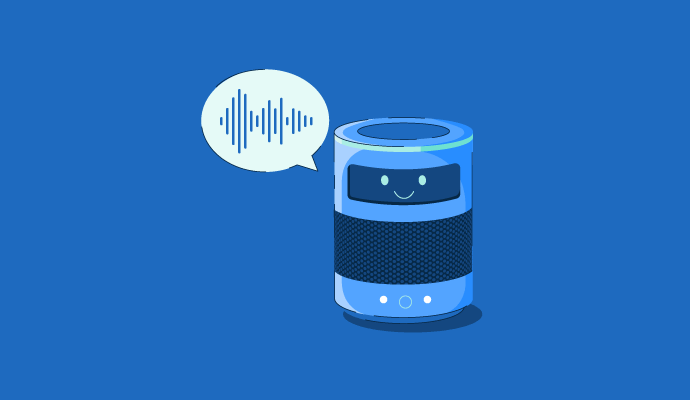
What Is A Voice Assistant? Your Guide to the Talking Tech

What Are Recruitment Chatbots? How to Hire the Smart Way
What Is the Future of Machine Learning? We Asked 5 Experts
5 Methods for Tracking Chatbot Success Rates (+Tool Suggestions)
How Retail Chatbots Impact E-Commerce Customer Service
What Is a Chatbot? How Do Chatbots Work
Chatbots Software Glossary Terms
Chatbots Software Discussions
Curious how other G2 reviewers handle this, since most chatbot vendors optimize for open-ended conversation. A chatbot that makes someone scroll through a conversation for one fact is worse than no chatbot at all.
What are the top-rated chatbots for websites where most visitors want one specific answer quickly, not a back-and-forth chat session.
A few products on G2's chatbots list are built around fast, single-answer resolution rather than extended dialogue:
- Octocom (5.0/5, 15+ reviews): built for e-commerce stores specifically to automate routine support questions, aiming to resolve the common ones without escalating to a longer conversation.
- Ada (4.6/5, 165+ reviews): deployed across 550+ AI agents globally for customer service, with reviewers citing fast, direct resolution on repeat questions.
- Document360 (4.7/5, 495+ reviews): pairs an AI assistant with a structured knowledge base, so answers come from a specific article rather than an open-ended generated reply.
For anyone running one of these: does the specific-answer approach actually reduce support tickets, or just shift where the friction shows up?
Chatbot reviews on G2 for single-answer resolution split by review volume in a way worth noting before picking a favorite. Octocom's perfect rating comes from a review base too small to draw much confidence from yet, while Ada and Document360 have enough volume behind their scores to treat the pattern as more than early enthusiasm. Document360's approach of pairing the assistant with a structured knowledge base is a meaningfully different design than Ada's broader AI-agent deployment, since pulling an answer from one specific article is a more constrained, more predictable behavior than a general AI agent trying to resolve a question its own way.
That distinction probably matters most for the exact failure mode this post is worried about, a chatbot making someone scroll through a conversation for one fact, since a knowledge-base-grounded answer is structurally less likely to wander than an open-ended generated response. Whether specific-answer bots actually reduce tickets or just shift friction elsewhere is a fair question, since a visitor who gets a fast wrong answer might contact support anyway, just angrier and further into their day.
I see a lot of potential in HighLevel, but I’m running into constant glitches and it feels like about half the features have bugs or other issues. Support will open a ticket, but then I don’t hear back, and the software isn’t usable for me right now. If you’ve dealt with similar problems, what helped you reduce failures or get support to actually follow up?
I can understand why it might feel that way at first, especially if you're using a lot of the platform's features simultaneously. My experience has been quite different because we invested time in setting things up properly and following best practices instead of building everything in one go.
A few things that have made HighLevel very stable for us:
- We keep snapshots and test changes first. Before making major workflow or funnel changes, we test them in a duplicate environment. This has prevented most issues from reaching production.
- We avoid unnecessary workflow complexity. Rather than one massive workflow with dozens of branches, we split automations into smaller, modular workflows. They're easier to troubleshoot and perform more consistently.
- We use native features wherever possible. Native integrations tend to be more reliable than chaining together multiple third-party tools unless there's a specific need.
- We stay on top of updates. HighLevel ships new features and fixes very frequently. While that means occasional regressions can happen, it also means bugs are often resolved quickly. Reading release notes and knowing about feature changes has helped us avoid surprises.
- We follow recommended implementation practices. Things like keeping custom values organised, avoiding duplicate triggers, validating calendars and phone settings, and testing before going live have significantly reduced issues.
No SaaS platform is completely bug-free—especially one that evolves as quickly as HighLevel—but in my experience, most of the challenges I've encountered have been configuration-related rather than platform-breaking bugs. Once the account is structured well, it's been reliable enough to support day-to-day CRM, automation, communications, and client management without major disruption.
For me, the flexibility HighLevel offers outweighs the occasional issue, and the pace at which the team releases improvements has been a big positive.
What is SOCi and what does it do?