AI-Generated Results
Finding matches…
HandBrake is a free, open-source video transcoder that enables users to convert multimedia files and unprotected DVD or Blu-ray sources into modern, widely supported formats. Compatible with Windows, macOS, and Linux, HandBrake simplifies the process of making videos playable on various devices, including mobile phones, tablets, TVs, and gaming consoles.
Key Features and Functionality:
- Built-in Device Presets: Offers optimized profiles for various devices, facilitating quick and efficient conversions.
- Supported Input Sources: Processes most common multimedia files and any unprotected DVD or Blu-ray sources.
- Output Formats:
- File Containers: MP4, MKV, and WebM.
- Video Encoders: AV1, H.265, H.264, MPEG-4, MPEG-2, VP8, and VP9.
- Audio Encoders: AAC, HE-AAC, MP3, FLAC, AC3, E-AC3, Opus, and Vorbis.
- Audio Pass-through: Supports AC-3, E-AC3, FLAC, DTS, DTS-HD, TrueHD, AAC, Opus, MP3, and MP2 tracks.
- Additional Features:
- Title, chapter, and range selection.
- Batch scanning and queueing of encodes.
- Chapter markers.
- Subtitle support (VobSub, Closed Captions CEA-608, SSA, SRT).
- Constant quality or average bitrate video encoding.
- Support for variable and constant frame rates.
- Video filters including deinterlacing, decomb, denoise, detelecine, deblock, grayscale, color space adjustments, cropping, and scaling.
- Live static and video preview.
- HDR pass-through.
HandBrake's primary value lies in its ability to convert videos from nearly any format into widely supported codecs, ensuring compatibility across a broad range of devices. By providing a user-friendly interface with powerful features, it addresses the need for efficient, high-quality video conversion without the cost associated with proprietary software.
Not seeing what you're looking for?
Dive deeper into "Input Source Pro" on G2 AI

DVBlast is a lightweight and robust streaming application developed by VideoLAN, designed for streaming digital TV (DVB) channels over a network. It operates by accessing a DVB device, tuning it to the desired frequency, applying PID filters, configuring a Conditional Access Module (CAM), and demultiplexing the transport stream packets to multiple RTP outputs. DVBlast is intended to serve as the core of custom Integrated Receiver Decoders (IRD) or Conditional Access Systems (CAS) on Linux-based PCs equipped with compatible DVB hardware.
Key Features and Functionality:
- Minimal Resource Usage: DVBlast is engineered for environments with limited memory and CPU resources, ensuring efficient performance without unnecessary overhead.
- Broad Input Support: It supports various input methods, including DVB-S, DVB-S2, DVB-C, DVB-T devices, DVB-ASI cards, and UDP/RTP streams carrying transport streams.
- Flexible Output Options: The application can output multiple RTP streams with options for hardware or software PID filtering, PID-based or service-based demultiplexing, and optional descrambling via CAM devices.
- Stability and Reliability: Designed for continuous 24/7 operation, DVBlast emphasizes stability and minimal interference with the original stream source.
- IPv6 Support: It includes support for IPv6 networks, accommodating modern networking requirements.
- Open Source: Released under the GPLv2 license, DVBlast allows for community contributions and customization.
Primary Value and User Solutions:
DVBlast addresses the need for a straightforward, efficient, and reliable tool to stream DVB channels over networks without the complexities of transcoding or remultiplexing. Its focus on stability and minimal resource consumption makes it ideal for setting up custom IRD or CAS solutions, particularly in scenarios requiring continuous, uninterrupted streaming. By supporting a wide range of input methods and offering flexible output configurations, DVBlast provides users with a versatile solution for their digital TV streaming needs.
IBM watsonx Code Assistant for Red Hat Ansible Lightspeed is an AI-powered tool designed to enhance the efficiency and scalability of IT automation by streamlining the Ansible development process. It enables developers to generate Ansible Playbooks using natural language inputs, making automation accessible to users of varying skill levels. By integrating directly into developers' integrated development environments (IDEs, it offers real-time, context-aware content recommendations, thereby accelerating Playbook creation and reducing manual effort. The solution also provides detailed explanations for each task, fostering a deeper understanding of the generated code. With flexible deployment options, including on-premises and as-a-service models, it caters to diverse organizational needs. Additionally, the tool ensures transparency by offering insights into the sources used in training data, including author and license information, promoting trust in AI-generated content.
Key Features and Functionality:
- Natural Language Playbook Generation: Allows users to create Ansible Playbooks by inputting commands in plain English, simplifying the automation process.
- Integrated Development Environment (IDE Integration: Seamlessly integrates with developers' IDEs, providing real-time, context-aware content recommendations.
- Detailed Code Explanations: Offers comprehensive explanations for each generated task, enhancing understanding and confidence in the automation code.
- Customizable Model: Enables organizations to tailor the AI model using existing Ansible Playbook content for more personalized and relevant code suggestions.
- Flexible Deployment Options: Supports both on-premises and as-a-service deployments, accommodating various infrastructure preferences.
- Transparency in Training Data: Provides visibility into the sources used for training data, including author and license details, ensuring trust in the AI-generated content.
Primary Value and Problem Solved:
IBM watsonx Code Assistant for Red Hat Ansible Lightspeed addresses the challenge of efficiently creating and managing Ansible Playbooks, which are essential for IT automation. By enabling natural language inputs and integrating AI-driven recommendations directly into developers' workflows, it significantly reduces the time and effort required for Playbook development. This democratizes automation, allowing developers of all skill levels to participate in and benefit from IT automation initiatives. The tool's transparency features build trust in AI-generated content, while its flexible deployment options ensure it can be tailored to fit various organizational needs. Ultimately, it enhances productivity, scalability, and confidence in automation processes.

Frontline Action System Rever is a digital platform for managing all daily tasks, inputs, and improvements in one place to drive cost-savings with the help of AI. -Drive Quality at the Source -Harness Frontline Improvements -Proactive Preventive Maintenance -Regular 5S Audits & Gemba Walks
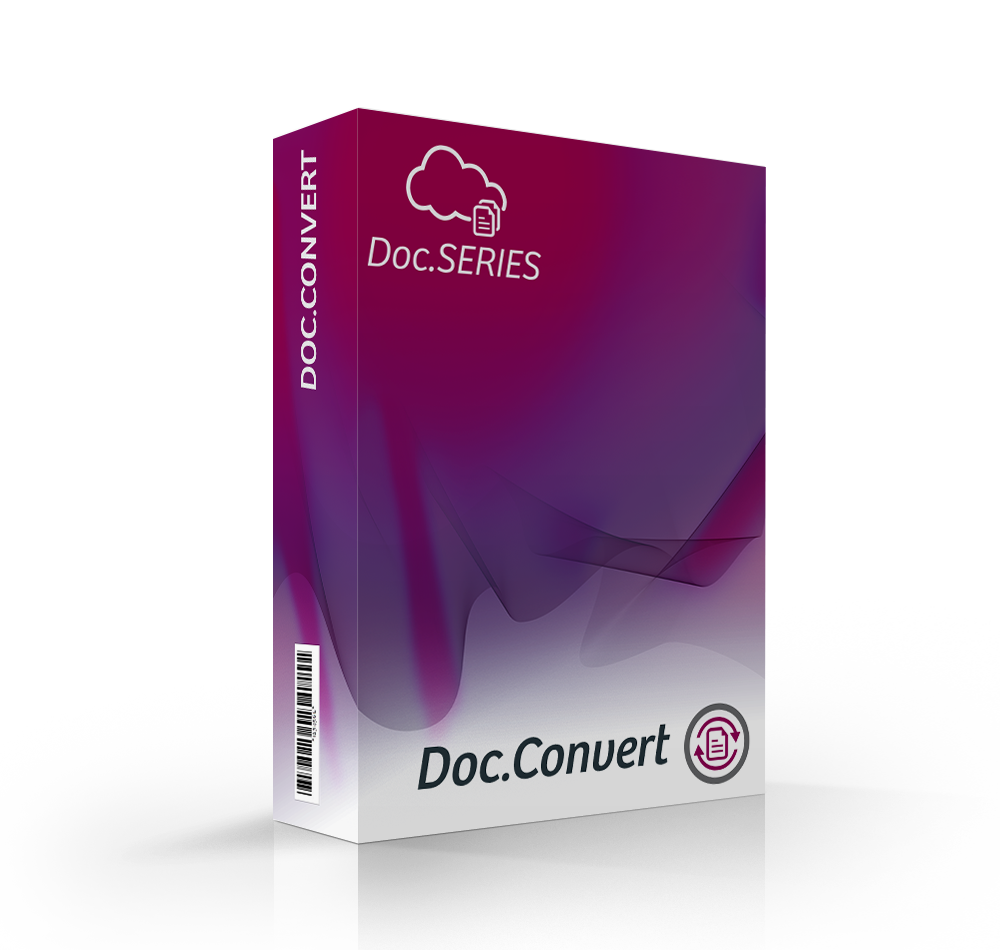
It allows companies to convert the files in the desired format. Authorize mass processing of several hundred documents to several million documents.
Doc.Convert is a powerful tool adapted to the most demanding. The software allows you to plan these transformations of files with multiple input sources (source directories) to multiple output sources (destination directories).
The logistic allows OCR on the files and transform the images into PDF / A fulltext documents.

Rows is an innovative spreadsheet platform that reimagines traditional data management by integrating advanced features such as artificial intelligence, real-time collaboration, and seamless data integrations. Designed for modern teams, Rows enables users to connect to live data sources, automate workflows, and create interactive reports—all within a familiar spreadsheet interface. Its user-friendly design and powerful functionalities make data analysis, visualization, and sharing more efficient and accessible.
Key Features and Functionality:
- AI-Powered Analysis: Leverage built-in AI capabilities to analyze data, generate insights, and perform tasks like summarization, classification, and content generation directly within the spreadsheet.
- Real-Time Collaboration: Collaborate with team members in real-time, allowing multiple users to edit and manage spreadsheets simultaneously, enhancing teamwork and productivity.
- Seamless Integrations: Connect effortlessly with various data sources, including social media platforms, data warehouses, and advertising tools, enabling automatic data import and synchronization without the need for coding.
- Interactive Components: Enhance spreadsheets with interactive elements such as buttons, checkboxes, and input fields, transforming them into dynamic forms and dashboards.
- Advanced Reporting Tools: Create visually appealing charts and reports that can be shared as interactive dashboards or embedded into websites and documents, ensuring data is presented effectively.
Primary Value and User Solutions:
Rows addresses the limitations of traditional spreadsheet applications by offering a comprehensive solution that combines data analysis, automation, and collaboration. By integrating AI and real-time data connections, it eliminates manual data entry and complex coding, streamlining workflows and reducing errors. Teams can efficiently analyze and visualize data, automate repetitive tasks, and share insights through interactive reports, leading to improved decision-making and increased productivity. Whether for marketing analytics, financial reporting, or project management, Rows provides a flexible and powerful platform tailored to the needs of modern businesses.

AI File Pro is a Windows desktop application designed for secure, AI-powered document organization and search. It automates the capture, classification, organization, and storage of documents by analyzing their content and context. The software suggests folder structures and file names based on this deep document analysis. Installs in minutes without IT support. AI File Pro is built for maximum confidentiality with end-to-end encryption (AES-256), a zero-data-retention policy, and alignment with GDPR, HIPAA, and ISO/IEC 27001 standards. It includes components such as an input folder list for monitoring document sources and natural language search capabilities for rapid information retrieval.

Apache Forrest software is a publishing framework designed to transform input from various sources into a unified presentation in one or more output formats.
Doc-O-Matic is a software source code documentation and Help authoring tool. It takes source code and comments, adds conceptual topics and external input and produces documentation from it.

Daton, The Data Replication Superhero,consolidates your enterprise data into a data warehouse and makes you analytics-ready in minutes!Daton gives data analysts and data scientists access to the data they need to build and operationalize machine learning models to solve complex business problems. Using Daton's no-code interface, data scientists can effortlessly setup data pipes to stream data from various applications, databases, and endpoints into the data warehouse and start with the model development faster than ever.
Daton is best for it's features:
1. No Code- Daton is designed for analysts and data engineers to skip tedious data engineering tasks and focus on delivering insights to businesses
2. No Obfuscation- Complete transparency in to the data pipeline gives you visibility into each job and the work that was performed by each replication job
3. No Maintenance- Leave the pipeline maintenance heavy lifting the Daton and relax knowing that your replication jobs are being taken care of
4. No Data Loss- Daton guarantees data consistency. Daton auto-recovers from any errors and notifies you if your input is needed
Unleash Daton in four simple steps
Signup---->Select Data Source ---->Select Data Warehouse ----> Sit back and Relax !!

ChartBlocks was an online platform that enabled users to create, customize, and share a variety of charts and graphs without any coding knowledge. It allowed for seamless data import from spreadsheets, databases, or direct input, facilitating the transformation of raw data into visually appealing and interactive charts. Users could choose from multiple chart types, including bar, line, pie, and scatter plots, and customize them extensively to fit their specific needs. The platform also supported easy embedding of charts into websites and sharing on social media, as well as exporting charts as editable vector graphics for presentations or print materials. Additionally, ChartBlocks offered a developer-friendly API and SDK, enabling integration of data visualizations into various applications.
Key features of ChartBlocks included:
- Seamless Data Import: Users could import data from various sources, such as spreadsheets and databases, or input data directly.
- Extensive Design Options: The platform provided a wide array of customization options, allowing users to tailor charts to their specific requirements.
- Easy Sharing and Exporting: Charts could be embedded into websites, shared on social media, or exported as vector graphics for presentations and print materials.
- Developer-Friendly API and SDK: ChartBlocks offered tools for developers to integrate data visualizations into their applications.
The primary value of ChartBlocks was its ability to simplify the process of data visualization, enabling users to create professional-quality charts without the need for coding or graphic design expertise. This addressed the challenge of effectively presenting complex data, making it accessible and understandable for a wide audience.
Please note that as of November 6, 2025, the ChartBlocks platform has been officially sunset, and access to the platform has ended. Existing charts remain accessible, but it is no longer possible to log in or create new charts.

Amazon Elastic Transcoder is a cloud-based media transcoding service that enables developers and businesses to convert video and audio files into formats optimized for various devices, including smartphones, tablets, and PCs. By leveraging Amazon Web Services (AWS) infrastructure, it simplifies the process of media conversion without the need to manage complex hardware or software.
Key Features and Functionality:
- Transcoding Pipelines: Manage and run multiple transcoding workflows in parallel, allowing for efficient processing of large volumes of media files.
- Transcoding Jobs: Convert a single input file into multiple output formats within a single job, supporting up to 30 different formats per job.
- System and Custom Presets: Utilize predefined presets optimized for various devices, or create custom presets tailored to specific requirements.
- Automatic Video Bitrate Optimization: Adjust the bitrate automatically to optimize the visual quality of transcoded output.
- Thumbnail Generation and Watermarking: Generate thumbnails and overlay images on videos to enhance content presentation and branding.
- Captions Support: Add, remove, or preserve captions during the transcoding process to ensure accessibility.
- Encryption and Protection: Support for encrypted HLS streams and integration with DRM systems like Microsoft PlayReady to secure content.
- Clip Generation and Stitching: Create clips from source media or stitch multiple clips together to produce a single output file.
Primary Value and User Solutions:
Amazon Elastic Transcoder addresses the complexities associated with media file conversion by providing a scalable, cost-effective, and easy-to-use solution. It eliminates the need for managing transcoding software and infrastructure, allowing users to focus on content creation and delivery. The service's integration with other AWS offerings, such as Amazon S3 for storage and Amazon SNS for notifications, streamlines workflows and enhances operational efficiency. By supporting a wide range of input and output formats, along with features like automatic bitrate optimization and preset configurations, it ensures high-quality media playback across diverse devices and platforms.
Please note that AWS has announced the discontinuation of Amazon Elastic Transcoder, effective November 13, 2025. Users are encouraged to migrate to AWS Elemental MediaConvert, which offers a comprehensive suite of advanced transcoding features and on-demand pricing.
The 24metrics AdSecurity and Compliance Platform was developed with input from some of the world's leading affiliate networks, traffic sources, and data providers. Its built-in tracking capabilities allow you to see where your traffic is coming from and how much money you're losing to fraudsters. The platform is designed as a security first platform that scans clicks and conversions for VPNs, Click Flooding, Bots, Cookie Dropping, Fake Signups and more. When it finds them it automatically blocks the Click or stops reporting fraudulent conversions to your partners.
Authkey is a One API Platform for SMS, Voice & E-mail which allows you to verify and keep you connected with your Clients or End Users. It has been developed keeping in mind that in most of the cases like Sending OTPs, Notifications, Order Confirmation, Timely Offers, Newsletter etc. We need to communicate through multiple channels i.e. Voice, SMS or Emails.
So why not perform the task from the same platform built specifically for high volume?
What can you do with Authkey?
Parallel Sending - Send SMS, Voice and Email Simultaneously from the same source for different purposes like SMS & Email for Order Confirmation and Voice for COD Verification.
Custom Fallback - Apply Custom Fallback and be assured not to miss a single msg to be conveyed like OTPs or any other Critical Information to your Users. So that one channel fails, the other channel does the job.
Web hook API - Simple Web hook API Integration to make you aware of what's happening around.
2FA(Two Factor Authentication)- We have also 2FA API for OTP Service etc.
Here, Brief you about the salient features and Usage of Authkey.
You can send SMS, Voice and Email with our Direct APIs and start in a jiffy.
You can create Customized Templates for sending customized messages and taking inputs like Keypress in Voice.
Event-Based Sending to send different messages in SMS, Voice and Email for a particular Event.
You can add Fallback to any of the above mentioned scenarios.
You can use our platform for the scenarios given below:
SMS:
Sending one-time(OTP
Security with Two- factor Authentication(2FA)
Order confirmation
Shipment Tracking
Notification and update
Discount Offers
Google verified SMS
Voice:
Fallback for OTP failure
COD Order verification
Two-way communication with a keypress
Personalized Payment Reminders With TTS
Shipment Tracking
Number Masking for Privacy
Feedback Calls
E-mail:
Account create confirmation
Password Reset
Shipment Notification
Shipment Tracking
Purchase Receipt
E-mail OTP

CryptoTaxCalculator is a comprehensive cryptocurrency tax reporting and portfolio management platform designed to simplify the complexities of crypto taxation. It supports over 3,500 integrations, including exchanges, wallets, DeFi protocols, and NFT platforms, enabling users to import and reconcile their cryptocurrency transactions seamlessly. The platform offers real-time portfolio tracking, automated transaction categorization, and generates IRS-compliant tax reports, ensuring accurate and efficient tax compliance for both individual investors and tax professionals.
Key Features and Functionality:
- Extensive Integration Support: Connects with over 3,500 data sources, encompassing major exchanges, wallets, and blockchains, facilitating comprehensive transaction importing.
- Automated Transaction Categorization: Utilizes smart algorithms to automatically categorize transactions, including complex DeFi and NFT activities, reducing manual input and potential errors.
- Real-Time Portfolio Tracking: Provides users with up-to-date insights into their cryptocurrency holdings, performance metrics, and tax liabilities, all within a unified dashboard.
- IRS-Compliant Tax Reports: Generates detailed tax reports, including forms like 8949 and 1040, compatible with professional tax software such as TurboTax, streamlining the filing process.
- DeFi and NFT Support: Offers specialized support for decentralized finance transactions and non-fungible tokens, tracking activities like staking, yield farming, NFT minting, and trading.
- Tax Optimization Tools: Features proprietary algorithms like Least Tax First Out to optimize tax outcomes, helping users minimize liabilities while ensuring compliance.
Primary Value and User Solutions:
CryptoTaxCalculator addresses the challenges of cryptocurrency tax compliance by automating the aggregation, categorization, and reporting of crypto transactions. It simplifies the tax preparation process, reduces the risk of errors, and saves time for users by providing accurate, real-time insights into their portfolios and tax obligations. By supporting a wide range of integrations and offering specialized features for DeFi and NFT activities, the platform caters to the diverse needs of crypto investors and professionals, ensuring they remain compliant with tax regulations while optimizing their financial outcomes.
CtrlOps is a local-first desktop application for managing Linux servers without DevOps expertise. It brings every server, deployment, and diagnostic tool into one unified dashboard running entirely on the user's machine.
The core feature is an AI Terminal that accepts natural language input. Users describe a server problem or task in plain English and the terminal generates the exact Linux command needed. Before anything executes, CtrlOps displays the command, explains what it will do, and requires explicit approval. The AI also queries live web sources before generating suggestions, ensuring recommendations reflect current documentation and security advisories rather than outdated training data.
Additional capabilities include a multi-server dashboard for managing all connected servers from one screen, one-click deployments from GitHub repositories, a visual file manager for remote file management, real-time monitoring of CPU usage, memory, and disk space, SSH key management with all credentials stored locally, backup status visibility, a scripts library for saving reusable commands, and user access control for managing team permissions.
Everything runs 100% locally. No credentials, SSH keys, or infrastructure details are ever transmitted to external servers. There are no agents to install on remote machines. CtrlOps communicates directly with servers over standard SSH protocol.
Available on Mac, Windows, and Linux. Compatible with any Linux server on AWS, Google Cloud, Azure, DigitalOcean, or any VPS provider. Priced at $7 per month or $70 per year with a 30-day free trial and no credit card required.

Querio 1.0 is an AI-powered business intelligence platform designed to simplify data analysis for users of all technical backgrounds. By enabling natural language queries, it allows users to ask questions in plain English and receive instant, accurate insights without the need for SQL expertise. Querio connects directly to live data sources, ensuring real-time access to up-to-date information, and offers enterprise-grade security with SOC 2 Type II compliance. Its intuitive interface and AI-driven context layer empower teams to make data-driven decisions efficiently, reducing the time and resources traditionally required for data analysis.
Key Features and Functionality:
- Natural Language Querying: Users can input questions in plain English, and Querio translates them into precise SQL queries, delivering immediate answers.
- Real-Time Data Access: Direct integration with data warehouses like BigQuery and Snowflake ensures that users work with the most current data available.
- AI-Driven Context Layer: This feature maintains consistent business logic and governance rules, ensuring accurate and reliable insights.
- Interactive Dashboards: Users can create and customize dashboards to visualize key performance indicators and track metrics over time.
- Enterprise-Grade Security: With SOC 2 Type II compliance, encrypted credentials, and role-based access controls, Querio prioritizes data security and governance.
Primary Value and User Solutions:
Querio 1.0 addresses common challenges in data analysis by democratizing access to data insights. It eliminates the dependency on technical teams for data queries, allowing non-technical users to independently explore and analyze data. This empowerment leads to faster decision-making, as users can obtain answers in seconds rather than waiting days or weeks for reports. By providing a user-friendly interface and real-time data access, Querio enhances operational efficiency, reduces manual workload, and ensures that businesses can respond swiftly to changing market conditions.

Entera is a cloud-based software that automates the input of accounting documents. Combining AI and OCR technologies service can enter documents 10 times faster than human performance.
Key Features:
— Upload documents from different sources: scans, photos, email, PDFs, Xls, doc, and another digital formats
— 98% recognition accuracy
— Recognize up to 100 documents simultaneously
— Integration with QuickBooks, odoo, Tally, Zoho, and other systems
— Store and find your documents in seconds with our digital archive

Hypertune is the most flexible platform for feature flags, A/B testing, analytics and app configuration.
- Static typing and code generation gives you full end-to-end type-safety across all your feature flags and inputs.
- Install 1 TypeScript SDK optimized for all JavaScript environments — browsers, servers, serverless, edge and mobile — with simple integrations for React and Next.js, compatible with Server Components and the App Router.
- Define type-safe, custom inputs like the current User, Organization, etc, and use them in feature flag rules to target exactly the users you want.
- Create variables like user segments that you can reuse across different feature flags, and instantly debug flags for each user.
- Git-style version history, diffs, branching and pull requests let you manage feature flags like you manage your code. Test flag changes in isolated branches and safely approve them with pull requests. Avoid bad changes and see exactly what changed and when.
- A/B tests, percentage-based rollouts, multivariate tests and machine learning loops let you seamlessly rollout, test and optimize new features.
- Log analytics events with type-safe, custom payloads, and build flexible funnels and charts in the dashboard to measure the impact of every feature release.
- Local evaluation with zero network latency lets you safely access flags in any code path without affecting the end user experience.
- Static build-time snapshots of your feature flag logic let you use the SDK in local-only, offline mode and give you safe fallbacks in remote mode.
- Initialize the SDK with only the feature flags you need and partially evaluate flag logic on the edge for performance and security.
Hypertune scales beyond feature flags to powerful app configuration to let you manage:
- Permissions and access controls for features based on billing plan, organization, user, etc
- In-app copy for tooltips, modals, banners, error messages, etc
- Landing page content with embedded A/B tests, machine learning loops and personalization rules
- Allowlists, blocklists, redirect maps, timeouts, limits, magic numbers and more
Across all app configuration use cases, Hypertune lets engineering teams:
- Update their app instantly — without needing a code change, build, deployment, app release or service restart, whether it’s rolling back a feature, changing permissions or tweaking in-app copy
- Decouple dependencies in their organization — so developers can focus on shipping to production and others are safely empowered to make changes themselves without the painful back and forth with engineering
- Optimize their app — via manual tuning, A/B testing, machine learning loops and personalization rules
- Reduce complexity — by extracting all configuration logic, e.g. user-specific code, out of different codebases and into a single source of truth
- Increase flexibility — by building one app that can be configured in many different ways without extra engineering

Highlighter is an advanced Enterprise Perception System that seamlessly integrates human expertise with artificial intelligence to analyze and interpret complex data. Designed for operational efficiency, it enables organizations to capture, process, and assess diverse data types—including images, videos, and text—in real-time, transforming raw information into actionable insights.
Key Features and Functionality:
- Unified Data Management: Consolidates various data sources into a single platform, allowing for comprehensive analysis and streamlined workflows.
- Customizable Assessments: Enables users to design and configure learning tasks for both humans and AI agents, facilitating tailored evaluations without the need for coding.
- Real-Time Collaboration: Supports simultaneous input from multiple users and AI agents, enhancing teamwork and knowledge sharing across the enterprise.
- Scalable Cloud Architecture: Offers flexible deployment options, including on-premises, cloud, and hybrid models, ensuring compatibility with existing systems and scalability to meet organizational needs.
- Enhanced Security Measures: Employs robust security protocols, including ISO/IEC 27001 certification, to protect sensitive information and maintain system integrity.
Primary Value and Problem Solved:
Highlighter addresses the challenge of managing and interpreting vast amounts of perception data within enterprises. By unifying human and AI capabilities, it reduces manual processing times by up to 95%, accelerates AI model training by up to 93%, and decreases data collection needs by up to 40%. This leads to faster, data-driven decision-making, optimized resource management, and significant cost savings, ultimately enhancing operational performance and reducing downtime.