AI-Generated Results
Finding matches…
Sheet-Chat, powered by Sally Suite, is an AI-driven productivity platform designed to serve as a copilot across various office applications, including Microsoft Office, Google Workspace, and WPS Office. It seamlessly integrates with tools like Excel, Google Sheets, Docs, Slides, Word, and Outlook, enabling users to generate functions, perform data analysis, create visualizations, compose content, and manage emails through intuitive AI prompts and automation.
Key Features and Functionality:
- AI-Powered Assistance: Leverages advanced language models such as GPT-4 and Claude to provide intelligent support across multiple applications.
- Comprehensive Integration: Compatible with Microsoft Office (Word, Excel, PowerPoint, Outlook), Google Workspace (Docs, Sheets, Slides), and WPS Office, ensuring a unified experience across platforms.
- Customizable AI Models: Offers flexibility to integrate user-preferred large language models (LLMs) like GPT-4, Claude, or DeepSeek by adding an API key for private use.
- Advanced Analytics: Incorporates Python and Jupyter Engine support for sophisticated data analysis and visualization tasks.
- Browser-Wide Access: Provides a Chrome extension and browser-based plugin for seamless AI assistance during web-based tasks.
Primary Value and User Solutions:
Sheet-Chat streamlines office workflows by consolidating multiple tools into a single, integrated AI solution. It enhances productivity by automating routine tasks, facilitating complex data analyses, and assisting in content creation, thereby reducing the time and effort required for manual processes. The platform's flexibility in supporting various AI models and its compatibility with multiple office suites make it a versatile tool for professionals seeking to optimize their work efficiency.
Not seeing what you're looking for?
Dive deeper into "Power Tools for Sheets" on G2 AI
sheets.works helps businesses transform messy spreadsheets into powerful systems. We build dashboards, CRMs, and automated workflows directly inside Google Sheets, allowing teams to run operations without adopting new software or managing multiple tools.
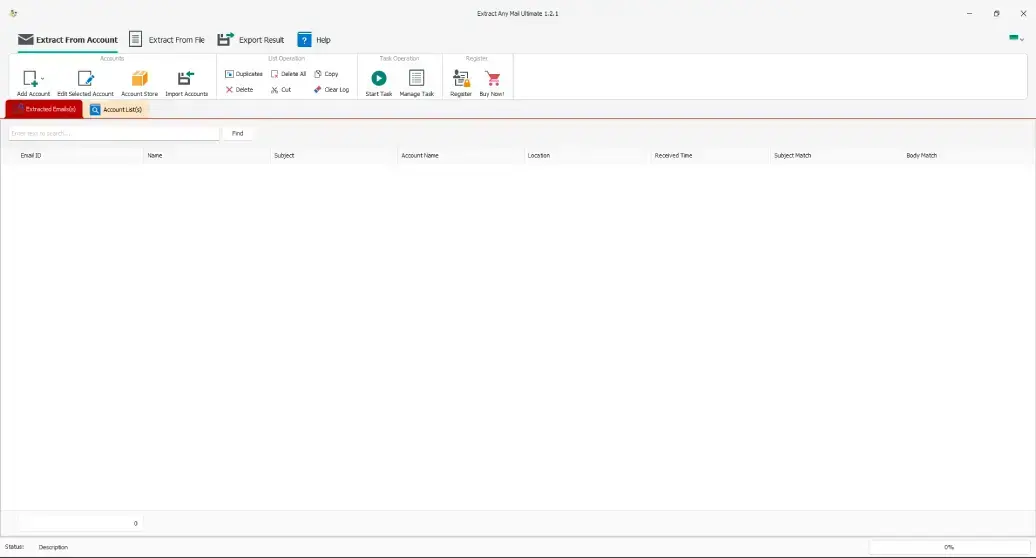
Extract Any Mail Ultimate
Extract Any Mail Ultimate is a powerful and efficient email extraction tool designed for businesses and professionals who need to gather email addresses quickly and accurately. Whether you're generating leads, conducting market research, or managing customer outreach, our software helps you extract email addresses from websites, local files, and mailboxes with ease.
Key Features:
✅ Fast & Accurate Email Extraction – Extract emails from websites, local files, and email clients with precision.
✅ Supports Multiple Sources – Retrieve email addresses from text files, PDFs, Excel sheets, and online sources.
✅ Advanced Filtering & Deduplication – Remove duplicates and extract only valid, high-quality email addresses.
✅ User-Friendly Interface – No technical expertise is required; simply input your source and let the software do the work.
✅ GDPR & Compliance-Friendly – Built-in tools to help maintain ethical data collection practices.
Who Is It For?
🔹 Marketers & Sales Teams – Generate high-quality leads in minutes.
🔹 Recruiters – Extract potential candidate emails effortlessly.
🔹 Researchers – Gather contact details from various sources.
Why Choose Extract Any Mail Ultimate?
With a reputation for speed, accuracy, and reliability, Extract Any Mail Ultimate is the go-to solution for professionals who need a robust email extraction tool. Save time, increase efficiency, and boost your outreach with our powerful software.
👉 Get started today! Visit our website

NoteForms is a dynamic form builder designed to seamlessly integrate with Notion, enabling users to create and manage forms directly within their Notion databases. This integration ensures that all form submissions are automatically stored in the corresponding Notion tables, streamlining data collection and organization without the need for coding or complex automation tools.
Key Features and Functionality:
- Custom Domains: Personalize your forms with your own branding, custom URLs, and emails from your domain.
- Submission Limits: Set restrictions on submissions based on date, count, or custom conditions.
- Custom Code: Enhance form functionality with custom JavaScript and CSS.
- Embed Anywhere: Integrate forms seamlessly into any app, website, or display them as pop-ups.
- Signatures: Include signature fields for formal acknowledgments.
- Media Integration: Add images and videos to enrich your forms.
- Advanced Notifications: Receive form submission alerts via email, Slack, Discord, and Telegram.
- Conditional Logic: Implement dynamic form behaviors based on user inputs.
- Integrations: Connect with tools like Zapier, Google Sheets, and webhooks for enhanced workflow automation.
- Security Features: Utilize password protection, CAPTCHA, and Notion workspace protection to secure your forms.
Primary Value and User Solutions:
NoteForms addresses the challenge of efficient data collection and management within Notion by providing a user-friendly platform to create and embed forms directly linked to Notion databases. This integration eliminates the need for external form builders and complex automation setups, offering a streamlined solution for Notion users. By centralizing form creation and data storage within Notion, NoteForms enhances productivity, reduces administrative overhead, and ensures data consistency across platforms.
Whether you're a Notion power user, a SaaS startup, or an educator, NoteForms simplifies the process of collecting and managing data, allowing you to focus on what matters most—your work.

Typefully is a comprehensive content creation and scheduling platform designed to enhance your presence on social media platforms like X (formerly Twitter), LinkedIn, Bluesky, and Threads. Trusted by over 220,000 creators and companies, Typefully offers a suite of tools to streamline your content strategy and boost audience engagement.
Key Features and Functionality:
- AI-Powered Content Enhancement: Leverage Typefully AI, powered by GPT-4o, to rewrite and improve your content, ensuring clarity and impact.
- Cross-Platform Scheduling: Effortlessly schedule and publish posts across multiple platforms, including X and LinkedIn, from a single interface.
- Realistic Previews: Utilize the Realistic Preview feature to see how your posts will appear on different platforms, ensuring optimal presentation.
- Team Collaboration: Enhance teamwork with features like draft locking and improved collaboration tools, preventing editing conflicts and facilitating seamless content creation.
- Automated Direct Messaging: Engage your audience by setting up Auto-DM campaigns that send direct messages to users who interact with your posts.
- Integration with Zapier: Automate workflows by connecting Typefully with thousands of apps via Zapier, enabling actions like creating drafts from Google Sheets or sending notifications to Slack.
- LinkedIn PDF Carousels: Create and schedule LinkedIn PDF carousels directly within Typefully, transforming presentations or guides into engaging, swipe-friendly formats.
Primary Value and User Solutions:
Typefully addresses the challenges of maintaining a consistent and engaging social media presence by providing a centralized platform for content creation, scheduling, and analysis. Its AI-driven tools assist in crafting compelling posts, while cross-platform capabilities ensure efficient management of multiple accounts. The platform's collaboration features support team-based content strategies, and automation integrations streamline workflows, saving time and enhancing productivity. By offering these comprehensive solutions, Typefully empowers creators and businesses to grow their audience and achieve their social media goals effectively.

Running a small business is hard enough without your accounting software making it harder.
Accoru is modern, cloud-based accounting software built specifically for small business owners, freelancers, consultants, and growing teams who need powerful financial tools — without the complexity, the steep learning curve, or the enterprise price tag.
From invoicing and expense tracking to tax-ready reports and bank reconciliation, Accoru gives you everything you need to manage your business finances in one clean, easy-to-use platform. No accounting degree required. No IT team needed. Most users are fully set up in under 15 minutes.
Send professional invoices in under 60 seconds — with your logo, your branding, and automatic payment reminders that chase overdue clients so you don't have to. Accept payments instantly via Stripe or PayPal with one-click payment links embedded directly in every invoice.
Track every business expense automatically. Connect your bank account, categorize transactions, capture receipts from your phone, and arrive at tax season with everything already sorted — not scrambling through a year's worth of receipts the night before.
Reconcile your accounts without a bookkeeper. Accoru automatically matches your bank transactions to your records, flags discrepancies, and keeps your books clean and accurate in real time.
Generate tax-ready financial reports — Profit & Loss statements, balance sheets, cash flow reports, and sales tax summaries — in one click, any time of year. Share directly with your accountant or export to PDF and CSV.
Work with clients anywhere in the world with support for 150+ currencies and live exchange rates. Your home currency reporting always stays clean, no matter where your revenue comes from.
Honest, Transparent Pricing
Accoru is available at two simple price points — no tiers, no feature paywalls, no per-user fees, no hidden charges.
Monthly: $13/month — full access, cancel anytime
Annual: $10.40/month — billed $124.80/year, save 20% ($31.20)
Every plan includes every feature. There are no upgrades required to unlock core functionality.
Accoru does not offer a free trial. Instead, every subscription is backed by a 14-Day Money-Back Guarantee. Sign up, use the full product, and if Accoru is not the right fit for your business within 14 days, contact the team for a complete refund — no questions asked.
Accoru is trusted by freelancers, independent consultants, retail shop owners, e-commerce sellers, creative agencies, and service businesses across 30+ countries. It is the go-to accounting solution for business owners who want clarity over complexity and results over features they will never use.
Why Teams Switch to Accoru
Most Accoru customers come from QuickBooks, FreshBooks, Wave, or Xero. The most common reasons for switching: simpler interface, lower price, no per-user fees, and the confidence of a money-back guarantee that free trials don't provide.

Limebox Corporation specializes in developing custom NetSuite Power Tools and integrations designed to enhance operational efficiency for businesses utilizing the NetSuite platform. Their suite of solutions seamlessly integrates with NetSuite, providing tailored functionalities that address specific business needs and streamline processes.
Key Features and Functionality:
- ShipStation for NetSuite: Enables comprehensive order fulfillment processing by integrating ShipStation with NetSuite, eliminating the need for additional warehouse licensing fees.
- PayPal Payments for NetSuite: Facilitates instant online credit card payments directly from Sales Orders and Invoices within NetSuite, enhancing the payment process.
- SuiteSheets.io Google Sheets for NetSuite: Allows real-time data import and export between Google Sheets and NetSuite, enabling efficient data management and updates.
- Cash Tolerance Management: Automates the write-off process for transactions in NetSuite, significantly reducing the time required to close financial books each month.
Primary Value and Solutions Provided:
Limebox Corporation's custom NetSuite tools and integrations are designed to optimize business processes by automating routine tasks, improving data accuracy, and enhancing overall system efficiency. By offering solutions like seamless shipping integrations, streamlined payment processing, and efficient data management, Limebox empowers businesses to focus on growth and strategic initiatives, reducing manual workload and operational complexities.

Dooster is helping Freelancers, Entrepreneurs,Small & Medium Sized Businesses, Multi National Companies,Start ups,Project Managers & Senior Level Executives since last 7 years by Skyrocketing their Business Productivity, Saved their Time, Money & Efforts.
Start managing all your TASKS and PROJECTS Collaboration today with our easy to use online organizing Tool Dooster. Simplify your life & make yourself better organized & less stressful.
1.IMPROVE your effectiveness,Sky rocket your business productivity, making you more money for less effort
2.MAKE your business run better, giving you more time off for the important things in life
3.HELP you see exactly who your best performers are and help you allocated workloads more effectively among your team
4.SAVE you from being overwhelmed by all the tasks, appointments and emails while keeping important stuff like contacts and files always close to hand.
5.REDUCE your need for all those time keeping instruments like calendars, paper time sheets.
No set up fees, No expensive technical support / maintenance costs, No software to
install & No hardware to buy to use our tool.
For using Our tool customers just need simple email address.
Get going in minutes. Minimal staff training – 10 minutes at most.
Fully Customizable. Use your own logo and colors. Plus embed in your website. Impress clients.
Set priorities, dates, reminders .Assign to your Team instantly.Automated reminders / reduce chasing
Awesome filtering capacities that help you identify tasks that are overdue, as well as those coming up in the next week; as well as tasks organized by importance, urgency or an assigned team member.
Your work is kept, totally secure, in the cloud. Access it on any device, from anywhere.
The handy File Library which keeps track of all files associated with a project, even files stored externally on Google Drive.
Our tool has powerful permissions / access levels for various people depending on the project. These determine how much of a project a user can see / edit /create the tasks. This differentiates between other tools.

Enki is the most effective and efficient way to onboard a whole team to its productivity and tool stack.
Examples of tools Enki can up-skill a large number of employees in effectively include Excel, Google Sheets, PowerBI, Tableau, Looker and SQL.
Enki provides a full-stack training solution which includes customized content, 1:1 coaching, cohort operations work, customized projects, outcome-driven analytics and usage-based pricing.

SINFIN supports brands and retailers in their e-commerce issues.
We provide retailers and brands with a next-generation, composable, “all-in-one”, SaaS Product Data Platform, enabling them to manage the entire lifecycle of product data.
Featuring powerful PIM, DAM and Hub/OMS, end-to-end automation of the product sheets creation and publication process, and an intuitive, user-friendly UX, SINFIN empowers brands and retailers to accelerate time-to-market and to deliver an optimal, consistent omnichannel product experience.
With SINFIN:
- You centralize all product data, medias, and stock and order information within the same platform,
- You optimize and standardize your product sheets,
- You publish complete and up-to-date product sheets in one click only, across all your channels,
- And you supervise your omnichannel strategy.
SINFIN is connected to e-commerce sites, marketplaces, social networks and all internal tools.
Brands in all industries, such as Balibaris, Champagne-Devaux, Frankische, Lacoste, Le Coq Sportif, Leclerc, LEGO, Ubisoft, ... use SINFIN to sell faster, better, and everywhere.

PTCAD 2025 is a comprehensive and cost-effective CAD solution designed to meet the diverse needs of design professionals. Offering full compatibility with the industry-standard DWG file format, PTCAD ensures seamless collaboration and interoperability with other CAD software. Its user-friendly interface and familiar command structure allow users to transition smoothly without a steep learning curve. With a range of editions tailored to specific requirements, PTCAD provides a powerful platform for creating precise and detailed 2D and 3D designs.
Key Features and Functionality:
- Full DWG and DXF Compatibility: Ensures seamless collaboration and interoperability with other CAD software.
- Comprehensive 2D and 3D Design Tools: Offers a wide array of drafting tools for creating accurate and detailed designs.
- AutoLISP Support: Allows for automation and streamlining of workflows, enhancing productivity.
- Network Licensing: Enables multiple users to access the software simultaneously, reducing licensing costs for organizations.
- Familiar Interface and Commands: Facilitates an easy transition for users familiar with other CAD software, minimizing the learning curve.
- Advanced Automation Tools (Plus Edition: Includes features like Auto Dimension, Auto Wall, and Sheet Metal tools to simplify complex tasks.
Primary Value and User Solutions:
PTCAD 2025 addresses the need for an affordable yet powerful CAD solution without compromising on features or performance. By offering full compatibility with DWG files and a familiar user interface, it ensures a smooth transition for users switching from other CAD platforms. The inclusion of AutoLISP support and advanced automation tools in the Plus Edition enhances productivity by automating repetitive tasks. Network licensing options provide cost-effective solutions for organizations, allowing multiple users to collaborate efficiently. Overall, PTCAD 2025 empowers design professionals to create precise and detailed designs while optimizing both time and resources.

Smart Spreadsheets is a comprehensive suite of over 15 AI-powered tools designed to automate and enhance various business processes directly within Google Sheets. By integrating advanced functionalities such as content generation, web scraping, SEO optimization, and e-commerce management, Smart Spreadsheets empowers users to streamline workflows, reduce reliance on expensive SaaS subscriptions, and maintain full control over their data and operations.
Key Features and Functionality:
- AI-Powered Content Generation: Create high-quality articles, product descriptions, and social media posts using advanced AI models.
- Web Scraping and Data Extraction: Efficiently extract and analyze data from websites, search engine results pages (SERPs), and YouTube for comprehensive research and monitoring.
- SEO Tools Suite: Utilize tools for keyword clustering, rank tracking, and URL indexing to enhance search engine optimization strategies.
- E-commerce Management: Manage Shopify and WooCommerce stores directly from Google Sheets, including bulk product updates and inventory management.
- Email Marketing Automation: Send personalized mass emails with advanced templating features, streamlining communication efforts.
- No-Code Website Building: Build fully functional WordPress websites without coding, automating tasks like site configuration, theme installation, and content publishing.
Primary Value and User Solutions:
Smart Spreadsheets addresses the challenges of manual, time-consuming tasks and the high costs associated with multiple SaaS subscriptions. By offering a unified platform within Google Sheets, it enables users to:
- Automate Repetitive Tasks: Significantly reduce the time spent on manual processes, allowing focus on strategic initiatives.
- Cost Efficiency: Eliminate the need for multiple expensive software subscriptions by consolidating essential tools into one suite.
- Data Control and Security: Maintain complete ownership and control over business tools and workflows within the secure environment of Google Sheets.
- Scalability: Easily scale operations with powerful automation features, accommodating business growth without additional overhead.
By integrating these capabilities, Smart Spreadsheets empowers businesses, marketers, and freelancers to work smarter, scale faster, and achieve greater efficiency in their daily operations.

AlphaSheet is a no-code platform designed to enhance team productivity by enabling direct interaction with live data in spreadsheets. With AlphaSheet, you can automate spreadsheet workflows, generate pivots, charts, and SQL queries, and leverage AI tools like GPT to simplify complex data tasks—without the need for advanced technical skills. Effortlessly sync data from sources like Salesforce, HubSpot, Snowflake, Google Analytics, Shopify, Airtable, Stripe, QuickBooks, and many others directly into your spreadsheets.
Real-time data integration transforms spreadsheets into dynamic, flexible reporting tools, enabling business teams to create up-to-date, accurate analyses with ease. AlphaSheet's seamless Slack integration and powerful business rule engine ensure that your team stays informed and aligned, automating notifications and keeping everyone up to date with the latest insights.

Say Goodbye to Manual Exports with BOLDSuite Analytics - Real-Time Insights and Data Visualizations For Your Business
We understand the frustration that comes with importing CSV files into NetSuite. It's more than just an inconvenience; it represents a significant drain on your resources and time. Many businesses grapple with the complexities of managing multiple datasheets and the isolation of data silos, which makes the accurate collection, analysis, and visualization of data a daunting task. BOLDSuite Analytics is the solution to all these problems. The NetSuite Power BI connectors offer streamlined data integration, presenting an easy-to-use yet robust solution tailored for managing extensive, dispersed datasets effortlessly, without the need for deep technical knowledge.
Direct Data Connector: This connector directly funnels NetSuite data into Power BI, offering a seamless integration. It requires no middleware or ETL process, the native capabilities of the connector do that for you, and the data structure is already configured.
No middleware or ETL process required, the native capabilities of the connector do that for you.
No more manual data mapping, the data structure is already configured.
Data Connector with Data Warehouse: For clients who prefer or require the use of a data warehouse for advanced data processing and analytics, this option integrates NetSuite with Power BI through a data warehousing layer, accommodating more complex data handling and storage needs.
Dashboards that tell everything you need to know
Our robust NetSuite Power BI connector helps C-levels understand data in a simple dashboard. No more chasing files, no more switching Excel sheets. Its interactive, Power BI-driven visuals offer a centralized view with additional insights that help make sense of your NetSuite data. Benefits include:
Gain near real-time insights across your business with multiple out-of-the-box reports.
Confidently make data-driven decisions, thanks to intuitive dashboards designed for users at all levels.
Simplify even the most complex datasets with our robust data-handling capabilities.
Benefit from a user-friendly integration process with out-of-the-box features at no additional cost.
Key Features
REST-based NetSuite connection.
Token-based authentication.
Efficient data pulling from Workbook Analytics.
Proficient handling of large datasets.
Built-in dashboards tailored for common business use cases.
Fully equipped for self-service BI, allowing for custom reports and visualizations.
With BOLDSuite Analytics, sharing data with external organizations doesn't require an additional NetSuite license. The solution offers incremental refresh for timely data synchronization and includes a built-in Snapshot capability, allowing for the capture of the business's current state without the need for extra tools. Additionally, it doesn't require SuiteAnalytics Connect for integration or functionality.
We have developed multiple out-of-the-box reports to cater to the needs of all our clients across industries:
The Budget vs. Actuals Report
The Order Summary Report
The Sales Commission Report
The Project Management Report
Prerequisites
An active NetSuite account.
An active Azure VM account (for data warehouse-based connector).
Power BI Gateway (for native Power BI Connector)
Support and Pricing
Comprehensive support channels and training resources.
Regular updates for performance optimization.
No cost for NetSuite customers; detailed licensing terms are available.
Supported Editions
NetSuite ERP and CRM: Fully compatible with NetSuite ERP and CRM.

CollecOnline is a digital solution for artwork and collection management. Our inventory software is tailored for collectors and allows for easy digitization and organization of any kind of collectibles (collections of artworks, coins, minerals, fossils...).
Inventory, catalogs, confidentiality control (public or private), Excel sheets export, purchase information management, online storage... CollecOnline is an all-in-one solution for your collections.
Available on phones, tablets and computers, CollecOnline allows you to manage your collections in the same place rather than juggling between Excel files, softwares and notebooks.
**The solution**
It is a tough task to organize objects and keep all the information classified. CollecOnline unifies all the features needed by collectors within a single easy-to-use software which allows:
- Inventory: Photographs, description, purchase information, certificates
- Confidentiality: Online gallery or private management, set the visibility
- Classification: Complete tree structure for each collection type
- Network: Manage your network, share your news and findings
- Security: Digital safebox and traceability (blockchain)
- Tools: PDF catalogs, Excel exports, account book...
- Communication: Blog, private messaging
Everything is now easily accessible, everywhere, at any time! No more Excel files, invoices, certificates of authenticity, collectibles scattered between safes and trays…
**Your collections always on hand**
CollecOnline helps you classify your collection using a powerful category system and a tree structure designed by experts and specialists for each thematic.
Listed objects and collections are easily accessible through our mobile inventory app: CollecOnline is available on your phone, tablet or on your computer. This cross platform functionality allows your collection to always be on hand, when travelling, at an auction sale or simply at home.
If you still prefer using paper, you have the possibility to print catalogs of your objects and you can enjoy sharing them with other collectors or art lovers.
**Protect your valuables**
Easily manage the confidentiality of your objects: your collections can be public, private or visible only to your network of friends.
Digitizing your collections on CollecOnline and storing important information of your collectibles is extremely useful in case of unfortunate events. If per mishap you go through a fire, burglary, inheritance, divorce, tax declaration, forgery... In these complex situations, you will need to provide the most precise information about your goods to the authorities, insurance company, lawyer...
**The CollecOnline Community**
Follow the latest news of other collectors or artists on CollecOnline. You can help or ask for help from our community to identify an item, propose objects for exchange or indicate that you are looking for a particular artefact to complete your series.
Our collection management app allows you to build your own group or to gather a group of collectors around a collaborative project (museum, database, association...).
On CollecOnline’s blog, you can read the latest articles about your passion and/or write and publish your own articles on your personal blog.
**Join CollecOnline**
More than 6,500 collectors already trust us. Visit more than 8,000 varied collections on our platform and browse more than 160,000 unique objects! More than a management solution, CollecOnline is a real knowledge base animated by an active community sharing new objects every day. Join us to create the largest virtual museum in the world!

Sheetcast.com is a no-code platform that transforms Excel spreadsheets into powerful, interactive web applications—without requiring any coding skills. It enables businesses to build custom tools, automate workflows, and share data securely using the familiar Excel interface.

Neztio is a childcare management platform for daycare centers, preschools, and early childhood programs. It replaces paper sign-in sheets, spreadsheets, and disconnected billing tools with one integrated system. Features include real-time attendance tracking with QR code check-in, automated billing and invoicing powered by Stripe, parent messaging and announcements, staff scheduling with role-based access, enrollment and waitlist management, and classroom dashboards with daily activity logging. Parents get a dedicated mobile app (iOS and Android) for check-in, daily reports, messaging, and online tuition payments. Pricing is flat per-center with no per-child fees. Free 30-day trial included.

Professor Excel Tools is a lightweight Excel Add-In with more than 125 features. All functions are located on a new ribbon in Excel.
- Get a whole new ribbon in Excel: Extend Excel with more than 125 very useful features.
- Start right away: Professor Excel Tools are easy to use but still very powerful.
- No crammed computer, no spam. Our add-in doesn’t use any background resources and doesn’t slow down your computer.
The features include:
- Amazing copy & paste functions solving all the shortcomings of the built-in paste options.
- Real time-savers: Unique Excel functions or bulk-edit existing formulas and functions.
- Need special elements in Excel? Bulk insert text, special symbols or flags with just a mouse click.
- Editing cells the smart way: Instead of spending a lot of time on searching through Excel features, just apply often used functions with a click. And not only to one cell, but to all selected cells at the same time.
- Powerful Workbook Tools: Break all links in Excel, create a table of contents, merge Excel files and Excel sheets, edit (hidden) named ranges and much, much more…
- Formatting made easy: Use the Layout tools to apply professional formatting. Not only to the current worksheet, but also to the whole workbook!
- Finished working on your contents? Share it with others with just a click. Or reduce the file size for large Excel files.

Mage is an AI-powered add-on for Google Sheets designed to automate and enhance various spreadsheet tasks, enabling users to save significant time on repetitive activities. By integrating advanced AI capabilities directly into Google Sheets, Mage allows users to perform tasks such as data extraction, categorization, text generation, and data cleaning with ease.
Key Features and Functionality:
- Digital Marketing Support: Mage assists in generating AdWords keywords, ad copy, Facebook campaign structures, ad titles, and SEO content, streamlining the creation and organization of digital marketing campaigns.
- Text Processing: The add-on excels at summarizing, rewriting, and extracting content from large bodies of text, such as articles, user surveys, or social media content. It can also classify content into categories and clean messy user input, ensuring data consistency and accuracy.
- AI Prototyping and Collaboration: Mage provides a structured environment within spreadsheets to test and collaborate on AI prototypes, combining the power of AI with the familiarity of Google Sheets for effective teamwork.
- Content Ideation and Creation: Users can generate topic ideas and create content based on those topics directly within Google Sheets, facilitating efficient content development processes.
Primary Value and User Solutions:
Mage addresses the challenge of time-consuming and repetitive spreadsheet tasks by automating processes through AI integration. This automation reduces manual effort, minimizes errors, and enhances productivity, allowing users to focus on more strategic activities. By embedding AI capabilities into Google Sheets, Mage empowers users to leverage advanced data processing and content generation tools without leaving their familiar spreadsheet environment.

GenFuse AI is a no-code platform that empowers users to create and deploy AI-powered workflows using natural language prompts. Designed for individuals without technical expertise, it enables the automation of complex, multi-step tasks across various business operations, including sales, marketing, research, and operations. By simply describing the desired outcome, users can build sophisticated AI automations that integrate seamlessly with popular applications like Gmail, Slack, Notion, and Google Sheets. This approach eliminates the need for traditional drag-and-drop interfaces or coding, making automation accessible and efficient.
Key Features and Functionality:
- Natural Language Workflow Creation: Users can describe their goals in plain English, and GenFuse AI translates these descriptions into automated workflows on a visual canvas.
- AI Agents: The platform utilizes intelligent AI agents capable of reasoning, using tools, and self-correcting, similar to human employees.
- Agent Workflows: Users can connect multiple AI agents and tools to create powerful automations, enabling the automation of complex multi-step tasks.
- App Integrations: GenFuse AI integrates with various third-party services, including Google Search, Sheets, Email, LinkedIn, and web scrapers, allowing seamless automation across platforms.
- Pre-Built Templates: The platform offers ready-to-use templates for automating tasks in sales, marketing, document processing, research, customer support, and more.
Primary Value and User Solutions:
GenFuse AI addresses the challenge of automating complex workflows without requiring technical skills. By enabling users to build AI-powered automations through natural language prompts, it significantly reduces the time and effort involved in manual data entry and repetitive tasks. This leads to increased operational efficiency, allowing teams to focus on higher-value activities. The platform's adaptability and scalability ensure that businesses can evolve their automation strategies as needed, making it a valuable tool for enhancing productivity and streamlining operations.