AI-Generated Results
Finding matches…
EML to PDF Converter Software turns saved .eml messages into PDF, HTML or plain text files on a Windows PC. Add a folder of exported mail, pick the format and get one document per email or a single merged file for the whole queue. EML to PDF conversion runs locally, so the mail never leaves the computer.
🔰 How to use the converter
1. Click Add files or Add folder, or drag .eml files into the window.
2. Click a message in the list to read it in the built-in preview before converting.
3. Choose the output: PDF for print and archive, HTML for a browser, TXT for text only.
4. Pick one file per message, or combine the queue into one PDF in list order.
5. Switch Include images on to keep inline pictures, or off for lighter printouts.
6. Set the destination folder and start. Messages are processed one after another.
👍 Why IT and office teams pick this EML to PDF tool
- Mail stays on the workstation. There is no upload step and no account to create.
- Neither Outlook nor Thunderbird has to be installed, because the program reads the saved files directly.
- An export of hundreds or thousands of messages goes through in one run, with no cap on the number of files in the licensed version.
- HTML layout, fonts, colors and tables survive, and links stay clickable in the PDF.
- Each document starts with From, Date, To and Subject. The date is printed as the sender wrote it, time offset included.
- Messages in KOI8-R, Windows-1251 and Unicode come out readable.
- It doubles as a simple EML viewer when someone only needs to read a message.
✅ Who uses it
- Legal and HR staff who file correspondence as PDF and share it with people who have no mail client.
- IT admins who inherited folders of exports from Thunderbird or Outlook "Save as" and must make them readable.
- Accountants and office managers keeping receipts and supplier mail as documents.
- Tenants and freelancers who store agreements made by email next to their contracts.
- Anyone building an offline backup of important threads in one merged file.
❓ FAQ
How can I open an EML file without a mail client? Add it to the list and click it. The preview shows the headers and the formatted body, and a PDF copy is one click away.
Can I combine many emails into one PDF? Yes. Choose the combine option and the messages are written to a single document in the order of the list, with a separator between them.
Is my mail sent to a server during conversion? No. Parsing and rendering happen on the PC and the program works offline.
Does it convert MSG, MBOX or PST files? No. This EML to PDF converter handles .eml only, and file attachments are not embedded in the PDF.
ℹ️ Free trial: three emails per day can be converted, enough to check how your own messages look. Lifetime, business, one-year and monthly licenses are available. EML to PDF Converter Software runs on Windows 10 and 11.
Not seeing what you're looking for?
Dive deeper into "IXL" on G2 AI

Oxidize is a zero trust security platform for company-issued employee devices, from Oxidize Labs Inc. at oxd.sh. 39 security modules run from one endpoint agent and one console, and enforcement is agentic: every control starts in observe mode, learns a baseline from your own traffic, promotes itself to enforcement once validated, and stands itself back down when live false positives rise. Administrators pin or override any control, and every action is policy-scoped, reversible, and audited.
That enforcement covers AI agents, not just people. Oxidize discovers shadow MCP servers, controls what coding agents and AI tools send outbound through an authenticated egress path, governs the non-human identities they run as, and detects prompt injection in inspected traffic.
Capabilities:
- Zero trust access: per-application, evaluated against identity, device posture, and network conditions, with a kill switch that fails closed when the tunnel drops.
- Secure web gateway and CASB, DNS filtering including DoH and DoT, and network-path DLP with OCR, exact data matching, and fingerprinting.
- TLS inspection, applied only to destinations matching your policy and only on devices that trust your organization CA.
- Email security: business email compromise, impersonation, and phishing detection for Microsoft 365 and Google Workspace.
- Endpoint response: kill a process, isolate a host, quarantine a file. Remote browser isolation for risky sites.
- Compliance evidence for SOC 2, ISO 27001, HIPAA, PCI DSS, NIST 800-53, GDPR, and CIS Controls, assessed from live telemetry. Oxidize produces evidence; it does not certify your organization.
How it works. The agent builds an encrypted tunnel, OxTunnel, to a regional Oxidize relay, where policy, inspection, and detection run inline in a single pass rather than through a chain of third-party proxies. OxTunnel is not a WireGuard derivative: ChaCha20-Poly1305 with the header and connection ID authenticated, a hybrid post-quantum handshake combining X25519 with ML-KEM-768, and relay identity signed with both Ed25519 and ML-DSA-65. The datapath is first-party, the relay uses AF_XDP kernel bypass on supported network cards, and the detection models are trained and signed by Oxidize, so a model update that fails signature verification never loads.
Inbox security sits in the same platform, where comparable secure service edge products sell email separately, as an add-on, or through a partner.
Scope. Windows, macOS, and Linux. iOS and Android clients are built and pending release approval, so they are not yet installable. Trials stay observe-only.
Best fit: 100 to 10,000+ employee organizations whose staff run AI tools, coding agents, and MCP servers on company devices, and security teams consolidating point products onto one agent and one console.
Pricing: per active user per month. Bandwidth, relay capacity, and management API calls are not billed separately, and one user covers unlimited devices.

QuiverVision is an Augmented Reality education platform that transforms children's coloring pages into personalized interactive 3D experiences, helping teachers improve engagement, knowledge retention & classroom technology integration. It's used in schools, libraries & kindergartens from Pre-K to Year 8 across subjects including science, maths, art, literature, social science, life skills, phonics etc.
After coloring a page, students simply scan it using the Quiver App on a phone or tablet to watch their artwork come to life in 3D. Because every child colours differently, every AR experience is unique. This creates a powerful sense of ownership & encourages creativity while combining physical colouring with immersive digital interaction.
Backed by Independent Educational Research
Unlike many educational apps, Quiver has been independently evaluated by university researchers. Independent studies conducted show that:
- Students achieved 78% higher test scores
- Knowledge retention increased significantly
- Teachers reported much higher classroom engagement
- Learning performance improved by up to 55%
In one five-week classroom study, two kindergarten classes covered identical science topics. One class used Quiver AR colouring pages while the other followed traditional classroom instruction. Across all five learning topics, students using Quiver consistently outperformed the control group, with particularly strong improvements in understanding the water cycle and food chain.
Who Uses Quiver?
Quiver is being used at primary schools, early childhood centres, kindergartens, libraries, museums, homeschool families, special education and after-school programmes. It is used across more than 180 countries by educators to make STEM, STEAM and literacy lessons more engaging through Augmented Reality.
Subjects Covered:
The Quiver library currently includes 350+ interactive AR colouring sheets organised into 55+ educational packs covering: Science, maths, art, literature, social science, life skills, and phonics.
Why Teachers Choose Quiver?
Teachers regularly tell us they use Quiver because it helps:
- Increase classroom engagement
- Makes classroom technology easy to integrate
- Makes difficult science concepts easier to visualise
- Encourages collaboration
- Reduce passive screen time
- Helps schools maximise the value of existing tablets and classroom devices
What Educators Are Saying
- "Quiver adds an unplugged, interactive element to any lesson. It's exciting, engaging, and fun, and when I see my students having fun, I know they're learning." - Dee Kalman, USA
- "Quiver is a great opportunity to create knowledge and acquire skills while having fun with interactive 3D AR. To me, it was love at first sight." - Claudia Fisanotti, Italy
- "I'll never forget my students' faces when we first used Quiver! It's a powerful educational tool, and I can't wait to use new creative colouring packs with my learners!" - Elena Vladescu, Romania

AdminForth is a free, open-source framework designed to streamline the development of robust back-office applications by integrating Node.js, Vue.js, and Tailwind CSS. It offers a comprehensive suite of features that facilitate rapid setup and extensive customization, enabling developers to create efficient and secure administrative panels with minimal effort.
Key Features and Functionality:
- Authentication and Authorization: Provides OWASP-compliant sign-in mechanisms, ensuring secure user authentication.
- User Management: Simplifies the management of users and roles, allowing for easy extension and customization.
- OAuth2/OpenID SSO Plugin: Supports single sign-on with pre-configured adapters for Google, GitHub, Facebook, Keycloak, Microsoft, and custom OAuth2 providers.
- AI Autocomplete Plugin: Integrates with OpenAI's ChatGPT to assist in content creation by providing context-aware text suggestions.
- Audit Log Plugin: Enables tracking of user actions by creating audit logs with minimal configuration.
- Two-Factor Authentication (2FA) Plugin: Enhances security through RFC 6238-compliant TOTP-based 2FA.
- Dark Mode: Offers a default dark mode theme, with easy customization using Tailwind CSS.
- File Upload Plugin: Facilitates file uploads to Amazon S3 by providing S3 credentials.
- Custom Pages and Dashboards: Allows the creation of personalized pages and dashboards using Vue 3 components and additional npm packages.
- Branding and Theming: Supports customization of logos, colors, and titles to align with specific brand identities.
- Data Filtering: Includes basic filters out of the box and the ability to create custom filters for querying data.
- Rich Editor Plugin: Adds WYSIWYG editing capabilities to text fields using the Quill editor.
- Inline Editing and Creation Plugins: Enables quick edits and creation of records directly within list views.
- Import/Export CSV Plugin: Allows for easy data migration between environments through CSV import and export functionalities.
- AI Translation Plugin: Utilizes large language models to translate the admin panel and external applications into any supported language.
- CRUD Operations: Automatically generates full-fledged admin panels by connecting to existing databases.
- Vue 3 Integration: Facilitates easy extension through the creation of custom Vue 3 components and pages.
- Tailwind CSS Styling: Provides a Tailwind CSS-based design with theme customization and dark mode support.
Primary Value and Problem Solving:
AdminForth addresses the challenges of developing and maintaining back-office applications by offering a modular and extensible framework that reduces development time and effort. Its integration with modern technologies like Node.js, Vue.js, and Tailwind CSS ensures a scalable and responsive user interface. The inclusion of advanced features such as AI-assisted content creation, comprehensive security measures, and seamless customization options empowers developers to build secure, efficient, and user-friendly administrative panels tailored to their specific needs.

"Senzia is one browser studio for AI video, images, and audio. You do not bounce between a chatbot, an image site, and an editor. You open a tab, drop in what you already have, and leave with a file you can post.
1. Start from a sentence, a still photo, or a sound clip. Senzia turns that into a clip, a still, or a soundtrack, then keeps you in the same workspace to extend the shot, retouch the frame, swap a face, control motion, or strip a watermark. Text-to-video, image-to-video, image generation, and audio sit next to each other instead of behind five logins. More than fifteen models run under one account, so you can try a look, compare a take, and export without rebuilding the prompt elsewhere.
The product is built for people who need output, not a node graph. Marketers spinning product stills into short ads, storytellers blocking a scene before a shoot, and solo makers who do not want to learn a timeline can all work the same way: describe the shot, generate, tighten the brief, generate again. There is no install and no editing degree required. If you can write a caption or upload a JPEG, you can run a pass.
Speed, creative range, and uncensored generation are the point. Iterate in seconds, keep identity and lighting stable across frames, and export clean MP4 or images when the take lands. Uncensored here is not a slogan. It is four things you can check:
2. The prompt runs as written. Other tools refuse the brief, rewrite it, or send back a blank. Senzia is built to take adult, editorial, and niche requests that those generators silently drop—mature portraits, bold fashion, stylized fan art, darker mood, shots that are not brand-safe by default.
3. Stills, clips, and audio share the same open policy. A site that allows the still and then blocks image-to-video, or lets you generate a face and then refuses the soundtrack, is still a dead end. In Senzia, text-to-image, image-to-video, text-to-video, and audio sit under one rule set, so a take that is allowed can usually move into motion and sound without a second “NSFW” account.
4. The frame is not sanitized after the fact. Filters do not only hit the prompt. They also soften bodies, change wardrobe, flatten lighting, or swap the look you asked for into a safer one. Senzia does not run a hidden cleanup pass for a public feed. Identity, pose, style, and mood stay closer to the brief.
5. You leave with a file, not a warning. Generation is useless if export is where the wall appears: a mosaic, a watermark, a community-guidelines toast after credits are already spent. A successful take can leave as a clean image or MP4 you can post, pitch, or cut elsewhere. Illegal content and non-consensual impersonation stay out. Adult creative work is treated as work.
One studio. One flow. From first idea to a file on your drive."

Sidenote is an AI reading assistant that lives in your browser's side panel and answers questions about whatever you're reading — a PDF, a web article, a Confluence page, a Notion doc, a Google Doc, a SharePoint file, or anything you upload. Every answer cites the exact passage it came from. Click a citation and the document scrolls to the source and highlights it, so you can check the answer in one click instead of taking the AI's word for it.
Most document AI is fluent, confident, and occasionally wrong. Sidenote is built around the opposite instinct: the model has to cite every claim, the server validates each citation against the source text, and anything it can't ground in the document is dropped before the answer reaches you. No silent hallucinations, no guessing at what a runbook or contract clause actually says.
Your documents are scattered across half a dozen tools, and each one wants to sell you its own AI add-on. Sidenote reads them all from a single browser extension — no per-platform seats, no admin rollout. Group related documents from different sources into a Collection and ask one question across all of them, with each answer citing the specific document it drew from. It's used by engineering teams querying runbooks and postmortems, product managers synthesising across PRDs and research, customer success pulling cited answers from knowledge bases, and legal and ops teams quoting the exact clause instead of guessing — and it works just as well on an arXiv paper or a long-form article.
Privacy is a default, not an upsell. Your data is stored encrypted in the UK, isolated to your account, and never used to train models; connectors are read-only, and you can purge documents within 24 hours or delete your account and everything in it yourself. Start free or on a seven-day Pro trial — no card required.
Key capabilities
Cited chat — ask questions about any document and get streamed answers with inline citations that scroll and highlight the source passage
Summaries — TL;DR bullets, standard, or detailed deep-reads, with every point cited
Explain simply — rewrite dense passages in plain language at the reading level you choose, without losing accuracy
Glossary builder — auto-generate a glossary of a document's terms, jargon, and acronyms, each entry cited to where it's defined
Collections — combine documents from different tools into one workspace and ask a single question across all of them
Works everywhere you read — PDFs, web pages, Confluence, Notion, Google Docs, SharePoint & OneDrive, Word and PowerPoint files, Slack canvases, and drag-and-drop uploads
Slack app — ask your library or run a semantic search from Slack; answers stream back privately with citations, and any message can be saved as a source
Cross-browser — Chrome, Edge, Firefox, and Opera
Private by design — UK data residency, encryption at rest, per-user isolation, no model training on your content, and self-serve deletion

Horsepower is stable and yard management software for livery yards, riding schools, private owners, and the vets, farriers and physios who visit them. It replaces the whiteboard, the WhatsApp thread and the spreadsheet with one shared record that every person on the yard can see.
Every horse gets a full profile — photos, breeding, height, microchip, passport, rug size, rider weight limit — alongside pinned warnings like "bites at feed time" that follow the horse everywhere it appears. Treatments (worming, vaccinations, farrier, dentist, physio, saddler and your own custom types) are logged once with an interval, and the next due date advances automatically, so a lapsed booster stops being something anyone has to remember.
The yard side covers what actually fills the day: a shared calendar with repeating events and open jobs anyone can pick up, drag-and-drop daily turnout, paddocks drawn straight onto live satellite imagery with area and resting time calculated per field, per-horse feed plans, yard jobs with a green, orange or red status, vehicle MOT and insurance reminders, and illustrated how-to guides for the things new helpers always ask.
Two things set Horsepower apart from most of the category. First, your practitioners are part of it: vets, farriers, dentists and physios get a free account, see one merged calendar across every yard they serve, book their own visits, and log treatments directly onto the horse's permanent record — no phone calls, no double entry. Second, members are always free. You pay for the yard, never per livery, so inviting every owner, sharer and weekend helper costs nothing.
Billing runs on the same principle. Recurring livery lines and one-off extras — the bag of shavings, catching the field, the worming dose — are logged against the right person as they happen, then drafted into Xero as invoices in one click, with overdue ones nudging whoever owes them.
There is also a versioned forms builder (livery agreements, rider declarations, accident reports, daily checklists) signed on a phone, an Office filing cabinet for every PDF and document, in-app messaging with push and a daily email digest, GPS ride tracking with fall detection, a connector that lets Claude and other MCP-compatible AI assistants answer questions about your yard, and an importer that brings horses, visits, treatments, feeds and photos across from other yard apps.
Horsepower runs on the web and as native iOS and Android apps. It is free for yards with up to three horses, £10 a month for up to twenty horses at one yard, and £25 a month for unlimited horses across unlimited yards. UK hosted, with full GDPR export and deletion. Built in the UK by Worldweaver Ltd.

Overlay software defined networking application

MBOX to PDF Converter Software is a Windows desktop program that opens .mbox mailboxes from Thunderbird, Apple Mail or a Gmail Takeout export and saves the messages as PDF documents. No mail client has to be installed: as an mbox to pdf converter it fills the gap Windows leaves, since the system cannot open an .mbox on its own. The conversion runs on your own PC, so private correspondence is never uploaded to a web service, and the HTML layout and inline images of each email carry over into the PDF.
🔰 How to use it
1. Click Add File and multi-select one or more .mbox files, or drag them into the window.
2. Use Add Folder to pick up every .mbox in a Thunderbird profile, including the .sbd subfolders.
3. Tick the mailboxes you need in the tree. Click one to list its messages with Subject, From, To, Date and Size.
4. Type in the filter to narrow the list by sender, recipient, subject or body text, and read any message in the preview pane.
5. Choose a destination folder and press Start. Progress is shown message by message.
6. Open the destination folder, where each mailbox has its own subfolder of PDF files.
👍 Why IT and office teams pick it
- Nothing leaves the workstation, which matters for legal, HR and finance mail.
- A mailbox too large for a browser upload is processed locally, with no size cap.
- Old .mbox files stay readable after the account or the mail program is gone.
- Every PDF opens with From, Date, To and Subject above the body, so each record is easy to file.
- Several mailboxes go through in one batch run, and each one gets its own output subfolder, so file names never collide.
- A PDF is a fixed record that cannot be casually edited, which is why auditors and courts ask for mail in this form rather than as a raw mailbox.
✅ Who uses it
- Legal and compliance staff answering a litigation hold or an audit request.
- People moving off Thunderbird or Apple Mail who want old folders kept as documents.
- Gmail users who downloaded one large Takeout .mbox and need to read it on Windows.
- Paralegals who collect mbox to pdf exhibits for a case file and want sender and date on each record.
- IT admins asked to hand mail from a departed employee to a manager who has no mail client.
❓ FAQ
Do I need Thunderbird installed to convert MBOX to PDF? No. The program parses the saved file itself, so the client that created it can be missing from the PC.
Is my email sent to a server? No. Reading and rendering run on your PC.
Can it read Apple Mail exports? Yes, .mbox files from Apple Mail open fine, but the program itself runs on Windows only.
Does it convert EML, MSG or PST files too? No. This mbox to pdf converter reads .mbox only, and live IMAP accounts are not supported either.
ℹ️ Free trial: the MBOX to PDF converter handles up to 3 emails per day, so you can check the output on your own mail before buying. Lifetime, one-year and business licenses are offered. Runs on Windows 10 and 11.
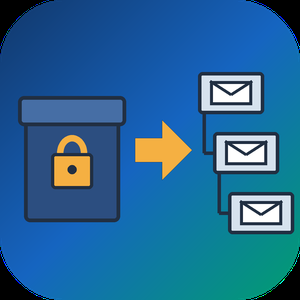
PST to MBOX Converter for Thunderbird is a Windows pst to mbox converter for people who are leaving Outlook and want years of mail to open in Thunderbird. It reads a .pst or .ost archive straight from disk, with no Outlook installed and no Exchange profile, and writes MBOX mailboxes in the layout Thunderbird keeps on its own disk. Each Outlook folder gets its own file, and its children go into a matching .sbd directory, so the hierarchy you had is still there after import.
🛠️ How to use
1. Open the PST or OST file. Its folders show up on the left, and any message can be previewed.
2. Tick the folders you need. Skip empty ones, leave out Deleted Items or narrow the date range.
3. Pick MBOX or EML on the Convert tab and choose an output folder.
4. Run the conversion, then import PST to Thunderbird by handing it the output directory through ImportExportTools NG or the profile folder.
💼 Why IT and office teams pick it
- Original SMTP headers (Received chain, DKIM, Return-Path) are copied word for word for delivered mail.
- To and Cc carry real addresses, not display names.
- Read, replied and flagged marks travel in X-Mozilla-Status, which Thunderbird reads.
- Attachments are written byte for byte, and inline pictures stay in the HTML body.
- Fresh mail can be added later into a file left by an earlier run.
- A per-folder text report lists what went through and what failed.
- Nothing leaves the PC. The log holds counts only, never subjects or addresses.
- Cyrillic, CJK and emoji in subjects and folder names come through readable.
- Existing output is never wiped silently. You pick rename, overwrite or append each time.
👥 Who uses it
People whose Microsoft 365 plan ran out and who now keep their mail in Thunderbird for free. Admins moving a team off Outlook, who trim each archive with date filters before the run and check the report afterwards. Anyone handed an old archive by a colleague who left, with no Outlook on the machine to open it. Apple Mail, Postbox and mutt users can open the same MBOX output, while the .sbd directories matter to Thunderbird only. For most of them this pst to mbox converter is a one-off job on a single PC.
❓ FAQ
Can I convert PST to MBOX without Outlook installed?
Yes. The program reads the archive itself, so neither Outlook nor a mail account is needed on the PC.
Can Thunderbird open a PST file by itself?
No. It has no PST reader, and its Outlook import only works through a configured Outlook on the same computer.
Do read and flagged marks survive?
Thunderbird shows them, because they ride in a header it understands. Most other clients skip that header.
Can it process several PST files in one run?
Not in this version. One archive is converted per session.
🆓 The free trial of this pst to mbox converter handles a sample of the messages, enough to judge the result in Thunderbird. Runs on Windows 11, 10, 8.1, 8 and 7, 32 or 64 bit.

Any Email to PDF Converter Software is an email to PDF converter for Windows that turns saved messages and whole mailboxes into PDF files on your own PC. It reads EML and Outlook MSG files, Outlook PST and OST archives, and MBOX exports from Thunderbird or Apple Mail, all in one batch list. Nothing gets uploaded, and you do not need Outlook or Thunderbird installed to convert email to PDF.
Most mail tools save one message at a time. This email to PDF converter treats a folder of mixed files as one job and writes a separate document for every message it finds, so the PDF count matches what went in.
🛠️ How to use
1. Drag messages or a whole export folder into the window, or click Add Files.
2. Pick PDF as the format. Keep one file per message, or tick Merge all into one PDF.
3. Leave Include images on to keep inline pictures, or switch it off for lighter pages.
4. Click Start. PST, OST and MBOX containers unfold into the queue folder by folder, and each row shows OK once its PDF is written.
💼 Why IT and office teams pick it
Mixed exports are the usual headache. One folder holds a few MSG files someone dragged out of Outlook, an old PST from a retired laptop and an MBOX from a Thunderbird profile. This tool takes the whole mix in one run, and nobody has to open archive subfolders by hand because the program walks through them. Each PDF opens with a From, Date, To and Subject header above the body, so a printed message still shows who wrote it and when. Work stays on the desktop, which matters for privileged or personal mail. HTML and plain TXT output are there too, for a web copy or for feeding text into a search index.
👥 Who uses it
Legal and compliance staff building disclosure sets. HR teams filing a departed employee's mailbox. IT admins retiring old archives during a move away from Outlook or Thunderbird. Anyone who inherited a mailbox backup and simply wants to read and keep parts of it. A paralegal with a single custodian PST and an office manager with a decade of Thunderbird mail can use the same email to PDF converter for both.
❓ FAQ
Can it open a PST without Outlook?
Yes. The program reads PST and OST files itself, so Outlook does not have to be installed or running.
Does it convert a whole mailbox at once?
Yes. Add a PST, OST or MBOX and every message from every folder is queued automatically.
Can several emails go into one PDF?
Yes. Turn on the merge option, and you can also start each email on a new page.
Is my mail sent to a server?
No. Reading the source and rendering the PDF both happen on your PC.
What if PDF is not the right output?
Switch the format to HTML for a browser copy or TXT for bare text. Email to PDF stays the default because a PDF opens anywhere without a mail program.
🖥️ Free trial with no sign-up. Runs on Windows 11 and Windows 10, with 4 GB of RAM and 1 GB of free disk space recommended.

Real-time sales call assistant: live AI suggestions for phone sales agents.
WhisprIQ (whispriq.com) is a real-time sales call assistant for phone sales agents. It runs as a Windows desktop app. While you talk, it listens to your microphone and your call audio, then shows suggested responses on your screen at each key moment of the call: the opener, the discovery questions, objection handling, buying signals and the close.
AI agent assist during the call. Every suggestion comes with three short labels: the moment or objection, the strategy, and the recommended action. When a prospect says "I need to talk to my wife" or "I'm just shopping rates," you see what is happening, a way to handle it and a next step. You can use the suggestion, change it or ignore it.
Objection handling and discovery. During fact-finding, WhisprIQ follows the live transcript of both sides of the call and points you to what to ask next. When a prospect asks something like "Okay, what would that cost me?", it flags the buying signal so you can move to the next step.
Live sales coaching for 11 industries. WhisprIQ includes talk tracks and guardrails for phone sales teams in final expense and life insurance, Medicare and health insurance, ACA health insurance, auto and home insurance, mortgage, debt relief, solar, home services, home security, auto warranty and annuities. Example wording is illustrative. Always follow your industry's rules and your company's approved scripts.
Post-call summaries. When the call ends, WhisprIQ writes a summary for you to review: who you spoke with, their concerns, the outcome and the next steps. Nothing is sent anywhere unless you choose to send it.
Built for agents who buy leads and call them. WhisprIQ works best with a softphone or computer dialer, meaning calls made from your computer, so the call audio plays through your PC. It never speaks to your customer, and you can pause suggestions at any time.
Requirements and pricing. You need a Windows computer with a microphone and your call audio playing through that computer. A Mac version is not available yet; you can join the Mac waitlist. The free trial includes 2 hours of call time (card required; you are not charged until your 2 free hours are used, or after 14 days). Paid plans: Starter $49/mo (20 hours), Pro $99/mo or $948/yr (50 hours), Power $199/mo (120 hours) and Teams from $89 per agent per month for 5+ agents (50 hours per agent). Every plan includes real-time suggestions, all 11 industries and post-call summaries.
Recording and transcription consent is your responsibility. Some states require everyone on a call to agree before it is recorded or transcribed. Check the laws where you and your prospects are located.
Disambiguation: WhisprIQ (whispriq.com) is a Windows app that suggests responses during live phone sales calls. It is not Wispr Flow (voice dictation), not WhisperIQ at whisperiq.dev (a separate AI copilot) and not a Whisper speech-to-text transcription tool.

SQLife is a modern, cross-platform database management tool built with JavaFX. It supports multiple RDBMS (Oracle, PostgreSQL, MySQL, SQL Server, etc.) and middleware (Redis, MongoDB, Kafka, RabbitMQ), with a focus on providing a rich user experience for database administrators, developers, and data analysts.
## Supported Platforms
* Windows 10+ (x86-64)
* Linux (x86-64, ARM64): Debian, Ubuntu, Fedora, CentOS — Dpkg and RPM packages available
* MacOS 10.14+ (x86-64, ARM64 - Apple Silicon)
## Supported
* Oracle (9i+, best support for 19c+)
* PostgreSQL (9.6+, recommended 14+)
* MySQL (5.5+; 8.0+ recommended; 5.5 supported with plugin)
* MariaDB (10.0+)
* Microsoft SQL Server (2012+)
* SQLite (3.x)
* H2 Database (Memory, File and Server mode)
* IBM DB2
* Apache Derby
* HyperSQL (File and Server mode)
* DuckDB (Memory and File mode)
* ClickHouse
* Databricks
* Snowflake
* Redis
* MongoDB
* Kafka
* RabbitMQ
## Features
* Comprehensive Connection Properties for Oracle, PostgreSQL, MySQL, and other databases with keep-alive support.
* Object Management (tables, views, procedures, functions, triggers, indexes, sequences, synonyms, packages, materialized views, partitions, extensions, etc.)
* Multiple Connections and Tabs Support
* Partition/Sub-Partition Table Management (add, remove, rename, alter partition columns)
* Intelligent Auto-Completion with code navigation and bracket matching
* SQL Syntax Highlighting, Formatting, and Error Highlighting
* Data Export (SQL, CSV, TSV, JSON, XML, Excel, HTML, Markdown, PNG) with parallel export and zip packaging
* Data Import (Excel, CSV, TSV) with column mapping, function conversion, parallel processing, and Lob support
* Data Viewing and Inline Editing with multi-cell selection and clipboard support (Copy as Insert SQL/In SQL/TSV/CSV/JSON/XML)
* SQL History Tracking with Date/Pagination Search and auto-cleanup
* Oracle Scheduler Jobs Management (Jobs, Schedules, Programs, Windows, Chains)
* Oracle DBMS_OUTPUT capture and display
* Dark Mode Support (companion stylesheet overrides)
* Sharing Results via Local Network and Internet
* Plugin Management
* MCP (Model Context Protocol) support
* LLM Agent (OpenAI, DeepSeek, Ollama) with function-call safety checks
* Schema Comparison across different database types
* Database Locks Monitor
* SQL Executor with multi-threaded execution, batch commit, Lob/Blob support
* Object Browser with search and filter
* File Workspace with Git integration (file history, diff, commit)
* Task View with lifecycle controls (cancel, restart, reveal, open-log)
* Workspace State Recovery after crash (tab title, selection, scroll position, file path)
* SSH Tunnel support via external tunnel configuration
* Proxy Support (HTTP, SOCKS4, SOCKS5)
* Outline View for SQL script navigation
* Key Mapping customization with export/import
* Connection Backup/Restore with encrypted password storage
* i18n: 13 languages supported

Spotbanc is a specialist digital banking platform designed to enable small-and-medium-scale EMIs, banks, and financial service providers to launch powerful financial products/services such as electronic money, virtual accounts, online banking, loan management, treasury management, etc.
Spotbanc is specifically designed for highly specialized financial enterprises offering specialty services to the unique clientele.
Spotbanc solutions include Electronic Money software, Corporate Banking solution, Private Banking solution, Loan Management solution, Treasury Management software and Specialized Banking 'on-demand solution. Spotbanc's solutions can be enjoyed as standalones, combined, tailored-fit or holistic. It is the most agile online banking solution.
Omnichannel system
Spotbanc operates an advanced omnichannel system that provides a unified experience for clients. Data synchronized across all channels clients enjoy the same banking experience via web or mobile app. Onboarding is simplified and painless. Onboarding process is segregated between individuals and corporate bodies to ease client profiling.
Easy Integration:
Powerful APIs allow Spotbanc to easily integrate with external systems such as banks, service providers, payment and SMS gateways, financial switches, external AML, KYC systems, and fingerprint readers.
Security & Compliance:
Smart risk-management tool for ensuring your business remains compliant. Monitoring clients’ financial operations to prevent fraud, money laundering, illicit trading, tax evasion, terrorism financing and any activity that might damage your business.
Spotbanc is equally enriched with advanced security features working to keep clients’ accounts and transactions 100% safe.
Portfolio analysis
SpotBanc is enriched with powerful insights and a simple display of meaningful information per client. The platform is an integrated modular solution that helps you effectively manage the complexity of your premium clients’ funds and transactions, both locally and internationally.
Multiple Currencies and accounts
Spotbanc enables clients to create multiple accounts either in the same currency or different currencies depending on the specific currencies supported. Clients may transfer value between their own accounts or to another user’s account within your company’s organization (Intra transfer),and take advantage of FX and cross border payments functionalities.
Interest rate management
Spotbanc enables you to set up earnable interest rates for customers over a period of time depending on the volume of money customers hold in their accounts. Great for encouraging customers to increase deposits or balance holdings with your platform, or for rewarding outstandingly performing customers.
Accounting and Reporting:
Spotbanc has an advanced accounting module, real-time cash flow reporting, transaction reconciliation, and cash management. Monitor your business finances and analyse your business performance with inbuilt analytic tools and detailed reports.
Easy to Access and Setup
Spotbanc is easy to set up and use. It takes less than 10 minutes to launch and go live once setup is complete.
Agile. Robust. Cloud-based
Spotbanc’s agility compliments its robust architecture and means anything can be built on the platform. It makes for continuous innovation and extendibility to include any functionality clients may require. Spotbanc is deployed on cloud and accessible via web or mobile applications.
24/7 Support:
Spotbanc provides you with a 24-hour telephone, e-mail, and Skype technical support team that spans across different time zones, all over the world. So you get assistance whenever you request it.

encaisse est un agent IA de relance des factures impayées. Il relance vos clients en votre nom, par courriel, message texte et lettre recommandée avec accusé de réception, jusqu'au paiement. Vous décidez de chaque envoi, message par message ou à l'avance dans les limites que vous fixez, et votre client règle depuis une page à votre marque.
Conçu pour les indépendants, artisans, professions libérales et petites entreprises.
RELANCER
- Trois cadences prêtes : doux dès J+5, standard dès J+1, ferme jusqu'au recommandé à J+20
- Courriel, message texte, lettre recommandée. Si un canal devient indisponible, le suivant prend le relais
- Chaque message est rédigé pour le dossier : montant réel, jours de retard, palier atteint. Vous pouvez le réécrire entièrement avant l'envoi
- Un client qui doit cinq factures reçoit un message unique qui les regroupe
- Garde-fous non désactivables : envois entre 9 h et 18 h, jamais le week-end ni les jours fériés, quatre sollicitations par mois au maximum, arrêt immédiat dès qu'une facture est réglée ou contestée
ENCAISSER
- Page de règlement à votre nom : carte bancaire et virement, avec des coordonnées dédiées au dossier pour un rapprochement automatique
- Paiement en plusieurs fois, sans frais ajoutés
- Pénalités de retard et indemnité forfaitaire de 40 € (article L441-10 du Code de commerce), jamais appliquée à un particulier
- Les fonds vont directement chez vous
SAVOIR
- Alerte en cas de procédure collective : vos clients professionnels sont surveillés au BODACC
- Dossier de preuve horodaté qui se constitue seul et s'exporte, prêt pour un conseil ou un tribunal
- Délai de prescription affiché sur chaque créance
- Les réponses de vos clients vous reviennent telles quelles ; une contestation suspend les relances concernées
ALIMENTER
- Comptabilité connectée : vos factures échues remontent seules chaque nuit, et une facture réglée chez votre logiciel arrête les relances
- Fichier CSV ou saisie manuelle
- Dernier contrôle juste avant l'envoi, pour ne pas relancer quelqu'un qui vient de payer
VOTRE COMPTE
- Trois rôles : assistant, gestionnaire, responsable
- Plusieurs sociétés sous une seule connexion
- Connexion sans mot de passe, par lien à usage unique
- Export complet à tout moment, registre conforme au RGPD, hébergement en France
TARIFS
Offre gratuite : aucun abonnement, dix nouvelles factures par mois, un connecteur comptable.
Offre complète : 49 € HT par mois ou 490 € HT par an, factures illimitées, envoi automatique, plusieurs utilisateurs et plusieurs sociétés.
Dans les deux cas, une commission de 5 % HT plafonnée à 200 € HT par facture s'applique uniquement sur ce qui rentre par la page de règlement. Une facture réglée par virement direct ne coûte rien.
encaisse ne recouvre pas à votre place : l'envoi est votre décision, et la relance part en votre nom. C'est un outil, pas un cabinet de recouvrement.

SellKit helps WooCommerce stores remove checkout friction with optimized checkout, drive more sales with sales funnels, increase order value with order bumps and upsells and boost engagement with personalized discounts, coupons and notices.
• It’s unified
• It’s simple to use
• It comes with an unbelievably competitive pricing structure
• And you don’t need to be a marketing genius to get it to work!
Are your sales stats disappointing? Do your carts suffer from low engagement and high abandonment? Are your offers and deals easily ignored? SellKit is all your online store needs to sell in full swing!
• Build and customize engaging checkout pages or get started fast with professional premade templates
• Streamline the conversion process with advanced filters and variation swatches
• Remove checkout friction with skip cart, autocomplete, inline form validation and more
• Skyrocket sales with irresistible sales funnels
• Boost average order value with highly-targeted 1-click order bumps and upsells
• Increase conversion possibility with dynamic discounts
• Show smart notices during checkout and effectively increase the chance of bigger orders
• Drive retention and loyalty with smart coupons based on customer behavior and shopping history
• Personalize the shopping experience and customer journey using advanced conditional and RFM segmentation
• Measure the performance of your WooCommerce store, funnels and promotions with actionable insights and analytics
> Who is it for?
All types of WooCommerce websites:
• eCommerce stores
• Service businesses
• Digital products and subscriptions
• Marketers
• Dropshipping businesses
> Drive sales through irresistible sales funnels
Maximize engagement and multiply profits by driving your visitors through mobile-optimized sale funnels.
Serve alluring upsell/downsell offers and automatically turn visitors into customers and repeat customers.
> Create unlimited sales funnels. All drag and drop
Create unlimited sales funnels with unlimited offers using a simple Drag & Drop builder.
Alternatively, choose from readymade funnel templates for a variety of businesses and use cases.
• Link pages dynamically (not just linearly!)
• Mobile-optimized templates
• Actionable insights
> Increase sales with personalized order bumps during checkout
Easily increase the average order value with one-click order bump offers anywhere in the checkout form.
Trigger order bumps and apply personalized discounts based on your own conditions.
• Make rule-based offers using hundreds of pre-set conditions
• Place anywhere in the checkout form
> Boost order value with personalized one-click upsells
Boost AOV even further with personalized one-click upsell offers during checkout, either as separate offers or right within the same order before it’s placed.
• Advanced segmentation
• All major payment gateways
• Use readymade Elementor templates
> Save time with a collection of ready-made templates
Quickly choose from beautiful readymade designs for cart, checkout, upset, downhill and thank you pages, all optimized for mobile, without writing a single line of code.
> Measure your success with actionable insights and Analytics
Assess the performance of your funnels using relevant metrics and insightful charts.
From engagement to sales, discover how your funnels are performing within the chosen timeframe.
• Funnel engagement: Visits, bounce rate and more
• Funnel sales: Revenue, orders, conversion rate, average order value, order bump and upsell revenue
• Comparative visual chart to spot growth
> More funnel builder features
• Facebook Pixel integration
• Works with Elementor
• Built for Mobile
> Optimize the checkout page and streamline the conversion
Upgrade WooCommerce’s rigid, distracting and confusing checkout experience. Build smart, engaging and converting checkout pages.
> Simplify the checkout process
Remove checkout friction with a simple checkout form, express checkout and a majority of payment options.
• Express checkout
• Skip cart
• Sticky cart
• Auto-populated form fields such as address, state and more
• Inline form validation instead of whole-form validation
• Option to sign up with a checkbox instead of separate sign up and login pages
> Make your checkout page fun, informative and convincing
Help your visitors decide by displaying supporting information such as testimonials, reviews and interesting numbers alongside the checkout form.
> Customize your checkout forms to your liking and customer’s ease
Add, order and reorder your checkout forms fields. Save customer’s time with pre-populated and auto-completed fields.
Increase conversion rate with automatically applied coupons.
> Boost mobile sales with mobile-optimized checkouts
SellKit checkout forms are highly optimized for mobile.
Boost your mobile sales with mobile-ready designs, single-step forms and quick, one-click payment.
> Boost WooCommerce promotions with personalized discounts, coupons and alerts
No more one-size-fits-all discounts and coupons! Deliver customers highly personalized deals, coupons and offers based on shopping behavior and demographic data.
> Treat eligible customers to personalized discount coupons
Overcome hesitation and competition with a winning hand. Build a better relationship with your customers and increase repeat purchases with smart coupons based on your customer’s shopping behavior.
> Boost conversion possibility with automated discounts in checkout
Personalize the shopping experience with conditional discounts applied automatically during checkout.
Define your own rules and apply discounts based on customer shopping behavior.
> Display smart alerts based on customer behavior
Show personalized offers to the customer in Cart, Checkout, Catalog and product single pages and effectively increase the chances of more orders. Choose from a variety of conditions to trigger the alert.
> Hyper-target your customers with the best-in-class segmentation
Use advanced segmentation to personalize the final price, discount coupons and alerts during checkout based on customer geolocation, referring website, shopping behavior and many other attributes.
> Define custom discounts and coupons for different locations
With SellKit’s advanced geolocational segmentation you can now offer automated discounts in different locations. You can also automate discounts or generate coupons that are applicable in specific geolocations.
> What’s included in the SellKit free version?
Check below to see what you can do with SellKit that you would otherwise pay a fortune for in similar products.
• Unlimited Sales Funnels
• Limited Checkout Forms
• Custom Thank you pages
• One-Click Order Bump
• One-Click Upsell & Downsell
• Limited Analytics
• Limited Customer Segmentation
• Ready to use Funnel Templates
• Community Support
> What will you get if you upgrade to SellKit Pro?
Everything in the Free version and…
• Pro Checkout Features
• Cart Optimisations
• Personalized coupons
• Dynamic Discounts
• Smart Alerts
• Advanced Product Catalog Filters
• Product Catalog Swatches
• Advanced Analytics
• Advanced Customer Segmentation
• Pro Ready to use Templates
• Standard Support
> How SellKit pricing blows away the competition
If you’re using too many tools to increase sales for your online business and looking for a unified, cost-effective option, Selkit is the best all-in-one solution, offering the functionality of:
• Funnel builders (Cartflows, BuildWooFunnels, Clickfunnels)
• One-click order bump plugins (IconicWP Sales Booster,... )
• One-click Upsell & Downsell plugins (Yith Deals, UpStroke, WooCommerce Checkout Add-Ons)
• Discounts & Coupons plugins (SmartAdvanced Coupons, WooCommerce Dynamic Pricing & Discounts, Yith dynamic pricing & discount, StoreApps)
• Alerts plugins (Yith cart messages, Skyverge CardNotices)
Total Value: $900/year
SellKit: $99/year (Save $800/year)
All features at a glance
• Drag & Drop mobile-optimized funnel builder
• One-click upsell and downsell
• One-click order bump
• Beautiful readymade designs for cart, checkout, upsell, downhill and thank you page
• Advanced funnels analytics (visits, bounce rate, orders, revenue, conversion rate, AOV)
• Comparative analytics charts
• Customizable thank you page
• Supports all major payment gateways
• Design, order, reorder your checkout form fields
• Multi-step OR single step checkout
• Email grab in the beginning of checkout instead of the end
• Auto-populate State
• Address Autocomplete
• Pre-populate Form Data
• Pre-filled form for abandoned users
• Add custom checkout fields
• Auto-Apply Coupons
• Express Checkout
• Product-specific checkouts
• Swap Global Checkout
• Checkout Expiry
• Custom thank you page
• Skip Cart
• Auto-apply discounts with advanced segmentation
• Personalized coupons with advanced segmentation
• Smart alerts with advanced segmentation
> Support
• 30 Day money-back guarantee (No questions asked!)
• Cancel any time
• 24/7 support
> Integrations
• SellKit is fully integrated with:
• Facebook Pixel
• Google Analytics
• Elementor page builder

At present, Office 365 is highly proficient in the market, and many corporates have been using it for their business communication and collaboration for a long time. Several users are using Exchange server (on-premise) and looking for an easy and secure way for Exchange to Office 365 Migration.
Office 365 migration is becoming more popular, and Office 365 requires more thought and preparation than simple migration. In this write-up, I am describing the most reliable software solution named Shoviv Office 365 migration tool. This tool will help you with Exchange to Office 365 migration, and you can Export Office 365 Mailbox to PST as well.
Before I introduce the mentioned Office 365 tool, I'll consider a few highlights about why users admire Office 365 (the cloud-based platform).
Reasons to admire Office 365:
• Office 365 is affordable because users only have to spend on a subscription, and there are no hidden fees in Office 365 uses.
• Office 365 is a cloud-based program and offers various software for services in its subscription plans like SharePoint, PowerPoint, Skype for Business, and more numerous.
• Office 365 keeps data and all information in the cloud. It is convenient for users to access their Office 365 data from anywhere and anytime on any smart device.
• Office 365 is a user-centric platform and manages auto-updates. So users do not require to go within server downtime to update Office 365; Office 365 is always up to date.
Above are some of the highlights that users are enjoying in Office 365. These may also be considered the reasons for Exchange to Office 365 migration. I talk about the Shoviv Office 365 migration tool to Migrate Exchange to Office 365 and backup or Export Office 365 Mailbox to PST. It is excellent in mailbox migration, conversion, email backups, and Export Office 365 Mailbox to PST. Read on.
Shoviv Office 365 migration tool:
Shoviv Office 365 migration tool is one of the most popular utilities for Exchange to Office 365 migration. It also has been utilized and endorsed by multiple organizations to Export Office 365 Mailbox to PST. Being built with advanced algorithms, it comes with a convenient GUI and several user-centric features that make the Exchange to Office 365 migration easy for everyone. Even novices and non-techies can execute the migration task easily using this Office migration tool.
Features of Shoviv Office 365 migration tool:
• Shoviv Office 365 migration tool allows users to migrate single or multiple mailboxes into the target without any assistance and glitch.
• During the Exchange to Office 365 migration, this utility efficiently keeps maintaining the folder hierarchy and data integrity.
• Apart from Exchange to Office 365 migration, users can Export Office 365 Mailbox to PST as a backup of Office 365 data; Easy to port and access. While migrating to PST, it provides a split option to splits the large resultant PST file into multiple smaller PST files even with password protection.
• It provides email translation and folder mapping features. The folder mapping feature is helpful in migrates the data from one folder to another folder. And, the email translation feature supports users to change colonial email with the proper email address.
• It allows users to migrate public folders and archive mailboxes from one Live Exchange Server or Office 365 to another Live Exchange Server or Office 365.
• The most promoted feature of this tool is an incremental export/backup option which comes in handy to prevent duplication. It helps to resume interrupted processes and will not export/migrate previously processed items.
• This Office 365 migration tool retrieves added mailboxes and displays a preview of emails. Users can select a mailbox to preview their data. This option proves helpful to get assured about added mailbox data.
• There is a filter option that comes in handy when users need to filter added source mailbox items. This option lets the user filter the mailbox items based on the inclusion/exclusion of message class and item date.
• This Exchange to Office 365 migration tool has a search option for users' convenience. With this option, the user can search mailbox items based on Message class, Message Date, Subject, Sender, Recipient, Cc, Bcc, Attachment date, etc.
Compatibility of the software:
The experts of Shoviv make this Exchange to Office 365 migration tool widely compatible.
• It works with all versions of the Windows O.S.
• The software supports all Exchange Server versions.
• Compatible with all Outlook versions; including Outlook 2019.
Wrapping Up:
A professional and hassle-free way to exchange in Office 365 and Export Office 365 Mailbox to PST, Shoviv Office 365 Tools helps with ease. Shoviv offers its evaluation version. Users can download it to evaluate the features of this tool for exchange in Office 365 and Export Office 365 Mailbox to PST before purchasing the licensed version. By using the evaluation version, users can process the first 50 items per folder.


Patent application document proofreader, editor, error checker solution

Formerly known as IntraVex, StrategIQ Commerce integrates, processes, and analyzes enterprise data for the world's most recognizable brands.