
Microsoft Word Reviews (2,018)
Review Summary


I particularly like that there is a preset library of styles that I can use to quickly switch between typing titles, headers and body texts. I also like the ability to insert citations as I write and generate a references table at the end. Its really helpful because I do not have to remember all the sources I cited. One other thing I really appreciate is the review mode that tracks changes because It has really enhanced my collaborative ability Review collected by and hosted on G2.com.
I feel like ability to make a specific page a different orientation could be made a lot easier. Some users in our company really struggle with it and can not consistently do it by themselves. Review collected by and hosted on G2.com.
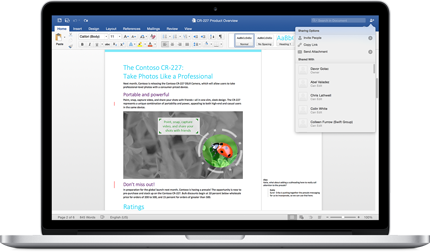
What I like the most about Microsoft Word is its ability to preview typefaces before applying them, supporting cloud typefaces, and leaving the text formatting allowing for a versatility of templates and format conversion. It's the industry standard for a reason because Microsoft Word Pioneered document writing and is available for Windows, MacOS, ChromeOS, and the Internet. It integrates with a wide variety of CRM systems and the Customer support is superb. One of the most straightforward and robust word processors to implement and utilise. Review collected by and hosted on G2.com.
It keeps requiring to log in when one wants privacy for business reasons. Some files can't be in the cloud due to potential risk managements and to guarantee document confidentiality. Review collected by and hosted on G2.com.

As a Microsoft Word user for many years, I find it the go-to platform: easy to use and compatible across all operating systems. The layout is intuitive and simple, but it has the power to allow me to design and process documents which look sleek and cover all the information I need to share.
I also really value the formatting control. Styles, headings, tables, tracked changes, comments, it’s all there and it’s powerful. When I’m collaborating with teams, the ability to review, edit, and refine content properly is a big deal.
Another thing I appreciate is familiarity. Everyone knows Word. That might sound basic, but from a business perspective, it matters. You can send a document to almost anyone and know they can open it, edit it, and work with it. That universal accessibility makes it a safe, dependable tool in any organisation. Review collected by and hosted on G2.com.
What I dislike about Microsoft Word is that it can sometimes feel more complicated than it needs to be. The formatting can suddenly go rogue, especially when you’re copying and pasting from different sources. You think you’re in control, and then spacing, fonts, or numbering start behaving oddly.
There are so many features tucked away in menus, you have to go hunting, especially when an update comes along, things move! Review collected by and hosted on G2.com.

As a data analyst, Word allows me to write up reports from the numbers that I was analysing. It works very well with Excel, enabling me to copy tables, charts and many other visualisations for my reports. Review collected by and hosted on G2.com.
There are too many formatting features to toggle around. It is also difficult for me to set the format in which I want all new documents to start in. For example setting the font type, size, headings etc. When I start a new document it makes me sort that out again. Review collected by and hosted on G2.com.
As a software developer and technical lead, here are the points I like about Microsoft Word.
1. Structural documentation.
2. Track changes
3. Rich formatting capability
4. Compatibility across platforms with secure integrations
5. UI is supportive to work with without any hassle.
6. Perform well for complex documentations
7. With AI update, it is easy to format the wordings Review collected by and hosted on G2.com.
I feel that including code snippets inside Microsoft Word is sometimes very challenging. In terms of support, I have experienced delay response from the team. Review collected by and hosted on G2.com.
What I like most about Microsoft Word is how easy it is to use and how smoothly it connects with other applications. I can draft, edit, and format documents quickly, and its integration with tools like Excel, Outlook, and Teams makes it simple to share files and collaborate without extra hassle. Review collected by and hosted on G2.com.
I don’t have many complaints about Microsoft Word, but a few tools can be surprisingly tricky to find when I need them quickly. With larger documents, it can start to slow down and formatting can become harder to keep consistent throughout. I’ve also run into occasional compatibility issues between different versions, or when working with non-Microsoft platforms. Review collected by and hosted on G2.com.
What I like most about Microsoft Word is its powerful document creation and formatting capabilities. Features like styles, templates, tables, and references make it easy to create professional reports and documentation. As an Analyst, I use Word to prepare detailed reports, client communications, and presentations-ready documents efficiently. Integration with Outlook and Teams allows me to collaborate and share documents without leaving the workflow. Review collected by and hosted on G2.com.
Word can feel heavy when working with very large documents or multiple embedded objects. Track Changes and collaboration features sometimes cause confusion if multiple users edit simultaneously. Advanced formatting options can be overwhelming for new users, and occasional performance lag happens with long reports. Review collected by and hosted on G2.com.

Absolutely the best software available for writing documents, reports, dissertations and being able to integrate and format both text and pictures. Includes professional editing tools and is reliable for saving documents with the autosave function. Even if you forget to save a file, it attempts to auto recover it the next time you open word Review collected by and hosted on G2.com.
Honestly there is not a lot of downsides to word- there are so many tools available- i think the one issue I have is that sometimes I don't know how to use a tool and it can be tricky trying to figure it out. Review collected by and hosted on G2.com.
I like how easy it is to use, and the editing options are really good. It’s also simple to convert files with Microsoft, and it integrates well with other Microsoft products. Another thing I appreciate is the large selection of free templates for envelopes, letters, and other forms we might need. Review collected by and hosted on G2.com.
Not much to add, besides that I wish it were a bit cheaper. Also, sometimes the cloud connection randomly doesn’t work and the support can be tough to reach quickly for help. Review collected by and hosted on G2.com.
Questions about Microsoft Word? Ask real users or explore answers from the community
Get practical answers, real workflows, and honest pros and cons from the G2 community or share your insights.
What are 3 new features in Microsoft Word?
What does Microsoft Word do?
Pricing Insights
Averages based on real user reviews.
Time to Implement
3 months
Return on Investment
13 months
Average Discount
10%


