AI-Generated Results
Finding matches…
Windows 11 is Microsoft's latest operating system, designed to provide a seamless and intuitive user experience across various devices. With a fresh, modern interface and enhanced performance, Windows 11 aims to boost productivity, creativity, and connectivity for users worldwide.
Key Features and Functionality:
- Redesigned Start Menu: Centered on the taskbar, the new Start Menu offers a clean layout with customizable sections for favorite apps, enabling quicker access to essential tools.
- Snap Assist and Virtual Desktops: Enhance multitasking by organizing open windows into aligned grids and creating personalized desktops for different tasks, such as work, gaming, or personal use.
- Integrated Microsoft Teams: Seamlessly connect with friends, family, and colleagues through chat, voice, or video directly from the taskbar, facilitating effortless communication.
- Widgets: Stay updated with personalized content and news feeds powered by AI, accessible directly from the desktop.
- Gaming Enhancements: Experience immersive gaming with technologies like DirectX 12 Ultimate, DirectStorage for faster load times, and Auto HDR for vivid visuals.
- Enhanced Security: Benefit from built-in security features, including biometric logins, encrypted authentication, and advanced antivirus defenses to protect against cyber threats.
Primary Value and User Solutions:
Windows 11 addresses the evolving needs of users by offering a streamlined interface that simplifies navigation and enhances productivity. Its multitasking capabilities, such as Snap Assist and Virtual Desktops, allow users to manage multiple tasks efficiently. The integration of Microsoft Teams directly into the taskbar ensures seamless communication, while gaming enhancements provide a superior entertainment experience. Additionally, robust security measures safeguard user data, offering peace of mind in an increasingly digital world. Overall, Windows 11 delivers a comprehensive solution that balances functionality, security, and user-friendly design.
Not seeing what you're looking for?
Dive deeper into "MultiTrack DAW" on G2 AI

SoundBridge is a cross-platform digital audio workstation designed to simplify music production for both beginners and experienced producers. It offers an intuitive interface that streamlines the entire creative process, from recording and editing to mixing and mastering, without the complexity often associated with traditional DAWs. SoundBridge supports third-party VST plugins and is optimized for multi-touchscreens, providing original hand gestures for devices like the Microsoft Surface. Available for both Mac and PC in 32 and 64-bit formats, SoundBridge is free to download and use.
Key Features and Functionality:
- Intuitive Interface: A clean, uncluttered design that facilitates quick learning and efficient workflows.
- Multi-Track Audio & MIDI Recording: Capture live performances or build songs from scratch with ease.
- Drag-and-Drop Workflow: Easily add samples, instruments, and effects into your project.
- VST Plugin Support: Integrate your favorite third-party instruments and effects seamlessly.
- Advanced Automation: Fine-tune every parameter over time for precise control.
- Integrated Collaboration Tools: Built-in cloud sharing enables seamless collaboration with other producers.
- Touchscreen Compatibility: Optimized for tablets and touchscreen monitors, enhancing user interaction.
- MIDI Editor & Piano Roll: Detailed MIDI sequencing for melodies, chords, and drum patterns.
- Flexible Mixer Panel: Full mixing console with customizable routing options.
- Built-In FX Suite: Includes reverb, delay, EQ, compressor, and more for comprehensive sound shaping.
- Audio & MIDI Clip Editing: Full control over timing, pitch, and performance adjustments.
- Sample Editing & Stretching: Time-stretch and pitch-shift audio clips in real time.
- Loop & Clip Library: Access a library of royalty-free loops and sounds to enhance your projects.
- Track-Freezing: Save CPU resources by freezing tracks with effects.
- Multi-Format Export: Render projects to WAV, MP3, FLAC, or OGG formats.
- Cross-Platform Compatibility: Available for both Windows and macOS users.
- Session Templates: Pre-configured templates for various genres to jumpstart your workflow.
- Sidechain Compression: Built-in sidechaining for dynamic, punchy mixes.
- Regular Updates & Community Support: Direct feedback-driven improvements from the SoundBridge team.
Primary Value and User Solutions:
SoundBridge addresses the common challenges of steep learning curves and complex interfaces found in traditional DAWs by offering a user-friendly platform that doesn't compromise on professional features. Its emphasis on simplicity and accessibility empowers users to focus on creativity rather than technicalities. The inclusion of collaborative tools facilitates seamless teamwork among musicians and producers, regardless of their physical locations. By supporting VST plugins and providing a comprehensive suite of built-in effects, SoundBridge ensures that users have all the necessary tools to produce high-quality music efficiently.

Filmage Video Editor integrates all advanced & basic features, making you create & edit video in minutes even if you’re new to video editing!
Filmage Video Editor has tons of advanced features such as key frame, efficient multi-track editing, frame by frame editing, color correction, background noise removal and more. Also Filmage Editor contains all basic editing features you need like split, cut, rotate, flip, etc.
Use all editing and share them with anyone in the world. Give your videos a creative boost with Filmage movie maker and editor now!
>>> Key Frame Customizes Animations
- Set keyframes easily. Easily scale or change the positions to set a total customized animation effect for a sticker, a logo or a video clip.
- Remove keyframes without effort. All you need to do is to click again on the keyframe in Viewer to remove it directly.
>>> Professional Video Editing Suite
- Multi-track editing. Stunning video and audio tracks supported. You can directly add video, music, text and more effects on your original video to create complex stories easily.
- Key frame. Customize the animation by changing the size, position, opacity and rotation angle.
- Frame by frame editing. Zoom in the timeline to preview a video frame by frame. Click Previous Frame or Next Frame to preview a specific frame and make a freeze frame.
- Easy-to-use color correction. Customizable color correction features including brightness, contrast, saturation and more.
- Blur effects. Use Mosaic to blur stationary objects like house numbers, face or phone numbers to protect privacy.
>>> Easy-to-use Video Maker
- Make your videos in minutes even if you are a beginner. All you need to do is to upload videos, photos, and music, then Filmage Editor will create the track for you.
- A full keyboard shortcuts lets you edit video with ease by moving your fingers on the keyboard. Use S to split video clips, use command+z to undo your editing and so on. Total 40+ keyboard shortcuts enable you to finish your video editing with speed and fluency.
- Fully customizable videos. Cut, merge, trim, rotate, flip and crop your video with ease.
- Convenient Timeline. The improved timeline gives you a lot more creative freedom. You can now add transitions on supplementary tracks, and move your files more freely around the tracks.
- Screen recording. Record the screen of your Mac, record a voice-over and record the camera. It will be easy to make a reaction video.
>>> Customizable Built-in Video Resources (Titles, Filters, Transitions, etc.)
- 130+ stickers (still update) enables you to add marks, shapes, funny emojis and more on your video.
- Create a stunning movie by using 60+ filters.
- Make your video more funny by applying adorable special effects on videos.
- Rich built-in subtitles. Filmage Editor has a variety of built-in subtitle styles, the text size, color, position, and angle can be adjusted freely.
>>> Intuitive Audio Control Tools
- Remove background noise to avoid the interruption of hum.
- Adjust the speed, volume, and tone of your audio. Fully adjust any audio as you want.
- Equalize sound effects for more than 10 types, including Pop, Dance and more. Choose any type and get the most enjoyable listening experience.
- Fade audio clips in and out.
- Synchronize audio from multiple cameras, microphones, and other sources.
>>> Share Your Talent to Anywhere of The World
- Create 16:9, 9:16, 1:1, 4:3, 21:9 projects for you to instantly upload the results to YouTube, Vimeo, Instagram, FaceBook, Twitter and Tiktok.
- Save video for viewing on specific mobile devices - iPhones, iPads and more.
>>> Better Adaptation and Support for macOS
- Available for macOS 10.12 or later, also supports the latest macOS Big Sur (version 11) and Apple M1 chip.
If you have questions, please email us to support@filmagepro.com
or check out: https://www.filmagepro.com
Find tutorials on our YouTube channel: https://www.youtube.com/channel/UCuDe5VA4FzIbHZTCK_d24IA

Whisper is a general-purpose speech recognition model. It is trained on a large dataset of diverse audio and is also a multitasking model that can perform multilingual speech recognition, speech translation, and language identification.
octuedit is an AI video editor for Mac that lets marketing teams, agencies, podcast producers and freelance editors get a finished first edit by describing it in plain words. You drop in footage and type a request such as "cut the pauses, add captions and make a 45 second vertical clip", and your own Claude Code or Codex account cuts it on a real multi-track timeline that an editor can still trim, drag and split by hand.
It covers the edits content teams repeat every week: removing pauses, filler words and retakes from talking head videos; word by word captions in 18 styles, exported as SRT or WebVTT or burned in; reframing landscape video to 9:16, 1:1 or 4:5 while following whoever is talking; syncing multicam podcasts by sound and cutting to the speaker; pulling short clips from long recordings; and finding moments in hours of footage by what is said or shown.
octuedit fits into an existing post-production workflow. It exports a project to Final Cut Pro, Premiere Pro or DaVinci Resolve with the cuts, chapter markers and chosen camera angles in place, so an editor can take the first cut and finish it in the tool they already use. It also exports MP4, MOV (ProRes), WebM in 1080p or 4K, GIF and YouTube chapters.
Footage stays on the team's own Macs. Clips, projects, transcription and export run locally and no octuedit server receives footage, which suits client work and unreleased material. There is no subscription and no per-minute or AI credit pricing: the editing runs on the Claude Code or Codex plan the team already has, billed separately by Anthropic or OpenAI.
Pricing is a one time $99 license per editor with updates included and a 14 day refund. Teams add seats from inside the app at a lower price per seat, down to $39 per seat at 26 seats and above. octuedit runs on macOS 13 Ventura or later on Apple silicon and Intel. It is made by Octupie Technologies in India.
Sticky Notes is a Chrome browser extension designed to facilitate quick and efficient note-taking directly within your browser. Since its launch in 2011, it has garnered over 2 million downloads, becoming a trusted tool for users seeking a seamless note-taking experience without the need to switch between applications.
Key Features and Functionality:
- Offline Access: Operate without an internet connection, ensuring uninterrupted note-taking.
- Multiple Notes Layout: Organize thoughts with a three-notes layout and single-click folder organization.
- Customization: Choose from animated themes, various fonts, and text sizes to personalize the interface.
- Focus Mode: Minimize distractions by removing colorful elements, allowing for concentrated work.
- Dark Mode: Reduce eye strain with a dark-themed interface.
- Cloud Backups: Securely store notes with daily, weekly, or monthly backup options.
- Draggable Popup: Keep the extension open and movable across the screen for enhanced multitasking.
Primary Value and User Solutions:
Sticky Notes addresses the need for a swift, in-browser note-taking solution, eliminating the hassle of toggling between different applications. Its offline capability ensures users can capture thoughts anytime, while features like focus mode and customizable themes enhance productivity and user experience. The extension's commitment to privacy ensures that notes remain on the user's device unless cloud backups are enabled, providing peace of mind regarding data security.

Accounting CS is a comprehensive accounting software solution designed for professional accountants and CPA firms. It integrates various accounting functions, including write-up, trial balance, payroll, financial reporting, and client accounting, into a single platform. This unified approach streamlines operations, enhances productivity, and facilitates real-time collaboration between firms and their clients.
Key Features and Functionality:
- Versatile Integration: Seamlessly imports data from client spreadsheets and integrates with third-party software like QuickBooks®, enabling efficient data management.
- Industry Adaptability: Supports various entity types, reporting periods, and client structures, making it suitable for diverse industries and business models.
- Multi-User and Multi-Tasking Capabilities: Allows multiple users to work on different tasks or clients simultaneously, enhancing team collaboration and efficiency.
- Enhanced Security and Controls: Offers customizable workspaces and user permissions, ensuring that staff access only the information pertinent to their roles.
- Customized Reporting: Provides robust reporting tools, including a custom report designer, to analyze data and generate client-specific reports.
- Client Access Portal: Facilitates real-time collaboration with clients through a shared online portal, enabling secure data sharing and communication.
Primary Value and Solutions Provided:
Accounting CS addresses the challenges faced by accounting firms in managing multiple clients and complex accounting tasks. By consolidating essential accounting functions into a single, integrated platform, it reduces the need for multiple software solutions, minimizes data entry errors, and accelerates workflow processes. The real-time collaboration features enhance client engagement and satisfaction, while the customizable reporting and security controls ensure that firms can tailor the software to their specific needs. Overall, Accounting CS empowers accounting professionals to deliver high-quality services efficiently and effectively.

Radium is a music editor with a new type of interface.
Compared to the normal sequencer interface editing is quicker and more musical data fits on the screen.
Compared to trackers, note positions and effects are edited graphically, which should be quicker, provide more vertical space and give a better musically overview. (Everything can also be edited by text, like in a normal tracker)
Radium can also be used as a normal multitracker to mix and record audio.
However, despite its unusual appearance, it's a design goal for Radium to be straightforward to use, and easy to learn. It should not be harder to learn Radium than any tracker or most MIDI sequencers. Users accustomed to trackers might use more time adjusting to the interface.

Sailfish OS is a Linux-based mobile operating system developed by Jolla, designed to offer a unique and privacy-focused alternative to mainstream platforms. Emphasizing user control and customization, Sailfish OS provides a gesture-based interface that enhances intuitive navigation and multitasking. Its open-source nature encourages community involvement, fostering a diverse ecosystem of applications and extensions. Notably, Sailfish OS supports Android applications through a compatibility layer, allowing users to access a wide range of apps while maintaining a secure and independent environment. This combination of privacy, flexibility, and compatibility positions Sailfish OS as a compelling choice for users seeking an alternative mobile experience.
Key Features and Functionality:
- Gesture-Based Navigation: Sailfish OS utilizes intuitive gestures for navigation, enabling users to perform actions with simple swipes and taps, enhancing the overall user experience.
- Multitasking Interface: The operating system offers a multitasking view that displays all running applications in a single view, allowing users to control apps directly from this interface without fully opening them.
- Open-Source and Community-Driven: Sailfish OS embraces open-source principles, allowing for greater customization and innovation. The active community contributes to the development of the OS, creating a vibrant ecosystem of apps and extensions.
- Android App Compatibility: Through a proprietary compatibility layer, Sailfish OS supports the execution of Android applications, providing users access to a vast array of apps while maintaining the OS's unique environment.
- Privacy and Security: Sailfish OS emphasizes user privacy, ensuring that data is not collected or analyzed without consent, contrasting with the policies of mainstream platforms.
Primary Value and User Solutions:
Sailfish OS addresses the growing demand for privacy-centric mobile solutions by offering an independent platform free from the data collection practices common in other operating systems. Its gesture-based interface and multitasking capabilities provide a seamless and efficient user experience. The open-source nature and active community support allow for extensive customization, enabling users to tailor their devices to their preferences. Additionally, the compatibility with Android applications ensures that users do not have to sacrifice app availability when choosing a privacy-focused alternative. Overall, Sailfish OS delivers a secure, customizable, and user-friendly mobile operating system that empowers users to take control of their digital experience.
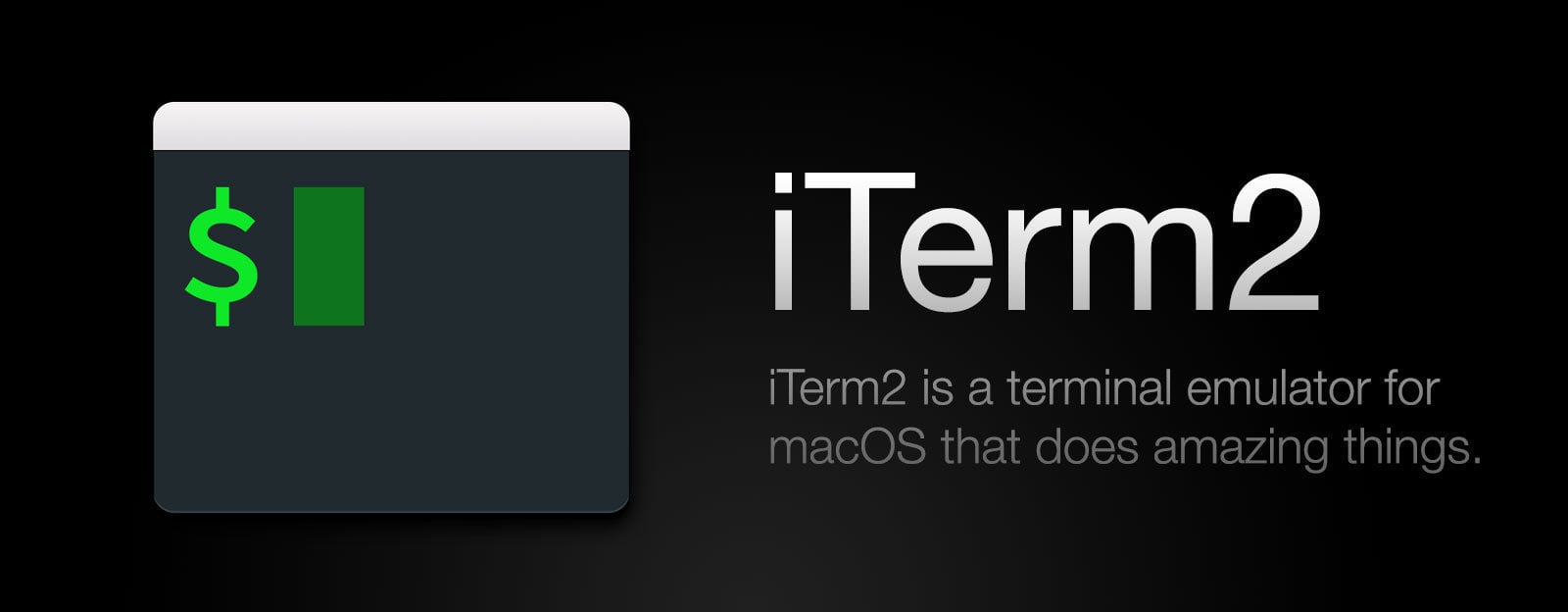
iTerm2 is a free and open-source terminal emulator for macOS, designed to enhance the command-line experience with a suite of advanced features. It serves as a robust alternative to the default Terminal application, offering functionalities that cater to developers, system administrators, and power users seeking greater efficiency and customization in their workflows.
Key Features and Functionality:
- Split Panes: Allows users to divide a single tab into multiple panes, facilitating simultaneous monitoring and execution of different sessions within one window.
- Hotkey Window: Enables the terminal to be brought to the foreground instantly from any application using a global hotkey, ensuring quick access when needed.
- Advanced Search and Autocomplete: Provides robust search capabilities with regular expression support and highlights all matches. Autocomplete functionality suggests previously used commands, enhancing efficiency.
- Instant Replay: Allows users to travel back in time within the terminal to recover text that was erased, preventing loss of important information.
- Paste History: Maintains a history of copied or pasted text, enabling users to revisit and reuse previous entries without redundancy.
- Shell Integration: Integrates seamlessly with the shell to recognize prompts, commands, and directories, enabling features like navigating to previous prompts and auto-completing commands.
- 24-bit Color Support: Offers full 24-bit color support, enhancing the visual experience and readability of code and terminal output.
- Configurable Profiles and Customization: Provides extensive customization options, including adjustable color schemes, fonts, transparency settings, and keyboard shortcuts, allowing users to tailor the terminal environment to their preferences.
Primary Value and User Solutions:
iTerm2 addresses the limitations of the default macOS Terminal by offering a feature-rich environment that enhances productivity and user experience. Its advanced functionalities, such as split panes and hotkey access, streamline multitasking and quick terminal access. Features like instant replay and paste history prevent data loss and reduce repetitive tasks. The high degree of customization ensures that users can create a terminal setup that aligns with their specific workflow requirements. By integrating these capabilities, iTerm2 solves common challenges faced by command-line users, making it an invaluable tool for those seeking a more efficient and personalized terminal experience.

Event Passport Pro is an all-in-one event experience platform built for conference organizers, trade show managers, and event professionals who want to turn passive attendees into active participants.
Attendees check in via unique QR codes, collect digital stamps across sessions and booths, compete on a live leaderboard, and build a passport that grows throughout the event. The result: deeper engagement, more booth traffic, and an event people actually remember.
Key capabilities:
Gamified check-in — Unique QR codes per session, booth, and stage with GPS verification to prevent remote scans
Stamp passport — Attendees collect stamps and unlock rewards as they explore the event
Live leaderboard — Real-time rankings drive friendly competition and keep energy high
Live agenda — Multi-track, multi-day schedule with embeddable widget for your event website
Attendee networking — Interest-based discovery, shared session history, in-app contact exchange
Sponsor showcase — Tiered sponsor profiles (Platinum/Gold/Silver/Bronze) with engagement analytics
Real-time analytics — Admin dashboard with check-in counts, session popularity, and top attendees
Post-event surveys — Star ratings and push notification reminders
No setup fees. All features included. White-label ready.
The Caraballo Group (TCG) is a UX and frontend engineering firm that embeds senior design and development talent directly into security and enterprise B2B SaaS product teams. With 12+ years of experience building security products, TCG helps teams modernize cluttered, complex interfaces, reduce alert fatigue and cognitive load in high-stakes workflows (SOC dashboards, risk/alert triage, incident response), and ship faster without the overhead of a lengthy hiring cycle.
TCG operates as an embedded team member rather than a traditional vendor — working inside client workflows via daily standups, Figma, Jira, and Slack. Every engagement is led directly by founder Tony Caraballo, former Head of UX at Tenable, with cross-functional teams delivering under that leadership from kickoff through delivery.
Core capabilities span four areas: UX strategy and product design (audits, user flows, high-fidelity UI, interaction design), frontend engineering (React/Vue implementation, legacy UI modernization, performance and accessibility), design systems and component libraries (token-based systems, Storybook component libraries, governance), and enterprise mobile app development (iOS/Android, React Native, mobile-first UX for operational teams).
Engagements are structured as monthly embedded retainers (three-month minimum), scaling from a single dedicated resource up to multi-track programs with executive-level governance. TCG works primarily with security software and complex B2B product teams that need senior execution now rather than a six-month recruiting cycle.

Celemony is renowned for its flagship software, Melodyne, a revolutionary audio editing tool that allows users to manipulate audio recordings with exceptional precision and musicality. Utilized daily in major studios worldwide, Melodyne enables the correction, perfection, reshaping, and restructuring of vocals, samples, and recordings across various genres, maintaining the highest sound quality. Its intuitive interface and powerful features have made it an integral part of modern music production.
Key Features and Functionality:
- Direct Note Access : Edit individual notes within polyphonic audio, allowing for precise correction and creative manipulation of chords and harmonies.
- Comprehensive Editing Tools: Adjust pitch, timing, vibrato, formants, and dynamics of each note, providing detailed control over every aspect of the audio.
- Multitrack Editing: Simultaneously edit multiple tracks within a single window, streamlining the workflow for complex projects.
- Chord Track and Recognition: Automatically detect and modify chords, facilitating seamless integration of recordings and samples into the harmonic structure of a song.
- ARA Integration: Utilize Audio Random Access technology for deep integration with digital audio workstations , enabling real-time editing without the need for exporting or importing audio files.
Primary Value and User Solutions:
Melodyne addresses the challenges of audio editing by offering unparalleled control over the nuances of musical performances. It empowers users to correct pitch and timing inaccuracies, enhance expressiveness, and creatively transform recordings while preserving their natural character. This capability is invaluable for producers, engineers, and musicians aiming to achieve polished, professional-quality results in their projects.

Snipe-IT is an open-source, web-based asset management system designed to help organizations efficiently track and manage their IT assets. It offers a user-friendly interface that allows businesses to monitor hardware, software licenses, and peripherals, ensuring accurate record-keeping and streamlined operations. By replacing traditional spreadsheets, Snipe-IT enhances asset visibility, reduces manual errors, and supports informed decision-making.
Key Features and Functionality:
- Asset Management: Monitor asset assignments, physical locations, and statuses with ease. Features include one-click check-in, asset grouping through models, and comprehensive asset histories.
- License Management: Track software licenses efficiently, with email alerts for upcoming expirations and support for multi-pack licenses.
- Email Notifications: Automated notifications for users and administrators regarding asset checkouts, check-ins, and approaching deadlines.
- Integrations: Seamless integration with tools like Jira, JAMF, and Kandji, along with a robust REST API for custom integrations.
- Security: Features include bcrypt password hashing, two-factor authentication, and HTTPS-only cookies to ensure data safety.
- Multi-Language Support: Supports over 55 languages, catering to diverse teams.
- Mobile-Friendly: Accessible on any device, facilitating asset updates on the go.
Primary Value and Solutions Provided:
Snipe-IT addresses the challenges of IT asset management by offering a centralized, secure, and scalable solution. It eliminates the inefficiencies of manual tracking, reduces the risk of asset mismanagement, and provides real-time insights into asset utilization. Organizations benefit from improved compliance, reduced operational costs, and enhanced decision-making capabilities. Its open-source nature ensures flexibility, allowing businesses to customize the system to their specific needs without incurring licensing fees.

KanbanFlow is a lean project management tool designed to enhance team productivity through visual task management and real-time collaboration. Its intuitive interface allows users to quickly set up and customize workflows, making it suitable for various project types and team sizes.
Key Features and Functionality:
- Customizable Kanban Boards: Users can tailor columns to fit their specific workflows, providing a clear overview of tasks and their statuses.
- Work In Progress (WIP) Limits: By setting limits on the number of tasks in progress, teams can reduce multitasking and focus on completing tasks efficiently.
- Subtasks and Swimlanes: Break down tasks into manageable subtasks and organize them using swimlanes to categorize work by teams, products, or business areas.
- Time Tracking: Integrated timers, including a Pomodoro technique timer, help track time spent on tasks, promoting better time management.
- Recurring Tasks and Relations: Automate repetitive tasks and establish relationships between tasks to indicate dependencies or related work items.
- File Attachments and Integrations: Attach documents directly from your computer or cloud services like Dropbox, Google Drive, OneDrive, or Box. Integrate with other systems using the REST-based API, webhooks, or services like Zapier.
- Analytics and Reporting: Utilize cumulative flow diagrams, cycle and lead time charts, burndown charts, and throughput reports to monitor performance and identify bottlenecks.
- Mobile Accessibility: Access and manage tasks on the go with the mobile web app, ensuring team connectivity regardless of location.
Primary Value and User Solutions:
KanbanFlow addresses the need for streamlined project management by providing a visual and collaborative platform that simplifies task tracking and enhances team communication. By limiting work in progress and focusing on task completion, it helps teams improve productivity and reduce project risks. The integration of time tracking and analytics enables users to monitor performance, identify inefficiencies, and make data-driven decisions. With its customizable features and real-time updates, KanbanFlow offers a flexible solution for teams seeking to optimize their workflows and deliver value more effectively.

Cloud 9 Software is a browser-based practice management system for orthodontics, pediatric dentistry, group practices, and Dental Service Organizations. Our advanced multitasking capabilities and streamlined tab structure improves staff productivity, increases user efficiency, and minimizes workflow stages. Anytime, anywhere access is vital for those moments when you need reliable, live access to your data. Practices get immediate improvements with scalability and accessibility while lowering their total cost of ownership compared to old server-based systems.

iLangL Cloud is a middleware that is aimed to safely transfer content between content management systems and translation tools. iLangL serves as a bridge between a CMS and the following translation tools - Memsource, memoQ, and MultiTrans - helping users to easily transfer content between CMS and a translation tool. By using iLangL Cloud, you can be sure that all the content will go through safely to a translation tool and back, without damage to any sensitive data.

Aurarios is booking software for wellness professionals, consolidating appointment and class management into one platform. It supports group courses, individual sessions, retreats, and seminars, with 24/7 online reservations for client convenience. The dashboard offers real-time scheduling, occupancy, and activity insights, with setup taking about 30 minutes to configure locations, services, and availability. AI tools simplify course creation using natural language input, eliminating manual data entry. Integrated payment processing handles transactions and financial tracking. The platform embeds into websites like WordPress and Wix, allowing bookings within branded environments. Multi-practitioner studios benefit from centralized management while maintaining individual planning for each practitioner. RGPD-compliant security includes encryption and daily backups to protect data.

DarkWave Studio is a free Digital Audio Workstation for Windows, designed to facilitate music creation through a modular virtual studio environment. It features a Pattern Editor, Sequence Editor, and Multitrack Hard Disk Recorder, providing comprehensive tools for composing, editing, and recording music. With support for VST/VSTi instrument and effect plugins, DarkWave Studio offers flexibility and expandability to cater to various musical styles and production needs.
Key Features and Functionality:
- Modular Virtual Studio: Allows for ad-hoc connections between machines, enabling customized routing and setup.
- Pattern Editor: Facilitates quick creation and modification of musical patterns through an intuitive interface.
- Sequence Editor: Enables arrangement of patterns into complete songs, supporting pattern reuse and efficient remixing.
- Multitrack Hard Disk Recorder: Records outputs from any machine into 16-bit or 32-bit PCM-encoded WAV files for high-quality post-production editing.
- VST/VSTi Support: Offers limitless expansion with third-party instrument and effect plugins.
- Multi-Core/CPU Support: Optimized for performance on modern processors.
- 64-bit Double Precision Audio Processing: Ensures high-quality sound processing.
- Low Latency ASIO and DirectSound Support: Provides responsive audio input and output.
Bundled Plugins:
- ES Audio Input: Enables input from sound cards.
- ES Arpeggiator: Simplifies playing complex arpeggios with a MIDI keyboard.
- ES Mixer: 8-track stereo mixer with 2 auxiliary tracks.
- ES DGenR8: Synthesizes drum beats with a Roland TR-909 flavor.
- ES BassHead: Virtual analog subtractive synthesizer.
- ES SpatialVerb: Provides realistic reverb effects.
- ES Stomp: Synthesizes classic techno kick drums.
- ES AntiAlias: 32x digital oversampling filter.
- ES QuadDelay: Creates echo effects.
- ES Distort: Basic overdrive distortion effect.
- ES Crunch: Reduces bits per sample from 16 to 1.
- ES StereoSplitter/Joiner: Splits or combines stereo signals into mono.
- ES Scope: Real-time waveform visualization.
- ES Control Monitor: Displays control messages.
- ES DownStepper: Sample rate reduction filter.
Primary Value and User Solutions:
DarkWave Studio provides musicians and producers with a comprehensive, free platform for music creation and production. Its modular design and support for VST plugins offer flexibility and expandability, accommodating various musical styles and workflows. The inclusion of essential tools like the Pattern Editor, Sequence Editor, and Multitrack Recorder streamlines the composition and recording process. By supporting both 32-bit and 64-bit Windows platforms and optimizing for multi-core processors, DarkWave Studio ensures efficient performance on modern systems. This combination of features addresses the needs of users seeking a versatile and cost-effective solution for digital music production.

FireCut AI is an advanced video editing plugin designed to streamline and enhance the editing process within Adobe Premiere Pro and DaVinci Resolve. By leveraging artificial intelligence, FireCut automates time-consuming tasks, enabling editors to focus on creative aspects and produce high-quality content more efficiently.
Key Features and Functionality:
- Silence Removal: Automatically detects and removes silent segments from footage, significantly reducing manual editing time.
- Automated Captions: Generates accurate captions in over 50 languages, complete with auto-emojis, enhancing accessibility and engagement.
- Podcast Editing: Simplifies multi-track podcast editing by analyzing audio tracks and switching video cuts to the active speaker, ensuring seamless synchronization.
- Zoom Cuts: Applies dynamic zoom-ins at key moments to maintain viewer engagement without manual keyframing.
- Chapter Detection: Identifies natural breaks in content to create chapters, optimizing videos for platforms like YouTube and improving SEO.
- Filler Word and Repetition Removal: Eliminates unnecessary filler words and repeated takes, resulting in concise and polished videos.
- AI Voiceovers: Generates professional-quality voiceovers directly within the editing software, adding depth and clarity to videos.
Primary Value and User Solutions:
FireCut AI addresses common challenges faced by video editors, such as the labor-intensive process of cutting silences, adding captions, and managing multi-track audio. By automating these tasks, FireCut significantly reduces editing time, allowing creators to focus on storytelling and creative elements. This efficiency not only accelerates project turnaround but also enhances the overall quality of the final product, making it an invaluable tool for content creators aiming to produce professional-grade videos with ease.