AI-Generated Results
Finding matches…
“Sign In & Visitor Register” is a digital solution to handle employee and visitor streams. Especially for small and medium sized companies it is a smart way to transform any office into a smart office. For controlling the reception area and its ins and outs you don’t need personnel anymore, the software takes over the tasks.
Main features of the software are the employee sign-in and visitor registration process.
Employees can use NFC keyfobs for sign-in and sign-out. This is particularly relevant in the Corona pandemic, as many companies are flying blind in terms of attendance. Even though many work from home offices, there are still enough days of attendance. In the event of a positive case of COVID19, this will allow you to better understand the chains of contagion. If there are requirements to come back to the office in stages, you also need a tool to evaluate the attendances.
To know which visitors are in the building today, they simply can register themselves with their personnel data using the software. In this context you can get your visitor guidelines like corona rules acknowledged right at the tablet in your reception area.
Visitors are used to acknowledging visitor guidelines, safety sheets and fire safety information at the entrance. In the pandemic, questions about symptom-free status, etc., have been added. Employees are also asked about their vaccination status or testing status, depending on the industry and operation. On the terminal or kiosk, they can display information on safety precautions and hygiene measures, these are to be accepted by visitors on the touch display. Employees can even do this contactless.
In addition to the visual plus with individual digital displays matching the corporate design for the professional appearance of your company, the software also avoids lengthy waiting times when there is a high volume of people and offers a fast registration process, which makes the visitors' stay much more pleasant. Of course, you can also welcome visitors with a personal greeting on the display.
Another important aspect is the emergency evacuation, which is supported by the software.
You always know who is in the building at the moment.
The visitors are registered, and so is the respective host. The employees on site are also registered via visitor management terminal. The android-based terminal can be taken outside. This allows the fire safety officers to carry out check-outs at the assembly point. This can be done manually by ticking off as well as with the built-in chip reader. If the tablet cannot be evacuated with, you still got access to the data from other devices because all information is saved in the cloud. This allows your employees to work through the message list in this stressful situation without a lot of crowding and heckling. If someone has left the building without signing out, our visitor management software (Sign in & Visitor Register) will also help. After the expiration of a set time, necessary information will be sent directly by email to all concerned persons. So visitors or employees can sign out by email, if they have already departed or left the building long ago. This means that the system already has a continuous clean-up function. So in case of emergency you have less irritations due to missing logouts.
Furthermore the software owns a parcel notification feature. With a few clicks or letter entries in our software solution, the target person is selected and the notification goes out. Including a reminder and inclusion in an inventory list. The recipients can pick up the shipment and also confirm this with one click. Thus, the employees at the gate have an overview and can keep their area free of parcel mountains.
The software also comes with the option to give out logfiles for reporting reasons. It provides analyzation of visitor frequencies or the time recording for employees.
Is there a correlation between the number of visitors and business results? Which customers are the most frequent visitors? Which appointments are existing business? Which are new customers? How many applicants were there? These can be interesting questions for their sales or HR departments. For the employees, e.g. attendance can be evaluated proportionally via home office or presence days. If the terminals are also available for employees, the times are also in the system. Thus, nothing stands in the way of simple time recording.
It is also possible to add more features and to customize reports. We update the software continuously. Tell us your personal needs and we try to integrate it for you.
Not seeing what you're looking for?
Dive deeper into "Checkli" on G2 AI
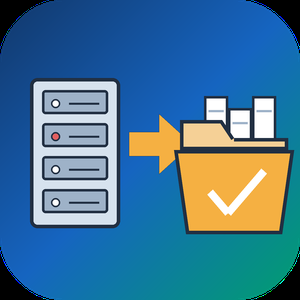
EDB to PST Converter Software is a Windows tool for the day when an Exchange mailbox database is all you have left. It opens a .edb file from Exchange 2013 or a newer release up to 2019 on your own PC and writes the mail into a Unicode .pst that Outlook reads. No running Exchange server is needed, Outlook can stay closed, and the database never leaves the machine. As an edb to pst converter it keeps the folder tree intact and carries every message across with its attachments.
🚀 How to use
1. Click Open EDB... and select the database from your backup drive or the disk of the old server.
2. Browse the tree of mailboxes and folders. Click any message to read it in the preview pane.
3. Untick what you do not need, set From and To dates, and decide whether Deleted Items and Junk go along.
4. Pick an output folder and export. In Outlook, choose File, Open and Export, Open Outlook Data File to see the result.
🛠 Why IT and office teams pick it
Microsoft's own export path expects a mounted database on a working Exchange. When that server is gone, the path is closed. This edb to pst converter reads the raw database directly, so an admin can get a few mailboxes back without building a recovery server. It turns an Exchange EDB to PST job into a desktop task. Nothing goes to a cloud service, a point that legal counsel usually asks about first. A warning appears before the run when the database is larger than 2 GB, so a long wait is never a surprise.
📦 What the PST keeps
Folders appear in the same order and nesting the users had. Subjects survive in any script, from Cyrillic to Chinese. HTML formatting, sender and recipient lists, sent and received times, unread flags and pictures placed inside a message body all carry over. Attached files are copied without changes.
🔍 Before you export
In this edb to pst converter the message list gives the subject and sender of each item along with its date and size. A log file records every step without storing message text, which helps when you send a question to support.
👥 Who uses it
Exchange administrators after a failed mount and IT contractors who receive an old database from a client. Legal and forensic reviewers use it to read mail on an offline workstation.
❓ FAQ
Can I convert EDB to PST without an Exchange server?
Yes. The program reads the database file itself, with no server or Outlook profile involved.
Which Exchange versions are supported?
Mailbox databases from Exchange 2013 through 2019. Older databases from Exchange 2010 and earlier use other layouts and are not read.
Can I pick only some folders?
Yes. Each folder has its own checkbox, and anything left unticked stays out of the result.
Does it need internet access?
No. The whole run happens offline on your computer.
✅ The free trial for Windows 11 and 10 exports a sample of messages, so you can check the PST in Outlook before you buy a license.

Outlook PST Repair Tool is a PST repair tool for Windows 10 and 11 that reads a damaged .pst or .ost data file without changing a single byte of it. Whatever can still be read is rebuilt and saved as a brand new file. Outlook does not need to be installed, and the mailbox never leaves the computer.
🔰 How to use the PST repair tool
1. Click "Open damaged PST or OST file..." and select the file Outlook rejects.
2. Keep Repair depth on Automatic. It starts with a plain open, rebuilds the header inside a working copy if that fails, and scans the whole file only as a last resort.
3. Browse the folder tree and preview messages. This tree is already the repaired mailbox.
4. Pick an output: a new PST, or MSG, EML, MBOX, PDF or HTML files.
5. Set a destination and press Start. Free disk space is checked first.
🛠 What makes it different
- Read-only source. The built-in Office utility edits a broken file in place. Here the damaged PST is only read, so a failed attempt costs nothing.
- Deleted mail. Deep scan looks for messages that were erased from a working archive and puts them in a Recovered Items folder.
- No silent losses. When a body or attachment is physically gone, the message is kept with a [partial] mark and a note listing what is missing.
- A plain report. Each run ends with a summary of the repair level, the counts and what could not be recovered, with no names or subjects in it, so it can go straight to support.
- Six outputs from one pass. Attach a fresh PST in Outlook, give EML files to another mail client, or hand PDF copies to someone with no mail app at all.
- Clean saving. Output goes to a temporary .part file and is renamed only after the last message is written, so a stopped run never leaves a file that looks complete.
👥 Who needs it
- Helpdesk staff handed a mailbox where the built-in repair already ran and folders went missing.
- Accountants, lawyers and office managers who must keep years of client correspondence.
- Anyone holding an old OST from a closed account that Outlook no longer mounts.
❓ FAQ
Is there a free way to repair a PST file? Office includes a basic repair utility that writes into the file it repairs. With this tool the scan and preview are free, so you see what comes back before paying.
Can I recover deleted emails from a PST file? Often, yes, if the file has not been compacted since. Deleted messages tend to lose their body first, so many arrive as headers marked [partial].
How do I repair a PST file without Outlook? Install the app and open the file directly. It has its own reader and writer for the Outlook format.
Does the PST repair tool open OST files too? Yes. An offline OST goes through the same repair and can be saved as a PST.
ℹ️ Free trial: open a corrupt PST file, run the repair and browse every recovered message. Saving needs a license. One file per run, Windows 10 or 11, works offline.

PST to PDF Converter Software is a PST to PDF converter for Windows 10 and 11. It opens an Outlook .pst or .ost data file straight from the disk, shows its folders and messages, and writes the ones you choose as PDF, HTML or TXT files on the same computer. Outlook does not have to be installed, and nothing is uploaded.
🔰 How to use the PST to PDF converter
1. Click Open PST, or drag one .pst or .ost file into the window. The folder tree appears on the left with a checkbox next to every folder.
2. Click a folder to list its messages with subject, sender, recipient and size. Click a message to read it in the preview pane.
3. Narrow a long folder with the search row: choose the field to look in, such as Subject or Body, type a word and press Search.
4. Leave ticks only on the folders you need. The counter above the list says how many messages will be exported.
5. Choose PDF in the Format list and decide whether pictures placed in the message body go into the output.
6. Pick a destination folder and start the export. A progress line counts the messages as they are written.
🛠 Why IT and office teams pick it
- No mail profile needed. The program reads the data file with its own engine, so a clean workstation is enough to convert PST to PDF.
- Selective export. Ticking only Sent Items or a single subfolder keeps the job inside the scope of the request.
- Check before you run. The preview renders any message with its header lines and formatted body before a single file is written.
- Mail stays local. Client and staff correspondence is processed on the PC and is not sent to a web service.
- Three output formats. PDF for records, HTML for a browser, TXT for plain text search.
- Context in every document. Each exported message starts with From, Date, To and Subject, so it still makes sense outside the mailbox.
👥 Who uses it
- Legal and compliance staff who must hand over mail from an exported mailbox as fixed documents.
- IT administrators left with the archive of someone who has moved on.
- HR teams adding a correspondence trail to a personnel file.
- Home users who want to save Outlook emails as PDF from an old backup.
❓ FAQ
How do I turn a PST file into PDF? Open the file, tick the folders, leave the format on PDF and run the job.
Can I open a PST file without Outlook? Yes. The folder tree, the message list and the preview all work on a PC that never had Outlook.
Does it read OST files? Yes. An .ost offline copy, including one whose account no longer exists, opens the same way as a .pst.
Can the PST to PDF converter load several archives at once? No. One file per session, and opening another replaces the current one.
ℹ️ Free trial with no sign-up, so you can test PST to PDF output on your own archive before buying a license. Runs offline on Windows 10 and 11. Lifetime, yearly, monthly and business licenses are available.
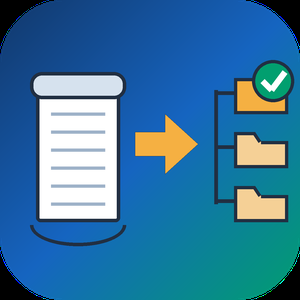
Bulk MBOX to PST Converter Software is a Windows mbox to pst converter for people moving their mail from Thunderbird to Outlook. Outlook has no way to read an mbox mailbox on its own: the import wizard knows PST and CSV, nothing else. The program takes the mailboxes you exported and writes a standard Unicode PST that Outlook mounts as a regular data file. All of the work happens offline on your PC, and Outlook can stay closed the whole time.
🛠️ How to use
1. Launch the program and load one mbox file or a whole batch. Thunderbird saves every mail folder as a separate file, most often without any extension.
2. Decide on the output. By default you get a separate PST for every mailbox. Tick the merge box to combine them, and each source lands in a top-level folder of its own, so two folders called Inbox stay apart.
3. Choose where the result should go and press start.
4. Back in Outlook, attach the file through the Open Outlook Data File command and browse your mail.
✅ Why IT and office teams pick it
- Mail never leaves the workstation. There is no upload step and no third-party server.
- Message subjects, both HTML and text versions of the body, sender and recipient fields, dates, the read or unread state and every attachment come across byte for byte.
- This mbox to pst converter parses the raw mailbox stream and skips the .msf index that Thunderbird keeps, so an archive with a broken index or a few manual edits still converts.
- A dozen mailboxes can go through in a single mbox to pst run instead of one at a time.
- The output follows the Unicode PST layout, and we checked it by opening the files in Outlook 2016.
👥 Who uses it
- Home users switching from Thunderbird who want ten years of family mail available in Outlook.
- Small offices that standardize on Outlook and need a PST for each employee's old mailbox.
- Anyone who inherited an archive from Eudora, Pine or mutt, Postbox, or an Apple Mail export and no longer has the original client.
- IT staff who want a plain mbox to pst converter for a one-time office migration.
❓ FAQ
Is there a way to open an mbox mailbox in Outlook without converting it?
No. Outlook reads PST and CSV only, so you convert mbox to pst first and then attach the PST.
What is the easiest way to get Thunderbird mail into Outlook?
Load the mailbox files from your Thunderbird profile, choose merged or separate output, save the PST and attach it in Outlook.
Does the PST open in Outlook for Microsoft 365?
It is a Unicode PST, the same kind of data file every desktop Outlook since version 2010 uses. Our own test ran in Outlook 2016.
Can several mailboxes be processed together?
Yes. Load them all at once and pick a single merged PST or one PST per mailbox.
💻 Free trial, no sign-up or account. Works on Windows 11, 10, 8.1, 8 and 7, both 32 and 64 bit, with 4 GB of RAM.
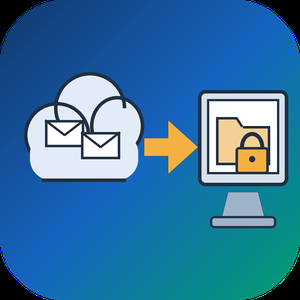
Email Backup Tool for Microsoft 365 and Outlook is an Office 365 backup app for Windows that signs in to a live mailbox and writes its mail into a PST file on your own disk. Subfolder nesting, sent and received times, HTML formatting, files attached to letters and unread flags are kept. Nothing passes through a vendor cloud, and the sign-in token is kept only in memory while the program is open.
🔰 How to use it
1. Start the program and click Sign in. The Microsoft login page opens inside the window, and no Azure app registration is required.
2. Review the list of folders. All of them are ticked after login, and a Size column reveals which ones are large.
3. Untick folders you do not need and set the From and To dates. The mailbox applies this filter on the server side.
4. Click a message to check it in the preview pane. Remote images stay unloaded.
5. Choose a folder under Save to and click Export messages. The finished file opens in desktop Outlook.
👍 Why IT and office teams pick this Office 365 backup tool
- Access is read only. The app asks Microsoft Graph for permission to read mail and never writes to the mailbox.
- Before sign-in it shows a page that explains what it reads, which helps when an administrator has to approve the app for a work account.
- A dropped connection does not restart the job. The next run picks up from a resume point stored next to the PST.
- In our test, a mailbox of 200,000 messages came down in 3.5 hours with no losses. Speed is limited by Microsoft request quotas, not by the PC.
- Attachments land in the file byte for byte, checked up to 224 MiB each.
- Before an Office 365 backup starts, the program checks free disk space and warns if it is short. Plan for roughly the size of the mailbox.
✅ Who uses it
- Staff leaving a company who want an Office 365 backup of their own correspondence, or an Outlook email backup, before the last day.
- Freelancers and small firm owners who keep a local archive of their own business account.
- Graduates whose university account is about to close.
- Owners of old Outlook.com or Hotmail accounts that are close to the storage limit.
❓ FAQ
How do I export an Office 365 mailbox to PST without admin tools? Sign in to the mailbox in this program, pick folders and dates, and save. No PowerShell or eDiscovery role is involved.
Does Microsoft 365 backup my email for me? Microsoft keeps the mailbox online, but it does not hand you a local copy. An Office 365 backup in PST form fills that gap. A PST on your disk stays readable after the account is closed.
Can it back up contacts and calendars? Not in this version. It copies mail only, and Gmail accounts are not supported.
Can I revoke access afterwards? Yes. Remove the app in the app permissions of your Microsoft account.
ℹ️ Free trial writes a real PST with the 25 newest messages from each folder. Lifetime, 1-year, monthly and business licenses are offered. Runs on Windows 10 and 11.

AlarmFront - Central Station Alarm Monitoring Software is alarm monitoring software for a security company or utility that runs its own central station on a Windows PC. It takes signals from GSM security systems as SMS, voice calls and DTMF tones, from hardware panels on a COM port, and from devices that report over TCP/IP. Every event lands on the operator's screen against the card of the object that sent it.
🛠️ How to use
1. Install the central station software on the duty PC and connect GSM modems that accept standard AT commands.
2. Add objects with address, phone numbers, client details and the panel type.
3. Choose how each link is checked: test SMS, control voice call, or a timeout since the last message.
4. Operators accept alarms, note what was done and close each event.
5. Turn on the built-in web server if clients need to view their own objects from a browser.
🏢 Why monitoring teams pick it
- One install covers GSM alarm monitoring, radio channel systems and GPS/GLONASS trackers at once.
- Flexible message settings fit almost any panel, so you are not tied to one hardware vendor.
- As alarm management software it keeps event reports and false alarm statistics per object.
- Parameter monitoring puts temperature, pressure, relay state or SIM balance on the object card, with graphs and Excel export.
- Operator control shows a check message every 30 minutes and logs every action for shift review.
- Data stays on your own PC or database server, because the alarm monitoring software runs locally rather than as a hosted service.
👥 Who uses it
Private security firms that need monitoring station software, bank security departments, heating and water utilities watching boiler rooms and wells, fleet owners tracking vehicles, and guard posts in cottage villages. Larger operators run it as alarm monitoring center software on a second level that collects summary messages from regional stations.
❓ FAQ
What is central station monitoring software?
It sits at the receiving end of an alarm system. It decodes incoming signals, shows them to an operator and keeps an event history per object. This alarm monitoring software does that for GSM, serial and TCP/IP channels.
Can it work as Contact ID receiver software?
Yes, for panels and receivers wired through RS-232/RS-485. Import the Contact ID code list once and events show readable descriptions.
How many modems can one station use?
Windows allows up to 256. A dependable alarm receiving center software setup needs at least two, one of them for calling objects during link checks.
Is it security alarm monitoring software only?
No. Utilities also use this alarm monitoring software to read meters and supervise generators, wells and heating stations.
✅ The free trial has full functions for 30 days and up to 10 objects. AlarmFront runs on a Windows PC with a GSM modem for SMS and voice channels.

Stop exporting CSVs from Airtable. Airtable to Sheets syncs your Airtable records into Google Sheets and keeps them up to date. Pick a base, table, or view, and the records land in your sheet. On Business, changes in Airtable reach the sheet within seconds, and edits you make in the sheet go back to Airtable.
Set up in 3 steps
1. Install Airtable to Sheets from the Marketplace
2. Connect your Airtable account with one-click OAuth
3. Pick a base, table, or view and run your first sync
Key features
• Sync any base, table, or view. Pick the fields you want, or sync a filtered view instead of the whole table.
• Two-way sync (Business). Edit a cell in Google Sheets and push the change back to Airtable. 17 field types write back. Formulas, rollups and lookups stay read-only, like they are in Airtable.
• Live sync (Business). Change a record in Airtable and the sheet catches up within seconds. No 3-hour wait.
• Every field type comes across. Text, numbers, dates, checkboxes, single and multiple select, linked records, attachments, collaborators, formulas, rollups and lookups.
• Field renames don't break the sync. Airtable field IDs live in a protected row, so the sync keeps finding the field after you rename it.
• Scheduled syncs every 3 hours on Pro and Business, with no one opening the sheet.
• Your formulas survive. Add your own columns next to the synced data and they stay put through every sync.
• No record cap and no per-user fee. One flat price per account.
Plans
• Starter ($9/month): manual sync, up to 3 tables or views
• Pro ($19/month): unlimited tables and scheduled syncs every 3 hours, plus priority support
• Business ($39/month): everything in Pro, plus two-way sync and live sync
All plans include a 7-day free trial with no credit card required.
Teams using it
• Teams that build reports, pivot tables or Looker Studio dashboards on Airtable data
• Anyone sharing Airtable data with clients or coworkers who don't have an Airtable seat
• Finance and ops teams who need Airtable records next to the rest of their spreadsheets
• Anyone tired of exporting CSVs from Airtable every week
Privacy & Security
• Manual, scheduled and two-way syncs run directly between Airtable and Google Sheets through their official APIs. Your records don't pass through our servers.
• Live sync relays each change through our server on its way to your sheet. Nothing is kept beyond the record IDs it needs and a short-lived copy that stops your own edits from bouncing back.
• OAuth tokens are stored in Google's encrypted PropertiesService. Live sync also keeps encrypted copies of your Airtable and Google sign-ins on our server, so it can update the sheet while it's closed.
• The add-on requests only the Airtable scopes it uses: record read and write, schema read, and webhook management
Support
Questions? Visit our support center or email hello@airtabletosheets.com.
We typically respond within 24 hours.

Fastkey specializes in comprehensive background and financial screening services. Through strategic partnerships with police departments across Canada, we conduct thorough background checks. Our clientele includes property managers, landlords, businesses, and mortgage brokers/lenders. Our mission is to deliver fast and dependable screening solutions, aiming to eliminate fraud and enabling our clients to prioritize their core activities, such as managing their businesses and focus on building client relationships.

Except for UFC fighters and boxers, nobody should go to work expecting to be assaulted. Through employment screening Blueline helps protect organizations' employees, customers and assets from fraud and abuse.

Info Cubic helps you meet applicants’ expectations. You communicate with them via SMS. They complete their application on their phone. They check the status of their background check on their phone. They feel like you get them.

GradADVANTAGETM is a background check which provides a 7-year criminal history search, as well as verifying education and employment or volunteer experience on the graduate’s resume.

ScreeningOne offers a comprehensive suite of screening solutions and we have one of the most extensive networks of record sources in the industry.

Employment Screening Resources® (ESR) offers comprehensive background screening services and solutions that empower our clients to make compliant and informed hiring decisions. Our work reflects the company’s deep commitment to compliance, technical innovation, and the agility to respond to constant changes in the background screening landscape. We provide the tools, skills, knowledge, and resources necessary for employers to create their own Safe Hiring Program (SHP).

Sapphire Background Check is an extensive Background Check Company with the goal of obtaining reliable, factual information through legal investigations. Our company operates on a statewide and national level, as we strive to effectively meet the needs of our clients in the timeliest manner. Our all background checks are thoroughly processed by our expert team, ensuring that companies of all industries are making optimal choices.

VolunteerBadge is volunteer management software that conducts background checks and tracks operations. It searches over 650 million records, including courts, sex offender registries, FBI Most Wanted lists, and OFAC sanctions. Biometric identity verification matches facial scans to photo IDs, cross-referencing Social Security traces and address history, flagging discrepancies before screening credits are used. The platform generates FCRA-compliant adverse action notices and integrates with AI tools to automate workflows. A REST API and webhooks enable system embedding. Features include volunteer hour tracking with in-kind value calculations, grant-ready impact reports, and a compliance roster with clearance status indicators. Automated re-screening alerts notify administrators before checks expire. An AI grant writing assistant drafts proposals using organizational data without sharing personal information. Unlimited administrator accounts are supported at no extra cost.

With over 20 years of experience in the privacy-focused risk management space, Trua is revolutionizing the way businesses and organizations interact with individuals to verify their identity or background for higher levels of Trust assurance.
TruaID™ is the first of its kind, abd offers a multi-channel, reusable verified Identity, allowing for a seamless and frictionless customer experience. Today’s businesses must contend with the risks of collecting, storing, and using consumer data, but TruaID™ provides both consumers and organizations the ability to selectively or holistically share “Trust levels” without the need to exchange personal sensitive information.
TruaScore® empowers consumers through our advanced user-verified platform, offering both selective and full background screening. Instead of sending sensitive PII to organizations, users can generate a trusted and unbiased TruaScore that objectively confirms their identity and their verified background checks. Learn more about how we leverage our unique proprietary algorithms, blockchain ledger, and other next-gen technologies to determine a privacy-preserving TruaScore.
Trua-CE™ is a patented full-spectrum enterprise insider threat and trust screening solution that offers the following key benefits: Real-Time Risk Identification, Enhanced Security and Safety, Improved Compliance, Increased Efficiency, Proactive Risk Management, Better Decision-Making, and Cost Savings. Trua’s patented full-spectrum insider threat and trust screening solution replaces one-time background checks with continuous, real-time monitoring.

Onboarded is a brand of smartsourcing AU Pty Ltd, an IT consulting firm specialising in building HR tech. We were surprised by the amount of non-productive, manual work involved in onboarding candidates for recruitment companies and lack of any affordable, decent solution. So, we built one. Simple and easy to use solution for recruitment companies.

CheckWorkRights is your all-in-one tool to collect and verify documentation, manage renewals and ensure ongoing compliance for Right to Work for all employees, VEVO checks, RSA checks and more.

CreditVidya is a pioneering fintech company in India, specializing in alternative credit scoring to facilitate institutional credit access for underserved populations. By leveraging alternative data, artificial intelligence (AI), and machine learning, CreditVidya enables banks and non-banking financial companies (NBFCs) to underwrite smaller unsecured loans efficiently. Their innovative approach has empowered over 25 million individuals, including first-time borrowers, to become visible to lenders.
Key Features and Functionality:
- Alternative Credit Scoring: Utilizes over 10,000 data points to assess creditworthiness, making the underwriting model twice as effective as traditional bureau scores.
- Comprehensive Credit Management Solutions: Offers end-to-end services covering prospecting, credit underwriting, and delinquency management, reducing decision-making time to under five minutes.
- Fraud Prevention and Verification Services: Provides tools like the Employment Verification Engine (Eve) to eliminate manual verification processes, enhancing operational efficiency.
- AI-Driven Decision Making: Employs AI-based algorithms for risk assessment, enabling lenders to approve 15% more applicants at a fraction of the cost compared to traditional methods.
Primary Value and User Solutions:
CreditVidya addresses the challenge of financial inclusion by enabling lenders to assess and extend credit to individuals lacking traditional credit histories. Their technology reduces underwriting costs by over 50% and shortens loan disbursal times from several days to under 30 minutes. This efficiency allows financial institutions to expand their customer base profitably while mitigating risks associated with first-time borrowers.