AI-Generated Results
Finding matches…
Not seeing what you're looking for?
Dive deeper into "microsoft 365" on G2 AI

Shoviv Microsoft 365 to Google Workspace Migration is a handy utility that enables moving Microsoft 365 data to Google Workspace. It can move all kinds of data, such as email, contacts, calendar, and drive data. The software can move multiple mailboxes and drives while maintaining data integrity. The software is loaded with some advanced features like filter options, scheduler, and incremental export-like advanced facilities. A demo version of the software is provided, which can migrate the first 50 items per folder for free.

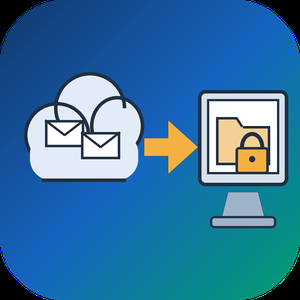
Email Backup Tool for Microsoft 365 and Outlook is an Office 365 backup app for Windows that signs in to a live mailbox and writes its mail into a PST file on your own disk. Subfolder nesting, sent and received times, HTML formatting, files attached to letters and unread flags are kept. Nothing passes through a vendor cloud, and the sign-in token is kept only in memory while the program is open.
🔰 How to use it
1. Start the program and click Sign in. The Microsoft login page opens inside the window, and no Azure app registration is required.
2. Review the list of folders. All of them are ticked after login, and a Size column reveals which ones are large.
3. Untick folders you do not need and set the From and To dates. The mailbox applies this filter on the server side.
4. Click a message to check it in the preview pane. Remote images stay unloaded.
5. Choose a folder under Save to and click Export messages. The finished file opens in desktop Outlook.
👍 Why IT and office teams pick this Office 365 backup tool
- Access is read only. The app asks Microsoft Graph for permission to read mail and never writes to the mailbox.
- Before sign-in it shows a page that explains what it reads, which helps when an administrator has to approve the app for a work account.
- A dropped connection does not restart the job. The next run picks up from a resume point stored next to the PST.
- In our test, a mailbox of 200,000 messages came down in 3.5 hours with no losses. Speed is limited by Microsoft request quotas, not by the PC.
- Attachments land in the file byte for byte, checked up to 224 MiB each.
- Before an Office 365 backup starts, the program checks free disk space and warns if it is short. Plan for roughly the size of the mailbox.
✅ Who uses it
- Staff leaving a company who want an Office 365 backup of their own correspondence, or an Outlook email backup, before the last day.
- Freelancers and small firm owners who keep a local archive of their own business account.
- Graduates whose university account is about to close.
- Owners of old Outlook.com or Hotmail accounts that are close to the storage limit.
❓ FAQ
How do I export an Office 365 mailbox to PST without admin tools? Sign in to the mailbox in this program, pick folders and dates, and save. No PowerShell or eDiscovery role is involved.
Does Microsoft 365 backup my email for me? Microsoft keeps the mailbox online, but it does not hand you a local copy. An Office 365 backup in PST form fills that gap. A PST on your disk stays readable after the account is closed.
Can it back up contacts and calendars? Not in this version. It copies mail only, and Gmail accounts are not supported.
Can I revoke access afterwards? Yes. Remove the app in the app permissions of your Microsoft account.
ℹ️ Free trial writes a real PST with the 25 newest messages from each folder. Lifetime, 1-year, monthly and business licenses are offered. Runs on Windows 10 and 11.

Weekly time tracking for personal and group projects in Microsoft Teams.
Project Timesheet is a weekly time-tracking app for Microsoft Teams that helps individuals and teams log hours, manage projects, and report on time — without leaving Teams and without sending any data to third-party servers.
WHO IT'S FOR
Project Timesheet is built for project teams, team leads, consultants, agencies, and anyone who needs to record how time is spent across projects — whether you're an individual tracking your own work or a team logging time against a shared set of projects.
THE PROBLEM IT SOLVES
Tracking time usually means switching to a separate tool, learning a new interface, and trusting an outside vendor with your data. Project Timesheet keeps time tracking inside Microsoft Teams and stores every entry in your own organization's Microsoft 365 (SharePoint), so your data never leaves your tenant and there is nothing new to sign up for.
KEY FEATURES
• Weekly time grid — Log hours against each project across a Monday-to-Sunday view using a simple hours-and-minutes (H:MM) format. Row, day, and week totals update automatically as you type.
• Personal and group projects — Keep individual work private with personal projects, or use group projects that live in a shared team SharePoint site so everyone with access to that site can log time against them.
• Shared projects in channels — Open the app in a channel and every member sees the same set of the team's projects, while each person logs and sees only their own hours.
• One-click export to Excel — Export your own hours, or the team's hours, to an Excel file for reporting, invoicing, or payroll.
• Your data stays in your tenant — Every entry is stored in SharePoint lists inside your own Microsoft 365 organization. There is no external database and no separate account to create.
HOW IT WORKS IN TEAMS
Add Project Timesheet as a tab in your personal apps or in a channel. Sign in with your existing Microsoft account using single sign-on. In the personal app you choose the SharePoint site where your personal data lives, and you can also open any team site to work with its shared projects. In a channel, the app automatically uses that team's SharePoint site, so its projects are shared with every member. Creating projects, logging time, and exporting all happen inside the app.
Project Timesheet is also available in any web browser using the same Microsoft account, for people who prefer to work outside of Teams.
GET STARTED, HELP & SUPPORT
• Get started: https://project-timesheet-one.vercel.app/#how
• Help & FAQ: https://project-timesheet-one.vercel.app/#faq
• Contact support: https://project-timesheet-one.vercel.app/#contact (or email info@infigen.ai)

Quest Software is a provider of innovative solutions in data management, cybersecurity, and platform modernization, serving over 45,000 organizations worldwide, including more than 90% of the Fortune 500. With over 30 years of experience, Quest empowers enterprises to manage and secure their IT environments effectively, enabling them to navigate complex technological landscapes and drive innovation confidently.
Key Features and Functionality:
- Data Management: Quest offers comprehensive tools for database management, administration, and automation, including the Toad product line, which supports various databases such as Oracle, SQL Server, and MySQL.
- Cybersecurity: The company provides advanced identity threat prevention, detection, and response solutions through products like Security Guardian, ensuring robust protection against cyber threats.
- Platform Modernization: Quest facilitates seamless migration and modernization of IT infrastructures with solutions like On Demand Migration, enabling efficient Active Directory and Microsoft 365 tenant migrations.
- Unified Endpoint Management: With Quest KACE, organizations can manage and secure diverse endpoints across hybrid environments, ensuring consistent policy enforcement and compliance.
- Data Replication and High Availability: Quest's SharePlex offers real-time, cross-platform database replication, enhancing data availability and supporting cloud integration strategies.
Primary Value and Solutions for Users:
Quest Software addresses critical challenges faced by modern enterprises, including data complexity, cybersecurity threats, and the need for IT agility. By providing integrated solutions that simplify data management, enhance security postures, and streamline platform migrations, Quest enables organizations to:
- Enhance Operational Efficiency: Automate routine tasks and optimize database performance, reducing manual effort and minimizing downtime.
- Strengthen Security Measures: Implement proactive threat detection and rapid response mechanisms to safeguard sensitive information and maintain compliance.
- Facilitate Digital Transformation: Support seamless migration to modern platforms, ensuring business continuity and enabling the adoption of emerging technologies like AI.
By leveraging Quest Software's solutions, enterprises can confidently manage their IT environments, mitigate risks, and accelerate innovation to stay competitive in a rapidly evolving digital landscape.

Office Protect is a Microsoft 365 add-on designed to increase your cyber safety. It allows you to easily implement recommended security settings, threat prevention, monitoring and reporting, and provides an extra layer of defense against malicious attacks and unintentional breaches.

NoSpamProxy is the award-winning secure email gateway developed by Net at Work GmbH in Germany. Trusted by more than 6,000 organisations, the solution combines powerful spam and malware protection, GDPR-compliant email encryption (S/MIME and OpenPGP), secure large-file transfer and centrally managed email disclaimers in one modular platform available both in the cloud and on-premises.
Its Protection, Encryption, Large Files and Disclaimer modules integrate seamlessly with Microsoft 365 and other mail infrastructures, and its cloud edition now allows each module to be licensed individually for maximum flexibility.
NoSpamProxy is the only email security solution certified by the German Federal Office for Information Security (BSI) and proudly carries the "IT-Security made in Germany" label, underlining its commitment to the highest standards of trustworthiness, transparency and data protection.

ITRAK 365 is the definitive software solution for managing your company’s Quality, Health, Safety & Environment (QHSE) processes. Close integration within the Microsoft Dynamics 365 environment leverages the integration, power and scalability that comes with the platform. Organizations can adapt ITRAK to their ever-changing workflow requirements, allowing them to mitigate operational risk.


BuiltWith is a comprehensive web intelligence platform that enables users to analyze the technologies employed by websites across the internet. By providing detailed insights into a site's tech stack—including frameworks, analytics tools, hosting providers, and more—BuiltWith serves as a valuable resource for marketers, sales teams, developers, and researchers aiming to understand market trends, generate leads, and monitor competitors.
Key Features and Functionality:
- Technology Profiling: Instantly identify the technologies used on over 370 million active domains, covering more than 110,000 web technologies.
- Lead Generation: Create targeted lists based on specific technologies or attributes, facilitating precise B2B outreach and sales strategies.
- Market Analysis: Access historical data and trends on technology adoption, enabling informed business decisions and competitive analysis.
- CRM Integration: Seamlessly sync technology data with platforms like Salesforce, HubSpot, and Microsoft Dynamics 365 to enhance customer relationship management.
- API Access: Automate technology lookups and integrate BuiltWith data into custom tools and workflows.
Primary Value and Solutions Provided:
BuiltWith addresses the need for accurate and up-to-date web technology insights, empowering businesses to:
- Enhance Lead Generation: Identify potential clients based on their current technology usage, allowing for tailored marketing and sales approaches.
- Monitor Competitors: Track competitors' technology stacks to inform strategic decisions and identify market opportunities.
- Conduct Market Research: Analyze industry trends and technology adoption patterns to stay ahead in a rapidly evolving digital landscape.
- Optimize Sales Strategies: Utilize detailed technology profiles to prioritize leads and personalize outreach efforts, increasing conversion rates.
By offering a robust suite of tools for technology tracking, lead generation, and market analysis, BuiltWith equips businesses with the intelligence needed to make data-driven decisions and maintain a competitive edge.

DiggSpace – Are you ready to step into a wider Digital Workplace?
Dive deep into a Digital Workplace
Diggspace is a ready-to-use internal communication portal that empowers you to build an Intranet in a blink of an eye. Your entire organization can take advantage of it, even collaborators without Microsoft 365. Whether you are local or global, small or large, Diggspace will set your digital workplace apart
Step into the future
Have a fresh and powerful Intranet, forever. Get the best of a SaaS product - go live fast and never become outdated due to our regular and automatic updates. Access your intranet anytime, anywhere, on your computer or mobile devices!
Content Management made easy
Leverage Diggspace channels to organize and prioritize your content. Setup channel administrators and an approval workflow. Create channels where everyone can publish content. Schedule to publish/unpublish content in advance.
Microsoft 365 integration
By combining Diggspace channels, Diggspace User Search and Microsoft Teams, collaboration has never been easier! Rapidly access your latest documents, no matter where they are: OneDrive, SharePoint, Teams, etc. Find your Groups and Teams and quickly access their SharePoint sites, document libraries or Microsoft Teams channels. Embed PowerApps, Microsoft Stream or any other Microsoft 365 app on Diggspace content. Add Diggspace events to your Outlook calendar with just one click, or export them to any other!
Made with ❤ by Create IT: our client-centric history
Diggspace was launched by Create IT, Microsoft Gold Partner, in 2017. One year later we reached 30.000 users. During 2019 we reshaped Diggspace's user experience from the ground up, considering all the feedback received. In early 2020 we released V4.0, a major new version that delivers many new features like easier content management.
Thanks to our long-term commitment, we greatly value user feedback and make regular updates on the product.

NetExplorer is a French software company specializing in secure online file sharing, storage, and collaborative solutions for businesses. Founded in 2007, NetExplorer offers a cloud-based platform that enables organizations to manage the entire lifecycle of their documents, accessible from anywhere, while maintaining stringent security standards. The company provides a comprehensive suite of applications, including web interfaces, synchronization software, mobile applications, network drives, and integrations with tools like Microsoft Office and Outlook. NetExplorer's solutions are designed to enhance productivity and ensure data sovereignty, with data centers located in France, Luxembourg, and Switzerland. The platform is certified ISO 27001 for information security, ISO 9001 for quality, and ISO 14001 for environmental management, and is authorized to store and process personal health data through its HDS certification.
Key Features and Functionality:
- Secure File Sharing: Transfer files of any size or format with restricted access through secure, customizable links.
- Real-Time Collaboration: Collaborate on documents with internal and external users, featuring real-time co-editing, version control, and online review and annotation capabilities.
- Electronic Signature: Simplify processes with secure electronic signatures compliant with European standards (eIDAS).
- Advanced Security Measures: Implement password protection, access expiration settings, download notifications, and single download limitations to safeguard sensitive information.
- Integration with Office 365: Edit documents directly in the browser with Office Online, enabling real-time co-editing without the need for downloads or manual saving.
- Mobile Accessibility: Access and manage files securely from smartphones or tablets, ensuring data availability on the go.
Primary Value and Solutions Provided:
NetExplorer addresses the critical need for secure and efficient document management and collaboration within organizations. By offering a centralized platform with robust security features, it ensures that sensitive data is protected while facilitating seamless collaboration among team members, regardless of their location. The integration with tools like Office 365 and compliance with stringent certifications make NetExplorer a trusted solution for businesses aiming to enhance productivity without compromising on security.
Microsoft Dynamics 365 Customer Insights helps to drive engagement through intelligent customer analytics and give employees the relevant insights they need to better understand and engage with customers.

Microsoft Dynamics 365 Customer Service is a comprehensive solution designed to empower organizations to deliver exceptional, personalized customer support across multiple channels. By integrating advanced AI capabilities, it streamlines case management, enhances agent productivity, and provides actionable insights to improve customer satisfaction and loyalty.
Key Features and Functionality:
- Omnichannel Engagement: Facilitates seamless interactions across various platforms, including chat, email, social media, and voice, ensuring a consistent customer experience.
- AI-Powered Insights: Utilizes artificial intelligence to offer predictive analytics, sentiment analysis, and recommended actions, enabling proactive and informed decision-making.
- Case Management: Automates the case lifecycle, reducing handling times and alleviating manual tasks for service representatives.
- Knowledge Management: Maintains an up-to-date repository of knowledge articles, assisting agents in resolving issues efficiently and enabling customer self-service.
- Service Level Agreements (SLAs): Allows for the configuration and monitoring of response and resolution times, ensuring adherence to service standards.
- Self-Service Portals: Empowers customers to find solutions independently through user-friendly portals, reducing the volume of direct service requests.
Primary Value and Solutions Provided:
Dynamics 365 Customer Service addresses the critical need for businesses to offer responsive, efficient, and personalized support. By automating routine tasks and providing AI-driven insights, it enables service representatives to focus on complex issues, thereby improving resolution times and customer satisfaction. The platform's omnichannel capabilities ensure that customers receive consistent support regardless of their preferred communication method, fostering loyalty and trust. Additionally, the integration of self-service options and knowledge management reduces operational costs and empowers customers to resolve issues independently. Overall, Dynamics 365 Customer Service enhances the efficiency of support operations, elevates the customer experience, and drives long-term business success.

CloudFilter is a secure email gateway built to deliver full inbound and outbound protection anywhere you have MX record control: Microsoft 365, Google Workspace, on-prem servers, hosted environments, and POP/IMAP. That flexibility has made it the right fit for MSPs managing diverse client environments.


Jet Reports is a comprehensive financial and business reporting solution seamlessly integrated with Microsoft Excel, designed to enhance reporting capabilities for Microsoft Dynamics users. It enables real-time, self-service reporting directly within Excel, allowing users to create and customize reports without the need for technical expertise or IT support. By connecting directly to live Dynamics ERP data, Jet Reports ensures that users have immediate access to accurate and up-to-date information, facilitating faster and more informed decision-making.
Key Features and Functionality:
- Real-Time Data Access: Direct integration with Microsoft Dynamics 365 Business Central, NAV, and GP allows users to access and analyze live data within Excel, ensuring reports reflect the most current information.
- Self-Service Reporting: Empowers non-technical users to build and customize reports and dashboards without relying on IT, using familiar Excel functions and an intuitive drag-and-drop interface.
- Cloud-Based Report Management: The Reports Center, a secure web portal, enables users to manage, schedule, and distribute reports from anywhere, enhancing collaboration and accessibility.
- AI-Powered Insights: Integration with Lineos AI provides advanced tools for uncovering trends and anomalies, streamlining report creation, and offering instant, AI-generated answers to product-related questions.
- Excel Online Integration: Seamless compatibility with Excel Online allows users to design, manage, and run reports in a browser, offering flexibility and adaptability for modern finance teams.
Primary Value and User Benefits:
Jet Reports addresses common challenges faced by finance teams, such as slow and rigid reporting processes, reliance on IT for report creation, and difficulties in accessing real-time data. By providing a user-friendly, Excel-based interface with direct access to live Dynamics data, Jet Reports streamlines the reporting process, reduces dependency on technical resources, and enables faster, data-driven decision-making. The addition of AI capabilities and cloud functionality further enhances productivity, allowing organizations to adapt to the evolving demands of the modern business environment.