reap Reviews & Product Details

Profile Status

This profile is currently managed by reap but has limited features.

Are you part of the reap team? Upgrade your plan to enhance your branding and engage with visitors to your profile!

Pricing

Pricing provided by reap.

Free

Free
60 Minutes Per Month

Creator Plan

$29.00
300 Minutes Per Month

reap Integrations

(3)
Integration information sourced from real user reviews.

reap Media

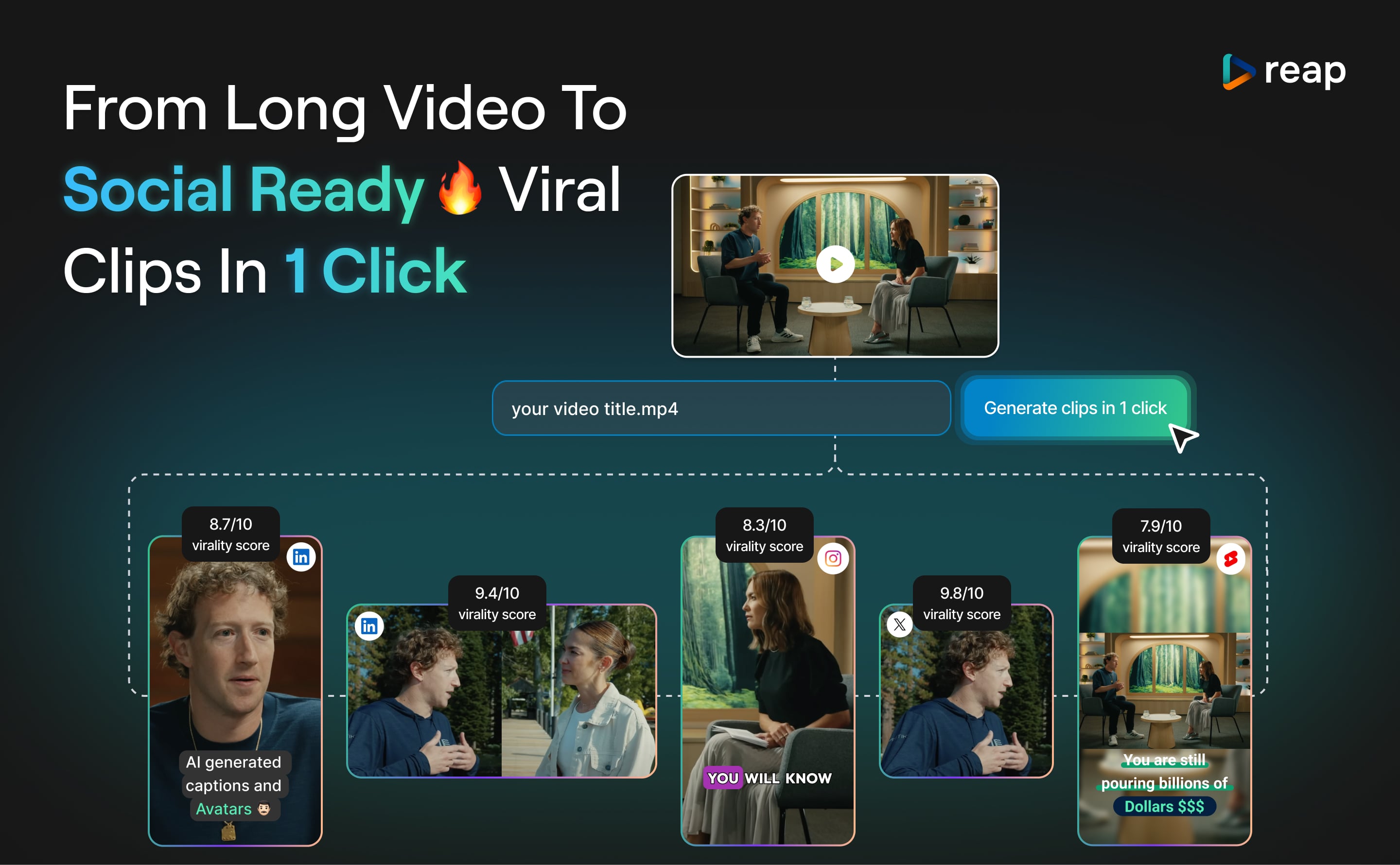
reap Demo - AI Clipping
reap turns long videos into viral, social-ready clips with one click. Each clip is optimized for platforms like TikTok, Instagram, and LinkedIn, helping creators and marketers repurpose content quickly. Just upload your video, hit “Generate clips in 1 click,” and Reap handles the rest—no editing ...
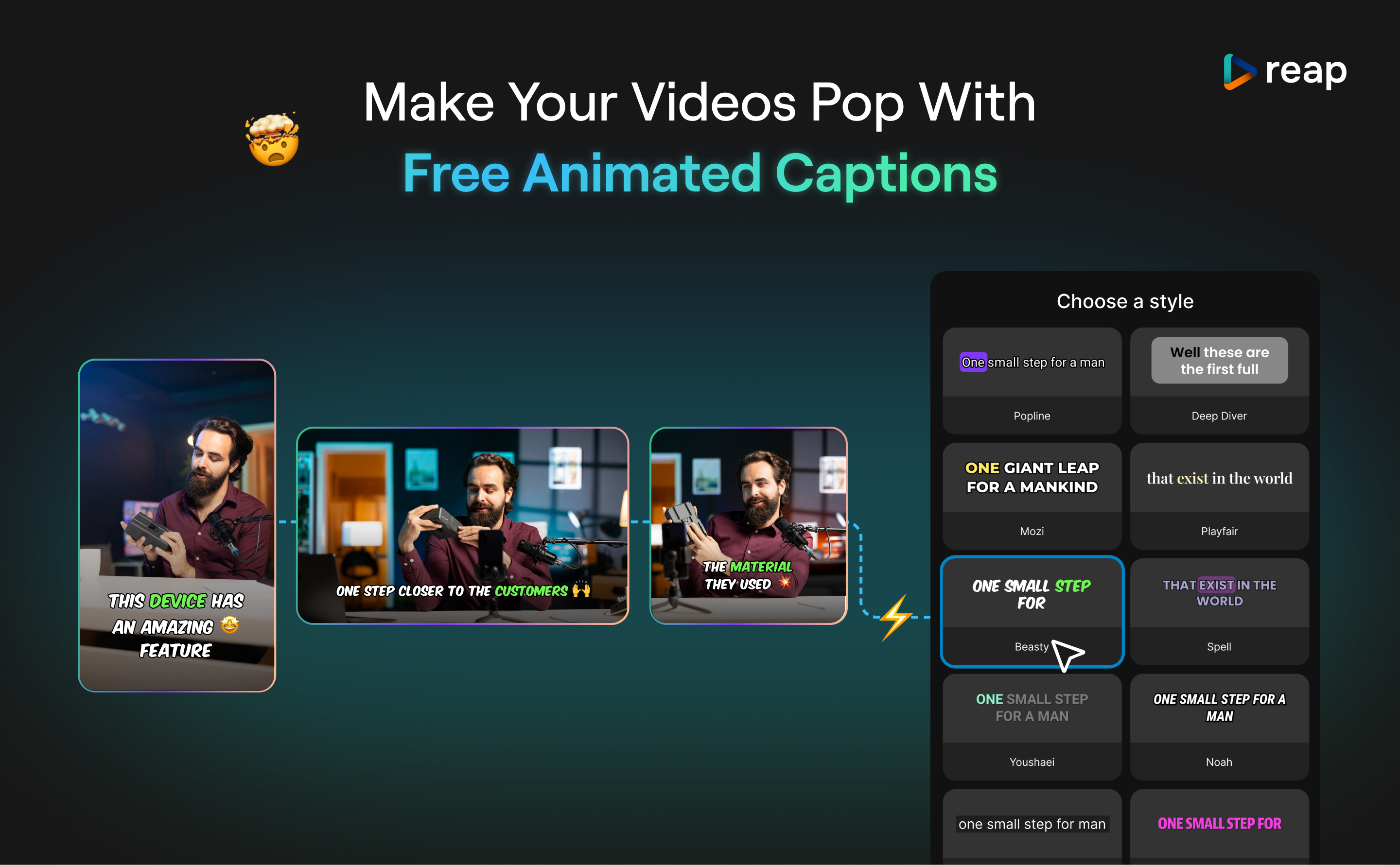
reap Demo - Animated Captions
Animated Captions in reap let you add dynamic, eye-catching text to your videos in seconds. Choose from a variety of styles to match your tone and platform—whether you’re posting on TikTok, Instagram, or LinkedIn. Captions are auto-generated using AI and synced with your audio. You can customize ...
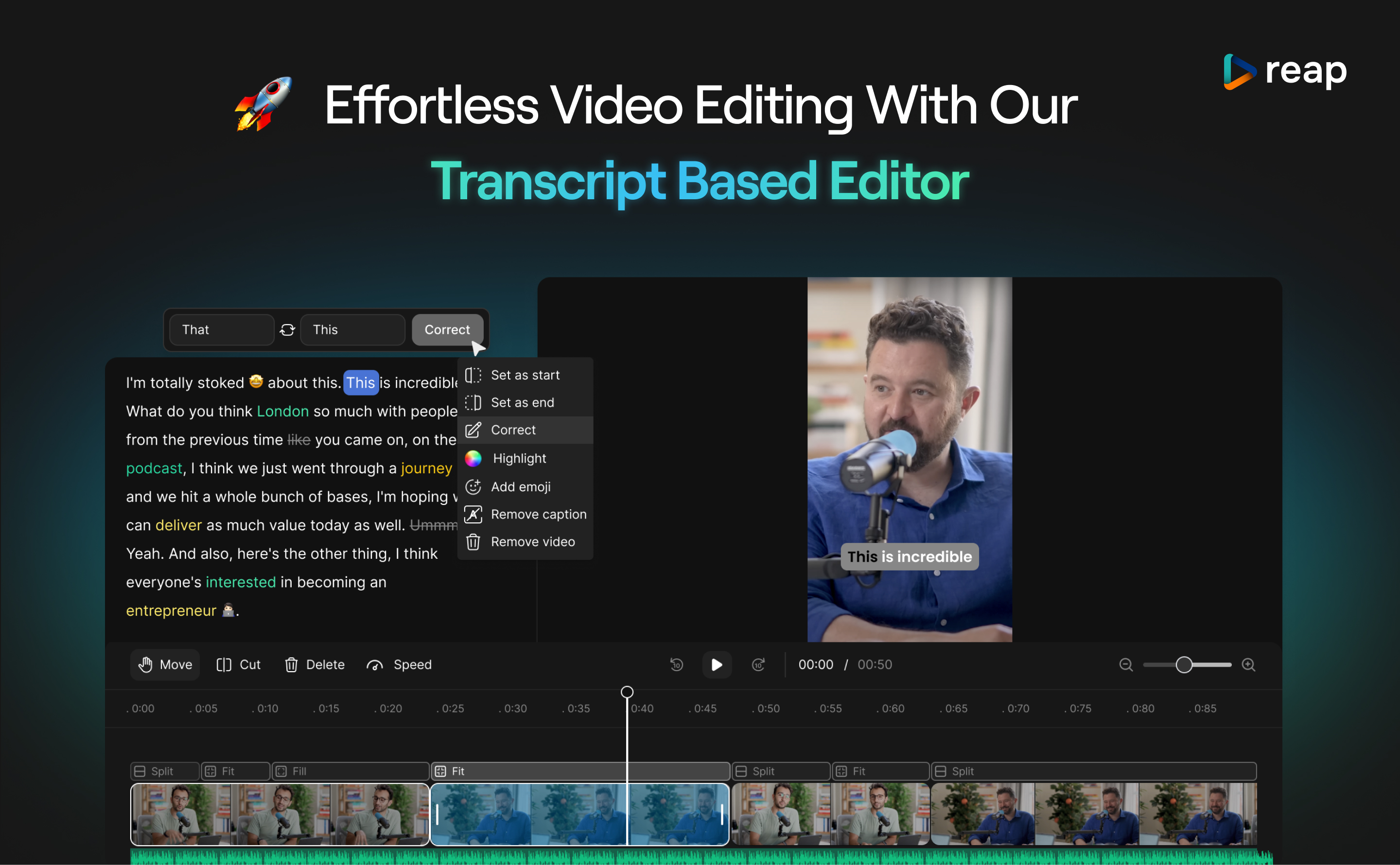
reap Demo - Transcript based Editor
The AI Editor lets you edit your video by editing the transcript just as you would edit a doc. Highlight text to cut, correct, or add emojis—your video updates instantly. It’s fast, simple, and built for creators.
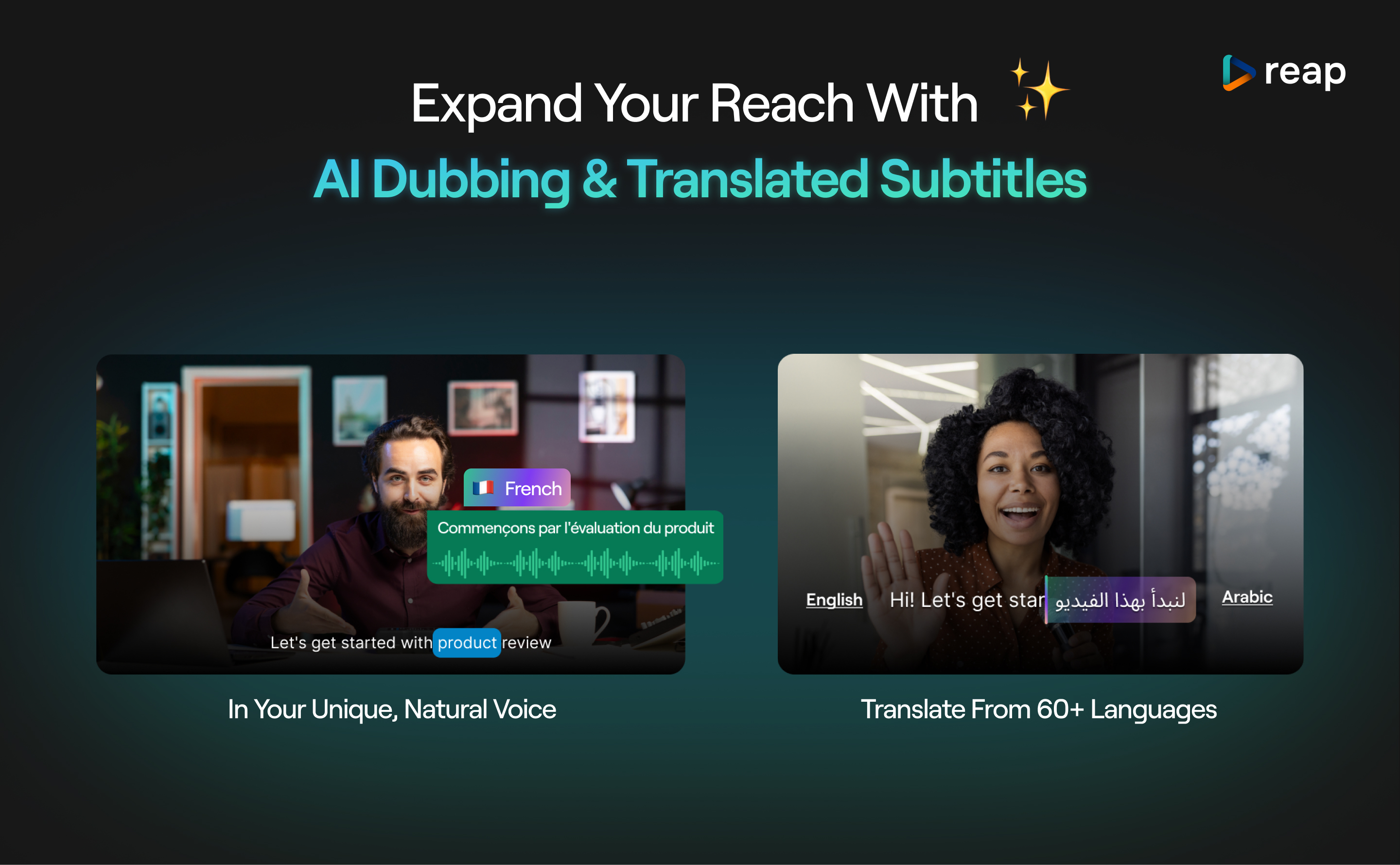
reap Demo - AI Dubbing & Subtitle Translation
Reach global audiences without re-recording a single word. Reap’s AI Dubbing feature lets you instantly translate and dub your videos into 60+ languages—while keeping your natural voice tone. Whether you’re creating content in English, French, Arabic, or beyond, reap ensures your message sounds a...
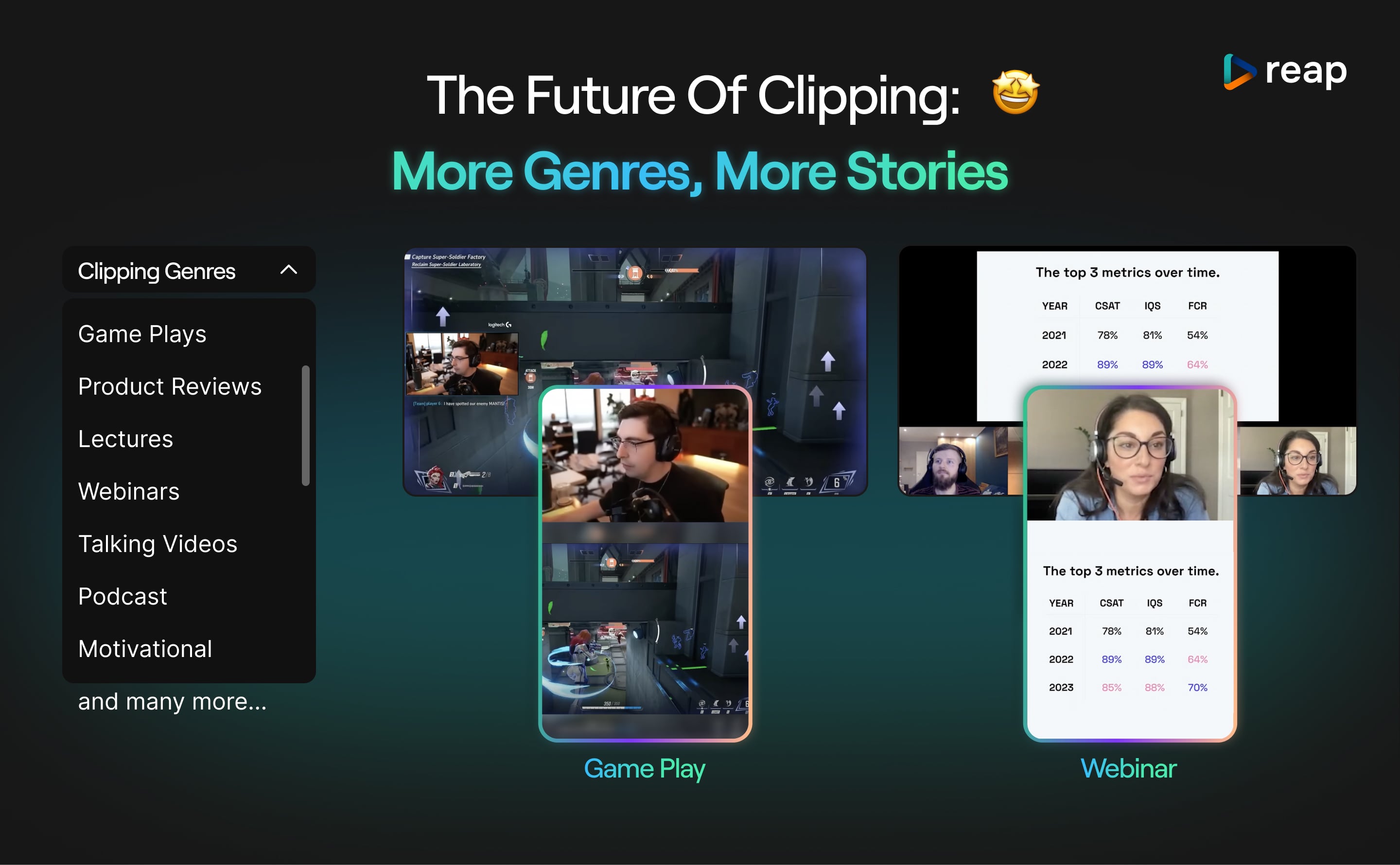
reap Demo - Podcasts, Gaming, Lectures and more genres
Reap is expanding the way creators clip and repurpose content—across every format. From gameplay and product reviews to lectures, webinars, and podcasts, reap makes it easy to generate short, high-impact clips tailored to your genre.
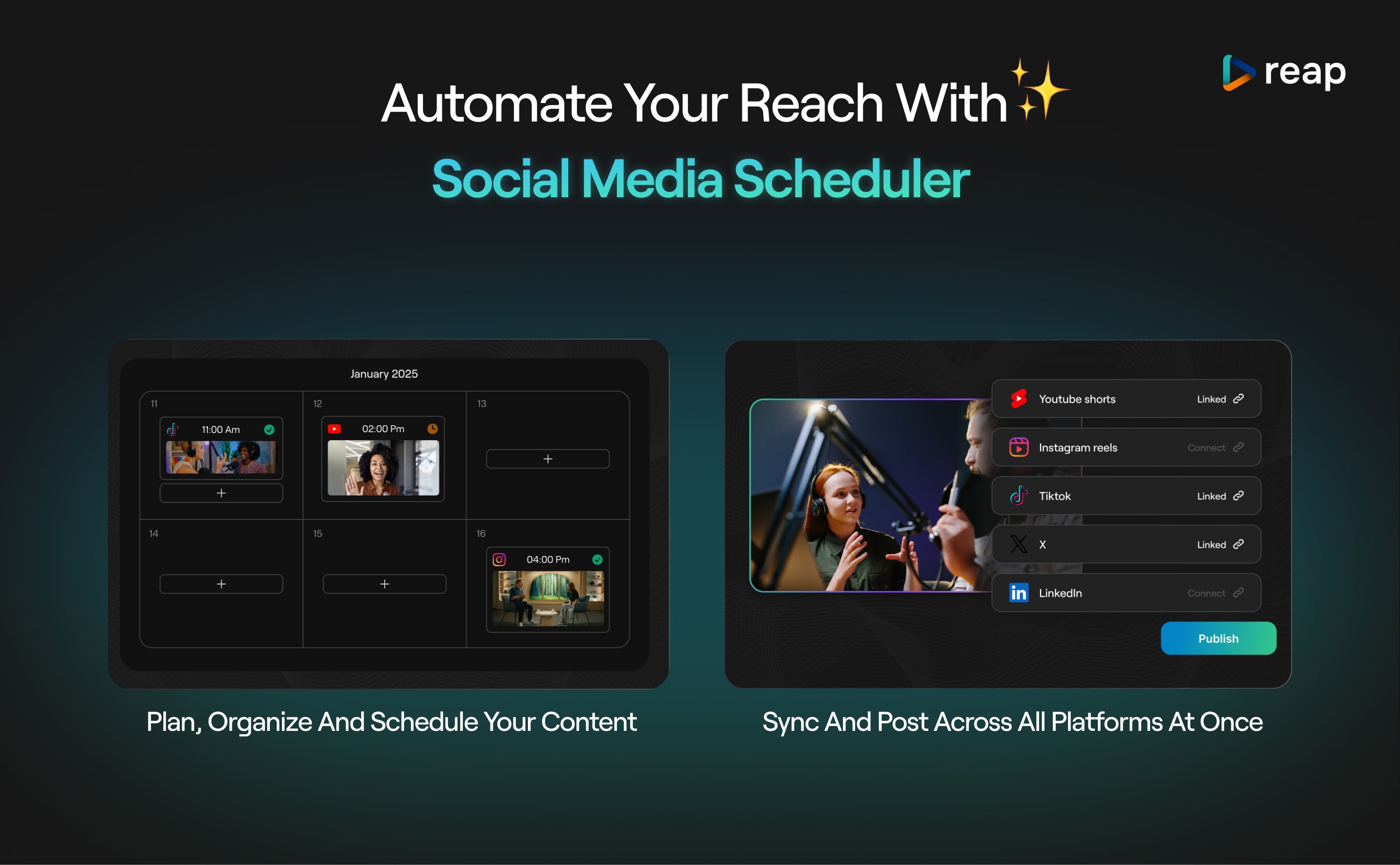
reap Demo - Social Media Calendar & Scheduler
reap’s built-in scheduler helps you plan, organize, and publish content across all your channels—automatically. Schedule Shorts, Reels, and posts directly to YouTube, Instagram, TikTok, X, and LinkedIn from one calendar view.
Product Avatar Image

Have you used reap before?

Answer a few questions to help the reap community

reap Reviews (4)

Reviews

reap Reviews (4)

5.0
4 reviews

Pros & Cons

Generated from real user reviews
View All Pros and Cons
Search reviews
Filter Reviews
Clear Results
G2 reviews are authentic and verified.
Amjid Y.
AY
Strength And Conditioning Coach
Small-Business (50 or fewer emp.)
"“A simple and reliable way to repurpose long-form videos into Shorts”"
What do you like best about reap?

What I like most about Reap is how clean and practical the workflow is for repurposing long-form videos into Shorts. It saves time without overcomplicating the process. The clip library is especially useful because nothing is lost — clips can be reused, scheduled later, and managed across multiple channels. It fits perfectly into a batching strategy and helps maintain consistent posting without daily manual work. Review collected by and hosted on G2.com.

What do you dislike about reap?

There aren’t any major downsides for my use case. Like most SaaS tools, there’s always room for gradual feature improvements, but the core functionality works as expected. I’d rather have a stable, focused tool than one overloaded with unnecessary features. Review collected by and hosted on G2.com.

Martin E.
ME
Marketing Specialist
Information Technology and Services
Small-Business (50 or fewer emp.)
"reap is the GAME-CHANGER"
What do you like best about reap?

Reap is an incredibly efficient tool for editing videos and creating social-ready clips. Its AI-powered features, like text-based editing and automatic captioning, save me hours of work and deliver great results. I particularly love the flexibility it offers to customize captions with branding and adjust styles. Additionally, Reap is user-friendly and easy to navigate, even for beginners. The customer support team is exceptional .. e.g. Usama resolved my feature request in just two days and continuously roll out updates based on user feedback. These factors make Reap a standout video editing platform, especially for producing short-form content for Instagram and YouTube Shorts seamlessly. Review collected by and hosted on G2.com.

What do you dislike about reap?

The editor needs a bit polishing. However, they are improving it each and every day.. got a word from Usama (CEO). Hence 5* for this one from me! Review collected by and hosted on G2.com.

David K.
DK
CEO
Small-Business (50 or fewer emp.)
"Generate clips on 1 click :)"
What do you like best about reap?

It's very simple to use. You just copy and paste ANY YouTube video into Reap and it generates clips within a few minutes. I tried personally a long video like 40 min. and it gave me all clips I needed within 10 min. Not bad. I tried different similar tools it took them almost 2 days. Horrible. Reap does the job perfectly well and quite fast. Review collected by and hosted on G2.com.

What do you dislike about reap?

I would love to see more integrations. for now just YouTube but I need to post clips on other social platforms like Tik Tok, Fb, IG and of course, Reals are the most important at the moment.Also I'm missing public API and webhook which would help us to scale our clips generation. Review collected by and hosted on G2.com.

Gabriel K.
GK
Operations Manager
Small-Business (50 or fewer emp.)
"Quality product today, long term potential"
What do you like best about reap?

text editor, and the ability to direct what Ai to focus on. I use it daily. Review collected by and hosted on G2.com.

What do you dislike about reap?

a handful of bugs. Customer team is on it and responsive, which is helpful. Review collected by and hosted on G2.com.

There are not enough reviews of reap for G2 to provide buying insight. Below are some alternatives with more reviews:

1
Dropbox Logo
Dropbox
4.4
(30,980)
Dropbox lets you save and access all your files and photos in one organized place, and share it with anyone. Whether you run a solo biz or lead a large, complex team, Dropbox helps your work flow better.
2
Simplified Logo
Simplified
4.6
(5,006)
Simplified helps you design everything, scale your brand, and collaborate with your team like never before. Create stunning designs, videos, and write copy using our ai copywriter tool. Then, get started with our free forever plan. Design Simplified gets you designing in seconds. Choose from thousands of stunning templates for social media posts, Instagram stories, Reels, TikToks, ads, banners, and everything else—all for free. Enjoy magic, one-click AI that can remove backgrounds, create animations, and resize images in (you guessed it) one click. You never have to use multiple tools ever again! Customize instantly with our resource library filled with millions of photos, thousands of fonts & design components. It's as simple as drag, drop, done. AI Copywriting Simplified's AI copywriting works so fast, it feels like magic. Simplified's AI can help you rewrite, improve, or write new copy from scratch, so you don't need to waste a second staring at a blank screen (or scrolling an app, or screaming into the void). Generate copy that performs well across search engines, ads, product descriptions, social media, blogs, and anything else you need. And ta-da✨ your day got a whole lot lighter. Collaborate Say goodbye to endless rounds of feedback and confused workflows and get your team on the same page. Access instant commenting, tagging, and sharing with your team. Have multiple teams? Create more workspaces to keep projects separate. Organize projects, assets & more in folders. Social Media Publishing With in-app publishing & scheduling, you can start and finish all your marketing in the same app.
3
Synthesia Logo
Synthesia
4.6
(2,557)
Create AI videos by simply typing in text. Easy to use, cheap and scalable. Make engaging videos with human presenters — directly from your browser. Free demo.
4
VEED Logo
VEED
4.6
(1,819)
Making professional video production simple. VEED offers online video editing, recording, hosting and sharing. Key features include one-click subtitling, translation, noise reduction, cropping, cutting, transitions, custom branding, compression and format conversion. VEED is ideal for teams as it is cloud based. Avoid slow file transfers and laptop storage issues. Instead, keep all your video projects online and accessible. Allow multiple editors to work on the same project. Share videos via a URL, collate feedback comments and keep existing videos up to date. When you're ready to share simply use a URL or embed the video directly into a website. Common use cases for VEED include social media videos, training videos, help videos, marketing videos, recruitment videos, onboarding videos, internal comms videos and much more.
5
Riverside Logo
Riverside
4.8
(1,671)
Riverside is an audio-video recording platform for broadcast media and podcasts.
6
Camtasia Logo
Camtasia
4.6
(1,660)
Unleash the world’s most powerful screen recorder and video editor with everything you need to tell your story — powered by AI.
7
Adobe Premiere Pro Logo
Adobe Premiere Pro
4.5
(1,629)
Adobe Premiere Pro is a professional video editing software developed by Adobe Systems, designed for creating high-quality videos across various industries. It offers a comprehensive suite of tools for editing, color correction, audio enhancement, and visual effects, making it a preferred choice for filmmakers, broadcasters, and content creators. Key Features and Functionality: - Advanced Editing Tools: Provides industry-standard video editing capabilities, including three-point editing, timeline-based editing, and support for multiple video and audio tracks. - AI-Powered Enhancements: Utilizes artificial intelligence to streamline workflows, such as Object Mask for quick masking and tracking, Text-Based Editing for efficient transcript-based editing, and Media Intelligence for rapid clip searching. - Color Correction and Grading: Offers powerful color correction tools, including color wheels, curve controls, and built-in video scopes, enabling precise color adjustments and grading. - Audio Editing and Mixing: Features professional audio tools to reduce noise, enhance dialogue, and add advanced effects, along with AI capabilities like Enhance Speech for improving audio quality. - Effects and Transitions: Includes a vast library of cinematic effects, transitions, and customizable templates to create unique visual styles. - Title and Caption Creation: Allows for the design of polished titles, captions, and graphics with customizable templates, and supports automatic translation of captions in multiple languages. - Cross-Platform Compatibility: Available on both Windows and macOS platforms, ensuring flexibility and accessibility for users. Primary Value and User Solutions: Adobe Premiere Pro addresses the needs of professional video editors by providing a robust and versatile platform that integrates seamlessly with other Adobe Creative Cloud applications. Its AI-driven features significantly reduce editing time, allowing users to focus on creative aspects rather than technical complexities. The software's comprehensive toolset enables the production of high-quality videos suitable for various platforms, from social media to cinematic releases. By offering advanced editing capabilities, color correction, audio enhancement, and visual effects in a single package, Premiere Pro empowers users to bring their creative visions to life efficiently and effectively.
8
HeyGen Logo
HeyGen
4.8
(1,474)
HeyGen is AI-powered video creation at scale, letting you effortlessly produce studio-quality videos with AI-generated avatars and voices. Get started for free!
9
Wistia Logo
Wistia
4.6
(1,051)
Wistia provides video hosting for business.
10
AI Studios Logo
AI Studios
4.2
(1,016)
No More Actors. Just AI Studios. You no longer need real-life studios set up with cameras, microphones, and actors to create content. All you need is a computer and DeepBrain AI Studios. Experience the easiest way to create videos. Create your media with DeepBrain AI Studios, a revolutionary video editing tool featuring AI Humans.
Show More

No Discussions for This Product Yet

Be the first to ask a question and get answers from real users and experts.

Start a discussion

Pricing Options

Pricing provided by reap.

Free

Free
60 Minutes Per Month

Creator Plan

$29.00
300 Minutes Per Month

Studio Plan

$49.90
600 Minutes Per Month