2026 Best Software Awards are here!See the list

Maestro Reviews & Product Details

Pricing

Pricing provided by Maestro.

Run Maestro Locally

Free

Maestro Media

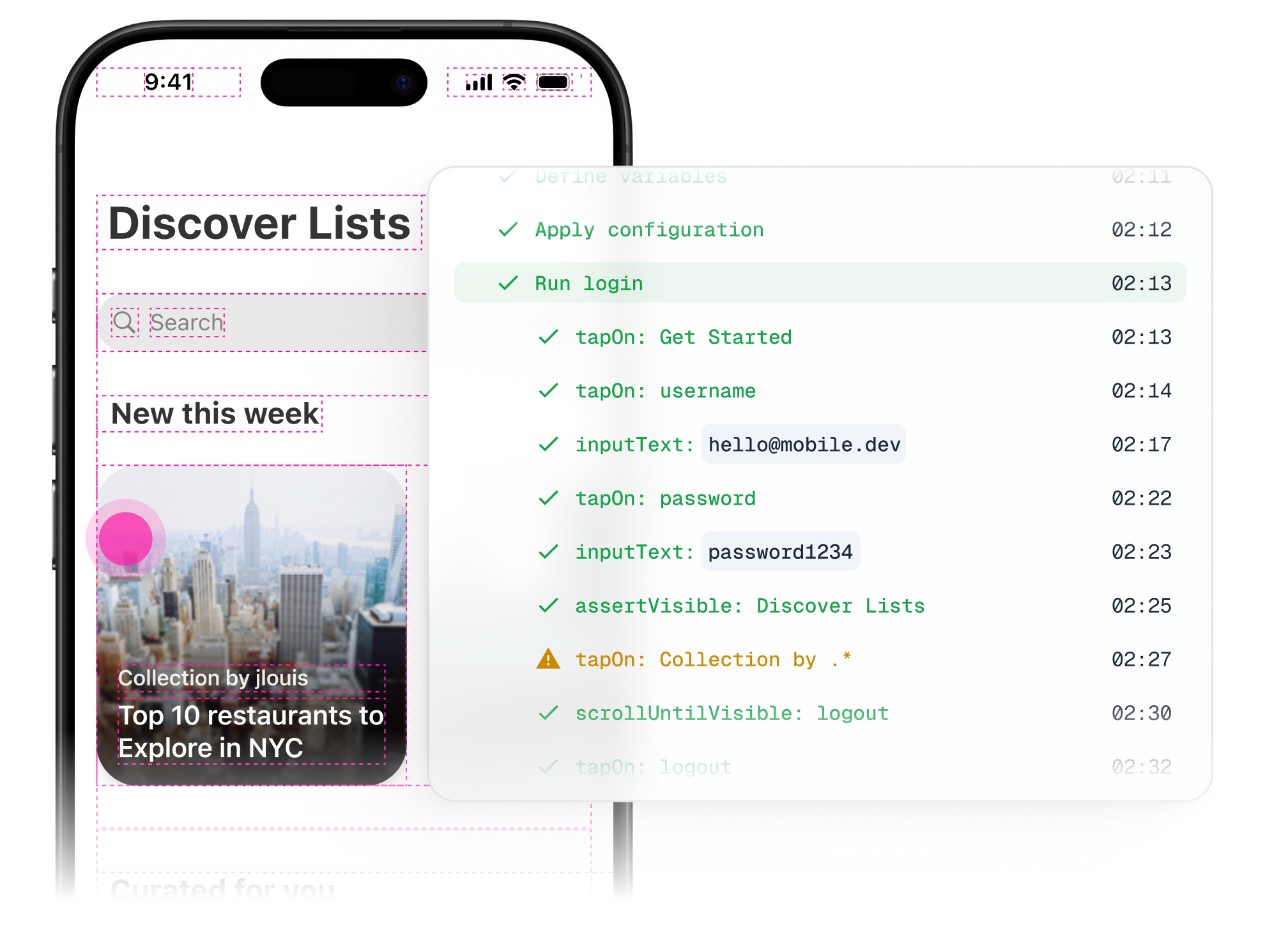
Maestro Demo - Automate E2E UI testing with Maestro.
Run tests for free with CLI or Maestro Studio Desktop. Easily scale with the Cloud.
Maestro Demo - Automate E2E UI testing with Maestro.
Run tests for free with CLI or Maestro Studio Desktop. Easily scale with the Cloud.
Maestro Demo - Automate E2E UI testing with Maestro.
Run tests for free with CLI or Maestro Studio Desktop. Easily scale with the Cloud.
Maestro Demo - Automate E2E UI testing with Maestro.
Run tests for free with CLI or Maestro Studio Desktop. Easily scale with the Cloud.
Maestro Demo - Automate E2E UI testing with Maestro.
Run tests for free with CLI or Maestro Studio Desktop. Easily scale with the Cloud.
Maestro in action!
Play Maestro Video
Maestro in action!
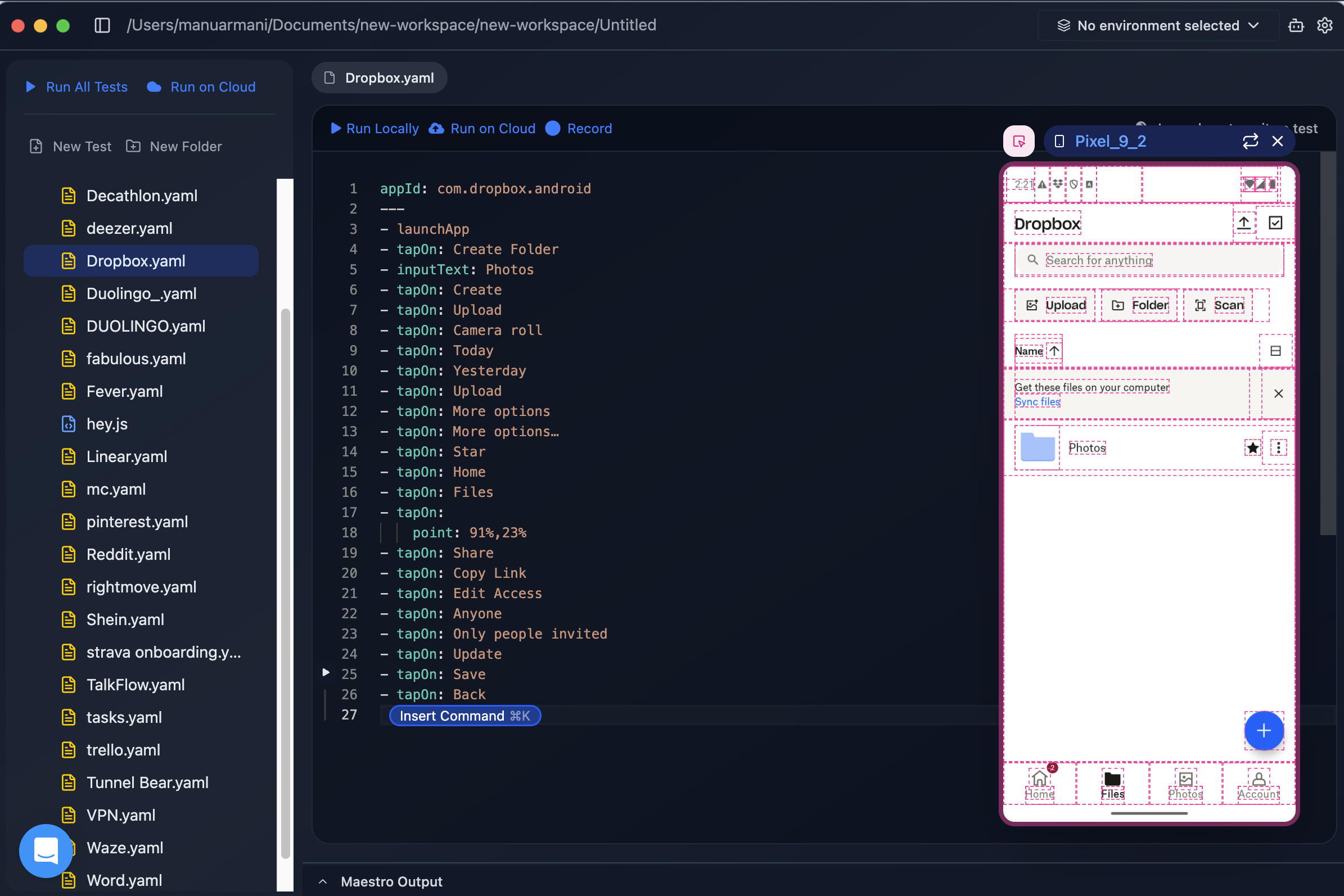
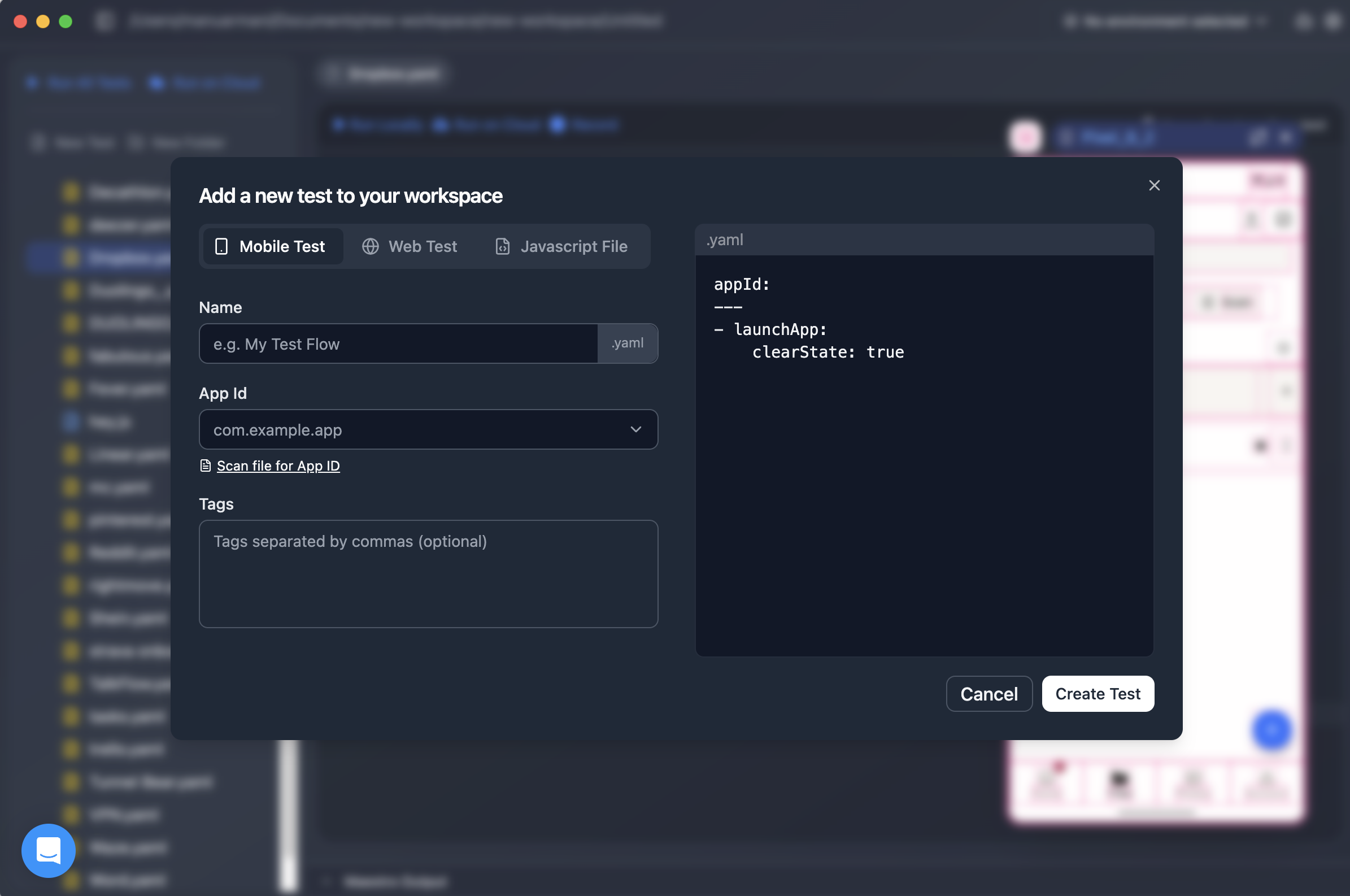
Maestro Studio Desktop - Walkthrough
Play Maestro Video
Maestro Studio Desktop - Walkthrough
Appium vs. Maestro: From hours to minutes.
Play Maestro Video
Appium vs. Maestro: From hours to minutes.
Product Avatar Image

Have you used Maestro before?

Answer a few questions to help the Maestro community

Maestro Reviews (68)

Reviews

Maestro Reviews (68)

4.4
68 reviews

Review Summary

Generated using AI from real user reviews
Users consistently praise Maestro for its ease of use and fast setup, making it accessible for both technical and non-technical users. The YAML-based syntax is noted for being readable and intuitive, allowing quick test creation and maintenance. However, some users mention that advanced features and debugging could be improved.

Pros & Cons

Generated from real user reviews
View All Pros and Cons
Search reviews
Filter Reviews
Clear Results
G2 reviews are authentic and verified.
Yogesh G.
YG
React Native Developer
Small-Business (50 or fewer emp.)
"Accessible, Dependable End-to-End Testing for Mobile and Web"
What do you like best about Maestro?

What I like most about Maestro is how it makes end-to-end testing genuinely accessible and dependable across both mobile and web. It strikes a great balance between simple, human-readable flows and robust handling of UI complexity, while still supporting scalable execution.

Also I am using it daily to test my react native apps and it is easy to integrate with any mobile app or web app and easy to implement the yaml based tests. Review collected by and hosted on G2.com.

What do you dislike about Maestro?

Compared with older tools like Cypress or Playwright, this one has fewer community examples, plugins, and truly battle-tested patterns to rely on when you run into edge cases. Review collected by and hosted on G2.com.

Sergio F.
SF
Principal Software Engineer
Mid-Market (51-1000 emp.)
"Fast, stable iOS E2E testing with Maestro"
What do you like best about Maestro?

I like that Maestro makes iOS E2E tests fast to write and very stable to run. The YAML syntax is easy to read, flows are reusable, and its smart waiting reduces flaky failures a lot, so our smoke tests give reliable feedback in CI without constant babysitting Review collected by and hosted on G2.com.

What do you dislike about Maestro?

I dislike that some advanced use cases are not very discoverable and often require digging through examples or GitHub issues. The learning curve for more complex flows (JavaScript, data-driven tests, or custom logic) is a bit steep, and error messages/logs could be clearer when something goes wrong. A more polished debugging experience and richer documentation for edge cases would make Maestro much easier to adopt across the whole team Review collected by and hosted on G2.com.

Chris A.
CA
Quality Engineering Lead
Small-Business (50 or fewer emp.)
"Reliable iOS Automation Without the Appium Overhead"
What do you like best about Maestro?

Maestro takes a refreshingly opinionated approach to mobile automation. Compared to traditional Appium setups, which can be heavy from both a code and instrumentation perspective, Maestro is genuinely plug-and-play. We were able to get meaningful automation running quickly without the overhead typically associated with mobile test frameworks.

Maestro Studio is a standout feature. It makes authoring and debugging tests extremely approachable, and significantly lowers the barrier to entry for new contributors. We were able to get our team productive with minimal 1:1 training, which is rare for mobile automation tooling.

Finally, Maestro’s documentation is clear, well-structured, and practical. It does a great job of guiding you from first setup through more advanced use cases, which reinforces how easy the tool is to adopt and scale across a team. Review collected by and hosted on G2.com.

What do you dislike about Maestro?

Honestly, there isn’t much to dislike. The main drawback we’ve encountered is cost. We found Maestro’s cloud offering to be more expensive than some other alternatives on the market. Review collected by and hosted on G2.com.

Lucas M.
LM
Full Stack Engineer (React, Next.js & Rails)
Small-Business (50 or fewer emp.)
"Fast, Reliable Cross-Platform E2E Testing with Maestro"
What do you like best about Maestro?

What I like best about Maestro is how quickly it lets me create reliable end-to-end tests for both Android and iOS. Using one tool to cover both apps made it easy to scale our test coverage without dealing with the usual friction and flakiness you often see with platform-specific frameworks. As a result, I was able to build a large suite of E2E tests and feel confident that our key user flows keep working across both platforms. Review collected by and hosted on G2.com.

What do you dislike about Maestro?

One downside is that the early versions of Maestro Studio felt a bit buggy and unstable, which sometimes made the workflow less smooth than it could be. Review collected by and hosted on G2.com.

Niyati S.
NS
Senior Quality Analyst
Mid-Market (51-1000 emp.)
"Easy-to-Understand Cross-Platform Automation with Maestro"
What do you like best about Maestro?

Maestro is easy to understand. It uses very few commands, and they’re written in simple language, so even a non-technical person can use it. Its scripts work on both Android and iOS builds. It’s also easy to implement and doesn’t require much technical knowledge. I create scripts using commands, and I also use elements that automatically generate the commands for me. It's easy to integrate in any editor so that we can get help of editor for suggestions. I used in my project to automate multiple features. Review collected by and hosted on G2.com.

What do you dislike about Maestro?

It’s not very technical, so testing with an API isn’t always possible. Sometimes I need to verify things from the backend, and in those cases it isn’t very useful. It also has a limited number of commands, so I can’t add different functionality with so few commands. Review collected by and hosted on G2.com.

Muhammad Furqan D.
MD
QA Automation Engineer
Mid-Market (51-1000 emp.)
"Simple, Straightforward Testing with Maestro—and a Supportive Team"
What do you like best about Maestro?

Simple, straight forward, to the point.

Less noise with commands, with few commands we are able to achieve all navigations, assertions as per our need without needing to do anything out of the box (Maestro team has already done that). Setting up, implenting our suite was really easy. Easy integration, few commands and boom, you're good to go. We now use cloud to run on nightly and release basis, almost cutting manual efforts here. Review collected by and hosted on G2.com.

What do you dislike about Maestro?

Honestly at this point we rely on maestro so much there not much to dislike about.

If I talk about early days it would be writing complicated tests with maestro but even that is now resolved so rally, nothing to dislike.

If you are writing extremely complicated tests? Maestro would trouble you at start but with time we find tricks to tackle that and team is very supportive. Review collected by and hosted on G2.com.

SS
UG Student (University Student)
Small-Business (50 or fewer emp.)
"Maestro: Zero Flakiness, Maximum Speed (5/5 Stars)"
What do you like best about Maestro?

Maestro is flexible. End-to-end service for mobile and web app. I can focus on projects all the time. My project is always with me. In short, It a solid and useful product. It’s a reliable tool for me. I would recommend this to other professionals.

Maestro have latest everything:

- The Testing IDE

- Virtual Testing

- Cross-platform

- AI-Assisted

as I said everything. Review collected by and hosted on G2.com.

What do you dislike about Maestro?

I have been using Maestro for a month. In India the product too expensive. The are features locked behind higher tiers. The software demands expirence. Time-consuming to learn, but worth in return out come. The design feel outdated, unintuitive, or clunky. There are still some functionality that you need but is currently unavailable. Frequently encounter errors or slow performance. In India, network or sever issues are common, but fix it please. The support slow, unhelpful, or hard to reach. Time zones, language standard, and choice of words are the factors. Review collected by and hosted on G2.com.

Mohammadmurasalin M.
MM
QA Engineer
Small-Business (50 or fewer emp.)
"Maestro Studio Makes Mobile UI Automation Simple and Powerful"
What do you like best about Maestro?

Maestro makes automation easier without requiring a complex framework. I can say it’s one of the best automation tools evolving right now for UI mobile automation on both Android and iOS platforms. It’s easy to find elements using the inspect options, and Maestro Studio is one of the best products they’ve come up with—kudos to that. Review collected by and hosted on G2.com.

What do you dislike about Maestro?

I don’t have any feedback as of now, but with timely updates on a regular basis, the team is making sure that every aspect of app automation is handled properly. Review collected by and hosted on G2.com.

Nishant T.
NT
Quality Engineering Manager
Enterprise (> 1000 emp.)
"How Maestro-Like Technology Helps Power JioMart’s Ratl Automation"
What do you like best about Maestro?

Easy to integrate, get started for non coder as well and reliable enough with studio support to detect locators and run smoothly. we are using it in our company Jio one of the biggest retail company in India & it's adding value to us in quick sanity & regression!!! Review collected by and hosted on G2.com.

What do you dislike about Maestro?

Not dislike but long pending physical IPhone device support is required! Review collected by and hosted on G2.com.

Carlos D.
CD
Website developer, blogger.
Small-Business (50 or fewer emp.)
"Maestro keeps our projects aligned, reduces status-chasing, and helps us catch blockers early"
What do you like best about Maestro?

Before Maestro, a lot of our project coordination lived in scattered places: partial notes in docs, updates in Slack threads, tasks in a project board, and then the “real status” living in someone’s head. Maestro gave us a single place to organize work in a way that actually matches how we operate. Review collected by and hosted on G2.com.

What do you dislike about Maestro?

A little more flexibility in customization would be nice. There are moments where I want to tailor views/fields a bit more to match how our team thinks about work (like slightly different status stages or more granular tagging) without workarounds. Review collected by and hosted on G2.com.

No Discussions for This Product Yet

Be the first to ask a question and get answers from real users and experts.

Start a discussion

Pricing Options

Pricing provided by Maestro.

Run Maestro Locally

Free

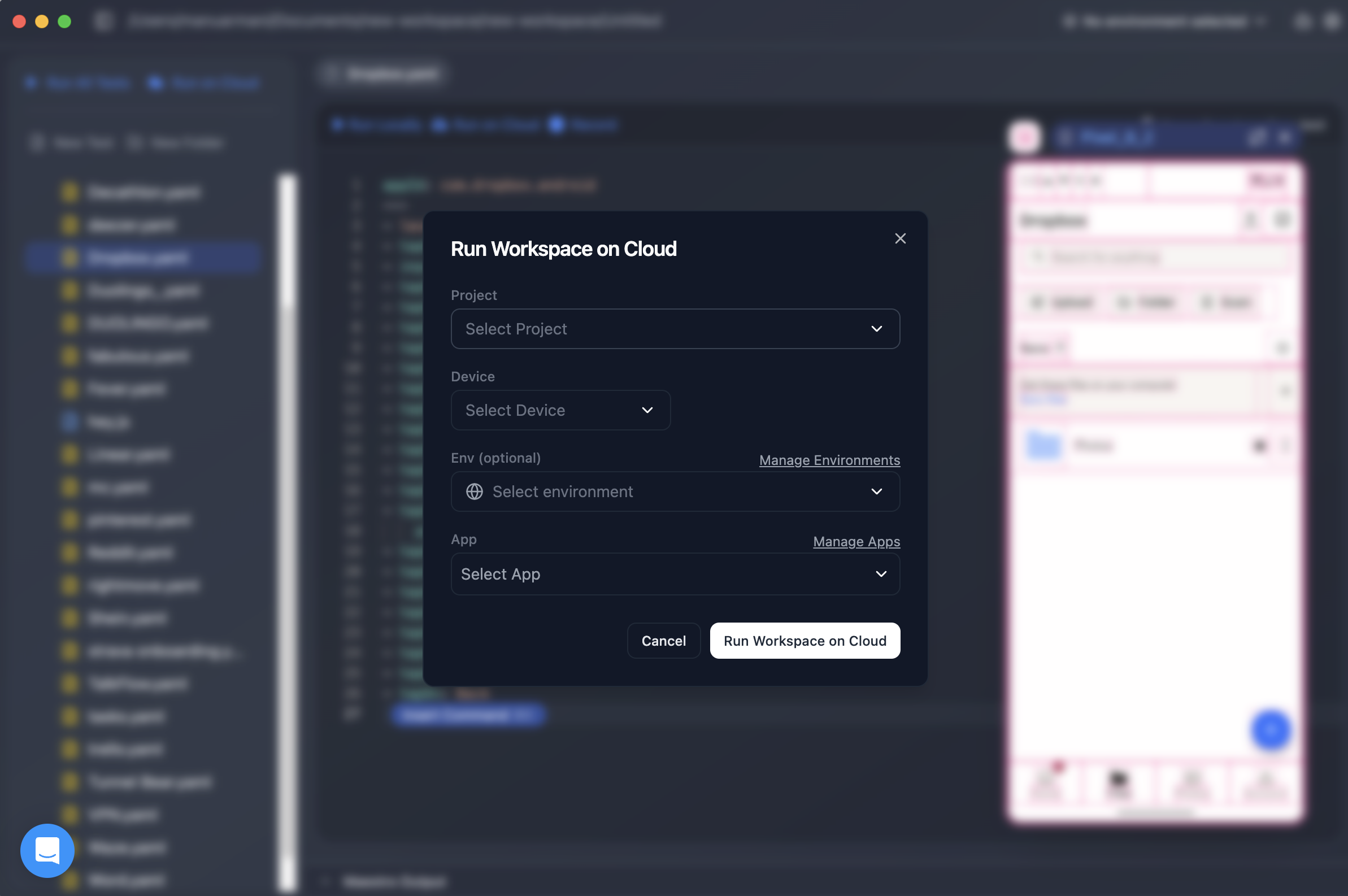
Run on Cloud - Android or iOS

$250.00
1 Device Per Month

Run on Cloud - Web

$125.00
1 Browser Per Month
Maestro Features
Test Feedback
Automation
Customization
Reliability
Product Avatar Image
Maestro