
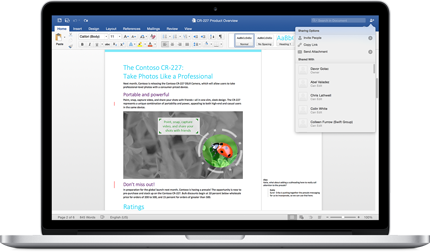


It connects seamlessly with Microsoft 365 apps like Excel, PowerPoint, Outlook, OneDrive, and Teams, making it easy to share, collaborate, and embed content across tools. It handles everything from quick notes to large, complex documents efficiently, with dependable autosave, collaboration features, and solid formatting capabilities.
As part of a Microsoft 365 subscription, it offers strong value by providing a comprehensive document creation and collaboration solution that’s widely used across businesses, schools, and organizations.
The familiar interface, extensive documentation, built-in help, tutorials, and a large user community make it easy for new users to get started and for experienced users to troubleshoot and find answers quickly. Microsoft Copilot enhances Word by helping draft, rewrite, summarize, adjust tone, and generate content, while built-in spelling, grammar, and style suggestions help improve overall writing quality. Review collected by and hosted on G2.com.
It works best within the Microsoft ecosystem; integrations with some third-party platforms and non-Microsoft collaboration tools can feel less seamless. Large or heavily formatted documents may start to run slowly, and formatting inconsistencies can show up when sharing files across different versions or applications. Many advanced capabilities also require a paid Microsoft 365 subscription, which may be more than casual users actually need. Review collected by and hosted on G2.com.





