Introducing G2.ai, the future of software buying.Try now

Network Attached Storage

by Kelly Fiorini
Network attached storage (NAS) is an appliance used to store and share data via a network connection. Learn more about its advantages and best practices.

What is network attached storage?

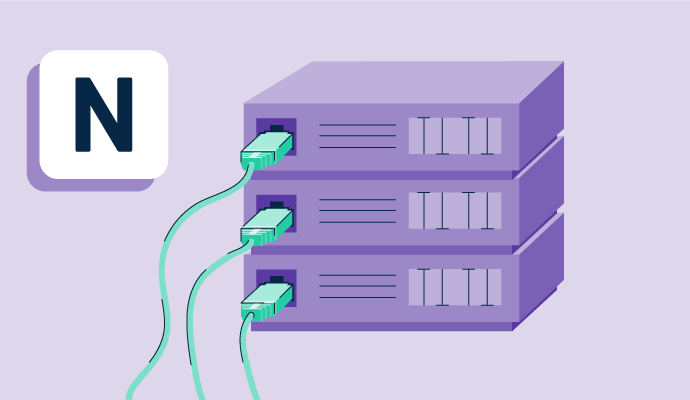
Network attached storage (NAS) is a device used to store and share data. Instead of attaching to a computer, NAS connects to a local network to provide centralized storage. 

Since they are network-dependent instead of hardware-dependent, NAS devices can be accessed by various computers, devices, and people. In addition to this flexibility, companies like to use NAS to store their most used documents since files can be retrieved quickly.

Network attached storage can help a growing business expand file storage and back up important files in a single, accessible location. Connected via the network, NAS also offers a viable solution for companies with remote workers.

Basic elements of network attached storage

NAS has many different individual parts that are separated into four main categories. These essential components are:

  • Storage: The outer unit, which is often referred to as the NAS box or head, comprises two to five storage drives. The standard hard drive is 3.5 inches and boasts a variety of storage capacities.
  • Networking: True to its name, NAS has to connect to a network. Users can set up via Ethernet ports or connect via WiFi. A NAS device comes with at least one network interface card (NIC) to facilitate this connection.
  • Processor: A central processing unit (CPU), the core of the appliance, is necessary for computing, speed, and functionality. The CPU gives the NAS the power to manage the entire file system.
  • Operating System (OS): The OS helps run the built-in software, as well as the collaboration and productivity apps.

Benefits of network attached storage

In a digitized world, businesses are leaning more toward centralized file storage and sharing solutions. NAS offers a variety of advantages for small start-ups to large enterprises, including: 

  • Quick setup: NAS devices are designed to be easy to use. That means even smaller companies without a tech department should have no trouble setting one up. With a web-based interface, the product provides painless operation.
  • Affordability: Offering data storage and backup, NAS provides arguably more value than some other solutions. A business can purchase a NAS device at a wide range of price points depending on its features and storage needs. 
  • Peace of mind: NAS users know they won’t run out of storage for their most valuable files. Moreover, users feel at ease because their data is securely backed up in an extra location. 

Network attached storage best practices

Certain best practices apply whether an organization has a whole team of devoted IT professionals or a single employee backing up files. For best results, follow these tips: 

  • Use strong passwords. As with other types of technology, NAS is susceptible to hacking and malware attacks. Strong passwords or multi-factor authentication can keep accounts safe. It’s also important to change the default administrator account’s username and password immediately upon installation.
  • Close ports and secure connections. On the NAS head, change the default ports and close all ports that are not connected. Also, use https instead of http to encrypt data sent over the web. 
  • Use a VPN. If possible, use a virtual private network (VPN) when connecting to the NAS to keep it even safer. The VPN allows for another layer of encryption and keeps IP addresses anonymous.
  • Engage firewalls. NAS comes with firewalls, which work well to prevent cyberattacks. Some devices might require users to manually configure firewall settings, so make this a priority when setting up the system.
  • Update firmware regularly. Firmware updates provide fixes to patch vulnerabilities in the system. Users should receive notifications when these updates are available. Don’t delay in installing them. 

Network attached storage vs. storage area network

These two terms are often confused because they generally have a similar purpose. Both are technology-based solutions designed to store data and share it with multiple users. 

NAS stores data in a single, centralized device and shares it through an Ethernet connection. Storage area network (SAN) is a more complex network of storage devices based on Fiber Channel for enterprises or Ethernet connections for small to medium organizations.

NAS is typically valued for its ease of use and lower cost, while SAN is prized for its powerful performance and high speed.

Kelly Fiorini
KF

Kelly Fiorini

Kelly Fiorini is a freelance writer for G2. After ten years as a teacher, Kelly now creates content for mostly B2B SaaS clients. In her free time, she’s usually reading, spilling coffee, walking her dogs, and trying to keep her plants alive. Kelly received her Bachelor of Arts in English from the University of Notre Dame and her Master of Arts in Teaching from the University of Louisville.

Network Attached Storage Software

This list shows the top software that mention network attached storage most on G2.

TrueNAS is an open source storage operating system.

Google Workspace enables teams of all sizes to connect, create and collaborate. It includes productivity and collaboration tools for all the ways that we work: Gmail for custom business email, Drive for cloud storage, Docs for word processing, Meet for video and voice conferencing, Chat for team messaging, Slides for presentation building, shared Calendars, and many more.

Macrium Reflects image based backup and disaster recovery solutions have taken another big step forward in speed, simplicity and power.

Hornetsecurity is a leading global provider of next-generation cloud-based security, compliance, backup, and security awareness solutions that help companies and organizations of all sizes around the world. Its flagship product, 365 Total Protection, is the most comprehensive cloud security solution for Microsoft 365 on the market. Driven by innovation and cybersecurity excellence, Hornetsecurity is building a safer digital future and sustainable security cultures with its award-winning portfolio. Hornetsecurity operates in more than 30 countries through its international distribution network of 8,000+ channel partners and MSPs. Its premium services are used by more than 50,000 customers. For more information, visit www.hornetsecurity.com.

Modernize your data protection and eliminate downtime with Veeam Data Platform, the simple, flexible, reliable and powerful solution for protecting your Cloud, Virtual and Physical workloads. It just works!

Nutanix Cloud Infrastructure (NCI) combines feature-rich software-defined storage with built-in virtualization in a turnkey hyperconverged infrastructure solution that can run any application at any scale.

WinSCP is a free and open-source file transfer client for Microsoft Windows, supporting protocols such as SFTP, SCP, FTP, WebDAV, and Amazon S3. Its primary function is to facilitate secure file transfers between a local and a remote computer. Beyond file transfers, WinSCP offers basic file management and synchronization capabilities, making it a versatile tool for users who require reliable and secure file operations. Key Features and Functionality: - Graphical User Interface: Provides an intuitive interface with options resembling either Windows File Explorer or Norton Commander, catering to user preferences. - Protocol Support: Supports a variety of protocols, including SFTP, SCP, FTP, WebDAV, and Amazon S3, ensuring compatibility with diverse server configurations. - Integrated Text Editor: Allows users to edit remote text files directly within the application, streamlining workflows. - Scripting and Automation: Offers batch file scripting, a command-line interface, and a .NET assembly for advanced programming tasks, enabling automation of file transfer processes. - Directory Synchronization: Supports various methods for synchronizing directories, both semi-automatically and fully automatically, ensuring consistency between local and remote files. - Security Features: Utilizes Secure Shell (SSH) for secure transfers and supports SSH password, keyboard-interactive, public key, and Kerberos (GSS) authentication methods. - Windows Integration: Seamlessly integrates with Windows through drag-and-drop functionality, URL handling, shortcut icons, and jump lists, enhancing user convenience. Primary Value and User Solutions: WinSCP addresses the need for secure, efficient, and user-friendly file transfer and management solutions on the Windows platform. By supporting multiple protocols and offering features like integrated editing, scripting, and synchronization, it simplifies complex file operations for users ranging from system administrators to developers. Its emphasis on security ensures that sensitive data is transferred safely, while its customizable interface and automation capabilities enhance productivity and streamline workflows.

NAKIVO Backup & Replication provides an all-in-one solution for application-aware, image-based, incremental backups and instant recovery. The rich feature set includes Site Recovery for disaster recovery orchestration, anti-ransomware protection features and IT monitoring.

Amazon Elastic Block Store (Amazon EBS) is a scalable, high-performance block storage service designed for use with Amazon Elastic Compute Cloud (EC2) instances. It enables users to create storage volumes that can be attached to EC2 instances, allowing for the creation of file systems, running databases, or other block storage applications. EBS volumes are automatically replicated within their specific Availability Zone to protect against component failures, ensuring high availability and durability. Key Features and Functionality: - Multiple Volume Types: EBS offers various volume types to optimize performance and cost, including SSD-backed storage for transactional workloads and HDD-backed storage for throughput-intensive tasks. - Scalability: Users can dynamically adjust capacity and performance specifications of EBS volumes without downtime, accommodating changing application needs. - Backup and Recovery: EBS provides snapshot capabilities, allowing for point-in-time backups of volumes. These snapshots can be used to restore data or migrate it across different AWS accounts, regions, or availability zones. - Data Encryption: EBS supports encryption to secure data at rest and in transit, utilizing AWS Key Management Service (KMS) for cryptographic key management. - High Availability and Durability: EBS volumes are designed for 99.999% availability, with automatic replication within an Availability Zone to prevent data loss due to hardware failures. Primary Value and User Solutions: Amazon EBS addresses the need for reliable, high-performance, and scalable block storage in the cloud. It enables businesses to run mission-critical applications, such as databases and enterprise applications, with confidence in data availability and durability. The service's flexibility allows users to optimize storage performance and cost according to their specific workload requirements, while features like snapshots and encryption enhance data protection and compliance. By integrating seamlessly with EC2 instances, EBS simplifies storage management, allowing users to focus on their core applications without the complexities of traditional storage solutions.

NAS4Free is an open-source Network-Attached Storage (NAS) operating system based on FreeBSD, designed to transform virtually any hardware platform into a centralized and easily accessible data storage server. It facilitates seamless data sharing across diverse operating systems, including Windows, macOS, and UNIX-like systems, making it an ideal solution for both home and enterprise environments. Key Features and Functionality: - Cross-Platform Compatibility: Supports file sharing across Windows, Apple, and UNIX-like systems. - Advanced File Systems: Includes ZFS v5000, offering robust data integrity and management capabilities. - Software RAID Support: Provides configurations for RAID 0, 1, and 5 to enhance data redundancy and performance. - Disk Encryption: Ensures data security through comprehensive disk encryption options. - S.M.A.R.T. Monitoring: Integrates S.M.A.R.T. monitoring with email reporting to proactively manage disk health. - Versatile Protocol Support: Offers a wide range of protocols, including CIFS/SMB (Samba), Active Directory Domain Controller (Samba), FTP, NFS, TFTP, AFP, RSYNC, Unison, iSCSI (initiator and target), HAST, CARP, Bridge, UPnP, and BitTorrent, all configurable via a user-friendly web interface. - Flexible Installation Options: Can be installed on various storage media such as Compact Flash, USB drives, SSDs, hard disks, or operated directly from a LiveCD/LiveUSB with a small USB key for configuration storage. Primary Value and User Solutions: NAS4Free addresses the need for a cost-effective, customizable, and powerful NAS solution, eliminating the uncertainties associated with commercial NAS products. It offers regular updates focused on stability and simplicity, ensuring that users have access to the latest features and security enhancements. By leveraging NAS4Free, users can create a tailored storage solution that meets their specific requirements, often surpassing the capabilities of off-the-shelf NAS devices.

A single account to backup and sync data from multiple computers and mobiles

Elastic GPU Service (EGS) is a GPU-based computing service ideal for scenarios such as deep learning, video processing, scientific computing, and visualization. EGS solutions use the following GPUs: AMD FirePro S7150, NVIDIA Tesla M40, NVIDIA Tesla P100, NVIDIA Tesla P4, and NVIDIA Tesla V100.

DiskStation Manager (DSM) is an intuitive web-based operating system for every Synology NAS, designed to help you manage your digital assets across home and office.

Openfiler is an operating system that provides file-based network-attached storage and block-based storage area network.

MEGA for Business is a secure cloud storage and collaboration platform tailored for organizations seeking robust data protection and efficient team communication. It offers end-to-end encryption, ensuring that only authorized users can access stored and shared files. The platform supports real-time synchronization across Windows, macOS, and Linux systems, facilitating seamless collaboration. Administrators have comprehensive control over user management, including the ability to add or remove team members, transfer user data for auditing purposes, and manage access permissions without data loss. Integrated communication tools such as MEGAchat provide encrypted text messaging and high-quality audio and video calls, enhancing team interaction while maintaining privacy. MEGA for Business is particularly beneficial for industries handling sensitive information, such as legal firms, architectural and engineering companies, security consultancies, and design studios, by offering a secure environment for storing and sharing large files. The service is available at a competitive rate, requiring a minimum of three users per account.