AI-Generated Results
Finding matches…
ExperQuiz is a comprehensive and efficient platform designed for the assessment and management of knowledge within organizations. It facilitates the rapid creation of questionnaires, complemented by course materials, which can be deployed to employees as self-tests or integrated into training sessions, whether conducted in-person or remotely. The platform's user-friendly interface ensures that no prior training is required, allowing users to start crafting questions immediately or import existing ones from office text documents. With a variety of question patterns, media integration, and customizable settings, ExperQuiz streamlines the evaluation process, enhancing both learning and performance assessment.
Key Features and Functionality:
- Question Creation: Supports 13 different question patterns, media insertion, attached course materials, explanations, reminders, time control settings, difficulty levels, domain assignments, and question import via file upload and APIs.
- Questionnaires: Enables the construction of surveys and tests with adaptive conditions, dynamic randomization, customizable time and score settings, user feedback forms, and management of certifications and diplomas.
- Trainings: Allows setup and scheduling of training sessions with attached documents and tests, participant management, agenda control, immediate result availability, and interactive tools like chat and shared blackboards.
- E-learning Modules: Facilitates the creation of e-learning modules by selecting course materials and questionnaires, defining success conditions, inviting participants, and providing guided learning paths.
- Results Analysis: Offers immediate access to detailed results with multi-axis analysis, global dashboards, per-user drill-downs, per-question data, certification modes, and data export capabilities.
- User Management: Manages a comprehensive user database, monitors user activity, supports email invitations, bulk imports, group management, and access rights control.
- Dashboard: Provides an overview of question databases, knowledge progress, training results, and user activities.
- General: Operates as a Software as a Service (SaaS solution, requiring no technical installation, and is accessible on desktops and tablets.
Primary Value and Solutions Provided:
ExperQuiz addresses the critical need for efficient knowledge assessment and management within organizations. By simplifying the creation and deployment of questionnaires and training materials, it enhances the learning experience and performance evaluation processes. The platform's adaptability allows for both self-directed learning and structured training sessions, catering to diverse organizational needs. Its comprehensive analytics and reporting tools provide valuable insights into knowledge gaps and training effectiveness, enabling informed decision-making and continuous improvement in employee development.
Not seeing what you're looking for?
Dive deeper into "Remitly" on G2 AI

SIM-ON by Simlab is an advanced solution designed to enhance asset management and maintenance through powerful integrations and real-time monitoring. It combines the capabilities of 3D digital twins with IoT device control to offer a comprehensive platform for managing complex systems and assets. SIM-ON is ideal for industries requiring meticulous oversight of operational environments, such as maritime, industrial facilities, and large-scale infrastructure projects.
Key Features:
3D Digital Twin Integration: Detailed Visualization: SIM-ON leverages Matterport's 3D scans to create accurate digital twins of physical spaces. Users can navigate these virtual models to inspect and plan interventions remotely.
Enhanced Asset Management: Link asset data, including manuals and warranty details, directly to their locations in the digital twin for easy access and management.
Real-Time IoT Device Control: Centralized Monitoring: Integrates with IoT devices for real-time monitoring of systems such as HVAC and security. Provides a unified interface for overseeing all tasks and systems.
Current Integrations: Compatible with NETx, KNX, and Fibaro/Nice, with additional options coming soon.
Streamlined Maintenance and Task Management: Proactive Scheduling: Schedule maintenance tasks efficiently and manage them directly through the platform. View and manage tasks within the 3D model to streamline operations.
Automated Reporting: Generate reports with links to specific objects in the 3D model for quick access to relevant information and status updates.
Enhanced Collaboration:
Multi-User Access: Allows for collaboration among technical and non-technical team members, facilitating better communication and coordination.
User-Friendly Interface: Designed to be intuitive for both technical experts and general users, simplifying complex tasks.
Scalable Solutions: Adaptable to Various Needs: Whether managing a single asset or an entire facility, SIM-ON scales to meet different requirements and complexities.
Integration with Major Platforms: Upcoming integrations with Navis, Procore, and IBM Maximo enhance interoperability and support diverse workflows.
Benefits:
Improved Efficiency: By providing detailed virtual models and real-time control, SIM-ON helps optimize maintenance workflows and reduce downtime.
Use Cases:
Maritime Industry: Track and manage the condition of vessels and onboard systems with detailed 3D models and real-time monitoring.
Industrial Facilities: Oversee complex systems and assets across large facilities, ensuring efficient maintenance and operations.
Large-Scale Infrastructure Projects: Manage extensive infrastructure projects with detailed virtual models and centralized control.

IDB PMS is a comprehensive cloud-based Property Management System designed to streamline hotel operations by integrating various functionalities into a single, user-friendly platform. It caters to hotels and accommodations of all sizes, enhancing guest experiences from booking to checkout.
Key Features and Functionality:
- Reservation Management: Facilitates room and rate availability checks, multi-room type displays, room assignments, and rate code modifications.
- Cashiering: Supports unlimited invoices, settlements, checkout billing, and integrates with point-of-sale systems.
- Group Management: Offers group check-ins and check-outs, room routing, and master folio management.
- Restaurant & Bar POS: Provides a digital point-of-sale system closely integrated with the hotel management system for improved operational efficiency.
- Front Office Operations: Includes check-in processes, room key interface, stay extensions, and automated guest communication.
- Housekeeping: Features room status updates, laundry and minibar postings, a mobile app for housekeeping staff, and maid assignments.
- Dashboard and Reporting: Delivers hotel statistics, analysis reports, market segmentation, and pick-up reports.
- Financial Management: Encompasses accounts receivable, general ledger, cash book, accounts payable, and online procurement management.
- Data Visualization: Enables discovery of insights hidden in data for informed decision-making.
- Distribution Integration: Integrates with channel managers and booking engines to synchronize room availability in real-time across all online distribution channels, minimizing double-bookings and maximizing occupancy and revenue.
- User Interface: Features a simple and user-friendly interface, ensuring smooth operation and minimal training requirements.
- Automated Dynamic Pricing: Adjusts room rates based on occupancy percentages, automatically increasing rates as occupancy rises.
- Self Check-in Kiosk: Supports self check-in kiosks integrated into the central PMS, allowing guests to log in their details, which are synchronized with room and guest lists, enhancing safety and efficiency.
Primary Value and Solutions Provided:
IDB PMS simplifies hotel management by consolidating various operational aspects into a single platform, reducing manual tasks and the risk of errors. Its cloud-based nature ensures accessibility from any device, allowing hotel staff to manage operations remotely. The system's integration with channel managers and booking engines optimizes room distribution strategies, preventing overbookings and enhancing revenue. Additionally, features like automated dynamic pricing and self check-in kiosks improve operational efficiency and guest satisfaction, addressing the evolving needs of the hospitality industry.
Oodrive Sign is an API-first electronic signature solution, designed and hosted in France, for organizations that cannot compromise on legal validity or data sovereignty. It supports all three signature levels defined by the European eIDAS regulation — simple, advanced and qualified (QES) — so each document is signed at the level its risk actually requires.
The REST API embeds electronic signature directly into business applications and software products. Developers get SDKs for JavaScript, Python, PHP, Java and .NET, real-time webhooks, a Salesforce connector and a free sandbox to test every endpoint before going live. Signing journeys are fully brandable, so signers stay within the customer’s own experience, and workflows can be triggered by business events.
For teams without an integration project, the same signature engine is available through a ready-to-use web platform, accessible from any device with no technical setup. Users can send a document in one click, run a full signing flow with specific requirements, or have several related documents signed with a single consent. Reusable templates, parallel and sequential signing, cascading approvals, multi-approver workflows and a centralized electronic signature book support teams that handle documents in volume.
Every transaction produces a timestamped audit trail with verifiable certificates — evidence admissible before European courts. Documents can be signed remotely, face to face or offline, and identity verification options include European schemes such as itsme.
Compliance is built in rather than added on. Oodrive Sign is hosted in France on SecNumCloud-qualified infrastructure, is ISO 27001 certified and HDS certified for health data, and complies with GDPR and RGAA accessibility standards. Evidential archiving is available for documents that must remain provable for years.
Oodrive Sign is used by software vendors, public sector bodies, banks, insurers, notaries, legal departments, real estate firms, HR and sales teams. Common use cases include employment contracts, insurance subscriptions, loan agreements, SEPA mandates, public procurement documents, notarial deeds, lease agreements and sales quotes.
Two plans are offered: Sign API, for organizations embedding signature into their own products or applications, with tiered per-transaction pricing; and Sign Liberty, the web platform with unlimited users and volume-based pricing.
Oodrive, the company behind Oodrive Sign, is a European provider of trusted digital solutions for sensitive data.
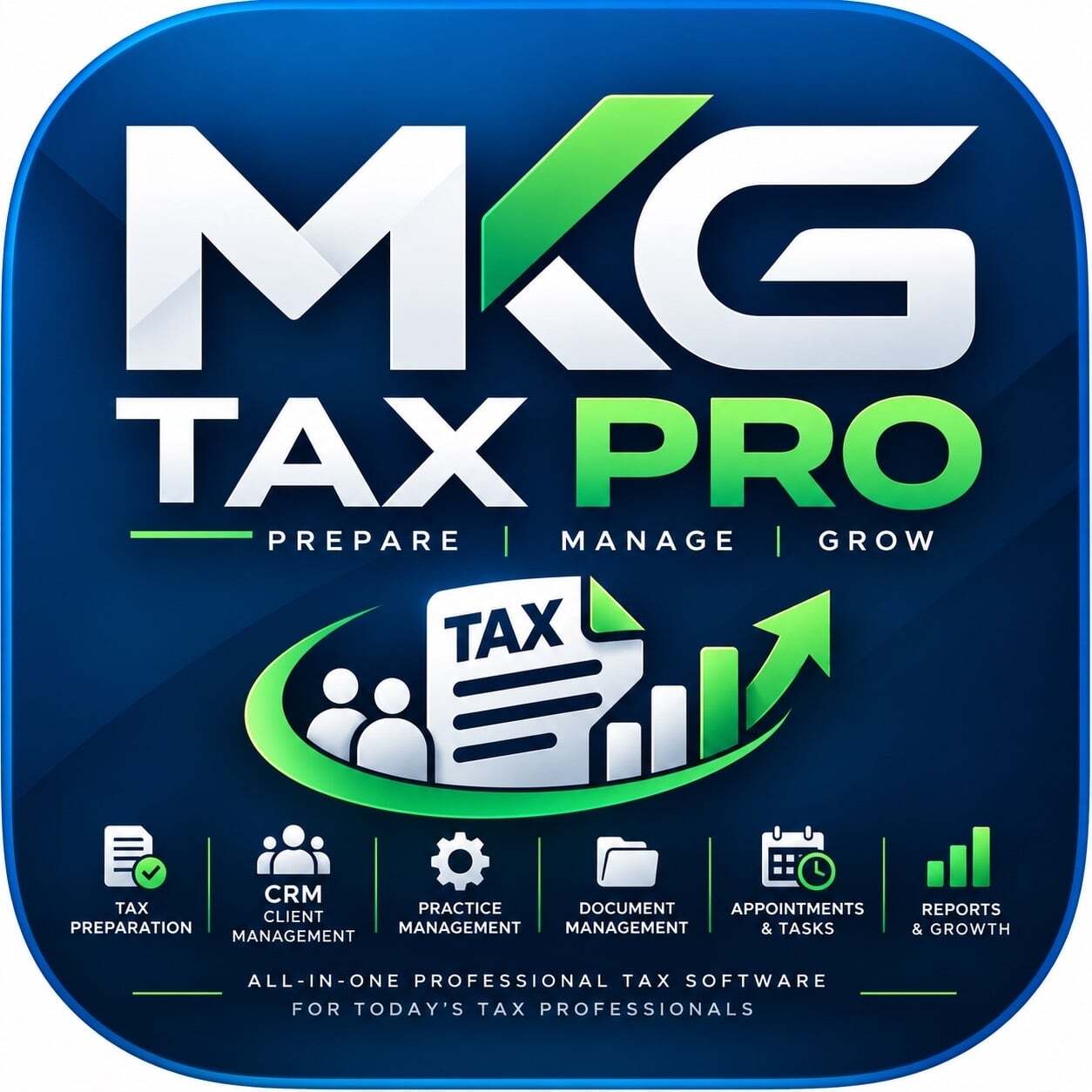
MKG Tax Pro Practice Management is an AI-assisted tax preparation and practice management platform for U.S. tax professionals:
preparers with a PTIN, CPAs and enrolled agents. It replaces the separate tools a small firm usually stitches together (tax software, CRM, point of sale, invoicing, phone and texting, scheduling) with one connected system, and it adds ChatGPT TESSA, MKG's own AI assistant. Clients and preparers each get a mobile app. The platform is in beta testing and undergoing IRS ATS testing, and e-filing will be offered only after IRS and state approvals. A license is $99 per month with one user, and each additional user is $59.95.
12 highlighted features
1. ChatGPT TESSA. MKG's own chat agent inside ChatGPT. Preparers and clients can ask questions and get help with tasks without leaving the chat.
2. ChatGPT TESSA Plugin. Extends TESSA into ChatGPT as a plugin, so users reach MKG Tax Pro from where they already work with AI.
3. ChatGPT TESSA API. Lets firms and partners connect TESSA to their own systems and workflows.
4. Preparer mobile app (iOS and Android). Manage clients, documents, messages and appointments away from the desk.
5. Consumer mobile app (iOS and Android). Clients upload documents, message their preparer, sign, pay and book appointments from their phones.
6. AI-assisted tax preparation. Document analysis, OCR extraction and source mapping, with a preparer reviewing and approving every return.
7. Built-in CRM. Clients, cases, assignments, documents and follow-ups in one place.
8. Point of sale (POS). Take payments at the counter or remotely, including manual card entry, without a separate system.
9. Invoicing. Create and send invoices from the same record as the client's file, with QuickBooks integration for the books.
10. WebRTC phone, built in. Call clients from the browser or the mobile app, with no separate phone system.
11. SMS texting and calendar booking. Text clients from the same platform and let them book appointments themselves.
12. AI Voice Agent plus identity checks. An AI agent answers and routes client calls, and identity verification, biometric identification and Plaid integration help onboard and verify clients.

ClowdWork is a fully automatic time tracking and productivity management software designed for freelancers and remote teams. It installs remotely within minutes, enabling users to generate performance metrics and enhance productivity from any location. By automating the monitoring of work activities, ClowdWork provides valuable insights that help organizations optimize efficiency and implement flexible or remote work models effectively.
Key Features and Functionality:
- Automatic Time Tracking: ClowdWork seamlessly records time spent on various applications, tools, software, and websites, offering a detailed breakdown of work activities without manual input.
- Daily Productivity Reports: The software generates real-time reports that display the percentage of time allocated to productive and non-productive tasks, customizable by department or company-wide over specified periods.
- Use of Working Time Analysis: It tracks and specifies the exact time invested in each accessed application or website, allowing for precise identification of how working time is utilized.
- Artificial Intelligence for Productivity Analysis: ClowdWork employs AI to analyze productivity and processes, providing strategic metrics to enhance corporate efficiency.
- Remote Employee Management: The platform specializes in managing both office-based and remote work productivity, offering features like automatic screenshots, URL and application usage reports, and more.
- 24/7 Team Activity Analysis: ClowdWork continuously monitors team activities, delivering objective metrics that facilitate the implementation of flexible work models and efficiency improvements.
- Productivity Measurement: The software allows organizations to determine time spent on different tasks, aiding in payroll cost calculations and workload visualization to anticipate potential bottlenecks.
- Optional Screenshots: This feature enables automatic screenshots at regular intervals to monitor work progress, ensuring alignment with company priorities and objectives.
Primary Value and Solutions Provided:
ClowdWork addresses the challenges of managing remote and distributed teams by offering an automated solution for tracking productivity and time usage. It helps organizations reduce costs associated with physical office spaces and unproductive work hours by enabling effective remote work deployment. By providing detailed insights into work activities, ClowdWork empowers businesses to make informed decisions, balance workloads, and enhance overall efficiency. The platform's AI-driven analytics and comprehensive reporting tools support the successful implementation of flexible work models, leading to significant cost savings and improved team performance.

iHealthScreen Inc. is a healthcare technology company specializing in AI-driven telemedicine solutions for the early detection and automated screening of retinal and systemic diseases. Their flagship product, iPredict™, is a HIPAA-compliant, Class II medical device that analyzes retinal images to identify conditions such as age-related macular degeneration (AMD), diabetic retinopathy (DR), glaucoma, stroke, and coronary heart disease.
Key Features and Functionality:
- AI-Based Screening: iPredict™ utilizes artificial intelligence to provide fully automated screening for AMD, DR, and glaucoma. The system captures high-resolution retinal images and delivers immediate, actionable reports within 60 seconds. The entire screening process can be completed in less than five minutes, making it efficient for primary care and specialty practices.
- Electronic Health Record (EHR) Solutions: iHealthScreen offers AI-based telemedicine services integrated with electronic health records, providing a digital version of traditional paper-based medical histories. This integration facilitates seamless patient data management within healthcare facilities.
- Telemedicine Platform: The company provides a telemedicine platform called callMyDoctor™, available as an Android and iOS app. This platform enables patient scheduling, prescription management, and call recording, supporting insurance reimbursement processes. It allows patients to book appointments, input health information, and consult with physicians online, enhancing accessibility to healthcare services.
- Image Analyzer: iHealthScreen has developed tools like the Retinal Vessel, Retinal Pathology, and Optical Coherence Tomography (OCT) Inspector. These tools assist in finding and monitoring retinal diseases through automated segmentation of the retinal layer in two and three dimensions.
- Prediction Apps: The company offers online health risk prediction systems for conditions such as diabetes, stroke, and heart attack. These applications provide simple results and suggestions to patients and doctors, facilitating early intervention and preventive care.
Primary Value and User Solutions:
iHealthScreen's products address the critical need for early detection and prevention of vision-threatening and systemic diseases. By leveraging AI technology, their solutions enable healthcare providers to conduct rapid, accurate, and non-invasive screenings in primary care settings. This approach not only enhances patient outcomes by facilitating early intervention but also reduces healthcare costs associated with advanced disease treatments. The telemedicine platform further increases healthcare accessibility, allowing patients to consult with physicians remotely, thereby saving time and resources.
Overall, iHealthScreen's innovative solutions empower healthcare providers with efficient diagnostic tools, support preventive medicine, and contribute to the global effort in reducing the prevalence of blindness and other serious health conditions.

PACOM GMS is a comprehensive multi-site security management platform that seamlessly integrates access control, alarm monitoring, video surveillance, elevator management, intercom systems, fire detection, building automation, and various other building services into a single, remotely accessible solution. Designed to handle all aspects of a security system from the outset, GMS offers scalability to accommodate growing organizational needs, ensuring uninterrupted operation through advanced redundancy technologies. Users can monitor and respond to alarms using GMS's rich visualization tools or opt to outsource this task to a central station. The platform's flexibility and integration capabilities make it an ideal choice for organizations seeking a unified approach to security management.
Key Features and Functionality:
- Access Control: Supports an unlimited number of cardholders, allowing for real-time control and flexibility during emergencies. Features include real-time mustering to track personnel, video badging for personalized access cards, integration with elevator systems for secure floor access, centralized control via a web client, synchronization with HR systems for automatic updates, and integration with visitor management systems to streamline registration and tracking.
- Alarm Monitoring: Provides real-time monitoring of all events through a graphical interface, enabling operators to prioritize and respond quickly. Integrates with intercom systems for remote access management, sends automated email alerts to keep operators informed, supports wireless integration for flexible monitoring, and offers a graphical interface to visualize alarms, statuses, and positions on maps and floorplans.
- Video Surveillance: Integrates video surveillance with alarms and access control, providing real-time footage for accurate incident verification. Users can view, control, and tag camera footage in real-time, reducing false alarms through visual verification, and scale the system to support multiple cameras across large facilities.
- Building Automation: Integrates with Building Management Systems to control HVAC, lighting, and fire alarms, enhancing efficiency. Features automated security responses, such as activating lighting during alarms, and promotes energy efficiency by automating control of energy systems to reduce consumption and operating costs.
Primary Value and Solutions Provided:
PACOM GMS delivers a unified security management solution that enhances operational efficiency, reduces costs, and improves overall safety. By consolidating various security functions into a single platform, it simplifies management and ensures seamless integration of all systems. The platform's scalability allows it to adapt to businesses' evolving needs, supporting growing infrastructures while providing uninterrupted operation with built-in redundancy. Real-time monitoring and automated responses enable quicker reaction times, reducing false alarms and improving overall security operations. Additionally, GMS's adaptability allows it to fit businesses in any vertical, offering multiple solutions and third-party integrations on a single platform for tailored security and business management.

The ESP Retail Management System by B.E.L. Systems Limited is a comprehensive, real-time, online point-of-sale solution designed to enhance the efficiency and effectiveness of retail operations, whether managing a few local shops or hundreds of outlets across multiple countries. It features an intuitive front-end interface seamlessly integrated with robust back-office functionalities, including logistics and finance modules. The system supports flexible promotion settings, enabling retailers to execute ad-hoc and frequent sales campaigns effortlessly. Additionally, it offers a wide range of sales analysis and turnover reports, complemented by a powerful built-in report writer for customized reporting needs.
Key Features and Functionality:
- Loyalty Program Management: Supports membership discounts, bonus point schemes, and corporate memberships. It tracks member preferences, concerns, and requirements such as sizes, favorites, complaints, and suggestions, empowering marketing teams to develop targeted activities based on both sales history and customer preferences.
- Promotion Bundles: Facilitates the creation of various promotion bundle rules to promote new items, clear off-season inventory, or boost sales volume. The system allows for quick setup, even for bundles involving thousands of items, and enables items to exist in multiple bundles for overlapping promotion periods. Optimized logic ensures the system recognizes the most cost-effective bundle for an order instantly.
- Gift Voucher Management: Provides real-time verification of voucher validity and maintains clear, real-time inventory status for efficient management control. Voucher statuses are automatically registered as In Stock, Sold, Redeemed, Void, or Expired based on operational activities.
- Inventory Optimization: By linking to the back office, retailers can manage all facets of business operations remotely. The system supports store replenishment through inter-store transfers and reporting to monitor overstock and stock-out situations. It identifies cross-sellable products and intelligently allocates inventory, optimizing stock turnover and margins.
- Seamless Integration with Finance Module: Fully integrated with a comprehensive finance module, the system allows retailers to generate profit/loss reports by shop and access functions such as Accounts Receivables, Accounts Payable, General Ledger, Job Costing, Account Mapping, Cash Flow Management, and true multi-currency support.
Primary Value and Solutions Provided:
The ESP Retail Management System addresses the complexities of retail operations by offering a unified platform that integrates POS, inventory management, customer relationship management, and financial accounting. This integration streamlines business processes, reduces manual data entry, and minimizes errors. Retailers benefit from real-time data access, enabling informed decision-making and agile responses to market changes. The system's flexibility in promotions and loyalty programs enhances customer engagement and satisfaction, while its robust reporting tools provide valuable insights into sales performance and inventory levels. Overall, the ESP Retail Management System empowers retailers to optimize operations, improve customer relationships, and drive business growth.
LabelFort is an audit-ready data annotation platform and managed annotation service from Predusk AI (Predusk Technology Pvt. Ltd., Jaipur, India), built for AI teams whose training data has to survive an audit. AI pre-labelling handles the mechanical work, structured human review catches what automation misses, and every dataset exports with its chain of custody attached. Teams can run the platform themselves, bring in a trained domain specialist team through Hire a Team, or combine both under one governance model.
Key Features and Functionality:
- Human control point on every workflow: Five QA workflows (single pass, maker checker, double-blind, AI review, and AI consensus), each ending in a human decision. Quality is measured through per-cohort inter-annotator agreement, not sampled.
- Evidence export, not a status report: Every pre-label is versioned, and every reviewer action is logged in an immutable audit trail. A dataset exports as an evidence pack that maps to EU AI Act, HIPAA, GDPR, SOC 2, and DPDP documentation requirements.
- Annotation types on one platform: Image, video, text, audio, LiDAR, DICOM, document annotation, RLHF, and synthetic data generation, supported by an annotation canvas, ontology and form builder, QA console, audit log viewer, model registry, and dataset manager.
- Eight roles with separate routing, dashboards, and access checks, so a customer can name who labelled, reviewed, and approved any record.
- Physical control layer for regulated projects: Annotation runs on a controlled on-premises floor in India. No phones, paper, or storage devices enter, entry and exit are logged by name against the project a person is cleared for, and no regulated work is done remotely.
- Independent ownership: LabelFort is not owned by a model lab or a competing AI developer, so customer data does not route through a company training its own models.
Primary Value and Solutions Provided:
LabelFort addresses a gap most annotation vendors leave open: they assert quality and security but cannot produce the record. LabelFort produces the record as a deliverable. Quality is measured per cohort, custody is logged per person and session, and the platform generates the evidence pack rather than reconstructing it at audit time. This serves healthcare and life sciences, autonomous vehicles and geospatial, public sector and defence, financial services, and robotics and embodied AI teams that must show a regulator or procurement reviewer who labelled what, under which guideline, and with what agreement score. Teams that only need low-cost volume labelling with no audit requirement will find the review depth heavier than they need.

impressBox is a cloud digital signage content management system (CMS) for organisations that run screen networks across many sites: retail chains, retail-media and DOOH networks, shopping centres, transport hubs, gyms or corporate spaces. It is developed and operated by Dėžutė, UAB in Vilnius, Lithuania, and hosted in the European Union.
Content and scheduling. Upload images, video, audio, PDFs and web pages, or add YouTube and Vimeo videos, live HLS streams, web URLs and Canva designs. Build parameterized HTML templates that anyone can fill in through a form. Put content into playlists and control exactly when it plays: date windows, hour-of-day rules, on/off cycles over weeks or months, scheduled and recurring publishing, temporary playlists and display on/off hours. Tag rules let one shared playlist play differently on each screen, and impressBox shows where each clip will actually play and confirms that every screen received the update.
An AI agent that runs the platform. A built-in assistant can carry out most tasks in plain language: uploading and scheduling content, building templates, publishing playlists, checking device status, pulling playback statistics and troubleshooting screens. The same agent is available over WhatsApp and through an OAuth-secured MCP endpoint, so teams can also manage their signage from AI tools such as Claude. AI image tools generate and edit images, extend them to any screen shape, read text and dates from artwork, and score content before it goes live.
Remote device operations. See every screen's status, a live screenshot, logs and uptime history. Turn displays on and off, change volume, reboot, update players and configure Wi-Fi or Ethernet remotely. Network diagnostics run from the player itself (reachability, ping, traceroute), and automated diagnosis matches device errors to fixes. Self-healing watchdogs recover from playback problems, and content keeps playing offline from local storage.
Retail media and audio. Ad insertion rules, ad impression counters and peer-to-peer content delivery inside a store support retail-media networks; these are configured together with the impressBox team. The same platform also drives audio-only players for in-store radio and audio ads.
Players and partners. impressBox runs on LG webOS displays, Samsung Tizen smart signage, Android and Android TV devices, BrightSign Series 4 and 5, Raspberry Pi and x86 players, and in any modern browser. Multi-account access and sub-accounts let resellers and integrators manage many customers from one login.
Transforming Your Production with Core MES Solutions
trex brings essential MES (Manufacturing Execution System) functions together in a single platform, enabling you to manage and optimize your manufacturing operations from end to end. This comprehensive license package provides visibility, control, and efficiency across your production processes, helping your business increase its competitive edge. By turning shop floor data into meaningful insights, trex empowers you to make smarter and faster decisions.
General Definitions and Production Infrastructure Management
Establish a digital twin of your manufacturing facility to gain full control over all your operations. With trex, you can define every production component in detail, allowing you to correctly classify and analyze your data.
• Plant, Work Center, Work Station, and Equipment Management: Define every plant, work center, work station, and piece of equipment (machine, mold, etc.) in your production line in detail. This allows you to monitor and manage the performance of each unit individually. This structure ensures that data comes from the correct sources and that analyses are performed accurately.
• Downtime and Scrap Tracking: Instantly record the reasons, durations, and quantities of downtime and generated scrap (rejected products) during production. With this data, you can easily identify areas of loss, perform root cause analysis, and permanently eliminate these losses.
• Operation, Personnel, and Team Management: Define every operation and assign the personnel and teams who work on them. This lets you track personnel efficiency, task distribution, and team performance.
• Stock and Stock Unit Cycles: Track all material movements from raw material entry to semi-finished and finished goods. Thanks to stock unit cycles, you can follow a product’s entire journey from start to finish, identifying potential bottlenecks in your processes.
• Shift and Work Station-Based Runtime Schedules: Create shift and runtime schedules specifically for each work station. With a flexible and dynamic shift management system, you can organize your production programs in the most efficient way.
• User Definition and Authorization: Ensure system security by implementing user-based authorizations. By allowing each user to access only the data and functions related to their role, you maintain data integrity and confidentiality.
• HMI and Panel Management: Access your production panels remotely with the HMI (Human-Machine Interface) feature. You can define panels, manage screen layouts, and authorize different users to access specific panels.

Mela Works is an app dedicated to the world of construction for the exchange of information on the job site and to monitor
the costs of construction in real time. With Mela, all you need is a smartphone to:
• Track photos, videos, messages, audio recordings, everything that takes place at the site.
• Know instantly how much you’re spending, avoiding errors or delays.
• ....And with a click, you can create reports and updates of your work.
MELA WORKS WILL MANAGE THE JOB SITES: YOU WILL INSTANTLY KNOW THE COSTS OF EMPLOYEES AND MATERIALS.
Mela Works lets you verify the work in progress, the consumption of materials and the man hours in an easy and comprehensible
manner. Like this, you don’t loose track of anything and you can monitor these 4 areas of costs:
• The work hours of every single employee and associate contractor.
• All materials utilized.
• All outside services utilized.
• All machinery and equipment.
NO MORE SCATTERED DOCUMENTS AND NOTES, WITH MELA!
With Mela, completely eliminate paperwork and oversee the construction site from your smartphone. Take photos and write
up reports. Create work documents with your company logo.
With Mela, you will reduce, by at least 50%, any delays on your construction site. You can also track, in real time, everything
that happens on site remotely.
WITH MELA, YOU CAN STICK TO THE CONTRACT SCHEDULE AND REDUCE ANY RISK OF PROBLEMS!
When you start using Mela to follow everything that happens on your job site, these are the things you can do:
• Create your site plan and share with whomever you like.
• Take and share multiple photos, videos, recorded voice messages, analyses and attached documents.
• Create inspection reports, operational accounting, Construction Safety Officer reports and work records.
• Generate reports with your logo, letterhead and company details.
• Share your reports instantly via email, PEC, WhatsApp and Messenger.
• Synchronize all work activity instantly on your computer, cell phone and tablet.
DOWNLOAD THE APP TO BEGIN USING MELA!
Learn about our plans: Starting from a free solution where you can begin immediately to learn about the power of Mela,
to our PRO version for documenting your work and organizing all the information for your construction project.
Based on your needs, we have custom-made solutions for you! What are you waiting for? Start for free, right now, and digitize your
construction project with your cell phone.

Qi Screen is a touchscreen-based software designed for smart factories, enabling shop floor teams to capture valuable data quickly and intuitively. Whether you're conducting quality inspections, floor audits, Gemba walks, repair validations, or tracking Six Sigma project phases, Qi Screen helps digitize and standardize your input process—driving faster results in quality improvement and continuous improvement initiatives.
It's built for high-visibility, real-time use on industrial monitors, tablets, or PCs, making it a powerful tool for data-driven decision-making right from the shop floor.
🔑 Key Features
✔️ Visual Data Capture via Touchscreen or Mouse
Operators can upload part images (up to 9 per screen), then tap on defects to record issues instantly. This reduces manual data entry errors and increases inspection accuracy.
✔️ Text‑to‑Speech & Voice‑to‑Text Comments
Users can type or speak inspection notes. Voice input is converted to text in real time—enabling detailed, qualitative feedback that supports richer problem definitions.
✔️ Live Dashboards & Historical Data Export
View live graphics showing defect trends and inspection stats. Download full history for audits, root cause analysis, or KPI tracking.
✔️ Role-Based Access & Remote Management
Admins control who can access and configure screens, group related screens by department or area, and manage configurations remotely across the plant.
✔️ Stationary or Portable Deployment
Install Qi Screen on touchscreen monitors or use it on tablets and PCs. Ideal for fixed inspection stations or mobile audit needs.
✔️ AI Enabled Insights (Optional Module)
An AI assistant helps identify patterns in defect data—e.g., “Water leaks are your 3rd largest issue, up 15% in 3 months”—supporting faster problem-solving and predictive actions.
✔️ Surface Inspection Mode
With the “Surface” version, users define inspection touchpoints on part images, configure defect types and shifts, and capture structured surface defect data efficiently.
✅ Core Benefits
👉🏻 Increase Inspection Accuracy: Touch-based inputs and voice annotations provide precise and detailed defect capture.
👉🏻 Accelerate Problem Solving: Real-time dashboards and AI insights enable faster root cause detection and trend identification.
👉🏻 Enhance Efficiency: Reduces cycle time by eliminating manual entry and consolidating audit and inspection workflows.
👉🏻 Scale Flexibly: Deploy on any screen or device; scales across shifts and inspection points with role-based admins.
👉🏻 Support Lean & CI: Enables data-driven Gemba walks, shifts comparisons, and Six Sigma DMAIC project support.
💫 Best For:
Manufacturers with manual or visual inspection needs—especially in stamping, plastics, paint, BIW, or similar operations. Ideal for Quality Managers, Production Engineers, and frontline inspectors seeking to digitize inspections, reduce errors, and improve first-pass yield.

Mobile Locking Software – Secure EMI Management Solution for Mobile Retailers
AOPAY Mobile Locking Software is an advanced EMI management and smartphone security solution designed for mobile retailers, dealers, distributors, and financing businesses. It enables retailers to sell smartphones on easy EMI payment plans while maintaining control over customer payments, device information, and installment schedules.
With the increasing demand for affordable smartphones, many customers prefer purchasing devices through monthly installments. AOPAY mobile EMI locking software helps retailers offer flexible payment options while reducing the risk of missed or default payments. The software provides a complete platform to manage customers, mobile devices, EMI plans, payment status, and overdue accounts.
AOPAY system automatically sends EMI payment reminders to customers before the due date, helping improve timely payments and reducing payment delays. In case of missed EMI, overdue payment, or default installment, retailers can remotely lock the customer's smartphone. After the customer clears the pending EMI payment, the phone can be unlocked quickly and securely.
Key Features of Mobile Locking Software
1. EMI Management System: Easily create and manage EMI plans, payment schedules, installment amounts, due dates, and payment history.
2. Automatic EMI Reminder Alerts: Send timely notifications to customers before EMI deadlines to encourage on-time payments.
3. Remote Mobile Lock & Unlock: Lock financed smartphones when payments are overdue and unlock devices after successful payment confirmation.
4. Customer & Device Management: Maintain complete records of customers, mobile models, IMEI numbers, purchase details, and EMI status.
5. Payment Tracking & Reports: Monitor paid, pending, and overdue installments with accurate reports and real-time updates.
6. Secure Retailer Dashboard: Manage multiple customers, devices, and EMI accounts through an easy-to-use control panel.
Benefits of Mobile Locking Software
- Increase smartphone sales with flexible EMI options.
- Reduce financial losses from unpaid installments.
- Improve payment recovery through automated reminders.
- Protect mobile devices sold on installment plans.
- Simplify customer and EMI management.
- Save time with digital payment tracking.
How Mobile Locking Software Works
1. Retailer sells a smartphone to a customer on EMI.
2. Customer and device details are added to the software.
3. EMI payment schedule is created.
4. Customers receive automatic payment reminders.
5. Retailer locks the device if EMI payment is missed.
6. Device is unlocked after payment completion.
Mobile Locking Software is the ideal solution for mobile shops, smartphone dealers, electronics stores, and EMI financing companies. It helps businesses increase sales, manage installment payments efficiently, and secure financed devices with smart automation and reliable device control technology.

CamStreamer App turns any compatible Axis IP camera into a professional live-streaming encoder – no extra hardware, public IP, or complex network setup required. Running directly inside the camera as an ACAP application, it pushes live video to YouTube, Facebook, Vimeo and any RTMP/HLS/SRT/MPEG-TS destination with enterprise reliability and simple, browser-based control.
Why buyers choose CamStreamer App
✅ Zero external encoders: Stream straight from the camera to public platforms or your CDN – reduce points of failure and footprint at the edge.
✅ Deep platform integrations: Native support for YouTube and Facebook including scheduling, status control, and a built-in “stream keeper” that prevents YouTube from closing a stream if a camera temporarily drops offline.
✅ Standards-rich delivery: RTMP/RTMPS, HLS (push/pull), SRT (push/pull/rendezvous), plus MPEG-TS—deploy into almost any workflow.
✅ Set-and-forget reliability: After camera restarts or reconnects, streams resume automatically; optional cloud watchdog monitoring available.
✅ Operates anywhere: Axis cameras’ low power and rugged design + CamStreamer’s on-camera app make remote and outdoor installations practical.
Key capabilities
👍 One-click streaming to major platforms (YouTube, Facebook, Vimeo, and more RTMP endpoints).
👍 Flexible automation: Manual start, hardware button, API, or scheduled events (one-time or recurring).
👍 Multi-source support: Stream any camera channel or view area; works with CamSwitcher App to combine up to five cameras/clips into a single output.
👍Audio options: Use the camera mic, RTSP audio from other Axis devices, or audio files.
👍 Remote management: Configure locally via the camera UI or manage remotely via CamStreamer Cloud and the mobile app.
👍 Overlay graphics (optional): Pair with CamOverlay App to add logos, weather, scoreboards, PiP, tickers, and custom graphics right in-camera.
Ideal use cases
➡️ 24/7 city, tourism, nature, sport, traffic or venue livestreams.
➡️ Events, worship, education and corporate communications where simplicity and uptime matter.
➡️Remote locations (rooftops, towers, parks) where running PCs/encoders is impractical.
Technical details
👉 Deployment: In-camera ACAP app; upload via Axis camera web UI; optional remote control via CamStreamer Cloud.
👉 Compatibility: Axis cameras across generations (advanced features require newer ARTPEC/AMBarella chipsets; use compatibility checker).
👉 Protocols: RTMP/RTMPS, HLS push/pull, SRT (all modes), MPEG-TS.
👉 Triggers & control: UI, scheduling, hardware button, or REST API.
👉 Languages (UI): English, French, Japanese, Portuguese, Spanish, German, Korean, Chinese.
Integrations & ecosystem
🌍 YouTube & Facebook: Auth, scheduling, persistent links/players, latency settings, DVR control.

Comm Screen is a sleek, web-and-TV-based digital communication tool designed to display real-time, visual messages and alerts on shop-floor screens from a centralized location. As part of OrcaLean’s lean manufacturing suite, it effortlessly connects smart TVs, monitors, and tablets across your plant—ensuring critical updates reach every operator, shift, and site instantly.
🛠️ Key Features
🔹Multi-screen control: Remotely broadcast messages, videos, images, and alerts to unlimited displays via a single web console .
🔹Real-time updates: Instantly deploy production goals, safety messages, quality alerts, and SOP visuals across all screens—no manual uploads needed.
🔹Role-based access & security: Grant defined permissions to admins, supervisors, and operators to ensure data integrity and visibility controls .
🔹Seamless collaboration: Connect shopfloor communications to suppliers, OEMs, and Tier 1/2 partners for coordinated, real-time visibility across the value chain.
🔹Industrial-grade deployment: Plug-and-play integration with smart TVs, industrial panels, and desktop monitors—available as AWS-hosted, cloud, hybrid, or on-prem installs.
✅ Key Benefits of Using Comm Screen
🔹 Improve Shop-Floor Communication
Comm Screen ensures real-time visibility of critical updates by broadcasting announcements, KPIs, quality alerts, and shift instructions directly to digital screens across the factory. This eliminates miscommunication and ensures every team member stays aligned—without relying on paper memos or word of mouth.
🔹 Accelerate Response Time to Issues
By instantly displaying quality alerts, safety concerns, or production deviations, Comm Screen reduces reaction time. Teams can quickly address issues as they occur, leading to faster root-cause resolution, minimized downtime, and improved first-time quality (FTQ) metrics.
🔹 Standardize Visual Management Across Sites
Comm Screen enables consistent visual management across multiple plants. Whether it's a safety update, daily SQDC metrics, or a training video, messages are uniform, trackable, and controlled—helping build a lean visual workplace.
🔹 Enhance SOP and Training Delivery
Display standard operating procedures (SOPs), quick training videos, or instructional visuals at the point of use. This supports just-in-time learning, reduces onboarding time, and improves operator compliance and work accuracy.
🔹 Engage Teams with Live KPI Dashboards
Real-time display of SQDC, OEE, or takt time performance helps drive accountability and engagement. Operators and supervisors stay connected to key production KPIs, supporting a proactive culture of continuous improvement.
🔹 Simplify Communication With Remote & External Teams
Share updates with OEM partners, suppliers, or sister plants in real time. Comm Screen acts as a centralized platform to ensure supply chain communication and alignment, especially during changeovers or product launches.
💫 Best For:
Manufacturers needing real-time shop floor communication, KPI visibility, and lean visual management. Ideal for plant managers, CI leaders, and quality/safety teams.

CoreNexa is a comprehensive cloud-based Unified Communications as a Service (UCaaS platform designed to streamline business communications by integrating voice, video, messaging, and collaboration tools into a single, user-friendly interface. Tailored for businesses of all sizes, CoreNexa enhances productivity and connectivity, whether employees are working remotely or in the office. Its robust features include high-definition video conferencing, advanced call management, instant messaging, and seamless integration with existing business applications, providing a scalable and secure solution for modern workforce needs.
Key Features and Functionality:
- Unified Communications: Combines voice, video, messaging, and collaboration tools into a single platform, enhancing team connectivity.
- HD Video Conferencing: Offers high-definition video calls with screen sharing capabilities, supporting large meetings.
- Mobile and Desktop Applications: Provides applications for both mobile devices and desktops, ensuring accessibility and flexibility for remote and on-the-go users.
- Call Center Solutions: Includes advanced call routing, queue management, and analytics to optimize customer service operations.
- Voicemail Transcription: Automatically converts voicemail messages into text, allowing users to read messages at their convenience.
- Presence Management: Displays real-time availability status of team members, facilitating efficient communication and collaboration.
- Integration Capabilities: Supports integration with popular CRM and productivity tools like Salesforce and Microsoft 365, streamlining workflows.
- Secure Messaging: Ensures encrypted communication for sensitive information, maintaining privacy and compliance standards.
- Customizable User Interface: Allows users to personalize their dashboard and settings to suit individual preferences and work styles.
- Call Recording: Enables recording of calls for quality assurance, training, and compliance purposes, with easy access to stored recordings.
- Analytics and Reporting: Provides detailed insights into communication patterns and system usage, aiding in strategic decision-making.
- Scalability: Designed to grow with businesses, offering flexible plans and features that can be adjusted as needs evolve.
- Multi-Language Support: Accommodates diverse teams by offering interface options in multiple languages, enhancing user experience globally.
- 24/7 Customer Support: Provides round-the-clock assistance to address technical issues and ensure uninterrupted service.
- Automated Attendant: Features an interactive voice response system to efficiently direct calls to the appropriate departments or individuals.
- Team Collaboration Tools: Includes shared workspaces, file sharing, and task management features to boost productivity and teamwork.
- Network Reliability: Utilizes redundant systems and robust infrastructure to ensure consistent uptime and minimal service disruptions.
- Custom Ring Groups: Allows the creation of specific ring groups to manage incoming calls effectively, ensuring no call goes unanswered.
- Advanced Security Features: Implements multi-factor authentication and end-to-end encryption to protect user data and communications.
- Flexible Deployment Options: Offers cloud-based, on-premises, or hybrid deployment models to suit different organizational needs and preferences.
Primary Value and Solutions Provided:
CoreNexa addresses the challenges of fragmented communication systems by offering an all-in-one solution that enhances collaboration, improves productivity, and ensures secure and reliable communication across various channels. By consolidating multiple communication tools into a single platform, businesses can reduce operational costs, streamline workflows, and adapt to the evolving needs of a modern, often remote, workforce. Its scalability and integration capabilities make it a future-proof choice for organizations aiming to maintain a competitive edge in their respective industries.

A guestbook to honor a life.
Funeral Guestbook replaces the paper guestbook with an iPad that guests sign at the service — or a code they scan to sign from their own phones. Every signature is transcribed into clean contact details your firm keeps long after the day.
Set up a service in a few minutes. Place the iPad where guests arrive, and they sign naturally with any stylus — name, phone, email, and address, just like a paper book.
SHOW THE CODE, AND THE ROOM SIGNS
Your iPhone can hold the guestbook too. Set it out at the service or the celebration of life and it becomes a memorial placard — the name, the dates, and a code guests scan to sign from their own phones. Nothing for them to install, and every name lands in the same book.
ONE APP, EVERY IPAD
The same app runs every iPad you own. Pair one in seconds by scanning the code on its screen, then open signing for a service, pause the guestbook to a quiet screen between visitors, and lock the iPad so the signing page is all guests can reach. Watch signatures arrive live, with every contact captured.
FEATURES
• Contact capture — name, phone, email, and address from every guest
• Sign with any stylus, with pressure-sensitive ink
• Handwriting transcribed into clean, structured contact details
• True offline mode — the iPad starts, shows the book, and takes signatures with no connection at all; entries sync exactly once when it returns
• Show the code on your iPhone — a memorial placard guests scan to sign from their own phones
• Sign from any phone — a QR code and link let guests add their names from their own devices
• See every iPad live (online, signing, paused), and open, pause, or lock it from anywhere
• Pair an iPad by scanning the code on its screen — it signs itself in
• Release the staff-code gate for someone stuck at the iPad
• Publish a memorial page the family can share
• Manage from any browser at app.funeralguestbook.app — every iPad, its status, and the book, live
• Obituary sync — publish an obituary on your website and the service can appear here on its own
• Guided Access lock — guests sign, but can't leave the app; staff exit with a hold and your firm's code, or unlock remotely from your phone or browser
• Multiple services from one iPad, switched with a tap
• In-app support conversation with a real person
One app for a funeral home running five rooms, and for a family holding one service: the iPad is the guestbook, your iPhone can be one too, and either way every name is kept. Purpose-built for funeral homes — not a generic kiosk with a guestbook skin.
By funeral.link — technology built for funeral homes.

TeamTalent — Talent management software for business. TeamTalent is a HR program from TeamFactor for optimizing employee office and improve remote adaptation process.
Reduce the risks of financial losses associated with hiring and staff rotation:
- Create job profiles that include not only formal characteristics such as age, education, and work experience, but also competencies and indicators of their minimum level of development required for a given position.
- Create competency models. Classify the competencies into categories: corporate, professional, and managerial. Keep competency models relevant for different job positions.
- Maintain a unified library of competencies, indicators, and characteristics and group them according to your methodology.
- Set up a report on the level of development of personnel competencies by company and departments.
Reduce staff turnover by optimizing the onboarding process for new employees in the office or remotely.
The Team Talent allows you to organize a personalized or mass employee onboarding process, taking into account existing practices in the company.
This includes:
- Introductory training and passing all necessary briefings at the time of admission or transfer of an employee.
- Creation of an action plan for training and professional development.
- Automatic creation of an introductory trainingon and onboarding plan based on the job position's competency model.
- Monitoring the implementation of the plan
- Adding stages for fixing the issue of workwear, passing a medical examination, fixing intermediate results, etc.
Plan the mentors' work during the adaptation:
- record the results of their work;
- evaluate the mentor's work based on the results of the adaptation period.
Analyze employee compliance by identifying the strengths and development areas of each
Team Talent allows you to evaluate and test the professional and personal characteristics of an employee.
- Assessment based on the competence model (Assessment center) - the application of a comprehensive method for diagnosing the success of an employee in professional activity based on an assessment of his behavior in various simulated situations.
- 360 degree feedback allows you to get information about an employee's business qualities from everyone with whom he interacts during the performance of his work duties: from managers, colleagues, subordinates
- Performance Appraisal - personnel evaluation based on key performance indicators (KPI - Key Performance Indicators).
Professional testing and psychological questionnaires to assess personal qualities and determine the motivational profile of an employee.
Organize a continuous staff development cycle. Track the growth dynamics
A corporate university provides you with the opportunity to:
- Create a list of development activities;
- Organize them into categories and types;
- Set control measures and link them to external learning management systems;
- Keep up-to-date the entire list and content of materials located on the educational portal.
In Team Talent, you can:
- Budget the costs of hiring third-party educational providers.
- Maintain an up-to-date library of development activities.
- Plan and manage offline and online training events.
- Create tests and surveys at various difficulty levels.
- Keep records of attendance and academic progress in educational records.
- Conduct employee evaluations.
- Automatically generate and customize the training plan for new hires during their onboarding period.
- Organize the storage of assessment results to measure the quality of employee training
- organize the storage of training results,
- evaluate the quality of training by employees.
Motivate staff for their professional development and growth.
Build the processes of forming and updating the personnel reserve from top to bottom and from bottom to top.
Team Talent allows you to:
- launch the process of promotion to the personnel reserve for all key positions at the same time;
- collect applications for inclusion in the personnel reserve;
- to hold meetings of personnel committees and commissions, to form protocols on their results;
- the ability to rank employees based on the level of development of their competencies and the level of their performance over different periods;
- identify employees with high potential (HiPo, HiPro).