AI-Generated Results
Finding matches…
Not seeing what you're looking for?
Dive deeper into "Tableo" on G2 AI

ScopeGen is AI software for residential design-build firms, custom home builders, and remodeling contractors. A builder adds an architectural plan set as PDFs, from a device, Google Drive, Dropbox, or a shared link. ScopeGen reads every sheet and returns an itemized scope of work, organized by trade, with the plan pages each item came from. Quantities and costs stay editable line by line. Builders can use their own unit costs and labor rates or start from regional defaults. ScopeGen also lists the assumptions it made, so the builder can check them against the plans and site conditions before bidding. Pricing settings cover contingency, overhead, margin or markup, and tax, and can be saved as company defaults. A finished scope downloads as a PDF or CSV, copies as text, or goes out as a share link, and the cost workbook downloads as an Excel file for the team. Each project keeps its scope versions, and teammates can work from the same account.


RestApp is a comprehensive, commission-free online ordering system designed to meet the diverse needs of restaurants, markets, and various businesses that accept online orders. With over 30 years of experience, RestApp offers an intuitive platform that simplifies order management, enhances customer engagement, and streamlines operations for both single-branch establishments and multi-location chains. By focusing on user-friendly design and robust functionality, RestApp enables businesses to concentrate on delivering exceptional food and service while staying ahead in a competitive market.
Key Features and Functionality:
- Online Ordering System: Facilitates seamless online orders through customized websites and mobile applications, allowing businesses to reach a broader customer base without incurring commission fees.
- Cloud Point of Sale (EPOS): Offers a reliable EPOS system that operates both online and offline, ensuring uninterrupted service and efficient transaction processing.
- Digital Menu (E-Menu): Provides a digital menu accessible via QR codes, enabling contactless ordering and reducing errors in order taking.
- Loyalty and Promotions: Includes flexible loyalty programs and promotional tools to increase customer retention and boost sales.
- Inventory Management: Allows businesses to track inventory levels, analyze costs, and manage stock efficiently to prevent shortages or overstocking.
- Kitchen Display System: Enhances kitchen operations by displaying orders digitally, reducing preparation time and improving order accuracy.
- Cloud Reports and Back Office: Enables real-time access to sales reports, customer feedback, and business analytics from any location, facilitating informed decision-making.
- Customer Feedback: Collects and analyzes customer feedback to help businesses improve their services and customer satisfaction.
- Online Reservations: Manages table reservations efficiently, optimizing seating capacity and reducing wait times for customers.
- Website and Mobile Apps: Develops branded websites and mobile applications tailored to the business's identity, enhancing online presence and accessibility.
Primary Value and Solutions Provided:
RestApp addresses the critical challenges faced by food and beverage businesses in managing online orders, customer relationships, and operational efficiency. By offering a comprehensive suite of tools, RestApp empowers businesses to:
- Eliminate Commission Fees: Unlike many third-party platforms, RestApp operates on a subscription basis without charging commissions on orders, allowing businesses to retain more of their revenue.
- Enhance Customer Engagement: Through personalized loyalty programs, promotions, and a seamless ordering experience, businesses can build stronger relationships with their customers.
- Streamline Operations: Integrated features like inventory management, kitchen display systems, and cloud-based reporting simplify daily operations, reduce errors, and improve overall efficiency.
- Adapt to Modern Needs: With digital menus, contactless ordering, and mobile app integration, RestApp helps businesses stay current with technological advancements and changing consumer preferences.
By leveraging RestApp's all-in-one platform, businesses can focus on delivering quality food and service while efficiently managing their operations and fostering customer loyalty.
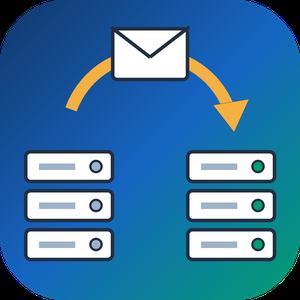
IMAP to IMAP Email Migration Tool is an IMAP migration tool for Windows that moves mail from an old mailbox into a new one, folder by folder. Each message keeps the date it was received, its flags and whether it was read. Mail travels through your own PC and no SoftOrbits server sits in the middle. A journal of copied mail lets a stopped run pick up later without creating duplicates.
🔰 How to use the IMAP migration tool
1. Install the program on a 64-bit Windows 10 or 11 computer.
2. Type the old address on the left side. For Gmail, Outlook.com, Yahoo and iCloud the server and port are set for you. Any other host is entered by hand with its port and encryption.
3. Press Test. The program checks that the server answers, that sign-in works and that folders can be listed, and it says in plain words which step broke.
4. Connect the new account on the right side.
5. Tick folders, limit the copy to a date range or a recent year if you like, then press Start.
👍 Why IT and office teams pick this IMAP migration tool
- Folders are paired by purpose. Sent mail goes to the sent folder of the new provider, and folders the destination lacks are marked before copying begins.
- Every message goes across unchanged, attachments included. Our hash comparison of twenty test messages found no difference, the largest close to 14 MB.
- The old mailbox is opened without marking anything as read.
- Dropped connections are retried up to 5 times. When a server asks for a slower pace, the program waits and resends.
- Microsoft sign-in happens on Microsoft's own page. Passwords are never written to disk.
- A table shows Moved, Already there and Errors for every folder.
✅ Who uses it
- Small offices bringing mail history from a hosting server into Microsoft 365, one person at a time.
- Households whose internet provider is closing its mailboxes.
- Anyone who wants to migrate IMAP to IMAP and finally stop checking an old Yahoo address.
- Freelancers who need an email migration tool on their own PC rather than a web service.
❓ FAQ
How do I migrate my IMAP email to a new server? Add the old server as the source and the new one as the destination, then copy the folders. Try one small folder before you tick the whole tree.
How long does IMAP migration take? Mailbox size and server limits matter more than your line speed. For several gigabytes, plan on more than a day and move recent mail first.
Can I convert my Gmail account to Outlook? The mail can move, and Gmail labels become folders. Contacts and calendars need a separate export, since the protocol only handles messages.
ℹ️ Free trial: the IMAP migration tool transfers up to 25 recent messages per folder, and a license key moves everything else without repeats. Lifetime, yearly, monthly and business licenses are offered. Requires Windows 10 or 11, 64-bit.

Windows Event Log Viewer is an event log viewer that explains every record in plain English. Open the live journals of a PC or an .evtx file from another machine, filter by Event ID, level, source or time, and read what a 4625, a Kernel-Power 41 or an Application Error 1000 actually means. A built-in reference covers 181 events, about 94.6% of what a typical desktop journal contains.
🔰 How to use the event log viewer
1. Pick Application, System, Security or any provider channel in the tree, or open an .evtx or legacy .evt file.
2. Type an Event ID list such as 4624,4625 or a range, choose levels, and narrow the time span. Windows runs the filter itself, so only matching records load.
3. Click a record to see the explanation from the reference next to the original Windows description.
4. Export the list to CSV, Excel, HTML or PDF, or write it into a SQL Server table.
👍 Why IT teams pick it
- Readable logs from other servers: when the provider DLL is missing and Windows shows "description cannot be found", the reference still explains the event.
- Event log monitoring: rules on Event ID, level or text raise a tray alert, and a threshold folds five failed sign-ins in ten minutes into one alert.
- Damaged journals: deep scan searches the file for ElfChnk chunks and recovers records Windows refuses to open.
- Remote machines over RPC, a subnet scanner, merged timelines of two logs, and workspaces that save tabs and filters.
✅ Who uses it
- System administrators tracing crashes, reboots and service failures.
- Security staff reviewing failed logons and privilege use.
- MSPs and consultants who receive .evtx files from customer servers and need an evtx viewer that does not depend on the original machine.
- Help desks that must hand an audit or a ticket a clean export instead of a screenshot.
❓ FAQ
What is special logon in Event Viewer? It is Event 4672, written when an account with administrator-level privileges signs in. The reference shows which privileges were assigned so you can tell routine service logons from unusual ones.
Where is the Windows event log stored? In C:\Windows\System32\winevt\Logs as .evtx files. You can copy them from a machine that will not boot and open them here.
How do I view the event log in Windows 10? Use the built-in Event Viewer, or open this Windows event log viewer for filters that run inside Windows, explanations and exports.
ℹ️ Free trial for 10 days: browsing your own logs is unrestricted, export stops at 20 rows, explanations show the headline only, and monitoring, merging and remote access need a license. Windows 10 and 11, offline, 20 languages.

IT 231 AI è il software di OnevoiceAI per gli studi legali che redigono il Modello di Organizzazione, Gestione e Controllo previsto dal D.Lgs. 231/2001. Riduce a poche ore un lavoro che di solito richiede giorni.
Si parte da un questionario guidato sull'ente: attività, struttura, deleghe, processi sensibili e aree di rischio. Visure, statuti e organigrammi si allegano e vengono letti in automatico. Sui dati raccolti l'AI redige il Modello completo, con Parte Generale e Parte Speciale, mappatura delle attività a rischio e reati presupposto pertinenti, oltre alle sezioni su Organismo di Vigilanza, whistleblowing (D.Lgs. 24/2023) e sistema disciplinare.
L'avvocato rifinisce il testo in un editor con l'assistente AI: seleziona un paragrafo e chiede di riscriverlo, ampliarlo o adattarlo. L'AI propone, il professionista decide, e il Modello resta al 100% sotto il suo controllo. Copertina e indice sono automatici, lo storico mostra cosa cambia tra le versioni e il documento si esporta in Word e PDF, pronto per l'OdV e per il cliente.
Lo studio gestisce le pratiche 231 di tutti i clienti e coinvolge i collaboratori. Ogni studio ha uno spazio isolato, i documenti sono ospitati in Germania e non vengono mai usati per addestrare i modelli di IA.
EN 231 AI is OnevoiceAI's software for law firms that draft the Organisation, Management and Control Model required by Italian Legislative Decree 231/2001 (the "Modello 231"). It cuts work that usually takes days down to a few hours.
It starts with a guided questionnaire about the client entity: activities, structure, delegated powers, sensitive processes and risk areas. Company registry extracts, articles of association and org charts can be attached and are read automatically. From this data the AI drafts the complete Model: General Part and Special Part, mapping of at-risk activities and the relevant predicate offences, plus sections on the Supervisory Body (OdV), whistleblowing (D.Lgs. 24/2023) and the disciplinary system.
The lawyer refines the text in an editor with an AI assistant: select a paragraph and ask it to rewrite, expand or adapt it. The AI suggests and the lawyer decides, so the Model stays 100% under the professional's control. Cover page and table of contents are generated automatically, version history shows what changed between updates, and the document exports to Word and PDF, ready for the Supervisory Body and the client.
The firm manages the 231 files of all its clients and can involve its collaborators. Each firm has an isolated workspace, documents are hosted in Germany, and they are never used to train AI models.

AccBrain is a mobile companion for businesses that keep their books in TallyPrime or Tally.ERP A Windows agent on the accounting computer reads the company and keeps a secure cloud copy current, so ledgers, vouchers, stock and reports open on an Android phone — and can be questioned in plain language.
ASK YOUR BOOKS
Type "who owes me the most?", "how were sales last quarter?" or "what is sitting in dead stock?" and get a table, chart or short answer back, with follow-up pills that open the screen the answer came from, already filtered. The assistant does not do the arithmetic — it selects a registered report tool, and that tool returns the same figure the report on screen shows, so an answer and a report cannot disagree. Tools cover receivables, cash position, profit and loss, balance sheet, tax summary, stock, profitability, cost centres, compliance, anomalies and cash forecast. Conversations and the narration search index stay on the device. A monthly question allowance is included, with top-ups.
REPORTING AND ANALYSIS
Profit and loss, balance sheet, tax summary by rate and by HSN/HS code, receivables and payables aging, profitability by item, customer or stock group, cost-centre performance, stock intelligence covering dead stock, ABC contribution, FSN class and velocity, financial ratios compared with a year earlier, an exceptions audit that scans for probable errors, and regional compliance reporting. Most export to PDF and Excel. Every figure is computed on the phone from a local mirror, so reports open offline.
RECEIVABLES AND COLLECTIONS
Bill-wise outstanding and aging buckets of 0-30, 31-60, 61-90 and 90+ days, on both sides of the ledger. AccBrain writes each reminder bill by bill — every open bill with its age, the total due and the overdue portion — and opens your own WhatsApp or SMS composer, so the message goes out from your number. Batch chase works the overdue list one party at a time. A payment QR renders your own UPI ID. Overdue nudges run daily, weekly, monthly or off.
ENTRY AND WRITE-BACK
Raise a sales invoice with items, quantities, rates, tax legs and storage location, or a receipt, payment or expense. The phone queues the entry and the desktop agent posts it into Tally in your own voucher numbering series. A sent-entries list shows each one as pending, posted or failed with the reason. Tally stays the single source of truth; nothing is written without your action.
DASHBOARD AND SEARCH
Cash and bank, receivables, payables and month sales with trend sparklines, a health score with explainable factors, a cash-flow waterfall and a 13-week cash forecast. One search box spans parties, vouchers and stock. Owner, accountant and manager modes reorder the app around each role.
Licensing is a one-time one, three or five-year term rather than an auto-renewing subscription, after a seven-day trial. One licence covers one desktop computer and any number of phones.

Operentra is a complete HR platform for small and mid-sized companies — the whole employee lifecycle in one system instead of a payroll tool, a spreadsheet and three inboxes.
HIRING. A public careers site with structured job listings, a kanban applicant tracker, interview scheduling with calendar invites, offer management, and one-click conversion of a hired candidate into an employee record — no retyping.
ONBOARDING. New joiners get a task checklist, document requests, a contract to sign electronically, and automatic reminders. Employees are only activated once the contract is signed, so an unsigned hire cannot silently start drawing salary.
ATTENDANCE AND LEAVE. Punches from ZKTeco fingerprint and face terminals, GPS-geofenced mobile check-in for field teams, or manual entry — per shift, you decide which. Shifts, rest days, holiday calendars, leave types, balances and multi-level approvals all feed the same attendance record, and human-approved attendance is never overwritten by a background sync.
PAYROLL. Salary structures with your own earnings and deductions, proration that respects rest days, loans and advances, expense claims that flow into the run as adjustments, bonuses, increments and arrears. Pre-flight checks refuse to approve a run that is missing a shift, an attendance record or a tax table, so a wrong number never reaches an employee. Salary slips render as PDFs and get emailed.
DOCUMENTS. Contracts, HR letters, tax certificates and salary slips generate from templates you control, carry your branding, and each one gets a QR code that resolves to a public verification page — so a bank can confirm it is genuine without calling you.
PERFORMANCE AND OFFBOARDING. Appraisal cycles, continuous performance tracking, scorecards, promotions and transfers; then clearance checklists and a final settlement that nets leave encashment, gratuity and provident fund against outstanding loans.
SELF-SERVICE. Every employee gets a portal for their own payslips, leave, documents, assets and letter requests, which is where most of the HR inbox goes.
PAYROLL ANYWHERE. Payroll runs for a team in any country, on the salary structures, allowances and deductions you define. What ships per country is statutory automation — withholding and contributions computed for you — and we keep adding packs. Until a pack covers your country, payroll, leave, attendance and documents all still run from day one; what waits for the pack is automatic income tax and statutory contributions.
BUILT FOR CONTROL. Role-based permissions down to the action, audit logs, two-factor authentication, automated backups, data export and right-to-erasure, a public REST API with scoped keys and webhooks, and — on Enterprise — your own domain and branding, plus one login across multiple companies.
The interface ships in English, Arabic (RTL), French, German and Spanish. Operentra is built and operated by Hostings House. It ran our own HR before it ran anyone else's.

HookGen is an innovative web application that leverages artificial intelligence to generate original music hooks, providing musicians and composers with unique melodies to enhance their creative projects. By utilizing trained artificial neural networks, HookGen crafts entirely new musical pieces, offering users the ability to customize the emotional tone and complexity of the generated hooks. This tool is particularly beneficial for artists seeking inspiration or looking to incorporate distinctive elements into their compositions.
Key Features and Functionality:
- AI-Generated Music Hooks: Creates original melodies using advanced artificial intelligence algorithms.
- Customization Options: Allows users to select the emotional tone (e.g., sad or happy) and note complexity (simple or complex) to tailor the generated music to their needs.
- MIDI File Download: Enables users to download the generated hooks in MIDI format, facilitating easy integration into various digital audio workstations (DAWs) such as Ableton, Pro Tools, and Logic Pro X.
- Royalty-Free Usage: Provides users with royalty-free music hooks, allowing for both personal and commercial use without additional licensing fees.
- User Feedback Integration: Collects user interaction data to continuously improve the AI's music generation capabilities, ensuring the production of increasingly refined and appealing melodies.
Primary Value and User Solutions:
HookGen addresses the common challenge of creative block among musicians by offering an accessible platform for generating unique musical ideas. Its AI-driven approach not only saves time but also introduces users to novel melodies they might not have conceived independently. By providing customizable, royalty-free music hooks, HookGen empowers artists to enhance their compositions, explore new musical directions, and maintain a steady flow of inspiration in their creative endeavors.

Snaptrude is a collaborative 3D modelling tool for Architects and Designers. It helps users design with project stakeholders and get real-time design feedback with BIM data. It uses intelligent automation to help designers go from an idea to a BIM very quickly. Snaptrude is entirely web based and hence only requires a web-browser and no additional hardware.

Mirage Metrics deploys AI agents for industrial operations across logistics, construction, mining, and manufacturing. Founded in 2025 and headquartered in the United States, with operations across North America, Europe, and Africa, the company operates on a Forward Deployed Engineering model: agents are built and validated on client data before anycontract is signed.
The company's core products are OrderFlow, an AI agent that automates order intake from emails, calls, and unstructured documents and updates ERP systems in real time; CargoScribe, a freight document intelligence agent that extracts, validates, and reconciles transport documents against purchase orders and invoices; Construction Intelligence, an AI platform for managing projects, equipment, work orders, and compliance in construction operations; and Mining Intelligence, an AI agent for geological data analysis, deposit prediction, and exploration optimization.
Mirage Metrics connects to 200+ enterprise systems including ERPs, TMSs, telematics platforms, and IoT layers. Deployments are production-ready within days, not months. The platform includes independently audited security controls, end-to-end encryption, and identity-based access management.
Clients include industrial companies across North America, Europe, and Africa operating in freight, agribusiness, distribution, and infrastructure sectors.

Klangio is an innovative music software company specializing in AI-driven tools that transform audio recordings into precise musical notations. Designed for musicians, educators, and producers, Klangio's suite of applications streamlines the transcription process, converting audio files or YouTube videos into sheet music, MIDI, MusicXML, and GuitarPro formats within seconds.
Key Features and Functionality:
- Multi-Instrument Recognition: Accurately transcribes a variety of instruments, including piano, guitar, drums, vocals, violin, wind instruments, and synthesizers, even when multiple instruments play simultaneously.
- High Precision AI Transcription: Utilizes advanced AI models to deliver precise transcriptions, capturing melodies, chords, rhythms, and complex musical nuances.
- Integrated Editing Tools: Offers a comprehensive Edit Mode, allowing users to fine-tune transcriptions by adjusting notes, time signatures, tempo, and key directly within the application.
- Seamless Workflow Integration: Exports transcriptions to popular music notation software and digital audio workstations (DAWs) such as MuseScore, Guitar Pro, Sibelius, Logic, FL Studio, and Ableton, facilitating smooth integration into existing workflows.
- Versatile Input Options: Supports audio uploads, live recordings, and YouTube links, providing flexibility in sourcing material for transcription.
Primary Value and User Solutions:
Klangio addresses the traditionally time-consuming and complex task of manual music transcription by offering an automated, accurate, and user-friendly solution. Musicians can quickly convert their performances or favorite songs into editable sheet music, enhancing learning, practice, and composition processes. Educators benefit from efficient preparation of teaching materials, while producers and composers can expedite the arrangement and editing of musical pieces. By integrating seamlessly with various platforms and supporting a wide range of instruments, Klangio empowers users to focus more on creativity and less on the technicalities of transcription.

Staccato is an AI-powered platform designed to assist musicians, producers, and lyricists in overcoming creative blocks and enhancing their compositions. By integrating seamlessly with popular Digital Audio Workstations (DAWs) such as Logic Pro, Ableton, Pro Tools, and FL Studio, Staccato offers tools that generate unique MIDI stems and loops, create lyrics, and extend existing musical pieces. This empowers users to explore new musical ideas and streamline their creative processes.
Key Features and Functionality:
- AI Instrument™: Generates original MIDI loops and stems based on user prompts, allowing for the creation of unique musical elements across various genres.
- Lyrics Generation: Provides AI-driven tools to craft lyrics by inputting keywords or moods, assisting songwriters in developing compelling content.
- Seamless DAW Integration: Compatible with major DAWs through VST, VST3, AU, and AAX formats, facilitating a smooth workflow within existing production environments.
- MIDI Editing and Extension: Enables users to upload MIDI files and have the AI continue or finish compositions in the same key, style, and mood, enhancing and expanding musical ideas.
- Educational Support: Offers insights into song structures, rhythm patterns, and chord progressions, aiding users in learning new genres and styles.
Primary Value and User Solutions:
Staccato addresses common challenges faced by music creators, such as writer's block and the need for fresh inspiration. By providing AI-generated musical elements and lyrics, it helps users break through creative barriers and explore new directions in their work. The platform's integration with existing DAWs ensures that users can incorporate AI-generated content seamlessly into their projects, maintaining their unique artistic vision while enhancing productivity. Additionally, Staccato's educational tools support continuous learning, enabling musicians to expand their skills and adapt to various musical styles.

AudioCipher Technologies is an innovative software company dedicated to assisting musicians in overcoming creative barriers and efficiently organizing their musical ideas. Their flagship product, the MIDI Vault, is a comprehensive tool that combines a text-to-MIDI generator with an advanced file management system, enabling users to transform words into melodies and chord progressions while systematically storing and retrieving MIDI and audio files.
Key Features and Functionality:
- Text-to-MIDI Generator: Convert any word or phrase into MIDI melodies and chord progressions, facilitating the translation of textual inspiration into musical compositions.
- MIDI Vault: Organize and store MIDI and audio files together in 'cards' tagged with metadata such as BPM, key, mood, genre, and instrument type, allowing for efficient filtering and retrieval.
- Rhythm Controls: Customize note durations, incorporate triplets, and utilize rhythm randomization to create diverse and dynamic musical patterns.
- Seamless DAW Integration: Compatible with major digital audio workstations including Ableton, Logic Pro, FL Studio, Reaper, Reason 13, Garageband, and Studio One, ensuring a smooth workflow across different platforms.
- File Management: Bulk import and label files, preview MIDI and audio directly within the application, and export collections for sharing or collaboration.
Primary Value and User Solutions:
AudioCipher's MIDI Vault addresses common challenges faced by musicians, such as creative stagnation and disorganized project files. By converting textual ideas into musical elements, it provides a unique source of inspiration, helping artists initiate and develop new compositions. The integrated file management system ensures that musical sketches and samples are systematically organized, tagged, and easily accessible, streamlining the creative process and enhancing productivity. This combination of features empowers musicians to efficiently manage their creative output and maintain a steady flow of inspiration.

QIF to QBO Converter Software takes a Quicken .QIF export or a QuickBooks .IIF file and writes a Web Connect .qbo that QuickBooks Desktop and QuickBooks Online can import. The same run can also produce a CSV for Excel or a printable PDF table. All work happens on your Windows PC, with no upload and no online account to create.
Quicken accepts QIF only for asset, liability and cash accounts, and QuickBooks has no QIF import at all, so an old archive tends to get stuck between the two programs. The qif to qbo converter closes that gap without any retyping.
🛠️ How to use
1. Install the program and launch it. The bank directory is already inside.
2. Drag one .qif or .iif file, or a whole folder, into the window and check the text preview.
3. Open Lookup, type your bank name and pick the matching row.
4. Leave QBO selected in the output box and press Convert.
5. In QuickBooks Desktop go to File > Utilities > Import > Web Connect and choose the new file.
💼 Why IT and office teams pick it
- It refuses to save a .qbo without a valid institution ID and prints the reason word for word, so a broken file never reaches QuickBooks.
- Transaction IDs stay stable between runs, so a second import of the same export does not duplicate entries.
- Split transactions keep their parts, and the CSV header stays in English for import maps and formulas.
- A preview shows the recognized transaction count and encoding before you press Convert, which saves a trip back to the source file.
- A folder of exports can be queued in one batch, with an optional Merge into a single file.
- Files never leave the workstation, and the program works without internet access.
👥 Who uses it
People moving their own books off Quicken, bookkeepers who inherit legacy client files with several accounts in one export, and admins who gather QIF and IIF files from branch offices for a single qif to qbo routine. A qif to qbo converter that runs locally also suits offices bound by client confidentiality rules.
❓ FAQ
Can I convert QIF to QBO without Quicken installed?
Yes. The tool reads the .qif file directly, so neither Quicken nor any online service is needed.
Why does QuickBooks reject my QBO file?
Usually the institution ID is missing or wrong. This qif to qbo converter blocks that case before saving. Also note that QuickBooks releases older than three years do not import .qbo at all.
Does it handle IIF files saved as .txt?
Yes. Each file is probed by its contents, so an IIF export with a .txt extension is still parsed as IIF.
What happens to Cyrillic or Asian characters?
The .qbo is written in CP1252. Cyrillic is transliterated and other characters become numeric references, so nothing disappears silently.
🖥️ The free trial converts 20 transactions. Runs on Windows 11, 10, 8.1, 8 and 7, 32 and 64 bit. Licenses come as lifetime, one-year or business.

Spreadsheet Compare & Merge Tool for Excel is a Windows program that lets you merge Excel files from a whole folder into one workbook and then check two versions of a table cell by cell. It reads XLSX, XLSM, CSV and TSV on its own, so Microsoft Excel does not need to be installed on the PC that runs the job.
🔰 How to use it
1. Click Add files or Add folder. Workbooks and CSV exports can share one batch.
2. Pick Into a single sheet, or One sheet per file to keep every source on its own tab.
3. Line columns up By column name or By position, then set the output name and press Combine to merge Excel files.
4. To compare Excel files, load the old version on the left, the new one on the right and click Compare two files.
5. Walk through the highlighted cells with Next difference and export the result.
👍 Why IT and office teams pick it
- Branch exports with columns in a different order still land in the right columns. A missing column leaves blank cells instead of shifting data sideways.
- Payroll and client price lists stay on the local disk. Nothing is uploaded and no account is needed.
- The compare view tells apart nine kinds of change, from edited values and formulas to added or removed rows, columns and worksheets.
- Rows can be paired by a key column, which keeps a diff readable after someone sorts or inserts lines.
- One unreadable workbook is reported on its own line while the remaining files keep going.
- You can merge Excel files and CSV exports in the same run, and the output format follows the extension you type.
- In our own tests fifty workbooks of 10,000 rows were joined in under nine seconds.
✅ Who uses it
- Accountants who merge Excel files from a dozen branch reports when closing the month.
- Purchasing staff checking a new supplier price list against the previous one.
- Warehouse and CRM admins who receive data as dozens of separate CSV pieces.
- Analysts and IT staff matching a test configuration workbook with production.
❓ FAQ
How do I combine Excel files into one without copying and pasting? Add the files or the folder, choose a merge type and press Combine. The program will merge Excel files into a new XLSX or CSV next to your sources.
Can I compare two Excel files for differences without Office? Yes. The tool reads both workbooks directly and colors each change, so it works on a machine with any Office edition or none.
What if the files have different columns? Choose By column name. Columns are matched by their titles, and the output keeps every column found in any of the files.
Does it open old XLS files? No. Resave them as XLSX in any spreadsheet program first.
ℹ️ Free trial with no sign-up: the merged file and the difference list are capped to a limited number of rows until you buy a license. Runs on Windows 11, 10, 8.1, 8 and 7, 32 and 64 bit.
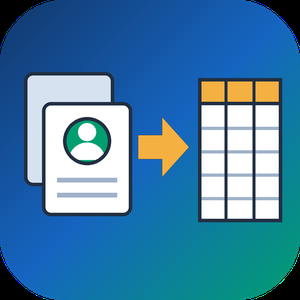
VCF to CSV Converter for CRM Import is a Windows program for one job: turning a pile of vCard files into a single vcf to csv export your CRM can read. Staff phones, Outlook address books and card scanner apps all hand out contacts as .vcf, while Salesforce, HubSpot, Zoho CRM and Excel want rows and columns. Point the program at a folder and the vcf to csv pass writes one UTF-8 CSV with every card in it.
📋 How to use it
1. Click Add folder or Add files. Subfolders are scanned and files holding many cards are split.
2. Pick an output template: Google Contacts, Outlook, Yahoo or Plain CSV.
3. Decide whether extra phones and emails go into numbered columns or share one cell.
4. Open Column mapping, untick what the import does not need and set the order with Up and Down.
5. Click Convert and load the file through the import page of your CRM.
🛠️ Why IT and office teams pick it
Many vcf to csv tools stumble on old Android and Nokia exports, where names arrive as quoted-printable codes like =C3=BC. This one decodes quoted-printable and reads each card's charset (UTF-8, UTF-16, windows-1251, windows-1252, GBK), so Cyrillic, Chinese and accented names survive. The CSV carries a BOM, which lets Excel open it correctly on a double-click. Duplicate people from overlapping exports are merged by name plus main contact detail. Custom X- fields become extra columns, photos are saved as image files with the path in the row, and birthdays are written as YYYY-MM-DD. Click any file in the queue and a text preview shows its parsed cards, which helps when checking a tricky export before you commit. Everything runs on the PC with no upload and no account.
👥 Who uses it
CRM admins loading leads that sales reps exported from their phones. Office managers combining address books after a staff change. IT staff moving a team to Google Workspace or Outlook, international names included. Recruiters and event organizers who collect cards from scanner apps every week. Marketers turning a stack of contact cards into a vcf to csv mailing list.
❓ FAQ
How do I convert a VCF file to CSV?
Add the file or its folder, choose a template and click Convert. Every card in the queue lands in one CSV, and the encoding is detected for you.
Can I open the result in Excel?
Yes. The file is UTF-8 with a BOM, so Excel shows non-Latin letters properly. Google Sheets and LibreOffice open it as well.
Why do names come out garbled in other converters?
They skip quoted-printable decoding, so letters stay as codes like =F6. This program decodes them and writes plain UTF-8.
Are VCF and CSV the same thing?
No. A vCard holds contact cards for address books. A CSV is a table that spreadsheets and import wizards read row by row.
The free trial needs no sign-up and converts the first 10 contacts of each run, enough to test a vcard to csv import. Windows 10 and 11, works offline.

pylo is a backend-as-a-service (BaaS) platform that enables developers and teams to build production-ready applications without writing backend code. Built with a strong focus on developer experience, pylo combines visual data modeling with auto-generated GraphQL APIs, deeply integrated permissions, and workflow automation - hosted in the EU for full GDPR compliance out of the box.
Key Features and Functionality:
Ultra flexible data modeling with auto-generated GraphQL APIs: define your data model in the UI or through code and pylo instantly generates a fully typed GraphQL API with deeply nested filters, pagination and many other feature you can wish for.
Deeply integrated, ultra-flexible permissions: customer-seperation through RLS, paired with a fine-grained, very flexible permission system with permissions on entity- or even field-level. Deeply integrated into the APIs and every other part of your app's lifecycle.
Integrated object storage: use our fast, reliable object storage to store all of the files that belong to your data model, accessible through the API with support for many file types and public or private files.
pylo flows: automate your workflows and connect third party services through a visual worflow builder with many pre-defined flow actions and integrations. You can also easily write your own flow actions in TypeScript.
pylo forms: build and publish forms that write directly into your data model, with validation, permissions and advanced mapping features.
pylo analytics: create beautiful dashboards with ease over all of the data inside your pylo account. You can also integrate external data and events through our ingest endpoint.
Auth SDK: with our open source, fully typed auth SDK, you can easily use the pylo login feature within your apps.
Webhooks: create webhooks in pylo other services can push data to and react to them through the API or inside of the flow service.
Custom views: every entity list or entity detail view can be customized. Define which fields are visible, group them on different tabs and select the components that work best for your data, based on which users see it or based on the status of the entity (e.g. for an order show different fields based on the order status). In the listing view you can also switch between table view, kanban view and a timeline view, depending on what works best for your data.
Import / export: move data in and out of pylo with our CSV and JSON importer / exporter. When you import data, define to which fields it should be mapped, define fields as search values to use them as keys and add replacement operations to sanitize your data.
Rate limiting: when using third party APIs in the flow service, you can define what rate limit to respect and how many concurrent requests can be made.
Environments: store all of your environment variables in different environments in a secure way and then define which to use in the flow builder.

RevampKey is a desktop app with two kinds of AI teams. One builds your software. The others take over work that repeats.
An AI product team for your code
Describe what you want in plain words. A researcher, product manager, designer, engineer and QA hand the work to each other, the way a good team does.
Research you can explore. Findings come back as an interactive report you can sort and filter, with a source for every claim.
Every path mapped first. The happy path, the edge cases and the failures are drawn as a flow before any code is written.
Screens you approve before any code. Point at any part of a screen and say what to change.
Built in steps, each one checked. Every module has its own criteria and tests. QA clicks through it in a real browser, and each step is saved as its own reviewable commit.
Works on code you already have. Open a repository and it maps the code before planning a change. It’s built on Code - OSS, so your VS Code habits carry over.
Hire an AI team for the work that repeats
Pick from 35 ready-made teams for SEO, legal, support, sales and finance, or create your own. Setup takes about five minutes.
A real team structure. Each team has a lead and teammates with clear jobs, a schedule and a queue of work. You brief the lead, the lead plans the jobs, and the teammates do them until the work is done.
Work at scale. Teammates can work through the rows of a table in parallel. For example, they can write and check one SEO page per keyword.
Check-ins, not surprises. A team stops to ask before it continues, shows where the work has drifted from the plan, and never sends, posts or spends without your approval.
Correct it once. Your edits become notes and skills that every teammate follows on every run. Skills are versioned, so you can see what changed.
Teams in the gallery today: SEO pages, Support desk, Job applications, and 16 legal teams covering contract review, privacy compliance, legal pages, brand protection, open-source licences, company admin and breach readiness.
Your tools, already wired in
888 connectors, including GitHub, Gmail, Slack, Stripe, Linear, Notion, Google Drive and BigQuery. You sign in once, and the agent can ask you to connect a tool when it needs one.
A built-in browser for everything else. If a tool has a website, RevampKey can use it: it clicks, types and reads pages. When a step needs you, like signing in, it pauses and asks.
Skills in the common SKILL.md format, with thousands of ready-made skills for connected tools.
Schedules in plain English or cron. They stay correct across daylight-saving changes.
A searchable model picker with models from many AI companies, plus a setting for how much each chat thinks before it answers.
Private by default
Plans, specs and reports are saved in your own project folder. Nothing you do is used to train models. Tokens for connected tools stay in your operating system’s keychain.