AI-Generated Results
Finding matches…
AlgoSmiths was started by engineers who had been on the wrong side of bad agency projects. Our founder has been building software since 2019, and set up AlgoSmiths SoftCom in New Delhi in 2024 to be the partner he wished he'd had. Senior engineers build web, mobile, SaaS and AI products for startups and growing businesses on fixed-price contracts, with a working demo every week and most MVPs live in 4 weeks or less. Through AlgoSmiths Talent, our engineers also interview candidates for companies hiring their own teams. We value senior-only teams, working software over status reports, and saying no when we can't deliver.
Not seeing what you're looking for?
Dive deeper into "Softy" on G2 AI


SoftGolf is a free golf tournament management platform built for organizers of charity tournaments, corporate outings, fundraisers, and competitive events.
Founded in 2022, SoftGolf gives organizers everything they need to create, manage, and grow a golf event in one place. Set up a tournament in minutes with a guided wizard, then share a custom public page complete with cover photos, an interactive map, event schedule, FAQs, and sponsor logos.
Registration runs around the clock: sell unlimited tickets and sponsorship packages with customizable bundles (Player, Spectator, VIP, Dinner Guest, and more), custom registration questions, team signups, and guest checkout with no account required. Payments are processed securely through Stripe Connect, so entry fees and donations go directly to the organizer's bank account, with real-time revenue tracking, per-bundle breakdowns, refunds, and financial exports from the dashboard.
On event day, SoftGolf delivers live scoring for stroke play, match play, and Stableford, five handicap calculation methods, per-hole score entry, and a classic real-time leaderboard with achievement animations and a fullscreen TV display mode. Organizers manage teams, pairings, and tee times with drag-and-drop tools, and keep players informed with 16 automated email types.
SoftGolf is the only tournament platform with a real native iOS app, so players and organizers can browse events, enter scores hole by hole, and follow live leaderboards on the go.
SoftGolf is completely free for organizers. We only charge a 2.9% service fee on transactions if you choose to enable payment processing, and you can pass the fee to ticket buyers or absorb it automatically. No subscriptions, no hidden fees.

BatchPrint is batch print software for Windows offices that need a stack of documents on paper without opening each file. Point it at a folder, pick the printer and press Print once. PDFs, scans, Word and Excel files and saved emails go out in list order, and each one keeps its own copies and page range. If you regularly have to print all files in a folder, this is the tool for that one job.
🖨️ How to use it
1. Click Add folder or Add files. Subfolders are picked up too.
2. Choose the device, then the paper source and size.
3. Open Settings for duplex, pages per sheet, scale or a watermark for the run.
4. Double-click a row when one document needs a different paper source or range.
5. Check the paper estimate under the button and press Print.
⚙️ Why office and IT teams pick it
Explorer drops its Print command once more than 15 items are selected. This batch print software takes a queue of thousands. It works as a PDF batch printer with its own rendering engine, so Acrobat never opens. DOCX and XLSX go through Microsoft Office when it is installed, and through LibreOffice or a built-in reader when it is not. A damaged or password-locked file is skipped with the reason written down, and the remaining documents keep printing. Nothing is uploaded and there is no account to create.
👥 Who uses it
Accounts staff who batch print PDF invoices at month end. Legal assistants who need exhibits in a fixed order. Dispatch clerks with packing lists, school offices with class sets, and the IT person who sets up the shared print PC. Teams that buy batch print software usually do so after the third afternoon lost to Ctrl+P, and keep it for the weekly runs that follow.
❓ FAQ
How do I print multiple PDFs at once without opening each one?
Add the folder, leave every row ticked and press Print. Each PDF becomes its own print job, and no viewer window appears.
Can I put 4 PDF pages on one sheet?
Yes. Choose 4 under pages per sheet, or 2, 6 or 9. The pages of one document share a sheet, and the next document starts on a fresh one.
Is Microsoft Office required for Word and Excel files?
No. With Office the layout matches the screen. Without it, text, tables and images still print, but headers and footers inside the document are dropped.
Should I merge everything into one PDF first?
No need. Separate files keep separate copies, ranges and paper sources, and the end report lists them one by one.
Will the order of the stack match the list?
Yes. Rows can be dragged into any sequence, and pages leave the tray in that order, so a bundle comes out ready for the binder.
💡 Free trial and requirements
The free trial of this batch print software prints up to 10 files per batch and adds a report page at the end, while your documents come out clean. After 100 printed files it moves to one file at a time. Runs on Windows 10 and 11, in 20 interface languages.
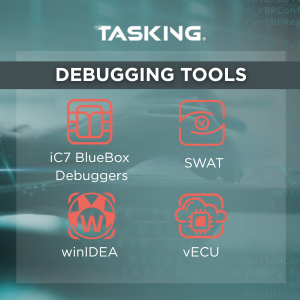
The iC7 family of BlueBox debuggers — including iC7mini, iC7pro, and iC7max — provides real-time analysis and comprehensive debugging capabilities for embedded systems.
They connect directly to the target microcontroller and offer capabilities such as advanced code and data tracing, function and OS profiling, and structural coverage analysis.
Working together with the winIDEA integrated development environment, the iC7 BlueBox enables efficient debugging, flashing, and tracing across multiple devices and continuous integration workflows.
For systems where hardware trace is not available, SWAT (Software Trace Tool) offers a software-based tracing option that records runtime behavior with minimal overhead.
Used by engineers in automotive, industrial, and aerospace sectors, TASKING software development tools help ensure code quality, certification readiness, and long-term maintainability in safety-critical systems.

Accounting CS is a comprehensive accounting software solution designed for professional accountants and CPA firms. It integrates various accounting functions, including write-up, trial balance, payroll, financial reporting, and client accounting, into a single platform. This unified approach streamlines operations, enhances productivity, and facilitates real-time collaboration between firms and their clients.
Key Features and Functionality:
- Versatile Integration: Seamlessly imports data from client spreadsheets and integrates with third-party software like QuickBooks®, enabling efficient data management.
- Industry Adaptability: Supports various entity types, reporting periods, and client structures, making it suitable for diverse industries and business models.
- Multi-User and Multi-Tasking Capabilities: Allows multiple users to work on different tasks or clients simultaneously, enhancing team collaboration and efficiency.
- Enhanced Security and Controls: Offers customizable workspaces and user permissions, ensuring that staff access only the information pertinent to their roles.
- Customized Reporting: Provides robust reporting tools, including a custom report designer, to analyze data and generate client-specific reports.
- Client Access Portal: Facilitates real-time collaboration with clients through a shared online portal, enabling secure data sharing and communication.
Primary Value and Solutions Provided:
Accounting CS addresses the challenges faced by accounting firms in managing multiple clients and complex accounting tasks. By consolidating essential accounting functions into a single, integrated platform, it reduces the need for multiple software solutions, minimizes data entry errors, and accelerates workflow processes. The real-time collaboration features enhance client engagement and satisfaction, while the customizable reporting and security controls ensure that firms can tailor the software to their specific needs. Overall, Accounting CS empowers accounting professionals to deliver high-quality services efficiently and effectively.

Vinchin Backup & Recovery is an easy-to-use, reliable and cost-effective VM backup solution. It supports VMware vSphere, Citrix XenServer, RedHat Virtualization and other XenServer, KVM based hypervisors, provides excellent user experience for customers who needs data protection for their VMs, especially when they are using different hypervisors in the same virtual environment.

DaVinci Resolve is a comprehensive post-production software developed by Blackmagic Design, integrating video editing, color correction, visual effects, motion graphics, and audio post-production into a single platform. Its intuitive interface caters to both beginners and professionals, streamlining workflows by eliminating the need for multiple applications. This all-in-one solution ensures that users can maintain the highest quality by working with original camera footage throughout the entire process. By mastering DaVinci Resolve, users gain access to the same tools employed by Hollywood professionals in film and television production.
Key Features and Functionality:
- Comprehensive Editing Suite: Offers both cut and edit pages tailored for different editing styles, from quick assembly to detailed timeline editing.
- Advanced Color Correction: Utilizes Emmy™ award-winning image technology with 32-bit float processing and patented YRGB color science, supporting HDR workflows and wide gamut color spaces.
- Visual Effects and Motion Graphics: Integrates Fusion for node-based compositing, enabling complex visual effects and motion graphics creation.
- Professional Audio Post-Production: Incorporates Fairlight for high-quality audio processing, supporting up to 1,000 audio tracks with real-time effects and 3D audio mixing.
- AI-Powered Tools: Features AI IntelliScript for timeline creation from scripts, AI Animated Subtitles for dynamic text animation, and AI Audio Assistant for intelligent audio mixing.
- Collaborative Workflow: Supports multi-user collaboration with real-time project sharing via Blackmagic Cloud, allowing editors, colorists, VFX artists, and sound engineers to work simultaneously on the same project.
Primary Value and User Solutions:
DaVinci Resolve addresses the need for an integrated post-production environment by combining multiple functionalities into one application, reducing the complexity and inefficiencies associated with using separate tools. This integration enhances productivity, ensures consistent quality, and provides a cost-effective solution for professionals and enthusiasts alike. The inclusion of AI-driven features and collaborative capabilities further streamlines workflows, making it an ideal choice for both individual creators and large production teams.

Software to Manage the most Complex and Global commission processes with Flexibility and Ease.

gther is a robust & proven software solution that optimises all event logistics, captures and analyses valuable data, evaluates overall ROI and streamlines global event programming.
Sync: Simpler meeting management
VX: Bespoke virtual and hybrid events
RSVP: Simple registration pages for events, comprehensive ticketing sites with payments for global event programmes
Infinity: Secure video streaming library for private meetings
Organizer: Venue resource booking and logistics

Tacton CPQ’s manufacturing software solutions connect customer with product and factory for smarter business. By putting customers at the heart of the process, we enable better sales and more efficient operations. We go beyond CPQ - letting your customers build relationships with their clients, not just products.

Cloud-based safety & quality management software that boosts worker engagement and builds stronger safety cultures.
DriveWorks software is used for Design Automation and Sales Configuration by companies large and small

Cetec ERP is the standard cloud ERP software platform for small and mid-sized manufacturing companies.

Google Cloud Search is a cloud search solution designed to seacrh through Gmail, Drive, Docs, Sheets, Slides, Calendar, and others.
Facilities Management eXpress (FMX) is a cloud-based, facilities management software solution that enables facilities managers to more efficiently and effectively track work orders, schedule resources, and plan maintenance to help control costs and preserve asset value.