Xcode Reviews & Product Details

Profile Status

This profile is currently managed by Xcode but has limited features.

Are you part of the Xcode team? Upgrade your plan to enhance your branding and engage with visitors to your profile!

Value at a Glance

Averages based on real user reviews.

Time to Implement

3 months

Return on Investment

9 months

Xcode Integrations

(7)
Integration information sourced from real user reviews.

Xcode Media

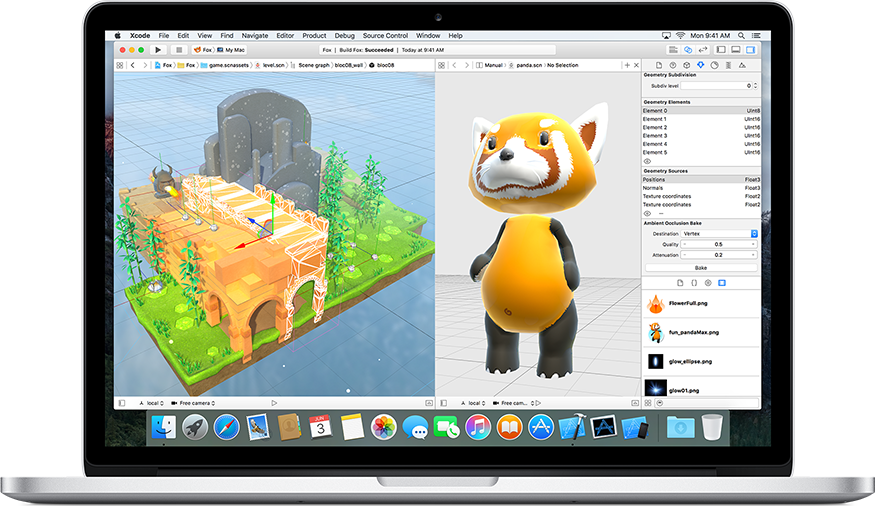
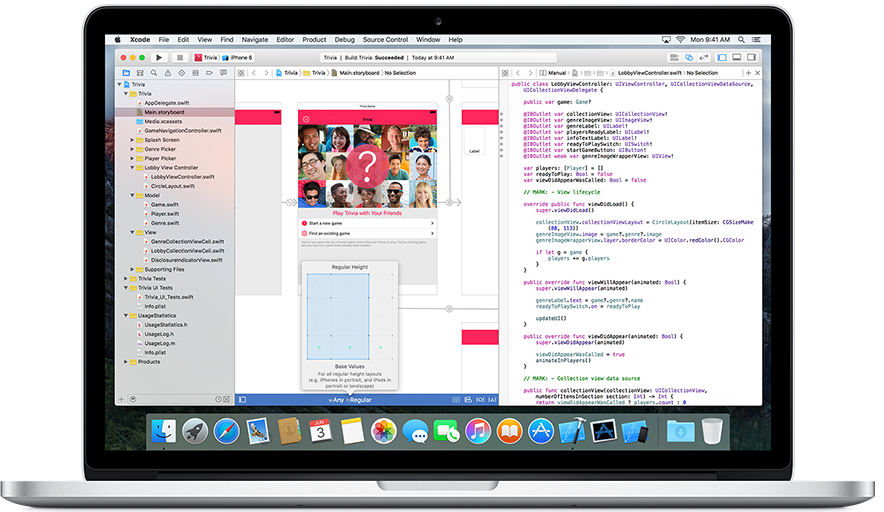
Xcode Demo - Xcode
Xcode
Xcode Demo - Xcode
Xcode
Product Avatar Image

Have you used Xcode before?

Answer a few questions to help the Xcode community

Xcode Reviews (1,017)

View 2 Video Reviews
Reviews

Xcode Reviews (1,017)

View 2 Video Reviews
4.2
1,017 reviews

Review Summary

Generated using AI from real user reviews
Users consistently praise Xcode for its seamless integration with the Apple ecosystem, which simplifies the development process for iOS and macOS applications. The all-in-one environment, featuring tools like the simulator and debugging capabilities, enhances productivity and streamlines workflows. However, many note that it can be resource-intensive, leading to slow performance on larger projects.

Pros & Cons

Generated from real user reviews
View All Pros and Cons
Search reviews
Filter Reviews
Clear Results
G2 reviews are authentic and verified.
Verified User in Financial Services
UF
Small-Business (50 or fewer emp.)
"Necessary for development on Mac"
What do you like best about Xcode?

I love the Simulator app within Xcode. It helps me to test mobile web apps and see how they look on different size phones. Review collected by and hosted on G2.com.

What do you dislike about Xcode?

Very slow to update. The app is extremely slow when it needs to update. Review collected by and hosted on G2.com.

Verified User in Computer Software
UC
Small-Business (50 or fewer emp.)
"Essential tool for developers on Mac"
What do you like best about Xcode?

If you are a developer and use MacOS, in Xcode you will find everything you need. It is a pleasant development environment that will allow you to develop for both MacOS and iOS. It is free software, which along with its potential makes it an indispensable tool. We would be talking about the twin brother of Visual Studio but for MAC users. Like Visual Studio, it has a tool for creating interfaces easily, called Interface Builder. This allows us to create a graphical environment with ease. Review collected by and hosted on G2.com.

What do you dislike about Xcode?

The installation is very simple, as always on MacOS, but it takes up a lot of space both for download and installation. Updates are not very frequent and technical support from Apple is not very effective. I also consider it to be software more oriented towards large projects, which can become cumbersome or have too many options for small developments. Review collected by and hosted on G2.com.

PG
Small-Business (50 or fewer emp.)
"For better or worse, necessary for all Apple platform developers"
What do you like best about Xcode?

Xcode is a great IDE, there are so many features that you will probably never use them all. Many are really useful; for example, "Instruments" is an excellent tool for debugging applications, finding memory leaks, debugging performance issues, etc... not having to install additional tools is very useful. Everything you need to develop iOS and Mac applications is integrated, from interface creation to debugging. The best part is the iPhone/iPad emulator. Review collected by and hosted on G2.com.

What do you dislike about Xcode?

Being a great IDE has its problems, as crashes and mysterious issues are common. Experienced Xcode users know some of the "tricks" by heart: deleting some internal folders when builds fail, restarting the application, avoiding SVN changes while the project is still open, etc... but new users will probably feel a bit frustrated by the constant issues that may initially appear.

There are also problems related to using Swift with Xcode, as code autocompletion often mysteriously fails and compilation times are noticeably slower than projects using Objective-C. Review collected by and hosted on G2.com.

Verified User in Computer Software
UC
Small-Business (50 or fewer emp.)
"Good development platform"
What do you like best about Xcode?

The platform for Mac development par excellence. Xcode does not offer you compatibility with dozens of programming languages. The installation is as simple as always on OSX and offers us a friendly environment that encourages programming. We can program for both OSX and Windows or mobile devices. Recommended if you are an OSX user. Review collected by and hosted on G2.com.

What do you dislike about Xcode?

It takes up too much disk space, when I say too much, I mean a lot. Partly understandable due to the number of languages it handles, but in my opinion, it's excessive. You need to be an advanced user to handle all the options we will find. User support is not very good in our personal experience. Review collected by and hosted on G2.com.

Verified User in Computer Games
UC
Small-Business (50 or fewer emp.)
"Tool for developing application for apple devices "
What do you like best about Xcode?

Xcode is costless platform for developers to create application for apple devices Review collected by and hosted on G2.com.

What do you dislike about Xcode?

I don't like about Xcode is the code completion for methods, its hard to get it work as expected almost every time. Review collected by and hosted on G2.com.

Verified User in Computer Software
UC
Enterprise (> 1000 emp.)
"Powerful and useful"
What do you like best about Xcode?

It is the only ide that you can use for Apple development ultimately. Yes, you can use other programs to write it, but ultimately you need Xcode for testing and compiling. Review collected by and hosted on G2.com.

What do you dislike about Xcode?

It would be nice if Apple spent more time in improving the GUI. I have a 15 inch Mac book pro and often I feel constraints when working with Xcode unless I use an external monitor. Review collected by and hosted on G2.com.

Verified User in Computer & Network Security
UC
Enterprise (> 1000 emp.)
"Xcode is an intuitive IDE for building macOS/iOS apps"
What do you like best about Xcode?

Swift language in Xcode is short, concise, and powerful

Drag and drop GUI is intuitive

Command line tool is great for UNIX style development

Automate build with xcode client

Free with macOS Review collected by and hosted on G2.com.

What do you dislike about Xcode?

Learning curve is high for developing iOS GUI.

Reac native seems easier

Installer is big ~ 6GB of files Review collected by and hosted on G2.com.

Jack G.
JG
Jazz Pianist
Music
Small-Business (50 or fewer emp.)
"It's amazing!"
What do you like best about Xcode?

The ease of dragging ui elements to code. Review collected by and hosted on G2.com.

What do you dislike about Xcode?

Sometimes autolayout is confusing and hard to work with. Review collected by and hosted on G2.com.

Verified User in Computer Software
UC
Small-Business (50 or fewer emp.)
"Powerful tool that includes all"
What do you like best about Xcode?

Convenient UI, highly customizable theme. Comes with integrated source control which offers user friendly code comparison. App signing and submission cannot be more simple and efficient. XCode also manages provisioning profiles and signing certificates, automatically syncs with itunes connect and local keychain storage. Overall it performs relatively stable. Multiple simulators (up to 4) run smoothly side by side. It supports multiple tabs which can be popped out just like browser tabs. Powerful GUI allows users to create any UI they need by dragging and dropping components. Simulators can be resized, custom locations (including freeway driving simulations) can be assigned. Memory warnings, various physical gestures can be simulated. Debugging made easy but powerful. Review collected by and hosted on G2.com.

What do you dislike about Xcode?

No instant rebuilding, code-completion frequently goes with delay. Requires Mac machine (no Windows version is available, and there is no equivalent software for Windows users). Code folding is inefficient and limited. Running and debugging modes are not separated so sometimes it can be frustrating to hit break points when you actually not wanted to debug. Solution to this, XCode provided users with convenient controls on breakpoints, with single click all breakpoints can be turned off. Auto indexing can take forever and when it does it consumes huge amount of computer resources. When XCode is in infinite loop of indexing, only way to get out is invalidating the cache and restarting it. Same thing applies when XCode cannot finish preparing a real device for debugging - restart XCode to get out of that stage. Private classes and/or methods too frequently get deprecate. Crash log symbolicating does not always work. Review collected by and hosted on G2.com.

Verified User in Computer Software
UC
Small-Business (50 or fewer emp.)
"It's works for what it's for... but not much else."
What do you like best about Xcode?

Honestly, if you're working on an application in Objective-C or Swift, it's the best (and only) tool... Really, it has made my iOS/tvOS/watchOS development a pleasure... much more so than for my Android development in Android Studio. Review collected by and hosted on G2.com.

What do you dislike about Xcode?

It's not a great IDE for anything else... even C++ programs. This is a bit of a disappointment, as I am trying to relearn C++ in order to become a developer at Mozilla and it is tragic that I can't use XCode as my C++ IDE. Review collected by and hosted on G2.com.

Pricing Insights

Averages based on real user reviews.

Time to Implement

3 months

Return on Investment

9 months

Average Discount

8%

Xcode Comparisons
Product Avatar Image
Visual Studio
Compare Now
Product Avatar Image
IntelliJ IDEA
Compare Now
Product Avatar Image
Visual Studio Code
Compare Now
Xcode Features
Ease of Use
File Management
Customization
Test History
Automation
Organization
Product Avatar Image
Xcode