Instaminutes

By Instaminutes

Unclaimed Profile

Claim Instaminutes profile for Free

Your G2 page is often the first place buyers evaluate you. Take control of how your brand shows up.

WHAT YOU UNLOCK

Control your profile

Update logo, screenshots, pricing info

Engage with customers

Respond to reviews, build trust with prospects

See buyer activity

Track who’s viewing, understand engagement

Collect reviews

Create landing page and collect reviews

Sellers who actively manage their G2 profile build more trust and convert more buyers

4.0 out of 5 stars
5 star
0%
3 star
0%
2 star
0%
1 star
0%

How would you rate your experience with Instaminutes?

It's been two months since this profile received a new review
Leave a Review
Compare this with other toolsSave it to your board and evaluate your options side by side.
Save to board

Instaminutes Reviews & Product Details

Instaminutes Media

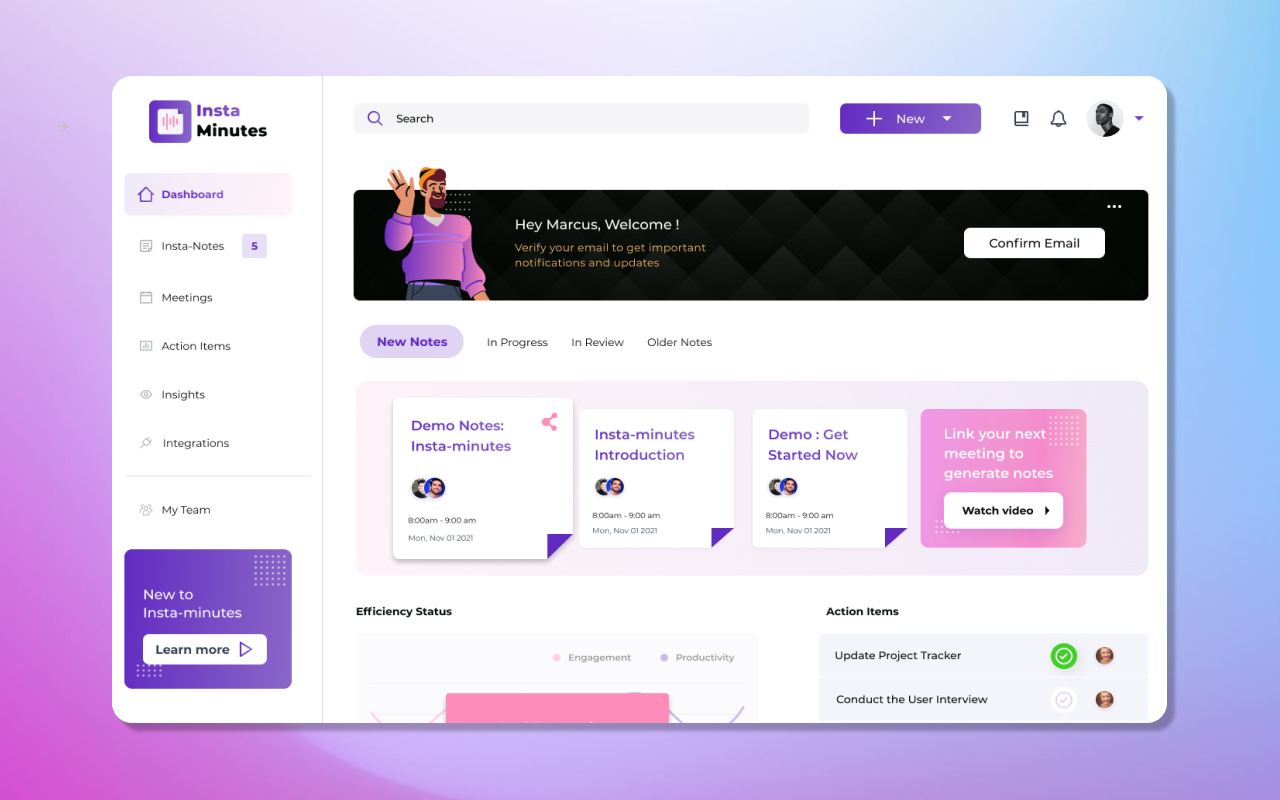
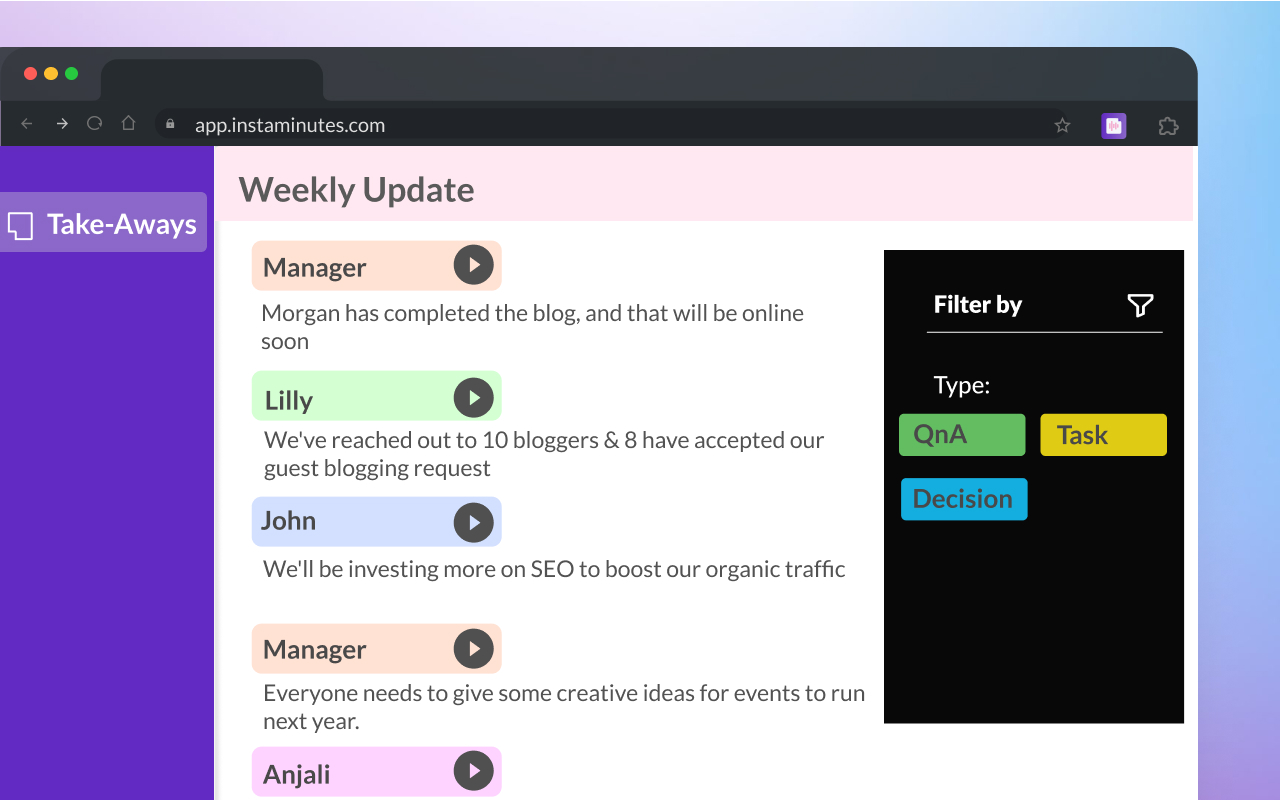
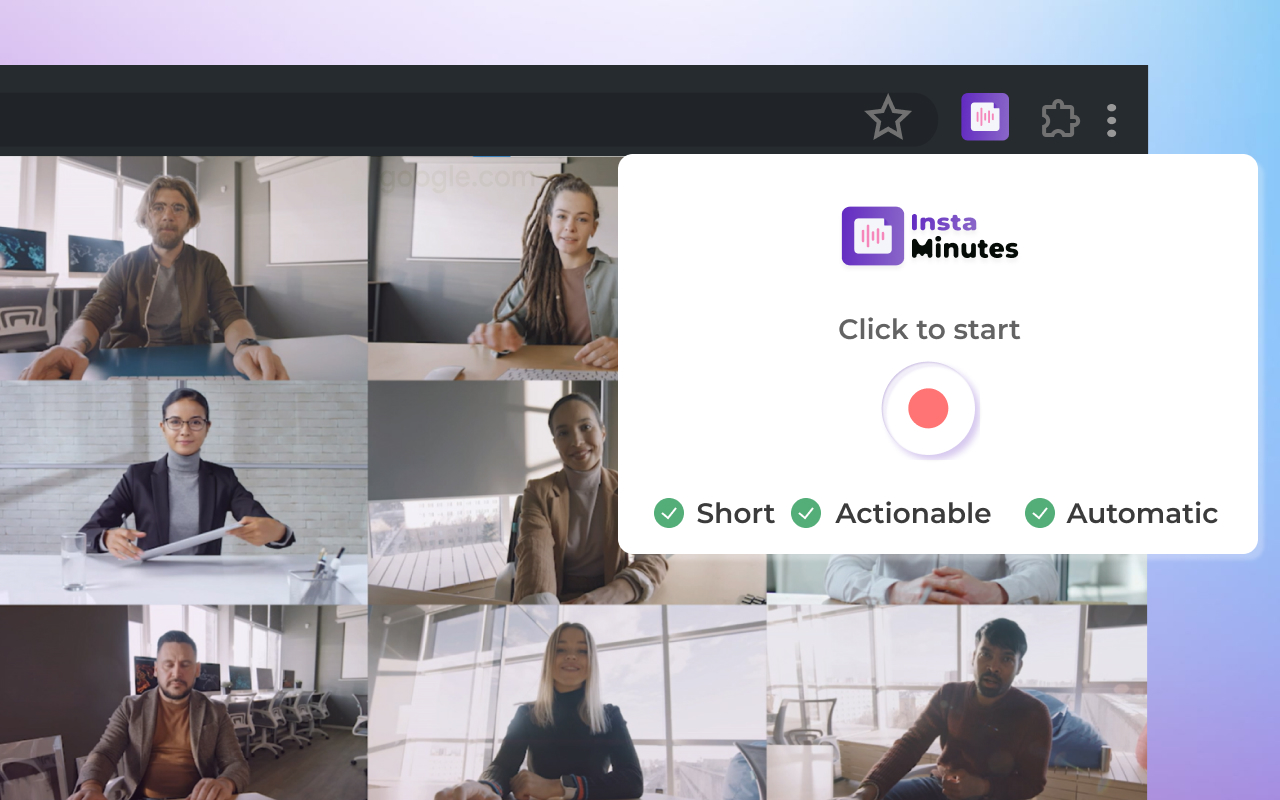
Instaminutes Demo -
Instaminutes Demo -
Instaminutes Demo -
Product Avatar Image

Have you used Instaminutes before?

Answer a few questions to help the Instaminutes community

Instaminutes Reviews (1)

Reviews

Instaminutes Reviews (1)

4.0
1 reviews
Search reviews
Filter Reviews
Clear Results
G2 reviews are authentic and verified.
Mahima B.
MB
Business Analyst
Mid-Market (51-1000 emp.)
"Note every minute with Instaminutes!"
What do you like best about Instaminutes?

It integrates with a lot of meeting applications like Zoom, Webex, Teams etc and helps to prepare the notes using AI which means you wont need to take down the notes manually. The AI does all the work for you and you can focus on the meeting agenda. It also gives the transcript of the meeting namewise. Review collected by and hosted on G2.com.

What do you dislike about Instaminutes?

It would be good if they could make a TO-DO List based on the meeting notes so that I can manage the tasks efficiently.

Also, it can be good if the efficiency of the app on the mobile can be improved. Review collected by and hosted on G2.com.

There are not enough reviews of Instaminutes for G2 to provide buying insight. Below are some alternatives with more reviews:

1
Google Workspace Logo
Google Workspace
4.6
(47,588)
Google Workspace enables teams of all sizes to connect, create and collaborate. It includes productivity and collaboration tools for all the ways that we work: Gmail for custom business email, Drive for cloud storage, Docs for word processing, Meet for video and voice conferencing, Chat for team messaging, Slides for presentation building, shared Calendars, and many more.
2
ClickUp Logo
ClickUp
4.7
(11,433)
ClickUp is one app to replace them all. It's the future of work. More than just task management - ClickUp offers docs, reminders, goals, calendars, and even an inbox. Fully customizable, ClickUp works for every type of team, so all teams can use the same app to plan, organize, and collaborate.
3
Notion Logo
Notion
4.6
(10,941)
Notion is a unified workspace for teams. Notion is a connected workspace where your team can create docs, take notes, manage tasks, and organize your work – all in one place. And now, with Notion AI, you can augment your capabilities in new and unexpected ways. Leverage the power of AI right inside Notion, across all your notes and docs, without the need to jump between your work and a separate AI-powered tool.
4
Fathom Logo
Fathom
5.0
(6,645)
Fathom records, transcribes, highlights, and summarizes your meetings so you can focus on the conversation.
5
Basecamp Logo
Basecamp
4.1
(5,462)
Trusted by millions, Basecamp is a web-based project management and collaboration tool. To-dos, files, messages, schedules, milestones and more.
6
Fellow Logo
Fellow
4.7
(2,385)
Fellow is a meeting productivity app designed to help you stay organized and make the most of your time in meetings. Fellow connects your meeting notes to your calendar, makes them easy to find, creates accountability with assigned action items, and ensures you’re setting a meaningful agenda for each meeting with collaborative agendas and meeting templates. Fellow also provides features that help improve the meeting experience with automated reminders, suggestions to cancel the meeting when there’s no clear agenda, meeting feedback, and a long list of integrations to ensure your meeting information communicates with your other tools.
7
Evernote Logo
Evernote
4.3
(2,027)
Remember everything. Capture Everything. Access anywhere. Find things fast.
8
Microsoft OneNote Logo
Microsoft OneNote
4.5
(1,855)
Microsoft OneNote is a note-taking application designed to help users capture, organize, and share information across various devices. It allows for the creation of digital notebooks where users can input text, drawings, screen clippings, and audio commentaries. OneNote's free-form canvas enables users to place content anywhere on the page, facilitating a flexible and intuitive note-taking experience. Integrated with Microsoft 365, OneNote supports real-time collaboration, allowing multiple users to edit and share notes simultaneously. Its cross-platform availability ensures seamless access to notes on Windows, macOS, iOS, Android, and through web browsers. Key Features and Functionality: - Flexible Note-Taking: Users can type, handwrite, or draw notes, insert images, and embed multimedia content, accommodating various input preferences. - Organizational Tools: Notebooks are structured into sections and pages, with powerful search capabilities to quickly locate information. - Collaboration: Multiple users can work on the same notebook simultaneously, with changes synced in real-time, enhancing teamwork and productivity. - Integration with Microsoft 365: Seamless integration with other Microsoft applications like Word, Excel, and PowerPoint allows for easy sharing and embedding of content. - Cross-Platform Accessibility: OneNote is available on various platforms, including Windows, macOS, iOS, Android, and web browsers, ensuring access to notes from any device. Primary Value and User Solutions: OneNote addresses the need for a centralized, flexible, and collaborative note-taking solution. It simplifies information management by allowing users to capture diverse content types in a single location, organize them effectively, and access them across multiple devices. The application's collaborative features enhance teamwork by enabling shared access and real-time editing, making it ideal for both personal productivity and professional projects. By integrating with the Microsoft 365 suite, OneNote streamlines workflows and ensures that users have the tools they need to capture ideas, plan projects, and share information efficiently.
9
Zoho Mail Logo
Zoho Mail
4.4
(694)
Business Email Hosting with rich webmail client, POP/IMAP access, integrated Calendar, Contacts, Notes, Tasks apps and more
10
Hive Logo
Hive
4.6
(658)
Hive is a powerful, easy-to-use project management platform that powers companies like Starbucks, The Economist, WeWork, and more.
Show More
People Icons

Start a Discussion about Instaminutes

Have a software question? Get answers from real users and experts.

Start a Discussion
Pricing

Pricing details for this product isn’t currently available. Visit the vendor’s website to learn more.

Product Avatar Image
Instaminutes