

Sagar Joshi
Sagar Joshi is a former content marketing specialist at G2 in India. He is an engineer with a keen interest in data analytics and cybersecurity. He writes about topics related to them. You can find him reading books, learning a new language, or playing pool in his free time.
What is job scheduling?
Job scheduling is the process of automatically planning, managing, and running tasks or background jobs at specific times, intervals, or conditions. It helps businesses allocate system resources efficiently, prioritize workloads, and ensure batch processes, scripts, and automated jobs run in the correct order without manual intervention.
In IT operations, job scheduling is used to control task execution, reduce delays, and improve system performance across servers, applications, and data workflows. Many teams use job scheduling software and workload automation software to monitor jobs in real time, manage dependencies, send alerts, and automate repetitive processes. This improves operational efficiency, reduces manual errors, and helps IT teams focus on higher-priority work.
TL;DR: Job scheduling definition, types, algorithms, and software
Job scheduling automates when and how tasks run across systems, helping teams manage priorities, dependencies, and resources more efficiently. It includes different scheduling types, algorithms like FCFS and round robin, and software that monitors jobs, triggers workflows, and reduces manual IT work.


What parameters do job schedulers use to decide which job to run?
Job schedulers decide which task to run by evaluating priority, dependencies, resource allocation, and execution conditions. These parameters help ensure jobs run in the right order, at the right time, and without overloading system resources.
- Job priority: Determines which jobs should run first based on business importance or urgency.
- Job dependency: Ensures one job runs only after another job has completed successfully.
- Computer resource availability: Checks whether enough CPU, memory, or system capacity is available before starting a job.
- File dependency: Requires a specific file, dataset, or output to be available before execution begins.
- Operator prompt dependency: Waits for manual input or approval from an operator before running a job.
- Estimated execution time: Uses expected run time to help schedule jobs efficiently and avoid workflow conflicts.
What are the types of job scheduling?
Job scheduling is commonly divided into long-term, medium-term, and short-term scheduling, based on how tasks move through a system and use available resources. Each type helps operating systems and IT teams manage process flow, memory usage, and CPU allocation more efficiently.
- Long-term scheduling: Long-term scheduling decides which jobs enter the processing queue for execution. It helps control system workload by limiting how many processes are admitted based on priority, system capacity, and scheduling algorithms.
- Medium-term scheduling: Medium-term scheduling manages processes that are temporarily moved out of main memory and later brought back for execution. It helps optimize memory usage and system performance through swapping.
- Short-term scheduling: Short-term scheduling selects which ready process should run next and assigns CPU time to it. Also called dispatching, it happens frequently and is critical for fast, efficient process execution
What are some job scheduling algorithms?
Job scheduling algorithms determine how processes are assigned to the CPU to balance speed, fairness, and resource efficiency. Each algorithm uses a different approach to task selection, which affects system performance, wait time, and throughput.
FCFS scheduling algorithm
The first-come, first-served (FCFS) job scheduling algorithm follows the first-in, first-out method. As processes join the ready queue, the scheduler picks the oldest job in the queue and sends it for processing. The average processing time for these jobs is comparatively long.
Advantages and disadvantages of FCFS algorithms:
- Advantage: FCFS adds minimal overhead on the processor and is better for lengthy processes.
- Disadvantage: Convoy effects occur when even a tiny job waits for a long time to move into processing, resulting in lower CPU utilization.
SJF scheduling
Shortest job first (SJF), also known as shortest job next (SJN), selects a job that would require the shortest processing time and allocates it to the CPU. This algorithm associates each process with the length of the next CPU burst. A CPU burst is when processes utilize the CPU before it’s no longer ready. Suppose two jobs have the same CPU burst. The scheduler would then use the FCFS algorithm to resolve the tie and move one of them to execution.
Advantages and disadvantages of the shortest job first scheduling:
- Advantage: The throughput is high as the shortest jobs are preferred over a long-run process.
- Disadvantage: Records elapsed time that adds to additional overhead on the CPU. Furthermore, it can result in starvation as long processes will be in the queue for a long time.
Priority scheduling
Priority scheduling associates a priority (an integer) to each process. The one with the highest priority gets executed first. Usually, the smallest integer is assigned to a job with the highest priority. If there are two jobs with similar priority, the algorithm uses FCFS to determine which would move into processing.
Advantage and disadvantage of priority scheduling:
- Advantage: Priority jobs have a good response time.
- Disadvantage: Longer jobs may experience starvation.
Round robin scheduling
Round robin scheduling is designed for time-sharing systems. It’s a preemptive scheduler based on the clock and is often called a time-slicing scheduler. Whenever a periodic clock interval occurs, the scheduler moves a currently processing job to the ready queue. It takes the next job in the queue for processing on a first-come, first-served basis. Deciding on a time quantum or a time slice is tricky in this scheduling algorithm. If the time slice is short, small jobs get processed faster.
Advantages and disadvantages of round-robin scheduling:
- Advantages: Provides fair treatment to all processes, and the processor overhead is low.
- Disadvantages: Throughput can be low if the time slice is short.
How does job scheduling software work?
Job scheduling software works by creating, assigning, and monitoring automated tasks based on rules such as timing, priority, dependencies, and system resources. It typically includes a scheduling interface to organize jobs and an execution agent to run them on the appropriate system.
The scheduler builds job queues and sets execution logic, while the agent submits tasks, monitors progress, and checks conditions like CPU availability, run time, and file dependencies. This helps businesses automate routine IT processes, improve workflow visibility, and reduce manual effort.
What are some common tasks job schedulers automate?
Job schedulers automate routine system tasks to keep workflows running smoothly and on time. By handling event-based actions, file movement, and logging automatically, they reduce manual work and improve operational consistency.
- Event triggering: Job schedulers can detect triggering events such as emails, file modifications, system updates, file transfers, and user-defined events. They can be connected to different APIs to detect such triggers.
- File processing: Job scheduling tools monitor file movements. As soon as a triggering file enters the system, it informs the execution agent to process the preset task.
- File transferring: Job scheduling programs can trigger a file transfer protocol (FTP) to initiate a secure transfer from the server to the internet or pull data from the internet to the server.
- Event logging: Job scheduling systems generate and record event logs for regulatory compliance.
What is the difference between job scheduling, CPU scheduling, and workload automation?
Job scheduling, CPU scheduling, and workload automation are related concepts, but they solve different problems in IT operations and system management. Job scheduling focuses on when and how tasks run, CPU scheduling manages processor time for active processes, and workload automation coordinates larger workflows across systems, applications, and business processes.
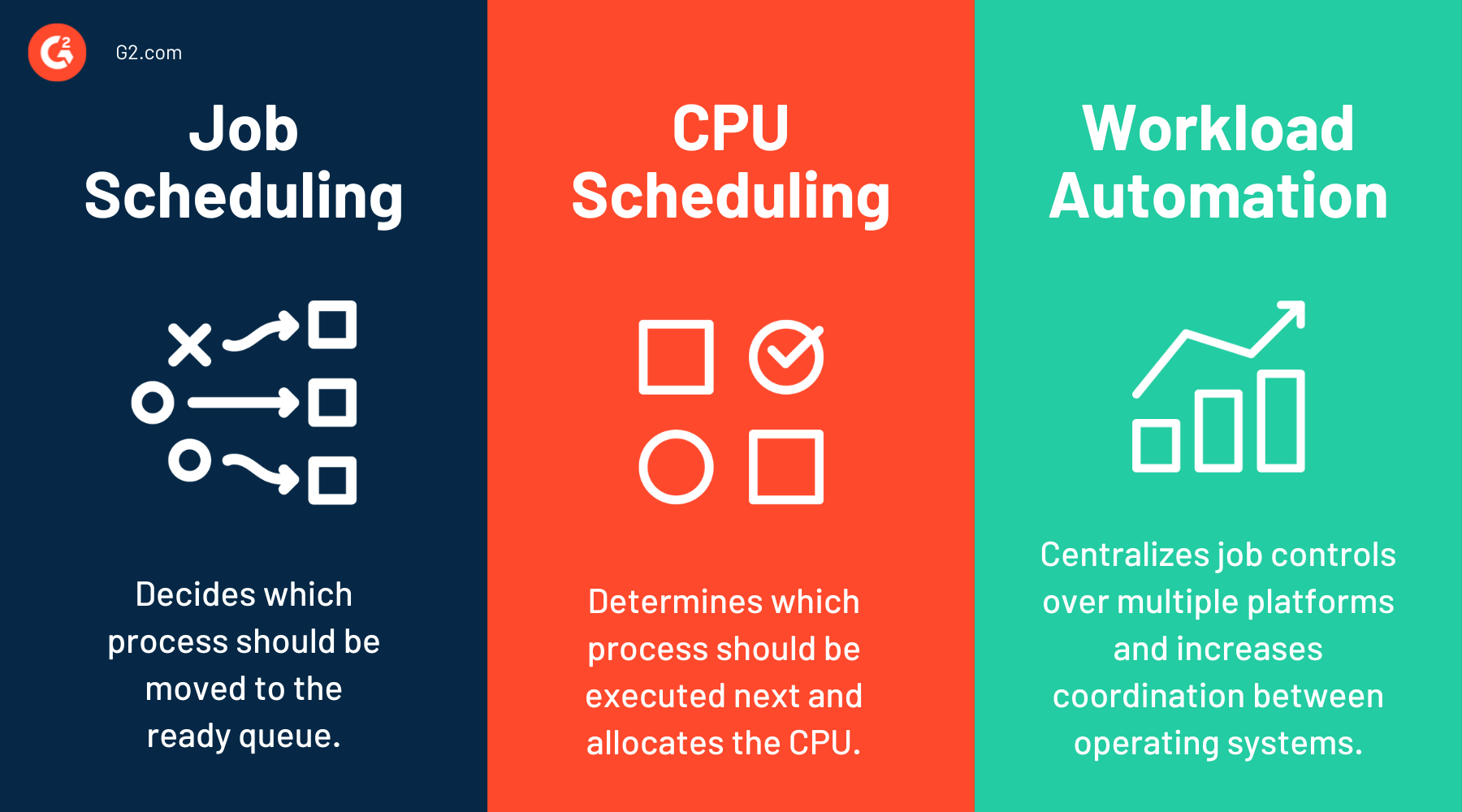
| Job scheduling | CPU scheduling | Workload automation |
| Job scheduling is the process of planning and running tasks, batch jobs, or scripts at specific times or conditions. | CPU scheduling is the operating system process of assigning CPU time to active processes or threads. | Workload automation is the broader process of automating and coordinating multiple jobs, workflows, and business processes across systems. |
| It focuses on task execution order, dependencies, priorities, and resource availability. | It focuses on processor efficiency, system responsiveness, and fair use of CPU resources. | It extends beyond job scheduling by managing end-to-end workflows, alerts, remediation, and cross-platform orchestration. |
Related resources:
Frequently asked questions about job scheduling
Have unanswered questions? Let’s tackle them.
Q1. What are the three reasons for scheduling?
The three main reasons for job scheduling are to improve resource utilization, ensure efficient task execution, and manage workload priorities. Scheduling helps systems run tasks in the right order while minimizing delays and maximizing performance.
Q2. Why is job scheduling important?
Job scheduling is important because it automates task execution, optimizes system resources, and ensures workflows run on time. It reduces manual effort, prevents bottlenecks, and improves efficiency in IT operations and batch processing.
Q3. What is the shortest job first scheduling?
Shortest job first (SJF) scheduling is a CPU scheduling algorithm that selects the process with the shortest execution time to run next. It helps reduce average waiting time and improves system efficiency, but it may delay longer tasks.
Q4. What is a good scheduling technique?
A good scheduling technique depends on system needs, but commonly used methods include priority scheduling, round-robin scheduling, and shortest job first. Effective techniques balance resource allocation, task priority, and system performance to optimize workflow execution.
Ready to streamline your workflows? Read about project management to manage teams, timelines, and deliverables with ease.


